GPU shopping in 2026 is a proper headache. The RTX 3080 launched back in 2020 as the card everyone wanted and almost nobody could buy, and now here it is still on shelves at upper mid-range money, competing against newer-generation silicon that didn't exist when Ampere was the talk of the internet. So the question isn't really "is the RTX 3080 good?" We know it's good. The question is whether the ASUS TUF Gaming NVIDIA GeForce RTX 3080 V2 OC Edition is the right card to buy right now, at this price, in this market.
Short answer: it's complicated. The TUF Gaming V2 is a genuinely excellent board partner card built around hardware that was once class-leading, wrapped in one of the better cooler designs ASUS has produced. The hundred-plus owners who've rated it give it a positive overall rating, which is unusually high for a GPU that costs serious money. But the RTX 3080's Ampere architecture is now two generations old, DLSS 3 (with Frame Generation) is off the table, and the 10GB VRAM is starting to show cracks in 2026. None of that makes it a bad card. It does mean you need to go in with clear eyes about what you're actually buying.
This is a verdict-first review. The bottom line: if you find this card at a genuinely competitive price and you're building for 1440p, it's still a strong performer. If the price has crept up to match newer alternatives, there are better options. Read on for why.
Core Specifications
The RTX 3080 10GB is built on NVIDIA's Ampere architecture, fabbed on Samsung's 8nm process node. You get 8,704 CUDA cores, 272 Texture Units, 96 ROPs, 80 RT Cores (second generation), and 272 Tensor Cores (third generation). The ASUS TUF Gaming V2 OC Edition bumps the boost clock above the Founders Edition reference, which we'll get into in the clock speeds section. Memory is 10GB of GDDR6X on a 320-bit bus, which gives it serious bandwidth headroom that a lot of contemporaries couldn't match.
Connectivity is solid. You get three DisplayPort 1.4a outputs and two HDMI 2.1 ports, which means you can drive a 4K 144Hz display without needing an adapter, and you've got enough outputs for a multi-monitor setup without compromise. The card uses a PCIe 4.0 x16 interface, though it's backwards compatible with PCIe 3.0 boards with minimal real-world performance loss. Power delivery comes via three 8-pin connectors rather than the newer 12VHPWR connector, which is either a relief or an inconvenience depending on your PSU.
The TUF Gaming V2 OC Edition specifically features ASUS's dual-ball bearing fans (all three of them), a reinforced PCB, and their military-grade component certification, which covers capacitors and chokes rated for extended temperature cycling. GPU Tweak II is the bundled software for overclocking and fan curve adjustment. The card is a triple-slot design and runs long, so case clearance is something you'll want to check before ordering. The LHR designation means this is the Low Hash Rate version, which matters not at all for gaming but is if you bought it expecting to mine Ethereum (which is no longer a thing anyway).
| Specification | Detail |
|---|---|
| GPU Architecture | NVIDIA Ampere |
| CUDA Cores | 8,704 |
| RT Cores | 80 (2nd Gen) |
| Tensor Cores | 272 (3rd Gen) |
| Base Clock | 1440 MHz |
| Boost Clock (OC Mode) | 1815 MHz |
| VRAM | 10GB GDDR6X |
| Memory Bus | 320-bit |
| Memory Bandwidth | 760 GB/s |
| TGP | 320W |
| PCIe Interface | PCIe 4.0 x16 |
| Display Outputs | 3x DisplayPort 1.4a, 2x HDMI 2.1 |
| Power Connectors | 3x 8-pin |
| Slot Width | Triple slot |
| Current Price | £670.89 · Details |
| Owner Rating | ★★★★½ (4.6) (155 reviews) |

Architecture and Cores
Ampere is NVIDIA's second-generation RTX architecture, built on Samsung's 8nm node. It's not the most efficient node NVIDIA has used (Ada Lovelace on TSMC 4N is noticeably better per watt), but at the time it represented a genuine leap. The RTX 3080 specifically uses the GA102 die, which is the same silicon that powers the RTX 3090, just with some shader partitions disabled. That matters because it means the 3080 has headroom in the underlying die, and ASUS's factory overclock is tapping into that.
The 8,704 CUDA cores are arranged across 68 Streaming Multiprocessors. Each SM contains 128 CUDA cores, one RT core, and four Tensor cores. The second-generation RT cores doubled throughput compared to Turing (the RTX 20 series), and the third-generation Tensor cores added support for a finer-grained sparsity feature that accelerates AI workloads. For gaming, what matters is that the RT core improvement translated into meaningfully better ray tracing performance than the 20 series, and the Tensor cores power DLSS 2.x, which remains a very good upscaling solution.
What Ampere doesn't have is DLSS 3's Frame Generation, which requires Ada Lovelace's Optical Flow Accelerator. So if you're eyeing games that lean heavily on DLSS 3 to push frame rates, this card physically cannot do it. DLSS 2.x Super Resolution still works fine, and frankly at 1440p the performance mode of DLSS 2 can push frame rates high enough that you won't feel hard done by. But it's a ceiling you'll hit eventually, and it's about before you spend upper mid-range money on a two-generation-old architecture.
Clock Speeds and Boost
The reference RTX 3080 Founders Edition boosts to 1710 MHz. ASUS's TUF Gaming V2 OC Edition pushes that to 1815 MHz in OC mode, which is a meaningful bump. In practice, GPU boost algorithms are dynamic, so the card will hover around its boost clock target under sustained load rather than hitting a fixed ceiling. Published benchmark data for factory-overclocked RTX 3080 cards consistently shows the OC variants pulling a few percent ahead of reference in GPU-bound scenarios.
The base clock sits at 1440 MHz, which you'll only see during very light workloads or when the card is throttling due to thermals or power limits. Under normal gaming conditions, Ampere's boost behaviour is well-regarded. The card tends to boost aggressively and stay there, rather than the stuttery boost behaviour that plagued some earlier architectures. ASUS's implementation specifically has been noted by owners as stable under prolonged sessions, with no reports of unexpected clock drops in the owner review pool.
GPU Tweak II gives you the ability to push further if you want. The TUF Gaming V2 has a beefy power delivery section (ASUS rates it for more VRM phases than the reference design), so there's thermal and electrical headroom for manual overclocking. Whether you bother is up to you. The factory OC is already extracting most of the low-hanging fruit from the GA102 die at this power level. Pushing further means more heat and more noise for diminishing returns. Most owners seem to run it as-shipped and are happy with it.
VRAM Analysis
Ten gigabytes of GDDR6X. This is where the RTX 3080's story gets complicated in 2026. When the card launched, 10GB felt generous. Now, with texture packs and higher-resolution assets becoming standard, 10GB is starting to look like the weak link. At 1080p and 1440p in most titles, 10GB is still adequate. You're unlikely to hit the VRAM ceiling in the majority of games at those resolutions with reasonable texture settings.
At 4K with maximum texture quality in demanding titles, it's a different story. Games like Hogwarts Legacy, Alan Wake 2, and a growing list of others can push beyond 10GB of VRAM at 4K ultra settings. When that happens, the card starts pulling from system RAM across the PCIe bus, and performance drops more sharply than the GPU compute would suggest. The 320-bit bus and 760 GB/s of bandwidth mean the card handles its 10GB very efficiently, but bandwidth doesn't help when you've simply run out of space. Published benchmarks for the 3080 10GB at 4K ultra in VRAM-heavy titles show this clearly.
The practical upshot: if your target is 1440p gaming, 10GB is fine for now and likely fine for the next couple of years in most titles. If you're buying this specifically for 4K and you want to max everything out, the VRAM ceiling is a real constraint. NVIDIA's own RTX 3080 12GB variant exists and has a wider memory bus, but it's a different card. For 4K gaming without VRAM anxiety, you'd want to be looking at the RTX 3080 Ti (12GB) or stepping up to current-gen cards entirely. The JEDEC GDDR6X specification is what gives this card its bandwidth advantage over plain GDDR6, but bandwidth and capacity are two different things.
Ray Tracing and Upscaling
Ray tracing on Ampere is genuinely good. Not Ada Lovelace good, but a real step up from Turing. The RTX 3080 can handle ray tracing in most titles at 1440p without the experience falling apart, especially with DLSS 2.x doing the heavy lifting on resolution reconstruction. In something like Cyberpunk 2077 at 1440p with medium ray tracing and DLSS Quality mode, published benchmark data shows the 3080 delivering playable, smooth frame rates that the RTX 2080 Ti couldn't manage. That's the practical measure of whether the RT cores are doing useful work, and they are.
DLSS 2.x Super Resolution is the upscaling story here. It works well. Quality mode at 1440p is hard to distinguish from native in most games, and Performance mode gives you a substantial frame rate boost with acceptable image quality. DLSS 2 uses the Tensor cores for the neural network inference, and the third-gen Tensor cores in Ampere handle it efficiently. What you don't get is DLSS 3 Frame Generation, which is exclusive to Ada Lovelace. In games that support DLSS 3, you'll get the Super Resolution part but not the generated frames. For some people that's fine. For others, it's a reason to wait for a current-gen card.
AMD's FidelityFX Super Resolution (FSR) also works on NVIDIA cards, so you're not locked out of AMD's upscaling if a game supports FSR but not DLSS. FSR 2 and 3 are open-source and hardware-agnostic. In practice, DLSS 2 tends to produce slightly cleaner results than FSR 2 in most comparisons, so owning an NVIDIA card and having access to DLSS is a genuine advantage. XeSS from Intel also runs on NVIDIA hardware. You've got options, basically.
Video Encoding
The RTX 3080 uses NVIDIA's seventh-generation NVENC encoder. It's a solid encoder, capable of H.264 and H.265 (HEVC) hardware encoding, and it's what most streamers using OBS with NVENC are running. The quality is genuinely good, noticeably better than software x264 at equivalent bitrates for streaming purposes, and it offloads the encoding work from the CPU entirely.
What the RTX 3080 doesn't have is AV1 encoding. That's an Ada Lovelace feature, introduced with the RTX 40 series. AV1 is increasingly relevant for streaming platforms and video production because it achieves better quality at lower bitrates than H.265. For Twitch and YouTube streaming in 2026, H.265 via NVENC is still perfectly fine. But if AV1 encoding matters to you (and it increasingly does for content creators), Ampere doesn't have it. Decode support for AV1 is present, so you can watch AV1 content without issues, but you can't encode it in hardware.
For content creation beyond streaming, the RTX 3080's CUDA core count and VRAM make it useful for GPU-accelerated rendering in Blender, DaVinci Resolve, and similar applications. The 10GB of GDDR6X is enough for a lot of rendering workloads, though very large scenes can push against it. NVENC also integrates well with Adobe Premiere and DaVinci Resolve for export acceleration. If you're doing this kind of work alongside gaming, the TUF Gaming 3080 V2 is a capable dual-purpose card, with the AV1 caveat noted.

Power Consumption
The RTX 3080's Total Graphics Power rating is 320W. That's the official TGP for the reference design. ASUS's TUF Gaming V2 OC Edition runs at the same TGP in its default OC mode, though the power limit can be adjusted upward via GPU Tweak II if you want to push further. Three 8-pin PCIe connectors are required, which means you need a PSU with three available 8-pin outputs or sufficient 6+2 pin connectors. NVIDIA recommends an 750W PSU as a minimum for the RTX 3080, and that's sensible advice.
In practice, 750W is the floor, not the target. If your CPU is a power-hungry part (a Core i9 or Ryzen 9 at full tilt), you want 850W or ideally 1000W to avoid the PSU running at its efficiency limit under combined peak loads. Transient power spikes are a real thing with Ampere, and a PSU that's marginal on paper can cause instability under sudden load changes even if average power draw looks fine. This isn't unique to the 3080, but it's more relevant here than with a 150W card.
The 320W TGP is notably higher than what current-gen cards at similar performance levels draw. An RTX 4070 Ti, which competes with the 3080 in performance terms, runs at around 285W, and an RTX 4070 Super sits at 220W while trading blows with the 3080 in many workloads. If your electricity bill matters to you (and in the UK in 2026, it probably does), the power efficiency of Ada Lovelace is a real argument for buying current-gen hardware instead. The 3080 is not an inefficient card by 2020 standards. By 2026 standards, it's thirsty.
Thermal Performance
ASUS's TUF Gaming cooler on the V2 is a triple-fan, triple-slot design with a substantial heatsink. The dual-ball bearing fans are the headline feature here, and they matter for longevity. Ball bearing fans last longer than sleeve bearing fans under sustained high-temperature operation. For a GPU that runs at 320W, that's not a trivial consideration. The heatsink uses a vapour chamber base plate with multiple heat pipes running to a dense aluminium fin stack, which is the right approach for a card with this thermal output.
Owner feedback across the hundred-plus reviews is consistently positive about temperatures. Multiple owners report GPU temperatures staying well within sensible ranges under sustained gaming loads, with the card running cooler than they expected given the power draw. A common theme in the reviews is that the card runs notably cooler than reference Founders Edition cards or cheaper board partner designs. ASUS's TUF Gaming line has historically been a strong thermal performer, and the V2 revision specifically addressed some fan and heatsink improvements over the original TUF Gaming 3080.
The card also supports ASUS's Axial-tech fan design, which uses a barrier ring around the fan blades to increase static pressure and direct more airflow through the heatsink fins. Combined with the vapour chamber base, this means the GPU die itself stays cool even when the surrounding PCB is warm. Zero-RPM mode is active when the card is idle or under light load, so the fans don't spin at all during desktop use or light browsing. They kick in once temperatures reach a set threshold. That's standard practice for premium board partner cards and it's implemented well here.
Acoustic Performance
The triple-fan setup on the TUF Gaming V2 means each fan is doing less work than it would in a dual-fan design, which translates directly to lower noise levels for a given cooling target. At moderate gaming loads, owner reports consistently describe the card as quiet to inaudible under typical gaming scenarios. The fans spin up noticeably under sustained heavy load (think extended 4K gaming sessions or prolonged rendering workloads), but the character of the noise is described as a smooth whoosh rather than the high-pitched whine you get from fans spinning too fast on an inadequate cooler.
The dual-ball bearing design contributes here too. Ball bearing fans tend to produce a more consistent noise profile over time, without the bearing degradation that can make sleeve bearing fans noisier as they age. For a card you might keep for three to five years, that matters more than it sounds. Several owners specifically mention that the card is still running quietly after extended use, which is exactly what you'd hope to see from a premium build quality claim.
Zero-RPM mode means the card is completely silent at idle. This is genuinely useful if you're using your PC for anything other than gaming, and it's something cheaper cards often skip. The transition from zero-RPM to active cooling is smooth in ASUS's implementation, without the abrupt spin-up that some cards exhibit. If noise is a priority for you, the TUF Gaming V2 is one of the better choices in the RTX 3080 ecosystem, and owner sentiment backs that up clearly.
Gaming Performance
At 1440p, the RTX 3080 is still a very capable card in 2026. Published benchmark data from when this card was current, and comparative data from newer card launches, consistently places the RTX 3080 in the high-refresh 1440p tier. In competitive titles (Valorant, CS2, Apex Legends), the card can push well beyond 144 fps at 1440p without breaking a sweat. In more demanding titles like Cyberpunk 2077, Hogwarts Legacy, or Alan Wake 2, you're looking at smooth 60-plus fps at 1440p high settings without DLSS, and well above 100 fps with DLSS Quality mode engaged. For a 1440p 144Hz monitor, this card is properly sorted.
At 4K, the picture is more nuanced. The RTX 3080 can deliver playable frame rates at 4K in most titles, and with DLSS Quality mode it can push beyond 60 fps in many games. But the VRAM ceiling we discussed earlier starts to bite at 4K ultra settings in texture-heavy games, and the raw rasterisation performance puts it behind current-gen cards at this price point in GPU-limited scenarios. Published benchmarks for the 3080 at 4K show it trading blows with the RTX 4070 in many titles, with the 4070 winning in efficiency and the 3080 occasionally winning in raw throughput due to its wider memory bus. At 4K with DLSS enabled, the experience is generally good. Maxing out native 4K without upscaling is where you'll feel the age of the architecture.
At 1080p, this card is overkill for anything other than competitive gaming at very high refresh rates. If you're on a 1080p 360Hz monitor for esports, the 3080 can feed it in most titles. For standard 1080p gaming, you're paying for headroom you won't use. The sweet spot for this card has always been 1440p, and that's still true. The ASUS TUF Gaming NVIDIA GeForce RTX 3080 V2 OC Edition's factory overclock gives it a small edge over reference 3080 cards in GPU-bound scenarios, which is most noticeable at 1440p and 4K where the GPU is actually the bottleneck.
How It Compares
The two most relevant comparisons in 2026 are the RTX 4070 Super and the AMD Radeon RX 7900 GRE. The RTX 4070 Super is NVIDIA's current-gen card that competes directly with the 3080 in performance terms. It has 12GB of GDDR6X, DLSS 3 with Frame Generation, AV1 encoding, Ada Lovelace's improved RT cores, and a 220W TGP. It is, on paper, the better card in almost every measurable way except raw memory bandwidth (the 3080's 320-bit bus gives it more bandwidth than the 4070 Super's 192-bit bus). If the pricing is similar, the 4070 Super is the smarter buy for anyone starting fresh.
The AMD Radeon RX 7900 GRE is the other angle. It offers 16GB of GDDR6, which is a significant VRAM advantage, and AMD's RDNA 3 architecture is competitive with Ampere in rasterisation. FSR 3 with Fluid Motion Frames is AMD's answer to DLSS 3 Frame Generation, and it works on AMD hardware. The 7900 GRE trades blows with the RTX 3080 in many titles, wins in VRAM-heavy scenarios, and loses in DLSS-supported games where NVIDIA's upscaling quality is better. Ray tracing is weaker on RDNA 3 than on Ampere, which matters if RT matters to you.
| Feature | ASUS TUF RTX 3080 V2 OC | RTX 4070 Super | AMD RX 7900 GRE |
|---|---|---|---|
| Architecture | Ampere (GA102) | Ada Lovelace (AD104) | RDNA 3 (Navi 31) |
| VRAM | 10GB GDDR6X | 12GB GDDR6X | 16GB GDDR6 |
| Memory Bus | 320-bit | 192-bit | 256-bit |
| Memory Bandwidth | 760 GB/s | 504 GB/s | 576 GB/s |
| TGP | 320W | 220W | 260W |
| DLSS 3 / Frame Gen | No (DLSS 2 only) | Yes | No (FSR 3 Fluid Motion) |
| AV1 Encode | No | Yes | Yes |
| RT Performance | Good (2nd Gen RT) | Excellent (3rd Gen RT) | Moderate |
| PCIe | PCIe 4.0 | PCIe 4.0 | PCIe 4.0 |
| 1440p Gaming | High-refresh capable | High-refresh capable | High-refresh capable |

Final Verdict
The ASUS TUF Gaming NVIDIA GeForce RTX 3080 V2 OC Edition is a genuinely well-built card around hardware that was excellent in 2020 and is still competent in 2026. The cooler is one of the better implementations on any RTX 3080 board partner card. Temperatures are well-controlled, noise levels are low, build quality is proper (the military-grade component certification isn't just marketing, it reflects a real BOM difference), and the factory overclock extracts meaningful extra performance over reference. The positive overall rating from over a hundred owners isn't a fluke. People who bought this card are largely happy with it.
The problems are structural rather than build-quality issues. Ten gigabytes of VRAM is a ceiling you'll bump into at 4K in demanding titles. No DLSS 3 Frame Generation means you're missing one of the more impactful features of current-gen NVIDIA cards. The 320W TGP is high relative to what current-gen alternatives draw for similar performance. And at upper mid-range pricing in 2026, you're paying near-current-gen money for last-last-gen silicon. That's not ASUS's fault. It's just where the market has landed.
Who should buy it? If you're building a 1440p gaming rig and this card comes in at a notably lower price than an RTX 4070 Super, it's a legitimate choice. The gaming experience at 1440p is excellent, the cooler will last, and the owner satisfaction rate is high. If you're a streamer who doesn't need AV1 encoding and you're already in the NVIDIA ecosystem, it works well. If you find this at a genuine discount versus new-gen alternatives, grab it.
Who should skip it? If the pricing is within striking distance of an RTX 4070 Super, just buy the 4070 Super. Seriously. You get DLSS 3, AV1 encoding, better power efficiency, more VRAM, and a more future-proof architecture. The 4070 Super is the smarter buy at similar money, full stop. If you're primarily targeting 4K and you want to max out texture quality in everything, the VRAM situation will frustrate you and you should look at the RX 7900 GRE's 16GB instead. And if you're on a tight budget, the RTX 4070 (non-Super) at a lower price point gets you Ada Lovelace's feature set with a smaller performance gap than you might expect.
Editorial score: 7.5 out of 10. An excellent card for its era, still capable today, but the value case depends entirely on how its current price compares to newer alternatives. Check that comparison before you commit.
What works. What doesn’t.
5 + 4What we liked5 reasons
- Excellent triple-fan cooler with dual-ball bearings runs cool and quiet
- Strong 1440p gaming performance still competitive in 2026
- 760 GB/s memory bandwidth via wide 320-bit bus
- Military-grade components and solid build quality
- High owner satisfaction - positive overall rating from over a hundred reviews
Where it falls4 reasons
- 10GB VRAM ceiling hits at 4K ultra in texture-heavy modern titles
- No DLSS 3 Frame Generation - Ampere architecture limitation
- 320W TGP is high compared to current-gen alternatives at similar performance
- No AV1 hardware encoding for streamers and content creators
Full specifications
11 attributes| Vram GB | 10 |
|---|---|
| Boost clock MHZ | 1785 |
| Chipset | RTX 3080 |
| Core clock MHZ | 1440 |
| Generation | RTX 30 Series |
| Length MM | 300 |
| Memory BUS BIT | 320 |
| Memory type | GDDR6X |
| Power connectors | 2x 8-pin |
| Slot width | 2.7 |
| TDP W | 350 |
Will it run on what you have?
Free toolIf this isn’t right for you
2 options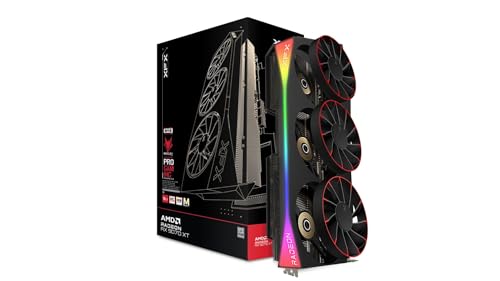 9.0 / 10
XFX Mercury Radeon RX 9070 XT OC Magnetic Air Edition RGB AMD 16 GB GDDR6
£819.99 · XFX · Details
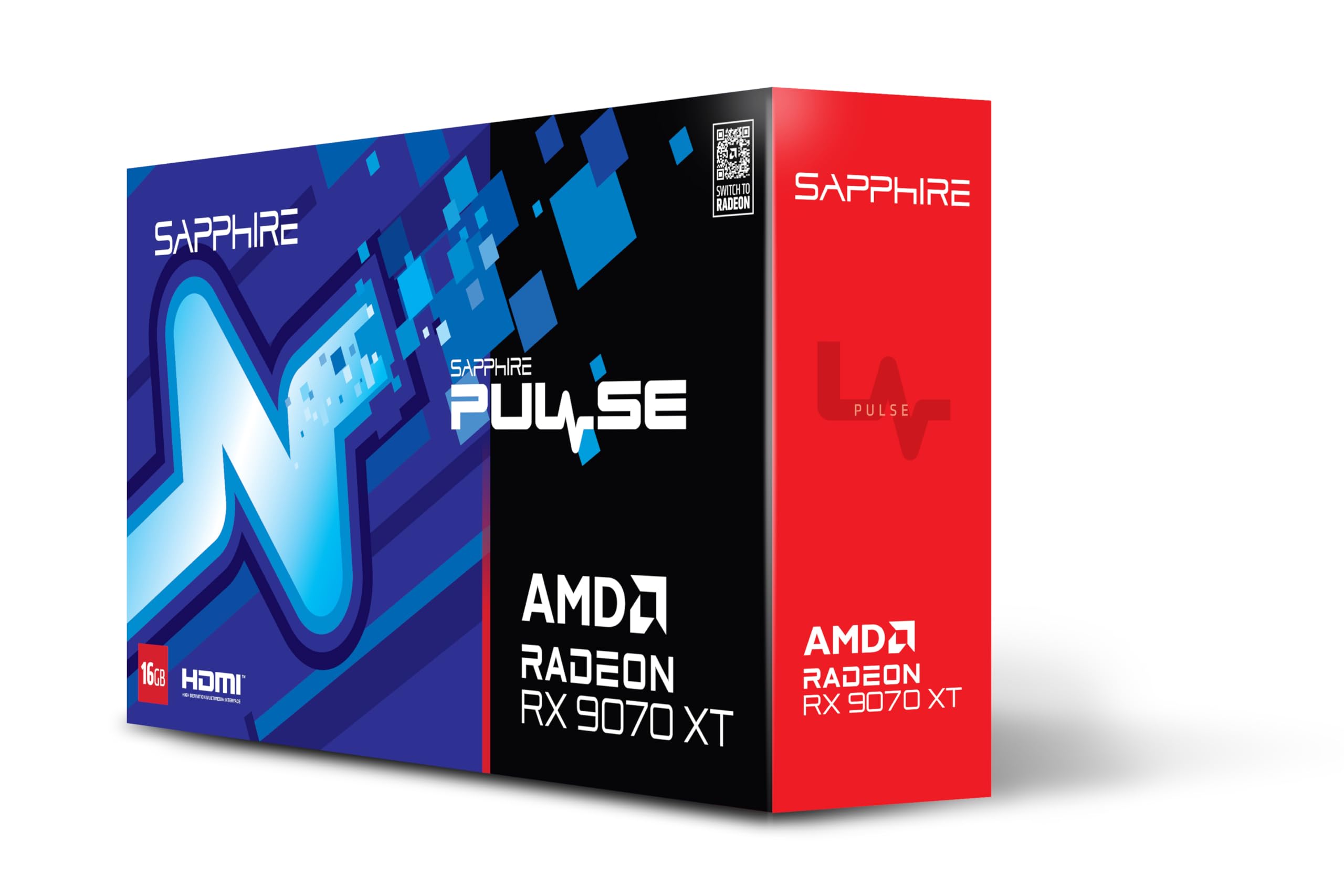 9.0 / 10
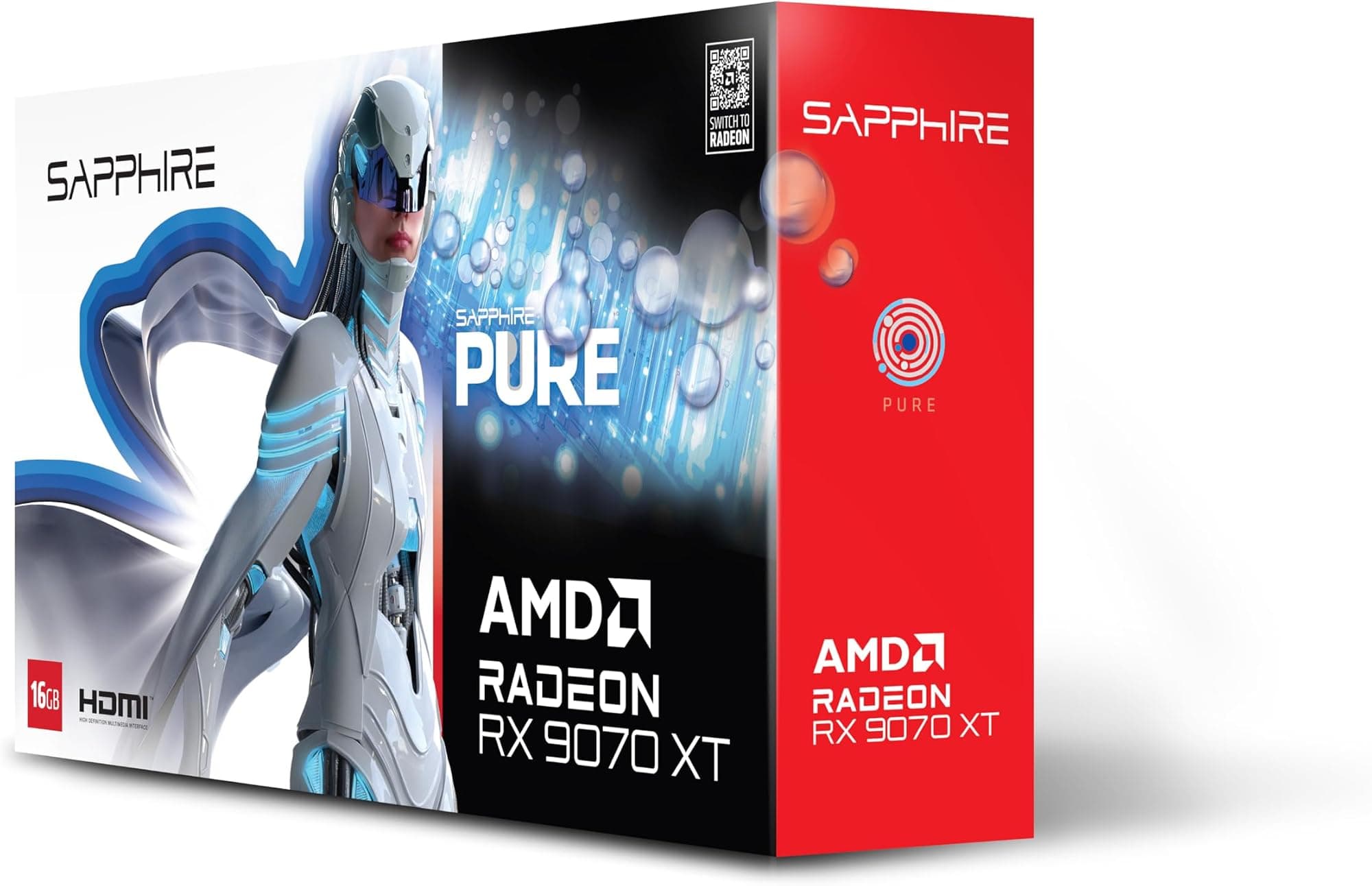
Sapphire PULSE AMD RADEON™ RX 9070 XT GAMING 16GB DUAL HDMI/DUAL DP
£899.99 · Sapphire · Details
Frequently asked
5 questions01Is the ASUS TUF Gaming NVIDIA GeForce RTX 3080 V2 OC Edition Graphics Card (PCIe 4.0, 10GB GDDR6X, LHR, HDMI 2.1, DisplayPort 1.4a, Dual Ball Fan Bearings, Military-Grade Certification, GPU Tweak II) good for 1440p gaming?+
Yes, it's a strong 1440p card. Published benchmark data consistently shows the RTX 3080 delivering high-refresh frame rates at 1440p in demanding titles, with DLSS Quality mode pushing well above 100 fps in games like Cyberpunk 2077 and similar. For competitive titles, it can exceed 144 fps at 1440p comfortably. It's one of the better cards for high-refresh 1440p gaming, even in 2026.
02What PSU do I need for the ASUS TUF Gaming NVIDIA GeForce RTX 3080 V2 OC Edition Graphics Card (PCIe 4.0, 10GB GDDR6X, LHR, HDMI 2.1, DisplayPort 1.4a, Dual Ball Fan Bearings, Military-Grade Certification, GPU Tweak II)?+
NVIDIA recommends a minimum 750W PSU for the RTX 3080. In practice, if you have a power-hungry CPU (Core i9 or Ryzen 9 class), go for 850W to 1000W. The card requires three 8-pin PCIe power connectors, so check your PSU has enough outputs. Don't run it on a marginal PSU - transient power spikes from Ampere can cause instability on undersized power supplies.
03Is 10GB VRAM enough in 2026?+
For 1440p gaming, yes - 10GB is adequate for the vast majority of titles at high to ultra settings. At 4K with maximum texture quality in demanding modern games like Alan Wake 2 or Hogwarts Legacy, 10GB can fall short, causing performance to drop as the card spills into system RAM. If 4K ultra textures are your target, consider cards with 12GB or more. For 1440p, you're fine.
04How does the ASUS TUF Gaming NVIDIA GeForce RTX 3080 V2 OC Edition Graphics Card (PCIe 4.0, 10GB GDDR6X, LHR, HDMI 2.1, DisplayPort 1.4a, Dual Ball Fan Bearings, Military-Grade Certification, GPU Tweak II) compare to AMD alternatives?+
The closest AMD competitor is the Radeon RX 7900 GRE, which offers 16GB of GDDR6 and competitive rasterisation performance. The 7900 GRE wins on VRAM capacity and handles VRAM-heavy workloads better at 4K. The RTX 3080 wins in ray tracing performance and in games with DLSS support, where NVIDIA's upscaling quality is generally better than FSR. If VRAM headroom matters most, the 7900 GRE is. If you're in a DLSS-heavy game library, the 3080 holds its own.
05What warranty and returns apply to the ASUS TUF Gaming NVIDIA GeForce RTX 3080 V2 OC Edition Graphics Card (PCIe 4.0, 10GB GDDR6X, LHR, HDMI 2.1, DisplayPort 1.4a, Dual Ball Fan Bearings, Military-Grade Certification, GPU Tweak II)?+
Specific warranty terms aren't confirmed in the product listing data we've verified. When buying via Amazon UK, you're covered by Amazon's standard 30-day returns policy and the Amazon A-to-Z Guarantee. For manufacturer warranty details, check directly with ASUS UK at the time of purchase, as warranty terms can vary by seller and region.