You know what actually winds me up about the GPU market? It's not the prices, though those are bad enough. It's that almost every review is written for someone who wants to play Cyberpunk 2077 at 4K with ray tracing cranked to maximum. Which is fine, but it completely ignores the enormous chunk of people who just need a graphics card to exist in a PC that doesn't currently have one. The GT 730 is for those people. Specifically: the person rescuing an old office machine from integrated graphics hell, the home theatre PC builder who needs four HDMI outputs and absolutely nothing else, or the small business owner who needs a second or third monitor without spending serious money. That's the audience. If that's you, read on.
The verdict up front: the ASUS NVIDIA GeForce GT 730 is a genuinely useful piece of kit for a very specific set of needs, and a complete non-starter for everyone else. It won't run modern games. It won't do ray tracing. It won't make your streaming setup sing. But it will give a dead-in-the-water office PC a display output, run four monitors simultaneously via its four HDMI ports, do it in total silence thanks to passive cooling, and sip power so gently that your PSU won't even notice. Hundreds of owner reviews and a positive overall rating on Amazon tells you that the people buying this for the right reasons are largely very happy with it. The key is knowing whether you're one of those people.
Core Specifications
The GT 730 is built on NVIDIA's Kepler architecture, which at this point is genuinely old. We're talking a GPU that first appeared in 2014, though ASUS has kept producing variants of it because there remains a real market for low-power, passive, multi-display cards. This particular version uses GDDR5 memory rather than the slower DDR3 versions that also exist in the GT 730 family, which matters more than you'd think at this level. The GDDR5 variant has meaningfully higher memory bandwidth, which helps with display output quality and light workloads even if it doesn't suddenly make it a gaming card.
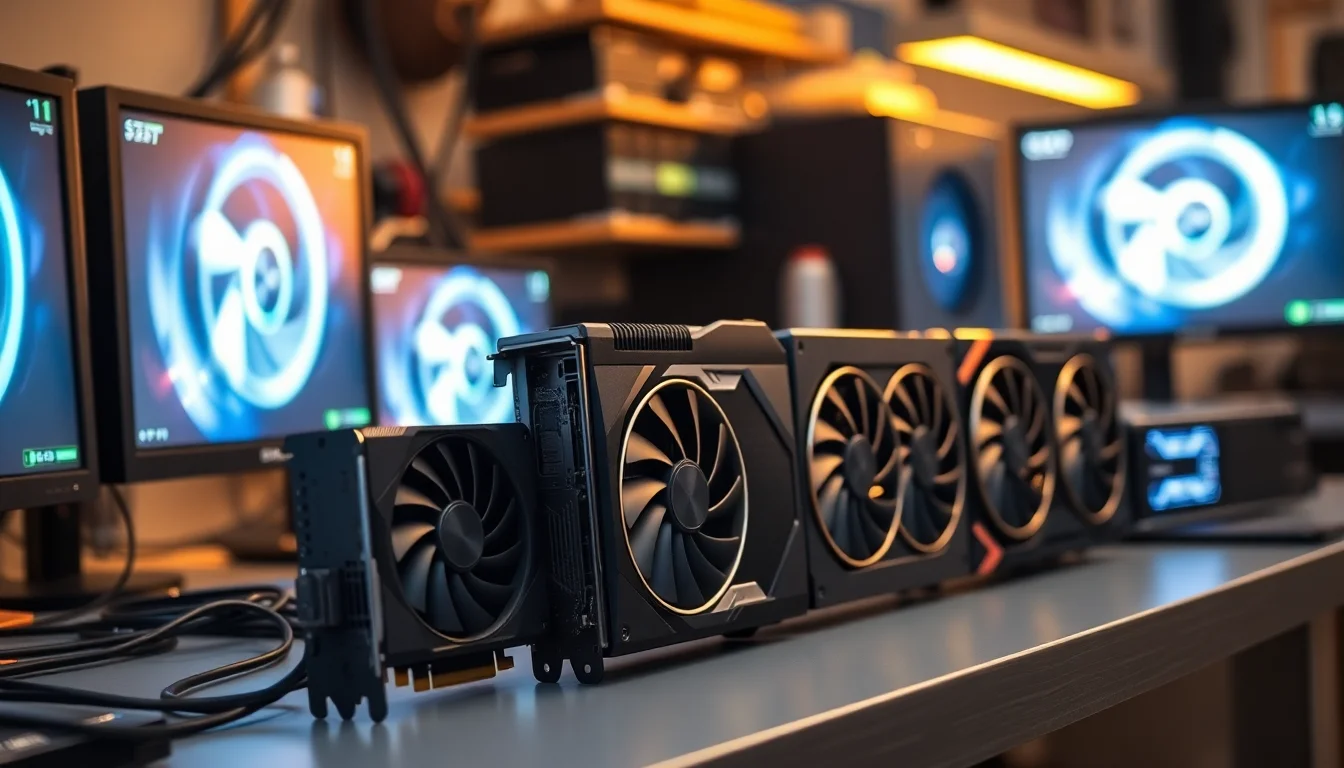
The four HDMI ports are the headline feature and genuinely unusual at any price point. Most GPUs give you a mix of DisplayPort, HDMI, and DVI. Getting four HDMI outputs on a single-slot passive card is a pretty specific superpower, and it's exactly what makes this card relevant for digital signage setups, multi-monitor office rigs where all your monitors only have HDMI inputs, or home theatre builds where everything speaks HDMI. The single-slot design means it'll fit in cases and systems that a double or triple-slot card simply won't, including some small form factor office PCs that have a PCIe slot but no room for anything chunky.
Power consumption is rated at around 19W to 25W depending on the specific configuration and load, which means no external power connector is required whatsoever. It runs entirely off the PCIe slot. That's a genuine advantage in older systems with weaker power supplies, and it's part of why this card has such a long tail of relevance in the business and light-use market even as gaming GPUs have moved several generations ahead.
| Specification | Detail |
|---|---|
| GPU Architecture | NVIDIA Kepler (GK208) |
| CUDA Cores | 384 |
| Memory | 2GB GDDR5 |
| Memory Bus | 64-bit |
| Memory Bandwidth | ~80 GB/s |
| Base Clock | ~902 MHz |
| Memory Clock | ~5000 MHz effective |
| Display Outputs | 4x HDMI |
| PCIe Interface | PCIe 2.0 x8 |
| TDP | ~25W (no external power connector) |
| Slot Width | Single slot |
| Cooling | Passive (no fan) |
| DirectX Support | DirectX 12 (Feature Level 11_0) |
| OpenGL | 4.6 |
Architecture and Cores
The Kepler architecture is NVIDIA's from the Maxwell-predecessor era, built on a 28nm process. In 2026, that's old. Very old. The GK208 die powering this card has 384 CUDA cores, which is a modest count even by the standards of the time it launched. There are no RT cores for ray tracing, no Tensor cores for AI-based upscaling like DLSS, and no AV1 encode support. This is pre-Turing, pre-Ampere, pre-Ada. It's from a different era of GPU design entirely, and you should go in with eyes open about that.
What Kepler does have going for it is efficiency at low power levels. The architecture was designed at a time when NVIDIA was very focused on the power-per-watt story, and that heritage shows up here in a card that genuinely runs cool and quiet on almost no power. The 384 CUDA cores are enough to drive four displays at 1080p without breaking a sweat, handle hardware video decode for H.264 content (though not AV1), and run older or less demanding software. For anything that isn't gaming or heavy compute, the core count is actually fine for the job.
The DirectX 12 support listed in the specs deserves a small asterisk. The card does technically support DirectX 12, but only at Feature Level 11_0. This means it can run the DirectX 12 API in a compatibility mode but cannot access the full DirectX 12 feature set. For gaming, this is mostly academic because the card can't run modern games at acceptable frame rates anyway. For software compatibility with applications that check for DirectX 12 support, it'll pass the check. Just don't expect the full modern feature set underneath.
Clock Speeds and Boost
The base clock on this card sits at around 902 MHz, and there's a modest boost clock above that, though the gap is small compared to what you'd see on a modern GPU. NVIDIA's Kepler architecture didn't have the aggressive boost behaviour that later architectures introduced. The card essentially runs at close to its rated speed and stays there, which is actually fine for a passive card because consistent, predictable clocks are easier to manage thermally when there's no fan to spin up in response to load.
There's no factory overclock on this ASUS variant worth getting excited about. This isn't a card where the board partner's tuning makes a meaningful difference to the experience. ASUS has focused their efforts on the physical design, the passive cooler, and the four HDMI port configuration rather than squeezing extra megahertz out of a GPU that's not going to be pushed hard anyway. That's the right call for this product's target use case.
What the clock speed story really tells you is that this card is designed for steady, low-intensity work rather than burst performance. Running four displays at 1080p resolution, playing back video, running a digital signage loop, powering a home theatre PC menu system. These workloads sit well within what the clocks can handle without the card ever approaching its thermal limits. Owner reviews consistently confirm that the card runs without issue in exactly these scenarios, which is the real-world validation that matters here.
VRAM Analysis
Two gigabytes of GDDR5. In 2026, that number sounds almost comically small for a gaming conversation, and it is. Modern games at 1080p regularly chew through 6GB to 8GB of VRAM in their texture streaming, and titles like Alan Wake 2 or Cyberpunk 2077 at any meaningful quality setting will blow past 2GB before the loading screen is done. If you're buying this card hoping to run modern games, the VRAM alone is a hard stop before you even get to the shader count or clock speed.
But here's the thing: for what this card is actually designed to do, 2GB of GDDR5 is completely adequate. Driving four 1080p displays for office work, video playback, digital signage, or a home theatre interface doesn't require significant VRAM. The operating system and display driver will use some of it, your video playback will use a bit more, and you'll still have headroom. The GDDR5 variant of this card has roughly 80 GB/s of memory bandwidth, which is meaningfully faster than the DDR3 versions that also exist in the GT 730 lineup. If you're choosing between GT 730 variants, the GDDR5 version is the one to get.
The 64-bit memory bus is narrow, and that's a genuine limitation if you were trying to use this card for gaming. A narrow bus constrains how quickly data moves between the GPU cores and the frame buffer, which shows up as frame time inconsistencies and stuttering in demanding workloads. For the display and video use cases this card suits, the bus width is not a practical problem. The workloads simply don't saturate it. So the VRAM situation is: terrible for gaming, fine for everything else this card is actually for.
Ray Tracing and Upscaling
There is no ray tracing support on the GT 730. None. The card predates NVIDIA's RTX architecture by several years and has no dedicated RT cores. You cannot enable ray tracing in any game on this hardware. This is not a criticism of the card in its intended context, it's just a statement of fact that needs to be clearly on the table. If ray tracing matters to you, you need a different card entirely, starting at minimum with an RTX 2060 or an AMD RX 6600, both of which are a completely different class of product at a completely different price point.
DLSS, NVIDIA's AI-based upscaling technology, also requires Tensor cores that the GT 730 doesn't have. So DLSS 2, DLSS 3, DLSS 3.5, none of it is available here. AMD's FSR (FidelityFX Super Resolution) is an open standard that runs on any GPU in principle, but given that the GT 730 can't run the games that use FSR at playable frame rates anyway, this is a moot point. XeSS from Intel is similarly irrelevant in this context.
What the GT 730 does support is hardware video decode for H.264 content via NVIDIA's NVDEC engine. This matters for a home theatre PC use case because hardware decode offloads video playback from the CPU, resulting in lower system power consumption and smoother playback even on older, weaker CPUs. It won't handle AV1 decode in hardware, so if you're streaming from services that have moved to AV1 (YouTube increasingly uses it), you'll be falling back to software decode on the CPU. On a modern CPU this is fine. On a very old or weak CPU, it could cause issues with 4K AV1 streams specifically.
Video Encoding
The GT 730's NVENC encoder is present but it's a very old generation of the hardware. NVIDIA's NVENC has improved dramatically across successive GPU generations, with the versions in Turing, Ampere, and Ada Lovelace cards being genuinely excellent for streaming and recording at quality levels that rival software encoding. The Kepler-era NVENC in the GT 730 is considerably more basic and produces lower quality output at equivalent bitrates compared to modern NVENC implementations.
For casual use, the encoder works. If you're doing basic screen recording of non-gaming content, video calls, or light streaming of low-intensity content, the NVENC here will do the job without hammering your CPU. But if you're a streamer or content creator who cares about encode quality, this is not the card for you. The gap between Kepler NVENC and even a budget modern card's encoder is significant enough to matter in practice. Owner reviews don't mention streaming as a primary use case, which tracks with what the hardware can realistically offer.
AV1 encode support, which arrived with NVIDIA's Ada Lovelace generation and offers excellent quality at lower bitrates, is completely absent here. H.264 encode is what you get, and it's the older, less efficient version of that. For a card that's primarily being used for display output, office work, and media playback rather than content creation, this is acceptable. Just don't buy this expecting a streaming-capable card. It isn't one, and it won't become one with any setting or software workaround.

Power Consumption
This is genuinely one of the GT 730's strongest suits, and it's worth dwelling on. The card's TDP sits at around 19W to 25W depending on load, and it requires absolutely no external power connector. It draws everything it needs from the PCIe slot itself. That's a significant practical advantage in older systems, small form factor PCs, and machines with modest power supplies that were never designed to power a discrete GPU.
Think about the typical use case here: someone has an old office PC with a 300W or 350W PSU, integrated graphics that's died or isn't sufficient for their needs, and they need a graphics card that won't require them to also upgrade the power supply. The GT 730 slots in without any of that hassle. No 6-pin connector, no 8-pin, no 12VHPWR. Just put it in the slot and it works. For system builders in business environments, IT departments managing fleets of older machines, or individuals on tight budgets who can't stretch to a new PSU alongside a new GPU, this is a real and meaningful advantage.
At 25W peak, the card's electricity contribution to your bill is negligible even if it runs 24 hours a day for digital signage or always-on display applications. Compare this to even a budget gaming GPU, which typically draws 75W to 115W, and you can see why the GT 730 has a specific niche it fills genuinely well. The low power draw is also directly responsible for the passive cooling being viable, which in turn means zero fan noise. These things are all connected, and they all serve the same audience.
Thermal Performance
Passive cooling means no fan at all. The card relies entirely on a heatsink to dissipate heat, which at 25W is entirely manageable without active airflow. The heatsink on this ASUS variant is reasonably sized for a single-slot card, and the low TDP means it's not fighting a losing battle. Owner reviews across the 698 responses are notably positive about the thermals, with very few reports of overheating even in systems with limited airflow.
The important caveat is case airflow. A passive GPU in a well-ventilated case with decent ambient airflow from case fans will run cooler than the same card stuffed into a cramped mini-tower with no airflow to speak of. The card doesn't generate its own airflow, so it's entirely dependent on whatever air movement exists in the case around it. In most standard desktop cases with even basic front-to-back airflow, this isn't a problem. In very cramped or sealed enclosures, it's worth thinking about.
For the intended use cases, the thermal story is genuinely good. Digital signage systems often run in enclosed display units or kiosks where a loud fan would be a problem. Home theatre PCs sit in living rooms where fan noise is antisocial. Office PCs benefit from quiet operation. The passive cooler is a feature, not a compromise, for the audience this card is aimed at. And the low operating temperatures contribute to longevity, which matters if you're deploying this in a business context where you want it to run reliably for years without maintenance.
Acoustic Performance
There are no decibel figures to cite here because there's nothing to measure. The card has no fan. It is completely silent under all conditions, from idle to full load. This is the acoustic performance story in its entirety, and it's a genuinely compelling one for the right buyer.
Owner reviews consistently highlight the silence as one of the card's most appreciated qualities. In a home theatre setup, total silence from the GPU is exactly what you want. In an office environment, removing one source of fan noise from a system contributes to a calmer workspace. In a digital signage kiosk, there's no fan to fail or collect dust over time. The passive design is reliable in a way that fan-cooled cards aren't, because there are no moving parts to wear out or seize.
The flip side is that if your case has no airflow whatsoever, the card will get warmer than it would with active cooling. But given the 25W TDP, it would need to be in an extremely poorly ventilated environment to actually cause problems. For anyone who's ever had a GPU fan start rattling, or who's tried to watch a film with a mid-range GPU's fan spinning up during a demanding scene, the appeal of a completely silent card is obvious. That's a real quality-of-life improvement for the right use case, and the owner reviews reflect exactly that.
Gaming Performance
Right, let's be completely straight about this. The GT 730 is not a gaming card in any meaningful 2026 sense. It cannot run modern AAA titles at playable frame rates at any resolution. Games like Elden Ring, Hogwarts Legacy, Starfield, or anything released in the last three or four years will either refuse to run, run at single-digit frame rates, or produce such low quality output to achieve any frame rate that the experience is pointless. This is not a knock on the card, it's just the honest truth about what a Kepler-era GPU with 384 CUDA cores can and cannot do.
What it can run, to varying degrees of playability, is older games. Titles from the early 2010s, indie games with modest system requirements, 2D games, emulators for older consoles, and browser-based games will all work. If your gaming ambitions extend to something like Minecraft at modest settings, older FIFA titles, or classic games from a decade-plus ago, the GT 730 will handle those. But if you're buying this expecting to play anything from the last few years, you will be disappointed, and that disappointment will be entirely predictable from the specs.
The positive overall rating across hundreds of reviews holds up precisely because the people buying this card aren't buying it to game. They're buying it to add display outputs, to revive a machine that needs a discrete GPU for software compatibility reasons, to build a quiet media PC, or to power a multi-monitor office setup. In those contexts, gaming performance is irrelevant, and the card delivers exactly what those buyers need. The rating reflects satisfied buyers who knew what they were getting, not gamers who were pleasantly surprised.
How It Compares
Comparing the GT 730 to gaming GPUs is a bit like comparing a bicycle to a car and concluding the bicycle is rubbish because it can't do 70mph on a motorway. The more useful comparison is against other cards that serve the same non-gaming, low-power, multi-display niche. Two about are the AMD Radeon RX 550 and the NVIDIA GT 1030.
The GT 1030 is the more direct NVIDIA comparison. It uses the Pascal architecture, which is significantly newer than Kepler, and offers meaningfully better performance for light gaming and general GPU compute tasks. It also typically costs more. The GT 1030 has better video decode support including H.265, and its NVENC encoder is a generation newer. If you're on the fence and light gaming matters at all, the GT 1030 is the better card. But it often doesn't have four HDMI outputs, and it may not be available in passive single-slot form, which are exactly the features that make the GT 730 relevant.
The AMD RX 550 sits in a similar bracket but is a more capable GPU overall, with better gaming performance than either the GT 730 or GT 1030, and support for AMD's display stack including FreeSync. It draws more power (around 50W) and typically requires a case with active airflow. For a pure gaming-on-a-tight-budget scenario, the RX 550 is a better card. But it doesn't offer four HDMI outputs in a passive single-slot design, and that's the GT 730's specific trick.
| Feature | ASUS GT 730 (GDDR5) | NVIDIA GT 1030 | AMD RX 550 |
|---|---|---|---|
| Architecture | Kepler (2014) | Pascal (2017) | Polaris (2017) |
| VRAM | 2GB GDDR5 | 2GB GDDR5 | 4GB GDDR5 |
| TDP | ~25W | ~30W | ~50W |
| External Power | None required | None required | None required |
| Display Outputs | 4x HDMI | 1x HDMI, 1x DVI typical | 1x HDMI, 1x DP typical |
| Passive Option | Yes (this model) | Some variants | Rare |
| Slot Width | Single | Single or dual | Dual typically |
| Light Gaming | Older titles only | Better than GT 730 | Best of the three |
| Upscaling (DLSS/FSR) | None | None | FSR (software) |
| Ray Tracing | No | No | No |
Final Verdict
The ASUS NVIDIA GeForce GT 730 in its four-HDMI, GDDR5, passive, single-slot form is a card that does something quite specific very well, and almost everything else not at all. That sounds like a criticism but it genuinely isn't, because the specific thing it does well is exactly what a real and underserved group of buyers needs. Hundreds of owner reviews and a positive overall rating don't lie. People who buy this for the right reasons are satisfied with it, and that's the most honest endorsement any product can have.
The four HDMI outputs in a passive single-slot design with no external power requirement is a combination that's genuinely hard to find elsewhere. If you're building a home theatre PC that needs to connect to multiple HDMI devices, running a digital signage setup that needs four screens and zero fan noise, or reviving an old office machine that needs display output from a slot-constrained, PSU-constrained system, this card is a proper solution. It works, it runs silently, it runs cool, and it sips power. For those jobs, it's excellent.
If you want to game on it, even lightly with modern titles, skip it. The GTX 1650 or the AMD RX 6500 XT are the honest recommendations for anyone who wants entry-level gaming performance, and both are available in the budget segment. They'll run modern games at 1080p at playable frame rates, something the GT 730 simply cannot do. The GT 730's place in the market is not about gaming at all. It's about display output, silence, low power, and physical compatibility with constrained systems.
The PCIe 2.0 interface is old but compatible with modern PCIe slots through backwards compatibility, so don't worry about that. The HDMI outputs support HDMI 1.4, which handles 1080p at 60Hz and 4K at 30Hz, adequate for most home theatre and office display scenarios. The driver support from NVIDIA for Kepler-era cards has been reduced over time, so don't expect cutting-edge driver features, though basic display and video functionality is still supported. The ASUS build quality is solid, and the passive heatsink is well-constructed for a card at this price point.
Scored honestly against its actual intended purpose rather than against gaming GPUs it was never designed to compete with, this is a 7.5 out of 10. It's not perfect because the architecture is genuinely old, driver support will eventually end, and the HDMI 1.4 standard is showing its age for 4K use. But for the audience it serves, it's a well-executed, reliable, silent, low-power display card that justifies its entry-level price point. Best for: home theatre PCs, digital signage, multi-monitor office setups, and reviving PSU-constrained or slot-constrained older systems. Skip if you need: any gaming capability beyond older titles, AV1 decode, modern NVENC encode quality, or HDMI 2.0 for 4K at 60Hz.
What works. What doesn’t.
5 + 5What we liked5 reasons
- Four HDMI outputs on a single-slot card is an almost uniquely useful combination for multi-display and HTPC builds
- Completely passive cooling means total silence under all conditions, ideal for living rooms, kiosks, and quiet offices
- Draws around 25W with no external power connector required, making it compatible with older or lower-wattage power supplies
- Single-slot form factor fits in constrained cases and small form factor office PCs that cannot accommodate larger cards
- GDDR5 variant offers meaningfully higher memory bandwidth than DDR3 GT 730 versions, improving display output quality
Where it falls5 reasons
- Kepler architecture is very old and NVIDIA has reduced driver support for this generation over time
- Completely unsuitable for modern gaming, even at low settings, due to the age of the GPU and limited CUDA core count
- HDMI 1.4 outputs cap 4K content at 30Hz, which is inadequate for smooth 4K video playback or modern 4K displays
- No hardware AV1 decode support, which can cause issues with CPU-intensive 4K streams from services increasingly using that codec
- Kepler-era NVENC encoder produces noticeably lower quality output than modern GPU encoders, making this unsuitable for streaming or recording
Full specifications
7 attributes| Vram GB | 2 |
|---|---|
| Chipset | GeForce GT 730 |
| Core clock MHZ | 902 |
| Generation | GT 700 Series |
| Length MM | 165 |
| Memory type | GDDR5 |
| Slot width | 2 |
Frequently asked
7 questions01Can the ASUS GT 730 run four monitors simultaneously?+
Yes, this specific ASUS variant has four HDMI outputs and can drive four displays at once. This is one of the card's most distinctive features and a primary reason buyers choose it over alternatives.
02Does the GT 730 require an external power connector?+
No. The card draws everything it needs from the PCIe slot itself and has a TDP of around 25W. There is no 6-pin, 8-pin, or any other external connector required, which makes it compatible with older systems that have modest power supplies.
03Is the GT 730 any good for gaming in 2026?+
Not for modern titles. The Kepler architecture and 384 CUDA cores are far too limited for any game released in the last several years. Older indie games, 2D titles, and games from the early 2010s may run, but anything recent will either refuse to launch or produce unplayable frame rates.
04What is the difference between the GDDR5 and DDR3 versions of the GT 730?+
The GDDR5 version reviewed here offers around 80 GB/s of memory bandwidth compared to significantly less on the DDR3 variants. For display output and light workloads this translates to better performance. If you are choosing between GT 730 variants, the GDDR5 version is the better option.
05Does the GT 730 support 4K output?+
It can output a 4K signal, but only at 30Hz via its HDMI 1.4 ports. This is acceptable for static content or very slow-moving media, but 4K video at 60Hz requires HDMI 2.0 or DisplayPort, which this card does not have. For smooth 4K playback you would need a more modern card.
06Will the GT 730 work in a modern motherboard with PCIe 4.0 or 5.0 slots?+
Yes. PCIe is backwards compatible, so a PCIe 2.0 card will function in a PCIe 3.0, 4.0, or 5.0 slot without issue. You will not see any performance difference attributable to the slot speed for this card's intended workloads.
07How loud is the GT 730 under load?+
Completely silent. The card uses passive cooling with no fan at all. It produces zero fan noise under any condition, which makes it well suited to home theatre PCs, quiet offices, and digital signage kiosks where fan noise would be undesirable.