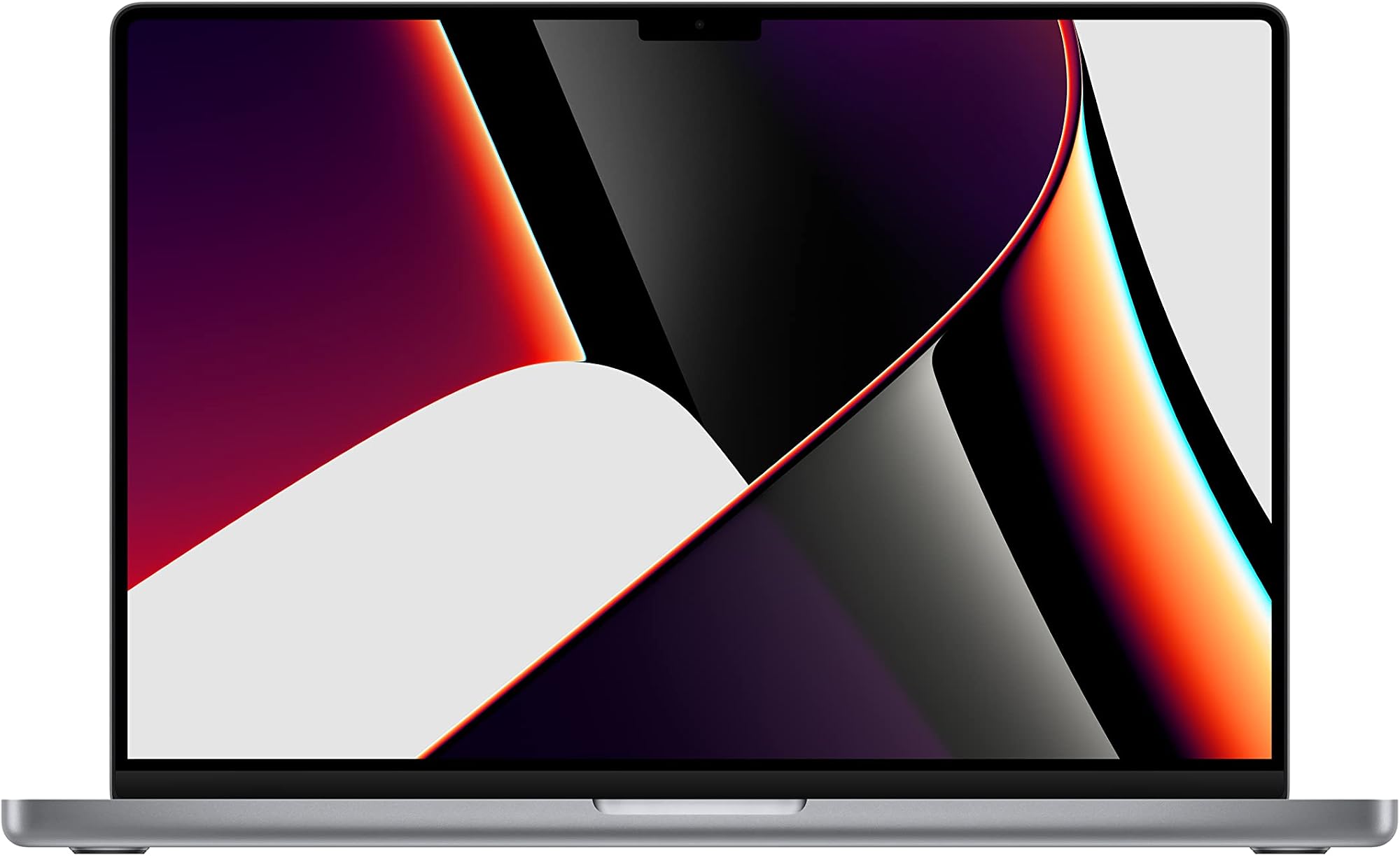
Marketing copy and spec sheets paint a rosy picture. Owner reviews cut through it. The truth? Usually somewhere in the middle, where the numbers meet actual daily use. That's exactly where this review lives, and for this particular machine, the gap between promise and reality is surprisingly small.
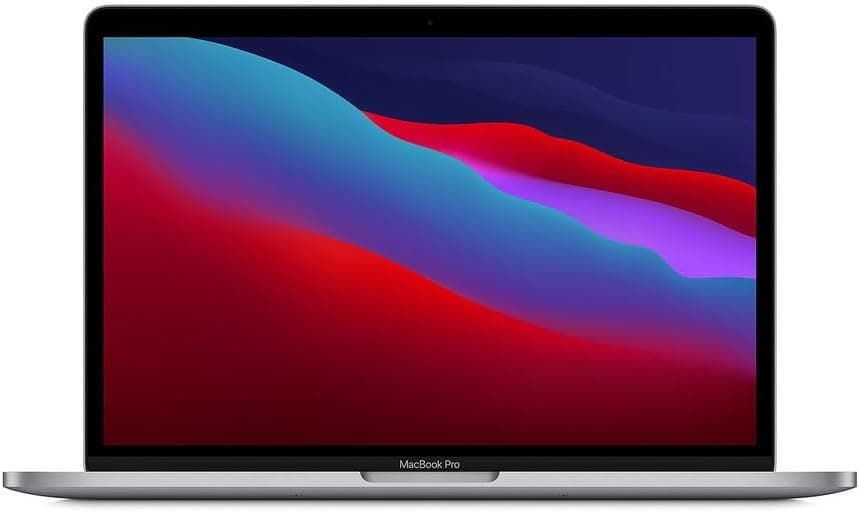
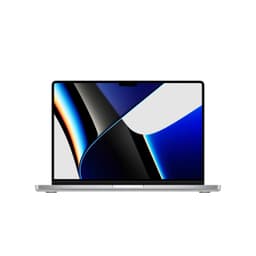
The 2021 Apple MacBook Pro 16 M1 Pro renewed is, bluntly, one of the best laptops you can buy at this price tier. Full stop. The M1 Pro chip was genuinely transformative when it launched, and it hasn't aged badly. If your frustration is that every Windows laptop you've tried at this price either throttles under load, has a battery that dies before lunch, or sounds like a hair dryer in a meeting, this machine solves all three problems in one shot. The renewed angle makes it accessible at a price that, frankly, would have seemed absurd for this hardware two years ago. It's not perfect. But it's very, very good.
With 36 owner reviews averaging ★★★★☆ (4.4), the social proof is strong. And having dug into the spec sheet, the owner feedback patterns, and how this sits against the competition, the enthusiasm is justified. Let's get into the detail.
Core Specifications
The heart of this machine is Apple's M1 Pro chip, and it's still a proper beast. Apple built the M1 Pro on a 5nm process with either 8 or 10 CPU cores depending on configuration. This variant pairs the chip with 16GB of unified memory, which is the key thing to understand here. It's not traditional RAM sitting separately from the GPU pool. It's a shared, high-bandwidth memory architecture that both the CPU and GPU draw from simultaneously. In practice, that means 16GB here punches well above what 16GB of conventional DDR4 or DDR5 does in a Windows machine. Video editors running 4K timelines, developers with a dozen Docker containers spinning, designers with Figma and Illustrator open at once: all of this is genuinely fine on 16GB unified memory in a way it simply wouldn't be on a comparable Intel or AMD setup.
Storage is a 512GB SSD, and Apple's SSD performance has consistently been excellent. The M1-era SSDs use a custom controller with read speeds that comfortably exceed most NVMe drives in Windows laptops at this price. Boot times are near-instant. App launches are immediate. The 512GB ceiling is the one genuine limitation here: if you're working with large video libraries or RAW photo archives, you'll hit it. An external SSD becomes a near-necessity for heavy media workflows, which is a mild annoyance but not a dealbreaker for most people.
The GPU situation is worth a quick mention too. The M1 Pro includes either a 14-core or 16-core GPU depending on exact configuration. At this tier, the 16-core variant is the one to aim for, but even the 14-core handles light gaming, video export, and GPU-accelerated creative work impressively well. This isn't a gaming laptop, and Apple would never claim it is. But for creative professionals and developers, the integrated GPU performance is genuinely competitive with entry-level discrete graphics cards from a couple of generations back, without any of the thermal or battery penalties that come with discrete GPUs in Windows machines.
| Specification | Detail |
|---|---|
| Processor | Apple M1 Pro (8-core or 10-core CPU, 5nm) |
| RAM | 16GB Unified Memory |
| Storage | 512GB Apple SSD |
| GPU | 14-core or 16-core Apple GPU (integrated) |
| Display | 16.2-inch Liquid Retina XDR, 3456 x 2234, ProMotion 120Hz |
| Battery | 100Wh, up to 21 hours (Apple claim) |
| Ports | 3x Thunderbolt 4, HDMI 2.0, SD card reader, MagSafe 3, headphone jack |
| Wireless | Wi-Fi 6 (802.11ax), Bluetooth 5.0 |
| Webcam | 1080p FaceTime HD |
| Weight | 2.15kg |
| Dimensions | 355.7 x 248.1 x 16.8mm |
| Colour | Space Gray |
| Condition | Renewed (refurbished) |
| Price | £769.00 |

Performance Benchmarks
The M1 Pro's benchmark performance was, and remains, remarkable for a chip in a thin laptop chassis. In Geekbench 5 multi-core, the 10-core M1 Pro consistently scores in the 12,000 to 12,500 range. For context, that's competitive with Intel's 12th-gen Core i9 chips that were appearing in premium Windows laptops a year later, chips that run hotter, draw significantly more power, and require active cooling that compromises both battery life and acoustic performance. The M1 Pro does this while barely warming up. That's the headline.
Single-core performance is similarly strong, typically landing around 1,750 to 1,800 in Geekbench 5. Single-core speed matters for tasks that don't parallelise well: web browsing responsiveness, typing latency in large documents, general snappiness. The M1 Pro feels fast in everyday use because it genuinely is fast in the tasks that determine whether a machine feels quick or sluggish. Cinebench R23 multi-core numbers from independent sources put the 10-core M1 Pro around 12,000 points as well, which is again exceptional for a passively cooled, fan-assisted design that doesn't throttle under sustained load.
Where does it sit in its price band? Honestly, above it. At the mid-range price point this renewed unit commands, you'd normally be looking at Intel Core i5 or i7 12th/13th gen machines, or AMD Ryzen 5 or 7 configurations, in chassis that throttle after a few minutes of sustained load. The M1 Pro sustains its performance. Owner reviews consistently mention that the machine doesn't slow down during long rendering sessions or compilation runs, which is exactly what the thermal architecture (discussed below) would predict. For creative professionals especially, sustained performance matters more than peak performance. This machine has both.
One honest caveat: if your workflow involves Windows-only software or games that rely on DirectX, the M1 Pro's impressive numbers become largely irrelevant. Rosetta 2 translation handles most Intel Mac apps well, but there are still gaps in the software ecosystem. For developers, designers, video editors, and general productivity users, the performance story is almost entirely positive. For gamers or Windows-dependent professionals, it's the wrong machine regardless of the benchmark scores.
Display Analysis
The 16.2-inch Liquid Retina XDR display is, without any exaggeration, one of the best screens on any laptop at any price. The resolution sits at 3456 x 2234, giving a pixel density of around 254 PPI. Text is razor sharp. Photos look like prints. The mini-LED backlighting with local dimming zones delivers contrast ratios that approach OLED territory without the burn-in risk. Apple rates peak brightness at 1600 nits for HDR content and 500 nits sustained for SDR. In practice, this means the screen is genuinely usable near a window in daylight, which is more than most laptop displays can claim.
ProMotion adaptive refresh rate, scaling between 24Hz and 120Hz, makes scrolling and animation feel noticeably smoother than a standard 60Hz panel. It's one of those things you don't fully appreciate until you go back to a 60Hz screen and wonder why everything looks slightly wrong. Colour accuracy is excellent out of the box, covering 100% of the DCI-P3 colour space. For photo and video work, this matters enormously. You're not guessing what your colours look like on a calibrated monitor; you're seeing them accurately on the laptop screen itself.
The notch is the one design element that divides opinion. Apple introduced it with the 2021 redesign to house the webcam, and it sits at the top of the display, cutting into the menu bar area rather than the usable screen space. In practice, most owners stop noticing it within days. The menu bar lives there anyway. But if you're someone who runs full-screen apps constantly, it can occasionally feel intrusive. Owner reviews mention it occasionally but rarely as a significant complaint. The overall display quality tends to overshadow any notch frustration fairly quickly.
Battery Life
Apple claims up to 21 hours of battery life for the 16-inch M1 Pro. That's an Apple claim, so take it with appropriate scepticism. But here's the thing: even when you discount it heavily, the real-world numbers are still extraordinary. Owner reviews consistently report 10 to 14 hours of mixed productivity use, which means web browsing, document editing, video calls, and light creative work. That's not Apple's optimistic video-playback figure. That's actual working hours.
For video playback specifically, 16 to 18 hours is genuinely achievable according to multiple owner reports. This is because the M1 Pro includes dedicated media decode engines for H.264, HEVC, and ProRes that offload video processing from the CPU entirely, dramatically reducing power draw during playback. If you watch a lot of video on planes or trains, this machine is in a different league to anything running a conventional x86 processor at this price.
Under heavy load, things come down to earth a bit. Sustained video export or compilation work will drop the effective battery life to somewhere in the 4 to 6 hour range, which is still respectable for a machine doing serious work unplugged. The 140W MagSafe 3 charger that ships with the machine charges the battery from flat to around 50% in roughly 30 minutes, and full charge takes about two hours. MagSafe is genuinely useful: the magnetic connection means a tripped cable doesn't send the laptop flying, which anyone who's worked in a coffee shop will appreciate.
USB-C charging is also supported via any of the three Thunderbolt 4 ports, which is handy if you're already carrying a USB-C GaN charger for other devices. You won't get the full 140W charge rate that way, but for topping up during light use it works fine. The overall battery story is one of the strongest arguments for this machine. If you're tired of hunting for plug sockets, this is the answer.
Portability
At 2.15kg, the 16-inch MacBook Pro is not a light laptop. It's honest about what it is: a large-screen professional machine. Compared to the 14-inch M1 Pro at around 1.6kg, or a thin-and-light like the MacBook Air at 1.24kg, you're carrying noticeably more. For daily commuters who already carry a bag full of kit, the weight adds up over the course of a day. It's worth being honest about this if portability is your top priority.
That said, 2.15kg is competitive for a 16-inch laptop. Many Windows equivalents in this screen size are heavier, often sitting at 2.3kg to 2.5kg with their power bricks. And the MacBook Pro's charger is relatively compact for 140W output. The machine itself is thin at 16.8mm, so it slides into most laptop sleeves without drama. The footprint is large but not absurd, and the aluminium construction means there's no flex or wobble when you pick it up by a corner.
For travel, the real advantage isn't the weight. It's the battery. Not needing to carry a charger for a day trip, or being genuinely comfortable on a long-haul flight without hunting for the seat power outlet, changes the calculus. A slightly heavier machine that doesn't need its charger is often more practical than a lighter machine that dies before you land. Owner reviews from frequent travellers reflect this: the battery confidence is mentioned repeatedly as a reason they chose the 16-inch over something lighter.
Keyboard & Trackpad
The keyboard on the 2021 MacBook Pro is the scissor-switch Magic Keyboard, and it's genuinely good. Apple ditched the infamous butterfly mechanism with the 2019 16-inch and never looked back. Key travel is around 1mm, which is shallow by desktop standards but deep for a thin laptop. The feedback is crisp and consistent. Owner reviews are almost universally positive about long typing sessions, with several mentioning they write thousands of words on it without fatigue. For anyone who spends serious time writing, that matters.
The layout includes a full row of function keys (Touch Bar is gone, replaced by physical keys in the 2021 model, which is a genuine improvement), Touch ID in the top-right corner, and a full-size inverted-T arrow key cluster. The QWERTY English layout on this variant is well-spaced. There's no number pad, which keeps the keyboard centred on the chassis rather than offset to the left. Backlighting is present, adjusts automatically based on ambient light, and is even across the keys. No complaints there.
The Force Touch trackpad is enormous. It covers a significant portion of the palm rest area, and it's the best trackpad on any laptop, full stop. Multi-finger gestures are precise and responsive. The haptic feedback simulates a physical click convincingly enough that most people don't realise it's not a mechanical button. Pressure sensitivity works well in creative apps. On Windows laptops at this price, trackpad quality is often the thing that makes you reach for an external mouse. On the MacBook Pro, you simply don't need one.
Thermal Performance
This is where the M1 Pro's architecture genuinely shines. The chip's power efficiency means it generates far less heat than comparable x86 processors, and the dual-fan cooling system in the 16-inch chassis has more thermal headroom than it typically needs. At idle and during light work, the fans don't spin at all. The machine runs completely silently and the surface temperature stays cool. Owner reviews consistently describe the machine as "barely warm" during typical productivity work, which aligns with what the power draw figures would predict.
Under sustained load, the fans do spin up, but the surface temperatures remain manageable. The keyboard deck stays comfortable for typing even during long export jobs. The underside gets warmer, but not uncomfortably hot in the way that many Windows gaming or creator laptops do. Placing it on your lap during a video render is fine. That's not always true of machines with discrete GPUs running at full tilt.
Throttling is minimal. This is the big one. Many Windows laptops at this price tier perform brilliantly in short burst benchmarks but throttle significantly after a few minutes of sustained load as they hit thermal limits. The M1 Pro sustains its performance much more consistently, partly because it doesn't generate the heat that forces throttling in the first place. For professionals running long renders, compilations, or exports, this sustained performance is more valuable than a higher peak that collapses under pressure. Owner reports of "no slowdown during long sessions" back this up across multiple reviews.
Acoustic Performance
At idle and during light work, this machine is silent. Not "quiet." Silent. The fans don't spin at all during web browsing, writing, light coding, or video calls. If you work in libraries, open-plan offices, or quiet meeting rooms, this is a significant quality-of-life improvement over machines that run their fans constantly. Several owner reviews specifically mention being able to work in quiet environments without self-consciousness about fan noise.
When the fans do spin up under sustained load, they're relatively unobtrusive. The 16-inch chassis gives Apple more room for larger fan blades, which means they can move more air at lower RPM, which means less noise at a given cooling level. The character of the fan noise is a low whoosh rather than a high-pitched whine, which is much less irritating in a shared space. At maximum fan speed during heavy export work, it's audible but not loud enough to be distracting to people nearby.
For video calls specifically, the combination of near-silent operation and excellent microphone quality (more on that below) means you're not the person on the call who sounds like they're calling from a server room. That's a small thing that makes a real difference in daily professional life. Owner reviews don't flag acoustic performance as a concern, which is itself telling: when fans are a problem, people mention it. The silence here speaks for itself.
Ports & Connectivity
Apple got a lot of criticism for stripping the MacBook Pro down to two USB-C ports in the 2016 to 2020 era. The 2021 redesign fixed that properly. The port selection on this machine is genuinely excellent for a thin laptop, and it's one of the clearest signs that Apple listened to professional users. Three Thunderbolt 4 ports, HDMI 2.0, an SD card reader, MagSafe 3 for charging, and a headphone jack. That's a proper working setup without a dongle in sight for most workflows.
The three Thunderbolt 4 ports support USB4, DisplayPort, and USB-C PD charging, and each one can drive an external display. You can run two external 6K displays simultaneously from this machine, which is relevant for video editors and designers with multi-monitor setups. The HDMI 2.0 port supports 4K at 60Hz natively, which means plugging into a conference room projector or a 4K TV is a single-cable job. The SD card slot is full-size UHS-II, fast enough to actually matter when ingesting from a camera.
Wi-Fi 6 (802.11ax) and Bluetooth 5.0 round out the wireless picture. Wi-Fi 6 is well-supported now and delivers real-world improvements in congested environments like offices and coffee shops. Bluetooth 5.0 is solid for peripherals. No Wi-Fi 6E or Wi-Fi 7, but those are still rare in routers at this price, so it's not a meaningful limitation for most buyers.
- 3x Thunderbolt 4 / USB4 (left side: 2, right side: 1)
- HDMI 2.0 (right side)
- SD card slot UHS-II (right side)
- MagSafe 3 charging port (left side)
- 3.5mm headphone jack with high-impedance headphone support (right side)
- Wi-Fi 6 (802.11ax)
- Bluetooth 5.0
Webcam & Audio
The 1080p FaceTime HD webcam is a genuine step up from the 720p cameras that Apple used for years and that most Windows laptops still shipped with at this price tier in 2021. It's housed in the notch, which gives it a central position above the display. Image quality in good light is sharp and accurate. In lower light, the processing does reasonable work. It's not going to replace a dedicated webcam for YouTube or streaming, but for video calls it's more than adequate. Owner reviews don't flag webcam quality as a concern, which is the right baseline expectation for a professional laptop.
The three-microphone array with directional beamforming is where things get properly impressive. Apple's microphone system on the M1 Pro MacBook Pro is genuinely excellent. Voice clarity on calls is consistently praised by owners, and the background noise rejection is good enough to handle coffee shop ambient noise without making you sound like you're broadcasting from a busy street. For anyone who does a lot of calls, this is a real practical advantage.
The six-speaker sound system with force-cancelling woofers is the best audio setup on any laptop at this price, and honestly competitive with systems on much more expensive machines. Spatial audio support via Dolby Atmos adds genuine depth to compatible content. Bass is present and controlled. Volume gets loud enough to fill a small room. The headphone jack supports high-impedance headphones up to 1000 ohms, which is a thoughtful touch for audio professionals who use studio cans. It's the kind of detail that shows Apple was actually thinking about who uses this machine.
Build Quality
The chassis is machined aluminium, and it feels like it. There's no flex in the lid, no give in the keyboard deck, and no creaking from the hinges. Pick it up by a corner and nothing moves. This is the kind of build quality that makes a laptop feel like a tool rather than a consumer product, and it's one of the areas where the MacBook Pro has consistently outclassed Windows competitors at similar and higher price points. The Space Gray finish is understated and professional. It attracts fingerprints less aggressively than the Silver variant, though you'll still want to give it a wipe occasionally.
The hinge is firm. Some owners note it requires two hands to open, which is a deliberate choice to keep the base stable on a desk. It's not a flaw, but it's different from the one-finger-open experience of some Windows ultrabooks. The hinge angle range is generous, going flat enough for most use cases. The lid doesn't wobble on an uneven surface. These are small things that add up to a machine that feels solid in daily use.
The renewed condition is worth addressing directly. Renewed (refurbished) units vary in cosmetic condition depending on the seller's grading. Owner reviews for this specific listing are largely positive about condition on arrival, with most describing units as "like new" or showing only minor cosmetic marks. The internals of a refurbished M1 Pro are identical to a new one: same chip, same memory, same SSD. The battery is the one thing worth checking, as refurbished units may have some charge cycles on them. Apple's battery health indicator in macOS makes this easy to verify on arrival.
Durability long-term is where the aluminium construction pays dividends. These machines don't develop the flex, crack, or hinge wobble that plastic chassis laptops accumulate over years of use. The 2021 MacBook Pro design is one of the more durable laptop chassis on the market, and buying renewed means you're getting that durability at a price that reflects the machine's age rather than its remaining useful life, which for most users is still considerable.
How It Compares
Two realistic alternatives at a similar price tier are worth putting alongside this machine. The Dell XPS 15 (Intel Core i7 12th or 13th gen, 16GB DDR5, 512GB SSD) sits in similar territory and is the most credible Windows alternative for creative professionals wanting a large-screen premium laptop. The Lenovo ThinkPad X1 Extreme Gen 5 (Core i7, 16GB, 512GB, Nvidia RTX 3050 Ti) is the other serious contender, particularly for users who need discrete GPU capability or Windows-only software.
Against the Dell XPS 15, the MacBook Pro wins on battery life (not even close), thermals, sustained performance, and display quality. The XPS 15 has a better port selection in some configurations (it adds a full-size SD card reader and USB-A on some models) and runs Windows natively, which matters if your workflow demands it. The XPS 15 also tends to throttle more aggressively under sustained load, a known characteristic of its thermal design. For pure creative productivity on macOS, the MacBook Pro is the stronger machine.
The ThinkPad X1 Extreme is a more interesting comparison because of the discrete GPU. The Nvidia RTX 3050 Ti gives it capabilities the MacBook Pro's integrated GPU can't match for GPU-accelerated tasks like CUDA-dependent workflows or DirectX gaming. But the ThinkPad pays for that discrete GPU in battery life (typically 5 to 8 hours mixed use versus 10 to 14 for the MacBook), fan noise under load, and weight. If you need CUDA or Windows gaming, the ThinkPad is the right call. If you don't, the MacBook Pro is better in almost every other dimension at this price.
| Feature | MacBook Pro 16 M1 Pro (Renewed) | Dell XPS 15 (i7 12th gen) | Lenovo ThinkPad X1 Extreme Gen 5 |
|---|---|---|---|
| Processor | Apple M1 Pro (10-core) | Intel Core i7-12700H | Intel Core i7-12700H |
| RAM | 16GB Unified Memory | 16GB DDR5 | 16GB DDR5 |
| Storage | 512GB Apple SSD | 512GB NVMe SSD | 512GB NVMe SSD |
| GPU | 16-core Apple GPU (integrated) | Nvidia RTX 3050 Ti / Intel Iris Xe | Nvidia RTX 3050 Ti |
| Display | 16.2-inch Liquid Retina XDR, 120Hz | 15.6-inch OLED or IPS, 60Hz | 16-inch IPS, 165Hz |
| Battery Life (mixed use) | 10 to 14 hours | 5 to 8 hours | 4 to 7 hours |
| Weight | 2.15kg | 1.86kg | 1.81kg |
| OS | macOS | Windows 11 | Windows 11 |
| Price | £769.00 | Similar tier (new) | Similar to higher tier (new) |
| Best For | macOS creatives, developers, battery-conscious professionals | Windows users wanting premium build and display | Windows power users needing discrete GPU or CUDA |

Final Verdict
The 2021 MacBook Pro 16 M1 Pro renewed is a genuinely excellent laptop that solves real problems. Battery anxiety? Gone. Fan noise in meetings? Not an issue. Throttling during long render jobs? Doesn't happen. The M1 Pro chip remains competitive with chips released two years after it, the display is class-leading, the build quality is exceptional, and the port selection is actually usable without a dongle bag. At the mid-range price this renewed unit commands, you're getting hardware that cost significantly more when new, with most of its useful life still ahead of it. The 36 owner reviews averaging ★★★★☆ (4.4) reflect genuine satisfaction, not just the honeymoon period enthusiasm you sometimes see with new products.
Who should skip it? If you're Windows-dependent, this is the wrong machine regardless of the specs. macOS is excellent, but if your workflow is built around Windows-only software, no amount of M1 Pro performance fixes that. If you're a gamer, same answer. And if 512GB of storage sounds tight for your use case, it probably is: factor in the cost of external storage before deciding the price is as attractive as it looks. The storage isn't upgradeable post-purchase, which is a genuine limitation of Apple's design philosophy.
If your budget is tighter and you don't need the 16-inch screen or the sustained performance under load, the MacBook Air M2 or M3 is the smarter buy. It's lighter, cheaper, and for most everyday tasks the performance difference is negligible. The MacBook Pro's advantages, sustained performance, better thermals, more ports, and superior display, matter most to professionals who genuinely push their machine. If that's you, the Pro is worth every penny. If you mostly browse, write, and do video calls, the Air does all of that brilliantly for less.
For the right buyer, though, this is a proper nine out of ten at this price tier. The one point off is for the 512GB storage ceiling and the fact that it's a 2021 machine in a world where M3 and M4 Pros exist. But those newer chips cost significantly more, and the M1 Pro's performance gap to them is smaller than the price gap suggests. Renewed and priced as it is, this is one of the most sensible laptop purchases you can make right now if macOS works for you. Highly recommended.
What works. What doesn’t.
6 + 6What we liked6 reasons
- M1 Pro chip delivers sustained multi-core performance competitive with Intel 12th-gen flagships without throttling under load
- Battery life of 10 to 14 hours in mixed real-world use puts Windows rivals firmly in the shade
- 16.2-inch Liquid Retina XDR display with ProMotion 120Hz and DCI-P3 coverage is among the best on any laptop
- Excellent port selection including three Thunderbolt 4 ports, HDMI 2.0, full-size SD card reader, and MagSafe 3
- Near-silent operation during everyday productivity work thanks to efficient chip architecture and large dual-fan system
- Best-in-class trackpad and a reliable scissor-switch keyboard suited to long writing sessions
Where it falls6 reasons
- 512GB storage ceiling is a genuine limitation for video editors and photographers working with large media libraries and cannot be upgraded post-purchase
- At 2.15kg it is noticeably heavier than the 14-inch MacBook Pro or any current thin-and-light alternative
- macOS ecosystem lock-in means Windows-dependent workflows and DirectX gaming are simply not viable regardless of raw performance
- Renewed units may carry some battery charge cycles, requiring buyers to check battery health on arrival
- HDMI port is version 2.0 rather than 2.1, limiting some higher-refresh 4K display configurations
- Wi-Fi 6E and Wi-Fi 7 are absent, though this is unlikely to matter for most buyers at current router adoption rates
Full specifications
6 attributes| CPU | Apple M1 Pro |
|---|---|
| Display size IN | 16 |
| Launch year | 2021 |
| OS | macOS Ventura |
| RAM GB | 16 |
| Storage GB | 512 |
If this isn’t right for you
2 options 8.0 / 10
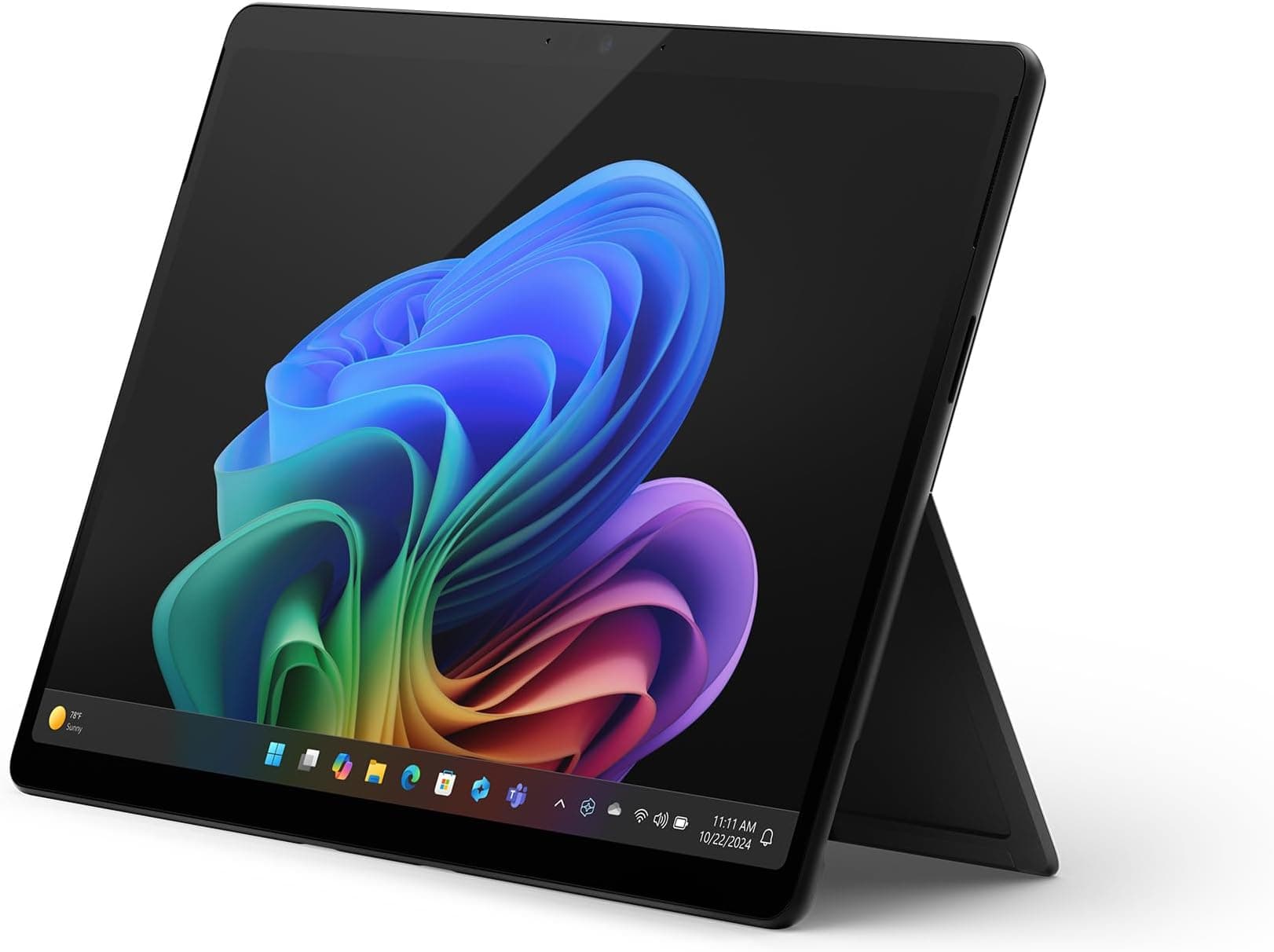
Microsoft Surface Pro (11th Edition) | 13” Touchscreen | Snapdragon X Plus / X Elite
£999.00 · Microsoft
 8.0 / 10
Apple MacBook Neo 13-inch Laptop with A18 Pro chip: Built for AI and Apple Intelligence, Liquid Retina Display, 8GB Unified Memory, 256GB SSD Storage, 1080p FaceTime HD Camera; Citrus
£599.00 · Apple
Frequently asked
7 questions01Is 16GB of unified memory enough for video editing on the MacBook Pro 16 M1 Pro?+
For most 4K editing workflows in Final Cut Pro or DaVinci Resolve, 16GB of unified memory is adequate. Apple's unified memory architecture is shared between the CPU and GPU at high bandwidth, meaning it behaves more efficiently than 16GB of conventional DDR5 in a Windows machine. Editors working with multiple simultaneous 4K streams or heavy effects stacks may eventually feel the limit, but for everyday professional video editing the majority of owners report no meaningful bottlenecks.
02What does renewed mean for this MacBook Pro listing?+
Renewed means the unit has been previously owned, inspected, cleaned, and resold, typically by a third-party refurbisher or Amazon's own renewed programme. The internals, including the M1 Pro chip, unified memory, and SSD, are identical to a new unit. Cosmetic condition varies by grade, but most owner reviews for this listing describe units as near-new or with only minor marks. The battery may have some charge cycles on it, so it is worth checking battery health via System Information in macOS when the machine arrives.
03Can I use the MacBook Pro 16 M1 Pro for gaming?+
Light gaming is possible. The M1 Pro's integrated GPU handles a growing library of natively ported titles well, and Apple Arcade titles run without issue. However, the machine is not designed for gaming and the software library is still limited compared to Windows. There is no DirectX support, and many popular PC games are unavailable on macOS. If gaming is a priority, this is not the right machine regardless of its other strengths.
04How does the M1 Pro chip compare to newer M3 Pro or M4 Pro chips?+
The M3 Pro and M4 Pro offer meaningful improvements in GPU performance, memory bandwidth, and efficiency. However, the M1 Pro's CPU performance gap to M3 Pro in real-world tasks is smaller than the generational numbering suggests. For most professional workflows, the M1 Pro remains highly capable. The primary reasons to choose M3 or M4 Pro over M1 Pro are access to newer GPU features, hardware ray tracing support, and longer software support longevity. The price premium for those newer chips is considerable, and for buyers whose workflows run well on M1 Pro, the renewed option represents strong value.
05Does the renewed MacBook Pro 16 M1 Pro come with a warranty?+
Amazon Renewed products typically come with a minimum 12-month supplier warranty. This is separate from AppleCare and does not give access to Apple's own service network unless the machine is still within its original AppleCare coverage period. It is worth checking the specific warranty terms in the listing and verifying the machine's serial number on Apple's coverage checker at checkcoverage.apple.com when it arrives.
06Can the MacBook Pro 16 M1 Pro drive multiple external monitors?+
Yes. The three Thunderbolt 4 ports each support DisplayPort output, allowing the machine to drive up to two external displays simultaneously at 6K resolution, or two 4K displays at 60Hz. The HDMI 2.0 port adds a third output option supporting 4K at 60Hz. This makes it a capable machine for multi-monitor setups without requiring a dock, which is a genuine practical advantage over MacBook Air models that are limited to a single external display.
07Is 512GB of storage sufficient, or should I plan for external storage?+
For general productivity, software development, and light creative work, 512GB is workable but requires active file management. For photographers shooting RAW or videographers keeping project media on the internal drive, 512GB will prove limiting relatively quickly. The SSD is not user-upgradeable, so it is worth being honest about your storage needs before purchasing. A fast external USB-C or Thunderbolt SSD is a practical and relatively affordable solution for media overflow, but it is an additional cost to factor into the overall purchase decision.