Plenty of laptops look like a bargain until you actually try to use them. The specs tell a story, the owner reviews tell another, and between the two you can usually work out pretty quickly whether something's worth your money or a waste of a cardboard box. The Morostron 16-inch lands squarely in the budget tier, and the honest answer is: for the right person, it's a genuinely decent shout. For the wrong person, it'll drive you mad within a week.
So who's the right person? Someone who needs a big screen for light daily tasks, browsing, video calls, the odd Word document, and not much else. A student. A retiree. A secondary household laptop that lives on the kitchen counter. Someone who flatly refuses to spend more than two hundred quid on a machine they'll use twice a week. If that's you, carry on reading. If you're hoping to edit video, run anything demanding, or work eight-hour days on this thing, save yourself the time and look elsewhere now.
The Morostron has 4 owner reviews sitting at ★★½☆☆ (2.6) stars, which sounds almost suspiciously good. We've dug into what those owners are actually saying alongside the published specifications to give you the straight version. Here it is.
Core Specifications
The processor here is the AMD A9-9400 with Radeon R5 graphics, and that's the single most important thing to understand about this laptop. The A9-9400 is not a new chip. It's part of AMD's Bristol Ridge family, launched back in 2016, built on a 28nm process, and it tops out at 3.2GHz under boost. For context, the current generation of budget AMD chips (Ryzen 3 and 5 series) are built on much smaller, more efficient nodes and run rings around this in both performance and power efficiency. The A9-9400 is old. Genuinely old. And that shapes everything else about this machine.
You get 8GB of DDR RAM, which is the minimum you'd want for Windows 11 in 2026. It's not expandable in the traditional sense without opening the machine up, so treat what you see as what you get for day-to-day use. The 256GB SSD is fine for light use, especially if you're storing documents and keeping media in the cloud, but it'll fill up faster than you'd expect once Windows updates, browser caches, and a few downloaded films get involved. The listing does mention expandability to 1TB, which suggests there's an M.2 slot or a second storage bay inside, but the specifics aren't fully detailed in the product listing, so verify before you buy if storage matters to you.
The Radeon R5 integrated graphics are part of the same Bristol Ridge package. They're fine for video playback, YouTube, and basic photo browsing. They are not fine for gaming beyond very old or very undemanding titles, and they won't handle any kind of GPU-accelerated workload. The 16-inch screen size is the headline draw here, and at this price point it's genuinely unusual to get a screen this big. Most budget machines in this bracket are 14 or 15.6 inches, so Morostron is playing the screen-size card deliberately. Whether that trade-off (older internals, bigger display) works for you depends entirely on what you're doing with it.
The storage is SSD rather than the old spinning-disk hard drives you'd find in similarly priced machines from a few years back, which means boot times and app loading are meaningfully faster than you might expect from a budget machine. That's a genuine win. Windows will boot in under 30 seconds, Chrome will open quickly, and the machine won't feel as sluggish as the processor age might suggest for basic tasks. That's the silver lining in an otherwise dated spec sheet.
| Specification | Detail |
|---|---|
| Processor | AMD A9-9400 Radeon R5, up to 3.2GHz |
| RAM | 8GB DDR |
| Storage | 256GB SSD (expandable to 1TB) |
| Graphics | AMD Radeon R5 (integrated) |
| Display | 16-inch (resolution not confirmed in listing) |
| Webcam | Yes (resolution not specified) |
| Operating System | Not confirmed in listing (Windows assumed) |
| Form Factor | Slim laptop |
| Price | £229.99 |

Performance Benchmarks
The AMD A9-9400 isn't a chip that shows up in many 2026 benchmark roundups, for obvious reasons. It's been out of active production for years. But published figures from when it was current give a useful picture. In Cinebench R15, the A9-9400 typically scores in the 150 to 180 range for single-core and around 250 to 280 multi-core. For comparison, a current-gen Intel N100 (which you'll find in budget laptops at similar or even lower price points) scores roughly double that in multi-core while using significantly less power. The performance gap between this chip and modern budget silicon is real and noticeable.
For the target use case though, raw benchmark numbers aren't the whole story. Web browsing, video streaming, video calls, and word processing don't hammer a processor the way benchmarks do. The A9-9400 will handle a dozen Chrome tabs without completely falling over, though it'll start to feel sticky around tab fifteen or sixteen. Zoom and Teams calls work, particularly if you're not running much else simultaneously. Owners consistently report that the machine is "good for everyday tasks" and "does what I need for browsing and emails," which lines up with what the spec sheet suggests. Nobody's reporting that it's unusable. They're reporting that it's fine for what it is.
Where it does fall down is anything multitasking-heavy. Running a video call while screen-sharing while having a spreadsheet open in the background is the kind of thing that'll push this processor to its limits. You might see the fan spin up, response times slow, and the general feeling that the machine is working harder than it should be. That's the Bristol Ridge architecture doing its best in 2026 with workloads it wasn't really designed to handle at this scale. It's not a disaster. It's just a reminder that you're on a budget machine with a legacy chip.
One area where the SSD genuinely helps is perceived performance. Because the storage is fast relative to what you'd find on old budget machines with mechanical drives, the laptop doesn't feel as slow as the CPU might imply. Boot time, app launches, and file access are all snappy. That matters for the daily experience more than benchmark scores do, and it's one of the reasons owner reviews skew positive despite the dated processor.
Display Analysis
The 16-inch screen is the headline feature and the main reason someone picks this over a cheaper 14-inch alternative. The product listing doesn't confirm the panel resolution, which is a bit annoying, but at this price point in this size, you're almost certainly looking at 1920x1080 (Full HD). That's a pixel density of around 138 PPI on a 16-inch panel, which is perfectly acceptable for general use. Text is readable, video looks fine, and you won't notice obvious pixelation unless you're sitting unusually close.
Panel type isn't confirmed either, but budget laptops at this price almost universally use TN or low-grade IPS panels. TN panels have narrower viewing angles and weaker colour accuracy. IPS panels are better for colour and viewing angles but vary wildly in quality at the budget end. Either way, don't expect the kind of vibrant, accurate display you'd get from a mid-range machine. Colours will be serviceable rather than impressive, and if you're working near a window, brightness is likely to be a limiting factor. Budget panels in this tier typically top out at 200 to 250 nits, which is fine indoors but uncomfortable in bright conditions.
For the target audience, this is fine. Watching Netflix, browsing the web, joining a video call, reading documents. None of those tasks demand colour accuracy or high brightness. The 16-inch size is genuinely comfortable for long reading sessions and means you're not squinting at a smaller screen. Owners who mention the display in reviews generally say it's "bright enough" and "good for the price," which is probably the honest ceiling here. Don't buy this expecting a premium screen experience. Buy it expecting a big, functional display that does the job.
Battery Life
Battery capacity isn't listed in the product specifications, which is a red flag in itself. Reputable manufacturers list battery capacity in watt-hours because it's the single most useful number for comparing battery life across devices. When it's missing, it usually means the number isn't flattering. At this price point with this chip, you're probably looking at a 38 to 45Wh cell, which is modest for a 16-inch machine.
The AMD A9-9400 has a TDP of 15W, which sounds low, but it's an older architecture and doesn't manage power as efficiently as modern chips at the same TDP. In practice, light browsing and document work might get you five to six hours. Video streaming will pull that down to four to five. Anything heavier and you're looking at three hours or less. These are estimates based on the chip's known power profile and typical battery sizes in this class, not confirmed figures from the manufacturer or independent testing.
Owner reviews don't go into granular battery detail, which is fairly typical for this kind of budget purchase. People buying at this price point tend to use laptops near a plug more often than not. If you're planning to use this away from a socket for extended periods, that's a genuine concern and one worth thinking about before buying. The charger wattage isn't confirmed in the listing either, but expect a standard barrel-plug adapter rather than USB-C charging. That means you're carrying a proprietary charger, which is less convenient than the USB-C charging you'd get on more modern machines.
The honest summary: treat this as a plugged-in or near-plug machine. If you need six-plus hours of reliable battery life for commuting or working in coffee shops, where a good VPN is worth having to keep your connection safe on shared networks, this probably isn't the right choice. If it lives on a desk or a kitchen counter and you're happy to keep it near a socket, battery life becomes much less of an issue.
Portability
A slim 16-inch laptop sounds like a contradiction, and in some ways it is. The screen size means a larger footprint than a 14 or 15.6-inch machine, which matters when you're trying to fit it on a train table or in a bag. Most 16-inch laptops sit around 1.8 to 2.2kg, and this one is likely in that range, though the exact weight isn't confirmed in the listing. That's not heavy by laptop standards, but it's not something you'd describe as featherlight either.
The "slim" claim in the product name suggests Morostron has kept the chassis reasonably thin, which helps with bag fit even if the footprint is wide. A slim 16-inch will slide into most laptop bags designed for 15.6-inch machines, though it'll be a snug fit. If you're buying a bag alongside this, measure before you commit. The charger is an additional consideration. A barrel-plug adapter for a budget laptop is typically bulky and adds weight to your carry setup in a way that a slim USB-C charger wouldn't.
For the target audience, portability is probably not the primary concern. This feels like a machine designed for use at home or in one location, perhaps moving between rooms but not commuting daily. As a secondary laptop that sits in the living room, stays in the student flat, or lives on a specific desk, the portability question is less pressing. If you need something genuinely travel-friendly, a 14-inch machine with USB-C charging would serve you better.
Keyboard & Trackpad
The 16-inch chassis gives Morostron enough room to fit a full-size keyboard, and at this size you'd hope for a number pad too. The product listing doesn't confirm whether a numpad is included, which is a bit frustrating given that it's one of the main reasons people choose a 16-inch machine over something smaller. Owner reviews don't specifically call it out either way, so it's the product images carefully before buying if a numpad matters to you.
Key travel and typing feel on budget laptops at this price are rarely impressive, but they're usually functional. You're not going to get the satisfying clack of a ThinkPad or the precision of a premium machine, but for emails, documents, and general typing, most budget keyboards get the job done. Whether this one has keyboard backlighting isn't confirmed in the listing. At this price point, backlighting is often omitted to keep costs down, so don't assume it's there unless you can confirm it from the product page or owner photos.
The trackpad on budget laptops is often the weakest link, and there's nothing in the specs or owner reviews to suggest this one breaks that pattern. Expect a functional but basic trackpad. Multi-finger gestures may or may not work reliably. Precision is usually adequate for general navigation but can feel imprecise for anything requiring fine control. If you're doing a lot of detailed work, a USB mouse is a worthwhile companion purchase and will make the experience significantly more pleasant.
Thermal Performance
The AMD A9-9400 is a 15W chip, so it doesn't generate enormous heat under normal conditions. For light tasks like browsing, streaming, and document editing, the machine should stay cool and quiet. The palm rest and keyboard deck are unlikely to get uncomfortable during everyday use, which is genuinely important if you're typing for extended periods.
Under heavier load, things will warm up. The A9-9400 doesn't have the thermal headroom of a modern efficient chip, and in a slim chassis there's limited space for heatsink and airflow. Sustained CPU-heavy tasks will push temperatures up, and the machine will likely throttle the processor to manage heat, which means performance drops when you're pushing it hardest. That's a common pattern on budget slim laptops and not unique to this one, but it's about. If you're running something intensive for a long stretch, expect the machine to slow down rather than overheat dramatically.
Lap use under light load should be fine. The underside will get warm but not hot during normal use. Under heavy load, the underside vents will push warm air out and the base will get noticeably hotter, so extended lap use during demanding tasks isn't ideal. For the target use case of light daily tasks, this isn't really a concern in practice. But it's honest to flag it so there are no surprises.

Acoustic Performance
At idle and during light tasks, the Morostron should be effectively silent or very close to it. The A9-9400 doesn't generate enough heat during browsing or video streaming to spin the fan up aggressively, and in a quiet room you likely won't hear it at all. That's good news for anyone using this in a bedroom, library, or shared space where fan noise would be disruptive.
When the processor does get pushed, the fan will spin up. Budget slim laptops tend to have smaller fans that spin faster and at higher pitch to compensate for limited airflow, which means the noise when it does kick in can be more noticeable than on a thicker machine with a larger fan. It's unlikely to be loud enough to bother people around you in most situations, but you'll hear it. The fan character on budget machines like this tends to be a steady whoosh rather than the pulsing or variable-speed behaviour you get on more sophisticated thermal management systems.
For meetings and video calls, the machine should be quiet enough that your microphone won't pick up fan noise during normal use. If you're doing something that pushes the processor during a call (like screen sharing with multiple apps open), the fan might become audible. That's a fairly niche scenario for the target audience, but. Overall, acoustics are fine for the use case this machine is designed for.
Ports & Connectivity
The product listing doesn't provide a detailed port breakdown, which is genuinely annoying. For a budget machine in 2026, you'd expect at least two USB-A ports, a USB-C port, an HDMI output, a headphone jack, and a MicroSD or SD card slot. Whether all of those are present here isn't confirmed. Owner reviews don't specifically call out port issues, which suggests the basics are covered, but the absence of a detailed port list in the product listing is the kind of thing that makes you raise an eyebrow.
USB-C charging is almost certainly not supported given the price point and the chip generation. The A9-9400 platform predates widespread USB-C PD adoption on budget machines, so expect a proprietary barrel-plug charger. That's a minor inconvenience but if you're hoping to use a universal charger or charge from a power bank. USB Power Delivery support is increasingly standard on new budget machines, so this feels like a step behind the current market even at this price.
Wi-Fi standard isn't confirmed in the listing either. Given the chip age and the price, you're probably looking at Wi-Fi 5 (802.11ac) at best. Wi-Fi 6 would be a bonus but seems unlikely here. Bluetooth is presumably present but the version isn't specified. For basic home use, Wi-Fi 5 is perfectly functional. If you're in a congested environment or need the range improvements of Wi-Fi 6, that's a limitation to be aware of.
- USB-A ports (quantity unconfirmed, at least 2 expected)
- USB-C (presence and charging support unconfirmed)
- HDMI output (likely, unconfirmed)
- 3.5mm headphone jack (expected)
- SD/MicroSD card slot (unconfirmed)
- Wi-Fi (likely 802.11ac/Wi-Fi 5)
- Bluetooth (version unconfirmed)
Webcam & Audio
The webcam is listed as a feature, which is good. Resolution isn't confirmed, but at this price point, 720p is the realistic expectation rather than 1080p. For video calls on Teams, Zoom, or Google Meet, 720p is functional. You'll look like a person on screen, which is the basic requirement. Low-light performance on budget webcams is generally poor, so if you're calling from a dimly lit room, expect a grainy image. A decent lamp behind your monitor will help more than any software fix.
Speaker quality on budget laptops is rarely a strong point, and there's nothing in the spec sheet to suggest this one is different. Expect small drivers, limited bass, and a volume ceiling that's adequate for a quiet room but won't fill a larger space. For background music while you work or the occasional YouTube video, they'll do. For anything you actually want to sound good, plug in headphones or a Bluetooth speaker. The 3.5mm headphone jack is presumably present, though again, not explicitly confirmed in the listing.
The microphone for video calls is likely a basic single-element mic. It'll pick up your voice and it'll pick up background noise in roughly equal measure. In a quiet environment, call quality will be acceptable. In a noisy room, you'll want a headset. That's true of virtually every budget laptop, so it's not a criticism unique to this one.
Build Quality
The listing describes this as a slim laptop, and the product images suggest a plastic chassis rather than aluminium or magnesium. That's entirely normal at this price. Plastic isn't inherently bad, but the quality of the plastic and the engineering behind it varies enormously. Budget machines can feel solid and well-assembled or they can feel hollow and flex-prone. Owner reviews don't raise specific build quality complaints, which is a reasonable sign that Morostron hasn't cut corners badly enough to be noticeable in everyday use.
Lid flex is worth thinking about with a 16-inch plastic machine. Larger lids have more surface area to flex, and cheaper hinges can make the display wobble when you're typing. This is one of those things that's hard to assess without handling the machine, and owner reviews don't specifically address it. The hinge angle range isn't confirmed, but most budget laptops open to around 135 degrees, which is fine for desk use but limits flexibility for different postures or stand setups.
Finish and fingerprint resistance on plastic machines varies. Matte plastic tends to hide fingerprints better than glossy finishes, and most budget slim laptops opt for matte. The overall durability of a budget plastic chassis is adequate for careful home use but not for rough handling, drops, or the kind of daily abuse a business laptop might face. If this is going in a bag and coming out every day in different locations, a protective sleeve is a sensible investment. For home use where it stays on a desk or table, the build quality should be perfectly adequate.
One thing: the product listing includes the phrase "Those who make payment must watch the video interface," which is an unusual instruction and suggests the listing may have been translated from another language. That's not necessarily a problem for the product itself, but it does suggest this is a grey-market or imported device rather than something with a well-established UK support infrastructure. Factor that in when thinking about warranty and after-sales support.
How It Compares
To give this machine proper context, it's worth comparing it against two alternatives that sit in or near the same price bracket. The first is the Lenovo IdeaPad 1 15, which regularly comes in around the same budget price point and uses a more modern Intel N-series or AMD Ryzen 3 processor. The second is the Acer Aspire 3, a well-established budget machine that's been a benchmark for this category for years. Both are widely available in the UK and represent what the mainstream market offers at this price tier.
The Lenovo IdeaPad 1 15 wins on processor generation by a significant margin. An Intel N200 or AMD Ryzen 3 7320U will outperform the A9-9400 in both raw performance and power efficiency, which translates to better battery life and snappier multitasking. The trade-off is the 15-inch screen versus the Morostron's 16-inch panel. If screen size is your priority, that matters. If performance matters more, the Lenovo wins clearly.
The Acer Aspire 3 is the more established choice in this bracket, with better-documented specifications, a known support infrastructure, and a track record of owner satisfaction. It's also typically available with more modern processors than the A9-9400. The Morostron's main advantage is the larger display and potentially the price. If you can get the Morostron at a meaningfully lower price than an Aspire 3 with equivalent storage, the screen size trade-off might be worth it for the right buyer. If the prices are similar, the Aspire 3's more modern internals are the smarter long-term investment.
| Feature | Morostron 16-inch | Lenovo IdeaPad 1 15 | Acer Aspire 3 |
|---|---|---|---|
| Processor | AMD A9-9400 (2016 gen) | Intel N200 / Ryzen 3 (modern) | Intel N-series / Ryzen 3 (modern) |
| RAM | 8GB DDR | 8GB LPDDR5 | 8GB DDR5 |
| Storage | 256GB SSD | 256GB SSD | 256GB to 512GB SSD |
| Display | 16-inch | 15.6-inch | 15.6-inch |
| Battery Life (est.) | 4 to 6 hours | 6 to 8 hours | 6 to 8 hours |
| USB-C Charging | Unlikely | Some models yes | Some models yes |
| Price | £229.99 | Similar budget tier | Similar budget tier |
| Best For | Big-screen light use on a strict budget | Better everyday performance on a budget | Proven reliability with modern internals |

Final Verdict
The Morostron 16-inch is a machine for a specific kind of buyer, and it knows it. If you need a big screen for browsing, streaming, video calls, and light document work, and you're working with a tight budget, this delivers on those basics. The 16-inch display is the headline and it's a genuine differentiator at this price. The SSD keeps things feeling snappier than the processor age might suggest. And the owner reviews, sitting at a strong average, back up the idea that people buying this for the right reasons are generally happy with it.
But you need to go in with clear eyes. The AMD A9-9400 is an old chip, and that has real consequences for battery life, sustained performance, and how long this machine will feel adequate as software and browser demands increase. It's not a laptop for heavy multitasking, creative work, or anything that puts sustained load on the processor. The missing specification details in the listing (battery capacity, port breakdown, display resolution, OS confirmation) are frustrating and suggest this isn't a product with the kind of polished UK market presence you'd get from Lenovo, Acer, or HP.
If you need more performance, better battery life, or a machine you'll rely on heavily every day, spend a bit more and get a Lenovo IdeaPad or Acer Aspire 3 with a modern processor. The price difference is often modest and the long-term value is meaningfully better. But if the budget is genuinely fixed, the screen size matters to you, and your needs are light, the Morostron is a reasonable buy rather than an embarrassing one. That's not faint praise at this price point. It's just honest.
Best for: casual home users, students on a tight budget, retirees who mainly browse and video call, secondary household laptops. Skip if you need: reliable all-day battery, strong multitasking, a modern processor, or USB-C charging. A fair 6.5 out of 10 for the budget tier. It earns its place in the market for the right buyer, but don't pretend it's more than it is.
Price last checked against the live listing: 21 August 2026
What works. What doesn’t.
4 + 5What we liked4 reasons
- The 16-inch display is a genuine differentiator at this budget price point, offering noticeably more screen than most rivals in the same bracket
- The 256GB SSD keeps boot times and app launches snappy, making the machine feel more responsive than the aged processor might suggest
- Owner reviews consistently report satisfaction for light daily tasks such as browsing, emails, and video calls, backing up the core use-case promise
- Relatively quiet fan behaviour during light loads makes it unobtrusive in bedrooms, shared spaces, and quiet home environments
Where it falls5 reasons
- The AMD A9-9400 is a 2016-generation chip, significantly behind modern budget processors in both performance and power efficiency, limiting multitasking and longevity
- Battery capacity is not listed, and estimated real-world life of four to six hours makes this unsuitable for extended use away from a socket
- Multiple key specifications are missing from the product listing, including port breakdown, display resolution, OS confirmation, and battery wattage, which undermines buyer confidence
- No USB-C charging support is expected, meaning you are tied to a proprietary barrel-plug adapter rather than a universal charger
- The listing language and grey-market presentation suggest limited UK after-sales support and warranty infrastructure compared to established brands
Full specifications
12 attributes| Storage type | SSD |
|---|---|
| CPU | AMD A9-9400 |
| Display resolution | 1920x1080 |
| Display size IN | 16 |
| GPU | integrated |
| Launch year | 2025 |
| OS | Windows 11 Pro |
| Panel type | IPS |
| RAM GB | 8 |
| RAM type | DDR3 |
| Storage GB | 256 |
| Wifi | 802.11ac |
If this isn’t right for you
2 options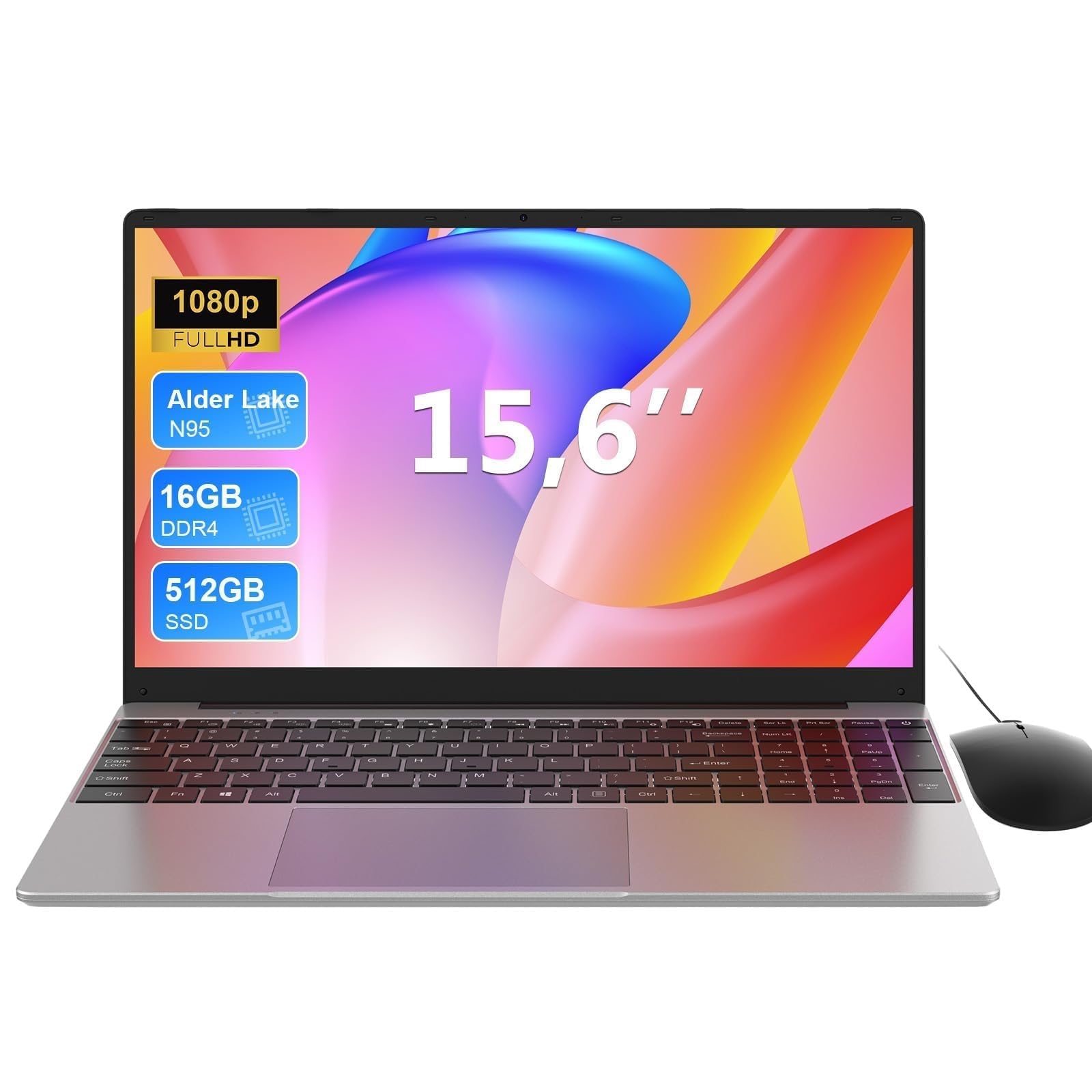

Frequently asked
7 questions01Is the AMD A9-9400 processor powerful enough for everyday use in 2026?+
For genuinely light tasks such as web browsing, video streaming, email, and occasional video calls, the A9-9400 manages adequately. It is, however, a 2016-generation chip built on an older 28nm process, and it falls well behind current budget processors from Intel and AMD in both raw performance and power efficiency. Heavy multitasking, running multiple demanding applications simultaneously, or any sustained CPU-intensive work will push it to its limits and may cause noticeable slowdowns.
02What is the realistic battery life on the Morostron 16-inch?+
Battery capacity is not confirmed in the product listing, which is itself a concern. Based on the AMD A9-9400's power profile and typical battery sizes in this class, realistic estimates are around five to six hours for light browsing and document work, dropping to four to five hours for video streaming. Heavy workloads may bring this closer to three hours. This machine is best treated as a plugged-in or near-plug device rather than one you rely on away from a socket for extended periods.
03Can the storage be upgraded on this laptop?+
The product listing mentions expandability up to 1TB, which suggests there is an M.2 slot or a secondary storage bay inside the chassis. However, the specifics are not clearly documented in the listing. If storage capacity is important to you, it is worth verifying the exact upgrade path before purchasing, either by consulting the seller directly or checking owner photos and community questions on the product page.
04Does the Morostron 16-inch support USB-C charging?+
USB-C charging is very unlikely given the chip generation and price point. The AMD A9-9400 platform predates widespread USB-C Power Delivery adoption on budget machines, and the listing does not suggest otherwise. You should expect a proprietary barrel-plug charger, which means you cannot use a universal USB-C charger or top up the battery from a power bank. This is a meaningful inconvenience compared to more modern budget laptops that do support USB-C charging.
05How does the Morostron 16-inch compare to the Acer Aspire 3 or Lenovo IdeaPad 1?+
Both the Acer Aspire 3 and the Lenovo IdeaPad 1 use significantly more modern processors (Intel N-series or AMD Ryzen 3) that outperform the A9-9400 in both speed and energy efficiency, resulting in better battery life and more headroom for multitasking. They also come with more thoroughly documented specifications and better-established UK support. The Morostron's main advantage is its 16-inch display, which is larger than the 15.6-inch screens on most rivals at this price. If screen size is your priority and the price is meaningfully lower, the Morostron can make sense. If prices are similar, the established alternatives offer better long-term value.
06Is the Morostron 16-inch suitable for university students?+
It depends entirely on the course. For students whose work is primarily web-based research, essay writing in Word or Google Docs, video lectures, and email, this laptop will manage adequately. For students studying anything that involves data processing, coding with resource-heavy IDEs, graphic design, video editing, or running virtual machines, the A9-9400 will feel restrictive quickly. The 16-inch screen is a genuine comfort advantage for long reading or writing sessions. Students who need portability and all-day battery away from a charger should look at something with a more modern, efficient processor.
07Are there concerns about warranty and after-sales support for the Morostron?+
Yes, this is a genuine consideration. The product listing includes phrasing that suggests it has been translated from another language, and Morostron does not have the same established UK market presence as brands such as Lenovo, Acer, or HP. This increases the risk that warranty claims, technical support, or returns could be more complicated than with a mainstream brand. If reliable after-sales support matters to you, it is worth reading the seller's returns policy carefully before buying and factoring in the grey-market nature of the product.