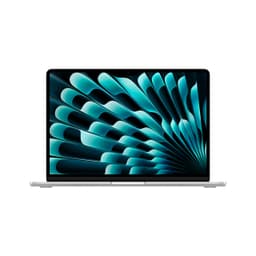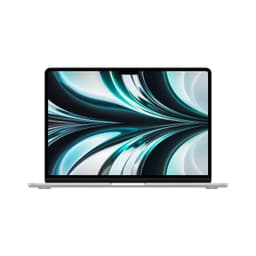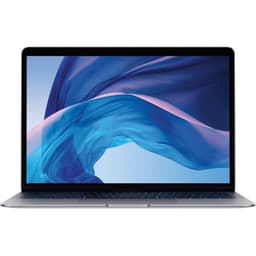

Spec sheets tell you what a laptop has. Owner reviews, after months of daily use, tell you what it actually does. Put the two together and you get a much clearer picture than either gives you alone. That's exactly the approach here, and for the 2020 Apple MacBook Pro M1 review UK buyers keep searching for, the picture that emerges is genuinely striking. This is the Apple MacBook Pro M1 review UK buyers were waiting for when Apple quietly rewrote the rules on what a thin laptop could do.
The frustration this machine solves is a familiar one. You're working away from a desk, battery anxiety is real, your Windows laptop sounds like a hair dryer the moment you open a spreadsheet, and you're lugging a charger everywhere just to make it through the day. The M1 MacBook Pro 13-inch fixes all three of those problems in one go. It's not perfect, and we'll get to the parts that aren't, but the core promise, proper all-day battery life with genuine performance and near-silent operation, is one that 1,036 owners broadly confirm. The rating sits at ★★★★½ (4.7) from over a thousand people who've actually lived with this machine. That's not a fluke.
The headline weakness, and you need to hear this before anything else, is the base configuration. Eight gigabytes of unified memory and a 256GB SSD at this price tier is tight. It was tight in 2020 and it's tighter now. If you're buying this in 2026, you need to go in with eyes open about what that storage ceiling means in practice. But for the right person, this is still a seriously capable machine. Let's work out if you're that person.
Core Specifications
The heart of this machine is Apple's M1 chip, announced in November 2020 and still, even by 2026 standards, a genuinely interesting piece of engineering. It's a system-on-a-chip design, meaning the CPU, GPU, Neural Engine, memory controller, and storage controller all live on a single die. That unified architecture is why the M1 runs so cool and why memory bandwidth is so high compared to discrete-component designs. The 8-core CPU splits into four performance cores and four efficiency cores, which is the same basic logic Intel and AMD later copied with their hybrid architectures. Apple just got there first and executed it cleanly.
The 8GB of unified memory sounds alarming on paper, and for some users it genuinely is a problem. But unified memory in the M1 doesn't behave like conventional LPDDR RAM. Because the CPU and GPU share the same memory pool with extremely high bandwidth (around 68GB/s), the system can do more with 8GB than a typical Intel or AMD laptop does. That said, if you're running multiple browser tabs, a video call, and a creative application simultaneously, you will hit the ceiling. Owners who do light to moderate work report no issues. Those pushing heavier creative workloads consistently say they wish they'd bought the 16GB configuration. Worth being honest about that.
The 256GB SSD is the other sticking point. Apple's SSDs are fast, genuinely fast, but 256GB fills up faster than you'd expect, especially as macOS updates and application sizes have grown since 2020. Owners regularly flag this as their main regret. If you're buying this machine in 2026, factor in the cost of external storage or cloud storage from day one, because you'll need it. The SSD performance itself is excellent, with sequential read speeds that embarrass most Windows laptops in the same price band, but the capacity is the weak link in an otherwise strong spec.
| Specification | Detail |
|---|---|
| Processor | Apple M1 (8-core CPU: 4 performance + 4 efficiency) |
| GPU | Apple M1 7-core integrated GPU |
| RAM | 8GB unified memory |
| Storage | 256GB Apple SSD |
| Display | 13.3-inch Retina IPS, 2560x1600, 500 nits, True Tone |
| Battery | 58.2Wh, up to 20 hours claimed (Apple) |
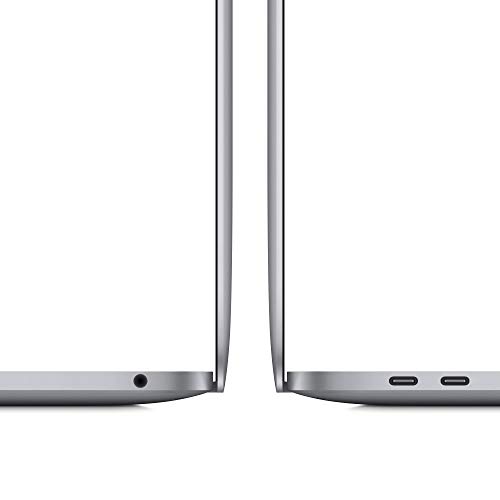
| Ports | 2x Thunderbolt / USB 4 (USB-C), 3.5mm headphone jack |
| Wireless | Wi-Fi 6 (802.11ax), Bluetooth 5.0 |
| Webcam | 720p FaceTime HD |
| Weight | 1.4kg |
| Dimensions | 304.1 x 212.4 x 15.6mm |
| OS | macOS (upgradeable to current versions) |
| Colour | Space Grey |
| Price | £479.79 |

Performance Benchmarks
When the M1 launched, the benchmark numbers looked like a mistake. Single-core scores in Geekbench 5 landed around 1,700, which was ahead of Intel's top mobile chips at the time, including the Core i9. Multi-core scores around 7,500 to 7,700 were competitive with chips drawing two to three times the power. The key word there is power draw. The M1 achieves those numbers at roughly 10 to 15 watts under sustained load, whereas competing Intel and AMD chips at similar multi-core performance were pulling 45 watts or more. That's the whole story, really. Same work, fraction of the heat, fraction of the battery drain.
In practical terms, what does that mean? For everyday work, web browsing, email, video calls, document editing, light photo editing, the M1 is completely effortless. There's no lag, no hesitation, nothing. For more demanding tasks, Final Cut Pro renders are genuinely fast, Lightroom catalogue work is smooth, and even some light video editing in Premiere Pro (which had Rosetta 2 translation overhead at launch, though native support followed) runs well. The 7-core integrated GPU is no gaming powerhouse, but it handles light gaming and GPU-accelerated creative tasks without complaint. Owners who use it for software development, including running local servers and compiling code, consistently report that it feels faster than Intel MacBook Pros that cost more.
The Rosetta 2 translation layer deserves a mention. When the M1 launched, a lot of software was still built for Intel (x86) architecture. Apple's Rosetta 2 translates those apps on the fly, and the remarkable thing is that translated apps often run faster on the M1 than they did natively on Intel. By 2026, the vast majority of popular Mac software has been updated to run natively on Apple Silicon anyway, so this is largely a non-issue now. The M1 is a mature, well-supported platform. The software ecosystem has fully caught up.
Where it struggles is memory pressure under heavy multitasking. When the 8GB unified memory fills up, the system starts swapping to the SSD. Apple's SSD is fast enough that this is less painful than it would be on a slower drive, but owners doing heavy creative work or running virtual machines do notice the slowdown. It's not catastrophic, but it is the ceiling. If your workflow regularly involves running Windows in Parallels alongside heavy native apps, this base configuration will frustrate you. The 16GB version is the one to buy for that use case.
Display Analysis
The 13.3-inch Retina display runs at 2560x1600 resolution, which works out to around 227 pixels per inch. Text is sharp. Properly sharp, the kind where you notice the difference when you go back to a 1080p screen. It's an IPS panel, so viewing angles are good in all directions, and colour accuracy is solid for a laptop display. Apple quotes P3 wide colour gamut coverage, which means it handles a broader range of colours than standard sRGB panels. For photo editing and video work, that matters. For spreadsheets, it just looks nice.
Brightness is rated at 500 nits, which is enough for most indoor environments and reasonably comfortable near a window. Direct sunlight is still a challenge, as it is for most laptop displays, but the high brightness combined with the anti-reflective coating makes it more usable outdoors than many competing screens. True Tone technology adjusts the white balance based on ambient lighting, which sounds like a gimmick but genuinely reduces eye strain during long sessions. Owners who work long hours consistently mention the display as one of the things they appreciate most about this machine.
The one criticism is the 60Hz refresh rate. By enthusiast laptop standards in 2026, 60Hz feels dated. Gaming laptops and even some premium productivity machines now run at 120Hz or higher, and once you've used a high-refresh display for a while, scrolling on a 60Hz screen feels slightly sticky by comparison. For most productivity work this is irrelevant, but if you're coming from a 120Hz display, you'll notice it. It's not a dealbreaker for the target audience, but it's worth knowing.
Battery Life
Apple claims up to 20 hours of battery life. That's the headline number and, unusually for a manufacturer claim, it's not wildly misleading. Real-world usage doesn't hit 20 hours unless you're doing very light reading with the screen dimmed, but owners consistently report figures that are genuinely impressive. Light to moderate work, browsing, writing, video calls, seems to land most people in the 12 to 16 hour range. That's a full working day without thinking about a charger. For a laptop at this price tier, that's the standout feature.
Heavy loads bring that number down considerably. Video editing or sustained CPU-intensive work can pull battery life into the 5 to 7 hour range. But here's the thing: even at its worst, the M1 MacBook Pro's battery life under load is better than many competing laptops achieve at idle. The efficiency advantage is that significant. Owners who travel frequently for work are particularly enthusiastic about this. Multiple reviews mention getting through long-haul flights without touching a charger, which is the kind of real-world validation that matters more than any lab number.
The included charger is a 61W USB-C power adapter, which charges via one of the two Thunderbolt ports. Charge time from flat to full is roughly two hours, and the USB-C delivery means you can top up from a power bank, a hotel room USB-C port, or a third-party charger in a pinch. That flexibility is genuinely useful when you're travelling. The MagSafe connector that older MacBook Pros had is absent here (it returned with the M1 Pro models), which some owners miss, but USB-C charging is arguably more versatile even if the magnetic safety disconnect is gone.
One thing owners flag less often but is worth mentioning: battery degradation over time. Lithium-ion batteries degrade with charge cycles, and by 2026 the earliest M1 MacBook Pros are around five to six years old. If you're buying a used or refurbished unit, check the battery cycle count before committing. A well-maintained example should still have decent capacity, but a heavily used one might have lost 20% or more of its original capacity, which changes the real-world battery life picture significantly.
Portability
At 1.4kg, the 13-inch M1 MacBook Pro is genuinely portable. It's not the lightest laptop in this class (the MacBook Air M1 is lighter at around 1.29kg), but the weight difference is small enough that most people won't notice it day to day. The dimensions, 304.1 x 212.4 x 15.6mm, mean it slides into most laptop sleeves and bags without drama. The footprint is compact for a 13-inch machine, and the slim profile means it doesn't take up much vertical space in a bag either.
The charger is a 61W USB-C brick, which is reasonably compact by laptop charger standards. It's not as small as a phone charger, but it's nowhere near as bulky as the power bricks that come with gaming laptops or older MacBook Pros. The USB-C cable is also useful because you can leave the Apple charger at home and charge from a compatible USB-C power bank or a shared charger in a meeting room. That said, given the battery life on offer, many owners report that they simply don't bring the charger for day trips. That's the real portability win here.
For commuters, frequent travellers, and people who move between home and office, this machine makes a lot of sense. It's light enough that you don't resent carrying it, the battery means you're not hunting for sockets, and the build quality means you're not worried about it getting knocked around in a bag. It's a proper travel laptop that also happens to be capable enough to be your main machine. That combination is rarer than it should be at this price tier.
Keyboard and Trackpad
Apple replaced the notoriously unreliable butterfly keyboard mechanism with a revised Magic Keyboard on the M1 generation, and the difference is significant. The scissor-switch mechanism has more key travel, a more satisfying click, and is far more reliable. Owners who had nightmare experiences with the butterfly keyboard on older MacBook Pros consistently note the improvement. For long typing sessions, it's a genuinely good keyboard. Not the deepest travel you'll find on a laptop at this price, but comfortable and accurate for extended use.
The keyboard includes a Touch Bar, the OLED strip above the function keys that replaces the traditional row of physical function keys. Opinions on the Touch Bar are mixed, to put it diplomatically. Some owners find it useful for specific apps that support it well. Others find it annoying, particularly when they're used to reaching for physical function keys without looking. By 2026, Apple has actually removed the Touch Bar from the MacBook Pro lineup in favour of physical function keys, which tells you something about how the market received it. It's not a dealbreaker, but it's a genuine quirk you need to know about before buying.
The trackpad is large, glass-surfaced, and uses Apple's Force Touch technology, which simulates a click through haptic feedback rather than a physical button mechanism. In practice, it feels like clicking a real button, and the precision is excellent. Gesture support is thorough: three-finger swipes, pinch to zoom, two-finger scrolling, all of it works exactly as you'd expect. This is still one of the best trackpads on any laptop, full stop. Windows manufacturers have been trying to match it for years with mixed success. If you do a lot of trackpad work, you'll appreciate it immediately.
Thermal Performance
The M1 MacBook Pro has a fan, which distinguishes it from the fanless M1 MacBook Air. Under light loads, that fan sits completely still and the machine runs passively. Surface temperatures during everyday work are genuinely comfortable. The palm rest stays cool, the keyboard area is warm at most, and the underside is fine for lap use. This is the M1's efficiency advantage in physical form: less heat generated means less heat to manage.
Under sustained heavy loads, the fan does spin up, but the thermal management is well-tuned. The chip doesn't throttle aggressively the way some thin laptops do when they run out of cooling headroom. Owners who do sustained video encoding or compilation work report that performance stays consistent rather than dropping off after a few minutes. The fan noise at load is audible but not intrusive (more on that in the acoustics section). The underside gets warm under heavy load but not hot enough to be uncomfortable on a lap.
Compared to Intel-based MacBook Pros from the same era, the thermal improvement is dramatic. The Intel 13-inch MacBook Pro would throttle under sustained load because the chip generated more heat than the cooling system could handle comfortably. The M1 doesn't have that problem. The chip is simply more efficient, which means the thermal system has an easier job. Owners coming from Intel MacBook Pros specifically mention the thermal improvement as one of the most immediately noticeable differences. It's not just a spec sheet advantage; it translates directly to consistent real-world performance.

Acoustic Performance
For most of the time you're using this machine, it is completely silent. No fan noise at all during browsing, writing, video calls, or light photo editing. This matters more than people give it credit for. In a quiet office, a library, or a meeting, a laptop that hisses or pulses constantly is genuinely annoying, both for you and for the people around you. The M1 MacBook Pro simply doesn't do that under normal conditions. Owners who work in quiet environments consistently flag this as one of the things they value most.
When the fan does kick in under heavy load, it's a smooth, consistent airflow sound rather than a pulsing or high-pitched whine. It's audible if you're in a quiet room, but it's not the kind of aggressive noise that draws attention or breaks concentration. Video editors and developers who push the machine hard report that the fan is present but not intrusive. It ramps up gradually rather than suddenly spinning to full speed, which is a more pleasant acoustic experience than the on/off fan behaviour some competing laptops exhibit.
For video calls specifically, the combination of near-silent operation and the three-microphone array means you're not fighting fan noise in the background of your audio. This is a practical advantage for anyone who spends a significant portion of their day on calls. The machine simply doesn't get in the way acoustically. If you've ever been on a call where the other person's laptop fan is audible the entire time, you'll understand why this matters.
Ports and Connectivity
Two Thunderbolt / USB 4 ports and a 3.5mm headphone jack. That's it. No SD card slot, no HDMI, no USB-A. For some people this is fine; for others it's a genuine problem. If you're coming from a Windows laptop with a full port selection, or from an older MacBook Pro with more ports, the adjustment is real. You'll almost certainly need a USB-C hub or dock if you want to connect more than one peripheral at a time. That's an additional cost and an additional thing to carry, which somewhat undermines the portability argument.
The Thunderbolt / USB 4 ports are genuinely capable, supporting up to 40Gbps data transfer, DisplayPort output, and USB Power Delivery for charging. So you can drive an external display, transfer data at high speed, and charge the laptop all from a single port, if you have the right hub. The two ports are both on the left side of the machine, which is a layout quirk that owners occasionally mention as mildly annoying when cable management matters.
Wireless connectivity is Wi-Fi 6 (802.11ax) and Bluetooth 5.0. Wi-Fi 6 is still a solid standard in 2026, offering good range and throughput on compatible routers. Bluetooth 5.0 handles wireless peripherals and headphones without issues. There's no cellular connectivity option, which is standard for this class of laptop, but worth noting if you need to work without Wi-Fi regularly.
- 2x Thunderbolt / USB 4 (USB-C) - both left side
- 3.5mm headphone jack - right side
- Wi-Fi 6 (802.11ax)
- Bluetooth 5.0
- No USB-A, no HDMI, no SD card slot
Webcam and Audio
The 720p FaceTime HD webcam is the most obvious weak point on an otherwise strong machine. In 2020 it was merely average; by 2026 it's genuinely behind the times. Most competing laptops at this price tier now ship with 1080p webcams as standard, and some have moved to higher resolutions still. The M1 MacBook Pro's camera produces acceptable results in good light but struggles in low light, producing soft, noisy images that look noticeably worse than a decent smartphone camera. For casual video calls it's fine. For anyone who records video content or does a lot of high-quality video conferencing, it's a frustration.
The three-microphone array is a different story. It's genuinely good. Apple's microphone processing handles background noise well, voices come through clearly, and the directionality means it picks up the person speaking rather than the room. Owners who do a lot of calls consistently rate the microphone quality highly, and it's one area where the M1 MacBook Pro outperforms many competing laptops that have better webcams but worse microphones.
The stereo speakers are loud for a 13-inch laptop and produce a reasonably balanced sound. There's not much bass, as you'd expect from speakers in a thin chassis, but the high and mid frequencies are clear. For music, video, and call audio, they're genuinely good. The headphone jack supports high-impedance headphones, which is a detail audiophiles appreciate. Overall, the audio package is strong; it's really just the webcam that lets the side down.
Build Quality
The chassis is machined aluminium, and it feels exactly like that. Solid, premium, with no flex in the lid or the keyboard deck under normal pressure. The Space Grey finish is understated and professional. It does pick up fingerprints, particularly on the lid, but no more than most aluminium laptops. The overall impression is of something built to last, and the M1 MacBook Pro's reputation for durability is backed up by the fact that many of the original 2020 units are still in daily use in 2026 without significant issues.
The hinge is firm without being stiff, holding the lid at whatever angle you set it without sagging. Some owners do note that opening the lid one-handed is slightly difficult because the base lifts with it, which is a function of the hinge tension rather than a design flaw. The hinge range is adequate for most use cases, though it doesn't lie flat at 180 degrees, which matters if you like to use your laptop in unusual orientations. The lid-to-base alignment is precise, with no wobble or misalignment, which is the kind of detail that distinguishes well-made hardware from cheaper alternatives.
Apple's build quality reputation is largely deserved here. The tolerances are tight, the finish is consistent, and the machine feels like it will handle years of daily use without degrading. Owners who've had their M1 MacBook Pros for multiple years consistently report that the build quality has held up well. The keyboard mechanism, as mentioned, is a significant improvement over the butterfly switch era, and the trackpad mechanism shows no signs of wear in long-term owner reports. For a laptop at this price tier, you're paying partly for longevity, and the evidence suggests you get it.
One thing worth mentioning: repairability is limited, as is standard for Apple laptops. The RAM and SSD are soldered to the motherboard and cannot be upgraded after purchase. This makes the spec choice at the point of purchase more important than it would be for a Windows laptop where you can add RAM later. If you think you might need more than 8GB or 256GB in the future, you need to buy the higher-spec configuration now or accept that you'll need a new machine sooner.
How It Compares
The two most obvious comparisons for the M1 MacBook Pro 13-inch are the MacBook Air M1 (same chip, no fan, lower price) and the Dell XPS 13 (the premium Windows alternative in the same size class). These are the machines that buyers genuinely consider alongside this one, and the comparison tells you a lot about who the MacBook Pro is actually for.
The MacBook Air M1 is the harder comparison because it uses the same chip and costs less. The differences are: the MacBook Pro has a fan (meaning it sustains performance under heavy load without throttling), slightly better battery life in practice, a slightly brighter display, and the Touch Bar. The MacBook Air has a thinner, lighter chassis and a lower price. For most people doing everyday work, the MacBook Air M1 is the smarter buy. The MacBook Pro's advantages only matter if you regularly push the chip hard for sustained periods.
The Dell XPS 13 comparison is more interesting because it highlights the platform choice. The XPS 13 runs Windows, has more port flexibility in some configurations, and offers a wider range of display options including higher refresh rates. But Intel-based XPS 13 configurations at a similar price point deliver shorter battery life and more fan noise under load. The M1 MacBook Pro's efficiency advantage is real and consistent. If you're platform-agnostic, the M1 wins on battery life and thermals. If you need Windows for specific software, the XPS 13 makes sense.
| Feature | Apple MacBook Pro M1 13-inch (8GB/256GB) | Apple MacBook Air M1 (8GB/256GB) | Dell XPS 13 (Intel Core i7, 16GB/512GB) |
|---|---|---|---|
| Processor | Apple M1 (8-core) | Apple M1 (8-core) | Intel Core i7 (11th Gen) |
| RAM | 8GB unified | 8GB unified | 16GB LPDDR4x |
| Storage | 256GB SSD | 256GB SSD | 512GB NVMe SSD |
| Display | 13.3" Retina IPS, 60Hz | 13.3" Retina IPS, 60Hz | 13.4" FHD+ IPS, 60Hz |
| Battery Life (real-world) | 12 to 16 hours (light-moderate) | 10 to 14 hours (light-moderate) | 7 to 10 hours (light-moderate) |
| Fan / Active Cooling | Yes | No (passive) | Yes |
| Ports | 2x Thunderbolt/USB 4, 3.5mm | 2x Thunderbolt/USB 4, 3.5mm | 2x Thunderbolt 4, 1x USB-C, 3.5mm |
| Weight | 1.4kg | 1.29kg | 1.2kg |
| OS | macOS | macOS | Windows 11 |
| Price | £479.79 | Lower | Similar to higher |
| Best For | Mac users needing sustained performance and all-day battery | Mac users doing everyday work who want to save money | Windows users who need platform flexibility and more RAM |
Final Verdict
The 2020 Apple MacBook Pro M1 is a genuinely excellent laptop that has aged well, but it's not the right choice for everyone, and the base configuration has real limits you need to accept before buying. For Mac users who do light to moderate work and want the best possible battery life in a portable 13-inch package, this is still a strong machine in 2026. The performance is smooth, the thermals are excellent, the build quality is premium, and the battery life is the kind that makes you stop thinking about chargers entirely. Over a thousand owners give it ★★★★½ (4.7) for good reason.
The people who should skip this specific configuration are those who regularly run heavy creative workloads, use virtual machines, or need more than 256GB of local storage. For those users, the 16GB / 512GB configuration is a significantly better investment, even at a higher price. The base spec is tight, and because the RAM and SSD are soldered in place, you can't fix it later. Buy the storage and memory you'll need, not the minimum you can get away with today.
Honestly, the most important question to ask before buying this is whether you should buy the MacBook Air M1 instead. For most people who don't regularly push the chip with sustained heavy workloads, the MacBook Air M1 does the same job for less money. The MacBook Pro's fan and slightly better sustained performance only matter if you actually use them. If your day is mostly browsing, writing, calls, and light creative work, the Air is the smarter buy and the honest recommendation. The Pro earns its premium for developers, editors, and anyone whose workflow regularly hits the CPU hard for extended periods.
For what it is and what it does, the M1 MacBook Pro 13-inch deserves a solid 8 out of 10. The display is sharp, the keyboard is good, the battery life is class-leading, and the performance is genuinely impressive for the power envelope. The two-port limitation and the tight base storage stop it from being a 9. But if you're a Mac user who needs a portable workhorse that gets through a full day without a charger and doesn't sound like a jet engine, this machine still delivers. Just buy more storage than you think you need.
Price correct as of 13 August 2026. Check the live listing for current pricing before purchase.
What works. What doesn’t.
6 + 6What we liked6 reasons
- Class-leading real-world battery life of 12 to 16 hours under light to moderate use
- Near-silent operation during everyday tasks thanks to the efficient M1 chip
- Consistently smooth performance with excellent sustained thermal management
- Sharp 2560x1600 Retina display with P3 wide colour gamut and True Tone
- Premium machined aluminium build quality that holds up well over years of daily use
- Excellent trackpad and greatly improved Magic Keyboard over the butterfly-switch era
Where it falls6 reasons
- Base 8GB unified memory and 256GB SSD are genuinely tight and cannot be upgraded later
- Only two Thunderbolt ports, both on the left side, with no USB-A, HDMI, or SD card slot
- 720p webcam is noticeably behind competing laptops at this price tier by 2026
- 60Hz display refresh rate feels dated compared to 120Hz screens now common at this price
- Touch Bar replaces physical function keys, which divides opinion and was later dropped by Apple
- Battery degradation is a real concern on used or refurbished units that have been heavily cycled
If this isn’t right for you
2 options 8.5 / 10
Apple MacBook Air Laptop: Apple M1 Chip, 13” Retina Display, 8GB RAM, 256GB SSD Storage, Backlit Keyboard, FaceTime HD Camera, Touch ID; Space Grey
£499.97 · Apple
 8.0 / 10
2020 Apple MacBook Pro with M1 Chip (13-inch, 16GB RAM, 256GB SSD Storage) (QWERTY English) Space Grey (Renewed)
£599.00 · Apple
Frequently asked
7 questions01Is the Apple MacBook Pro M1 still worth buying in 2026?+
For the right user, yes. If you prioritise battery life, quiet operation, and solid everyday performance in a portable 13-inch package, the M1 MacBook Pro still delivers. The chip is mature, software support is comprehensive, and build quality has proven durable over multiple years. The caveat is the base specification: 8GB of unified memory and 256GB of storage are genuinely limiting for heavier workloads, and neither can be upgraded after purchase.
02How does 8GB of unified memory compare to 8GB of conventional RAM?+
Unified memory in the M1 is shared between the CPU and GPU via a single high-bandwidth pool running at around 68GB per second. This allows the system to do more with 8GB than a conventional laptop with the same amount of LPDDR RAM, because there is no overhead from separate memory pools. That said, it is still 8GB, and under heavy multitasking or sustained creative workloads you will hit the ceiling. Light to moderate users are unlikely to notice; heavier users consistently recommend the 16GB configuration.
03What is the real-world battery life of the M1 MacBook Pro 13-inch?+
Under light to moderate use, which includes browsing, writing, video calls, and document editing, most owners report between 12 and 16 hours. Heavy workloads such as video encoding or sustained compilation can bring this down to five to seven hours. Even at its worst under heavy load, the M1 MacBook Pro typically outperforms many competing laptops at idle. Apple's 20-hour claim is achievable only under very light conditions with the screen dimmed.
04Does the M1 MacBook Pro run hot or get noisy under load?+
Under everyday tasks the fan sits completely still and surface temperatures remain comfortable. Under sustained heavy loads the fan does spin up, but it ramps gradually to a smooth airflow sound rather than a sudden high-pitched whine. The chip does not throttle aggressively the way earlier Intel-based MacBook Pros did, so performance stays consistent. The underside gets warm under load but not hot enough to be uncomfortable on a lap.
05What is the Touch Bar and should it put me off buying this laptop?+
The Touch Bar is an OLED strip above the keyboard that replaces the traditional row of physical function keys. It changes contextually depending on the application you are using. Opinions are genuinely divided: some users find it useful for supported apps, others find it irritating, particularly if they are accustomed to reaching for function keys without looking. Apple later removed it from the MacBook Pro lineup in favour of physical keys, which reflects the mixed reception. It is not a dealbreaker for most users, but it is worth knowing about before you buy.
06Is it worth buying the MacBook Air M1 instead of the MacBook Pro M1?+
For most users doing everyday work, the MacBook Air M1 is the smarter buy. It uses the same M1 chip, costs less, and is slightly lighter. The MacBook Pro's main advantages are its fan, which allows the chip to sustain peak performance for longer without throttling, and marginally better real-world battery life. If your workflow regularly involves sustained CPU-intensive tasks such as video encoding or code compilation, the Pro's active cooling justifies the premium. If your day is mostly browsing, writing, and calls, the Air does the same job for less money.
07Should I be concerned about battery degradation on a used M1 MacBook Pro?+
Yes, it is worth checking carefully. The earliest M1 MacBook Pros were released in late 2020, meaning units available second-hand in 2026 are up to five or six years old. Lithium-ion batteries degrade with charge cycles, and a heavily used unit may have lost 20 percent or more of its original capacity. Before purchasing a used or refurbished example, ask for or check the battery cycle count and current maximum capacity in macOS System Information. A well-maintained unit should still offer good endurance, but a poorly maintained one will deliver noticeably shorter battery life than the figures quoted for new machines.