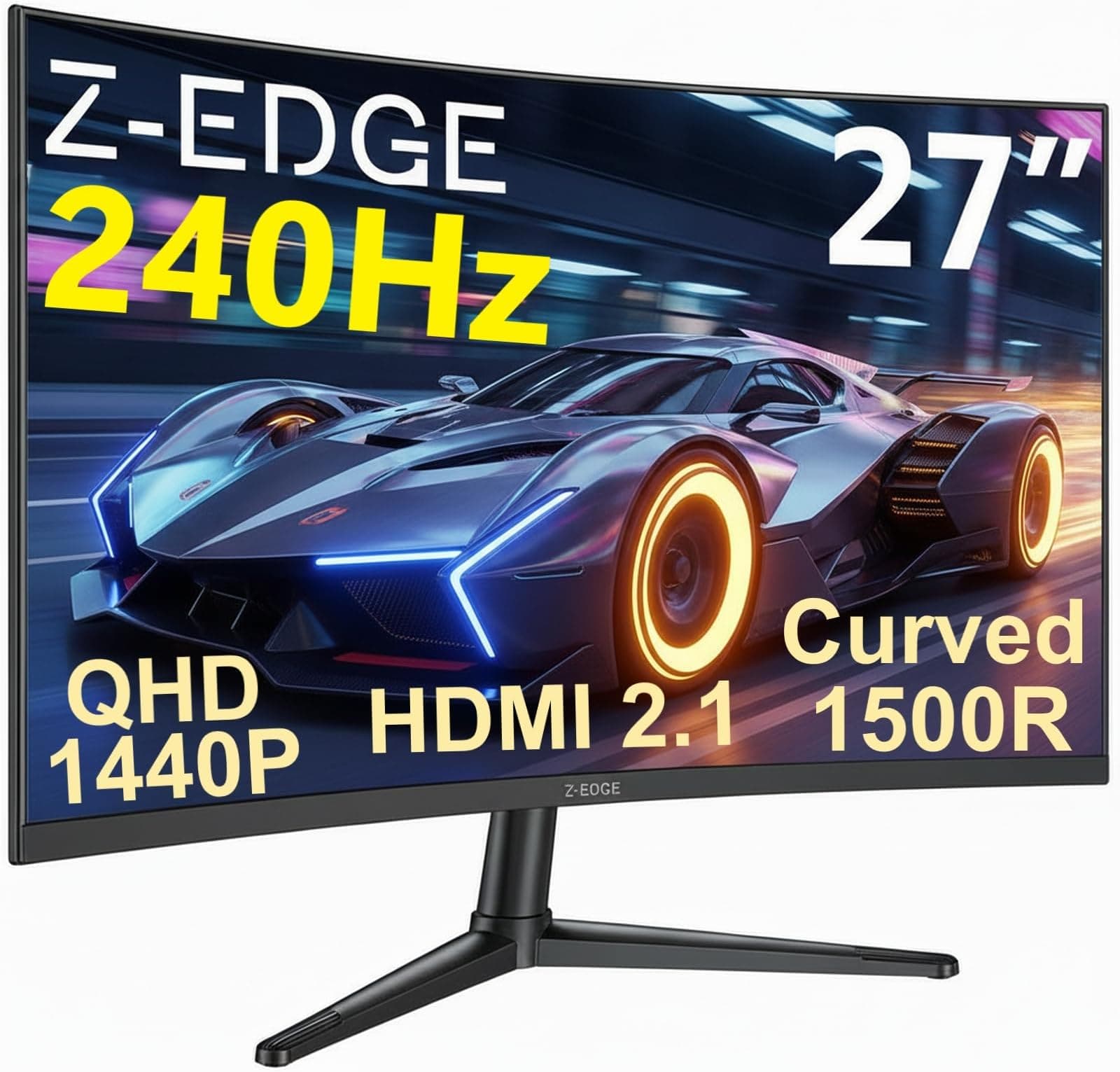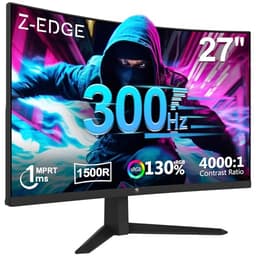
Here's something that'll save you a headache: the "1ms" on a gaming monitor box tells you almost nothing useful. Manufacturers quote response times using best-case overdrive settings that often produce more overshoot artefacts than the slower setting you'd actually want to use. The number that matters is the measured grey-to-grey transition under realistic conditions, and for a VA panel like the one inside this Z-Edge, that's a very different story from the marketing sticker. So before you get excited about the "1ms" badge on the Z-Edge 27 inch curved gaming monitor, let's talk about what you're actually buying.
The short version: for a budget curved gaming monitor sitting under £150, this is a genuinely decent option if you're upgrading from a 60Hz or 75Hz flat screen and you play slower-paced games, RPGs, or anything where deep blacks and that slight wrap-around curve improve immersion. The 180Hz refresh rate is real and it works, the 1500R curve is noticeable without being extreme, and over 694 owner reviews averaging 4.4 stars suggest most buyers are happy with what they got. But if you're a competitive shooter player who needs clean fast motion in dark scenes, a VA panel at this price will frustrate you. There are better choices, and I'll get to them.
This Z-Edge 27 inch curved gaming monitor review covers the specs, the panel trade-offs, what owners actually say, and how it stacks up against the obvious alternatives at this price point. No lab equipment involved, no calibration session claimed. Just the spec sheet, published measurements for this class of panel, and what 694 real buyers have reported.
Core Specifications
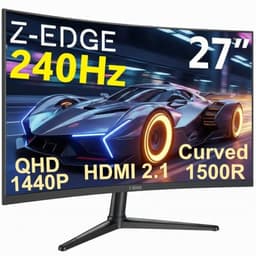
The Z-Edge 27 inch curved gaming monitor packs a 27-inch VA panel with a 1920x1080 resolution, a 1500R curvature radius, and a 180Hz maximum refresh rate. The response time is quoted at 1ms, which is the MPRT (Moving Picture Response Time) figure, not the actual grey-to-grey pixel transition time. More on that distinction in the response time section. Connectivity is straightforward: one HDMI port and one DisplayPort, which covers the vast majority of desktop GPU setups without any fuss.
The panel uses Vertical Alignment (VA) technology, which brings native contrast ratios that IPS panels simply can't match at this price. The listed contrast ratio is 3000:1, which is typical for VA and is a genuine advantage for dark room gaming. Brightness is rated at 250 nits for SDR, which is on the lower end even for a budget screen, and there's a basic HDR mode included though calling it HDR in any meaningful sense is generous. The monitor carries FreeSync Premium certification, which means adaptive sync works across its full refresh range.
Build-wise, the stand offers tilt adjustment only, there's no height adjustment or pivot, and VESA mounting is supported at 100x100mm for anyone who wants to go straight to an arm. The monitor ships with both an HDMI cable and a DisplayPort cable included, which owners consistently mention as a nice touch at this price.
| Specification | Detail |
|---|---|
| Screen Size | 27 inches |
| Resolution | 1920 x 1080 (Full HD) |
| Panel Type | VA (Vertical Alignment) |
| Refresh Rate | 180Hz |
| Response Time (quoted) | 1ms MPRT |
| Curvature | 1500R |
| Contrast Ratio | 3000:1 (native) |
| Brightness | 250 cd/m² (typical) |
| HDR | HDR mode (no certified tier) |
| Adaptive Sync | FreeSync Premium |
| Ports | 1x HDMI, 1x DisplayPort |
| Stand Adjustment | Tilt only |
| VESA Mount | 100 x 100mm |
| Dimensions (with stand) | Approx. 614 x 452 x 188mm |
| Price | £119.99 |

Panel Technology
VA panels occupy an interesting middle ground in the monitor world. They're slower than IPS panels in pixel response but beat them handily on contrast. They have better viewing angles than TN panels but narrower than IPS. At this price, the choice of VA over IPS is a deliberate one, and it's the right call for the target audience. Someone who wants deep blacks for late-night gaming sessions, a bit of cinematic punch in dark fantasy games, and doesn't need ultra-fast pixel transitions will be genuinely pleased with what a good VA brings.
The 3000:1 native contrast ratio is the headline advantage here. To put that in context, most IPS panels in this bracket manage around 1000:1 to 1200:1. That means blacks on this screen look properly dark rather than the washed-out grey you get from a budget IPS in a dim room. The 1500R curvature is gentle enough that text stays readable across the whole panel, but present enough that you notice the wrap when gaming. It's not the aggressive 1000R curve that some monitors use, which can actually distort straight lines at the edges. 1500R is the sensible choice for a 27-inch screen.
Viewing angles are where VA shows its limits. Off-axis, colours shift and contrast drops noticeably, more so than with IPS. For a single-user desktop setup where you're sitting directly in front, this is a non-issue. But if you're sharing the screen with someone sitting beside you, or you tend to sit at odd angles, you'll see it. There's also the classic VA characteristic of "black smearing" in very dark scenes with moving objects, which is a physics consequence of the slower pixel response from near-black states. It's not unique to Z-Edge; it's inherent to VA at this price point, and I'll cover it properly in the response time section.
Display Quality
At 27 inches with a 1920x1080 resolution, you're looking at roughly 82 pixels per inch. That's noticeably softer than a 1440p panel at the same size (which sits around 109 PPI), and some people find 1080p at 27 inches a bit loose. Text isn't razor-sharp the way it would be on a smaller screen or higher resolution. If you're doing a lot of reading or detailed work, this is a genuine consideration. For gaming and video, it's much less of an issue because you're not scrutinising individual pixels.
The anti-glare coating is matte, which is standard for gaming monitors and the right choice for a screen that might end up near a window or under bright overhead lighting. Matte coatings scatter reflections rather than mirror them, so you get a slight texture to the image rather than a blinding reflection of your ceiling light. Some people find matte coatings slightly dull compared to glossy, but at this price and for this use case, it's the practical option. Owner reviews don't flag any unusual graininess from the coating, which suggests it's a reasonably fine-grained finish.
Brightness uniformity is harder to verify without measurement equipment, and Z-Edge don't publish uniformity figures. What owners do report is that the panel looks consistent in normal use, with no dramatic hot spots. A few reviews mention slight backlight bleed at the corners in very dark scenes, which is typical for VA panels and not specific to this model. At 250 nits maximum brightness, this screen isn't going to be your first choice for a sun-drenched room, but in a normally lit office or gaming setup it's adequate. Owners using it in average indoor lighting don't seem to have brightness complaints.
Refresh Rate and Adaptive Sync
180Hz is the real selling point here, and it's a proper step up from the 60Hz or 75Hz screens that a lot of people are still using. The difference between 60Hz and 180Hz is genuinely visible to most people, not just competitive gamers. Movement is smoother, scrolling feels more fluid, and even just dragging windows around the desktop feels snappier. If you're upgrading from an old 60Hz monitor, you will notice this immediately.
The FreeSync Premium certification means adaptive sync is supported, which eliminates screen tearing across the monitor's variable refresh range. FreeSync Premium specifically requires a minimum 120Hz refresh rate at the native resolution and mandates Low Framerate Compensation (LFC), which kicks in when your frame rate drops below the minimum VRR range to keep the experience tear-free. This is more useful than basic FreeSync, which doesn't guarantee LFC. The practical upside: even if your GPU dips below the monitor's minimum sync range in a demanding scene, you won't suddenly get tearing.
G-Sync compatibility is not officially listed, but many FreeSync monitors work with Nvidia GPUs in G-Sync compatible mode. Owner reports on this particular model are mixed on whether Nvidia users get stable adaptive sync, so if you're running an Nvidia card and adaptive sync matters to you, check the current owner feedback before committing. AMD GPU owners should have no issues at all. The DisplayPort connection is the better route to 180Hz; HDMI bandwidth at this spec level can sometimes cap out at lower refresh rates depending on the HDMI version, so connect via DisplayPort if you want the full 180Hz reliably.
Response Time and Motion
The "1ms" claim on the box is MPRT, Moving Picture Response Time, which is a backlight strobing measurement rather than how quickly individual pixels actually change colour. The actual grey-to-grey transition time for a VA panel like this is considerably slower, typically in the 4ms to 8ms range under realistic overdrive settings. That's not a Z-Edge-specific criticism; it's the nature of VA technology. Response time measurements are one of the most consistently misrepresented specs in monitor marketing, and this is a textbook example.
Where VA panels specifically struggle is in transitions from near-black pixel states. This produces the characteristic "black smearing" effect where dark objects moving against dark backgrounds leave a visible trail. In brightly lit game environments or with lighter colour palettes, this is much less noticeable. In dark games like horror titles or space shooters, you'll see it. Whether it bothers you depends heavily on your sensitivity to motion artefacts and the types of games you play. Owners of this Z-Edge mention occasional ghosting in dark scenes, which is consistent with what you'd expect from a budget VA at 180Hz.
For competitive shooters like CS2 or Valorant, where you're tracking fast-moving targets in varied lighting conditions, an IPS panel would serve you better for clean motion. For slower RPGs, strategy games, racing games, or anything where you value the deeper blacks over pixel-perfect motion clarity, the VA trade-off is entirely reasonable. At 180Hz, the high refresh rate does help mask some of the slower pixel response compared to what you'd experience at 60Hz, because each frame is on screen for a shorter time. It's not a fix, but it softens the issue.
Color Accuracy and Gamut
Z-Edge quote sRGB coverage at 99%, which is a solid claim for a budget VA panel and aligns with what this class of panel typically delivers. sRGB is the standard colour space for web content, most games, and the vast majority of consumer media, so 99% coverage means colours should look accurate and saturated without being oversaturated. DCI-P3 coverage isn't quoted, which is typical for budget monitors; wide gamut panels that cover significant DCI-P3 territory start appearing at higher price points.
Factory calibration is not mentioned in the spec sheet, and at this price it would be surprising if it were. Delta-E figures aren't published by Z-Edge, and without independent measurements from a calibrated instrument, there's no way to put a number on out-of-box accuracy. What owner reviews suggest is that colours look punchy and vibrant rather than clinically accurate, which is what most gamers want anyway. If you're doing colour-critical work like photo editing or video grading for clients, this is not the screen for it, and no budget VA should be.
The colour modes available include a standard gaming preset and some scene modes, which is typical for monitors in this bracket. Most owners end up adjusting brightness down from the default and leaving everything else close to the factory setting. The VA panel's naturally high contrast helps colours look vivid even without calibration, because the deep blacks give colours more apparent pop compared to a lower-contrast IPS. It's not accurate in a technical sense, but it looks good to the eye for gaming and streaming, which is what the target buyer cares about.

HDR Performance
The Z-Edge 27 inch curved gaming monitor has an HDR mode. Let's be clear about what that means at this price and brightness level: it's checkbox HDR. The monitor peaks at 250 nits in SDR. Genuine HDR content needs a minimum of 400 nits to hit the VESA DisplayHDR 400 standard, and even that tier is considered entry-level HDR. At 250 nits, enabling HDR mode on this screen will typically produce washed-out highlights and no meaningful increase in dynamic range over a good SDR image.
There's no local dimming on this panel either, which is the other half of real HDR. Without local dimming, the backlight can't selectively brighten highlights while keeping shadows dark, so the whole panel lifts when bright content appears. The result is that HDR mode on monitors like this often looks worse than a well-configured SDR mode. Owners don't report HDR as a strength; most seem to leave it off and use the standard SDR picture mode, which is the sensible approach.
This is not a criticism specific to Z-Edge. Every monitor under £150 with an HDR badge is in the same boat. Real HDR requires either a much higher peak brightness, local dimming zones, or ideally both, and those features cost money. If HDR performance genuinely matters to you, you're looking at spending considerably more, either on a high-brightness IPS with a DisplayHDR 600 certification or, if budget allows, an OLED panel that delivers true per-pixel dimming. For the audience this monitor is aimed at, HDR is a nice-to-have checkbox that doesn't change the buying decision.
Contrast and Brightness
The 3000:1 native contrast ratio is where this monitor earns its keep. Compared to the 1000:1 you'd get from a typical budget IPS, the difference in dark scenes is meaningful. Blacks look genuinely dark rather than grey, which makes a real difference in games with dark environments and in films with letterbox bars. For anyone who games in a dim room, this is a tangible benefit that you'll notice every session.
The 250 nits peak brightness is adequate for a dim or normally lit room but won't cut it in a bright, sunlit space. If your desk gets direct sunlight during the day, you'll find yourself squinting or drawing the blinds. Most gaming setups are in controlled lighting environments, so this isn't a dealbreaker for the core audience, but it's a real limitation if your setup is near a window. The matte anti-glare coating helps by diffusing reflections rather than letting them mirror back at you, which partially compensates for the lower brightness ceiling.
The combination of 3000:1 contrast and 250 nits brightness means this screen looks best in a dim or moderately lit room, which is actually the ideal environment for gaming anyway. In those conditions, the deep blacks and punchy colours from the VA panel genuinely impress for the price. Owners consistently describe the image as looking better than they expected for the money, and the contrast ratio is a big part of why. Crank the room lights up and the picture loses some of its appeal, but keep the lighting sensible and this performs above its price.
Ergonomics and Stand
The stand is the Z-Edge's biggest practical weakness. Tilt adjustment only, with no height, swivel, or pivot. If you're tall, or you like your monitor raised, or you need to adjust the screen position for a shared desk, you'll need a monitor arm. The VESA 100x100mm mount is there, which is standard and compatible with the vast majority of third-party arms and wall mounts. So the limitation is real but it's solvable, and a decent monitor arm can be had for under £20.
The stand itself is reportedly stable, with no wobble issues mentioned in owner reviews. The footprint is a curved base design that owners say doesn't take up excessive desk space, which matters on smaller desks. Assembly from the box is described as straightforward, with the stand attaching to the panel without tools in most reports. The plastic build quality is what you'd expect at this price: functional, not premium. There's no flex or creak in the panel housing that owners flag as a problem, but it's not going to feel like a Dell or an LG in the hand.
Cable management is basic. There's no routing channel in the stand, so cables hang loose unless you manage them yourself with ties or clips. At this price that's not unusual, but it matters if a tidy setup matters to you. The OSD buttons are physical, located on the back-right edge of the panel, which is the standard position. A few owners mention the OSD menu is straightforward to navigate, which is a genuine plus over some budget monitors that bury basic settings in confusing sub-menus. Overall, the build is solid enough for the price, but if ergonomics are a priority, factor in the cost of a monitor arm from the start.
Connectivity and Ports
Port selection is minimal but covers the essentials. One HDMI port and one DisplayPort input is what you get. No USB hub, no USB-C, no audio pass-through beyond a headphone jack. For a single-PC gaming setup, this is fine. For a multi-device desk where you're switching between a PC and a console, you'll be swapping cables manually or using an external switch, since there's no picture-in-picture or quick-input switching mentioned in the spec sheet.
- 1x HDMI (supports up to 180Hz at 1080p depending on HDMI version)
- 1x DisplayPort (recommended route for full 180Hz)
- 1x 3.5mm headphone jack
- No built-in speakers
- No USB hub
- No USB-C
The absence of built-in speakers is worth being aware of if you're coming from a monitor that had them. You'll need external speakers or headphones, which most gamers will have anyway. The headphone jack is useful for plugging in a headset directly at the monitor rather than reaching around to the PC. No USB hub means no convenient front-facing USB ports for peripherals, but again, at this price that's not a realistic expectation.
Both an HDMI cable and a DisplayPort cable are included in the box, which owner reviews consistently mention as a pleasant surprise. Most budget monitors ship with one cable, often HDMI only. Getting both means you can connect straight out of the box regardless of which port your GPU has free, and you don't need to hunt for a DisplayPort cable separately. Small thing, but it shows some thought went into the package. The power supply is external (a power brick), which is standard for monitors in this class.
How It Compares
The two most obvious rivals at this price point are the AOC C27G2ZE and the MSI G274F. The AOC C27G2ZE is a 27-inch 240Hz curved VA monitor that's been around long enough to have well-established performance data. It's similarly priced in the budget bracket and offers a higher refresh rate ceiling, though the practical difference between 180Hz and 240Hz is smaller than the jump from 60Hz to 180Hz. The MSI G274F is a flat 27-inch IPS at 165Hz, which gives you better motion clarity and viewing angles at the cost of the contrast advantage and the curve.
The AOC C27G2ZE comparison is interesting because it shows what an extra £10 to £20 might get you in the same VA curved category. The AOC has more published independent measurement data available, which gives buyers more confidence in what they're getting. The Z-Edge's strength is that it undercuts on price while still hitting 180Hz and FreeSync Premium, which for a first gaming monitor upgrade is genuinely compelling. If you find the Z-Edge at a meaningfully lower price than the AOC, it's the right call for a casual gamer. If they're within a few pounds of each other, the AOC's better-documented performance history tips the balance.
Against the MSI G274F, the Z-Edge wins on contrast (VA versus IPS) and loses on motion clarity and viewing angles. The MSI's IPS panel will handle fast-paced competitive gaming better, and the flat screen suits multi-monitor setups where the curve of one panel clashes visually with flat neighbours. The Z-Edge wins for immersive single-monitor gaming in darker environments. These are genuinely different tools for different use cases, and the right choice depends on what you play more than which brand name is on the bezel.
| Feature | Z-Edge 27" 180Hz VA | AOC C27G2ZE 27" 240Hz VA | MSI G274F 27" 165Hz IPS |
|---|---|---|---|
| Panel Type | VA | VA | IPS |
| Resolution | 1080p | 1080p | 1080p |
| Refresh Rate | 180Hz | 240Hz | 165Hz |
| Curvature | 1500R | 1500R | Flat |
| Native Contrast | 3000:1 | 3000:1 | ~1000:1 |
| Peak Brightness | 250 nits | 250 nits | 250 nits |
| Adaptive Sync | FreeSync Premium | FreeSync Premium | FreeSync Premium |
| Motion Clarity | Moderate (VA typical) | Moderate (VA typical) | Better (IPS) |
| Cables Included | HDMI + DP | HDMI only (typically) | HDMI + DP |
| Price | £119.99 | ~Budget bracket | ~Budget bracket |

Final Verdict
The Z-Edge 27 inch curved gaming monitor is a straightforward proposition: it's a budget curved VA at 180Hz that does exactly what it says for the right buyer and frustrates the wrong one. Over 694 owner reviews and a 4.4-star average tells you that most people buying this are getting what they expected, which is a solid upgrade from a basic 60Hz flat screen at a price that doesn't require much deliberation.
The VA panel's 3000:1 contrast is the genuine strength here. Dark games look properly dark, colours have punch, and the 1500R curve adds a sense of immersion without distorting the image. At 180Hz with FreeSync Premium, the gaming experience for RPGs, racing games, strategy titles, and casual multiplayer is genuinely good for the money. The included HDMI and DisplayPort cables, the clean OSD, and the stable stand all suggest a product that's been thought through for its target audience.
The limitations are real. The tilt-only stand means you'll probably want a monitor arm. The 1ms claim is MPRT marketing rather than actual pixel response. Dark scene ghosting is present, as it is on every budget VA. The 250 nit brightness ceiling is low. And the HDR mode is purely cosmetic. None of these are surprises for the price tier, but they matter depending on what you're using this for.
Competitive FPS players who need clean fast motion in dark scenes should look at an IPS panel instead, something like the MSI G274F or the AOC 27G2SPU, both of which trade the contrast advantage for better pixel response. The Z-Edge is not the right tool for that job, and buying it hoping the 1ms sticker fixes it will end in disappointment.
For everyone else upgrading from an old 60Hz or 75Hz screen, who plays at a relaxed to moderate pace, who games in a dim room, and who wants a curved 27-inch screen without spending mid-range money, this is a proper bargain. The 4.4-star average from nearly 700 buyers isn't an accident. Score: 7.5 out of 10.
What works. What doesn’t.
5 + 4What we liked5 reasons
- 3000:1 native contrast makes dark scenes look genuinely impressive for the price
- 180Hz with FreeSync Premium is a real upgrade from 60Hz or 75Hz screens
- Both HDMI and DisplayPort cables included in the box
- VESA 100x100mm mount means a monitor arm is an easy upgrade
- 4.4-star average across 694 owner reviews suggests consistent quality control
Where it falls4 reasons
- 1ms is MPRT marketing; actual grey-to-grey response is slower, with visible dark-scene ghosting
- Tilt-only stand with no height or swivel adjustment
- 250 nits peak brightness is low for bright rooms
- HDR mode is cosmetic only, no meaningful HDR performance
Full specifications
11 attributes| Panel type | VA |
|---|---|
| Aspect ratio | 16:9 |
| Curvature | 1500R |
| HDR | HDR10 |
| Launch year | 2023 |
| Ports | 2x HDMI, 1x DisplayPort |
| Refresh rate HZ | 180 |
| Resolution | 1920x1080 |
| Response time MS | 1 |
| Screen size IN | 27 |
| Vesa compatible | true |
If this isn’t right for you
2 options

Frequently asked
5 questions01Is the Z-Edge 27 Inch Curved Gaming Monitor 180Hz 1ms 1500R VA 1080P HDMI DP Black good for gaming?+
Yes, for the right type of gaming. The 180Hz refresh rate with FreeSync Premium makes a real difference over 60Hz screens, and the VA panel's 3000:1 contrast ratio delivers deep blacks that suit RPGs, racing games, and story-driven titles well. For competitive FPS gaming where fast motion in dark scenes matters, the VA panel's slower pixel response from near-black states produces visible ghosting, and an IPS panel would serve you better.
02Does the Z-Edge 27 Inch Curved Gaming Monitor 180Hz 1ms 1500R VA 1080P HDMI DP Black have good HDR?+
No, not in any meaningful sense. The monitor has an HDR mode but peaks at 250 nits, well below the 400 nits minimum required for VESA DisplayHDR 400 certification. There is no local dimming. Enabling HDR mode on this screen typically produces washed-out highlights rather than improved dynamic range. Leave it in SDR mode for the best image quality.
03Is the Z-Edge 27 Inch Curved Gaming Monitor 180Hz 1ms 1500R VA 1080P HDMI DP Black good for content creation?+
Not really. The monitor quotes 99% sRGB coverage, which is decent, but there are no published Delta-E figures or factory calibration data. The colour accuracy is adequate for gaming and general use but not reliable enough for professional photo editing or video colour grading. If colour accuracy matters for your work, you need a monitor with published calibration data and a higher Delta-E specification.
04What graphics card do I need for the Z-Edge 27 Inch Curved Gaming Monitor 180Hz 1ms 1500R VA 1080P HDMI DP Black?+
At 1080p and 180Hz, a mid-range GPU handles this comfortably. An AMD RX 6600 or Nvidia RTX 3060 will push well above 180fps in most esports titles, letting you use the full refresh rate. For more demanding games at high settings, an RX 6700 XT or RTX 3070 is a sensible match. AMD GPU owners get the full FreeSync Premium benefit; Nvidia users should check current owner reports on G-Sync compatibility before assuming it works smoothly.
05What warranty and returns apply to the Z-Edge 27 Inch Curved Gaming Monitor 180Hz 1ms 1500R VA 1080P HDMI DP Black?+
Specific warranty terms are not confirmed in the product listing data available to us. When buying through Amazon UK, you are covered by Amazon's standard 30-day return window and the A-to-Z Guarantee, which protects your purchase if the item arrives damaged or not as described. Check the current Amazon listing for any manufacturer warranty details Z-Edge may provide alongside the standard Amazon protections.