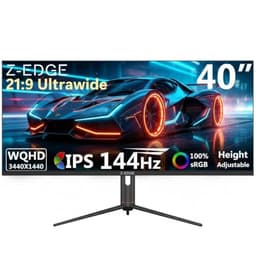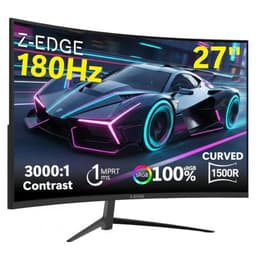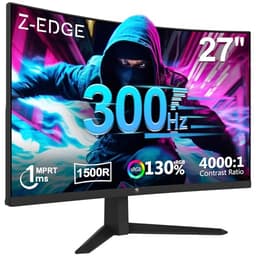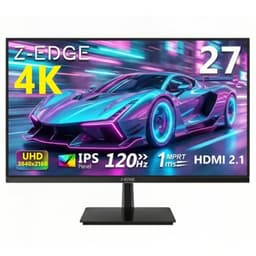
Panel technology debates are genuinely fascinating, but they only matter if the monitor you're actually buying delivers on the numbers it prints on the box. The Z-Edge 24.5 inch 300Hz gaming monitor is making some bold claims for the budget bracket: 300Hz refresh, IPS panel, 1ms response time, 99% sRGB coverage. At a sub-£150 price point, that's either a brilliant entry point for competitive esports players or a spec sheet full of asterisks. The owner reviews (4.4 stars from 331 people) lean positive, but the details matter enormously here, and the details are exactly what we're going to pull apart.
The short verdict: this is a genuinely solid budget high-refresh monitor for 1080p competitive gaming. The 300Hz headline is real, the IPS panel delivers decent colour and wide viewing angles, and the price is hard to argue with if you're running a capable GPU and want silky-smooth esports performance. But there are compromises, and if you're hoping for meaningful HDR, a premium stand, or the kind of colour accuracy that content creators need, you'll want to look elsewhere. For pure gaming at this price, though, it earns its place.
Core Specifications
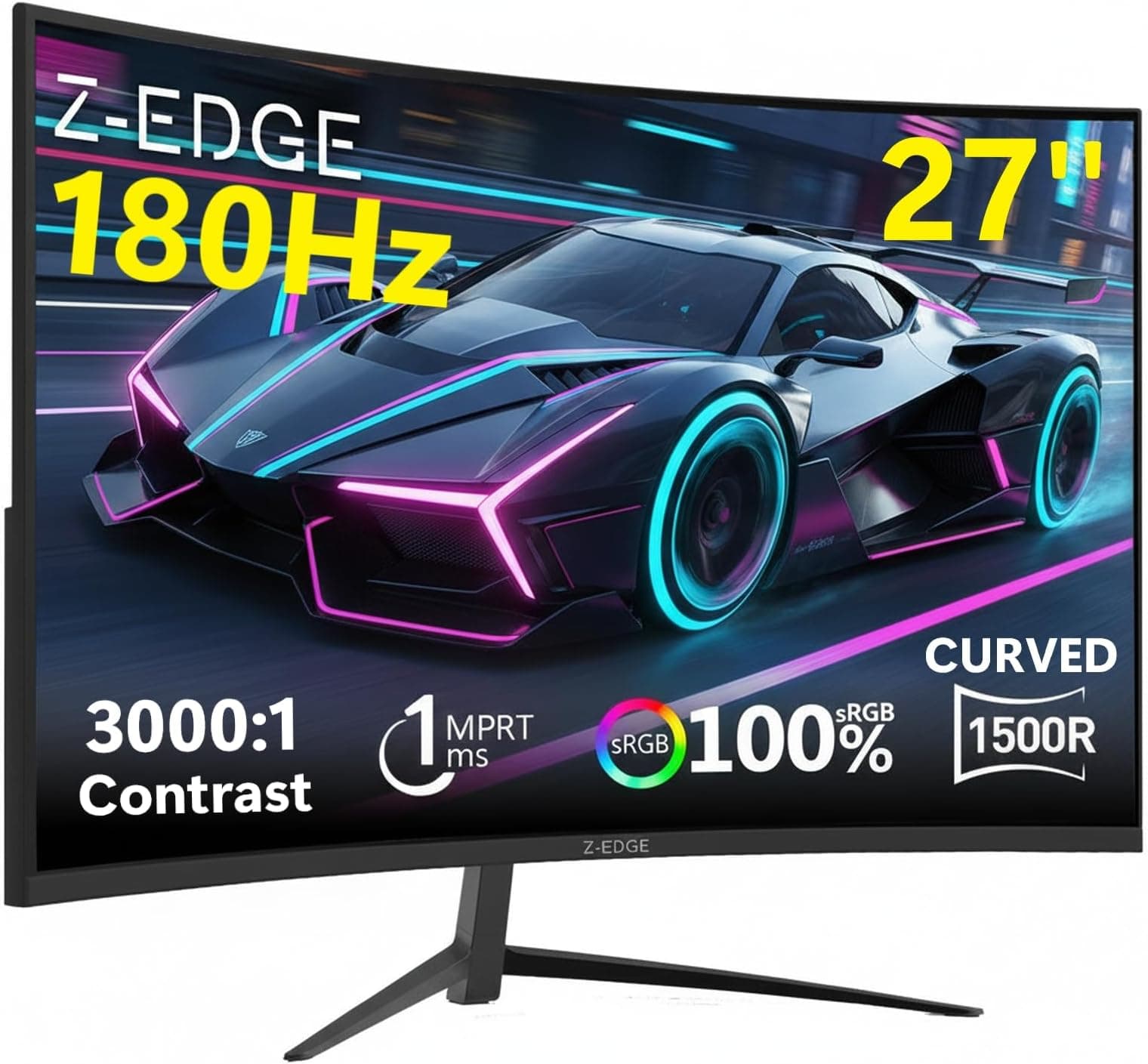
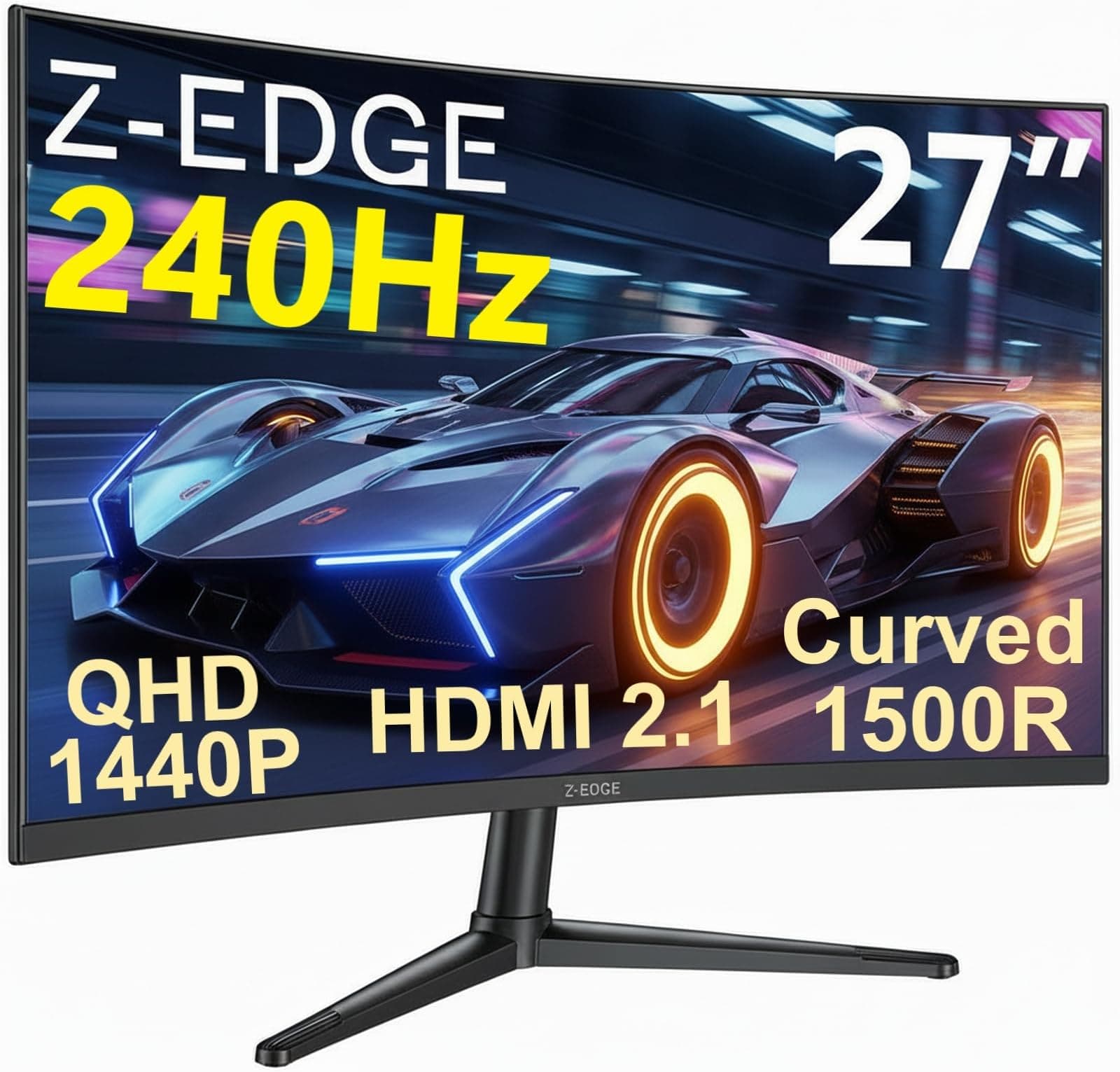
The Z-Edge 24.5 inch 300Hz gaming monitor is built around a 24.5-inch IPS panel running at 1920x1080 resolution. The headline refresh rate is 300Hz, which is genuinely unusual at this price point, with the listing also referencing 240Hz operation (likely reflecting compatibility at different connection types or an older firmware mode). Response time is quoted at 1ms, which in IPS terms almost certainly refers to MPRT (Moving Picture Response Time) rather than GtG (Grey-to-Grey), a distinction that matters enormously in practice and one we'll get into properly in the response time section. The panel carries a 99% sRGB colour gamut claim and ships with both DisplayPort and HDMI connectivity.
The 24.5-inch size is a sweet spot for competitive 1080p gaming. It's large enough to feel immersive without the pixel density dropping so low that text becomes soft. At 1080p on a 24.5-inch screen you're looking at roughly 90 PPI, which is perfectly acceptable for gaming and general use, though it's noticeably less sharp than a 1440p panel at the same size. The IPS panel type means you're getting better viewing angles and colour consistency than a TN alternative, which is a genuine step up for a monitor in this price bracket.
Adaptive sync support is listed, with FreeSync compatibility expected at this spec level, though the exact VRR range should be confirmed against the product listing before purchase. The monitor connects via DisplayPort (required for 300Hz) and HDMI, covering the two main connection types for desktop gaming. Below is a full spec summary.
| Specification | Detail |
|---|---|
| Screen Size | 24.5 inches |
| Resolution | 1920 x 1080 (Full HD) |
| Panel Type | IPS |
| Refresh Rate | 300Hz (DisplayPort), 240Hz (HDMI) |
| Response Time | 1ms (MPRT) |
| Colour Gamut | 99% sRGB |
| HDR Support | HDR (tier unspecified) |
| Adaptive Sync | FreeSync (AMD) |
| Connectivity | 1x DisplayPort, 1x HDMI |
| VESA Mount | Yes (100x100mm) |
| Price | £109.99 |

Panel Technology
IPS panels have genuinely earned their reputation in gaming monitors over the last few years. The technology, which you can read about in its basics on Wikipedia's IPS panel article, delivers consistent colour across wide viewing angles in a way that TN panels simply cannot match. Sit slightly off-axis on a TN monitor and the image shifts noticeably; on an IPS panel, the image stays consistent whether you're dead-centre or a fair bit to the side. For a 24.5-inch monitor that might sit close to you on a desk, that consistency matters more than it does on a large TV across the room.
The trade-off with IPS has always been contrast. Native contrast ratios on IPS panels typically sit around 800:1 to 1000:1, compared to VA panels which can hit 3000:1 or higher. That means blacks on an IPS display look more like a very dark grey in a dim room, and you'll see the characteristic IPS glow in the corners if you're viewing dark content at an angle. For competitive gaming in a normally lit room, this rarely matters. For watching films in the dark or playing atmospheric single-player games where shadow detail is part of the experience, it's a real limitation. The Z-Edge's IPS panel will exhibit this behaviour like any other IPS at this price point, no local dimming to compensate.
What IPS does give you here is colour accuracy that TN alternatives at the same price genuinely can't match, and response times that have improved dramatically over older IPS generations. Modern fast IPS panels are a completely different proposition from the sluggish IPS screens of a decade ago. The 99% sRGB coverage claim, if accurate, means this panel covers essentially the entire standard colour space used in gaming and web content. Owner reviews back this up, with multiple buyers commenting positively on colour vibrancy out of the box, which aligns with what you'd expect from a well-tuned IPS panel at this spec level.
Display Quality
At 1920x1080 on a 24.5-inch panel, you're sitting at approximately 90 pixels per inch. That's a perfectly respectable density for a gaming monitor at normal desk distances, though it's a step behind the 108 PPI you'd get from 1080p on a 24-inch screen, or the 122 PPI of a 1440p 27-inch panel. Text is clear and games look sharp, but if you sit very close or you're coming from a higher-density display, you might notice the pixel grid in static UI elements. For fast-paced gaming, it's genuinely a non-issue.
The anti-glare coating on IPS panels in this price range is typically a matte finish, which handles ambient light well but can add a slight haze to the image compared to a glossy panel. This is the right trade-off for a gaming monitor that might be used in a room with windows or overhead lighting. Owner feedback doesn't flag glare as a problem, which suggests the coating is doing its job. Brightness uniformity is harder to assess without direct measurement, but IPS panels at this size generally perform acceptably, with any backlight bleed tending to appear at the very edges rather than across the panel face.
The 99% sRGB coverage claim is the headline colour spec, and it's a realistic figure for a well-sourced IPS panel. If accurate, it means essentially every colour in the standard gamut used by games, browsers, and most creative software is reproduced faithfully. Several owner reviews specifically mention the image quality looking better than expected for the price, which is a good sign. One pattern that does appear in the reviews is that the out-of-box brightness can feel high for some users, so spending a few minutes in the OSD to dial brightness and contrast to comfortable levels is a sensible first step. The OSD itself is reported as functional if not particularly elegant, which is par for the course at this price.
Refresh Rate and Adaptive Sync
Three hundred hertz at this price is the Z-Edge's biggest selling point, and it's a genuine differentiator. To put that in context: 60Hz shows you 60 frames per second, 144Hz shows 144, and 300Hz shows 300. In competitive titles like CS2, Valorant, or Apex Legends, where frame rates routinely exceed 200fps on mid-range hardware at 1080p, the difference between 240Hz and 300Hz is subtle but real. The image feels smoother, input lag is marginally lower, and the gap between what your GPU renders and what your eyes see is smaller. For casual gaming, 144Hz is transformative over 60Hz. Going from 240Hz to 300Hz is a smaller step, but it's there.
The 300Hz maximum requires a DisplayPort connection. HDMI tops out at 240Hz on this monitor, which is still excellent and covers the vast majority of gaming scenarios. If you're connecting a PlayStation 5 or Xbox Series X via HDMI, you'll be capped at 120Hz regardless of the monitor's maximum, so the 300Hz headline only becomes relevant with a PC and a DisplayPort cable. Make sure you have one, because HDMI cables are frequently in the box but DisplayPort cables often aren't included with budget monitors. Check the listing before assuming.
Adaptive sync support via AMD FreeSync means the monitor can synchronise its refresh rate with your GPU's output frame rate, eliminating screen tearing without the input lag penalty of V-Sync. The practical VRR range for FreeSync matters here: a wide range (say, 48Hz to 300Hz) with Low Framerate Compensation means tear-free gaming even when your frame rate dips below the monitor's minimum. The listing doesn't specify the exact FreeSync range, so if your frame rate frequently drops below 100fps, confirm the LFC floor before purchasing. For Nvidia GPU owners, G-Sync compatibility isn't explicitly confirmed on the listing, though many FreeSync monitors work in G-Sync Compatible mode. Worth testing if you're on Team Green.
Response Time and Motion
The "1ms" claim on this monitor needs unpacking, because it's one of the most misleading specs in the display industry. There are two main response time measurements: GtG (Grey-to-Grey), which measures how quickly a pixel transitions between shades, and MPRT (Moving Picture Response Time), which is a motion blur metric achieved through backlight strobing (sometimes called 1ms MPRT, MBR, or similar branding). The 1ms figure on the Z-Edge almost certainly refers to MPRT, not GtG. A fast IPS panel at this price realistically achieves GtG response times in the 3ms to 5ms range, which is still very good for gaming but not the same as 1ms.
In practice, a genuine GtG response time in the 3ms to 5ms range on a 300Hz panel means pixel transitions are fast enough that ghosting and smearing are minimal in normal gaming conditions. The 300Hz refresh rate itself helps enormously here: each frame is displayed for only 3.33 milliseconds, so even a 4ms GtG response time means pixels are transitioning within the frame window. The result is clean motion in fast-paced games. Owner reviews don't flag ghosting as a significant problem, which aligns with what you'd expect from a modern fast IPS panel at this refresh rate.
Where you might see issues is in aggressive overdrive settings. Many monitors at this price offer overdrive modes that push pixel transitions faster at the cost of inverse ghosting (a bright halo trailing behind moving objects). The sweet spot is usually the middle overdrive setting. If the Z-Edge's OSD includes an overdrive or response time setting, the middle option is almost always the right starting point. A handful of owner reviews mention the image looking slightly over-sharpened at default settings, which could be an overdrive artefact, and adjusting this in the OSD typically resolves it. The Wikipedia article on display response time has a solid breakdown of these measurement methods if you want the full technical picture.
Color Accuracy and Gamut
The 99% sRGB coverage claim is the key colour spec here, and for gaming and general use, sRGB is exactly the right target. The sRGB colour space is the standard for the web, for Windows, for most games, and for streaming content. A monitor that covers 99% of it means you're seeing essentially everything the content creator intended. What the Z-Edge doesn't claim is significant DCI-P3 coverage, which is the wider colour space used in HDR content and professional video work. That's not a criticism at this price point, it's just an honest statement of what this monitor is and isn't.
Factory calibration on budget monitors is always a question mark. High-end panels ship with individual calibration reports; budget panels ship with a factory profile that may or may not be particularly accurate. The 99% sRGB claim tells you about gamut coverage (how many colours the panel can produce) but not about accuracy (whether those colours are reproduced correctly). Delta-E values, which measure colour deviation from a reference, aren't published for this monitor. Owner feedback is generally positive on colour quality, with several reviewers describing the image as vibrant and pleasing, which suggests the panel isn't wildly miscalibrated out of the box. But if you need Delta-E below 2 for colour-critical work, you'd want a panel with a published calibration report.
For content creation, the honest answer is that this monitor is serviceable but not ideal. The 99% sRGB coverage means colour-accurate work within the sRGB space is possible, and if you're editing photos for web delivery or creating graphics for digital use, the gamut is there. The unknown factory calibration accuracy is the limiting factor. Serious content creators who need reliable colour should be looking at monitors with published Delta-E figures and ideally a factory calibration certificate, which typically appears on mid-range and premium panels rather than budget ones. For gaming and casual creative work, the Z-Edge's colour is genuinely good for the money.

HDR Performance
HDR on budget monitors is a topic that genuinely frustrates display enthusiasts, and the Z-Edge is a case in point. The monitor lists HDR support, but the tier isn't specified as HDR400, HDR600, or HDR1000 in the main listing. The VESA DisplayHDR certification tiers tell you a lot: DisplayHDR 400 requires a minimum 400 nits peak brightness and is widely considered the entry-level HDR certification, delivering a modest improvement over SDR. DisplayHDR 600 and above, with local dimming and significantly higher peak brightness, is where HDR starts to look genuinely impressive.
An IPS panel in the budget bracket without local dimming will not deliver impressive HDR. The native contrast ratio of around 1000:1 means that even with peak brightness cranked up, the blacks in an HDR scene will still look grey rather than black. True HDR impact requires either a very high native contrast (VA panels, OLED) or local dimming zones that can selectively dim parts of the image. Neither is present here. The HDR mode on this monitor will technically activate when HDR content is detected, and some games and media will look slightly brighter and more saturated, but it won't be the transformative HDR experience you'd get from an OLED or a premium Mini-LED panel.
The practical advice is to use this monitor in SDR mode for gaming and not worry about HDR. The SDR image on a well-tuned IPS panel at 300Hz will look excellent for competitive gaming, and forcing HDR mode on a panel that can't genuinely support it often results in washed-out colours and inaccurate brightness rather than an improvement. Several owner reviews don't mention HDR at all, which suggests most buyers are using it as a pure gaming monitor in SDR, which is absolutely the right approach. Don't buy this monitor for HDR. Buy it for 300Hz IPS gaming at a budget price.
Contrast and Brightness
IPS contrast ratios typically sit between 800:1 and 1200:1 natively. The Z-Edge's spec sheet doesn't publish a specific contrast figure, which is common for budget monitors, but the IPS panel type gives you a reliable baseline expectation. That contrast level is fine for a normally lit room, where ambient light washes out shadow detail anyway. In a dark room, you'll notice that dark scenes in games or films look more like very dark grey than true black, and the corners of the panel will show IPS glow when displaying dark content. This is a panel-type characteristic, not a defect specific to this monitor.
Peak brightness for IPS panels in this price range typically falls between 250 and 350 nits. The Z-Edge listing doesn't publish a specific nits figure, which is a minor frustration. At 300 nits or so, the panel is bright enough for use in most rooms, including ones with decent natural light, without the image looking washed out. In very bright rooms with direct sunlight hitting the screen, you might find yourself pushing brightness to maximum. Owner reviews don't flag brightness as a problem, with some actually noting they run it below maximum for comfortable extended use, which suggests the peak brightness is adequate.
Dynamic contrast modes, which artificially boost the stated contrast ratio by dimming the backlight in dark scenes, are present on many budget monitors and are generally best left off. They create a pulsing effect as the backlight adjusts to scene changes, which is distracting in gaming. If the Z-Edge's OSD includes a dynamic contrast or ECO mode, the fixed brightness setting will almost always produce a more consistent and comfortable image. The monitor's native contrast, while not class-leading, is perfectly workable for the gaming use case it's designed for.
Ergonomics and Stand
Budget monitors and premium stands rarely go together, and the Z-Edge is no exception. The included stand offers tilt adjustment, which is the absolute minimum you'd expect, but height adjustment and pivot (portrait mode rotation) are not confirmed in the spec listing. For a monitor aimed at competitive gamers who might spend long sessions at their desk, the lack of height adjustment is a genuine limitation. Getting the panel at the right eye height is important for comfort over hours of gaming, and if the fixed height doesn't suit your setup, you're either propping the monitor up on books or buying a VESA arm.
The good news is that 100x100mm VESA mount compatibility is listed, which means a third-party monitor arm is a straightforward upgrade. A decent monitor arm costs from around £20 upwards and gives you full height, tilt, swivel, and often rotation adjustment. Given the monitor's budget price, spending an extra £20 to £30 on an arm to get proper ergonomics is a reasonable approach if the fixed stand height doesn't work for you. Several owner reviews mention mounting the monitor on an arm, which suggests this is a common choice among buyers.
Build quality for a monitor in this price bracket is functional rather than impressive. The plastic construction is expected, and the stand base footprint is reported as manageable for typical desk setups. The bezels are slim on three sides, which is a positive for aesthetics and for multi-monitor setups. The overall impression from owner feedback is that the build feels solid enough for daily use without feeling premium. No widespread reports of wobble or structural issues in the reviews, which is the baseline expectation. The cable management on the stand is basic, but at this price that's entirely par for the course.
Connectivity and Ports
The Z-Edge 24.5 inch 300Hz gaming monitor ships with one DisplayPort and one HDMI port. That's a lean port selection, but it covers the two connections most desktop PC users actually need. DisplayPort is the connection you want for 300Hz, as HDMI 2.0 (the version most commonly found on budget monitors) caps out at 240Hz at 1080p. If you're connecting a second device, say a console via HDMI and a PC via DisplayPort, the two-port setup works neatly. If you need more than two sources, you'll need an external switch.
There's no USB hub on this monitor, which is common at the budget end. No USB-A ports for peripherals, no USB-C with Power Delivery, no built-in KVM functionality. If you're used to plugging your keyboard and mouse into your monitor's USB hub and switching between a PC and a laptop, this monitor won't support that workflow. It's a pure display device: signal in, picture out. For a dedicated gaming monitor in a simple single-PC setup, that's fine. For a more complex desk setup, the port selection is a limitation.
Audio output via a 3.5mm headphone jack is listed, which is useful if your audio setup runs through the monitor rather than directly to your PC. There are no built-in speakers mentioned in the spec listing, which is typical for gaming monitors in this category and honestly not a loss. Built-in monitor speakers at this price are almost universally poor, and any decent headset or desktop speakers connected directly to your PC or sound card will sound dramatically better. The headphone jack on the monitor is handy for routing audio from a console connected via HDMI, though.
How It Compares
The Z-Edge 24.5 inch 300Hz monitor sits in a competitive slice of the market where a handful of established brands also compete. The two most relevant comparisons are the AOC 24G2SP and the Acer Nitro XV252Q. The AOC 24G2SP is a 24-inch IPS panel running at 165Hz, widely regarded as one of the best value gaming monitors under £150, with strong colour performance and a well-regarded stand. It's cheaper than the Z-Edge but tops out at 165Hz, which is a significant step down from 300Hz if competitive gaming at maximum frame rates is your priority.
The Acer Nitro XV252Q is a closer comparison: a 24.5-inch IPS panel with 280Hz refresh rate, similar 1ms MPRT response time claim, and FreeSync Premium support. It's from a more established monitor brand with wider availability of published measurements and a longer track record in the market. The Acer typically costs a bit more than the Z-Edge, but the brand recognition and more detailed spec transparency may be worth it for buyers who want more certainty about what they're getting. The Z-Edge's 300Hz edge over the Acer's 280Hz is marginal in practice.
What the Z-Edge has going for it is the 300Hz headline at a price that undercuts most branded alternatives. If you're choosing between this and a 144Hz or 165Hz monitor from a bigger brand at a similar price, the Z-Edge's refresh rate advantage is real and meaningful for competitive gaming. If you're comparing it to a 240Hz or 280Hz monitor at a slightly higher price, the decision comes down to how much those extra hertz matter to you versus the peace of mind of a more established brand. Owner reviews suggest Z-Edge's quality control is generally good, with 4.4 stars from 332 being a solid indicator.
| Feature | Z-Edge 24.5" 300Hz | AOC 24G2SP (165Hz) | Acer Nitro XV252Q (280Hz) |
|---|---|---|---|
| Panel Type | IPS | IPS | IPS |
| Screen Size | 24.5" | 24" | 24.5" |
| Refresh Rate | 300Hz | 165Hz | 280Hz |
| Resolution | 1080p | 1080p | 1080p |
| Response Time | 1ms MPRT | 1ms MPRT | 1ms MPRT |
| Colour Gamut | 99% sRGB | 99% sRGB | 99% sRGB |
| Adaptive Sync | FreeSync | FreeSync Premium | FreeSync Premium |
| VESA Mount | 100x100mm | 100x100mm | 100x100mm |
| Price | £109.99 | ~£110 to £130 | ~£130 to £160 |

Final Verdict
The Z-Edge 24.5 inch 300Hz gaming monitor is a focused product that does one thing very well: it delivers a high-refresh IPS gaming experience at a price that makes established brands look expensive. For competitive esports players running CS2, Valorant, Apex Legends, or similar titles on a mid-to-high-end GPU at 1080p, this monitor makes genuine sense. The 300Hz refresh is real (via DisplayPort), the IPS panel delivers good colour and wide viewing angles, and the 4.4-star average from 331 owners suggests the quality control is consistent enough to trust.
The compromises are real too. The stand is basic, height adjustment is absent, HDR is checkbox territory rather than a genuine feature, and the 1ms response time claim is MPRT rather than GtG. None of these are dealbreakers for the target audience, but they're things you should know before buying. The port selection is minimal, the build is plastic and functional rather than premium, and Z-Edge doesn't have the brand recognition or published measurement history of AOC or Acer. The owner reviews compensate for some of that uncertainty, and the numbers are encouraging.
If 300Hz genuinely matters to your gaming, this is the cheapest credible way to get it on an IPS panel in the UK right now, and that's a compelling position. If your GPU can't consistently push above 200fps at 1080p, though, a 165Hz monitor from AOC or a 144Hz panel from a more established brand at a similar or lower price will serve you just as well and probably come with a better stand and more transparent specs. The Z-Edge earns its place for the buyer who specifically needs maximum refresh rate on a tight budget. Everyone else should consider whether those extra hertz are actually going to matter in their setup before committing.
Rated 7.5 out of 10. Strong value for competitive gaming at 300Hz; held back by a basic stand, opaque HDR specs, and the inherent uncertainty of a less-established brand.
What works. What doesn’t.
5 + 4What we liked5 reasons
- Genuine 300Hz refresh rate via DisplayPort at a budget price
- IPS panel with wide viewing angles and 99% sRGB coverage
- Strong owner satisfaction: 4.4 stars from 331 reviews
- 100x100mm VESA mount for easy arm upgrade
- Both DisplayPort and HDMI included for flexible connectivity
Where it falls4 reasons
- No height adjustment on the stand
- HDR is checkbox-level only, no local dimming
- 1ms claim is MPRT, not GtG
- Limited brand transparency on key specs like peak brightness and Delta-E
Full specifications
11 attributes| Panel type | IPS |
|---|---|
| Aspect ratio | 16:9 |
| Curvature | flat |
| HDR | HDR10 |
| Launch year | 2025 |
| Ports | 2x HDMI, 2x DisplayPort |
| Refresh rate HZ | 300 |
| Resolution | 1920x1080 |
| Response time MS | 1 |
| Screen size IN | 24.5 |
| Vesa compatible | true |
If this isn’t right for you
2 options

Frequently asked
5 questions01Is the Z-Edge 24.5 Inch Gaming Monitor 300Hz 240Hz 1ms IPS 1080P 99% sRGB DP HDMI good for gaming?+
Yes, particularly for competitive esports gaming at 1080p. The 300Hz refresh rate (via DisplayPort) is a genuine advantage in fast-paced titles like CS2 and Valorant where frame rates regularly exceed 200fps on capable hardware. The IPS panel provides good colour and wide viewing angles, and the fast pixel response minimises ghosting in normal gaming conditions. It's a strong choice for competitive gaming on a budget; less suited to atmospheric single-player games where HDR and deep contrast matter more.
02Does the Z-Edge 24.5 Inch Gaming Monitor 300Hz 240Hz 1ms IPS 1080P 99% sRGB DP HDMI have good HDR?+
No, not in any meaningful sense. The monitor lists HDR support but doesn't specify a VESA DisplayHDR certification tier, and the IPS panel lacks local dimming. Native contrast on IPS panels is around 1000:1, which means blacks in HDR content still appear dark grey rather than true black. HDR mode will activate with compatible content but won't deliver the contrast and brightness impact you'd see from an OLED or a Mini-LED panel with proper local dimming. Use this monitor in SDR mode for gaming.
03Is the Z-Edge 24.5 Inch Gaming Monitor 300Hz 240Hz 1ms IPS 1080P 99% sRGB DP HDMI good for content creation?+
It's serviceable for casual creative work within the sRGB colour space. The 99% sRGB coverage means colours are broadly accurate for web and digital content. However, Z-Edge doesn't publish Delta-E accuracy figures or factory calibration data, so the colour accuracy at a per-unit level is uncertain. For professional photo or video work where accurate colour reproduction is critical, a monitor with a published calibration certificate and verified Delta-E figures is a better choice. For gaming-adjacent creative work like graphic design for digital use, it's adequate.
04What graphics card do I need for the Z-Edge 24.5 Inch Gaming Monitor 300Hz 240Hz 1ms IPS 1080P 99% sRGB DP HDMI?+
To actually use 300Hz meaningfully, you need a GPU capable of pushing above 200fps at 1080p in your target games. In competitive esports titles like CS2, Valorant, and Apex Legends, an Nvidia RTX 4060 or AMD RX 7600 can regularly hit 200fps to 300fps at 1080p on medium to high settings. For more demanding games at 1080p, frame rates will be lower and the 300Hz advantage diminishes. You also need a DisplayPort connection for 300Hz; HDMI caps at 240Hz on this monitor. Make sure your GPU has a DisplayPort output.
05What warranty and returns apply to the Z-Edge 24.5 Inch Gaming Monitor 300Hz 240Hz 1ms IPS 1080P 99% sRGB DP HDMI?+
Specific warranty terms for this monitor are not confirmed in the verified product listing data. As a minimum, Amazon's standard 30-day returns policy applies to purchases made through Amazon UK, and the Amazon A-to-Z Guarantee covers purchases from third-party sellers on the platform. For warranty details beyond the Amazon returns window, check the product listing directly or contact Z-Edge's customer support before purchasing.