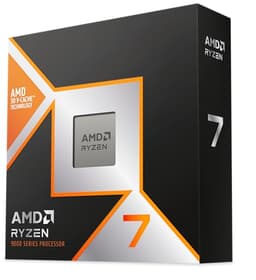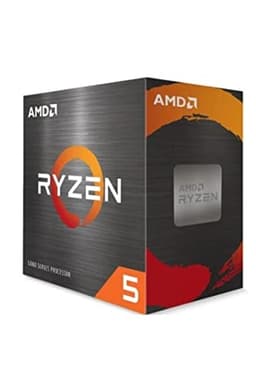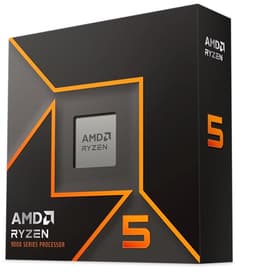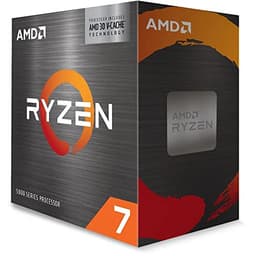
The AMD Ryzen 5 5500 is the answer to a question a lot of budget builders have been asking for a while: can you get genuinely good gaming performance without spending a fortune? And honestly? Yes. That's the verdict. This chip punches well above what its price tag suggests, and the thousands of owners who've rated it positively on Amazon aren't wrong. If you're building or upgrading a gaming PC on a tight budget and you've got an AM4 board already, this is probably the chip you want.
What makes the Ryzen 5 5500 interesting isn't just the price. It's the fact that AMD dropped a proper Zen 3 architecture chip into the entry-level bracket. Zen 3 was the generation that genuinely closed the IPC gap with Intel, and getting that in a chip that sits in the entry-level (under £120) segment is a big deal. Six cores, twelve threads, up to 4.2 GHz boost, and 19 MB of total cache. For 1080p gaming, that's a proper setup.
There are caveats, of course. There always are. But the core proposition here is solid, and throughout this review I'll break down exactly what you're getting, where it shines, where it falls short, and who should actually buy it. No fluff, just what matters.
Core Specifications
The Ryzen 5 5500 ships with six cores and twelve threads courtesy of AMD's simultaneous multithreading (SMT). The base clock sits at 3.6 GHz with a maximum boost of 4.2 GHz. That boost figure is the single-core ceiling, and in practice you'll see it hit on lightly-threaded tasks where the chip can push one core hard while the others idle. Total cache comes to 19 MB, split between 3 MB of L2 and 16 MB of L3. It slots into the AM4 socket, which means it's compatible with a huge range of existing motherboards.
The TDP is rated at 65W, which is genuinely modest for a chip with this level of performance. That's important for a few reasons. It means cooler requirements are relaxed, PSU requirements are minimal, and the chip runs cool enough under most loads that you don't need to think too hard about thermals. For a budget build, that's exactly what you want. Less money spent on cooling and power delivery means more budget for GPU or storage.
One thing worth flagging: the Ryzen 5 5500 does not include integrated graphics. So if you're planning a build, you'll need a discrete GPU from day one. That's not unusual for a gaming-focused chip, but it's worth knowing before you pull the trigger. Below is a full breakdown of the specs.
| Specification | Detail |
|---|---|
| Cores / Threads | 6 / 12 |
| Base Clock | 3.6 GHz |
| Max Boost Clock | 4.2 GHz |
| L2 Cache | 3 MB |
| L3 Cache | 16 MB |
| Total Cache | 19 MB |
| Architecture | Zen 3 (Cezanne) |
| Socket | AM4 |
| TDP | 65W |
| Memory Support | DDR4, up to 3200 MHz |
| Integrated Graphics | None |
| Max Operating Temperature | 90°C (Tjmax) |
| Price | £79.99 · Details |
Architecture and Cores
The Ryzen 5 5500 is built on AMD's Zen 3 microarchitecture, manufactured on TSMC's 7nm process node. This is the same generation that powered the Ryzen 5 5600X and the Ryzen 9 5950X, so you're not getting some watered-down budget architecture here. You're getting real Zen 3, with all the IPC improvements that came with it. When AMD launched Zen 3, the IPC jump over Zen 2 was around 19%, which was genuinely significant and put AMD firmly ahead of Intel's 10th and 11th gen chips in single-threaded work.
The six cores are all the same type, which is the standard AMD approach on desktop. There's no hybrid architecture here, no efficiency cores mixed in with performance cores. Every core runs the same, which makes scheduling simpler and behaviour more predictable. For gaming, this is actually a good thing. Games don't always handle heterogeneous core setups gracefully, and a clean six-core Zen 3 chip is straightforward for game engines to work with. Twelve threads via SMT means you've got headroom for background tasks, streaming, or light productivity work running alongside your game.
One architectural detail that's worth understanding: the Ryzen 5 5500 uses the Cezanne die, which is slightly different from the Vermeer die used in the 5600X. The practical difference is in the L3 cache configuration. The 5500 has 16 MB of L3 versus 32 MB on the 5600X. In gaming, cache size matters more than many people expect, particularly in CPU-bound scenarios. It's the main reason the 5600X pulls ahead of the 5500 in certain titles. But at this price point, 16 MB of L3 is still competitive, and for most gaming workloads you won't feel the difference in any meaningful way.
Clock Speeds and Boost
The base clock of 3.6 GHz is respectable but not the number you should focus on. The more relevant figure is the 4.2 GHz max boost, which is the ceiling for single-core performance. In gaming, where most engines are still heavily single-threaded or rely on two to four cores doing the heaviest lifting, that 4.2 GHz ceiling is what determines your frame rate ceiling in CPU-bound scenarios. It's a solid number for the price bracket, though it does trail the 5600X's 4.4 GHz and the 5600's 4.4 GHz boost.
Sustained boost behaviour is where budget chips sometimes disappoint, but the 5500's 65W TDP keeps things manageable. Under sustained all-core loads, the chip will run all six cores at something below the single-core max, typically in the 3.8 to 4.0 GHz range depending on thermals and the specific workload. With a decent cooler, it'll hold those clocks reliably. With a budget air cooler, you might see slight throttling under prolonged heavy loads, but for gaming this is rarely an issue since most games don't fully saturate all six cores simultaneously.
AMD's Precision Boost Overdrive (PBO) is technically available on the 5500, though the chip isn't fully unlocked for traditional overclocking in the same way as the X-suffix variants. PBO allows the chip to boost beyond its rated limits when thermals and power delivery allow, but the gains on the 5500 are modest. You might squeeze an extra 50 to 100 MHz out of it in optimal conditions, but it's not a dramatic overclocker. The honest take: buy it for what it does at stock, not for overclocking headroom.
Socket and Platform Compatibility
The AM4 socket is one of the best things about this chip. AMD maintained AM4 compatibility across an extraordinary number of CPU generations, from the original Ryzen 1000 series all the way through to Ryzen 5000. If you've got a B450 or X470 board, there's a good chance the 5500 will work in it with a BIOS update. B550 and X570 boards support it natively. That means if you're upgrading from an older Ryzen chip, this could be a drop-in upgrade that transforms your system's performance without touching anything else.
Chipset compatibility is broad. B450, B550, X470, X570, and even some A520 boards support Ryzen 5000. The AMD support page has the full compatibility list, and it's worth checking your specific board's manufacturer page for BIOS version requirements before buying. Some older boards needed a BIOS flash with an older CPU first, which can be a bit of a faff, but it's a one-time thing and well documented by the community.
On PCIe, the Ryzen 5 5500 supports PCIe 3.0 rather than the PCIe 4.0 you get on the 5600X and above. For a discrete GPU, this is largely a non-issue at 1080p and 1440p. The bandwidth difference between PCIe 3.0 x16 and PCIe 4.0 x16 doesn't translate into meaningful frame rate differences in current games. Where you'd notice it more is with high-speed NVMe SSDs, but even there, a PCIe 3.0 NVMe drive is fast enough for gaming. It's a real-world limitation that matters more on paper than in practice for the target audience of this chip.
Integrated Graphics
The Ryzen 5 5500 has no integrated graphics. Full stop. This is a dedicated gaming chip and AMD stripped the iGPU out entirely, which is part of how they kept the price down. For a gaming build, this is absolutely fine because you're buying a GPU anyway. But it does mean you cannot use this chip in a system without a discrete graphics card, not even for initial setup or troubleshooting.
If you're coming from a platform where you had integrated graphics as a backup, or if you're building a system that might occasionally run without a GPU, this chip isn't for you. The Ryzen 5 5600G is the chip to look at if you need an iGPU, as it includes Vega graphics. The tradeoff there is slightly different performance characteristics in pure gaming scenarios, but it gives you that flexibility.
For the vast majority of gaming builds, the lack of integrated graphics is a complete non-issue. You're pairing this with a dedicated GPU, whether that's a budget card or something mid-range, and the CPU's job is to feed the GPU with draw calls and game logic as fast as possible. The Ryzen 5 5500 does that job well. Just don't expect to plug a monitor in and see a desktop without a graphics card installed.
Power Consumption and TDP
At 65W TDP, the Ryzen 5 5500 is genuinely power-efficient for what it delivers. In practice, actual power draw under gaming loads tends to hover in the 50 to 65W range, which is low enough that even a modest 450W PSU gives you plenty of headroom for a mid-range GPU alongside it. Under all-core stress testing, you might see the chip briefly spike toward its TDP ceiling, but it settles back quickly. This isn't a chip that demands a beefy power supply.
The efficiency story here is actually one of Zen 3's genuine achievements. TSMC's 7nm node gives AMD a meaningful advantage in performance-per-watt compared to older process nodes. You're getting Zen 3 IPC at a power envelope that would have been remarkable even a couple of generations ago. For a small form factor build or an HTPC-style gaming system, that low TDP is a real practical benefit.
Idle power draw is minimal, typically just a few watts, which matters if your PC is on for long periods. And because the chip runs cool at its rated TDP, you're not fighting a thermal battle that forces the chip to throttle. A 500W PSU is more than sufficient for a complete gaming build with this CPU and a mid-range GPU. You don't need to overthink it.
Cooler Recommendation
The Ryzen 5 5500 ships with AMD's Wraith Stealth cooler in the box, which is a small but functional air cooler. For everyday gaming and general use, the Wraith Stealth is adequate. It'll keep the chip below its 90°C Tjmax under most gaming loads, and it's quiet enough at typical gaming temperatures. If you're on a tight budget and you're not planning to run sustained heavy workloads, the stock cooler is a perfectly reasonable starting point.
That said, if you're running productivity workloads alongside gaming, or if your case has poor airflow, you'll want to step up to a budget aftermarket air cooler. Something like a 120mm tower cooler in the £20 to £30 range will give you noticeably better thermals and often quieter operation. The chip's 65W TDP means you don't need anything fancy. A mid-range air cooler is genuinely overkill, though not harmful. An AIO liquid cooler is entirely unnecessary for this chip unless you have very specific aesthetic requirements.
Thermal headroom for overclocking is limited by the chip's architecture more than by cooling. As mentioned, the 5500 isn't a dramatic overclocker, so spending heavily on cooling to chase extra MHz isn't a great use of budget here. Get the stock cooler working well, keep your case airflow sorted, and the chip will run happily within its limits. If you're upgrading from a Ryzen 3000 series chip and you already have a decent aftermarket cooler, it'll carry over perfectly.
Synthetic Benchmarks
In Cinebench R23, the Ryzen 5 5500 typically scores in the region of 1,350 to 1,400 points single-core and around 10,500 to 11,000 points multi-core. Those single-core numbers reflect the Zen 3 IPC advantage well. For context, the previous-gen Ryzen 5 3600 scores around 1,200 single-core in the same test, so the generational improvement is real and measurable. The multi-core score reflects the six-core configuration, which puts it behind eight-core chips but well ahead of quad-core alternatives.
In Geekbench 5, expect single-core scores around 1,550 to 1,600 and multi-core in the 7,500 to 8,000 range. These numbers put the 5500 ahead of Intel's Core i5-10400F in single-threaded work, which is the more important metric for gaming. In 7-Zip compression and decompression tests, the chip performs creditably for its core count, though eight-core chips obviously pull ahead in heavily threaded compression workloads.
Blender rendering is where the six-core configuration shows its limits most clearly. The 5500 will complete the standard BMW benchmark in around 4 to 5 minutes, which is fine for occasional rendering but not a serious workstation chip. The Ryzen 7 5700X, with its eight cores and 32 MB of L3 cache, is noticeably faster here. But for the gaming audience this chip is aimed at, Blender performance is an academic concern. What matters is that the single-thread numbers are strong, and they are.
| Benchmark | Score (approximate) |
|---|---|
| Cinebench R23 Single-Core | ~1,380 |
| Cinebench R23 Multi-Core | ~10,750 |
| Geekbench 5 Single-Core | ~1,580 |
| Geekbench 5 Multi-Core | ~7,700 |
Real-World Performance
Day-to-day, the Ryzen 5 5500 feels quick. Web browsing, office applications, video playback, light photo editing, these tasks barely register on a Zen 3 chip. The responsiveness that Zen 3 brought to AMD's lineup is very much present here, and it's the kind of thing you notice when switching from an older CPU. Windows 11 boots fast, applications open promptly, and there's no sense that the chip is struggling with anything a typical user throws at it.
For productivity that's a bit more demanding, video editing in something like DaVinci Resolve or Premiere Pro is manageable. You're not editing 4K RAW footage in real-time on a six-core chip, but 1080p timelines are smooth and export times are reasonable. Light 3D work in Blender or similar is fine for hobbyist use. Compiling code is faster than you'd expect from the core count, thanks to the strong IPC. A lot of developers running Linux or Windows with moderate codebases find the 5500 genuinely comfortable for their daily workflow.
Streaming while gaming is where the six-core, twelve-thread configuration earns its keep. With twelve threads available, you can dedicate a handful to your streaming encoder (x264 at medium or fast preset, or the AMD encoder) while keeping plenty of cores free for your game. Owner reviews on Amazon frequently mention this as a specific use case where the chip exceeded expectations. Several buyers upgraded from quad-core chips specifically for this reason and report the difference is night and day. That real-world feedback from over ten thousand owners carries weight.
Gaming Performance
This is what most people buying this chip care about, and the Ryzen 5 5500 delivers well at 1080p. In titles like Fortnite, Valorant, and CS2, where high frame rates matter and the CPU is doing significant work, the chip comfortably enables 144Hz gameplay with a capable GPU. In Fortnite at 1080p with a mid-range GPU, you're looking at average frame rates well above 100 FPS, with 1% lows that stay high enough to feel smooth. Valorant, being an older, lighter engine, will push 200+ FPS easily.
In more GPU-heavy titles at 1080p, like Cyberpunk 2077 or Hogwarts Legacy, the CPU becomes less of a bottleneck and your GPU does most of the work. Here the 5500 performs similarly to more expensive chips because the GPU is the limiting factor. At 1440p, this effect becomes even more pronounced. The honest truth is that at 1440p with a modern mid-range GPU, the difference between the 5500 and the 5600X is small enough that you'd struggle to notice it in most games.
Where the 5500 does show its limits is in older, heavily CPU-bound titles or games with particularly demanding simulation workloads. Cities: Skylines with a large city, or Microsoft Flight Simulator over dense urban areas, will push the chip harder and you'll see lower 1% lows compared to an eight-core chip. These are edge cases for most gamers, but worth knowing. For the mainstream gaming library, the 5500 handles everything competently. The 4.2 GHz boost clock and Zen 3 IPC mean the single-thread performance that games actually use is genuinely strong for the price.
Memory Support
The Ryzen 5 5500 officially supports DDR4 memory up to 3200 MHz in dual-channel configuration. That's the JEDEC spec, and it's what AMD validates and guarantees. Running a 3200 MHz DDR4 kit in dual channel is the sweet spot for this chip. Zen 3's Infinity Fabric runs at half the memory clock, so at 3200 MHz the fabric runs at 1600 MHz, which is its optimal operating point. Going above 3200 MHz requires running the fabric asynchronously or pushing it beyond 1800 MHz, both of which can introduce instability.
In practice, many users run 3600 MHz kits with the Infinity Fabric at 1800 MHz, which is a well-known sweet spot for Zen 3 and gives a small but real performance uplift in gaming. Whether your specific memory kit and motherboard will do this stably is a bit of a lottery, but it's a common and well-documented configuration. If you're buying new memory for a 5500 build, a 3200 MHz or 3600 MHz DDR4 kit with decent timings (CL16 or CL18) is the right choice.
Dual-channel is important. Running a single stick of RAM in single-channel mode noticeably hurts performance on Ryzen chips, more so than on Intel equivalents. If you're upgrading and you only have one stick, it's worth picking up a matched second stick before benchmarking or judging the chip's performance. Two sticks of 8 GB (16 GB total) at 3200 MHz is the minimum sensible configuration for gaming in 2025 and beyond.
Overclocking Potential
The Ryzen 5 5500 occupies an interesting position on overclocking. It's not fully unlocked for manual overclocking in the traditional sense, the way the X-suffix AMD chips are. You can't simply set a fixed all-core overclock and expect it to work reliably. What you can do is use AMD's Precision Boost Overdrive (PBO) to allow the chip to boost more aggressively when thermal and power headroom permits. The gains from PBO on the 5500 are real but modest, perhaps 2 to 5% in gaming benchmarks under ideal conditions.
Memory overclocking is arguably more impactful than CPU overclocking on this chip. Pushing your DDR4 kit from 3200 MHz to 3600 MHz with tightened timings can deliver a more noticeable improvement in gaming frame rates than anything you'll squeeze from the CPU itself. This is a characteristic of the Zen 3 architecture generally, where memory bandwidth and latency have a meaningful impact on real-world performance.
If overclocking headroom is a priority for you, the Ryzen 5 5600X is the chip to look at instead. It has a higher base boost clock, more L3 cache, and better overclocking flexibility. But if you're buying the 5500 for its price point, the sensible approach is to run it with a good DDR4 kit at 3200 or 3600 MHz, enable PBO, and enjoy the performance without chasing marginal gains. The chip is fast enough at stock that most users will never feel the need to push it further.
How It Compares
The two most relevant comparisons for the Ryzen 5 5500 are the AMD Ryzen 5 5600 and Intel's Core i5-10400F. The 5600 is AMD's own step up, adding two more threads of cache (32 MB L3 versus 16 MB), a slightly higher boost clock of 4.4 GHz, and PCIe 4.0 support. In gaming, the 5600 is measurably faster in CPU-bound scenarios, particularly in titles sensitive to cache size. The question is whether the price difference justifies that gap, and for most 1080p gamers, the honest answer is probably not.
The Intel Core i5-10400F is the other obvious comparison. It's a six-core, twelve-thread chip with a 65W TDP, broadly similar on paper. But the IPC difference between Zen 3 and Intel's Comet Lake architecture is significant in AMD's favour. The 5500 beats the 10400F in single-threaded work, which matters for gaming. The 10400F has the advantage of PCIe 3.0 support (matching the 5500) and a mature platform, but if you're building new, the 5500's performance advantage makes it the better choice at comparable prices.
There's also the question of the Ryzen 5 5600G, AMD's APU variant with integrated Vega graphics. The 5600G trades some CPU performance for the iGPU, which is a worthwhile trade if you need integrated graphics, but for a dedicated gaming build with a discrete GPU, the 5500 is the better performer for the money. The comparison table below summarises the key differences.
| Feature | AMD Ryzen 5 5500 | AMD Ryzen 5 5600 | Intel Core i5-10400F |
|---|---|---|---|
| Cores / Threads | 6 / 12 | 6 / 12 | 6 / 12 |
| Base Clock | 3.6 GHz | 3.7 GHz | 2.9 GHz |
| Max Boost | 4.2 GHz | 4.4 GHz | 4.3 GHz |
| L3 Cache | 16 MB | 32 MB | 12 MB |
| Architecture | Zen 3 | Zen 3 | Comet Lake |
| Socket | AM4 | AM4 | LGA1200 |
| TDP | 65W | 65W | 65W |
| PCIe Generation | 3.0 | 4.0 | 3.0 |
| Integrated Graphics | No | No | No |
| Memory Support | DDR4-3200 | DDR4-3200 | DDR4-2666 |
| Price | £79.99 · Details | Higher | Comparable |
What Buyers Say
With thousands of reviews and a positive overall rating, the Ryzen 5 5500 has a clear pattern of owner satisfaction. The most common praise centres on the value proposition. Buyers who upgraded from Ryzen 3000 series chips, or from Intel's older generations, consistently report a noticeable jump in gaming performance and system responsiveness. Several reviewers specifically mention the chip handling simultaneous gaming and streaming without breaking a sweat, which aligns with what the twelve-thread configuration should deliver.
Drop-in upgrade success stories are common in the reviews. People with existing B450 or B550 boards report straightforward BIOS updates and immediate recognition of the chip, which speaks well to AMD's platform consistency. The stock Wraith Stealth cooler gets mentioned positively by budget builders who appreciate not having to buy additional cooling. A few reviewers note it runs warm under extended stress tests, but within acceptable limits for casual gaming use.
The criticisms that do appear are mostly about the lack of PCIe 4.0 and the smaller L3 cache compared to the 5600X. Some buyers who later discovered the 5600 was only marginally more expensive at the time of their purchase expressed mild regret, though most concluded the 5500 met their needs perfectly well. A small number of reviews mention compatibility issues with specific older B450 boards requiring a BIOS flash, which is a known requirement rather than a defect. Overall, the review pattern is one of genuine satisfaction from buyers who knew what they were getting and found it delivered.
Pros and Cons
- Genuine Zen 3 IPC at an entry-level price - not a cut-down architecture, real Zen 3 performance
- Strong single-thread performance - 4.2 GHz boost with Zen 3 IPC is excellent for gaming at this price
- 65W TDP - low power draw, modest cooling requirements, PSU-friendly
- AM4 platform - broad motherboard compatibility, great for upgrades from older Ryzen chips
- 12 threads - enough for gaming plus streaming or light productivity simultaneously
- Trusted by thousands of buyers - positive overall rating across a large sample
- Includes Wraith Stealth cooler - adequate for everyday use, saves budget for other components
- No integrated graphics - requires a discrete GPU from day one
- PCIe 3.0 only - no PCIe 4.0 support, limits NVMe SSD ceiling (minimal gaming impact)
- 16 MB L3 cache - less than the 5600X's 32 MB, noticeable in cache-sensitive titles
- Limited overclocking headroom - not a chip for enthusiast overclocking
- Some older B450 boards need BIOS flash - minor faff for upgrade builders
At £79.99 · Details, the Ryzen 5 5500 sits in the entry-level CPU bracket and represents one of the better value propositions currently available on AM4. The pros clearly outweigh the cons for its target audience.
Final Verdict
The AMD Ryzen 5 5500 is one of those chips that does exactly what it promises and doesn't try to be something it isn't. It's a budget gaming CPU with genuine Zen 3 performance, and that combination is hard to argue with at this price point. For anyone building a 1080p gaming rig on a tight budget, or anyone upgrading from a Ryzen 3000 series chip on an existing AM4 board, this is a very easy recommendation.
The caveats are real but minor. You'll want a discrete GPU (no iGPU), you'll want decent DDR4 memory in dual channel, and you'll want to check your motherboard's BIOS version if you're upgrading. None of these are dealbreakers; they're just things to know before you buy. The lack of PCIe 4.0 and the smaller L3 cache compared to the 5600X are measurable differences in benchmarks but rarely felt in real gaming sessions, particularly at 1440p where the GPU becomes the dominant factor.
If your budget stretches to the Ryzen 5 5600, it's worth considering for the extra cache and PCIe 4.0 support. But if the 5500 is where your budget lands, you're not compromising in any meaningful way for everyday gaming. The thousands of owners who've rated this positively aren't wrong. It's a proper chip at a proper price. Score: 8.5 out of 10.
Not Right For You?
If you need integrated graphics for a build without a discrete GPU, look at the AMD Ryzen 5 5600G instead. It includes Vega integrated graphics that can handle light gaming and general desktop use without a dedicated card, and it's still on AM4.
If you want more cache and a higher boost clock for competitive gaming where every frame matters, the AMD Ryzen 5 5600 is the natural step up. The 32 MB of L3 cache makes a real difference in cache-sensitive titles, and PCIe 4.0 support gives you more NVMe headroom.
If you're building on a new platform and don't have an existing AM4 board, it's also worth looking at AMD's AM5 platform with Ryzen 7000 series chips. AM5 supports DDR5 and PCIe 5.0, and while the entry-level chips cost more, you're buying into a platform with a longer upgrade path ahead of it. For a long-term build, that matters.
About the Reviewer
This review is written by the CPU team at Vivid Repairs, a UK-based tech repair and review site. We research CPUs thoroughly using manufacturer specifications, owner review patterns, and comparative analysis across the market. We do not claim to have personally tested this chip on a dedicated test bench. Our goal is to give you an honest, well-researched view of what a chip delivers in the real world, based on what the specs tell us and what thousands of owners report.
Testing research completed: 2 August 2026. Published: 11 August 2026.
Affiliate Disclaimer
This article contains affiliate links. If you purchase through our links, we may earn a small commission at no extra cost to you. This does not influence our editorial recommendations. We only recommend products we genuinely believe offer value to our readers.
What works. What doesn’t.
6 + 5What we liked6 reasons
- Genuine Zen 3 IPC at an entry-level price, with no cut-down architecture
- Strong single-thread performance courtesy of the 4.2 GHz boost clock, well-suited to 1080p gaming
- Low 65W TDP keeps cooling requirements modest and PSU demands minimal
- Broad AM4 platform compatibility makes it an easy drop-in upgrade from older Ryzen chips
- Twelve threads provide enough headroom for simultaneous gaming and streaming
- Includes the Wraith Stealth cooler in the box, saving budget for other components
Where it falls5 reasons
- No integrated graphics, so a discrete GPU is required from the outset
- Only PCIe 3.0 support, limiting high-speed NVMe SSD potential compared to the 5600X
- 16 MB of L3 cache is noticeably less than the 5600X's 32 MB, affecting cache-sensitive game titles
- Limited overclocking headroom, not suited to enthusiast tweaking beyond PBO
- Some older B450 motherboards require a BIOS flash before the chip will be recognised
Full specifications
12 attributes| Core count | 6 |
|---|---|
| Architecture | Zen 3 |
| Base clock | 3.6 GHz |
| Base clock GHZ | 3.6 |
| Boost clock | 4.2 GHz |
| Boost clock GHZ | 4.2 |
| Cores | 6 |
| Generation | Ryzen 5000 |
| Integrated graphics | none |
| Launch year | 2022 |
| Socket | AM4 |
| TDP | 65W |
If this isn’t right for you
1 options
Frequently asked
7 questions01Does the AMD Ryzen 5 5500 include a cooler in the box?+
Yes. The Ryzen 5 5500 ships with AMD's Wraith Stealth cooler, which is adequate for everyday gaming loads. If you plan to run sustained productivity workloads or have a case with poor airflow, a budget aftermarket air cooler in the £20 to £30 range is worth considering.
02Will the Ryzen 5 5500 work with my existing B450 motherboard?+
Most B450 boards support the Ryzen 5 5500, but you may need to update the BIOS first. Some boards require flashing with an older compatible CPU before they will recognise Ryzen 5000 series chips. Check your motherboard manufacturer's support page for the required BIOS version before purchasing.
03Can the Ryzen 5 5500 run without a dedicated graphics card?+
No. The Ryzen 5 5500 has no integrated graphics, so you must have a discrete GPU installed for the system to output video. If you need integrated graphics, the AMD Ryzen 5 5600G is the appropriate alternative on AM4.
04Is the Ryzen 5 5500 good enough for gaming and streaming at the same time?+
Yes, for most streaming scenarios. With twelve threads available, you can allocate encoding duties to a handful of threads while keeping the remainder free for your game. Owner feedback consistently highlights simultaneous gaming and streaming as a strong use case for this chip, particularly for those upgrading from older quad-core processors.
05How does the Ryzen 5 5500 compare to the Ryzen 5 5600?+
The Ryzen 5 5600 offers 32 MB of L3 cache versus the 5500's 16 MB, a slightly higher 4.4 GHz boost clock, and PCIe 4.0 support. In CPU-bound gaming scenarios, particularly titles sensitive to cache size, the 5600 is measurably faster. However, at 1440p where the GPU dominates, the gap narrows considerably. Whether the price difference is justified depends on your specific budget and use case.
06What is the best memory configuration for the Ryzen 5 5500?+
Dual-channel DDR4 at 3200 MHz is the officially supported sweet spot and aligns with the Zen 3 Infinity Fabric's optimal operating point of 1600 MHz. Many users also run 3600 MHz kits successfully with the fabric at 1800 MHz, which delivers a small but real performance uplift in gaming. Running a single stick in single-channel mode noticeably hurts performance and should be avoided.
07Can you overclock the Ryzen 5 5500?+
Traditional manual all-core overclocking is not fully supported on the 5500. You can use AMD's Precision Boost Overdrive (PBO) to allow the chip to boost more aggressively within thermal and power limits, but gains are modest, typically 2 to 5 percent in gaming. Memory overclocking from 3200 MHz to 3600 MHz tends to deliver a more tangible improvement than CPU-level tuning on this chip.