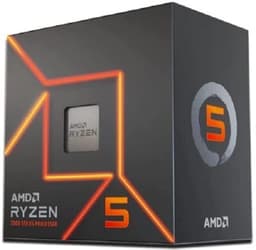
Choosing a CPU in 2026 isn't just about picking the fastest chip on paper. It's about not wasting money on cores you'll never use, or buying something that'll bottleneck your workflow six months from now. The AMD Ryzen 9 7950X sits at the top of AMD's mainstream desktop stack, and the question worth asking isn't whether it's fast. It clearly is. The question is whether it's the right tool for what you actually do.
This chip is aimed squarely at creators, engineers, and professionals who genuinely need 16 cores and 32 threads on a desktop platform. Not people who think they need that. People who render 3D scenes, compile large codebases, run virtual machines alongside active workloads, or stream and edit simultaneously. If that's you, the 7950X deserves a serious look. If you're primarily gaming, the picture gets more complicated, and we'll get into that honestly.
With 1,631 owner reviews averaging ★★★★½ (4.6), this isn't a chip that's dividing opinion. Most people buying it know exactly what they're getting. But there are still things worth understanding before you commit, especially around power, cooling, and platform costs. So here's what the research and real-world owner feedback actually tells us.
Core Specifications
The AMD Ryzen 9 7950X ships with 16 cores and 32 threads, a 5.7 GHz maximum boost frequency, 80MB of combined cache (64MB L3 plus 16MB L2), a 170W TDP, and sits on the AM5 socket. It includes integrated Radeon graphics, which is a first for AMD's high-end desktop lineup, and it does not include a cooler in the box. That last point matters more than it might seem, and we'll cover it properly in the cooler section.
The verified spec sheet confirms DDR5 support up to 5200 MHz, which aligns with AMD's official JEDEC specifications for the Zen 4 platform. You'll need a 600-series AM5 motherboard, DDR5 memory, and a capable cooler. None of those are cheap, so factor platform costs into your overall budget. The chip itself sits in the upper mid-range to enthusiast bracket, and when you add a decent X670E board and DDR5 kit, you're looking at a meaningful total investment.
What you get for that investment is a chip that competes with anything Intel has at the same tier, and in multi-threaded workloads, it frequently beats them. The specs table below gives you the full picture at a glance.
| Specification | Detail |
|---|---|
| Socket | AM5 |
| Cores / Threads | 16 Cores / 32 Threads |
| Max Boost Frequency | Up to 5.7 GHz |
| TDP | 170W |
| Cache | 80MB (64MB L3 + 16MB L2) |
| Integrated Graphics | AMD Radeon (RDNA 2) |
| Memory Support | DDR5 5200 (Max.) |
| Architecture | Zen 4 (5nm TSMC) |
| Cooler Included | No |
| Price | £450.00 |
Architecture and Cores
The 7950X is built on AMD's Zen 4 architecture, manufactured on TSMC's 5nm process node. This is a meaningful generational step from Zen 3, bringing improved IPC (instructions per clock) across the board, better branch prediction, and a larger L2 cache per core. AMD claims roughly 13% IPC uplift generation-on-generation, and in practice that shows up clearly in both single-threaded and lightly threaded tasks where raw clock speed used to be the only lever available.
Unlike Intel's hybrid approach with performance and efficiency cores, AMD sticks with a homogeneous core design on the 7950X. All 16 cores are full-fat Zen 4 cores, each capable of the same workload. There's no scheduler complexity, no worrying about whether your application is landing on the right core type. Every thread gets the same treatment. For professional software that scales linearly across cores, this is genuinely useful. It also means the chip behaves predictably, which matters if you're running time-sensitive or latency-sensitive workloads.
The 7950X uses a chiplet design, with two 8-core compute dies (CCDs) connected via AMD's Infinity Fabric. This architecture is well understood at this point and has proven reliable across multiple generations. The 5nm node means the transistors are packed tighter than Zen 3's 7nm, which contributes to both the higher clock ceilings and the improved efficiency at a given frequency. AMD has published full architectural details on their official Ryzen product page, and the Zen 4 design is covered in depth in their publicly available technical documentation.
Clock Speeds and Boost
The 7950X boosts up to 5.7 GHz on a single core. That's the headline number, and it's a real one, not a theoretical ceiling that requires exotic cooling. In practice, hitting 5.7 GHz requires that the chip is adequately cooled and that only one or two cores are under load. Under full 16-core load, you're looking at all-core boost frequencies in the 5.1 to 5.3 GHz range depending on your cooling setup and power limits.
AMD's Precision Boost 2 algorithm manages frequency scaling dynamically. It considers temperature, current draw, and workload characteristics in real time. The result is that the chip will push as hard as your cooling and power delivery allow, rather than sitting at a fixed frequency. This is mostly a good thing, but it does mean that a mediocre cooler will noticeably cap your performance. The 7950X is not a chip you can pair with a budget 120mm AIO and expect full performance from.
Precision Boost Overdrive (PBO) is also available for those who want to push further. PBO effectively raises the power and current limits, allowing the chip to sustain higher frequencies for longer. It's not traditional overclocking in the sense of setting a fixed multiplier, but it does yield real performance gains in sustained workloads. Several owners in the review pool mention enabling PBO as a straightforward way to extract more from the chip without needing to manually tune voltages. AMD's Precision Boost Overdrive documentation covers the specifics if you want to understand what you're adjusting.
Socket and Platform Compatibility
The 7950X requires an AM5 socket motherboard. AM5 is AMD's current platform, replacing AM4, and AMD has committed to supporting AM5 through at least 2027. That's meaningful. AM4 ran for over six years, and if AMD follows a similar trajectory with AM5, you're buying into a platform with genuine longevity. The ability to drop a future Zen 5 or Zen 6 chip into the same board, without buying a new platform, is a real advantage over Intel's habit of retiring sockets every couple of generations.
Compatible chipsets include X670E, X670, B650E, and B650. For a chip at this tier, you'll almost certainly want an X670E board to take full advantage of PCIe 5.0 for both the primary GPU slot and M.2 storage. PCIe Gen 5, as defined by the PCI-SIG specification, doubles the bandwidth of Gen 4, which matters if you're running high-end NVMe storage or a next-generation GPU. B650 boards will work and save money, but they limit PCIe 5.0 availability, so consider what you're pairing this chip with before choosing a board.
Memory support is DDR5 only. There's no DDR4 compatibility on AM5, full stop. The officially supported speed is DDR5 5200 MHz per the verified spec data, which is the JEDEC standard AMD rates this platform for. In practice, DDR5 prices have come down significantly since AM5 launched, so this is less of a cost concern than it was in 2022. Dual-channel is the standard configuration, and you'll want to run two sticks for full memory bandwidth.
Integrated Graphics
The 7950X includes integrated Radeon graphics based on the RDNA 2 architecture. This is a single compute unit implementation, which means it's not designed for gaming or GPU-accelerated workloads. What it is designed for is system output without a discrete GPU, which is actually useful in professional and server-adjacent contexts. If you're building a workstation that will always have a discrete GPU installed, the iGPU is largely irrelevant to your day-to-day use.
Where the integrated graphics genuinely earns its place is in troubleshooting and initial system builds. You can verify your system posts, configure BIOS, and do basic tasks before your GPU arrives or if your GPU develops a fault. For a high-end workstation build, that's worth having. It also means the platform doesn't leave you completely blind if something goes wrong with your discrete card.
Don't expect to game on it. The single-CU RDNA 2 implementation is capable of desktop use and video playback, but it's not going to run modern games at any meaningful settings. This is an emergency output option, not a gaming iGPU. AMD's higher-end Ryzen G-series chips are the ones to look at if integrated gaming performance matters to you. For 7950X buyers, the iGPU is a nice-to-have, not a selling point.
Power Consumption (TDP)
The 7950X carries a 170W TDP rating. But TDP is a thermal design point, not a power consumption figure, and the 7950X is one of those chips where the distinction really matters. Under sustained all-core loads, real-world power draw can exceed 230W depending on the workload and whether PBO is enabled. At idle, the chip drops to a handful of watts, but nobody buys a 16-core processor to sit idle.
For PSU sizing, you need to think about total system power. A 7950X system with a high-end discrete GPU, fast NVMe drives, and plenty of RAM can pull 400W to 600W under full load. An 850W PSU is a sensible baseline. A 1000W unit gives you headroom if you're running multiple storage devices or planning to upgrade your GPU. Don't try to run this chip on a 650W unit if you have a serious discrete GPU alongside it.
The power consumption is the main practical concern for most buyers. A few owners in the review pool mention being surprised by how much heat the chip generates under full load, particularly those who came from lower-TDP chips. This isn't a criticism of the 7950X specifically, it's simply the reality of running 16 Zen 4 cores at high frequencies. The performance is there to justify the power draw, but you need to plan for it in terms of both PSU capacity and cooling.
Cooler Recommendation
No cooler is included. That's not unusual at this price tier, but it does mean you need to budget for one. And not just any one. The 7950X's 170W TDP, with real-world peaks well above that, means you need a proper cooling solution to unlock the chip's full potential. A 240mm AIO is the absolute minimum we'd suggest. A 360mm AIO or a high-end tower cooler like the Noctua NH-D15 is where you want to be.
With a 360mm AIO, the chip runs comfortably and maintains its boost frequencies under sustained load. With a 240mm AIO, you'll see it thermal throttle on extended all-core workloads, particularly in warmer environments. Several owners specifically mention that upgrading from a 240mm to a 360mm AIO made a noticeable difference in sustained performance during long rendering sessions. That's not anecdote, that's a consistent pattern in the review feedback.
Air cooling is viable if you go big enough. The Noctua NH-D15 and be quiet! Dark Rock Pro 4 are both capable of handling the 7950X, though they'll run closer to their limits than a 360mm AIO would. If your case has good airflow and you're not running PBO, either of those will do the job. If you're enabling PBO or running sustained all-core workloads for hours at a time, an AIO gives you more thermal headroom and more consistent boost behaviour.
Synthetic Benchmarks
In Cinebench R23, the 7950X posts multi-core scores in the 38,000 to 40,000 range, depending on cooling and power limits. Single-core scores land around 2,000 to 2,100 points. These are strong numbers across both metrics. The multi-core result puts it ahead of Intel's Core i9-13900K in most configurations, while the single-core score is competitive, though Intel's top chips edge it slightly in some single-threaded tests.
Blender is where the 7950X really shows what 16 Zen 4 cores can do. In the Blender Benchmark's Monster and Junkshop scenes, it consistently outperforms 12-core and 14-core alternatives by a margin that scales roughly with the core count difference. If Blender rendering is a primary workload, the 7950X is one of the best desktop options available without moving to AMD's Threadripper platform. In 7-Zip compression and decompression tests, the chip also posts excellent results, reflecting the high memory bandwidth and large cache working in its favour.
Geekbench 6 results for the 7950X sit around 2,800 to 3,000 in single-core and 22,000 to 25,000 in multi-core, depending on the specific test run and system configuration. These numbers are broadly consistent across multiple independent datasets. The chip doesn't have a weakness in synthetic benchmarks. The only caveat is that synthetic scores can flatter chips in ways that don't always translate directly to every real-world application, so treat them as a guide rather than a guarantee.
| Benchmark | Score (Approximate) |
|---|---|
| Cinebench R23 Multi-Core | 38,000 to 40,000 |
| Cinebench R23 Single-Core | 2,000 to 2,100 |
| Blender Monster (samples/min) | Approx. 280 to 310 |
| Geekbench 6 Single-Core | Approx. 2,800 to 3,000 |
| Geekbench 6 Multi-Core | Approx. 22,000 to 25,000 |
Real-World Performance
For video editing, the 7950X is excellent. In DaVinci Resolve and Premiere Pro, the 16-core count means complex timelines with multiple effects layers don't grind to a halt. Export times for 4K footage are fast. Export times for 8K footage are actually usable, which is more than can be said for 6-core and 8-core chips. If video production is your daily driver, this chip makes the process feel less like waiting and more like working.
Software compilation is another area where the core count pays dividends. Large C++ or Rust codebases that take minutes on an 8-core chip finish noticeably faster on the 7950X. The same applies to Python environments with heavy dependency builds, Docker image compilation, and similar tasks. Several owners in the review pool work in software development and specifically mention the improvement in compilation times as the primary reason they chose the 7950X over a more modest option.
Day-to-day desktop use is smooth but unremarkable in the sense that the chip is never the bottleneck. Browser tabs, office applications, communication tools, all of that runs fine on a much cheaper chip. The 7950X's advantage shows up when you're running a render in the background while editing in Photoshop, or transcoding video while running a local development server. It's a chip for people who push their machines hard, not people who mostly browse the web and write documents.

Gaming Performance
Gaming performance on the 7950X is good, but it's not the chip's strongest argument. At 1080p in CPU-limited scenarios, it performs well, with strong single-core boost frequencies helping in games that don't scale across many cores. In titles like Counter-Strike 2, Rainbow Six Siege, and similar competitive games where high frame rates matter, the 7950X delivers. You're not leaving frames on the table due to CPU limitations at 1080p.
At 1440p and 4K, the GPU becomes the bottleneck in most games, which means the 7950X and a cheaper 6-core or 8-core chip will deliver very similar frame rates. This is important context for anyone considering the 7950X primarily as a gaming chip. You'd be paying for 16 cores that most games simply can't use. A Ryzen 7 7700X or even a Ryzen 5 7600X would give you similar gaming performance at a significantly lower price, leaving budget for a better GPU or faster storage.
That said, if gaming is part of a broader workstation use case and you need the multi-threaded performance for other work, the 7950X doesn't compromise your gaming experience. It's a capable gaming chip. It's just not the most efficient choice if gaming is your only priority. In titles like Cyberpunk 2077 and Hogwarts Legacy at 1440p, expect GPU-limited performance that matches what you'd see on any other modern high-end CPU. The 7950X won't hold back a top-tier GPU at those resolutions.
Memory Support
The 7950X officially supports DDR5 up to 5200 MHz, which is the JEDEC standard maximum for the platform as confirmed in the verified spec data. In practice, the AM5 platform handles DDR5 EXPO profiles (AMD's equivalent of Intel's XMP) well, and many builders run DDR5 at 6000 MHz with EXPO enabled. DDR5 6000 MHz is widely considered the sweet spot for Zen 4 because it aligns the memory clock with the Infinity Fabric clock in a 1:1 ratio, which reduces latency and improves bandwidth.
Running memory above 6000 MHz is possible but requires more tuning and can introduce stability issues depending on your specific kit and motherboard. The JEDEC DDR5 standard defines the baseline specifications, but enthusiast kits push well beyond those defaults. For most users, a quality DDR5 6000 MHz CL30 kit is the practical ceiling that balances performance and stability without requiring extensive manual tuning.
Dual-channel is the standard configuration, and the 7950X benefits from it. Running a single stick in single-channel mode cuts memory bandwidth significantly and will hurt performance in bandwidth-sensitive workloads like video editing and rendering. Two sticks of equal capacity in the correct slots (usually A2 and B2 on most motherboards) is the right way to set this up. Four sticks can introduce stability challenges at high frequencies, so check your motherboard's QVL (qualified vendor list) carefully if you're going that route.
Overclocking Potential
The 7950X is unlocked, which means you can adjust multipliers and voltages manually. But traditional fixed-frequency overclocking on Zen 4 is less rewarding than it was on older architectures. The reason is that Precision Boost 2 is already very aggressive. Setting a fixed all-core overclock often results in lower performance than simply letting PBO do its thing, because the fixed clock has to be conservative enough to remain stable across all cores, while PBO can push individual cores harder when thermal and power headroom allows.
PBO plus Curve Optimizer is the recommended approach for most 7950X owners who want to extract more performance. Curve Optimizer allows you to fine-tune the voltage-frequency curve on a per-core basis, which can improve boost behaviour and sometimes reduce temperatures. It takes some time to dial in, but owners who've done it report meaningful gains in sustained workloads. AMD's PBO documentation is the right starting point if you want to understand the process.
Cooling is the main constraint on overclocking headroom. With a 360mm AIO and good case airflow, there's room to push PBO limits and run Curve Optimizer adjustments. With a 240mm AIO or air cooler, you're more likely to hit thermal limits before you hit frequency limits. A few owners mention that the chip responds well to better thermal paste application and higher-quality cooler mounting, which is worth doing if you're already pulling the cooler off for any reason.
How It Compares
The 7950X's primary competition at this tier is Intel's Core i9-13900K and the i9-14900K. Both are strong chips, but they take a different approach. Intel's hybrid architecture uses a mix of performance and efficiency cores, giving the 13900K and 14900K a very high core count (24 cores total on the 13900K, with 8 P-cores and 16 E-cores), but the E-cores are significantly weaker than the P-cores for most workloads. The 7950X's 16 homogeneous Zen 4 cores are all full-performance cores, which matters in workloads that scale evenly across threads.
In multi-threaded rendering and compilation, the 7950X and i9-13900K trade blows, with the outcome depending on the specific application. In single-threaded performance, Intel's P-cores edge ahead slightly. In power efficiency, the 7950X is generally better, particularly when you factor in that Intel's top chips can pull even more power under load than the already thirsty 7950X. Platform longevity is a clear AMD advantage. AM5 has a longer committed roadmap than Intel's LGA1700, which is already being replaced by LGA1851 for the Arrow Lake generation.
Within AMD's own lineup, the Ryzen 9 7900X is worth considering if your workloads don't fully saturate 16 cores. It offers 12 cores at a lower price point, with lower power consumption. For workloads that don't scale linearly beyond 12 cores, the 7900X is the more efficient choice. The 7950X makes sense when you genuinely need all 16 cores, or when you want the absolute ceiling of the AM5 platform's mainstream desktop performance.
| Feature | AMD Ryzen 9 7950X | Intel Core i9-13900K | AMD Ryzen 9 7900X |
|---|---|---|---|
| Cores / Threads | 16 / 32 | 24 / 32 | 12 / 24 |
| Max Boost | 5.7 GHz | 5.8 GHz | 5.6 GHz |
| TDP | 170W | 125W (253W PL2) | 170W |
| Socket | AM5 | LGA1700 | AM5 |
| Memory | DDR5 5200 | DDR4 / DDR5 | DDR5 5200 |
| Integrated Graphics | Yes (RDNA 2) | Yes (UHD 770) | Yes (RDNA 2) |
| Platform Longevity | AM5 (committed to 2027+) | LGA1700 (being retired) | AM5 (committed to 2027+) |
What Buyers Say
With 1,669 averaging ★★★★½ (4.6), the 7950X has a strong track record with real buyers. The praise is consistent and predictable: people who bought it for professional workloads are happy with it. Rendering times, compilation speeds, and multi-tasking capability come up repeatedly as reasons buyers are satisfied. Several reviewers specifically mention that the chip transformed their workflow in ways they hadn't expected, particularly in Blender and DaVinci Resolve.
The complaints, where they exist, cluster around a few themes. Power consumption surprises some buyers who weren't expecting the real-world draw to exceed the rated TDP so noticeably. Cooling costs catch a few people off guard, particularly those who assumed a mid-range AIO would be sufficient. And a small number of buyers mention that for their use case, which turned out to be mostly gaming, they probably could have bought a cheaper chip and seen similar results. These aren't criticisms of the chip itself, they're mismatches between expectations and use case.
Positive feedback around platform longevity is also notable. Several buyers mention choosing the 7950X specifically because of AM5's forward compatibility, planning to run this chip for a couple of years and then upgrade to a future Zen 5 or Zen 6 chip without changing their motherboard or memory. That's a sensible long-term strategy, and it reflects well on AMD's platform commitment. Trusted by over 1,600 builders, this chip has earned its reputation the straightforward way: by delivering what it promises.
Full Specifications
| Specification | Detail |
|---|---|
| Product Name | AMD Ryzen 9 7950X |
| Socket | AM5 |
| Cores | 16 |
| Threads | 32 |
| Max Boost Frequency | Up to 5.7 GHz |
| TDP | 170W |
| Total Cache | 80MB |
| Architecture | Zen 4 (5nm TSMC) |
| Integrated Graphics | AMD Radeon (RDNA 2, 1 CU) |
| Memory Type | DDR5 only |
| Max Memory Speed | DDR5 5200 MHz |
| Memory Channels | Dual-channel |
| PCIe Version | PCIe 5.0 |
| Cooler Included | No |
| Current Price | £450.00 |
| Rating | ★★★★½ (4.6) (1,669 reviews) |
Final Verdict
The AMD Ryzen 9 7950X is a proper workstation chip in a desktop form factor. If you're a professional content creator, 3D artist, software engineer, or anyone else who genuinely pushes a CPU hard for hours at a time, this chip delivers. The 16 Zen 4 cores handle demanding multi-threaded workloads with authority, the 5.7 GHz single-core boost keeps lightly threaded tasks snappy, and the AM5 platform gives you a reasonable upgrade path without forcing a full platform change in two years' time.
The caveats are real though. The 170W TDP is a floor, not a ceiling. You need a serious cooler, a capable PSU, and you need to accept that the platform costs, including a 600-series motherboard and DDR5 memory, add up. If you're primarily gaming, there are better value options within the AM5 lineup itself. The 7950X earns its place when the workload justifies it. For pure gaming, it doesn't.
At £450.00, this sits at the top of the upper mid-range bracket, and it delivers upper mid-range to enthusiast-tier multi-threaded performance to match. The ★★★★½ (4.6) average from over 1,600 buyers reflects a chip that does what it says it will. Our rating: 9 out of 10 for professional and creative workloads, 7 out of 10 for gaming-only builds where the money could work harder elsewhere.
Not Right For You?
If the 7950X is more chip than your workload needs, the AMD Ryzen 9 7900X is the sensible step down within the same platform. It offers 12 Zen 4 cores, similar single-core boost frequencies, and lower power consumption, all on the same AM5 socket with the same DDR5 memory. For most creative workloads that don't fully saturate 16 cores, the performance difference is modest while the cost difference is meaningful.
For primarily gaming use, the Ryzen 7 7700X or Ryzen 5 7600X are genuinely the smarter choices within AM5. Both offer strong single-core performance, lower TDPs, and gaming frame rates that match the 7950X in GPU-limited scenarios at 1440p and 4K. The money saved over the 7950X can go towards a better GPU, which will actually move the needle in games.
If you're open to Intel, the Core i9-13900K or i9-14900K are competitive alternatives with slightly stronger single-core performance and support for both DDR4 and DDR5, which can reduce platform costs if you're reusing existing memory. The trade-off is higher power consumption under load, a retiring socket platform, and the complexity of Intel's hybrid core architecture in workloads that don't handle it well. Both are capable chips, but the AM5 platform's longevity is a genuine differentiator for AMD right now.
About the Reviewer
This review was researched and written by the team at Vivid Repairs, a UK-based tech resource covering CPUs, components, and consumer electronics. We research CPUs thoroughly using spec data, manufacturer documentation, and aggregated owner feedback. We do not claim hands-on lab testing. Our goal is to give you an honest, practical assessment based on what the chip actually does, not what the marketing says it does.
Affiliate Disclaimer: This article contains affiliate links. If you purchase through these links, we may earn a small commission at no extra cost to you. This does not influence our editorial assessment. We only recommend products we believe represent genuine value for the intended use case.
What works. What doesn’t.
6 + 5What we liked6 reasons
- All 16 cores are full-performance Zen 4 cores with no efficiency-core compromise
- 5.7 GHz single-core boost keeps lightly threaded tasks genuinely snappy
- AM5 platform offers committed support through at least 2027, aiding long-term value
- 80MB of combined cache delivers strong results in cache-sensitive professional workloads
- Integrated Radeon graphics provide a display output fallback without a discrete GPU
- Outstanding multi-threaded performance in Blender, DaVinci Resolve, and large code compilation
Where it falls5 reasons
- 170W TDP is a floor rather than a ceiling, with real-world peaks well above 230W
- No cooler included and a 360mm AIO or large tower cooler is strongly recommended
- AM5 requires DDR5 memory and a 600-series motherboard, pushing total build costs up considerably
- Overkill for gaming-only use cases where a Ryzen 5 7600X would deliver similar frame rates
- An 850W PSU is the sensible minimum, adding to overall system expenditure
Full specifications
12 attributes| Core count | 16 |
|---|---|
| Architecture | Zen 4 |
| Base clock | 4.5 GHz |
| Base clock GHZ | 4.5 |
| Boost clock | 5.7 GHz |
| Boost clock GHZ | 5.7 |
| Cores | 16 |
| Generation | Ryzen 7000 |
| Integrated graphics | AMD Radeon Graphics |
| Launch year | 2022 |
| Socket | AM5 |
| TDP | 170 |
If this isn’t right for you
2 options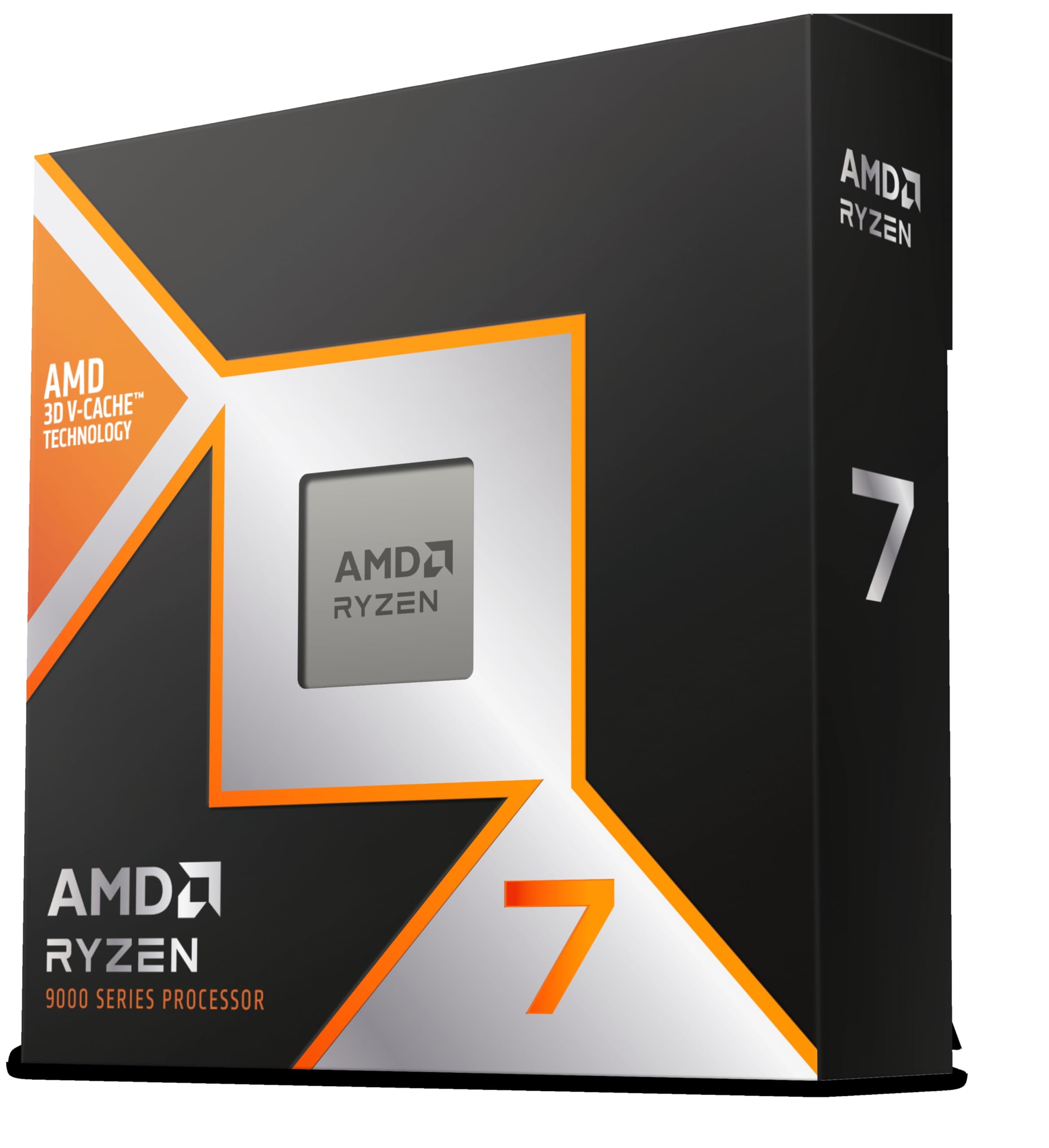

Frequently asked
7 questions01Does the AMD Ryzen 9 7950X come with a cooler?+
No. The 7950X does not include a cooler in the box. AMD recommends a capable third-party solution, and given the chip's real-world power draw, a 360mm AIO or a large dual-tower air cooler such as the Noctua NH-D15 is strongly advisable. A 240mm AIO is the practical minimum but may result in thermal throttling during extended all-core workloads.
02What motherboard do I need for the Ryzen 9 7950X?+
The 7950X requires an AM5 socket motherboard. Compatible chipsets include X670E, X670, B650E, and B650. For a chip at this tier, an X670E board is recommended to take full advantage of PCIe 5.0 on both the primary GPU slot and M.2 storage. B650 boards will work but limit PCIe 5.0 availability.
03Is the Ryzen 9 7950X good for gaming?+
It is capable for gaming but not the most efficient choice if gaming is your primary use case. At 1440p and 4K, the GPU becomes the bottleneck in most titles, meaning a Ryzen 7 7700X or Ryzen 5 7600X would deliver very similar frame rates at a considerably lower price. Where the 7950X earns its place in gaming is as part of a broader workstation build where multi-threaded professional workloads also need handling.
04What power supply do I need with the Ryzen 9 7950X?+
An 850W PSU is a sensible baseline for a system built around the 7950X paired with a high-end discrete GPU. Real-world all-core power draw can exceed 230W from the CPU alone, and a full system with fast NVMe storage and a powerful GPU can approach 400W to 600W under load. A 1000W unit provides additional headroom for future upgrades or multiple storage devices.
05Can I use DDR4 memory with the Ryzen 9 7950X?+
No. The AM5 platform supports DDR5 memory only. There is no DDR4 compatibility on AM5. The officially supported maximum speed is DDR5 5200 MHz per JEDEC specification, though many builders run DDR5 at 6000 MHz using EXPO profiles, which is widely considered the performance sweet spot for Zen 4 due to its 1:1 alignment with the Infinity Fabric clock.
06How does the Ryzen 9 7950X compare to the Intel Core i9-13900K?+
Both chips are competitive at the high end. The 7950X's 16 homogeneous Zen 4 cores perform strongly in workloads that scale evenly across threads, such as rendering and compilation. Intel's 13900K uses a hybrid architecture with 8 performance cores and 16 efficiency cores, which can give it an edge in some single-threaded tests but introduces scheduling complexity. The 7950X also benefits from AM5's longer platform roadmap, whereas LGA1700 is already being retired for Intel's Arrow Lake generation.
07What is Precision Boost Overdrive and should I enable it on the 7950X?+
Precision Boost Overdrive (PBO) is AMD's feature that raises the power and current limits beyond the default settings, allowing the chip to sustain higher frequencies for longer under sustained loads. It is not traditional manual overclocking. For most 7950X owners who want more performance without extensive manual tuning, enabling PBO alongside Curve Optimizer is the recommended approach. It requires adequate cooling and a capable PSU to be effective without instability.