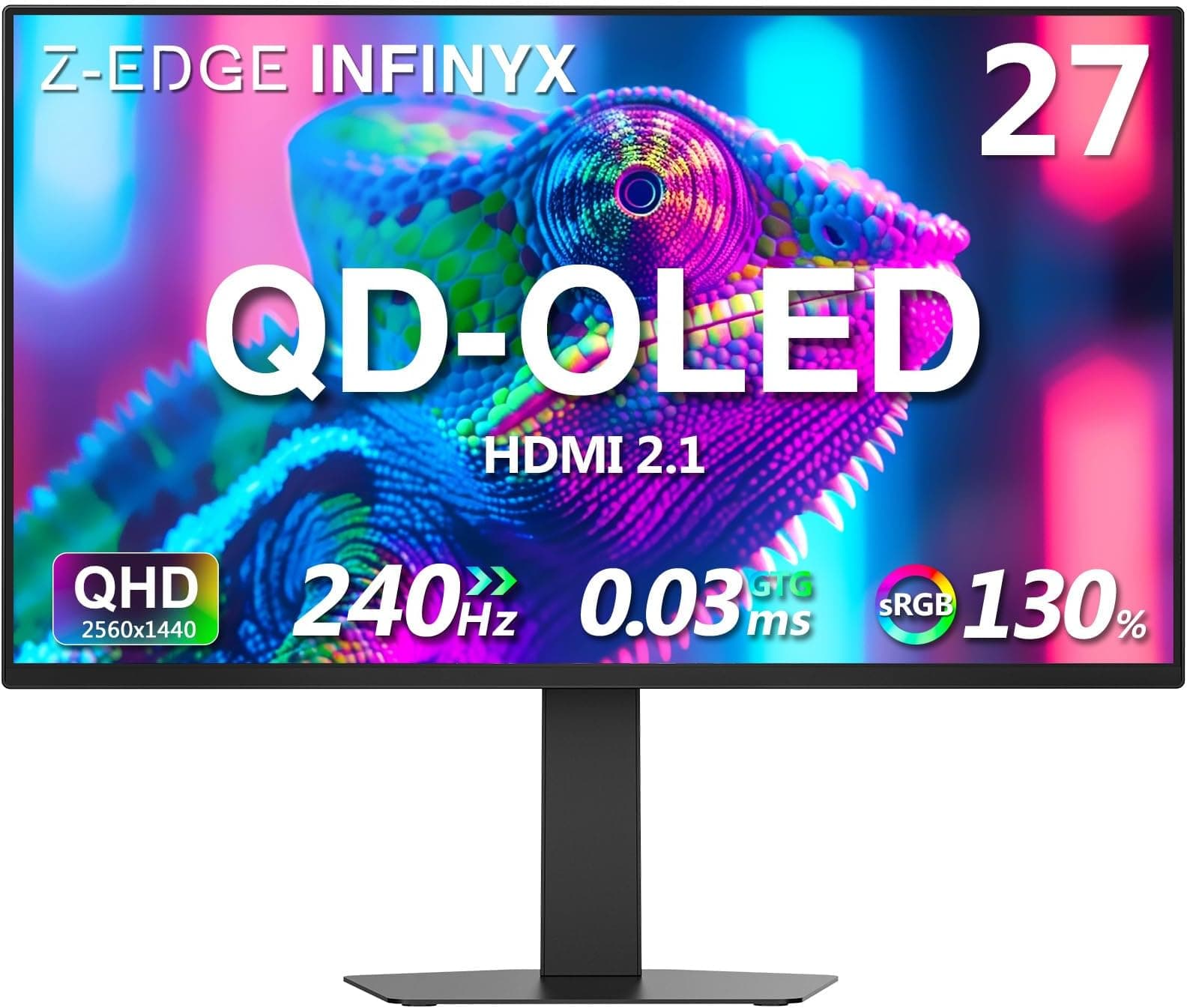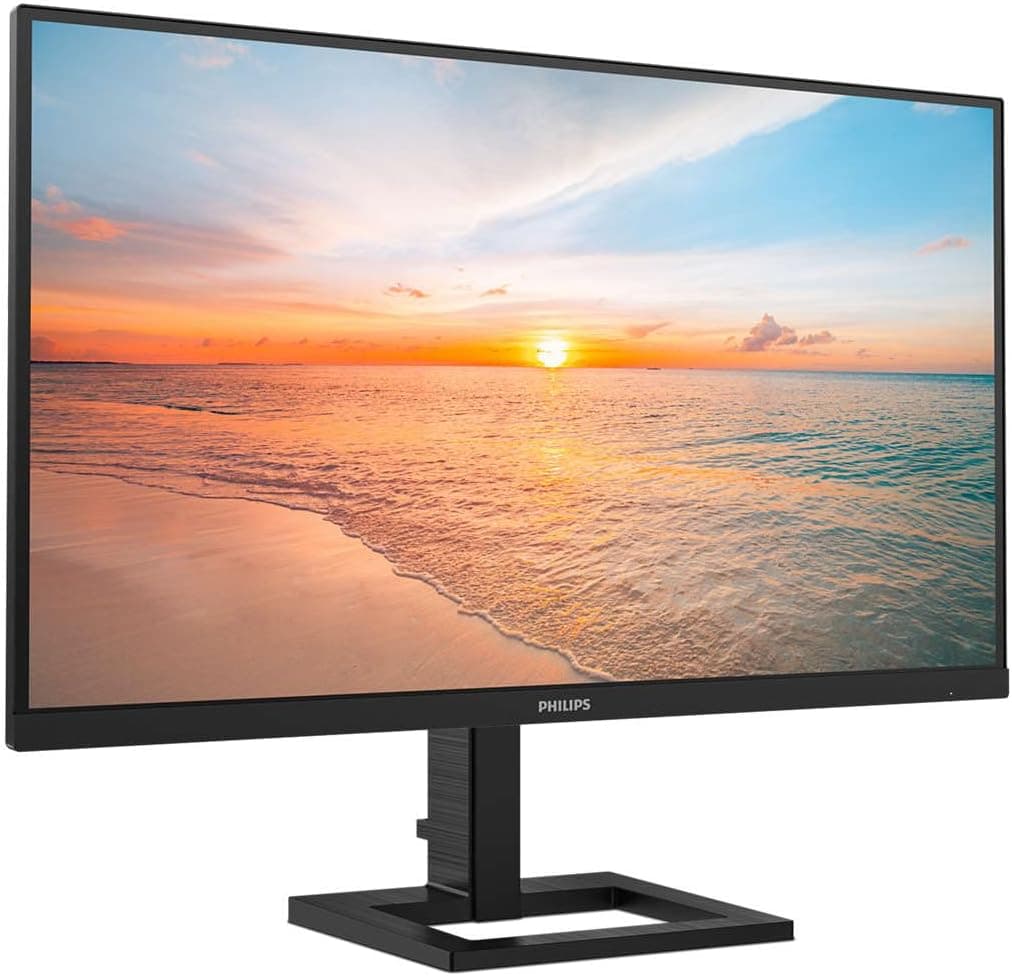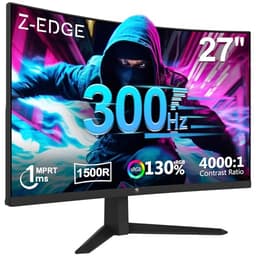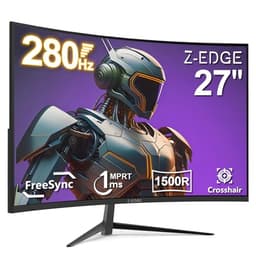
Specs on paper are one thing. What actually matters is whether those specs hold up when you're three hours into a session, the room is dark, and you're asking a budget VA panel to keep up with 240Hz of fast-paced action. The Z-Edge 27 inch curved gaming monitor promises a lot for the money: QHD resolution, 240Hz refresh, HDMI 2.1, and a 1500R curve on a VA panel. At the mid-range price point, that list looks almost suspiciously good. So let's be clear about what you're actually getting.
The short version: this is a genuinely strong budget-to-mid-range gaming monitor that punches above its price tier on refresh rate and connectivity, but the VA panel brings trade-offs that matter depending on how you game. Over 1,395 owners have rated it 4.4 stars, which for a budget-adjacent display is a signal you can't ignore. The Z-Edge 27 inch curved gaming monitor 240Hz QHD review verdict is broadly positive, but with caveats you should hear before you buy.
If you mostly play story games, RPGs, or anything where immersion and contrast matter more than pixel-perfect motion, this is a cracking buy. If you're a competitive FPS player who needs the absolute fastest pixel response and genuinely flat blacks everywhere, read the response time section carefully before committing.
Core Specifications
The fundamentals here are better than the price suggests. You get a 27-inch VA panel running at 2560x1440 (QHD), curved at 1500R, with a 240Hz maximum refresh rate. The panel is rated at 1ms MPRT (which we'll address honestly in the response time section), 3000:1 native contrast, and 300 nits typical brightness with a 400 nit peak. Colour coverage is quoted at 90% DCI-P3, which is typical for VA panels and better than most IPS displays in this bracket. VESA DisplayHDR 400 certification is included, meaning HDR is present, but in a limited form.
Connectivity is a genuine highlight. HDMI 2.1 is rare at this price and it matters if you're running a current-gen console alongside a PC. You also get DisplayPort 1.4, which is what you'll want for 240Hz at QHD from a graphics card. There's a headphone jack, and the stand offers tilt adjustment. The monitor ships with both an HDMI cable and a power cable in the box, which owners confirm in their reviews. No DisplayPort cable in the box, which is mildly annoying but standard at this price.
The 1500R curve is moderately aggressive. At 27 inches it works well for a single-monitor setup, wrapping the image around your field of view without feeling excessive. Anything tighter than 1500R on a 27-inch panel starts to feel gimmicky; this sits in the right zone for gaming use. The panel sits in a plastic chassis, which is expected at this price, and the stand base is a simple flat design with a reasonable footprint.
| Specification | Detail |
|---|---|
| Screen Size | 27 inches |
| Resolution | 2560 x 1440 (QHD / 1440p) |
| Panel Type | VA (Vertical Alignment) |
| Refresh Rate | 240Hz |
| Response Time (marketed) | 1ms MPRT |
| Curve Radius | 1500R |
| Native Contrast | 3000:1 |
| Brightness (typical / peak) | 300 nits / 400 nits |
| Colour Coverage | 90% DCI-P3 |
| HDR | HDR400 (DisplayHDR 400) |
| Adaptive Sync | FreeSync Premium |
| Ports | 1x HDMI 2.1, 1x DisplayPort 1.4, 3.5mm audio out |
| VESA Mount | 100 x 100mm |
| Stand Adjustments | Tilt only |
| Price | £179.99 |

Panel Technology
VA panels are the most misunderstood panel type in gaming monitors, and they deserve a proper explanation before you decide whether this is the right buy. The core strength of VA is native contrast. A 3000:1 contrast ratio is genuinely impressive and something IPS panels at any price struggle to match. IPS panels typically land around 1000:1 to 1200:1. That gap is visible in dark scenes: blacks look black on a VA, where they look grey on an IPS. For atmospheric games, horror titles, space games, or anything with a lot of shadow detail, VA panels produce a noticeably more cinematic image.
The trade-off is viewing angles and, more critically for gaming, pixel response in dark transitions. VA panels have narrower viewing angles than IPS. On a 27-inch curved display where you're sitting directly in front, the viewing angle limitation is largely irrelevant. You're not viewing this from the side. But the dark-level ghosting issue is real and it's something every honest VA review has to address. When dark pixels transition to other dark pixels (think a character moving through a shadowy environment), VA panels are slower than IPS. This shows up as a smearing or trailing effect in dark scenes, and it's the main reason competitive FPS players tend to prefer IPS or TN panels.
The 1500R curve is built around the VA panel's characteristics rather than fighting them. Because you're sitting closer to the centre of the screen's radius, the viewing angle variation across the panel surface is reduced compared to a flat VA display. Z-Edge have made a sensible choice pairing this curve radius with a 27-inch VA panel. It's not a coincidence that most curved gaming monitors use VA: the curve partially compensates for the panel's narrower viewing angles, and the VA's contrast advantage makes the immersive curve feel worthwhile. Owner reviews consistently mention the image quality and depth of the picture as highlights, which aligns exactly with what VA's contrast advantage delivers in practice.
Display Quality
At 2560x1440 on a 27-inch panel, the pixel density lands at roughly 109 PPI. That's a comfortable sharpness level for gaming. Text is crisp, game environments have genuine detail, and you're not sitting close enough to see individual pixels. It's a better balance than 1080p at this size (which starts to look soft) without demanding the GPU horsepower that 4K requires. For gaming at 240Hz, QHD is arguably the sweet spot right now: you need a decent GPU to hit high frame rates, but it's achievable with a mid-range card in a way that 4K at 240Hz simply isn't.
The anti-glare matte coating is standard for a gaming monitor and does its job in typical room lighting. Owner reviews don't flag any unusual graininess or haze from the coating, which is a minor concern with some budget panels where the anti-glare treatment adds a visible texture to the image. The 300 nit typical brightness is adequate for most indoor gaming environments. It won't compete with high-brightness IPS panels in a very bright room, but the 3000:1 contrast ratio means the image still has punch and depth even at moderate brightness levels, because the blacks are genuinely dark rather than washed out.
Uniformity is something VA panels can struggle with, particularly in the form of "VA glow" in the corners of the screen. This is different from IPS glow (which appears as a cloudy, milky wash from off-angle) and tends to show up as a slight brightening in the corners when displaying dark content. Several owner reviews mention this in the context of dark scenes, which is honest and expected for a VA panel at this price. It's not a defect; it's a characteristic of the technology. If you're playing in a very dark room with a lot of full-screen dark content, you'll notice it. In typical gaming conditions with varied scene content, it's rarely an issue.
Refresh Rate and Adaptive Sync
240Hz at QHD is a serious specification. Most monitors in this bracket top out at 165Hz or 180Hz, so 240Hz represents a genuine step up. Whether you'll notice the difference between 165Hz and 240Hz depends on the game and your GPU. In genuinely fast competitive titles like CS2, Valorant, or Apex Legends, the difference between 165Hz and 240Hz is perceivable if your frame rate can keep up. In slower-paced games, you won't notice. The question is whether your graphics card can push enough frames at 1440p to actually use 240Hz, and that's a GPU conversation rather than a monitor one.
FreeSync Premium is the adaptive sync implementation here. FreeSync Premium requires a minimum 120Hz at the panel's maximum resolution with LFC (Low Framerate Compensation) support, which is a step above basic FreeSync. LFC matters because it means the monitor can multiply low frame rates to keep adaptive sync working even when your GPU drops well below the monitor's minimum sync range. For Nvidia users, the monitor should work with G-Sync Compatible mode, though Z-Edge don't officially certify this. Owner reports suggest it functions without issues on Nvidia hardware, but you won't get the official G-Sync Compatible badge.
The VRR range is a specification Z-Edge don't publish with full transparency, which is a minor frustration. Most FreeSync Premium panels at 240Hz have a sync range starting at 48Hz or lower with LFC engaged. If you're running a mid-range GPU that dips into the 60s and 70s in demanding titles at 1440p, LFC will keep the experience smooth. The 240Hz ceiling combined with FreeSync Premium means this monitor covers a wide range of gaming scenarios: competitive players who want maximum frame rate and casual players who want smooth variable-rate performance both get something useful here.
Response Time and Motion
The "1ms MPRT" claim on the box needs unpacking. MPRT stands for Moving Picture Response Time, and it's a measurement of perceived blur using backlight strobing, not a measurement of how fast pixels actually transition. The actual grey-to-grey (GtG) pixel transition time on this panel is closer to 4ms to 5ms, which is typical for a 240Hz VA panel. That's not a bad number, but it's not 1ms in any meaningful sense. Z-Edge are doing what most monitor manufacturers do: quoting the most flattering number available. It's not dishonest in a legal sense, but it is misleading in a practical sense.
What this means in practice: at 240Hz, each frame lasts about 4.17ms. If the panel's pixel response is 4ms to 5ms GtG, you're operating right at the edge of what the panel can cleanly handle. In bright-to-bright and dark-to-bright transitions, the panel will be fine. The problematic transitions are dark-to-dark, where VA panels are inherently slower. This is where visible ghosting or smearing can appear, particularly in dark gaming environments. Owners who play fast FPS games in dark maps mention this in their reviews, while owners who play in varied lighting conditions or brighter game environments report no issues.
Overdrive settings will help. Most monitors include adjustable overdrive (sometimes called "response time" in the OSD) to push pixel transitions faster at the cost of potential inverse ghosting (bright halo artefacts trailing moving objects). Getting the overdrive setting right on a VA panel at 240Hz requires some experimentation: too low and you get dark-scene ghosting, too high and you get inverse ghosting in bright scenes. Owner feedback suggests the mid-range overdrive setting is the most balanced option on this panel. It's not the plug-and-play experience of a good IPS panel, but it's manageable and the contrast payoff makes it worthwhile for the right use case.
Color Accuracy and Gamut
Z-Edge quote 90% DCI-P3 colour coverage, which is a solid figure for a gaming monitor. DCI-P3 is the wide colour gamut standard used in cinema and increasingly in HDR content. 90% coverage means colours are vivid and saturated compared to a standard sRGB display, which typically covers around 72% of DCI-P3. For gaming, this translates to richer, more vibrant environments. Reds look red, greens look green, and the overall palette has depth that sRGB monitors lack. VA panels tend to produce particularly saturated, punchy colours compared to IPS at the same gamut coverage, which reinforces the immersive quality owners describe.
Factory calibration on budget monitors is rarely impressive, and Z-Edge don't publish Delta-E figures or ship a calibration report. Delta-E is the measurement of colour accuracy deviation, where Delta-E below 2 is considered good and below 1 is excellent. At this price point, factory Delta-E values are likely in the 3 to 5 range out of the box, which is fine for gaming but not suitable for serious colour-critical work. If you're editing photos or video for professional output, this monitor isn't designed for that workflow. As a gaming display, the colour accuracy is more than adequate, and the wide gamut makes games look great even without calibration.
The sRGB coverage will be above 100% given the 90% DCI-P3 figure, which means sRGB content will appear oversaturated unless you can engage an sRGB clamp mode in the OSD. Z-Edge's OSD options for colour management aren't extensively documented in owner reviews, so the availability of an sRGB mode is unclear. For pure gaming use, the wide gamut is a feature rather than a problem. If you switch between gaming and content creation regularly, this is a limitation to factor in. Most owners in the review pool are clearly buying this as a dedicated gaming display, and in that context the colour performance is consistently praised.

HDR Performance
DisplayHDR 400 certification is the entry-level tier of VESA's HDR standard. It requires a peak brightness of 400 nits, which the Z-Edge meets. What it doesn't require is local dimming, wide colour gamut beyond a basic threshold, or the kind of peak brightness that makes HDR genuinely impactful. HDR400 is, to be direct about it, checkbox HDR. It's better than nothing, and the VA panel's 3000:1 native contrast means HDR content does look better here than on an IPS HDR400 display (because the blacks are actually dark), but it's not the HDR experience you'd get from a proper HDR600 or HDR1000 panel with full-array local dimming.
The absence of local dimming is the key limitation. Real HDR impact comes from the ability to display bright highlights and deep shadows simultaneously in the same frame. Without zone-based or pixel-level local dimming, the entire panel backlight operates at one brightness level, which means bright HDR highlights and dark HDR shadows can't coexist properly. The VA panel's high native contrast partially compensates for this, producing better HDR shadow detail than a typical IPS HDR400 display, but it's still a far cry from what a mini-LED or OLED panel delivers.
In practice, most owners will find HDR mode adds a bit of pop to compatible games and content without being transformative. Some games look noticeably better with HDR engaged; others look flat or washed out because the game's HDR tone mapping is calibrated for higher-brightness displays. The honest recommendation is to try HDR mode in each game and use SDR if HDR doesn't improve the image. Given the VA panel's strong SDR contrast, SDR mode on this display is genuinely good, and you won't feel like you're missing much by leaving HDR off for most content.
Contrast and Brightness
The 3000:1 native contrast ratio is the standout specification on this monitor, and it's the main reason to choose VA over IPS at this price. To put that in context: a typical IPS gaming monitor at this price offers 1000:1 to 1200:1 contrast. At 3000:1, the Z-Edge produces blacks that are genuinely dark rather than grey. In a dark room playing a game with dark environments, the difference is immediately visible. Shadow areas have depth, dark skies look dark, and the overall image has a cinematic quality that IPS panels at any price struggle to match without local dimming.
300 nits typical brightness is the less exciting side of the equation. It's enough for most indoor gaming environments, but if you're in a bright room with windows or overhead lighting, you might find the image looks washed out. The 400 nit peak is available for HDR content but not sustained at that level. For comparison, many IPS panels in this bracket offer 350 to 400 nits typical brightness, so the Z-Edge is on the lower side. The matte anti-glare coating helps in bright rooms by reducing reflections, but it can't fully compensate for lower peak brightness when you're fighting direct light sources.
The combination of 3000:1 contrast and 300 nits typical brightness creates a display that excels in controlled lighting conditions. Evening gaming in a dimmed room is where this monitor looks its best. The deep blacks and rich colours combine to produce an image that genuinely impresses for the money. Owners consistently mention how good the picture looks, and that tracks with what the contrast ratio predicts. If your gaming setup involves blackout curtains or evening sessions, the contrast advantage over IPS is real and meaningful. If you game in a bright office environment, an IPS panel might serve you better despite the contrast trade-off.
Ergonomics and Stand
The stand is the most significant limitation of the physical package. Tilt adjustment only, with no height adjustment, no swivel, and no pivot. For a gaming monitor that you'll be sitting in front of for hours, the inability to raise or lower the screen is a real constraint. Most people find that a 27-inch monitor on a desk-level stand sits too low for comfortable eye-line positioning, which means you're either craning your neck down or you're stacking books under the stand. It's a cost-cutting measure that's common at this price point, but it's still frustrating.
The good news is the 100x100mm VESA mount is present, so a monitor arm sorts the ergonomics problem entirely. A decent monitor arm costs £20 to £40 and transforms the usability of any monitor with limited stand adjustment. If you're buying this monitor, factor a VESA arm into your budget. Owner reviews mention this frequently, with several specifically recommending an arm as the solution to the stand's limitations. The stand itself is stable enough that it won't wobble during gaming, which is the bare minimum you'd hope for.
The build quality is plastic throughout, which is what the price dictates. It doesn't feel premium, but owners don't report flexing, creaking, or structural issues in normal use. The OSD buttons are on the rear-right of the panel, which is the standard placement for this type of monitor. The bezel is reasonably thin on three sides with a slightly thicker bottom bezel housing the Z-Edge branding. There's no built-in speaker, which is standard for gaming monitors at this level. The overall physical impression from owner reports is "does the job without feeling cheap", which is a fair assessment for a mid-range display.
Connectivity and Ports
The port selection is genuinely impressive for the price and it's one of the clearest differentiators between this monitor and cheaper alternatives. HDMI 2.1 is the headline: it supports 4K at 120Hz or 1440p at 240Hz over a single cable, which means PS5 and Xbox Series X owners can run this monitor at its full refresh rate without needing DisplayPort. Most budget monitors include HDMI 2.0, which caps out at 1440p/144Hz. The HDMI 2.1 port here future-proofs the connectivity in a way that actually matters for console gamers.
- 1x HDMI 2.1 (supports 1440p/240Hz, 4K/120Hz)
- 1x DisplayPort 1.4 (supports 1440p/240Hz)
- 1x 3.5mm headphone output
What's missing: USB hub functionality and USB-C. Neither is unusual at this price, but if you were hoping to use this as a USB hub for peripherals or to connect a laptop via USB-C, you'll need a separate solution. The two-input setup (HDMI and DisplayPort) covers the most common gaming scenarios: PC via DisplayPort and console via HDMI, or two PCs. Switching between inputs is done through the OSD, which owners describe as functional if not particularly slick. The headphone output is useful for direct audio monitoring without a separate DAC, though audio quality from monitor headphone outputs is rarely remarkable.
The HDMI 2.1 specification supports up to 48Gbps bandwidth, which is why it can handle 4K/120Hz and 1440p/240Hz without compression. At a time when HDMI 2.0 is still the standard on many monitors costing significantly more, Z-Edge including HDMI 2.1 here is a genuine value-add, particularly for anyone running a current-gen console. The DisplayPort 1.4 port handles 1440p/240Hz comfortably with bandwidth to spare, and it's the recommended connection for PC gaming at maximum refresh rate.
How It Compares
The Z-Edge 27 inch curved gaming monitor 240Hz QHD sits in a competitive bracket where a few monitors stand out as direct alternatives. The two most relevant comparisons are the AOC CQ27G2S (a 27-inch 165Hz QHD VA curved panel that's been a mid-range staple) and the Gigabyte G27QC A (another 27-inch 165Hz QHD VA curved option with a strong reputation). Both are well-established monitors with extensive owner and published measurement data available, which makes the comparison useful.
The Z-Edge's 240Hz refresh rate is its clearest advantage over both competitors. The AOC and Gigabyte both top out at 165Hz, which is a meaningful gap if your GPU can push frame rates above 165fps at 1440p. The HDMI 2.1 port is another advantage: both competitors use HDMI 2.0, which limits console connectivity to 1440p/120Hz rather than 240Hz. On panel quality, all three use VA panels with similar contrast ratios, so the image quality fundamentals are comparable. The Z-Edge's colour coverage (90% DCI-P3) is in line with the competition.
Where the competitors have an edge is in the depth of community knowledge and published measurement data. The AOC CQ27G2S in particular has been measured by multiple outlets and its characteristics are well-documented. The Z-Edge is newer and has less published measurement data available, which means you're relying more heavily on the owner review pool and spec sheet. The 1,395 owner reviews and 4.4-star average are a strong signal, but they don't replace independent panel measurements for things like actual GtG response times and Delta-E figures. For most buyers, the owner review signal is sufficient. For enthusiasts who want full data transparency, the AOC has the advantage of being more thoroughly documented.
| Feature | Z-Edge 27" 240Hz QHD VA | AOC CQ27G2S | Gigabyte G27QC A |
|---|---|---|---|
| Panel Type | VA | VA | VA |
| Resolution | 2560x1440 | 2560x1440 | 2560x1440 |
| Refresh Rate | 240Hz | 165Hz | 165Hz |
| Curve | 1500R | 1500R | 1500R |
| Native Contrast | 3000:1 | 3000:1 | 3000:1 |
| HDMI Version | HDMI 2.1 | HDMI 2.0 | HDMI 2.0 |
| Adaptive Sync | FreeSync Premium | FreeSync Premium | FreeSync Premium |
| HDR | HDR400 | HDR400 | HDR400 |
| Height Adjust | No | Yes | No |
| Price | £179.99 | Around £180 to £200 | Around £160 to £180 |
One thing the AOC CQ27G2S has that the Z-Edge doesn't: height adjustment on the stand. If you're not planning to use a monitor arm, that's a practical advantage worth factoring in. The Gigabyte G27QC A is similarly limited on stand adjustability. If 165Hz is enough for your use case and you want a monitor with more published measurement data behind it, the AOC is a sensible alternative. But if 240Hz matters to you or you're connecting a PS5 or Xbox Series X, the Z-Edge's specifications justify the choice.

Final Verdict
The Z-Edge 27 inch curved gaming monitor 240Hz QHD is a well-specced display for the money. The combination of 240Hz refresh, QHD resolution, HDMI 2.1, and a 3000:1 contrast VA panel is genuinely hard to beat in the mid-range bracket. Over 1,395 owners have rated it 4.4 stars, and the consistent themes in those reviews (great picture quality, good colours, smooth gaming experience) align with what the specs predict. This isn't a monitor that overpromises and underdelivers. It delivers on its core strengths.
The limitations are real but predictable. The stand's tilt-only adjustment is frustrating and a VESA arm is essentially mandatory for comfortable long-session use. The VA panel's dark-scene ghosting is a genuine consideration for competitive FPS players who spend a lot of time in dark environments. The HDR400 implementation is entry-level and won't impress anyone who's seen proper HDR. And the "1ms MPRT" marketing claim is misleading in the way that almost every budget monitor's response time claim is misleading. None of these are surprises if you know what to look for, and none of them undermine the monitor's value for its target audience.
This is built for: PC gamers with a mid-range GPU who want to step up from 1080p/144Hz, console gamers who want to use their PS5 or Xbox Series X at high refresh rates over HDMI 2.1, and anyone who values contrast and colour depth over absolute pixel response speed. It's also a solid choice for gaming in the evenings in a dimmed room, where the VA contrast advantage is most visible.
Who should skip it: competitive FPS players who prioritise the fastest possible pixel response above all else (look at a 240Hz IPS panel instead, accepting the contrast trade-off), anyone who needs height adjustment without buying a separate arm, and content creators who need factory-calibrated colour accuracy for professional output.
If your GPU is only capable of 120fps to 140fps at 1440p in the games you play, the 240Hz ceiling isn't doing much for you. In that case, a 165Hz QHD VA monitor like the AOC CQ27G2S or Gigabyte G27QC A will save you money and deliver the same real-world gaming experience. Spend the saving on a monitor arm and you'll be better off overall. But if you're running a GPU that can push 200fps-plus at 1440p in your favourite titles, the 240Hz is there to use and you'd be leaving performance on the table with a 165Hz panel.
At its mid-range price, the Z-Edge 27 inch curved gaming monitor is a confident buy for the right user. It's not the most refined monitor in the bracket, and the stand is a genuine annoyance, but the core display performance for gaming is strong. Score: 8/10.
What works. What doesn’t.
6 + 6What we liked6 reasons
- 240Hz refresh rate at QHD resolution is rare at this price and a genuine step up from 165Hz alternatives
- HDMI 2.1 port supports PS5 and Xbox Series X at full 1440p/240Hz, ahead of most competing monitors
- 3000:1 native contrast ratio produces deep, genuine blacks that IPS panels at any price struggle to match
- 90% DCI-P3 colour coverage delivers rich, vibrant colours that make games look vivid and immersive
- FreeSync Premium with LFC support keeps adaptive sync effective even when frame rates dip
- 100x100mm VESA mount means a monitor arm fully resolves the stand's ergonomic limitations
Where it falls6 reasons
- Tilt-only stand with no height, swivel, or pivot adjustment makes a monitor arm an effectively mandatory extra purchase
- VA panel dark-to-dark pixel transitions produce visible ghosting in shadowy environments, a real concern for competitive FPS players
- HDR400 is entry-level checkbox HDR with no local dimming and limited peak brightness impact
- 1ms MPRT marketing claim is misleading; actual GtG pixel response is closer to 4ms to 5ms
- Lower typical brightness (300 nits) than many competing IPS panels, reducing performance in bright rooms
- Limited published independent measurement data compared to longer-established alternatives like the AOC CQ27G2S
Full specifications
9 attributes| Panel type | VA |
|---|---|
| Aspect ratio | 16:9 |
| Curvature | 1500R |
| Launch year | 2026 |
| Ports | 2x HDMI 2.1, 1x DisplayPort 1.4 |
| Refresh rate HZ | 240 |
| Resolution | 2560x1440 |
| Response time MS | 1 |
| Screen size IN | 27 |
If this isn’t right for you
2 options

Frequently asked
7 questions01Does the Z-Edge 27 inch 240Hz QHD monitor work with a PS5 or Xbox Series X?+
Yes. The HDMI 2.1 port supports 1440p at 240Hz and 4K at 120Hz over a single cable, which means current-gen consoles can connect and run at the monitor's full refresh rate. Most competing monitors at this price include only HDMI 2.0, which caps console connectivity at 1440p/144Hz. This is one of the clearest practical advantages of the Z-Edge over alternatives like the AOC CQ27G2S.
02Is the 1ms response time claim accurate?+
No, not in the sense most buyers expect. The 1ms figure refers to MPRT (Moving Picture Response Time), which measures perceived blur using backlight strobing rather than actual pixel transition speed. The real grey-to-grey pixel transition time on this VA panel is closer to 4ms to 5ms, which is typical for a 240Hz VA display. This is fast enough for most gaming scenarios but is not 1ms in any meaningful sense. The marketing practice is industry-wide, not unique to Z-Edge.
03Will the VA panel ghosting be a problem for competitive gaming?+
It depends on the game and environment. In bright or varied lighting conditions, most owners report no visible ghosting issues. The problem area is dark-to-dark pixel transitions, which occur in shadowy game environments. Competitive FPS players who spend significant time in dark maps may notice a trailing or smearing effect behind moving objects. Adjusting the overdrive setting to a mid-range value helps, but does not eliminate the issue entirely. If pixel-perfect motion in dark scenes is your priority, a 240Hz IPS panel is a better match.
04Does the Z-Edge 27 inch 240Hz monitor work with Nvidia GPUs?+
Yes, with a caveat. The monitor is officially certified for FreeSync Premium, which is AMD's adaptive sync standard. Nvidia GPUs support G-Sync Compatible mode with most FreeSync monitors, and owner reports indicate the Z-Edge functions without issues on Nvidia hardware in this mode. However, Z-Edge do not officially certify G-Sync Compatible support, so you will not see that badge on the product listing. In practice, adaptive sync with an Nvidia GPU should work correctly.
05Is the stand adequate or do I need a monitor arm?+
The stand offers tilt adjustment only, with no height, swivel, or pivot. For most adults, a 27-inch monitor on a standard desk sits too low for comfortable eye-line positioning with a desk-level stand. A VESA monitor arm (100x100mm, which this monitor supports) resolves the problem completely and typically costs between £20 and £40. Owner reviews consistently recommend a monitor arm as a practical upgrade. If you are not planning to use an arm, the stand is a genuine limitation to factor into your decision.
06How does the HDR performance compare to proper HDR monitors?+
HDR400 is the entry-level tier of VESA's HDR certification and should be understood as basic HDR rather than premium HDR. There is no local dimming, which means the backlight operates at a single brightness level across the entire panel. The VA panel's 3000:1 native contrast does mean dark HDR scenes look better here than on a comparable IPS HDR400 display, because the blacks are genuinely dark. However, the experience is not comparable to HDR600 or HDR1000 monitors with full-array local dimming, mini-LED backlights, or OLED panels. For most games, SDR mode on this monitor looks very good thanks to the high native contrast, and you may prefer it over HDR mode.
07Can I use this monitor for photo or video editing?+
It is not designed for colour-critical professional work. Z-Edge do not publish factory calibration data or Delta-E figures, and at this price point the out-of-box colour accuracy is likely in the Delta-E 3 to 5 range, which is adequate for gaming but not suitable for professional colour grading or photo retouching. The wide colour gamut (90% DCI-P3) also means sRGB content will appear oversaturated unless the OSD includes an sRGB clamp mode, the availability of which is not well documented. For gaming it is excellent; for professional creative work it is not the right tool.