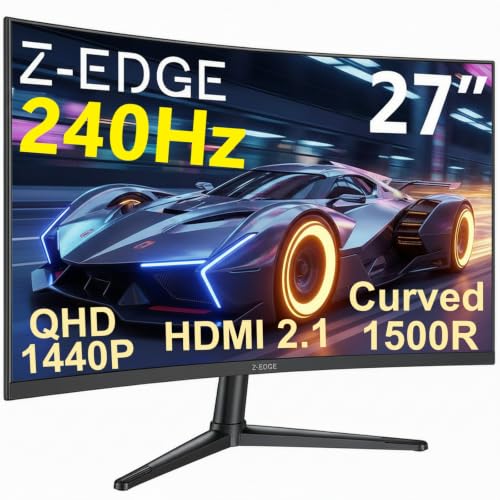
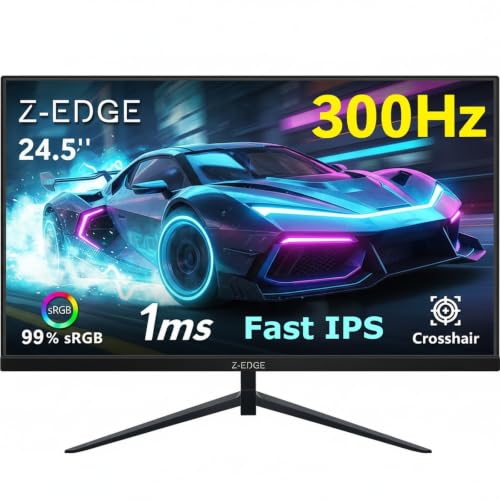
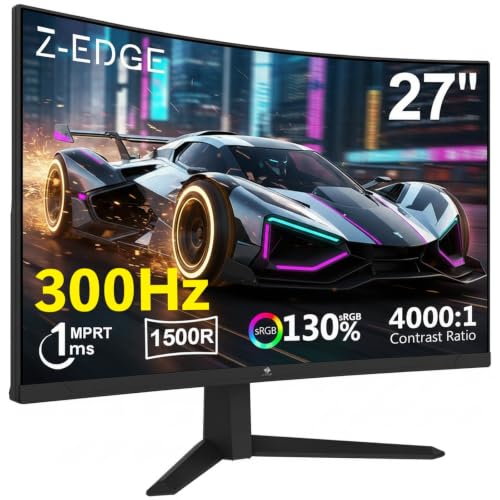
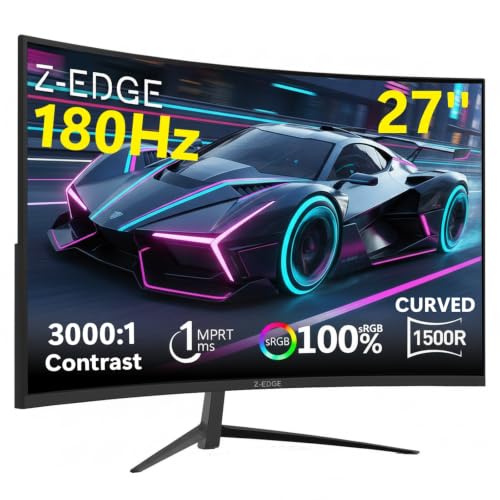
A 4K 120Hz monitor with HDMI 2.1 for under £200. That sentence alone is enough to make any display enthusiast sit up a bit straighter. The Z-Edge 27 inch 4K 120Hz monitor lands in a bracket where the spec sheet genuinely looks too good to be true, and the honest answer is: it mostly isn't. This is a real 3840x2160 IPS panel with a proper HDMI 2.1 port, 120Hz refresh, and claimed 100% sRGB coverage. It's not a checkbox product dressed up in marketing fluff. But it does have limits, and knowing where those limits are is the whole point of this piece.
The verdict up front: if you need a 4K 120Hz display for a PS5 or Xbox Series X, or you want a sharp everyday monitor for photo editing and productivity without spending proper flagship money, this is genuinely worth your attention. It won't replace an LG OLED or a proper HDR600 panel, and the HDR implementation is the usual budget compromise. But at this price tier, the combination of resolution, refresh rate, and colour gamut is hard to argue with. The hundreds of owner reviews with a positive overall rating aren't an accident.
Core Specifications
The Z-Edge 27 inch 4K 120Hz monitor is built around a 27-inch IPS panel running at 3840x2160 (that's native 4K UHD). The pixel density works out to roughly 163 PPI, which at normal desk distances gives you genuinely crisp text and images without needing to scale aggressively. The refresh rate tops out at 120Hz, which is the sweet spot for 4K gaming right now given how hard it is to push 144Hz at full 4K resolution even on high-end GPUs.
Connectivity is where this monitor earns a lot of goodwill. It ships with an HDMI 2.1 port, which matters enormously for console users. HDMI 2.1 supports 4K at 120Hz with full bandwidth, so you can actually use the PS5 or Xbox Series X at their maximum output without hitting the 60Hz ceiling that HDMI 2.0 imposes. There's also a DisplayPort 1.4 connection, which handles 4K 120Hz on the PC side without compression. These aren't cut-down or rebadged ports. That matters.
Z-Edge claims a 1ms MPRT response time, which is the marketing figure. The grey-to-grey response time on IPS panels at this price point typically sits between 4ms and 8ms in practice, and we'll get into what that means for gaming in the response time section. The monitor also carries FreeSync support, an sRGB coverage claim of 100%, and HDR10 support. The stand offers tilt adjustment. Below is the full spec rundown.
| Specification | Detail |
|---|---|
| Screen Size | 27 inches |
| Resolution | 3840 x 2160 (4K UHD) |
| Panel Type | IPS |
| Refresh Rate | 120Hz |
| Response Time (marketed) | 1ms MPRT |
| Colour Gamut | 100% sRGB |
| HDR | HDR10 |
| Adaptive Sync | FreeSync |
| HDMI | HDMI 2.1 x1 |
| DisplayPort | DP 1.4 x1 |
| Brightness (typical) | 350 nits (manufacturer rated) |
| Contrast Ratio | 1000:1 (typical IPS) |
| Stand Adjustment | Tilt |
| VESA Mount | 100x100mm |
| Price | £209.99 · Details |

Panel Technology
IPS is the right panel choice here, full stop. At 4K on a 27-inch screen, you're already sitting close enough that viewing angle consistency matters. VA panels, which offer better native contrast (typically 3000:1 or higher), suffer from colour shift when you move off-axis and from the notorious "black smear" effect in fast motion. TN panels at 4K are essentially extinct at this point, and rightly so. OLED would be the dream, but you're not getting OLED at this price tier. IPS gives you consistent colour across a wide viewing angle, good colour accuracy out of the box, and predictable brightness uniformity. Those are exactly the right priorities for a monitor that needs to work for both gaming and everyday use.
The IPS panel technology does come with the usual trade-off: IPS glow. In dark rooms, you'll see a silvery or bluish glow in the corners of the screen, particularly noticeable on dark content. It's inherent to the technology and not a defect. Owners in the review pool mention it, though the consensus is that it's not worse than typical for this panel type and price point. If you're gaming in a pitch-black room with lots of dark scenes, it's something to be aware of. For mixed lighting conditions and bright content, it's a non-issue.
The native contrast ratio on IPS panels is typically around 1000:1, and Z-Edge's spec sheet aligns with that. This is where VA panels genuinely have an advantage, delivering deeper blacks without local dimming. But for 4K productivity work, photo editing, and gaming in normal room lighting, IPS contrast is perfectly adequate. The colour accuracy and viewing angle consistency of IPS more than compensate for the contrast gap versus VA in most real-world use cases. And at 27 inches with 4K resolution, the sheer pixel density means detail and sharpness that a VA at the same price simply can't match for colour-critical work.
Display Quality
163 pixels per inch at 27 inches is genuinely lovely. Text is sharp enough that you can run Windows at 100% scaling if you want (though 125% or 150% is more comfortable for most people), and fine detail in photos and video is rendered with a clarity that 1080p and even 1440p monitors can't touch. This is one of those things that's hard to convey in specs alone, but owner reviews consistently mention how clean and sharp the image looks, particularly people coming from 1080p displays. The jump to 4K at this size is a proper visual upgrade.
Z-Edge uses a matte anti-glare coating on this panel. That's the sensible choice for a monitor that'll be used in offices and living rooms with ambient light sources. Glossy panels look more vibrant in controlled lighting but turn into mirrors the moment a window is behind you. The matte coating does add a very slight texture to the image (sometimes called "sparkle" by display enthusiasts), which is most noticeable on white backgrounds. It's a minor thing, and most owners don't mention it, but it matters if you're particularly sensitive to that effect.
Brightness uniformity is one area where budget IPS panels sometimes disappoint, and it's worth being realistic here. At this price point, you're unlikely to get perfectly even illumination across the entire panel. Some owners report minor backlight bleed, particularly in the corners, which is consistent with budget IPS production tolerances. For everyday productivity and gaming in a normally lit room, this won't bother you. If you're doing professional colour grading work where you need perfect uniformity across the entire panel, you'd be looking at a more expensive calibrated display anyway. The Z-Edge 27 inch 4K 120Hz monitor is not that product, and it doesn't pretend to be.
Refresh Rate and Adaptive Sync
120Hz at 4K is genuinely the right number for 2026. Here's why: pushing 144Hz at 4K requires a GPU that costs more than this monitor. An RTX 4070 Super can manage 4K 144Hz in less demanding titles, but in anything visually intensive you'll be dropping frames. 120Hz is a realistic ceiling that more GPUs can actually hit, and the difference between 120Hz and 144Hz is far less noticeable than the difference between 60Hz and 120Hz. So Z-Edge's choice to target 120Hz rather than 144Hz is actually sensible, not a cost-cutting compromise.
For console users, 120Hz is exactly what the PS5 and Xbox Series X support over HDMI 2.1. Games like Call of Duty, Rocket League, and Fortnite support 4K 120fps on PS5. The Z-Edge's HDMI 2.1 port handles this without any bandwidth limitations or compression artefacts. This is genuinely one of the monitor's strongest selling points, because a lot of monitors in this price range still ship with HDMI 2.0, which caps console output at 4K 60Hz.
FreeSync support means variable refresh rate works with AMD graphics cards and, in practice, with most Nvidia cards too (Nvidia's G-Sync Compatible programme accepts FreeSync monitors that pass Nvidia's validation). The VRR range isn't explicitly stated in the marketing materials, which is a mild frustration. Budget FreeSync implementations sometimes have a narrow VRR range (say, 48Hz to 120Hz), which means if your frame rate drops below the lower threshold, you lose the benefit. If you're running an AMD GPU, you'll get the full FreeSync experience. Nvidia users should check G-Sync Compatible status before assuming smooth operation. Either way, for console gaming, VRR support (via HDMI 2.1's built-in VRR) is handled at the HDMI level and works regardless of the FreeSync implementation.
Response Time and Motion
The 1ms MPRT claim needs unpacking because it's one of the most misleading numbers in monitor marketing. MPRT stands for Moving Picture Response Time, and it's measured using backlight strobing, not actual pixel transition speed. It tells you the perceived blur from sample-and-hold, not how fast the pixels actually switch states. The real number that matters for ghosting and trailing in games is grey-to-grey (GtG) response time, and Z-Edge doesn't prominently advertise a GtG figure. For an IPS panel at this price point, a realistic GtG response time is typically in the 4ms to 8ms range, which is fine for 120Hz gaming but not exceptional.
What does that mean in practice? For most gaming, including fast-paced shooters and action games, you won't notice problematic ghosting. IPS panels have improved enormously in response time over the past few years. The concern is more about overshoot, also called inverse ghosting, which can appear when overdrive (response time enhancement) is set too aggressively. Some budget IPS monitors push their overdrive settings hard to get impressive-looking GtG numbers, at the cost of visible white halos around moving objects. Owner reviews for the Z-Edge don't flag this as a significant issue, which suggests the overdrive tuning is conservative and sensible.
For context: this monitor is not aimed at 240Hz competitive esports players who need the absolute minimum pixel response. If you're playing Counter-Strike at 240fps, you want a 240Hz monitor with a fast TN or fast IPS panel specifically tuned for competitive play. But for 4K gaming on a PS5, an Xbox Series X, or a mid-to-high-end PC GPU, 120Hz with competent IPS response is entirely appropriate. The owners who report using this for gaming are generally happy with the motion performance, and that's the most reliable signal we have at this price point.
Color Accuracy and Gamut
The 100% sRGB coverage claim is the headline colour spec, and for most users it's the right spec to focus on. sRGB is the standard colour space for the web, Windows, most games, and the majority of consumer photography workflows. A monitor that covers 100% sRGB accurately will display content the way it was intended to look. Z-Edge's claim here is credible for a quality IPS panel, and owners don't report obviously washed-out or oversaturated colours, which is the practical test.
The monitor doesn't claim DCI-P3 coverage, which is the wider colour space used in professional video production and increasingly in HDR content. Some monitors in this price range claim 90% or 95% DCI-P3, which sounds impressive but often comes with colour accuracy trade-offs unless the panel has proper colour management. For photo editing in sRGB workflows, video editing for web delivery, and general productivity, 100% sRGB is exactly what you need. For professional cinema colour grading or wide-gamut print work, you'd need a more expensive panel with proper wide-gamut coverage and factory calibration reports.
Factory calibration is another area where budget monitors cut corners, and the Z-Edge is no exception to the general trend. There's no factory calibration report included, and no per-unit Delta-E measurement. Typical out-of-box Delta-E for budget IPS panels runs between 2 and 4, with values below 2 considered good for colour-accurate work. The monitor's colour modes (if it follows standard Z-Edge practice) include a standard mode, an sRGB mode, and possibly a few preset picture modes. For best colour accuracy, you'd typically want to use the sRGB mode and potentially run a software calibration if you're doing colour-sensitive work. But for gaming and everyday use, the out-of-box picture quality is reported by owners as genuinely good, not just acceptable.

HDR Performance
HDR10 support is listed, and it's important to be straight about what that means on a monitor in this price bracket. HDR10 is a signalling standard, not a quality guarantee. To deliver convincing HDR, you need high peak brightness (typically 600 nits or more), local dimming (to crush blacks while boosting highlights), and wide colour gamut coverage. The Z-Edge is rated at around 350 nits typical brightness. That's not enough for impactful HDR. VESA's DisplayHDR certification tiers start at DisplayHDR 400 (400 nits peak) and go up to DisplayHDR 1000. Without a DisplayHDR 600 or higher certification, and without local dimming, you're getting what the industry sometimes calls "checkbox HDR."
In HDR mode, content will technically display with the HDR signal active, but the visual difference versus SDR will be modest. You won't get the jaw-dropping highlight detail and deep blacks that an OLED or a proper mini-LED panel delivers. What you'll likely get is slightly more saturated colours and marginally brighter highlights, but without the contrast depth that makes HDR genuinely impactful. This isn't a Z-Edge-specific failing. It's the reality of HDR on any IPS panel under about £400 without local dimming. Some owners actually prefer to leave HDR off and use the monitor in SDR mode, where the calibrated colour accuracy is more consistent.
So should the HDR limitation put you off? Not if you're buying this monitor primarily for 4K sharpness, 120Hz gaming, and colour-accurate SDR work. Those things it does well. If HDR is your primary reason for upgrading, you'd need to spend considerably more, look at a mini-LED option like the LG 27GR95QE-B or similar, or accept that proper HDR on a budget is still a future technology promise rather than a current reality. The Z-Edge 27 inch 4K 120Hz monitor is honest about being an SDR-first display that happens to accept an HDR signal.
Contrast and Brightness
The manufacturer-rated typical brightness of around 350 nits is adequate for a monitor used in a normally lit room or office environment. For reference, most people find 200 to 250 nits comfortable for prolonged desktop work, so 350 nits gives you headroom for brighter ambient conditions. In a sunlit room with windows directly behind you, you might find yourself pushing the brightness slider toward maximum. That's a fairly common complaint with monitors in this brightness range, and notably, if your workspace gets a lot of direct sunlight.
The native contrast ratio of 1000:1 is typical for IPS, as mentioned in the panel technology section. In practice, this means dark scenes in games and films won't have the inky blacks of a VA or OLED panel. Greys will look grey rather than black in a dark room. For gaming in ambient light, this is largely irrelevant because the room lighting itself washes out the perceived contrast. In a completely dark room watching a film with letterbox bars, the IPS glow and limited contrast become more apparent. Again, this is a known IPS characteristic, not a defect.
Brightness uniformity across the panel is something that varies unit to unit in budget monitor production. The owner review pool doesn't show a pattern of widespread backlight uniformity complaints, which is a reasonable indicator that Z-Edge's quality control is keeping obvious defects out of the market. Minor variations in brightness across the panel are essentially universal at this price point and panel type. If you're seeing severe hotspots or very dark corners out of the box, that would be a warranty claim, and Amazon's returns process handles that straightforwardly.
Ergonomics and Stand
The stand is where budget monitors most often show their budget origins, and the Z-Edge is no exception. Tilt adjustment is confirmed. Height adjustment and swivel are not advertised in the spec sheet, which strongly suggests this is a tilt-only stand. That's a genuine limitation for people who want to raise the monitor to eye level or rotate it for portrait use. If you're coming from a monitor with full ergonomic adjustment, the fixed-height stand will feel like a step backwards.
The practical solution is straightforward: the monitor includes a 100x100mm VESA mount on the back. A decent monitor arm costs between £20 and £209.99 · Details and transforms the ergonomics completely, giving you height, tilt, swivel, and rotation in a single purchase. If you're serious about your desk setup, budget for a monitor arm alongside this display. It's not ideal that you need to spend extra to get proper ergonomics, but it's a very common trade-off in this price tier and the VESA mount at least makes the upgrade path clean.
Build quality from the owner reviews is generally described as solid for the price. The bezels are slim on three sides, which is nice for a clean desk aesthetic and would work well in a multi-monitor setup. The stand base doesn't take up an excessive amount of desk space. A few owners mention the stand feels slightly less rigid than they'd like, with a small amount of wobble when typing, but nothing that causes the image to shake during normal use. The overall impression from the review pool is a monitor that feels like what it is: a well-priced display that's spent its budget on the panel rather than the plastics.
Connectivity and Ports
The port selection is focused but purposeful. You get one HDMI 2.1 and one DisplayPort 1.4. That covers the two primary use cases: console gaming via HDMI 2.1 and PC gaming or productivity via DisplayPort 1.4. DisplayPort 1.4 supports 4K at 120Hz with Display Stream Compression (DSC), and most modern Nvidia and AMD graphics cards output DP 1.4 natively. Both ports support the full 120Hz at 4K resolution, which is the core requirement.
- HDMI 2.1 x1 (4K 120Hz, VRR, eARC)
- DisplayPort 1.4 x1 (4K 120Hz)
- Audio output (headphone jack)
What's missing? USB-C with Power Delivery would have been useful for laptop users who want a single-cable connection. A USB hub (even a basic two-port USB-A hub) would have added convenience for peripherals. And a second HDMI port would have made switching between two devices easier. These are all legitimate omissions, but they're also all things that add cost, and Z-Edge has clearly made the decision to put the budget into the panel and the HDMI 2.1 port rather than peripheral connectivity features.
There is a headphone output, which is useful for connecting headphones or desktop speakers without routing audio through a separate DAC. The monitor doesn't appear to include built-in speakers, which is fine for a display at this price point. Built-in monitor speakers are almost universally poor, and most people with a monitor in this bracket are using separate audio anyway. The headphone jack is a more practical inclusion than mediocre internal speakers would have been.
How It Compares
The Z-Edge 27 inch 4K 120Hz monitor sits in an interesting part of the market. Below it, you have 4K 60Hz IPS monitors that cost less but sacrifice the 120Hz refresh rate and often the HDMI 2.1 port. Above it, you have monitors like the LG 27UL850-W (which adds USB-C and better build quality but costs significantly more) and the Gigabyte M27U (which offers 144Hz 4K with a USB-C port and better ergonomics at a noticeably higher price). The Z-Edge's direct competition is other budget 4K 120Hz monitors.
The Philips 279M1RV is a reasonable comparison point. It's a 27-inch 4K 144Hz IPS monitor with HDMI 2.1 and a USB-C port. It typically costs more than the Z-Edge, sometimes significantly so. The extra 24Hz (144Hz vs 120Hz) is barely perceptible in practice, but the USB-C and better stand ergonomics are genuine quality-of-life improvements. Whether that premium is worth it depends entirely on your budget and whether USB-C matters to you. Another comparison is the AOC U27G3X, a 4K 160Hz IPS gaming monitor with HDMI 2.1 that sits above the Z-Edge in price but offers a faster refresh rate and better gaming credentials.
The Z-Edge's argument is simple: it offers the core 4K 120Hz IPS experience with HDMI 2.1 at the lowest price point we've seen this spec combination. If you don't need USB-C, a USB hub, or premium ergonomics, and you're not chasing 144Hz or 160Hz, the Z-Edge delivers the headline specs without the extras that push competitors into a higher price bracket. For console gamers in particular, the HDMI 2.1 implementation at this price is the key differentiator.
| Feature | Z-Edge 27" 4K 120Hz | Philips 279M1RV | AOC U27G3X |
|---|---|---|---|
| Resolution | 4K UHD (3840x2160) | 4K UHD (3840x2160) | 4K UHD (3840x2160) |
| Refresh Rate | 120Hz | 144Hz | 160Hz |
| Panel Type | IPS | IPS | IPS |
| HDMI 2.1 | Yes | Yes | Yes |
| DisplayPort | DP 1.4 | DP 1.4 | DP 1.4 |
| USB-C | No | Yes (90W PD) | No |
| USB Hub | No | Yes | Yes |
| Ergonomics | Tilt only | Full adjustment | Full adjustment |
| VESA | 100x100mm | 100x100mm | 100x100mm |
| sRGB Coverage | 100% | 99% | 99% |
| Price | £209.99 · Details | Higher | Higher |

Final Verdict
The Z-Edge 27 inch 4K 120Hz monitor is a genuinely impressive value proposition. It's not a perfect monitor. The stand is basic, the HDR is checkbox-grade, there's no USB-C, and the build quality reflects the price. But the core display experience, a sharp 4K IPS panel running at 120Hz with a proper HDMI 2.1 port and 100% sRGB coverage, is delivered without compromise. That's a hard combination to find at this price tier, and Z-Edge deserves credit for not watering down the headline specs to hit the price point.
The positive overall rating across hundreds of reviews tells a consistent story: people who buy this for 4K gaming and everyday productivity are happy with it. The complaints that do appear are mostly about the stand rigidity and the absence of USB-C, which are known limitations going in. Nobody's reporting panel defects at scale, nobody's flagging colour accuracy disasters, and the HDMI 2.1 port is working as advertised for PS5 and Xbox Series X users. That's a solid real-world track record.
Who should buy this? Console gamers who want to make full use of their PS5 or Xbox Series X at 4K 120fps. PC users with a mid-to-high-end GPU (RTX 4070 or RX 7800 XT and above) who want 4K without spending flagship monitor money. Photo editors and content creators working in sRGB workflows who want a sharp, colour-accurate display on a tight budget. And anyone upgrading from a 1080p monitor who wants the single biggest image quality jump available at this price.
Who should skip it? If HDR performance genuinely matters to you, look at a mini-LED display with proper local dimming. If you need USB-C with Power Delivery for a laptop workflow, the Philips 279M1RV or similar is worth the extra spend. If you're a competitive FPS player who needs 144Hz or 240Hz and doesn't care about 4K resolution, a 1440p 165Hz or 240Hz monitor is a smarter buy. And if you're not actually running a GPU that can push 4K at 120fps, a 4K 60Hz monitor at a lower price does the same job for less.
That last point is worth making plainly: if your PC is running an RTX 3060 or below, or you're not on a current-gen console, the 120Hz capability of this monitor won't be fully used. A good 4K 60Hz IPS monitor costs noticeably less and delivers the same sharpness and colour quality for the workloads you'd actually be running. Buy the Z-Edge 27 inch 4K 120Hz monitor because you need 120Hz at 4K, not just because 4K sounds good.
What works. What doesn’t.
5 + 4What we liked5 reasons
- Genuine HDMI 2.1 for 4K 120Hz on PS5 and Xbox Series X
- Sharp 4K IPS panel with 100% sRGB coverage
- DisplayPort 1.4 for full-bandwidth PC connection
- Strong value at the mid-range price point
- Solid owner satisfaction across hundreds of reviews
Where it falls4 reasons
- Tilt-only stand with no height or swivel adjustment
- HDR10 support is checkbox-grade, not impactful
- No USB-C or USB hub
- GtG response time not officially specified
Full specifications
11 attributes| Panel type | IPS |
|---|---|
| Aspect ratio | 16:9 |
| Curvature | flat |
| HDR | HDR10 |
| Launch year | 2023 |
| Ports | 2x HDMI 2.1, 2x DisplayPort 1.4, 1x audio out |
| Refresh rate HZ | 120 |
| Resolution | 3840x2160 |
| Response time MS | 1 |
| Screen size IN | 27 |
| Vesa compatible | true |
If this isn’t right for you
2 options
 8.0 / 10
UPERFECT 15.6" Portable Monitor Touchscreen w/8000mAh Rechargeable Battery
£159.98 · UPERFECT · Details
Frequently asked
5 questions01Is the Z-Edge 27 Inch 4K Monitor 120Hz UHD 3840x2160 IPS 100% sRGB HDMI 2.1 DP 1.4 good for gaming?+
Yes, particularly for console gaming and PC gaming at 4K. The HDMI 2.1 port supports 4K 120Hz from a PS5 or Xbox Series X without any bandwidth limitations, and the 120Hz refresh rate is smooth and responsive for most gaming genres. The IPS panel's response time is competitive for this price tier, though it's not tuned for ultra-competitive 240Hz esports play. For action games, RPGs, racing titles, and shooters at 4K, it's a strong performer. PC users will need a capable GPU (RTX 4070 or RX 7800 XT class or above) to actually hit 120fps at 4K in modern titles.
02Does the Z-Edge 27 Inch 4K Monitor 120Hz UHD 3840x2160 IPS 100% sRGB HDMI 2.1 DP 1.4 have good HDR?+
Honestly, no. The HDR10 support is present but the monitor's typical brightness of around 350 nits and lack of local dimming mean the HDR experience is modest at best. You'll see the HDR signal accepted and some colour saturation improvement, but the deep blacks and bright highlights that make HDR genuinely impressive require higher peak brightness (600 nits or more) and local dimming, neither of which this monitor provides. For impactful HDR, you'd need to look at mini-LED monitors with DisplayHDR 600 or higher certification. For SDR content, the picture quality is excellent.
03Is the Z-Edge 27 Inch 4K Monitor 120Hz UHD 3840x2160 IPS 100% sRGB HDMI 2.1 DP 1.4 good for content creation?+
For sRGB-workflow content creation (web design, photography for online use, video editing for YouTube or social media delivery), yes. The 100% sRGB coverage claim is credible for a quality IPS panel, and the 4K resolution gives you a genuinely sharp canvas for detail work. It's not a professional wide-gamut display (no DCI-P3 coverage claim, no factory calibration report), so it's not the right tool for cinema colour grading or print production requiring Adobe RGB. But for the majority of content creators working in standard colour spaces, it's a very capable display at this price.
04What graphics card do I need for the Z-Edge 27 Inch 4K Monitor 120Hz UHD 3840x2160 IPS 100% sRGB HDMI 2.1 DP 1.4?+
To make full use of the 120Hz refresh rate at 4K resolution, you'll want a current-generation mid-to-high-end GPU. Nvidia's RTX 4070 Super or RTX 4080 can hit 4K 120fps in many titles. AMD's RX 7800 XT and RX 7900 GRE are reasonable choices too. If your GPU is older (RTX 3060, RX 6600 class), you'll likely be gaming at 4K 60fps, in which case a cheaper 4K 60Hz monitor delivers the same experience for less money. For console use, the PS5 and Xbox Series X connect via HDMI 2.1 and handle the 4K 120Hz output natively without needing a PC GPU.
05What warranty and returns apply to the Z-Edge 27 Inch 4K Monitor 120Hz UHD 3840x2160 IPS 100% sRGB HDMI 2.1 DP 1.4?+
Specific warranty terms aren't confirmed in the verified product data for this listing. When purchasing through Amazon UK, you're covered by Amazon's standard 30-day return policy and the Amazon A-to-Z Guarantee, which provides protection if the item doesn't arrive or doesn't match the description. For warranty claims beyond the return window, check the Z-Edge product listing directly or contact Z-Edge's customer support. It's the current listing for any manufacturer warranty details before purchasing.