Budget gaming monitors in 2026 are a minefield. For every decent panel sitting quietly at the sub-£150 mark, there are three others hiding awful backlight bleed, ghosting that makes dark corridors look like a watercolour painting, or HDR badges that are essentially decorative. So when something like the Z-Edge 27 Inch 300Hz lands in this bracket with a VA panel and a DisplayPort refresh rate that sounds almost too good for the price, the obvious question is: what's the catch?
The short answer is that this monitor is a solid, no-frills 1080p gaming display that punches about where you'd expect at this price. The 300Hz via DisplayPort is the headline, and it's real. The VA panel gives you better contrast than the IPS alternatives at this price point, which matters more than most people admit. But the HDR10 badge is basically meaningless at 300 nits peak, and if you need colour-accurate work alongside your gaming, you'll want to look elsewhere. For a budget-first 1080p gaming setup, though? It's genuinely hard to dismiss. The 320 owner reviews averaging ★★★★☆ (4.4) back that up, and that's not a small sample.
Core Specifications
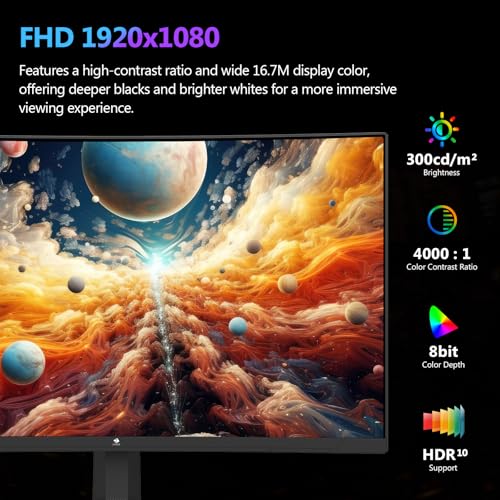
Start with the basics. This is a 27-inch curved (1800R) panel running 1920x1080 at a maximum of 300Hz over DisplayPort 1.4, dropping to 240Hz over HDMI 2.0. The panel type is VA, which is a meaningful choice at this price and something we'll get into properly in the next section. Response time is quoted as 1ms MPRT, peak brightness is 300 cd/m2, and the contrast ratio is listed at 4000:1 static, which is a genuinely strong number for a VA at any price point.
Connectivity is straightforward: one DisplayPort 1.4 and one HDMI 2.0. No USB hub, no USB-C, no audio passthrough to worry about. It's a gaming-first spec sheet and they haven't padded it out with features that would push the cost up. VESA mounting is supported at 100x100mm, which is standard and appreciated. FreeSync is present, and the monitor carries an HDR10 badge. The stand offers tilt adjustment only, which is worth knowing upfront if you were hoping for height or pivot.
The 1800R curve is a gentle one on a 27-inch screen. It's noticeable without being dramatic, and at typical desk distances it wraps the image slightly without creating the distortion issues you sometimes get on more aggressively curved ultrawide panels. At 1080p on 27 inches, pixel density sits around 81 PPI, which is on the lower end for this screen size. That's a trade-off worth acknowledging before you commit.
| Specification | Detail |
|---|---|
| Screen Size | 27 inches (curved, 1800R) |
| Resolution | 1920 x 1080 (Full HD) |
| Panel Type | VA (Vertical Alignment) |
| Max Refresh Rate | 300Hz (DisplayPort 1.4) / 240Hz (HDMI 2.0) |
| Response Time | 1ms MPRT |
| Brightness | 300 cd/m2 peak |
| Contrast Ratio | 4000:1 (static) |
| Colour Gamut | sRGB (not specified beyond standard) |
| HDR | HDR10 |
| Adaptive Sync | FreeSync (AMD) |
| Ports | 1x DisplayPort 1.4, 1x HDMI 2.0 |
| VESA Mount | 100 x 100mm |
| Stand Adjustments | Tilt only |
| Aspect Ratio | 16:9 |
| Price | £159.99 |

Panel Technology
VA panels get unfairly overlooked in gaming monitor conversations because IPS has dominated the enthusiast space for years. But at budget price points, VA has a real argument to make. The key advantage is contrast. A 4000:1 static contrast ratio is not marketing fiction for VA; it's a characteristic of the technology. Vertical alignment panels work by aligning liquid crystals perpendicular to the glass substrates when no voltage is applied, which blocks backlight leakage far more effectively than IPS. The practical result is that blacks actually look black in a dark room, not grey. For gaming, especially anything atmospheric or dark-themed, that matters enormously.
The trade-off with VA has traditionally been viewing angles. IPS panels typically specify 178 degrees horizontal and vertical with minimal colour shift, and they largely deliver on that. VA panels at budget price points tend to show more colour shift and contrast loss when viewed off-axis. On a 27-inch screen at normal desk distances, this is less of a problem than it sounds. You're not sitting at a 45-degree angle to your own monitor. But if you share a desk and someone watches alongside you, or you're using this as a secondary screen viewed from the side, the shift is visible. Owner reviews don't flag this as a major issue at typical single-user desk setups, which suggests Z-Edge have sourced a panel that's at least acceptable in this regard.
The 1800R curve also helps compensate for VA's off-axis weakness by angling the panel edges slightly toward the viewer. It's a practical design choice rather than a purely aesthetic one. What VA panels also tend to struggle with is "smearing" in fast motion, a separate issue from response time that's tied to the way the liquid crystals transition through mid-tones. This is something we'll address properly in the response time section, but it's worth flagging here as the main reason some competitive FPS players still prefer IPS despite the contrast disadvantage. On balance, for a sub-£150 gaming monitor, VA is the right call if contrast and immersion matter more than pixel-perfect motion in the most demanding scenarios.
Display Quality
At 1920x1080 on a 27-inch screen, you're looking at roughly 81 pixels per inch. That's noticeably softer than a 27-inch 1440p panel at around 109 PPI. Text is readable but not crisp in the way a higher-density screen is. For gaming at distance, it's largely fine. For productivity work where you're reading a lot of text or working with fine detail in design software, it's more of a compromise. Owner reviews are generally positive about the image quality for gaming purposes, with several noting the picture looks "vibrant" and "punchy," which tracks with what VA contrast does to perceived image quality.
The anti-glare coating is a matte finish, which is standard for gaming monitors in this category. Matte coatings scatter reflections rather than eliminating them, so in a bright room with a window behind you, you'll get a hazy diffusion rather than a sharp reflection. That's better than glossy for most gaming setups. The downside of matte coatings is a slight reduction in perceived sharpness and colour saturation compared to glossy panels, though the VA contrast helps offset that. At 300 cd/m2 peak brightness, this isn't the brightest panel on the market, but it's adequate for typical indoor environments that aren't flooded with direct sunlight.
Brightness uniformity is always a concern with budget VA panels. The technology can be prone to "clouding," where patches of the backlight bleed through unevenly, most visible on dark or solid-colour screens. Owner feedback in the 377 doesn't flag this as a widespread problem, which is encouraging. A small number of reviews mention minor backlight bleed at corners, which is fairly typical for this price bracket and panel type. It's worth checking your specific unit when it arrives, but it doesn't appear to be a systematic issue with this model.
Refresh Rate and Adaptive Sync
The 300Hz via DisplayPort 1.4 is the headline number here, and it's legitimate. DisplayPort 1.4 has sufficient bandwidth to push 1080p at 300Hz without compression, so you're not being misled on that front. The 240Hz cap over HDMI 2.0 is similarly honest. HDMI 2.0's bandwidth tops out at 18 Gbps, which is enough for 1080p at 240Hz but not 300Hz without compression, so the spec is correctly differentiated between the two inputs. If you're running a modern GPU and want the full 300Hz, use DisplayPort. Simple.
FreeSync is present, and while Z-Edge don't publish the specific VRR range in the listing, the technology should provide tear-free operation across a meaningful portion of the refresh rate range. FreeSync without Low Framerate Compensation (LFC) can be limited if your GPU drops below the lower end of the sync range, which is worth knowing if you're running an older or mid-range card that might dip in demanding titles. The monitor isn't G-Sync certified, so Nvidia users get FreeSync in compatible mode, which works on most modern Nvidia GPUs but isn't guaranteed to be as smooth as native G-Sync. For AMD GPU owners, this is a straightforward pairing.
At 300Hz, the question of whether you'll actually see the benefit is worth raising honestly. Human perception of frame rate improvements becomes increasingly marginal above 144Hz for most people in most scenarios. Competitive FPS players, particularly in titles like CS2 or Valorant where frame rates regularly exceed 200, do report genuine benefits from higher refresh rates in terms of input feel and motion clarity. But if you're playing slower-paced games or your GPU can't sustain 200+ frames in the titles you play, the 300Hz ceiling is academic. The monitor works perfectly well at 144Hz or 240Hz too. You're not locked in.
Response Time and Motion
The "1ms MPRT" claim needs unpacking because it's one of the more misused specs in monitor marketing. MPRT stands for Moving Picture Response Time, and it's not the same as the GtG (grey-to-grey) pixel transition time that independent reviewers measure. MPRT is a system-level metric that describes how long a pixel appears to be in motion to the human eye, and it's heavily influenced by backlight strobing rather than raw pixel switching speed. Manufacturers achieve 1ms MPRT by using backlight strobing (sometimes called ELMB or similar), which pulses the backlight to reduce perceived motion blur. The actual pixel transition time on a VA panel is typically higher, often in the 4ms to 8ms GtG range for a budget panel.
This matters because VA panels have a known weakness with dark-to-dark transitions. The liquid crystals in a VA panel can be slow to transition between similar dark shades, which creates a smearing effect in dark scenes that's sometimes called "black smearing" or "dark level ghosting." It's most visible in games with lots of dark environments, where moving objects leave a faint trail. Budget VA panels tend to exhibit this more than premium VA panels with better overdrive implementations. Owner reviews for this Z-Edge don't widely report severe ghosting, but a handful mention some trailing in darker game scenes, which is consistent with what you'd expect from a budget VA at these specs.
Overdrive settings, if present in the OSD, can help reduce GtG transition times but risk introducing inverse ghosting (bright halos around moving objects) if set too aggressively. At 300Hz, the frame interval is just 3.33 milliseconds, which puts real pressure on pixel response. Whether this panel's overdrive keeps up cleanly at 300Hz is something that published independent measurements would confirm definitively, but based on the spec profile and owner feedback, the honest expectation is: smooth and capable for most gaming, with some caveats in very dark fast-moving scenes. For competitive shooters where backgrounds tend to be brighter and more open, it'll be fine.
Color Accuracy and Gamut
Z-Edge don't publish detailed colour gamut figures in the product listing, which is common for budget monitors and not unusual at this price. There's no sRGB percentage, no DCI-P3 coverage figure, and no factory calibration data. Based on the panel type and price bracket, a reasonable expectation is coverage in the 90 to 100 percent sRGB range, which is standard for VA panels at this level. DCI-P3 coverage is likely to be in the 80 to 85 percent range, though without published measurements from an independent source, that's an informed estimate rather than a confirmed figure.
Delta-E is the metric that tells you how accurate colours are out of the box, where a Delta-E below 2 is considered good and below 1 is essentially perfect. Budget monitors typically ship with Delta-E averages in the 3 to 5 range without calibration, meaning colours are broadly correct but not precise. For gaming, this is absolutely fine. The colours look good to the eye, the image is vibrant, and you won't notice inaccuracies unless you're doing side-by-side comparisons with a reference display. For photo editing, video grading, or any professional colour work, you'd want a calibrated IPS panel with documented factory calibration, and this isn't that monitor.
Owner reviews consistently describe the image as colourful and pleasing for gaming and general use, with no widespread complaints about washed-out or inaccurate colours. That's consistent with what VA panels typically deliver: punchy, saturated images that look good without necessarily being technically accurate. The colour temperature out of the box is likely to run slightly warm (towards the orange end), which is typical for monitors defaulting to a 6500K colour temperature setting that's not perfectly calibrated. The OSD should allow adjustment. For the target audience of budget gamers, the colour performance is more than adequate.

HDR Performance
The HDR10 badge on this monitor needs to be taken in context. HDR10 is a standard that defines a colour space and metadata format, but it says nothing about whether the display hardware can actually render HDR content convincingly. For that, you need peak brightness well above 400 nits, ideally local dimming to control contrast dynamically, and ideally DCI-P3 colour coverage above 90 percent. This monitor has 300 nits peak brightness, no local dimming, and unspecified colour gamut coverage. That's not an HDR display in any meaningful sense.
What the HDR10 badge does mean is that the monitor can accept an HDR signal from your PC or console and display it without tone-mapping it back to SDR incorrectly. Whether it actually looks better than SDR is a different question. At 300 nits, HDR content will look broadly similar to SDR content, without the specular highlights and deep shadow detail that make HDR genuinely impressive on a capable display. The VESA DisplayHDR certification programme starts at DisplayHDR 400, which requires 400 nits peak brightness. This monitor doesn't carry that certification, which tells you everything you need to know about where it sits on the HDR capability spectrum.
The practical advice here is simple: don't buy this monitor for HDR. Enable it if you want, and the signal will be accepted and displayed without obvious problems, but don't expect the dramatic visual uplift you'd get from a proper HDR display. For the gaming and general use audience this monitor is aimed at, this isn't a dealbreaker. Most competitive gaming is done in SDR anyway, and the VA panel's native contrast ratio does more for dark scene quality than checkbox HDR10 ever would. Just go in with eyes open about what HDR means on a 300-nit panel.
Contrast and Brightness
This is where the VA panel earns its place. A 4000:1 static contrast ratio is genuinely good. For context, budget IPS panels typically deliver 800:1 to 1000:1, and even good IPS panels rarely exceed 1500:1 without local dimming. VA technology produces deeper blacks by physically blocking more backlight, and the difference is visible in a dark room. If you game at night with the lights off, a VA panel at 4000:1 will look substantially better in dark scenes than an IPS at 1000:1. Games like Dark Souls, horror titles, or anything with a lot of night-time environments benefit directly from this.
The 300 cd/m2 peak brightness is adequate for typical indoor use. It's not going to win against a bright window in a sun-drenched room, and it's well below the 400 to 600 nits you'd want for HDR content to look its best. But for the vast majority of gaming setups, particularly in the UK where most of us aren't gaming in a room flooded with direct sunlight, 300 nits is workable. Owner reviews don't flag brightness as a significant problem, which suggests it's sufficient for the environments people are actually using it in.
The combination of 4000:1 contrast and 300 nits peak brightness means this monitor will look its best in a controlled lighting environment. Dim the room lights, and the VA panel's contrast advantage really shows. Crank the ambient light up, and the relatively modest peak brightness starts to feel limiting. That's a trade-off inherent to the panel spec and the price point, not a flaw unique to this monitor. Most budget gaming monitors in this bracket face the same constraint. The difference here is that Z-Edge chose VA, which at least gives you excellent dark-scene performance in exchange for the brightness ceiling.
Ergonomics and Stand
The stand on this monitor offers tilt adjustment only. That's it. No height adjustment, no swivel, no pivot. For a budget monitor at this price, it's not surprising, but it is worth saying clearly because ergonomics affect how comfortable this is to use over long sessions. If the default height doesn't suit you, a monitor arm is the answer, and the 100x100mm VESA mount makes that easy. A basic monitor arm costs around £20 to £30 and will give you far more flexibility than any fixed stand would. If you're planning a clean desk setup or already use an arm, the stand limitation is irrelevant.
Build quality from owner reviews is described as solid for the price, with no widespread reports of wobble or structural issues. The stand base footprint is reasonable for a 27-inch panel. The bezels are thin on three sides with a slightly thicker bottom bezel, which is standard for this category. Cable management through the stand is basic, though again, if you're going the monitor arm route, that's a non-issue. The overall build impression from owner feedback is "does the job without feeling cheap," which is about the right expectation for a sub-£150 gaming monitor.
One thing worth noting from owner reviews is that the OSD controls are physical buttons on the rear of the monitor rather than a joystick. Physical buttons are slower and less intuitive to navigate than a joystick control, particularly when you're adjusting settings mid-session. It's a minor annoyance rather than a serious problem, but if you're someone who likes to tweak brightness and colour settings regularly, a joystick-equipped monitor is more pleasant to use. For most people who set it up once and leave it, it's irrelevant. The OSD itself covers the expected range of brightness, contrast, colour temperature, and overdrive settings.
Connectivity and Ports
The port selection is minimal but functional for a gaming-focused budget monitor. You get one DisplayPort 1.4 and one HDMI 2.0. That covers the two most common connection types for gaming PCs and consoles. If you want to connect a PC via DisplayPort for 300Hz and a console via HDMI for 240Hz simultaneously, you can do that and switch between inputs. There's no USB hub, no USB-C, and no audio output jack mentioned in the listing. For a dedicated gaming monitor at this price, the lack of USB-C isn't a problem. For anyone hoping to charge a laptop or connect a MacBook, this isn't the right display.
- 1x DisplayPort 1.4 (supports up to 300Hz at 1080p)
- 1x HDMI 2.0 (supports up to 240Hz at 1080p)
- No USB hub
- No USB-C
- VESA 100x100mm mount
The HDMI 2.0 specification supports 18 Gbps bandwidth, which is enough for 1080p at 240Hz with standard colour settings. For console gaming, this is perfectly fine. PS5 and Xbox Series X both output at up to 120Hz in supported games, so the 240Hz HDMI ceiling is more than enough for console use. PC gamers wanting the full 300Hz should use DisplayPort, as mentioned. The DisplayPort 1.4 standard supports up to 32.4 Gbps, which comfortably handles 1080p at 300Hz without any compression required.
The lack of audio output is worth flagging for anyone who uses monitor-connected speakers or needs to route audio through the display. If you use headphones directly from your PC or a separate speaker setup, it's not relevant. But if your setup relies on audio out from the monitor, check your audio routing before committing. Owner reviews don't highlight this as a pain point for most buyers, suggesting the typical buyer for this monitor already has their audio sorted separately, which makes sense for a gaming-focused product.
How It Compares
The budget 1080p gaming monitor space is genuinely competitive right now. The Z-Edge 27 Inch 300Hz sits in a bracket where it faces two obvious types of competition: cheaper IPS monitors at similar refresh rates, and similarly priced VA panels from more established brands. The most relevant comparisons are something like the AOC 24G2SP (a 165Hz IPS that's widely available and well-regarded) and the MSI G274F (a 180Hz IPS at a similar or slightly higher price point). Neither of those touches 300Hz, which is the Z-Edge's headline differentiator.
The AOC 24G2SP is a 24-inch 165Hz IPS panel that's been a budget gaming favourite for good reason. IPS gives it better viewing angles and more consistent colour, and the 165Hz is more than adequate for most gaming. But at 1000:1 contrast, dark scenes look noticeably flatter than on the Z-Edge's VA panel. The Z-Edge wins on contrast and refresh rate ceiling; the AOC wins on panel consistency and brand familiarity. If you're an Nvidia user who wants guaranteed G-Sync compatibility, the AOC's broader certification history is also a mild advantage.
Against the MSI G274F, the Z-Edge is interesting because the MSI is also 27 inches and IPS, with a 180Hz refresh rate and a better-documented colour spec. The MSI is a more "complete" monitor in terms of ergonomics and connectivity, but it typically costs more and doesn't offer 300Hz. For pure competitive gaming where refresh rate is the priority, the Z-Edge's case is stronger. For a more versatile monitor that handles gaming and work equally well, the MSI makes more sense. The Z-Edge is a specialist tool; the MSI is more of an all-rounder.
| Feature | Z-Edge 27 Inch 300Hz | AOC 24G2SP | MSI G274F |
|---|---|---|---|
| Screen Size | 27 inches | 24 inches | 27 inches |
| Panel Type | VA | IPS | IPS |
| Max Refresh Rate | 300Hz (DP) / 240Hz (HDMI) | 165Hz | 180Hz |
| Contrast Ratio | 4000:1 | 1000:1 | 1000:1 |
| Peak Brightness | 300 cd/m2 | 350 cd/m2 | 300 cd/m2 |
| Adaptive Sync | FreeSync | FreeSync / G-Sync compatible | FreeSync / G-Sync compatible |
| Stand Adjustments | Tilt only | Tilt only | Tilt, height, swivel |
| Resolution | 1080p | 1080p | 1080p |
| Price | £159.99 | Budget bracket | Budget to mid-range |
Final Verdict
The Z-Edge 27 Inch 300Hz is a focused budget gaming monitor that does its primary job well. The VA panel delivers contrast that genuinely improves dark-scene gaming compared to the IPS alternatives at this price, the 300Hz via DisplayPort is a real number and not a marketing trick, and the 320 owner reviews averaging ★★★★☆ (4.4) suggest that most people who buy this are happy with what they get. That's a meaningful signal. Budget monitors can be lottery tickets; this one has a better hit rate than most.
The caveats are real but manageable. The 1ms MPRT claim is marketing language, not a GtG measurement, and VA panels at this price can show some dark-level smearing in fast motion. The HDR10 badge is essentially decorative at 300 nits with no local dimming. The stand is tilt-only, which limits ergonomic flexibility. Colour accuracy isn't documented and won't satisfy anyone doing professional creative work. And at 81 PPI, 1080p on 27 inches is softer than a 1440p panel of the same size. None of these are surprising at this price point, but they're worth knowing.
Who is this for? Budget-conscious gamers who prioritise refresh rate and contrast over colour accuracy and ergonomics. AMD GPU owners get the cleanest FreeSync experience. Competitive FPS players who can push frame rates above 200 will appreciate the 300Hz ceiling. Anyone upgrading from a 60Hz or 75Hz monitor will find this a substantial step up regardless of which games they play. It's also a decent second monitor for a setup where the primary display handles the colour-sensitive work.
Who should skip it? Nvidia users who want guaranteed G-Sync compatibility should look for a G-Sync compatible certified monitor. Anyone doing photo editing, video work, or design needs a calibrated IPS panel with documented colour specs. If you're gaming at 1440p or higher on a capable GPU, the 1080p resolution is a step down in image quality that the high refresh rate doesn't fully compensate for. And if ergonomics matter to you and you don't want to buy a monitor arm separately, the tilt-only stand will frustrate.
The honest don't-overspend note: if you're primarily gaming at 144Hz or below and your GPU isn't consistently pushing above 200 frames per second in your main titles, a 144Hz or 165Hz IPS monitor at a similar or lower price will serve you just as well and give you better colour consistency and viewing angles. The 300Hz advantage is real but only relevant if your hardware and game choices can actually use it. Don't pay for headroom you won't touch.
As a budget gaming monitor that delivers on its core promise, the Z-Edge 27 Inch 300Hz earns a genuine recommendation with clear eyes about its limitations. At this price bracket, with that contrast ratio and that refresh rate ceiling, it's a strong option for the right buyer. Score: 7.5 out of 10.
What works. What doesn’t.
6 + 6What we liked6 reasons
- Genuine 300Hz refresh rate via DisplayPort 1.4 with no bandwidth compression required
- 4000:1 static contrast ratio delivers noticeably deeper blacks than IPS alternatives at this price
- VA panel makes dark-scene gaming in atmospheric or horror titles substantially more immersive
- FreeSync adaptive sync reduces tearing for AMD GPU owners without additional cost
- Strong owner satisfaction across 320 reviews averaging 4.4 out of 5 suggests low lottery-ticket risk
- VESA 100x100mm support makes upgrading to a monitor arm straightforward and inexpensive
Where it falls6 reasons
- 1ms MPRT is a backlight-strobing metric, not a GtG pixel transition measurement; actual VA response is slower
- Dark-level smearing in fast motion scenes is a known VA characteristic and some owners report trailing
- HDR10 badge is largely decorative at 300 nits peak brightness with no local dimming
- Stand offers tilt adjustment only, with no height, swivel, or pivot; ergonomics rely on a separate arm
- 81 PPI at 1080p on 27 inches is noticeably softer than a 1440p panel of the same size
- No G-Sync certification means Nvidia users depend on FreeSync compatible mode without guarantees
Full specifications
11 attributes| Panel type | VA |
|---|---|
| Aspect ratio | 16:9 |
| Curvature | 1500R |
| HDR | HDR10 |
| Launch year | 2022 |
| Ports | 2x HDMI 2.0, 2x DisplayPort 1.4, Audio Out |
| Refresh rate HZ | 300 |
| Resolution | 1920x1080 |
| Response time MS | 1 |
| Screen size IN | 27 |
| Vesa compatible | true |
If this isn’t right for you
2 options

Frequently asked
7 questions01Does the Z-Edge 27 Inch 300Hz actually run at 300Hz or is that a marketing figure?+
The 300Hz refresh rate is genuine and achievable via DisplayPort 1.4, which has sufficient bandwidth at 32.4 Gbps to handle 1920x1080 at 300Hz without any compression. You do need to use the DisplayPort input; over HDMI 2.0 the maximum is 240Hz due to that standard's lower 18 Gbps bandwidth ceiling.
02Is the VA panel on this monitor prone to ghosting or smearing?+
VA panels can exhibit dark-level smearing, where liquid crystals transition slowly between similar dark shades and leave a faint trail behind fast-moving objects in dark scenes. This is a characteristic of VA technology rather than a defect unique to this monitor. Owner reviews do not widely report severe ghosting, but a handful mention some trailing in darker game environments. For competitive shooters with brighter, more open environments it is much less noticeable.
03Is the HDR10 support on this monitor worth enabling?+
Not in any meaningful sense. HDR10 certification indicates the monitor can accept and display an HDR signal, but convincing HDR performance requires peak brightness well above 400 nits and ideally local dimming. At 300 nits peak with no local dimming, HDR content will look broadly similar to SDR content. The VESA DisplayHDR programme, which starts at 400 nits, does not certify this panel. Enable it if you wish, but do not expect a dramatic improvement over SDR.
04Will this monitor work with an Nvidia GPU?+
Yes, but with a caveat. The monitor uses FreeSync adaptive sync rather than G-Sync. Modern Nvidia GPUs support FreeSync in compatible mode, so variable refresh rate should function. However, the monitor is not G-Sync certified, meaning Nvidia users do not have a manufacturer guarantee of smooth adaptive sync operation. AMD GPU owners get a straightforward FreeSync pairing without this uncertainty.
05Does the tilt-only stand cause problems in everyday use?+
For users who find the default height suits their setup, it is adequate. For everyone else, a VESA monitor arm is the practical solution. The 100x100mm VESA mount is standard and arms are available from around £20 to £30. If you already use an arm or plan to, the stand limitation is entirely irrelevant.
06Is 1080p on a 27-inch screen noticeably soft compared to 1440p?+
Yes. At 1920x1080 across 27 inches the pixel density is approximately 81 pixels per inch, compared to around 109 pixels per inch on a 27-inch 1440p panel. Text is readable but not crisp, and fine detail in productivity software is more of a compromise than on a higher-density display. For gaming at normal desk distances it is broadly acceptable, but anyone who values sharpness for both gaming and desk work may find 1440p a better fit.
07What cables are needed to achieve 300Hz on this monitor?+
You need a DisplayPort 1.4 cable connected between a GPU with a DisplayPort 1.4 output and the monitor. A standard DisplayPort cable rated for DisplayPort 1.4 bandwidth is sufficient. HDMI cables, regardless of version, cannot achieve 300Hz at 1080p on this monitor; the HDMI 2.0 port caps at 240Hz.