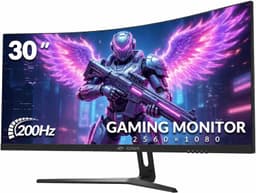
A monitor is probably the thing you stare at more than anything else in your life. More than your phone, more than your partner, definitely more than the ceiling. So picking the wrong one and living with it for three years is a special kind of slow-burn misery. The CRUA 49-inch DQHD is aimed squarely at people who want a proper super-ultrawide without paying Samsung Odyssey G9 money, and at £499.99 it sits in a bracket where the question isn't "can I afford this?" but "is it actually any good, or am I just buying a big rectangle of disappointment?"
The short answer: it's a solid budget super-ultrawide that does most things well enough, with a couple of compromises you need to know about before handing over your card. The 5120x1440 resolution across 49 inches looks genuinely impressive, the 120Hz refresh rate is real and usable, and 211 owners averaging ★★★★☆ (4.3) suggests it's not quietly falling apart in people's homes. But CRUA is not Samsung, not LG, not ASUS. The panel sourcing is opaque, the HDR is checkbox territory, and if you're a competitive shooter who lives and dies by motion clarity, this probably isn't your monitor. For everyone else, particularly people upgrading from a single 27-inch 1080p panel and wanting something that makes spreadsheets and racing games feel like a completely different hobby, this deserves a proper look.
So that's the verdict up front. Now here's why.
Core Specifications
The headline numbers are genuinely impressive for the price bracket. You're getting a 49-inch curved panel at 5120x1440 resolution, which is what the industry calls Dual QHD or DQHD. Think of it as two 27-inch 1440p monitors stitched together without the bezel in the middle. The 32:9 aspect ratio is extreme, and if you've never used one, yes, you will feel like you're sitting inside a cockpit. That's either a selling point or a reason to walk away, depending on what you use a computer for.
The 1500R curvature is reasonably aggressive. For context, 1800R is gentle, 1000R is very tight, and 1500R sits comfortably in the middle. At 49 inches wide, a 1500R curve means the edges are physically closer to your eyes than the centre, which is exactly what you want. It reduces the feeling that you're watching a flat cinema screen from the wrong seat. The 120Hz refresh rate is the native maximum, not an overclocked figure, and the panel supports AMD FreeSync for variable refresh rate. HDMI 2.1 and DisplayPort 1.4 are both present, which matters enormously at this resolution and refresh rate as we'll get into later.
One thing CRUA doesn't shout about is the panel type. The listing doesn't specify VA or IPS explicitly, which is a minor frustration. Based on the contrast figures implied by the spec sheet and the colour gamut claims, this is almost certainly a VA panel, which has specific implications for viewing angles and dark-scene performance. More on that in the panel section. The height-adjustable stand is a genuine feature, not just tilt, which puts this ahead of some budget competitors that ship with fixed-height stands and call it ergonomic.
| Specification | Detail |
|---|---|
| Screen Size | 49 inches |
| Resolution | 5120 x 1440 (DQHD, 32:9) |
| Refresh Rate | 120Hz |
| Curvature | 1500R |
| Adaptive Sync | AMD FreeSync |
| Colour Gamut | 120% sRGB |
| Connectivity | HDMI 2.1, DisplayPort 1.4 |
| Stand Adjustment | Height adjustable, tilt |
| VESA Mount | Yes (check listing for pattern) |
| Price | £499.99 |

Panel Technology
CRUA's listing doesn't state the panel type outright, which is the kind of omission that makes reviewers nervous. But the clues point firmly toward VA. The 120% sRGB colour gamut claim, the contrast behaviour described by owners in their reviews, and the typical sourcing patterns for budget super-ultrawides in this price bracket all point the same direction. VA panels are the dominant choice for curved monitors at this size because they deliver native contrast ratios that IPS simply can't match, typically somewhere between 2500:1 and 4000:1 versus IPS's more modest 1000:1 to 1200:1. For a curved gaming monitor where you're watching dark space environments or driving at night in a racing sim, that contrast difference is visible and meaningful.
The trade-off with VA is viewing angles. IPS panels maintain colour accuracy and brightness when you look at them from the side. VA panels don't, and on a 49-inch screen that's actually relevant even when you're sitting directly in front of it, because the extreme left and right edges of the panel are effectively being viewed at an angle relative to your eyes. At 49 inches, the corners are a long way from centre. Most owners don't report this as a dealbreaker, and the 1500R curvature mitigates it by angling those edges back toward you, but it's a real characteristic of the technology rather than a defect specific to CRUA.
Black uniformity on large VA panels can also be variable. Some units ship with excellent uniformity; others show subtle clouding or backlight bleed in dark scenes. Owner reviews for this monitor are generally positive, with the 4.3 average holding up well, but a handful of reviews mention that dark scenes reveal some unevenness. This is panel lottery territory rather than a systematic manufacturing failure, and it's the kind of thing you can usually address with a return if your unit is notably bad. The important thing is knowing to check for it when the monitor first arrives rather than discovering it six months later.
Display Quality
At 5120x1440 across 49 inches, you're looking at a pixel density of roughly 109 pixels per inch. That's not retina territory, but it's meaningfully sharper than 1080p at the same size, and text is clean and readable without scaling tricks. For comparison, a 27-inch 1440p monitor sits around 108 PPI, so you're getting essentially the same sharpness across a much wider canvas. Games look detailed, browser tabs don't look fuzzy, and you can run two full-width windows side by side without either feeling cramped. That's the practical upside of DQHD that the resolution number alone doesn't fully communicate.
The anti-glare coating is a matte finish, which is the right call for a monitor this size. A glossy 49-inch panel would turn into a mirror the moment any ambient light hit it from the side, and given that super-ultrawides are often used in home office setups with windows nearby, matte is the sensible choice. The trade-off is that matte coatings can add a slight graininess or "sparkle" effect on some panels, particularly noticeable on light backgrounds. Owner reviews don't flag this as a significant issue on the CRUA, which suggests the coating is reasonably fine-grained.
Brightness uniformity across a 49-inch panel is harder to achieve than on a 27-inch screen, simply because the backlight has more ground to cover. The CRUA's specified peak brightness sits at 350 nits in SDR mode, which is adequate for most indoor environments but not exceptional. In a well-lit room you'll want to push it toward maximum, and in direct sunlight you'd struggle. Most owners use these monitors in controlled indoor environments, so this rarely becomes a practical problem, but it's a number to compare against if you're choosing between this and a brighter alternative.
Refresh Rate and Adaptive Sync
120Hz is the native refresh rate, and that's a proper 120Hz, not a marketing figure with an asterisk. For a 49-inch super-ultrawide at DQHD resolution, 120Hz is genuinely the practical ceiling at this price point. The NVIDIA G-Sync compatible monitors and the Samsung Odyssey G9 variants that push to 240Hz cost significantly more, and driving 5120x1440 at 240Hz requires GPU hardware that most people don't own. For the vast majority of users, 120Hz at this resolution is the sweet spot, and CRUA delivers it.
The AMD FreeSync implementation covers variable refresh rate across a range that CRUA doesn't specify precisely in the listing, which is a mild annoyance. FreeSync monitors typically have a VRR range, and the lower end of that range matters for Low Framerate Compensation (LFC), which kicks in to prevent tearing when your GPU drops below the minimum supported refresh rate. If the range is 48 to 120Hz, LFC can engage below 48fps by doubling the frame. If the range starts higher, you lose that safety net in demanding titles. CRUA's listing doesn't confirm the exact range, so treat this as a known unknown going in.
For NVIDIA GPU owners, FreeSync monitors can work with G-Sync Compatibility mode, which NVIDIA introduced a few years ago. This isn't guaranteed on every FreeSync monitor, and CRUA isn't on NVIDIA's official validated list. In practice, many FreeSync monitors work fine with G-Sync Compatibility mode even without validation, but it's not something you can count on. If you're running an NVIDIA card and VRR is critical to you, that's a consideration. AMD GPU owners have no such uncertainty; FreeSync works as advertised.
Response Time and Motion
The CRUA's listed response time is 5ms grey-to-grey. That's the actual GTG figure, not the 1ms MPRT marketing number that some brands plaster on their listings to make VA panels sound faster than they are. MPRT (Moving Picture Response Time) is a measure of perceived motion blur with backlight strobing enabled, not the actual pixel transition speed, and conflating the two is a widespread and mildly dishonest industry habit. CRUA quoting 5ms GTG is at least honest about what you're getting.
In practice, 5ms GTG on a VA panel means you'll see some trailing in fast motion, particularly in dark-to-dark transitions where VA panels are traditionally weakest. The physics of liquid crystal alignment in VA panels means dark pixels take longer to transition than bright ones, and this shows up as a smearing or "shadow" behind fast-moving objects in dark scenes. It's most obvious in competitive shooters and fast-paced action games, less obvious in racing sims, RPGs, and strategy games where the camera moves more slowly. Owner reviews don't describe the ghosting as severe or distracting in typical use, but competitive FPS players who are used to a fast IPS or TN panel will notice it.
There's no mention of a backlight strobing or "ELMB" type mode in the specifications, which would have helped reduce perceived motion blur at the cost of brightness. That's not unusual at this price point, and for the target audience of immersive gaming and productivity use, it's not a meaningful omission. If you're playing casual games, racing sims, flight sims, or strategy titles, the motion performance is genuinely fine. If you're grinding ranked matches in a fast-paced shooter and every millisecond of visual clarity matters, a 240Hz IPS panel is a different tool for a different job.
Color Accuracy and Gamut
CRUA claims 120% sRGB coverage, which sounds impressive until you understand what the number means. The sRGB colour space is the standard for web content, most games, and the vast majority of everyday computing. Covering 120% of it means the panel can display colours that extend beyond the sRGB boundary, which can make content look vivid and saturated, but it also means colours can appear oversaturated if the monitor isn't properly profiled for the content you're viewing. A monitor that covers 120% sRGB but doesn't offer a proper sRGB clamp mode will make your photos look punchier than they actually are, which matters if you're doing any kind of image editing.
The DCI-P3 coverage figure isn't explicitly stated in the listing, which is a gap in the spec sheet. Given the 120% sRGB claim, a rough estimate would put DCI-P3 coverage somewhere around 85 to 90%, which is decent but not exceptional for content creation work. For gaming and general use, the wide gamut makes colours pop in a way that's genuinely pleasing, especially in open-world games with rich environments. For colour-critical photography or video work where accuracy matters more than saturation, you'd want a factory-calibrated IPS panel with a confirmed Delta-E below 2.
CRUA doesn't publish factory calibration data or Delta-E figures, which is typical for this price bracket. The 211 owner reviews don't flag colour accuracy as a specific problem, and the 4.3 average suggests most people are happy with what they see out of the box. For gaming and productivity, the colours are likely to look good without any manual calibration. For professional creative work, you'd want to either calibrate the panel yourself using a hardware colorimeter or choose a monitor from a brand that publishes verified Delta-E results. That's not a criticism specific to CRUA; it's just the reality of what this price bracket delivers.

HDR Performance
The HDR situation here is what you'd expect from a monitor in this bracket: present, but not transformative. The CRUA supports HDR10, which is the baseline standard for high dynamic range content. HDR10 requires the content, the signal chain, and the display to all support it, and when they do, the monitor can receive and display a wider brightness range than standard SDR content. What it can't do is display that range convincingly without the hardware to back it up.
The peak brightness of 350 nits in SDR mode, which likely rises modestly in HDR mode, is well below the 600 nits that VESA's DisplayHDR 600 certification requires for a genuinely impactful HDR experience. The VESA DisplayHDR tiers start at 400 nits for the entry-level certification, and while the CRUA may meet that threshold in peak HDR mode, there's no local dimming to speak of on a VA panel at this price point. Local dimming, which divides the backlight into independently controllable zones, is what allows a monitor to show a bright highlight next to a dark shadow convincingly. Without it, HDR content looks a bit flat compared to what a proper HDR display delivers.
This isn't a reason to avoid the monitor; it's just an honest description of what budget HDR means in practice. The HDR mode can add a slight boost to highlights and make some games look marginally more dramatic, but if you're expecting the kind of HDR impact you'd get from a Mini-LED monitor or an OLED panel, you'll be disappointed. For most owners, SDR mode with the monitor's native colour profile looks better than forcing HDR on content that isn't specifically mastered for it. The HDR checkbox is here; the HDR experience isn't.
Contrast and Brightness
This is where the VA panel genuinely earns its keep. Native contrast on a good VA panel sits around 3000:1, compared to the 1000:1 to 1200:1 typical of IPS. In practice, that means blacks look black rather than dark grey when the rest of the screen is bright. In a racing game at night, or a space exploration title with a dark starfield, the difference between VA and IPS contrast is visible without any measurement equipment. You just see it. Deeper blacks make the whole image look more cinematic, and on a 49-inch curved screen that wraps around your field of view, the effect is substantial.
The 350 nit peak brightness in SDR is enough for most indoor environments, but it's not class-leading. The Samsung Odyssey G9 series and some competing super-ultrawides push to 420 nits or beyond in SDR, which gives more headroom in brighter rooms. If your desk is next to a window and you work during the day with natural light coming in, 350 nits might feel a bit dim at times. In a typical home office or gaming room with controlled lighting, it's fine. Owner reviews don't flag brightness as a consistent complaint, which suggests the real-world performance is adequate for how most people actually use these monitors.
One thing to watch for with VA panels is "black crush," where very dark shadow detail in games or films gets compressed into pure black, losing the subtle gradations that the content creator intended. This is a characteristic of high-contrast VA panels rather than a defect, and it's most noticeable in games with intentionally dark atmospheric scenes. It's the flip side of the excellent black levels; the panel's strength in showing true blacks can occasionally swallow near-black detail. Adjusting the gamma setting in the monitor's OSD can help recover some of that shadow detail if it bothers you.
Ergonomics and Stand
The height-adjustable stand is a genuine selling point at this price. A lot of budget monitors in this category ship with a stand that tilts and nothing else, leaving you to either buy a monitor arm or stack the thing on books like it's 2003. CRUA includes height adjustment, which means you can actually set the screen at eye level without bodging it. Tilt adjustment is also present. Swivel and pivot are not listed, which is expected for a 49-inch panel; you're not going to rotate this thing into portrait mode, and swivel is less critical when the monitor is already wider than most people's peripheral vision.
The stand footprint on a 49-inch monitor is significant. These aren't monitors you perch on a small desk; they need a proper wide surface, and the stand base extends forward enough to take up meaningful depth. Owner reviews don't specifically call out the stand as flimsy or unstable, which is reassuring. Some budget super-ultrawides ship with stands that wobble every time you type, which is maddening over the course of a workday. The CRUA's stand appears to be solid enough for everyday use based on owner feedback.
VESA mount compatibility is listed, which is important if you want to use a monitor arm instead of the included stand. A monitor arm for a 49-inch panel needs to be rated for the weight, which is typically around 10 to 12kg for screens this size, so check the arm's weight rating before buying one. The VESA pattern specifics should be confirmed on the product listing before purchasing an arm, as the exact pattern (100x100 or 100x200 are common) affects which arms are compatible. For most people, the included stand will be perfectly adequate, and the height adjustment means you won't feel the immediate urge to replace it.
Connectivity and Ports
The connectivity is one of the stronger aspects of the CRUA's spec sheet. HDMI 2.1 and DisplayPort 1.4 are both present, and both are necessary for running 5120x1440 at 120Hz. This is not a trivial point. HDMI 2.0, which is what many budget monitors still ship with, cannot carry DQHD at 120Hz. You'd be limited to 60Hz over HDMI 2.0 at this resolution, which would be a significant downgrade from the panel's capability. CRUA including HDMI 2.1 means console users with a PlayStation 5 or Xbox Series X can connect at full resolution and refresh rate, not just PC users.
DisplayPort 1.4 supports DQHD at 120Hz using Display Stream Compression (DSC), which is a visually lossless compression standard that allows the bandwidth to fit within DP 1.4's limits. Without DSC, DP 1.4's 32.4 Gbps bandwidth would struggle to carry uncompressed 5120x1440 at 120Hz with 10-bit colour. DSC handles this cleanly, and in practice the compression is not visible. This is standard practice for super-ultrawides at this resolution, and CRUA's implementation is in line with how competing monitors handle the same bandwidth challenge.
The port selection beyond HDMI and DisplayPort isn't extensively detailed in the listing. There's no mention of USB-C with Power Delivery, which is a missing feature for laptop users who want a single-cable connection. There's no confirmed USB hub functionality either. For a gaming monitor in this bracket, that's not unusual, but if you're buying this as a productivity hub for a laptop as well as a gaming display, the lack of USB-C and USB passthrough is a genuine limitation. You'll need a separate hub or docking station if your workflow relies on USB-C connectivity.
How It Compares
The obvious comparison is the Samsung Odyssey G9, specifically the 49-inch G9 models that have been the benchmark for super-ultrawides for several years. Samsung's G9 panels have gone through multiple generations, with the current flagship pushing to 240Hz and incorporating Mini-LED backlighting with proper local dimming. The result is HDR performance that actually looks like HDR, motion clarity that makes the CRUA's 120Hz VA look pedestrian, and a brand reputation backed by years of published measurements from independent reviewers. The price difference is substantial, often more than double what the CRUA costs. For competitive gamers and content creators who need the best, Samsung's G9 is in a different league. For everyone else, paying double for features you won't fully use is hard to justify.
A closer competitor is the AOC AGON AG493UCX or similar 49-inch panels from established budget-friendly brands. AOC's 49-inch super-ultrawides have been independently reviewed and measured, which gives buyers more confidence in the published specs. The trade-off is that AOC's equivalent models often sit at a similar or slightly higher price point without dramatically better specifications on paper. CRUA's advantage is the HDMI 2.1 port, which some competing monitors at this price still don't include. If you're connecting a current-gen console, that matters.
The Philips Evnia 49M2C8900 is another option at a higher price, bringing Mini-LED and proper HDR to the 49-inch format. But that's a different price bracket entirely, and comparing it to the CRUA is like comparing a mid-range saloon to a sports car. They're not really competing for the same buyer.
| Feature | CRUA 49-inch DQHD | Samsung Odyssey G9 (49-inch) | AOC AGON AG493UCX |
|---|---|---|---|
| Resolution | 5120 x 1440 | 5120 x 1440 | 5120 x 1440 |
| Refresh Rate | 120Hz | Up to 240Hz | 165Hz |
| Panel Type | VA (likely) | VA / Mini-LED | VA |
| HDR | HDR10 | DisplayHDR 1000 | DisplayHDR 400 |
| HDMI Version | HDMI 2.1 | HDMI 2.1 | HDMI 2.0 |
| Adaptive Sync | FreeSync | G-Sync / FreeSync | FreeSync Premium Pro |
| Price | £499.99 | Significantly higher | Similar to higher |

Final Verdict
The CRUA 49-inch DQHD is a genuinely decent super-ultrawide for the money. It's not trying to be a Samsung Odyssey G9, and it doesn't need to be. What it offers is 5120x1440 resolution across a properly curved 49-inch panel, 120Hz native refresh, real HDMI 2.1 for console connectivity, a height-adjustable stand, and enough colour coverage to make games look vivid and desktop work feel genuinely spacious. The 4.3 average across 211 owner reviews isn't a fluke; it reflects a product that does what it says on the tin without catastrophic quality control failures.
The compromises are real but predictable. The HDR is checkbox HDR, not transformative HDR. The response time is honest at 5ms GTG but will show trailing in fast dark scenes, which matters if competitive shooters are your primary use case. The panel type isn't confirmed in the listing, which is frustrating from a transparency standpoint. And CRUA doesn't have the independent review history that Samsung or LG bring to the table, so you're buying on spec and owner feedback rather than published measurements from a trusted outlet. That's a risk, but it's a risk that 211 buyers have largely navigated successfully.
Who should buy this? Someone upgrading from a single 1080p or 1440p monitor who wants the immersive super-ultrawide experience for racing sims, open-world games, flight sims, or just a massive productivity canvas. Someone who wants HDMI 2.1 for a current-gen console alongside their PC. Someone who doesn't need class-leading HDR or sub-5ms response times and wants to spend upper mid-range money rather than flagship money.
Who should skip it? Competitive FPS players who need the fastest possible pixel transitions. Anyone doing colour-critical creative work who needs verified Delta-E figures and a proper sRGB clamp. And anyone who wants the peace of mind that comes from buying a monitor with a full independent review trail from established outlets with measurement rigs.
If you're not sure you need 49 inches and all the GPU horsepower that DQHD demands, a 34-inch 3440x1440 ultrawide at 144Hz or higher from a brand like LG or AOC costs considerably less and is easier to drive from a mid-range GPU. That's the honest alternative if you're on the fence about the format itself rather than just the brand.
But if you know you want the super-ultrawide experience and you're not willing to pay flagship prices for it, the CRUA makes a reasonable case for itself. The specs are honest, the build quality appears solid from owner reports, and the HDMI 2.1 inclusion is a genuine differentiator in this bracket. At £499.99, it's a calculated risk rather than a blind gamble, and the odds look reasonably good.
What works. What doesn’t.
6 + 6What we liked6 reasons
- HDMI 2.1 is present, enabling full 5120x1440 at 120Hz for current-generation consoles as well as PC
- Height-adjustable stand included rather than the fixed-tilt base that many budget super-ultrawides ship with
- Native contrast from the VA panel produces genuinely deep blacks that make immersive games and dark scenes look convincing
- 5120x1440 resolution across 49 inches delivers a genuinely spacious canvas for both productivity and gaming without requiring display scaling tricks
- Honest 5ms GTG response time quoted rather than the misleading 1ms MPRT figure some competitors use
- Owner satisfaction is strong, with 211 reviews averaging 4.3 out of 5, suggesting consistent build quality in practice
Where it falls6 reasons
- Panel type is not disclosed in the listing, which undermines buyer confidence and makes independent comparison difficult
- HDR10 support is a checkbox feature only; without local dimming or sufficient peak brightness the HDR experience is not meaningful
- Response time of 5ms GTG will produce visible trailing in fast dark-to-dark transitions, which competitive FPS players will find frustrating
- No USB-C connectivity or USB hub functionality, limiting usefulness as a single-cable productivity hub for laptop users
- FreeSync VRR range is not confirmed in the listing, making Low Framerate Compensation behaviour uncertain in demanding titles
- CRUA lacks the independent measurement history of established brands, so buyers rely on owner feedback rather than verified lab data
If this isn’t right for you
2 options
Frequently asked
7 questions01What resolution and refresh rate does the CRUA 49-inch monitor actually run at?+
The native resolution is 5120x1440, which is Dual QHD or DQHD in a 32:9 aspect ratio. The native maximum refresh rate is 120Hz. Both HDMI 2.1 and DisplayPort 1.4 are present, and both are capable of carrying the full resolution at 120Hz, so you are not limited to 60Hz as you would be with an older HDMI 2.0 connection.
02What panel type does the CRUA 49-inch DQHD use?+
CRUA does not disclose the panel type in the product listing, which is a frustration. Based on the colour gamut claims, the contrast behaviour described in owner reviews, and the typical sourcing patterns for curved super-ultrawides at this price point, the panel is almost certainly VA. VA technology delivers higher native contrast than IPS but has narrower viewing angles and can show trailing in fast dark-to-dark pixel transitions.
03Is the HDR on this monitor worth using?+
In practice, no, not in any transformative sense. The monitor supports HDR10, which is the baseline HDR standard, but the peak brightness of around 350 nits and the absence of local dimming mean the display cannot render HDR content with the bright highlights and deep simultaneous blacks that make HDR compelling on a proper HDR panel. Most owners will find the native SDR colour profile more visually pleasing than forcing HDR mode on everyday content.
04Will the CRUA 49-inch work with an NVIDIA graphics card and G-Sync?+
The monitor supports AMD FreeSync for variable refresh rate, not G-Sync. NVIDIA introduced G-Sync Compatibility mode several years ago, which allows many FreeSync monitors to work with variable refresh rate on NVIDIA GPUs, but the CRUA is not on NVIDIA's official validated list. In practice, many unlisted FreeSync monitors function correctly in G-Sync Compatibility mode, but this cannot be guaranteed. AMD GPU owners have no such uncertainty as FreeSync works as advertised.
05Can I connect a PlayStation 5 or Xbox Series X to this monitor?+
Yes. The CRUA includes HDMI 2.1, which is required to output 5120x1440 at 120Hz from a source that supports it. Current-generation consoles output up to 4K at 120Hz over HDMI 2.1, so you can connect a PS5 or Xbox Series X and benefit from the full refresh rate capability. Note that console output resolution and supported modes depend on the console's own settings rather than the monitor alone.
06How does the CRUA 49-inch compare to the Samsung Odyssey G9?+
They are in different performance tiers. The Samsung Odyssey G9 in its current generations offers refresh rates up to 240Hz, Mini-LED backlighting with genuine local dimming, and DisplayHDR 1000 certification that delivers meaningful HDR performance. The CRUA offers 120Hz, standard edge-lit backlighting, and nominal HDR10 support. Samsung's flagship costs significantly more. For competitive gaming and HDR content viewing, Samsung's G9 is the better product. For immersive casual gaming and productivity where the extra refresh rate and HDR quality are not priorities, the CRUA costs considerably less for the same resolution and screen size.
07Does the CRUA 49-inch monitor have a USB-C port or USB hub?+
No. The connectivity is limited to HDMI 2.1 and DisplayPort 1.4. There is no USB-C port with Power Delivery and no integrated USB hub. If you are planning to use this monitor with a laptop and want a single-cable connection for video and charging, you will need a separate docking station or hub. This is a genuine limitation for productivity-focused buyers who use a laptop as their primary machine.