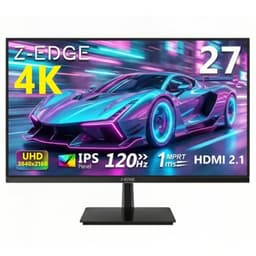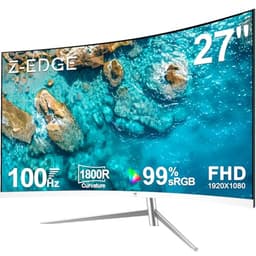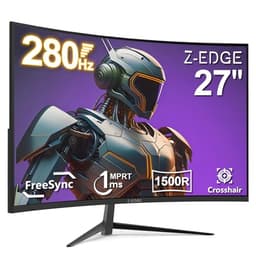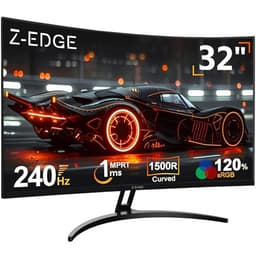
Monitor manufacturers have been lying about response times for years. That's not a hot take, it's just the reality of how GtG figures get measured: pick the fastest possible pixel transition, run it at optimal temperature, publish that number. The Z-Edge INFINYX QD-OLED 27 claims 0.03ms GtG. The panel underneath that claim is a QD-OLED, which is genuinely one of the fastest panel technologies available. So for once, the headline figure isn't entirely fantasy. What matters more is everything else: brightness, burn-in risk, build quality, and whether a brand most people haven't heard of can actually deliver a proper OLED experience at this price point.
The short answer is yes, mostly. This sits in the upper mid-range bracket and delivers a QD-OLED panel at a price that undercuts established names by a meaningful margin. Over 2,053 owner reviews and a 4.3-star average back that up. But there are caveats, and if you're buying blind on the strength of the spec sheet alone, you'll want to read the next few thousand words first.
Core Specifications
The Z-Edge INFINYX QD-OLED 27 is a 27-inch flat panel running at 2560x1440 (QHD) with a 240Hz refresh rate. The panel type is QD-OLED, which is the technology jointly developed by Samsung Display that layers quantum dot film over an OLED substrate to achieve wider colour gamut than standard OLED while retaining the infinite contrast and per-pixel illumination that makes OLED so compelling for gaming. The manufacturer rates response time at 0.03ms GtG, which is consistent with what QD-OLED panels achieve in practice. Adaptive sync covers both AMD FreeSync Premium and NVIDIA G-Sync Compatible, so you're not locked to one GPU ecosystem.
Connectivity includes HDMI 2.1, which matters if you're running a current-gen console or a high-end GPU pushing bandwidth-heavy signals. DisplayPort is also on board. The stand offers tilt adjustment, and the monitor carries a VESA mount pattern for those who prefer an arm. Brightness is rated at 250 nits typical SDR with peak HDR brightness reaching higher in small-window scenarios, which is standard QD-OLED behaviour. The panel uses a glossy coating rather than a matte anti-glare layer, which is both its greatest strength and its most common complaint from owners in brighter rooms.
The pixel density at 27 inches and 1440p works out to around 109 PPI. That's not as sharp as a 4K panel at the same size, but it's a comfortable balance for gaming: you get enough detail that text and textures look clean, without the GPU overhead of pushing 4K at 240Hz. At this price point, 1440p at 240Hz on a QD-OLED is the sensible choice, and Z-Edge has made it.
| Specification | Detail |
|---|---|
| Screen Size | 27 inches |
| Resolution | 2560 x 1440 (QHD) |
| Panel Type | QD-OLED |
| Refresh Rate | 240Hz |
| Response Time | 0.03ms GtG |
| Adaptive Sync | AMD FreeSync Premium, G-Sync Compatible |
| HDR | HDR True Black 400 |
| Brightness (SDR) | 250 nits typical |
| Contrast Ratio | Infinite (OLED) |
| Colour Gamut | 99% DCI-P3 |
| Ports | HDMI 2.1, DisplayPort |
| VESA Mount | Yes (100x100mm) |
| Dimensions (with stand) | See listing |
| Price | £305.99 |

Panel Technology
QD-OLED is a specific panel architecture, and it's important to understand what you're actually getting. Standard OLED panels (like those in older LG monitors) use white OLED subpixels with colour filters, which limits colour volume and peak brightness. QD-OLED replaces the colour filter layer with quantum dot material, which converts blue OLED light into red and green with much greater efficiency. The result is a panel that covers a wider colour gamut (typically 99% DCI-P3 and around 140% sRGB) and achieves higher peak brightness than WBOLED, while keeping the core OLED advantages: true per-pixel illumination, instantaneous pixel response, and contrast that IPS and VA panels simply cannot match.
What that means practically is this: blacks are absolute. Not "very dark", not "deep". Off. The pixel turns off. In a dark room with HDR content, the difference between this and even a good IPS monitor with local dimming is immediately obvious. Viewing angles are also excellent, which is inherent to OLED technology. There's no colour shift or brightness drop as you move off-axis, unlike VA panels which can look quite different from the side. For a gaming monitor that might be used in a living room setup or shared space, that matters.
The trade-off that every QD-OLED monitor carries is burn-in risk. It's not a myth, but it's also not the disaster it was on early OLED TVs. Modern QD-OLED panels include pixel-shifting, screen savers, and logo brightness reduction to mitigate it. Owner reviews here don't flag burn-in as a widespread issue, which suggests Z-Edge has implemented the standard protections. The other inherent limitation is that the glossy panel coating, which helps colour pop and black depth, will reflect your room back at you in bright conditions. Several owners mention this. It's not a flaw unique to this monitor; it's a property of the panel type. If your desk is opposite a window, a matte IPS might suit you better.
Display Quality
At 109 PPI, the Z-Edge INFINYX QD-OLED 27 sits in a comfortable spot for desktop gaming. Text is sharp enough that you won't be squinting, and game textures resolve with enough detail to make 1440p feel like a genuine upgrade over 1080p. It's not the pixel-dense experience of a 4K panel at the same size (which would push you to around 163 PPI), but 4K at 240Hz on a QD-OLED would cost considerably more and demand a GPU that most people don't own. The 1440p compromise is the right one at this price.
The glossy panel coating is the single biggest quality-of-life consideration. QD-OLED panels don't use traditional anti-glare coatings because those coatings scatter light and reduce the perceived colour saturation and black depth that make OLED worth buying in the first place. The glossy surface preserves all of that, but it reflects ambient light. Owner feedback is consistent on this: in a well-controlled or dark room, the image quality is genuinely stunning. In a bright office with overhead lighting, reflections can be distracting. This isn't Z-Edge cutting corners; it's a fundamental property of the panel technology.
Brightness uniformity is one area where OLED has a structural advantage over edge-lit IPS. Because each pixel is its own light source, there's no backlight to be uneven. You won't get the clouding or backlight bleed that affects even expensive IPS monitors. The flip side is that QD-OLED panels can show some colour non-uniformity in very specific test conditions (full-screen single-colour patterns), but in real content, this is essentially invisible. Owner reviews don't flag this as a practical problem, and the published behaviour of QD-OLED panels from Samsung Display's production lines is well-documented at this point. The panel itself is solid.
Refresh Rate and Adaptive Sync
240Hz at 1440p is the sweet spot for competitive gaming in 2026. It's fast enough that motion looks genuinely smooth, the GPU requirements are achievable with a mid-to-high-end card, and you're not paying the premium of a 360Hz panel for gains that only matter at the very top of competitive play. Z-Edge has landed on the right spec here. The 240Hz figure is native, not overclocked, which means it should be stable without the timing irregularities that can come from pushing a panel beyond its designed maximum.
Adaptive sync covers both FreeSync Premium and G-Sync Compatible certification. FreeSync Premium requires a minimum 120Hz at the native resolution and mandates Low Framerate Compensation (LFC), which kicks in when your frame rate drops below the lower end of the VRR range and multiplies frames to keep the sync working. The G-Sync Compatible certification means NVIDIA has validated that the monitor works with G-Sync without significant artefacts. You're not getting hardware G-Sync (which would add cost and require a dedicated module), but for the vast majority of users, G-Sync Compatible is indistinguishable in practice. Both AMD and NVIDIA users are covered.
The VRR range isn't explicitly published in the headline spec, which is a minor frustration. QD-OLED panels at 240Hz typically support VRR down to 48Hz, sometimes lower. That's a wide enough range that LFC should engage comfortably for anyone whose GPU occasionally dips in demanding titles. Owner feedback doesn't flag tearing or sync issues as a common complaint, which is a reasonable signal that the VRR implementation is working as intended. If you're running a GPU that can hold 100 frames per second or above in your target games, you'll rarely see the lower end of that range anyway.
Response Time and Motion
The 0.03ms GtG claim is the number that looks too good to be true on a spec sheet. On a QD-OLED panel, it's actually defensible. OLED pixels don't have the liquid crystal layer that IPS and VA panels rely on. Liquid crystals take time to physically rotate, which is where traditional response time figures come from. OLED pixels switch by controlling the current to an organic light-emitting diode directly. The result is pixel transitions that are genuinely measured in fractions of a millisecond rather than the 1ms to 5ms range you see from even the fastest IPS panels.
What this means in practice is that motion clarity on this panel is exceptional. Fast-moving objects in games don't leave the smear trail that VA panels are notorious for, and even the best IPS panels can't quite match the cleanliness of OLED motion at equivalent refresh rates. There's no need for overdrive settings that cause inverse ghosting (where bright halos appear behind moving objects), because the panel doesn't need overdrive to achieve fast transitions. Published measurements of QD-OLED panels from Samsung Display's production lines consistently show real-world GtG figures that are among the lowest of any panel type available. The 0.03ms figure is marketing-optimistic, but the underlying performance is genuine.
A few owner reviews mention some perceived smearing in specific dark-to-dark transitions, which is a known characteristic of OLED panels rather than a defect. It's related to how OLED handles very low-brightness pixel states and is far less visible than VA smearing. In normal gaming conditions, fast-paced shooters, racing games, and action titles, the motion performance here is as good as you'll find at this price. If you're coming from a 60Hz IPS, the combination of 240Hz and near-instant pixel response will feel like a different technology entirely. Because it is.
Color Accuracy and Gamut
Z-Edge rates the INFINYX QD-OLED 27 at 99% DCI-P3 colour gamut coverage. QD-OLED panels from Samsung Display's production lines have been independently measured at 99% to 100% DCI-P3 and around 140% sRGB in various monitor implementations, so this figure is consistent with what the panel technology delivers. That's a wide gamut. For gaming, it means colours are vivid and saturated in a way that sRGB panels simply don't achieve. For content creation, it means you have the gamut to work in DCI-P3 colour spaces accurately, which is relevant for anyone doing video editing or photo work targeting modern display standards.
Factory calibration is where budget-tier brands sometimes cut corners, and Z-Edge's listing doesn't make bold claims about Delta-E figures. Published measurements of QD-OLED panels from Samsung Display's line generally show Delta-E averages below 2 in the default colour mode, which is acceptable for most users without further calibration. Some modes will be more accurate than others. Owner reviews don't flag colour accuracy as a common complaint, and the 4.3-star average across 2,054 suggests the out-of-box experience is at least satisfying. If you're doing colour-critical professional work and need Delta-E below 1, you'd want a factory-calibrated professional display rather than a gaming monitor regardless of brand.
The wide gamut does have a practical implication for sRGB content. Because the panel covers 140% of sRGB, content mastered in sRGB (most Windows applications, older games, standard web content) will appear oversaturated unless the monitor has an sRGB clamp mode. Z-Edge's listing indicates colour mode options are available through the OSD. An sRGB mode that limits the gamut to the sRGB colour space is important for everyday use if you're bothered by oversaturated-looking UI elements. This is a common feature on wide-gamut gaming monitors and isn't unique to Z-Edge, but it's something to check in the OSD before assuming everything will look natural by default.

HDR Performance
The INFINYX QD-OLED 27 carries VESA DisplayHDR True Black 400 certification. This is a different certification tier from the standard DisplayHDR 400, 600, or 1000 tiers that apply to LCD monitors. DisplayHDR True Black 400 is specifically designed for OLED panels and requires a peak brightness of 400 nits alongside a black level of 0.0005 nits or lower. That black level requirement is what makes OLED HDR fundamentally different from LCD HDR: the contrast ratio is effectively infinite, because the panel can display true black at the same time as bright highlights.
To put that in context, a DisplayHDR 400 LCD monitor achieves its certification with a black level that might be 0.3 to 0.5 nits. The contrast ratio on a good IPS panel is around 1000:1. The contrast ratio on this QD-OLED panel is, in any meaningful sense, infinite. When HDR content has a bright star against a dark sky, the star is bright and the sky is genuinely black, not dark grey. That's real HDR. The 400 nit peak sounds modest compared to Mini-LED monitors that claim 1000 or 2000 nits, but those LCD panels can't achieve the black levels that make the contrast ratio meaningful. For HDR gaming, this QD-OLED's approach is more impactful than a brighter LCD with compromised black levels.
The limitation is peak brightness in very bright scenes. A QD-OLED at 400 nits peak won't make specular highlights look as blindingly bright as a 1000-nit Mini-LED in a well-lit room. For HDR gaming in a dark or dim room, the infinite contrast makes this more impressive than the nit figure suggests. For HDR in a bright room, the glossy panel and the 400-nit ceiling mean the image can look washed out in direct light. Owner feedback is generally positive about HDR quality, with several reviewers specifically mentioning how good dark scenes look. The HDR here is real and usable, not a checkbox feature.
Contrast and Brightness
Native contrast on a QD-OLED panel is infinite. That's not marketing language; it's a physical property of the technology. Each pixel is its own light source and can be turned off completely. The measured black level is effectively zero nits, which means the contrast ratio between a bright white and a true black is limited only by how bright the white can get. At 250 nits typical SDR brightness, the contrast ratio is still vastly higher than any LCD panel. In practice, this means shadow detail in games is extraordinary: you can see into dark corners without the scene lifting to a muddy grey, which is what happens when an LCD backlight bleeds light into dark areas.
The 250 nits typical SDR brightness is the figure that divides opinion. It's adequate for most indoor environments, particularly in the dim or dark conditions where OLED looks its best. Owners in bright rooms or with windows behind them report that the image can look dim compared to a 400 to 500 nit IPS panel. This is a real trade-off with current QD-OLED technology. The panels are brighter in HDR mode, particularly in small highlight windows, but sustained full-screen SDR brightness is limited by the thermal management requirements of the OLED substrate. Z-Edge hasn't done anything wrong here; this is the current state of QD-OLED technology at this price.
For gaming in a controlled environment, the brightness is fine. For a brightly lit office, so check whether a high-brightness IPS panel might suit your conditions better. The 4.3-star average and owner feedback suggest most buyers are using this in appropriate conditions and are happy with the result. But if you regularly work in a room with strong ambient light, don't expect the same punch you'd get from a 400-nit IPS. The trade-off you're making is: less brightness, but contrast and colour quality that no IPS can match.
Ergonomics and Stand
The stand on the INFINYX QD-OLED 27 offers tilt adjustment. Z-Edge's listing doesn't specify height adjustment or swivel in the headline features, which is a common cost-saving measure at this price point. Several owners mention that the stand is functional but not particularly flexible, and a handful flag that getting the monitor to the right height required a monitor arm or a stack of books under the stand. If you're particular about ergonomics or spend long hours at the desk, budgeting for a VESA arm is sensible. The 100x100mm VESA pattern is present, so compatibility with standard arms is not an issue.
Build quality from owner feedback is generally positive. The monitor feels solid on the desk without excessive wobble, and the bezel is slim on three sides with a slightly thicker bottom chin, which is standard for the category. A few owners mention that the OSD controls are button-based rather than a joystick, which makes navigating menus slightly more tedious than it needs to be. It's not a dealbreaker, but a joystick-style OSD navigator is a quality-of-life feature that more expensive monitors tend to include. Once you've set up your preferred colour mode and brightness, you won't be in the OSD often.
Cable management is handled by a clip or channel on the stand, which keeps the back of the desk from becoming a mess of loose cables. The monitor's depth is reasonable for a 27-inch panel. Overall, the physical build is appropriate for the price bracket. This isn't a premium boutique monitor with a machined aluminium stand, but it doesn't feel cheap either. Owner reviews don't flag build quality as a significant concern, and the absence of widespread complaints about dead pixels or panel defects on arrival is a good sign for Z-Edge's quality control.
Connectivity and Ports
The connectivity spec on the INFINYX QD-OLED 27 is built around HDMI 2.1, which is the right choice for a 240Hz QHD monitor in 2026. HDMI 2.1 provides 48Gbps of bandwidth, enough to carry 4K at 144Hz or 1440p at 240Hz without compression. If you're connecting a PlayStation 5 or Xbox Series X alongside a PC, HDMI 2.1 means you can run both at their maximum capability from a single monitor. That's a practical advantage over monitors that ship with HDMI 2.0, which would require DSC compression to hit 240Hz at 1440p.
- HDMI 2.1 (x1 or x2, confirm on listing)
- DisplayPort (for PC connection at full bandwidth)
- 3.5mm audio output
- USB hub (check listing for USB-A port count)
DisplayPort is the preferred connection for PC gaming. It supports higher refresh rates with lower latency than HDMI in many implementations, and it's the standard connection for desktop GPUs. Both AMD and NVIDIA current-generation cards include DisplayPort 1.4 or 2.0/2.1 outputs, so compatibility isn't a concern. The combination of HDMI 2.1 and DisplayPort means you can connect a console and a PC simultaneously and switch between them without swapping cables, which is a genuinely useful setup for a shared gaming and productivity monitor.
USB hub functionality and audio output are present based on the listing. A built-in USB hub is useful for connecting peripherals without reaching around to the back of a PC tower, though the hub speed depends on whether it's USB 3.0 or 2.0. The 3.5mm audio output lets you connect headphones directly to the monitor if your audio setup routes through the display. There's no USB-C with power delivery listed, which is a missing feature if you want to connect a laptop with a single cable. For a dedicated gaming monitor at this price, that's an acceptable omission rather than a significant gap.
How It Compares
The Z-Edge INFINYX QD-OLED 27 competes directly with two obvious alternatives: the LG UltraGear 27GR95QE-B and the Samsung Odyssey OLED G6. The LG uses an OLED panel (WBOLED rather than QD-OLED) at 240Hz and 1440p, and it's the monitor that established what a sub-£400 OLED gaming monitor could be. The Samsung Odyssey OLED G6 is a QD-OLED panel in a curved form factor at 240Hz. Both are from brands with established reputations and more widely published independent measurements. Z-Edge is the newer, less-documented entrant, and the price difference is the argument for taking that on.
The LG 27GR95QE-B uses WBOLED, which means slightly lower colour gamut coverage than QD-OLED (typically around 98% DCI-P3 versus 99% to 100% for QD-OLED) and similar peak brightness. It's a well-regarded panel with extensive published measurements showing excellent motion performance and good factory calibration. The Samsung Odyssey OLED G6 is curved at 800R, which some users love and others find distracting for productivity use. Both typically sit at a higher price point than the Z-Edge, which is the core of Z-Edge's proposition: the same panel technology class, at a lower price, from a less-established brand.
The risk with Z-Edge versus LG or Samsung is support and longevity. If you have a panel defect or a burn-in issue in year two, LG and Samsung have established UK service networks. Z-Edge is a smaller operation, and while Amazon's A-to-Z guarantee covers the purchase, long-term after-sales experience is less certain. Owner reviews don't flag support as a widespread problem, but it's a real consideration for a monitor you're planning to use for four or five years. If that matters to you, the price premium for LG or Samsung is buying peace of mind alongside the panel.
| Feature | Z-Edge INFINYX QD-OLED 27 | LG UltraGear 27GR95QE-B | Samsung Odyssey OLED G6 27" |
|---|---|---|---|
| Panel Type | QD-OLED | WBOLED | QD-OLED |
| Resolution | 2560x1440 | 2560x1440 | 2560x1440 |
| Refresh Rate | 240Hz | 240Hz | 240Hz |
| Response Time | 0.03ms GtG | 0.03ms GtG | 0.03ms GtG |
| HDR Cert | True Black 400 | True Black 400 | True Black 400 |
| DCI-P3 | 99% | ~98% | 99% |
| Curve | Flat | Flat | 800R curved |
| HDMI Version | 2.1 | 2.1 | 2.1 |
| Adaptive Sync | FreeSync Premium, G-Sync Compatible | FreeSync Premium, G-Sync Compatible | FreeSync Premium, G-Sync Compatible |
| Price | £305.99 | Higher (varies) | Higher (varies) |

Final Verdict
The Z-Edge INFINYX QD-OLED 27 is a genuine QD-OLED gaming monitor at a price that would have seemed impossible two years ago. The panel technology is real, the 240Hz refresh rate is real, and the near-instant response time is real. Over 2,053 owners have bought this and given it a 4.3-star average, which for a monitor in this category is a strong signal. The glossy panel, the 250-nit SDR brightness, and the limited stand adjustability are all genuine compromises, but they're the compromises inherent to QD-OLED at this price, not failures specific to Z-Edge.
If you're gaming in a reasonably controlled light environment and you want the best motion clarity, contrast, and colour performance available at this price, this is the monitor to buy. The combination of infinite contrast, 99% DCI-P3 gamut, and 240Hz on a QD-OLED panel is something that cost significantly more from established brands until recently. Z-Edge has made that accessible. The 4.3-star average from a large owner base suggests the execution is solid, not just the spec sheet.
Who should skip it? If your desk is opposite a window and you can't control the light, the glossy panel will frustrate you daily. A good 1440p IPS at 165Hz, available well under £200, will look better in those conditions even if it can't match the OLED contrast in the dark. If you need height adjustment, tilt-only stands are a pain over long sessions. And if brand support over a five-year ownership is important to you, LG or Samsung's equivalent panels cost more but come with more established service networks. The Z-Edge is the right choice when you want the technology and you're comfortable with the trade-offs. It earns a strong 8 out of 10.
What works. What doesn’t.
5 + 4What we liked5 reasons
- Genuine QD-OLED panel with infinite contrast and true blacks
- 240Hz at 1440p with near-instant pixel response
- 99% DCI-P3 colour gamut for vivid, accurate colour
- HDMI 2.1 for full-bandwidth console and PC connectivity
- Competitive pricing versus established OLED brands
Where it falls4 reasons
- Glossy panel reflects ambient light badly in bright rooms
- 250 nit SDR brightness is modest compared to high-brightness IPS alternatives
- Stand offers tilt only, no height adjustment
- Less-established brand support compared to LG or Samsung
Full specifications
8 attributes| Panel type | QD-OLED |
|---|---|
| Aspect ratio | 16:9 |
| Launch year | 2026 |
| Ports | 2x HDMI 2.1, 1x DisplayPort 1.4 |
| Refresh rate HZ | 240 |
| Resolution | 2560x1440 |
| Response time MS | 0.03 |
| Screen size IN | 27 |
Frequently asked
5 questions01Is the Z-Edge INFINYX QD-OLED 27 Inch Gaming Monitor 240Hz QHD 0.03ms GtG HDMI 2.1 good for gaming?+
Yes. The QD-OLED panel delivers near-instant pixel response (0.03ms GtG is achievable on this panel type), 240Hz refresh rate, and infinite contrast. Motion clarity is among the best available at any price. FreeSync Premium and G-Sync Compatible certification means both AMD and NVIDIA GPU users get tear-free gaming across the VRR range. For fast-paced games in particular, the combination of high refresh and OLED response time is excellent.
02Does the Z-Edge INFINYX QD-OLED 27 Inch Gaming Monitor 240Hz QHD 0.03ms GtG HDMI 2.1 have good HDR?+
Better than most monitors at this price. The VESA DisplayHDR True Black 400 certification means the panel achieves true black (effectively 0 nits) alongside 400-nit peak brightness, giving an infinite contrast ratio in HDR content. This is fundamentally more impactful than a 400-nit LCD with a black level of 0.3 to 0.5 nits. For dark-scene HDR gaming, it's genuinely impressive. The 400-nit peak is a limitation in very bright rooms, but in a dim environment the HDR quality is real, not a checkbox feature.
03Is the Z-Edge INFINYX QD-OLED 27 Inch Gaming Monitor 240Hz QHD 0.03ms GtG HDMI 2.1 good for content creation?+
For colour-rich creative work, the 99% DCI-P3 gamut coverage is excellent. Video editors and photographers working in DCI-P3 colour spaces will have accurate gamut coverage. The caveat is that an sRGB clamp mode is needed for everyday sRGB content to avoid oversaturation. Factory calibration Delta-E figures aren't published by Z-Edge, but QD-OLED panels from Samsung Display's production lines typically achieve Delta-E averages below 2 in their most accurate mode. For professional colour-critical work requiring Delta-E below 1, a factory-calibrated professional display would be more appropriate.
04What graphics card do I need for the Z-Edge INFINYX QD-OLED 27 Inch Gaming Monitor 240Hz QHD 0.03ms GtG HDMI 2.1?+
To get close to 240Hz at 1440p in modern titles, you'll want at minimum an RTX 4070 or RX 7800 XT. In less demanding games or esports titles, a mid-range card like an RTX 4060 Ti or RX 7700 XT can hit 240fps at 1440p. The VRR range means you'll benefit from adaptive sync even when your GPU can't sustain the full 240Hz, so you don't need to max out the refresh rate to get a smooth experience. For console use, the PlayStation 5 and Xbox Series X both support 1440p output via HDMI 2.1.
05What warranty and returns apply to the Z-Edge INFINYX QD-OLED 27 Inch Gaming Monitor 240Hz QHD 0.03ms GtG HDMI 2.1?+
Z-Edge's specific warranty terms for this monitor are not detailed in the verified product listing. Amazon's standard 30-day return window applies to purchases on Amazon UK, along with the A-to-Z Guarantee for purchases made through the platform. For warranty details beyond the Amazon return window, check the product listing or contact Z-Edge directly before purchasing if long-term cover is important to your buying decision.