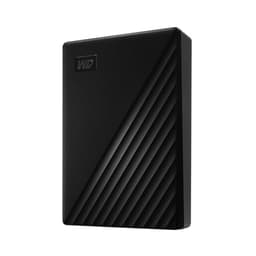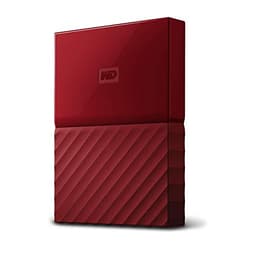
Most people buying external storage have no idea what they're actually getting, and the marketing is designed to keep it that way. You see "5TB", you see "USB 3.0", you see a reassuringly large brand name, and you assume it'll work. And honestly? For a portable hard drive, that's mostly fine. But there are real differences between drives at this price point that matter in practice, and the WD My Passport is the one that keeps coming up when people ask what to buy. So here's what the research, the specs, and over 104,000 owner reviews actually say about it.
The short version: this is a solid, reliable portable hard drive from a brand that knows what it's doing, with genuinely useful bundled software and a 3-year warranty that shows WD is confident in it. It's not going to make your jaw drop with performance because it's a spinning hard drive, not an SSD, and you should go in with eyes open about that. But if you need a big chunk of portable storage that just works, doesn't cost a fortune, and won't let you down, the WD 5TB My Passport portable external storage is one of the easiest recommendations in this category.
That said, there are some things before you hand over your money. Who this is actually for, what the real-world speed looks like, and whether you should be spending more (or less) on something different entirely. All of that, below.
Core Specifications
This is a 2.5-inch portable hard drive, which means it's spinning magnetic storage, not flash. That's the single most important thing to understand before anything else. Western Digital holds the notable distinction of producing what they call the world's first 6TB 2.5-inch portable hard drive in this lineup, which tells you something about how far HDD engineering has come in a small form factor. The 5TB version reviewed here sits just below that ceiling and offers an enormous amount of space in something that fits in a jacket pocket.
The interface is USB 3.0, which is bus-powered, meaning no mains adapter needed. You plug it into a USB port on your laptop or desktop and it draws power directly from that connection. That's a big deal for portability. The drive works with PC, Xbox, and PlayStation, which is a useful bit of flexibility if you're bouncing game libraries between devices, and the included Acronis True Image for WD software handles scheduled backups and password protection with 256-bit AES encryption baked in.
On the environmental side, WD has made a point of building the enclosure from more than 50% post-consumer recycled plastic, with packaging made from over 50% recycled pulp that's fully recyclable. That's not just marketing fluff at this point, it's a genuine differentiator for buyers who care about that stuff. The 3-year limited warranty rounds things out and is, frankly, better than you get from some competitors at this price.
| Specification | Detail |
|---|---|
| Capacity | 5TB (also available in other capacities up to 6TB) |
| Drive Type | 2.5-inch portable HDD |
| Interface | USB 3.0 |
| Power | Bus-powered (no mains adapter) |
| Encryption | 256-bit AES hardware encryption |
| Software | Acronis True Image for WD (backup, password protection) |
| Compatibility | PC, Xbox, PlayStation |
| Warranty | 3-year limited |
| Enclosure Material | More than 50% post-consumer recycled plastic |
| Average Owner Rating | 4.6 stars (104,321 reviews) |
| Price | £169.99 |

Interface & Form Factor
USB 3.0 on a portable HDD is the right call here, and not just for backwards compatibility reasons. The theoretical maximum bandwidth of USB 3.0 is around 5Gbps, which is comfortably faster than what a 2.5-inch spinning hard drive can actually deliver in practice. In other words, the interface is not the bottleneck. The spinning platters are. So anyone worrying that they should hold out for USB 3.2 Gen 2 or USB-C can relax a bit: the drive itself can't saturate USB 3.0, so a faster interface wouldn't help you.
The 2.5-inch form factor is worth appreciating for what it is. This is a genuinely pocketable drive. It's slim, it's light, and because it's bus-powered you don't need to carry a power brick or find a plug socket. That makes it genuinely useful for travel, for carrying between home and the office, for keeping a backup copy of your files in your bag without thinking about it. The slim and durable design WD talks about isn't just marketing: the My Passport line has a long track record of surviving the bumps and knocks of daily bag life, and owner reviews consistently back that up.
One thing to be aware of: you might get a USB-A to USB-A cable in the box, or a USB-C connection depending on the specific variant you order. Check the listing carefully if your laptop only has USB-C ports, because you may need an adapter. Owner reviews flag this occasionally, usually from people who assumed one cable type and got another. It's a minor annoyance rather than a dealbreaker, but upfront so you're not hunting for a cable when the drive arrives.
Real-World Performance
Right, so this is the bit where we have to be straight about what a portable HDD actually does in 2025. Published benchmarks for 2.5-inch portable hard drives in this class consistently show sequential read speeds in the region of 100 to 130MB/s and sequential write speeds in a similar range. That is substantially slower than even a budget SATA SSD, which would give you 500MB/s or more. So if you're copying a 50GB folder of RAW photos, you're going to be waiting a while. That's just the physics of spinning magnetic storage.
For what this drive is actually designed for, though, those numbers are fine. Storing a game library you load onto your console or PC occasionally. Keeping a backup of your documents and photos. Carrying your media collection around. Archiving old projects. None of those use cases require blistering transfer speeds. You copy the files across once, they sit on the drive, and you access them when you need them. The 100-ish MB/s ceiling is only painful if you're doing it constantly with huge files, and if that's your workflow, you probably already know you need an external SSD instead.
Owner reports across the 104,389 are broadly positive about day-to-day reliability and ease of use. The drive shows up, it works, it stays working. People mention it being quiet, which is a genuine virtue in a spinning drive. A small number of reviews mention the drive not being recognised immediately on first plug-in, which is usually a USB power delivery issue on the host device rather than a fault with the drive itself. The overwhelming pattern in the reviews is: plug in, works, keeps working. That's honestly what you want from a backup and storage device.
Sustained Writes & Cache Behaviour
This section exists in most of our SSD reviews to talk about SLC cache cliffs and what happens when QLC NAND runs out of its fast write buffer. With a spinning hard drive, the conversation is different but equally worth having. HDDs don't have an SLC cache in the NAND sense, but they do have a DRAM buffer (a small onboard cache, typically 128MB on drives like this) that helps manage write operations. Once large sequential writes exhaust that buffer, you're writing directly to spinning platters at their native speed.
In practice, what this means is that sustained large-file transfers will settle at the drive's native sustained write speed fairly quickly. Published benchmarks for 2.5-inch portable HDDs at this capacity show sustained writes that can dip below the headline sequential figure during very large continuous transfers, particularly as the drive fills up. A drive that's 80% or 90% full will also tend to perform slower than one with plenty of free space, because the read/write heads have to work harder to find contiguous free sectors. This is standard HDD behaviour and not specific to WD.
The practical takeaway: don't buy this drive expecting to use it as a scratch disk for video editing or as a fast working drive for large files you're constantly reading and writing. It's not built for that and the physics won't cooperate. Buy it as what it is: a capacious, portable archive and backup drive. Used that way, the sustained write behaviour is completely irrelevant because you're doing big transfers occasionally, not continuously. And for that use case, it does exactly what it says on the tin.
Controller, NAND & DRAM
This is a hard drive, so the NAND, TLC versus QLC, and NVMe controller conversation that dominates our SSD reviews doesn't apply here in the same way. What matters inside a 2.5-inch portable HDD is the quality of the drive mechanism, the DRAM buffer, and the USB bridge controller that handles the connection between the drive and your computer. WD doesn't publish the specific controller used in the My Passport externally, which is fairly standard practice for consumer portable drives, but the underlying drive mechanisms in the My Passport line have a long track record.
The Western Digital My Passport line uses WD's own 2.5-inch mobile hard drive mechanisms, which have been refined over many product generations. The DRAM buffer helps smooth out small random writes and keeps the drive's internal management ticking over efficiently. For a backup and storage device, this is perfectly adequate engineering. You're not going to find a third-party review that says the My Passport's internals are a weak point, because they're not.
Where things get more interesting is the 256-bit AES hardware encryption. This is implemented at the drive level, which means it's always-on once you set a password through the WD software. Hardware encryption at this level is meaningfully more secure than software-only encryption, and it doesn't impose a performance penalty the way software encryption does. For anyone storing sensitive files, client data, or anything they'd genuinely not want someone else to read if the drive went missing, this is a proper feature rather than a checkbox. The Acronis True Image for WD software also adds ransomware protection, which is a useful bonus given how common that threat has become.
Endurance & Reliability
WD backs the My Passport with a 3-year limited warranty. In the portable drive market, that's a good signal. Some budget drives come with only one year, and a manufacturer that offers three years is telling you something about how confident they are in the product. It's not a guarantee of course, no drive lasts forever, and you should always have a backup of your backup. But a 3-year warranty from a brand the size of WD, with a proper support infrastructure behind it, is genuinely reassuring.
The owner review pattern across 104,389 at an average of 4.6 stars is about as good as it gets for a storage product. Hard drives do fail, that's just reality, and a small percentage of any large batch will have problems. But the failure rate implied by the review distribution here is low, and the negative reviews that do exist are mostly about the cable (wrong type for the buyer's setup) or initial recognition issues rather than drive failures. Long-term reliability reports from owners who've had the drive for a year or more are consistently positive.
One thing clearly: no single drive is a backup strategy. The whole point of the Acronis software WD bundles is to help you set up scheduled backups of your computer to this drive. That's great. But this drive itself is not a backup of anything unless you're also keeping a copy of its contents somewhere else. HDDs can and do fail, sometimes without warning. If the data on this drive matters to you, keep a copy of it on another device or in cloud storage. That's not a criticism of the My Passport specifically, it's just the first rule of data management.

Thermals
Thermals on a 2.5-inch portable HDD are a very different concern from what we'd discuss with a Gen4 or Gen5 NVMe drive. There's no heatsink required, no throttling under sustained load in the way an overheating NVMe controller would throttle, and no need to worry about the drive cooking itself inside a laptop chassis. Spinning hard drives generate some heat during operation, but the 2.5-inch form factor dissipates it passively through the enclosure without drama.
Owner reviews don't flag heat as a concern with the My Passport, which is consistent with what you'd expect. The drive will get slightly warm to the touch during a long sustained transfer, but "slightly warm" is a long way from "throttling" or "worrying". If you're leaving it running continuously for hours doing a large backup, it might feel a bit warmer than idle, but that's normal HDD behaviour and nothing to stress about.
The one thermal scenario is leaving the drive in direct sunlight or in a hot car. Like any electronic device, extreme ambient temperatures are bad for it. But that's common sense rather than a design flaw. Under normal operating conditions, including in a laptop bag, on a desk, or plugged into a gaming console, the My Passport runs cool enough that thermals are simply not a factor in your buying decision. That's one area where spinning drives genuinely have an advantage over high-performance NVMe storage.
Capacity Options & Price Per GB
The My Passport line covers a range of capacities, and the 5TB version sits near the top of what's available in this 2.5-inch portable format. WD's claim of the world's first 6TB 2.5-inch portable drive puts the ceiling of this product line in impressive territory for spinning storage. At 5TB, you're getting a genuinely enormous amount of space for photos, videos, music, documents, game libraries, and whatever else you're accumulating.
Price per GB at this capacity is very competitive compared to external SSDs of similar size. A 5TB portable SSD would cost you significantly more than a 5TB portable HDD, sometimes two or three times as much depending on the brand and the sale. If raw capacity per pound is what you're optimising for, spinning storage wins comfortably. The question is whether you need the speed of an SSD or just the space of an HDD, and for most people buying a portable drive for backup and media storage, the honest answer is that they need the space more than the speed.
If you're on a tighter budget, smaller capacities in the My Passport line offer the same features and warranty at a lower price point. The 1TB and 2TB versions are popular entry points for people who don't need 5TB of portable storage yet. But if you're the kind of person who fills drives quickly, photographer, video person, someone with a large game library, the 5TB version makes sense as a buy-once-use-for-years proposition. The 6TB version is there if you need the absolute maximum, though the price premium over 5TB should factor into your decision.
Installation & Compatibility
Setup is about as simple as external storage gets. Plug it into a USB port, wait for your operating system to recognise it, and you're done. On Windows, it'll show up in File Explorer within seconds. On Mac, it may need reformatting from NTFS to exFAT or APFS depending on how you want to use it, which is a five-minute job using Disk Utility. The drive ships formatted for Windows use, so Mac users who want to write to the drive (not just read from it) will want to do that reformat before they start copying files across.
Compatibility with Xbox and PlayStation is a genuine selling point for console gamers. Both platforms support external USB storage for media and, in the case of older-generation games, for running games directly from the drive. On PS5, USB storage can hold PS4 games and media files, though PS5 games need to run from internal storage or an M.2 SSD in the expansion slot. On Xbox Series X/S, the My Passport works for media and backward-compatible titles. It's not a replacement for a proper console storage upgrade, but it's a useful overflow solution for a large game library.
The Acronis True Image for WD software is worth actually installing rather than ignoring. Scheduled backups are one of those things everyone knows they should set up and most people don't until something goes wrong. The software makes it genuinely straightforward, and the ransomware protection layer is a useful extra for anyone whose main PC is their work machine. Password protection through the software is simple to configure and the 256-bit AES encryption means that if the drive is lost or stolen, your data isn't readable without the password. Worth five minutes to set up.
Who It's For
The WD 5TB My Passport portable external storage is squarely aimed at people who need a lot of portable storage and don't need it to be fast. Photographers who shoot a lot and need somewhere to offload cards when travelling. People who want a proper backup of their laptop that they can take with them. Console gamers with overflowing internal storage who want somewhere to park their game library. Anyone who's been burned by losing data before and wants a simple, reliable solution with proper backup software included.
It's also genuinely good for people who want to move large media libraries between locations. A 5TB drive full of films, TV shows, or music is a lot of content to carry in your pocket, and the bus-powered design means you can use it anywhere without needing a power source. Students, remote workers, and anyone who splits time between multiple locations will find it useful.
Who should look elsewhere? If you're doing creative work that involves reading and writing large files constantly, video editing, audio production, large database work, you want an external SSD, not this. The speed difference is real and it will slow you down. If you need something to run your operating system from, obviously this isn't it either. And if you're already well-stocked on storage and just need a small portable drive for occasional document transfers, the 5TB capacity is probably overkill and a smaller, cheaper model would serve you better. Know what you need before you buy.
How It Compares
The main competition at this price and capacity point comes from Seagate's Backup Plus and Expansion portable drives, and from Samsung's T7 portable SSD on the other end of the performance spectrum. The Seagate Backup Plus Portable is the most direct like-for-like alternative: same form factor, similar capacities, similar price range, also bus-powered. It's a perfectly decent drive, but the My Passport has a better bundled software package and the 3-year warranty versus Seagate's typically shorter coverage at this tier. For most buyers, the WD wins on those points.
The Samsung T7 is a different kind of comparison. It's an external SSD, which means it's dramatically faster (around 1000MB/s versus 100-130MB/s for the My Passport), but it's also considerably more expensive per terabyte and tops out at 2TB capacity. If you need 5TB of portable storage, the Samsung T7 simply isn't an option at that capacity. If you need 1TB or 2TB and speed matters, the T7 is worth the extra money. But the use cases are genuinely different, and the My Passport isn't trying to compete on speed.
The Toshiba Canvio Basics is a budget alternative. It's cheaper, but it comes with no bundled software, no encryption, and typically a shorter warranty. For someone who just wants bare storage and nothing else, it's an option. But the My Passport's software bundle and encryption support are real features that justify the price difference for anyone who actually cares about their data.
| Feature | WD My Passport 5TB | Seagate Backup Plus Portable 5TB | Samsung T7 2TB (SSD) |
|---|---|---|---|
| Drive Type | 2.5-inch HDD | 2.5-inch HDD | External SSD |
| Interface | USB 3.0 | USB 3.0 | USB 3.2 Gen 2 |
| Max Capacity | 6TB (5TB this model) | 5TB | 2TB |
| Sequential Speed (approx.) | ~100 to 130MB/s | ~120MB/s | ~1050MB/s |
| Hardware Encryption | 256-bit AES | Not specified | 256-bit AES |
| Bundled Software | Acronis True Image for WD | Seagate Toolkit | Samsung Magician (optional) |
| Warranty | 3 years | 2 years | 3 years |
| Bus Powered | Yes | Yes | Yes |
| Eco-Friendly Packaging | Yes (50%+ recycled) | Not specified | Not specified |
| Price | £169.99 | Similar range | Higher per TB |

Final Verdict
The WD 5TB My Passport portable external storage does exactly what a portable hard drive should do in 2025: it gives you a massive amount of space, it's easy to carry, it works straight out of the box, and it comes with genuinely useful software rather than the usual bundle of bloatware you immediately uninstall. The 256-bit AES encryption and Acronis True Image backup software are real features that add real value, not just checkbox items. And the 3-year warranty, backed by WD's scale and support infrastructure, means you're not taking a punt on a no-name drive.
The 4.6-star average across 104,389 is one of the strongest endorsements in this category. That's not a small sample. That's a very large number of real owners saying it works and keeps working. The negative reviews that exist are mostly cable confusion and occasional first-plug recognition issues, neither of which reflects a fundamental problem with the drive. Long-term owners are happy with it, which is ultimately the only metric that matters for a backup and storage device.
Is it fast? No. It's a spinning hard drive. If you go in expecting SSD speeds you'll be disappointed, but that disappointment would be your own fault for not reading the spec sheet. For what it actually is, a large, portable, reliable, encrypted archive and backup drive with proper software and a solid warranty, it's excellent. The humble hard disk drive still makes a lot of sense when you need raw capacity at a reasonable price and speed isn't the priority.
One honest caveat: if you only need 1TB or 2TB of portable storage, the smaller My Passport variants will cost you less and offer the same features and warranty. Don't pay for 5TB you won't use. But if you genuinely need the space, and plenty of people do, the 5TB version is the right call and represents good value for what you're getting. And whatever you do, don't treat this drive as your only copy of anything important. Back up your backup. That's the rule.
Score: 8.5/10. A proper, reliable portable hard drive with better software, better warranty, and better encryption than most of the competition at this price. Not fast, but not trying to be. Buy it for what it is.
What works. What doesn’t.
6 + 5What we liked6 reasons
- Enormous 5TB capacity in a genuinely pocketable, bus-powered form factor
- 256-bit AES hardware encryption adds real security without any performance penalty
- Acronis True Image for WD provides scheduled backups and ransomware protection out of the box
- 3-year limited warranty is stronger than most competitors at this price point
- Outstanding owner endorsement: 4.6 stars across more than 104,000 reviews
- Eco-conscious enclosure uses more than 50% post-consumer recycled plastic
Where it falls5 reasons
- Sequential speeds of around 100 to 130MB/s are substantially slower than even budget external SSDs
- Not suitable as a working drive for video editing, audio production, or any workflow requiring constant large-file transfers
- Drive ships formatted for Windows; Mac users need to reformat before writing files to it
- Cable type in the box can vary between USB-A and USB-C depending on the variant, which occasionally catches buyers out
- Performance degrades noticeably when the drive is nearly full, as is standard HDD behaviour
Full specifications
6 attributes| Capacity | 6TB |
|---|---|
| Form factor | portable |
| Interface | USB 3.0 |
| Read speed | 110 |
| Type | HDD |
| Write speed | 109 |
Frequently asked
7 questions01Does the WD My Passport 5TB work with Mac as well as Windows?+
Yes, but with a caveat. The drive ships formatted as NTFS, which Windows reads and writes natively but macOS can only read without additional software. If you want to write files to the drive on a Mac, you will need to reformat it to exFAT or APFS using Disk Utility. This takes about five minutes and is a standard step for Mac users setting up any Windows-formatted external drive.
02Is the WD My Passport 5TB compatible with PlayStation and Xbox?+
Yes. The drive works with both PlayStation and Xbox consoles for media storage and compatible game libraries. On PS5, it can store PS4 games and media files, though PS5 native titles require internal storage or an M.2 SSD in the expansion slot. On Xbox Series X and S, it supports media and backward-compatible titles. It is a useful overflow solution for a large console game library rather than a full storage upgrade.
03How fast is the WD My Passport 5TB in practice?+
As a 2.5-inch spinning hard drive, sequential read and write speeds are typically in the region of 100 to 130MB/s. This is substantially slower than an external SSD, which would deliver 500MB/s or more on a SATA connection or over 1000MB/s on USB 3.2 Gen 2. For backup, archiving, and media storage the speed is adequate. For workflows that involve constantly reading and writing large files, such as video editing, an external SSD is a better choice.
04What software is included with the WD My Passport 5TB?+
The drive comes with Acronis True Image for WD, which provides scheduled automatic backups, ransomware protection, and password-based security using 256-bit AES hardware encryption. It is worth installing rather than ignoring. Scheduled backups in particular are one of those things most people skip until something goes wrong, and the software makes the process straightforward. Password protection means that if the drive is lost or stolen, your data cannot be read without the correct password.
05Does the WD My Passport 5TB need an external power supply?+
No. It is bus-powered, meaning it draws all the power it needs directly from the USB port it is connected to. You do not need a mains adapter or a separate power cable. This is one of the key practical advantages of the 2.5-inch portable form factor and makes the drive genuinely convenient for travel and use on the go.
06What warranty does the WD My Passport 5TB come with?+
Western Digital provides a 3-year limited warranty with this drive. That is better than many competitors at this price point, some of which offer only one or two years. A 3-year warranty from a manufacturer of WD's scale, with a proper support infrastructure, is a meaningful assurance. It does not mean the drive will never fail, but it does indicate that WD is confident in the product and will support you if something does go wrong within that period.
07Should I use the WD My Passport 5TB as my only backup?+
No. No single drive should be your only copy of important data. Hard drives can and do fail, sometimes without warning. The Acronis software included with the drive helps you back up your computer to the drive, which is a great first step. But the drive itself needs its own backup, whether that is a second external drive or cloud storage. The rule is straightforward: keep at least two copies of anything that matters to you, stored in at least two different locations.