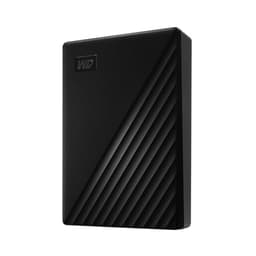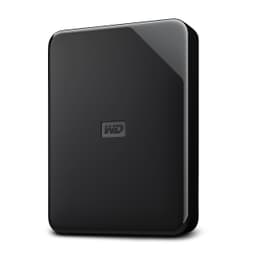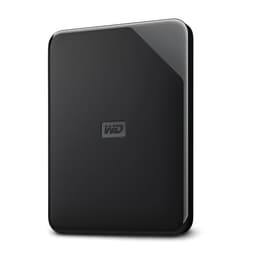
One dead hard drive is all it takes to rethink how seriously you treat backup. Suddenly, the spec sheet stops being background noise and starts being the only thing that matters. Capacity, build quality, warranty length, and whether the thing will actually survive being shoved in a rucksack three times a week, these are the questions that count. The WD My Passport 2 TB (ASIN: WD B079TZ5T1G) in red is WD's answer to the portable backup problem, and for a lot of people, it's a genuinely sensible one.
Here's the short version: this is a 2 TB portable hard drive aimed squarely at people who want a dead-simple way to back up a PC, an Xbox One, or a PlayStation 4, without spending a fortune or fiddling with settings. It's not fast by modern standards. It's an HDD, not an SSD, so if you're expecting NVMe-class speed, you're in completely the wrong aisle. But for backup, file archiving, and offloading game libraries from a console, raw speed isn't really the point. The point is reliability, capacity per pound, and whether it works without drama. On those fronts, the My Passport largely delivers, and 3,754 owners averaging 4.6 stars suggests most people who buy it agree.
Core Specifications: WD B079TZ5T1G
This is a 2.5-inch portable hard drive, not a solid-state drive. That distinction matters enormously for how you should think about it. Inside the compact red enclosure is a spinning platter drive, connected to your PC, Xbox, or PlayStation via USB 3.0, which WD markets here as USB 3.0 SuperSpeed. Real-world sequential transfer speeds top out at around 130 MB/s, which is typical for a 5,400 RPM 2.5-inch HDD. That's not a criticism, it's just physics. You're not going to run an operating system or load games from this at competitive speeds, and you shouldn't try.
The drive ships formatted as NTFS for Windows out of the box, which means it works with PC and Xbox One immediately. PlayStation 4 requires reformatting to exFAT or FAT32 before use, which is a five-minute job and well documented in the WD support pages. WD bundles its own WD Backup software for automated PC backups, plus WD Security for password protection with hardware encryption, and WD Drive Utilities for drive health checks. Whether you use any of that software is up to you, but it's there, and owners generally report it works without fuss.
Power comes entirely from the USB connection, so there's no separate power brick to carry. The cable is included. The enclosure itself is bus-powered and compact enough to slip into a jacket pocket, which is genuinely useful if you're the kind of person who moves between a home setup and an office or a mate's house. The red colour is the distinguishing feature of this particular variant. WD offers the My Passport range in several colours, and the underlying hardware is identical across them.
| Specification | Detail |
|---|---|
| Drive Type | Portable HDD (2.5-inch) |
| Capacity | 2 TB |
| Interface | USB 3.0 (USB 2.0 compatible) |
| Formatted File System | NTFS (Windows, Xbox One ready) |
| Power Source | Bus-powered via USB (no external power) |
| Sequential Read (typical) | Approx. 130 MB/s |
| Form Factor | 2.5-inch portable enclosure |
| Compatibility | PC, Xbox One, PlayStation 4 |
| Bundled Software | WD Backup, WD Security, WD Drive Utilities |
| Warranty | 3 years (WD limited warranty) |
| Colour | Red |
| Price | £161.29 |

Interface and Form Factor
USB 3.0 is the connection here, and for a portable HDD, that's entirely appropriate. The drive's internal spinning platters are the bottleneck, not the cable. USB 3.0 can theoretically push around 640 MB/s, but a 5,400 RPM 2.5-inch HDD will never get close to that ceiling. You're looking at roughly 100 to 130 MB/s in sustained sequential reads, and random I/O is considerably worse than any SSD you'd care to name. This is not a drive you use for anything that needs quick random access. It's for sequential transfers: backups, copying large files, moving your game library around.
The physical size is genuinely portable. It's smaller than a paperback, lighter than your phone charger, and requires no external power. That last point is underrated. If you've ever tried to use a desktop-style portable drive in a hotel room or at a desk without a spare socket, you'll appreciate a bus-powered drive immediately. The USB cable is captive on some variants and detachable on others, so worth checking the listing, but owners consistently report the build quality feels solid enough for regular travel use without being precious about it.
One thing to be clear about: this is a 2.5-inch HDD, not an M.2 drive, not an NVMe device, and not an SSD. There's no PCIe lane here, no NVMe protocol, no DRAM cache discussion to be had. Those concepts simply don't apply. If you came here from an SSD search, this probably isn't what you need. But if you want a portable drive to plug into a laptop, a console, or a desktop for backup and storage expansion, the form factor is exactly right. It just works.
Real-World Performance
Let's be clear about what real-world performance means for a portable HDD. You're not booting Windows from this. You're not loading games in real time for competitive play. What you're doing is copying files to it, backing up your documents, or running the Xbox's extended storage feature. For those tasks, 100 to 130 MB/s sequential is more than adequate. Copying 50 GB of files takes a few minutes rather than seconds, which is fine when you set it going and walk away.
Owner reports are broadly positive about day-to-day use. The drive shows up immediately when plugged in, transfers proceed without interruption, and the WD Backup software runs scheduled backups without needing you to babysit it. A handful of owners report the occasional disconnect on older USB 2.0 ports, which is expected behaviour since the drive draws more power than USB 2.0 can reliably supply. On USB 3.0 ports, which any PC or laptop made in the last decade has, there are no such issues reported with any frequency.
For console use, specifically Xbox One, this is plug-and-play for game storage expansion. The Xbox One's internal drive is notoriously small, and offloading games to an external drive is one of the first things most owners do. The My Passport handles that well. Load times from an external HDD are slightly slower than from the internal drive, but the difference in practice is modest, usually a few extra seconds on game loads, which most owners consider a fair trade for having 2 TB of extra space. PlayStation 4 use requires reformatting, but after that it works identically.
Sustained Writes and Cache Behaviour
This section is where SSD reviews get complicated, because SLC cache exhaustion is a real problem with cheaper NAND-based drives. With a spinning hard drive, the picture is simpler and more honest. There's no SLC write cache to exhaust. There's no cliff where speeds suddenly plummet from 500 MB/s to 80 MB/s because the cache filled up. What you see is what you get: consistent sequential write speeds in the 100 to 120 MB/s range, sustained, from start to finish of a large transfer.
That consistency is actually one of the underappreciated advantages of HDDs for bulk sequential transfers. An SSD with an SLC cache will be dramatically faster for the first few gigabytes, then slow down noticeably once the cache fills, especially on cheaper QLC-based drives. The My Passport won't win any speed contests, but it won't surprise you with a sudden slowdown halfway through copying your photo library either. The speed is what it is, all the way through. Owners copying large video projects or photo archives to the drive report exactly this: steady, predictable transfer rates.
Random I/O is a different story, and it's worth being honest about it. HDDs are genuinely poor at random read and write operations compared to any SSD. The mechanical seek time of a spinning platter drive is measured in milliseconds, while an SSD's random access is measured in microseconds. If you're using this drive for anything that involves lots of small random reads, like running applications directly from it, or using it as a scratch disk for editing software, you'll find it frustratingly slow. That's not a flaw in this particular drive, it's the nature of HDD technology. Use it for what it's designed for and you'll have no complaints.
Controller, NAND and DRAM
None of these terms apply here, and that's worth saying plainly. The WD My Passport 2 TB is a hard disk drive. It has spinning magnetic platters and a read/write head. There is no NAND flash memory, no controller chip managing SLC or TLC or QLC cells, and no DRAM cache buffer in the SSD sense. The concepts of DRAM-less drives and Host Memory Buffer are entirely irrelevant. If you've been reading SSD reviews and worrying about those things, you can set them aside for this product.
What the My Passport does have is a USB bridge controller that converts the internal SATA connection of the HDD to USB 3.0 for the external connection. WD doesn't publish which specific bridge chip they use, which is standard practice for portable drive enclosures. In practice, the bridge controller is not a meaningful differentiator for this type of product. The bottleneck is always the spinning platters, not the bridge.
The internal drive is almost certainly a WD Blue or WD-branded 5,400 RPM 2.5-inch HDD, which is the standard configuration for the My Passport range. WD has been making these drives for long enough that the mechanical design is well understood and the failure rates are well documented in the industry. The 5,400 RPM spin speed is quieter and more power-efficient than 7,200 RPM alternatives, at the cost of some sequential speed. For a portable drive that you want to run quietly and not drain your laptop battery, that's the right trade-off.
Endurance and Reliability
WD backs the My Passport with a 3-year limited warranty, which is a decent signal of confidence for a consumer portable drive. Three years is the standard for mid-range portable HDDs, and WD's warranty support in the UK is generally reported as functional, if not always speedy. The 3-year cover means if the drive fails within that window through no fault of your own, WD will replace it. That's meaningful for something you're trusting with your backups.
Owner reliability reports across 3,756 averaging 4.6 stars tell a reassuring story. The majority of owners report years of trouble-free use. There are negative reviews, as there always are with any mechanical drive, because HDDs do fail. They're mechanical devices with moving parts. The question is whether the failure rate is higher than expected, and from the review pattern here, it doesn't appear to be. The negative reviews cluster around a small number of units that arrived dead or failed early, which is consistent with the industry-average infant mortality rate for HDDs rather than a systematic quality problem.
One thing worth saying directly: no portable HDD, regardless of brand, should be your only copy of important data. The My Passport is a backup drive, and it should be part of a backup strategy, not the entirety of one. The 3-2-1 rule (three copies, two different media types, one offsite) exists precisely because drives fail. Use this to back up your PC, but keep your originals somewhere else too. WD's own bundled backup software will help you automate that process, which is genuinely useful if you're not the type to remember to plug in a drive and copy files manually.

Thermals
Thermals are a major concern for Gen4 and Gen5 NVMe SSDs, which can run hot enough to throttle without a heatsink. For a 2.5-inch portable HDD running over USB, the thermal picture is far more relaxed. The My Passport runs warm during sustained transfers, which is normal for any hard drive, but it doesn't get hot enough to cause concern under typical use. Bus-powered USB drives have a natural thermal ceiling imposed by their power draw, which is limited by the USB specification.
Owner reports don't flag heat as an issue. The enclosure is plastic, which doesn't dissipate heat as efficiently as aluminium, but the drive's power consumption is low enough that this isn't a practical problem. You're not going to thermally throttle a 5,400 RPM HDD doing file copies over USB 3.0. The drive may feel slightly warm to the touch after a long transfer session, but that's within normal operating parameters for this type of device.
One thermal-adjacent consideration: don't leave the drive in direct sunlight or in a hot car. This applies to all HDDs, and indeed most electronics. The magnetic platters and read/write heads are sensitive to extreme temperatures. Under normal indoor use, including extended backup sessions, the My Passport's thermals are a non-issue. No heatsink is needed, no active cooling, no thermal paste. It just runs.
Capacity Options and Price Per GB
The My Passport range spans from 1 TB up to 5 TB at the time of writing, with the 2 TB version sitting in the middle of that range. For most people, 2 TB is a sensible starting point for a backup drive. It's enough to hold a full PC backup for most home users, a substantial game library from a console, or several years of photos and documents. If you're a video editor or you have a large game collection on PC, you might want 4 TB or 5 TB, but for the average household, 2 TB is the sweet spot.
Price per gigabyte for portable HDDs is still significantly better than portable SSDs at this capacity. You're paying a fraction of what a 2 TB portable SSD costs, for a drive that, for backup purposes, does the same job. The speed difference is real but irrelevant if you're setting up an overnight backup and not sitting there watching a progress bar. If you need speed, buy a portable SSD. If you need capacity per pound for backup and archiving, a portable HDD like this makes more financial sense.
The 1 TB version is cheaper but halves your headroom, and given how quickly game installs and photo libraries grow, the extra capacity of the 2 TB version is usually worth the modest price difference. The 4 TB and 5 TB versions cost more but offer better price per gigabyte at those capacities, which is worth considering if you know you'll need the space. For most buyers, the 2 TB hits the right balance of capacity, price, and portability.
Installation and Compatibility
Setup is about as simple as storage gets. Plug it into a USB 3.0 port on your PC, and Windows recognises it immediately. No drivers needed, no software installation required to use it as basic storage. The bundled WD Backup software is an optional extra that you install if you want scheduled automated backups. It's a straightforward installer, and owner reports suggest it runs quietly in the background without being annoying. WD Drive Utilities lets you check the drive's health using the built-in S.M.A.R.T. diagnostics, which is worth doing occasionally if you're paranoid about drive health.
Xbox One compatibility is immediate out of the box. The drive ships formatted as NTFS, which is what the Xbox One requires for external game storage. Plug it in, follow the Xbox's on-screen prompts to set it up as extended storage, and you're done. Games can be installed directly to it or moved from the internal drive. PlayStation 4 requires reformatting to exFAT or FAT32 first, which you do through the PS4's storage settings. It takes a few minutes and wipes the drive, so do it before you put anything important on it.
For Mac users, the NTFS formatting means the drive will be read-only by default on macOS without additional software. If you need to write to it from a Mac, you'll need to either reformat to exFAT (which works on both Windows and Mac) or use third-party NTFS drivers. This is a common gotcha with Windows-formatted drives and not specific to WD. Worth knowing before you buy if you're planning to use it across both platforms. WD does offer macOS-specific versions of the My Passport with HFS+ formatting, so check you're buying the right variant for your use case.
Who It's For
This drive is built for a specific type of buyer, and it's honest about that. If you want to back up your PC automatically without thinking about it, expand your Xbox One's storage for game installs, or have a portable drive to carry documents and media between locations, the My Passport 2 TB is a proper solution. It's not trying to be an SSD. It's not trying to be a NAS drive. It's a simple, reliable, bus-powered portable backup drive, and it does that job well.
Console gamers with a stuffed internal drive will find this particularly useful. The Xbox One's 500 GB or 1 TB internal drive fills up fast with modern game installs, and the My Passport is one of the most popular solutions to that problem. The plug-and-play compatibility, the 2 TB of headroom, and the fact that you can unplug it and take it to a friend's house make it practical in a way that internal upgrades aren't.
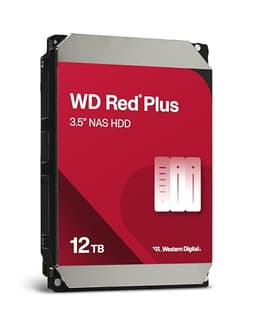
Who should look elsewhere? If you need speed, buy a portable SSD. The Samsung T7, the WD My Passport SSD, or the Crucial X6 all offer dramatically faster transfer speeds in a similarly portable form factor, at a higher price per gigabyte. If you're a creative professional who needs to edit video directly from an external drive, an HDD will frustrate you. If you're building a home NAS or need a drive for sustained server-style workloads, look at WD's Red NAS drives instead. And if your priority is absolute maximum capacity for the money, desktop external HDDs offer better price per gigabyte than portable ones, at the cost of needing a power brick.
How It Compares
The obvious competition in the 2 TB portable HDD space comes from Seagate and Toshiba. The Seagate Backup Plus Slim 2 TB is the most direct rival, offering similar sequential speeds, similar bus-powered portability, and a comparable price. Seagate's drive has historically been slightly slimmer in physical dimensions, which some owners prefer. The warranty is typically two years on the Backup Plus Slim versus three years on the My Passport, which gives WD a meaningful edge on that front. For a backup drive you're trusting with important data, the extra year of warranty cover matters.
The Toshiba Canvio Basics 2 TB is the budget option in this space, often available for less than the My Passport. It's a no-frills drive with no bundled software and a more basic enclosure. Transfer speeds are similar. If you genuinely don't want software, don't care about password protection, and just want the cheapest possible 2 TB portable drive, the Canvio Basics is worth a look. But the My Passport's three-year warranty, included encryption software, and generally better build quality perception among owners make it worth the small premium for most people.
Neither competitor offers anything fundamentally different in terms of actual performance, because they're all 5,400 RPM 2.5-inch HDDs connected over USB 3.0. The differentiators are warranty length, bundled software, build quality, and price. On warranty, WD wins. On price, Toshiba often wins. On software bundle, WD wins. On brand trust for long-term reliability, WD and Seagate are broadly equal with decades of track record between them.
| Feature | WD My Passport 2 TB (Red) | Seagate Backup Plus Slim 2 TB | Toshiba Canvio Basics 2 TB |
|---|---|---|---|
| Drive Type | Portable HDD | Portable HDD | Portable HDD |
| Interface | USB 3.0 | USB 3.0 | USB 3.0 |
| Sequential Speed (approx.) | ~130 MB/s | ~120 MB/s | ~120 MB/s |
| Warranty | 3 years | 2 years | 2 years |
| Bundled Software | WD Backup, WD Security, WD Drive Utilities | Seagate Dashboard | None |
| Hardware Encryption | Yes (via WD Security) | No | No |
| Bus Powered | Yes | Yes | Yes |
| Price | £161.29 | Check Amazon UK | Check Amazon UK |

Final Verdict
The WD My Passport 2 TB (WD B079TZ5T1G) is exactly what it says it is: a solid, no-drama portable backup drive. It's not going to impress anyone with transfer speeds, and it's not supposed to. What it does is give you 2 TB of reliable, portable, bus-powered storage with a three-year warranty and a software bundle that makes automated backups genuinely easy. For the person who wants to stop worrying about losing their files, or who needs to stop running out of space on their Xbox One, this does the job properly.
The 4.6-star average from nearly 3,800 owners isn't a fluke. It reflects a drive that works as advertised, holds up over time, and doesn't cause headaches. The three-year warranty is the standout advantage over most rivals, and the included WD Security encryption is a nice extra if you're carrying sensitive files around. The red enclosure is a minor but genuine differentiator if aesthetics matter to you, and there's nothing wrong with a drive that looks decent on your desk.
The honest caveat is this: if you need speed, this isn't it. A portable SSD like the Samsung T7 or the WD My Passport SSD will transfer files several times faster. You'll pay more per gigabyte, but for creative work or running applications directly from an external drive, the speed difference is worth the money. The spinning HDD inside this drive is the right tool for backup and archiving, and the wrong tool for anything that demands quick random access.
If budget is the primary concern and you don't care about the software bundle or the extra year of warranty, the Toshiba Canvio Basics 2 TB is cheaper and does the same core job. That's the honest don't-overspend option. But for most people who want a bit more peace of mind and a proper software-backed backup solution, the My Passport earns its price premium over the bare-bones alternatives. Buy it for backup. Keep your originals somewhere else. Job sorted.
Owner rating: ★★★★½ (4.6) from 3,756 reviews.
What works. What doesn’t.
5 + 3What we liked5 reasons
- Three-year warranty beats most rivals in this class
- Genuine plug-and-play compatibility with PC, Xbox One, and PS4
- Bus-powered and properly portable, no power brick needed
- WD Security hardware encryption included at no extra cost
- Consistent sequential speeds with no cache-cliff surprises
Where it falls3 reasons
- HDD speeds feel slow compared to even budget portable SSDs
- Requires reformatting for PS4 use out of the box
- Poor random I/O makes it unsuitable for running applications directly
Full specifications
6 attributes| Capacity GB | 2000 |
|---|---|
| Dram cache | false |
| Form factor | 2.5" |
| Interface | USB 3.2 Gen 1 |
| Type | External HDD |
| Warranty years | 3 |
Frequently asked
5 questions01Is the WD My Passport 2 TB Portable Hard Drive fast enough for everyday use?+
For its intended purpose, yes. Sequential transfer speeds of around 130 MB/s are adequate for backing up files, copying documents, and expanding console game storage. It's not fast enough to run applications or games directly from it at comfortable speeds, and it's significantly slower than any portable SSD. But for backup and archiving, which is what this drive is designed for, the speed is fine. You set it going and walk away.
02Does the WD My Passport 2 TB slow down once the cache fills?+
This is an HDD, not an SSD, so the SLC cache exhaustion problem that affects cheaper flash-based drives simply doesn't apply here. There's no write cache to fill and no speed cliff to fall off. What you get is consistent sequential write performance of around 100 to 120 MB/s from start to finish of a large transfer. The speed is modest compared to SSDs, but it's steady and predictable throughout.
03Is the WD My Passport 2 TB DRAM-less, and does that matter?+
DRAM cache and DRAM-less design are concepts that apply to solid-state drives, not hard disk drives. The My Passport 2 TB is an HDD with spinning magnetic platters, so these terms don't apply. The relevant performance characteristics are its rotational speed (5,400 RPM), its USB 3.0 interface, and the mechanical seek time of the spinning platters, which is why random I/O is slow compared to any SSD.
04How long will the WD My Passport 2 TB last?+
WD covers it with a three-year limited warranty, which is a year longer than most rivals in this class. That's a meaningful confidence signal. In practice, portable HDDs used for backup duties, rather than constant 24/7 operation, can last well beyond the warranty period. The drive isn't rated for continuous operation like a NAS drive, so it's best used as an occasional backup device rather than something that runs all day every day. Owner reports across nearly 3,800 reviews suggest the vast majority experience years of reliable use.
05What warranty and returns apply to the WD My Passport 2 TB?+
WD provides a three-year limited warranty on the My Passport 2 TB. In addition, Amazon UK's standard 30-day return window applies to new purchases, along with the Amazon A-to-Z Guarantee for marketplace orders. If the drive arrives faulty or fails within the warranty period, contact WD support directly for a replacement under the manufacturer warranty.