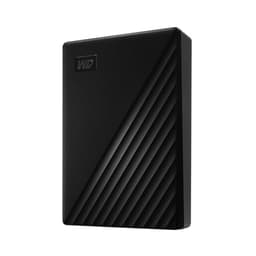
Here's what most people get wrong about buying external storage: they look at the number on the box, think "yeah, that'll do," and move on. The capacity matters, obviously. But the interface, the transfer speed under real conditions, what owners actually say after six months of use, and whether the thing is even the right tool for the job, that stuff matters just as much. The WD 2TB Elements AE Portable External Hard Drive is a spinning hard drive, not an SSD, and that single fact shapes everything about whether it's right for you.
So what's the verdict? This is a solid, no-frills external HDD that does exactly what it says on the tin. It's not fast by modern standards, it won't replace your SSD for anything that needs snappy performance, and it doesn't pretend to be something it isn't. What it is, is affordable expandable storage for people who need somewhere to put their photos, videos, documents, and backups without spending a fortune. If that's you, it's a decent shout. If you're expecting SSD-like speeds or you're planning to run software directly off it, look elsewhere. Simple as that.
Core Specifications
The WD 2TB Elements AE is a portable external hard drive, which means it's a mechanical spinning drive inside a compact enclosure, not a solid-state drive. The interface is USB 3.2 Gen 1, which is the same standard previously marketed as USB 3.0, rated at up to 5Gbps theoretical throughput. In practice, a spinning HDD at this capacity won't come close to saturating that bandwidth anyway, since mechanical drives typically top out somewhere in the 100 to 130MB/s range for sustained sequential reads and writes under ideal conditions. The USB 3.2 Gen 1 connection is more than adequate for the drive's actual mechanical speed, so the interface isn't the limiting factor here.
Capacity is 2TB, which is the variant being reviewed, though WD offers the Elements AE line up to 6TB. The enclosure is compact and bus-powered, meaning it draws power directly from the USB connection with no separate power cable required. That's genuinely useful if you're moving between laptops or don't want to deal with a wall adapter. WD has also made a point of the enclosure's environmental credentials: more than 50% post-consumer recycled plastic in the shell, and packaging made from over 50% post-consumer recycled pulp that's fully recyclable. Whether that matters to you is personal, but it's it's there.
The drive comes formatted for Windows out of the box, so if you're on a Mac you'll need to reformat it (or use third-party software to read NTFS natively). WD bundles backup software that you download separately, supporting hourly, daily, or monthly backup schedules. It's basic but functional, and for most people setting up a simple backup routine, it'll do the job without needing to buy anything extra. Owner reviews on Amazon, averaging 4.3 stars across over a thousand ratings, broadly confirm the plug-and-play experience works as advertised.
| Specification | Detail |
|---|---|
| Drive Type | Portable External HDD (mechanical) |
| Capacity | 2TB (up to 6TB available) |
| Interface | USB 3.2 Gen 1 (USB 3.0), up to 5Gbps |
| Power | Bus-powered via USB (no separate adapter) |
| Default Format | NTFS (Windows formatted) |
| Enclosure Material | 50%+ post-consumer recycled plastic |
| Backup Software | Included (download required), hourly/daily/monthly scheduling |
| Price | £104.99 |

Interface and Form Factor
USB 3.2 Gen 1 at 5Gbps is the connection here, and for a mechanical hard drive, that's genuinely all you need. A 2.5-inch HDD physically cannot push data fast enough to saturate even USB 3.0 speeds, so you're not being bottlenecked by the interface. The theoretical ceiling of 5Gbps translates to around 625MB/s, and a drive like this will realistically deliver somewhere in the 100 to 130MB/s range for large sequential transfers under good conditions. The interface is not the weak link. The spinning platters are.
The form factor is compact and genuinely portable. It's a 2.5-inch design, which means it's small enough to slip into a jacket pocket or a laptop bag without thinking about it. No external power brick, no separate cable beyond the USB connection. That simplicity is one of the actual selling points here. You plug it in, it shows up, you copy your files. For someone who just needs to carry a chunk of storage between locations, that's a reasonable experience.
It's worth being clear about what this form factor isn't suited for. Because it's a mechanical drive, it's more vulnerable to physical shock than an SSD. Dropping it while it's spinning is a bad idea. Most modern HDDs have some built-in protection for sudden movement, and WD's drives generally include ramp load technology to park the heads quickly, but it's still a spinning platter. If you're rough with your gear, an SSD-based portable drive would be a safer long-term choice. For desk use or careful transport, though, the form factor is fine.
Real-World Performance
This is where the honest conversation has to happen. Mechanical hard drives, even good ones connected over USB 3.2 Gen 1, are not fast by 2024 standards. Published benchmarks for drives in this category consistently show sequential read speeds in the 110 to 130MB/s range, with writes slightly behind that. For large file copies, say backing up a folder of RAW photos or moving a batch of video files, that's perfectly workable. Copying 50GB of photos might take you around seven minutes. It's not thrilling, but it gets the job done.
Where it falls down is anything involving lots of small random files. Random I/O is where mechanical drives really suffer compared to SSDs. Loading an application from an external HDD, running software off it, or using it as a scratch disk for video editing will feel genuinely sluggish. Owner reports consistently mention this: the drive is fine for storage and backups, but nobody's using it as a working drive for active projects. That's the right way to think about it. It's a filing cabinet, not a desk.
The backup software bundled with the drive is functional rather than impressive. Owners broadly report it works as described, letting you set automated schedules without much fuss. Some find it a bit basic compared to third-party alternatives like Macrium Reflect or Windows' built-in backup tools, but for someone who just wants to set a daily backup and forget about it, it covers the basics. The plug-and-play nature of the drive itself, no driver installation needed, is consistently praised in the owner reviews and is probably the most genuinely useful feature for less technical users.
Sustained Writes and Cache Behaviour
This section exists in most storage reviews to talk about SLC cache cliffs, the nasty performance drop that happens when a budget SSD's small fast cache fills up and the drive falls back to writing directly to slow QLC NAND at a fraction of the headline speed. But this is a mechanical hard drive, so that particular problem doesn't apply. There's no SLC cache, no QLC NAND, no cache exhaustion cliff. What you get instead is consistent, predictable, and consistently mediocre performance throughout a transfer.
That consistency is actually a mild advantage over cheap QLC SSDs in one specific scenario: very large file copies. A budget SSD might blast through the first 20 to 30GB at 500MB/s and then crater to 80 or 90MB/s once the cache fills. This HDD will just plod along at 110 to 120MB/s the whole time. For copying something like a 500GB video archive, the HDD won't be faster overall, a decent SSD is still quicker even post-cache, but the performance is at least predictable. You know what you're getting throughout the transfer.
What does matter for sustained writes on a mechanical drive is heat and vibration over long sessions. HDDs can run warm under sustained load, and in an enclosure without active cooling, temperatures can creep up during multi-hour backup operations. Owner reports don't flag this as a significant problem with the Elements AE, but it's worth not stacking the drive against other warm components during a big backup job. Give it some airflow. It's a mechanical device with moving parts, and treating it accordingly will extend its life.
Controller, NAND and DRAM
This section is usually where a storage review gets into the weeds on Phison controllers, Micron NAND, and whether a DRAM cache is present. For a mechanical hard drive, the conversation is different. There's no NAND, no SLC cache, no controller in the SSD sense. What's inside is a spinning platter drive, almost certainly using WD's own HDD technology, with a USB bridge chip handling the connection between the SATA interface of the internal drive and the USB 3.2 Gen 1 port on the enclosure.
WD doesn't publish the specific internal drive model used in the Elements AE enclosure, which is fairly standard practice for external drive products. What's known from the product line history is that WD Elements drives have typically used WD Blue or similar mainstream HDD internals, which are decent mid-range platters. Not enterprise-grade, not budget rubbish. The drives are built to a price, but WD's mainstream HDD line has a reasonable reliability track record backed by years of real-world deployment data.
The DRAM question, so important for SSDs, simply doesn't translate here. Mechanical drives have their own onboard cache, typically 64MB or 128MB of DRAM used as a buffer for read/write operations, but this works differently from an SSD's DRAM cache and isn't something you'll notice directly in use. The relevant question for this drive isn't about NAND type or controller quality. It's about whether a spinning HDD is the right tool for your use case at all, and that's a question about speed expectations rather than component quality.
Endurance and Reliability
Mechanical hard drives have a different endurance story to SSDs. There's no TBW rating to quote, no NAND wear to worry about. Instead, the reliability conversation is about mechanical failure: head crashes, motor failure, bad sectors developing over time. HDDs have moving parts, and moving parts eventually wear out. That's not a knock on this specific drive, it's just the physics of the technology.
WD's Elements drives typically come with a three-year limited warranty, which is a reasonable signal of confidence for a drive in this category. That matches or beats what you'd get from many budget SSD makers, and it means WD is prepared to stand behind the product for a decent period. Owner reviews at the 4.3-star average don't flag unusual failure rates, and the broader pattern from the Elements line over the years has been solid reliability for typical backup and storage use. These aren't drives you'd trust with your only copy of irreplaceable data, but then nothing should be your only copy of anything important.
Backups matter. This point can't be made often enough. An external hard drive, whether it's this WD or anything else, is not a backup strategy on its own. It's a storage device. A proper backup means at least two copies in different locations. If this drive is your backup of your main PC, that's good. If it's your only copy of something, that's a problem. The 3-2-1 backup rule, three copies, two different media types, one offsite, is the sensible approach. Owner reports occasionally mention drives failing unexpectedly, as all mechanical drives eventually do, and the ones who kept proper backups were fine. The ones who didn't were not.
Thermals
Thermals on an external HDD are a less dramatic topic than on a Gen4 or Gen5 NVMe drive, where you're dealing with controllers that can hit 70 to 80 degrees Celsius under sustained load and throttle hard without a heatsink. Mechanical drives run warm but not hot, and the Elements AE's plastic enclosure doesn't trap heat the way a metal NVMe heatsink-less M.2 drive might. Under normal use, copying files, running backups, storing media, you won't have thermal problems.
That said, sustained large transfers over many hours can cause the enclosure to get noticeably warm to the touch. Owner reports don't flag this as causing performance problems or failures in normal use, but it's worth being sensible about placement. Don't shove it in an enclosed drawer while it's doing a six-hour backup. Set it on a desk with some airflow around it. That's about as complex as the thermal management gets for a drive like this.
One thing: the drive is bus-powered, so it draws its operating power from the USB port. On older or lower-quality USB ports that struggle to deliver consistent power, you might occasionally see connection issues or the drive spinning down unexpectedly. This is an occasional theme in owner reviews across external HDD products generally. Using a good quality USB port, ideally directly on the motherboard or a powered hub rather than a daisy-chained unpowered hub, keeps things stable. It's not a flaw specific to this drive.
Capacity Options and Price Per GB
The WD Elements AE comes in multiple capacities, going up to 6TB according to the product listing. The 2TB variant is the focus here, and at this capacity, external HDDs represent genuinely good value per gigabyte compared to portable SSDs. A 2TB portable SSD will typically cost considerably more than a 2TB external HDD, and if raw speed isn't your priority, you're paying a significant premium for performance you might not need.
The sweet spot in the Elements AE range for most people is probably the 2TB or 4TB option. The 2TB covers photo libraries, document archives, and backup duties for most typical users without breaking the bank. The 4TB starts to make sense if you're storing large video files or want a single drive for a more comprehensive backup. Going to 6TB is an option if you genuinely need the capacity, though at that point you might also want to consider a desktop external drive with its own power supply for better sustained performance and longer-term reliability.
Compare the price per GB of this drive against a portable SSD and the HDD wins comfortably on cost. Compare it against a desktop external HDD (mains-powered, larger platters) and the portable convenience comes at a small premium per GB. That's the trade-off: you're paying slightly more per gigabyte than you would for a desktop drive, but you get something that fits in your pocket and needs no power adapter. For most people buying a 2TB portable drive, that trade-off makes complete sense.
Installation and Compatibility
Plug-and-play is the genuine experience here, and owner reviews back this up. On Windows, you connect the drive via USB, it shows up in File Explorer, and you're done. No driver installation, no software required to access the storage. The backup software is optional and downloaded separately if you want it. For the target audience of this drive, people who just want storage that works without fuss, that simplicity is the right call.
Mac compatibility requires a reformat. The drive ships as NTFS, which Macs can read natively but can't write to without third-party software like Paragon NTFS for Mac. If you're on a Mac, the straightforward solution is to reformat the drive as exFAT (readable and writable on both Windows and Mac) or as APFS if it's Mac-only. This is a two-minute job in Disk Utility, but it means you'll lose the WD backup software compatibility. before you assume it's fully plug-and-play on Apple hardware.
For Linux users, NTFS support has improved significantly in recent kernel versions, so the drive should work without much drama on modern Linux distributions. Chromebook compatibility depends on the specific Chromebook and ChromeOS version, but USB storage generally works. The drive is not intended for use with gaming consoles as primary storage in the way an SSD might be used with a PS5, though it could serve as extended storage for a PS4 or Xbox for games that don't require fast loading. Don't expect miracles from mechanical drive speeds in that context.
Who It's For
The WD 2TB Elements AE Portable External Hard Drive is for people who need a simple, affordable place to put files that don't need to be accessed at speed. Photo libraries. Document archives. Video collections you watch occasionally. Backup copies of your main drive. These are the use cases this drive was built for, and it handles them well. If you're a photographer who shoots a lot and needs to back up cards in the field, this is a sensible companion. If you're someone who wants to stop using cloud storage for everything and keep a local copy of important files, this does the job.
It's also a reasonable choice for anyone who needs to move large amounts of data between locations occasionally. Not for daily high-speed transfers, but for the occasional "I need to take this 500GB folder to the other office" scenario. The portability and bus-powered convenience matter in those situations, and 100 to 130MB/s is fast enough to not make you want to throw it out the window.
Who should look elsewhere? Anyone who wants to run software off the drive, use it as a working scratch disk for video editing, or needs fast random I/O for any reason. An SSD-based portable drive, something like the WD My Passport SSD or Samsung T7, is the right answer there. Also, anyone who's particularly rough with their gear should consider an SSD-based option, since mechanical drives don't love being dropped. And if you're buying this thinking it'll make your computer faster in some way, it won't. External HDDs don't work as boot drives or application drives in any meaningful performance sense. Get an internal SSD for that.
How It Compares
The two obvious competitors to the WD 2TB Elements AE Portable External Hard Drive are the Seagate Portable 2TB External Hard Drive and the Toshiba Canvio Basics 2TB. All three are bus-powered 2.5-inch external HDDs with USB 3.0/USB 3.2 Gen 1 connections, and all three are targeting the same buyer: someone who wants affordable portable storage without fuss. The differences between them are smaller than the marketing would have you believe.
The Seagate Portable is probably the most direct competitor. It's similarly priced, similarly sized, and similarly straightforward. Seagate's drive doesn't include backup software out of the box in the same way, though Seagate offers its own downloadable tools. Reliability reputation for both brands is broadly similar at this tier. Some owner communities have historically favoured WD's reliability track record slightly over Seagate's for consumer drives, but the gap is not dramatic and individual drives vary. The Toshiba Canvio Basics is a similar story: no-frills, affordable, functional, without the recycled materials angle that WD is pushing with the Elements AE.
Where the WD Elements AE differentiates itself slightly is the environmental angle (recycled enclosure and packaging), the included backup software, and the availability up to 6TB. If none of those things matter to you, the Seagate Portable is a perfectly valid alternative and worth comparing prices at the time of purchase. Neither drive is dramatically better than the other for typical backup and storage use.
| Feature | WD 2TB Elements AE | Seagate Portable 2TB | Toshiba Canvio Basics 2TB |
|---|---|---|---|
| Drive Type | External HDD | External HDD | External HDD |
| Interface | USB 3.2 Gen 1 (5Gbps) | USB 3.0 (5Gbps) | USB 3.0 (5Gbps) |
| Capacity Options | Up to 6TB | Up to 5TB | Up to 4TB |
| Bus Powered | Yes | Yes | Yes |
| Backup Software | Yes (download) | Optional download | No |
| Eco Credentials | 50%+ recycled enclosure/packaging | Not specified | Not specified |
| Price (2TB) | £104.99 | Check current price | Check current price |

Final Verdict
The WD 2TB Elements AE Portable External Hard Drive does exactly what it's supposed to do, nothing more, nothing less. It's a mechanical hard drive in a compact enclosure, bus-powered, plug-and-play on Windows, with a bit of backup software thrown in and an environmental conscience baked into the materials. At 4.3 stars across over a thousand owner reviews, real buyers are broadly happy with it, and looking at those reviews, the satisfaction is built on the right things: it works reliably, it's easy to set up, and it holds a lot of stuff for the price.
The performance is what it is. You're looking at mechanical HDD speeds, which means sequential transfers in the 100 to 130MB/s range under good conditions. That's fine for backup duties and file storage. It's not fine for running software, editing video, or anything that needs fast random I/O. The drive knows what it is, and if you know what you need, the match is either obvious or it isn't. There's no pretending here that USB 3.2 Gen 1 on a spinning platter is going to feel fast. It won't. But for the use cases it's built for, fast isn't the point.
Reliability looks solid based on owner report patterns and WD's track record with the Elements line. The three-year warranty is reassuring. The recycled materials are a genuine differentiator if that matters to your buying decision, and there's no performance or quality penalty for the eco-friendly construction. The backup software, while basic, means less technical users can get a proper backup routine running without buying anything extra.
Score-wise, this is a seven out of ten. It's a good product for the right buyer. The points it loses are simply because mechanical drives are increasingly hard to recommend enthusiastically in a world where portable SSDs are getting cheaper. The gap in price per GB still exists, and for pure bulk storage it's real. But if you're considering this drive and speed is a genuine priority for your workflow, the smarter buy is a portable SSD. The Samsung T7 or WD My Passport SSD at 2TB costs more, but the performance difference for anything beyond passive storage is significant. Pay the extra if you'll actually use it.
If you genuinely just need a reliable, affordable place to park files and run backups, the WD 2TB Elements AE Portable External Hard Drive is a proper, sensible choice. Buy it, plug it in, set up the backup software, and stop worrying about your files. That's the job. It does it.
What works. What doesn’t.
6 + 5What we liked6 reasons
- Plug-and-play on Windows with no driver installation required
- Bus-powered via USB so no separate power adapter is needed
- Good value per gigabyte compared to portable SSDs
- Consistent, predictable transfer speeds without cache-cliff behaviour
- Enclosure uses over 50% post-consumer recycled plastic
- Three-year limited warranty provides reasonable peace of mind
Where it falls5 reasons
- Mechanical HDD speeds of 100 to 130MB/s feel slow against modern portable SSDs
- Random I/O performance is poor, making it unsuitable for running software or editing
- Formatted as NTFS out of the box, requiring a reformat for full Mac write access
- Vulnerable to physical shock compared to SSD-based alternatives
- Not suited as a working scratch disk or active project drive
Full specifications
5 attributes| Capacity | 2TB |
|---|---|
| Capacity GB | 2000 |
| Form factor | 2.5" |
| Interface | USB 3.2 Gen1 |
| Type | External HDD |
Frequently asked
7 questions01Is the WD 2TB Elements AE a hard drive or a solid-state drive?+
It is a mechanical hard drive, not a solid-state drive. Inside the compact enclosure are spinning platters, which is why transfer speeds top out at around 100 to 130MB/s rather than the 500MB/s or more you would see from a portable SSD.
02Does the WD 2TB Elements AE work with a Mac straight out of the box?+
Not fully. The drive ships formatted as NTFS, which Macs can read but cannot write to without third-party software. To use it properly on a Mac, you should reformat it as exFAT in Disk Utility. This takes a couple of minutes but means you lose compatibility with the bundled WD backup software.
03Do I need to install any software to use the drive on Windows?+
No. On Windows the drive is plug-and-play. Connect it via USB and it appears in File Explorer straight away. The backup software is optional and downloaded separately if you want automated scheduled backups.
04Can I run games or applications directly from this drive?+
Technically yes, but it is not recommended. Random I/O performance on a mechanical hard drive is significantly slower than on an SSD, so applications and games loaded from this drive will feel noticeably sluggish. It is best used for storage and backups rather than as a working or application drive.
05What warranty does the WD 2TB Elements AE come with?+
WD's Elements drives typically carry a three-year limited warranty. This covers manufacturing defects and is a reasonable level of protection for a drive in this category, though it does not cover accidental damage or data loss.
06How does the WD 2TB Elements AE compare to the Seagate Portable 2TB?+
Both are bus-powered 2.5-inch external HDDs with USB 3.0 speeds and very similar real-world performance. The WD Elements AE differentiates itself with bundled backup software and an enclosure made from over 50% post-consumer recycled plastic. Seagate's offering does not include those features by default. Reliability reputations are broadly comparable, so price at the time of purchase is often the deciding factor.
07Is it safe to carry the drive in a bag while it is powered on?+
It is better to eject and disconnect the drive before moving it. Mechanical hard drives are more susceptible to damage from physical shock than SSDs because they have moving parts. WD's drives include ramp load technology to park the read heads quickly, but dropping a spinning mechanical drive remains a risk. For frequent travel use, an SSD-based portable drive is a safer long-term choice.