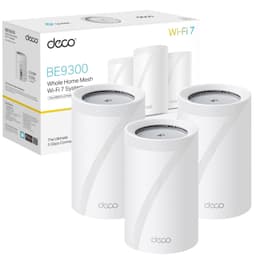
The upper mid-range mesh market is properly crowded right now. You've got Eero, Netgear Orbi, Google Nest, and a dozen TP-Link Deco variants all fighting for the same patch of wall space in your hallway. So when a 2-pack lands at this price point claiming Wi-Fi 6, AI-driven mesh, and coverage for up to 4,500 square feet, the sensible question isn't "does it sound good on paper" but "where does it actually hold up and where does it fall apart?" Dig into the specs and you get a pretty clear picture of both.
The TP-Link Deco X50 2-pack sits in an interesting spot. It's not the cheapest dual-band Wi-Fi 6 mesh you can buy, and it's not trying to be the tri-band, dedicated-backhaul option either. What it is trying to do is offer proper Wi-Fi 6 performance, a generous port count, and a coverage footprint that handles most UK homes without making you remortgage. Whether that trade-off makes sense depends entirely on your situation, and that's what this review is for.
The X50 is rated ★★★★☆ (4.3) from 12,573, which is a good sign, but averages hide the detail.
Core Specifications
The Deco X50 is a dual-band Wi-Fi 6 mesh system. That means it operates on both 2.4GHz and 5GHz simultaneously, using the 802.11ax standard on both bands. The headline speed figure is AX3000, which breaks down as 574Mbps on 2.4GHz and 2,402Mbps on 5GHz. As always, those are theoretical maximums under ideal conditions that no real device in a real home will ever hit. What matters is what those numbers tell you about the underlying radio hardware, and here the X50 uses 2x2 antenna streams with HE160 channel support on the 5GHz band. HE160 is a 160MHz channel width, which is how TP-Link squeezes that 2,402Mbps figure out of a 2x2 configuration. In practice it means the 5GHz radio is doing more with fewer antennas, which is a reasonable engineering choice at this price.
Each unit in the 2-pack comes with three Gigabit ports, and crucially those ports support WAN/LAN auto-sensing. That means any port on any node can be your WAN input, which gives you flexibility in where you place the primary unit relative to your modem or ONT. Three ports per node means you can wire in a smart TV, a games console, or a NAS without needing a separate switch, and you can still use one for wired backhaul between nodes if your home allows it.
The AI-driven mesh element refers to TP-Link's system for learning your network environment over time and adjusting band steering and channel selection accordingly. Coverage is rated at 4,500 square feet across the 2-pack, and TP-Link rates it for over 150 connected devices. HomeShield security is included with a free Basic plan, and the Pro plan costs extra. It comes with a 3-year manufacturer warranty.
| Specification | Detail |
|---|---|
| Wi-Fi Standard | Wi-Fi 6 (802.11ax) |
| Band Configuration | Dual-band (2.4GHz + 5GHz) |
| Maximum Speed (5GHz) | 2,402Mbps (2x2 HE160) |
| Maximum Speed (2.4GHz) | 574Mbps (2x2) |
| Ports per Unit | 3x Gigabit (WAN/LAN auto-sensing) |
| Backhaul | Shared dual-band (wired backhaul supported) |
| Coverage (2-pack) | Up to 4,500 ft² |
| Device Capacity | Over 150 devices |
| Security | HomeShield (free tier + paid subscription) |
| Streams | 4 streams total (2+2) |
| Warranty | 3 years manufacturer |
| Price | £159.99 |

Coverage: TP-Link Deco X50 2-Pack in a Typical UK Home
Right, the 4,500 square foot figure. That's a best-case marketing number, not one that allows for furniture, internal walls, microwaves or neighbours with competing 5GHz networks. In a real UK home with brick internal walls and a staircase in the middle, you'll get less. How much less depends on your specific layout. Place the two nodes sensibly (one downstairs near the router, one upstairs in a central hallway), and if a larger or older stone-built property still has dead spots, add a third node, which the X50 supports.
Signal quality at range matters more than signal presence. There's a difference between a mesh system that shows four bars on your phone but delivers 10Mbps in the far bedroom, and one that actually maintains usable throughput. The X50's HE160 channel configuration on 5GHz means wider channels that carry more data, and Wi-Fi 6's OFDMA (orthogonal frequency-division multiple access) scheduling means the radio is better at handling multiple clients simultaneously rather than making them queue. The 2.4GHz band, rated at 574Mbps theoretical, is the one that'll punch through walls and reach the garden shed. It won't be fast, but it'll be there.
This is a dual-band system, not tri-band. That matters for coverage at range because the 5GHz backhaul (the radio link between nodes) is sharing the same band as your client devices. More on that in the backhaul section, but the coverage implication is that if you place your second node far from the first, the inter-node link quality drops and so does the speed available to devices on that node. Keep the nodes within reasonable range of each other (one floor apart, not opposite ends of a large house). Push them too far apart and you'll feel it.
Sustained Speed Under Load
The AX3000 label means the theoretical combined speed of both bands is 3,000Mbps. Your laptop is never going to see that. What you're actually buying is a 5GHz radio capable of around 2,400Mbps theoretical to a single device in perfect conditions, and a 2.4GHz radio doing 574Mbps theoretical. On most UK broadband packages, the bottleneck is your ISP connection, not the router.
Where sustained speed under load gets more interesting is when you've got thirty or forty devices active simultaneously. This is where Wi-Fi 6 technologies like OFDMA and MU-MIMO (multi-user, multiple input, multiple output) actually earn their keep. OFDMA lets the router serve multiple clients in a single transmission window rather than making them take turns. MU-MIMO means multiple devices can receive data streams at the same time. In a busy home with smart devices, streaming boxes, phones, and laptops all active, these technologies reduce the latency and congestion that older routers show as stuttering streams or sluggish page loads.
The catch is that the 5GHz band is doing double duty: serving your clients and handling the wireless backhaul between nodes. That's the shared backhaul trade-off of a dual-band system. If you're running the nodes wirelessly and you have a lot of devices on the second node, you'll see some throughput reduction compared to a tri-band system with a dedicated backhaul radio. For most households on a 100 to 500Mbps broadband connection, this won't be the limiting factor. If you're on a gigabit fibre connection and you want to actually pull near-gigabit speeds on the far node, you'll want to either wire the backhaul or consider a tri-band alternative.
Mesh and Backhaul
Mesh networking is the right answer for most homes that have dead zones, but not all mesh systems are equal. The key question is always: how do the nodes talk to each other, and what does that cost you? A dedicated backhaul radio (found on tri-band systems) means there's a separate radio exclusively for node-to-node communication, so your client devices get the full capacity of the other two radios. A shared backhaul system, like the X50's dual-band setup, means the 5GHz radio is split between talking to your devices and talking to the other node. You lose some usable bandwidth as a result.
The good news is that the X50 supports wired backhaul. If you can run an Ethernet cable between the two nodes (even through a wall socket using a Powerline adapter), you free up the entire 5GHz radio for client devices and the system performs meaningfully better. This is the single biggest upgrade you can make to a dual-band mesh system, and the fact that each node has three Gigabit ports makes it straightforward to implement. With the nodes cabled together, the wireless backhaul overhead disappears entirely.
For those running the system wirelessly, TP-Link's AI mesh intelligence does help. The system monitors the inter-node signal quality and adjusts placement recommendations accordingly. It's not a substitute for a dedicated backhaul radio, but it does mean the system is actively trying to optimise rather than just static. Mesh roaming is designed to hand devices between nodes without the kind of sticky-client problem you get with dumb extenders. That's one of the genuine advantages of a proper mesh system over a range extender: your phone doesn't cling to a weak signal from the distant node because the mesh is actively managing the handoff.
Device Capacity
The over-150-device claim is a headline number, and like all headline numbers it needs context. What it means is that the system can maintain IP address assignments and basic connectivity for 150 or more clients. What it doesn't mean is that 150 devices can all be actively streaming 4K video simultaneously without degradation. In practice, most homes have somewhere between 20 and 60 connected devices if you count everything: phones, tablets, laptops, smart TVs, streaming sticks, games consoles, smart speakers, thermostats, doorbells, security cameras, smart plugs, and light bulbs. Wi-Fi 6's OFDMA is specifically designed for that kind of dense, mixed load.
The 4-stream configuration (2x2 on each band) means the system can maintain simultaneous data streams to multiple clients without making them queue. For IoT devices in particular, this matters because a doorbell or a smart plug doesn't need much bandwidth but it does need a reliable connection. Older routers can get congested by large numbers of low-bandwidth IoT devices because each one still needs to negotiate its turn. Wi-Fi 6's scheduling is better at handling this mix of high-bandwidth and low-bandwidth clients without letting either group suffer.
Where you might start to notice limitations is in very dense environments with heavy simultaneous use on the second node specifically, because of the shared backhaul. A typical family home with teenagers streaming, parents working from home, and a pile of smart home devices doing their thing is well within the device count TP-Link rates it for.
Wi-Fi Standard and Future-Proofing: TP-Link Deco X50 AX3000 Wi-Fi 6
Wi-Fi 6 (802.11ax) is the current mainstream standard. Most phones, laptops, and tablets bought in the last three or four years support it. So will you actually benefit from it? Yes, if your devices are reasonably recent, you will. The improvements over Wi-Fi 5 (802.11ac) are real in busy home environments: better efficiency with multiple clients, lower latency under load, and the OFDMA scheduling mentioned above. These aren't marketing inventions. They're genuine architectural improvements that show up in real use when you've got a crowded network.
What about Wi-Fi 6E and Wi-Fi 7? Wi-Fi 6E adds the 6GHz band, which is faster and less congested but has shorter range. Wi-Fi 7 goes further with multi-link operation and even higher theoretical speeds. Both are real improvements, but here's the practical reality: the devices that support Wi-Fi 6E are still a minority of what most people own, and Wi-Fi 7 client devices are only just starting to appear in mainstream products. Paying a significant premium for 6E or 7 right now mostly buys you future-proofing, not present-day performance. If you're buying a mesh system today for a 2 to 3 year lifespan, Wi-Fi 6 is the sensible choice for most households. If you're planning to keep the system for 5 years and you're buying new devices regularly, 6E starts to make more sense.
The X50's HE160 channel support on 5GHz is a real plus within the Wi-Fi 6 tier. Not every Wi-Fi 6 router supports 160MHz channels. Those that do can deliver significantly higher throughput to devices that also support HE160 (many recent laptops and phones do).

Features and QoS
HomeShield is TP-Link's security and parental control platform, with a free Basic plan and a paid Pro plan. It includes QoS (quality of service) by device, which lets you tell the router to prioritise certain devices or types of traffic, so your work laptop's video call doesn't get steamrollered by someone's game download. That's a useful feature for a household with competing bandwidth demands.
TP-Link doesn't spell out on its spec page which features sit in the free Basic plan and which need the paid Pro plan, so check the HomeShield page before you pay. Whether Pro is worth it depends on your household. For families with young children, the parental controls are probably the most useful thing here. For everyone else, the free tier covers the basics.
Guest networks are supported, which is useful for keeping IoT devices or visitors on a separate network segment from your main devices. Band steering is handled automatically by the AI mesh system. There's also a built-in VPN server and client (OpenVPN, PPTP and L2TP) for reaching your home network remotely, and for privacy on public Wi-Fi when you're away from home, a good VPN on your devices does that job. The Deco app gives you a decent overview of connected devices, traffic, and basic diagnostics without needing to dig into a web interface.
Firmware, App and Security Updates
TP-Link lists over-the-air firmware upgrades for the X50, and keeping them current matters, because a mesh system with stale firmware is a security liability, not just a performance one. The TP-Link support page for the X50 is where to check the current firmware.
The Deco app is the primary management interface. Setup through the app is guided and straightforward. Ongoing management, including adding nodes, checking device status, and adjusting parental controls, is accessible without needing to know what a subnet mask is. The app does require a TP-Link account, which is standard practice across the industry now and enables remote management if you want it.
Setup and Management
Setup is app-driven and designed for people who don't want to think about networking. You plug in the primary node, download the Deco app, create or log into a TP-Link account, and follow the on-screen steps. Adding the second node is a case of powering it on and letting the app detect it. The WAN/LAN auto-sensing on the ports means you don't need to worry about which port to plug your modem cable into, which removes one of the most common setup stumbling blocks.
Ongoing management through the app covers the things most people actually need: seeing what's connected, setting up a guest network, running a speed test, applying parental controls, and checking if there are firmware updates available. TP-Link also lists a web management interface alongside the app. If you're the kind of person who wants deep VLAN configuration or custom DNS settings, the Deco range in general is more consumer-focused than something like an Asus router with Merlin firmware. It's a deliberate trade-off: simplicity over power-user flexibility.
For households where someone else manages the network, the Deco app supports multiple administrators, so you can share management with a partner without sharing a password. The app is available on both iOS and Android.
Ports and Connectivity
Three Gigabit ports per unit is the headline here. Having three, all with WAN/LAN auto-sensing, gives you real flexibility. You can use any port as your WAN input, which means the primary node can be tucked wherever your modem lives without needing to plan around port positions. The remaining ports on the primary node can connect wired devices directly, and any port on the secondary node can be used for wired clients or wired backhaul.
Wired backhaul is the best thing you can do for a dual-band mesh system. If you have Ethernet in your walls, or you're willing to run a cable or use a Powerline adapter, connecting the two nodes via cable frees up the entire wireless spectrum for client devices. The three-port setup makes this straightforward: on the secondary node, one port takes the backhaul Ethernet cable and the other two remain free for wired clients. That's a proper setup, not a compromise.
One thing the X50 doesn't have is a 2.5GbE port. If you're on a multi-gigabit broadband connection (2.5Gbps or faster), the Gigabit WAN port becomes the bottleneck. Most UK broadband connections top out at 1Gbps or below, so this isn't a practical limitation for most households right now. But if you're on a 2.5Gbps or 10Gbps service, or you're planning to be, this is worth factoring into your decision. The X50 is spec'd for the current mainstream, not the bleeding edge.

Final Verdict
The TP-Link Deco X50 2-pack is a well-spec'd dual-band Wi-Fi 6 mesh system that gets the fundamentals right in ways that matter in a real home. Three Gigabit ports per node is a genuine practical advantage. The HE160 channel support on 5GHz gives compatible devices a 2,402Mbps link rate. And HomeShield security comes with a free Basic plan, with the paid Pro plan optional.
The main limitation is the shared backhaul. It's a dual-band system, and if you're running nodes wirelessly in a large home, the 5GHz band is doing two jobs at once. That's not a dealbreaker for most people, especially if you can wire the backhaul or if your home is a standard 3-bedroom semi. But if you need the second node to deliver near-full speeds at the far end of a large house, a tri-band system with a dedicated backhaul radio is the more appropriate tool. The X50 is the right answer for most households. It's just not the right answer for every household.
At this price tier, with this port count and this Wi-Fi standard, the Deco X50 2-pack earns a solid recommendation. It's not the flashiest option and it doesn't pretend to be. Score: 8 out of 10.
What works. What doesn’t.
5 + 3What we liked5 reasons
- Three Gigabit ports per node with WAN/LAN auto-sensing
- HE160 channel support gives compatible devices a 2,402Mbps link rate on 5GHz
- Wired backhaul support removes the main dual-band limitation when you can use it
- HomeShield security with a free Basic plan; the paid Pro plan is optional
- 3-year manufacturer warranty
Where it falls3 reasons
- Shared dual-band backhaul limits far-node throughput when running wirelessly in large homes
- No 2.5GbE port limits future-proofing for multi-gigabit broadband connections
- Requires a TP-Link account for app-based management
Full specifications
12 attributes| Antennas | 2-3x internal antennas (version dependent) |
|---|---|
| Coverage SQM | 418 |
| Device type | mesh |
| Ethernet ports | 3 |
| Frequency bands | dual-band |
| HAS bluetooth | none |
| Launch year | 2022 |
| MAX speed | 3000 |
| Mesh capable | true |
| Ports | 3x Gigabit ports per unit (supports WAN/LAN auto-sensing) |
| Security protocols | SPI Firewall, Access Control, HomeShield Security (Real-Time IoT Protection, Malicious Site Blocker, Intrusion Prevention System, DDoS Attack Prevention, Home Network Scanner) |
| Speed | AX3000 (2402 Mbps on 5 GHz + 574 Mbps on 2.4 GHz) |
If this isn’t right for you
2 options 7.5 / 10
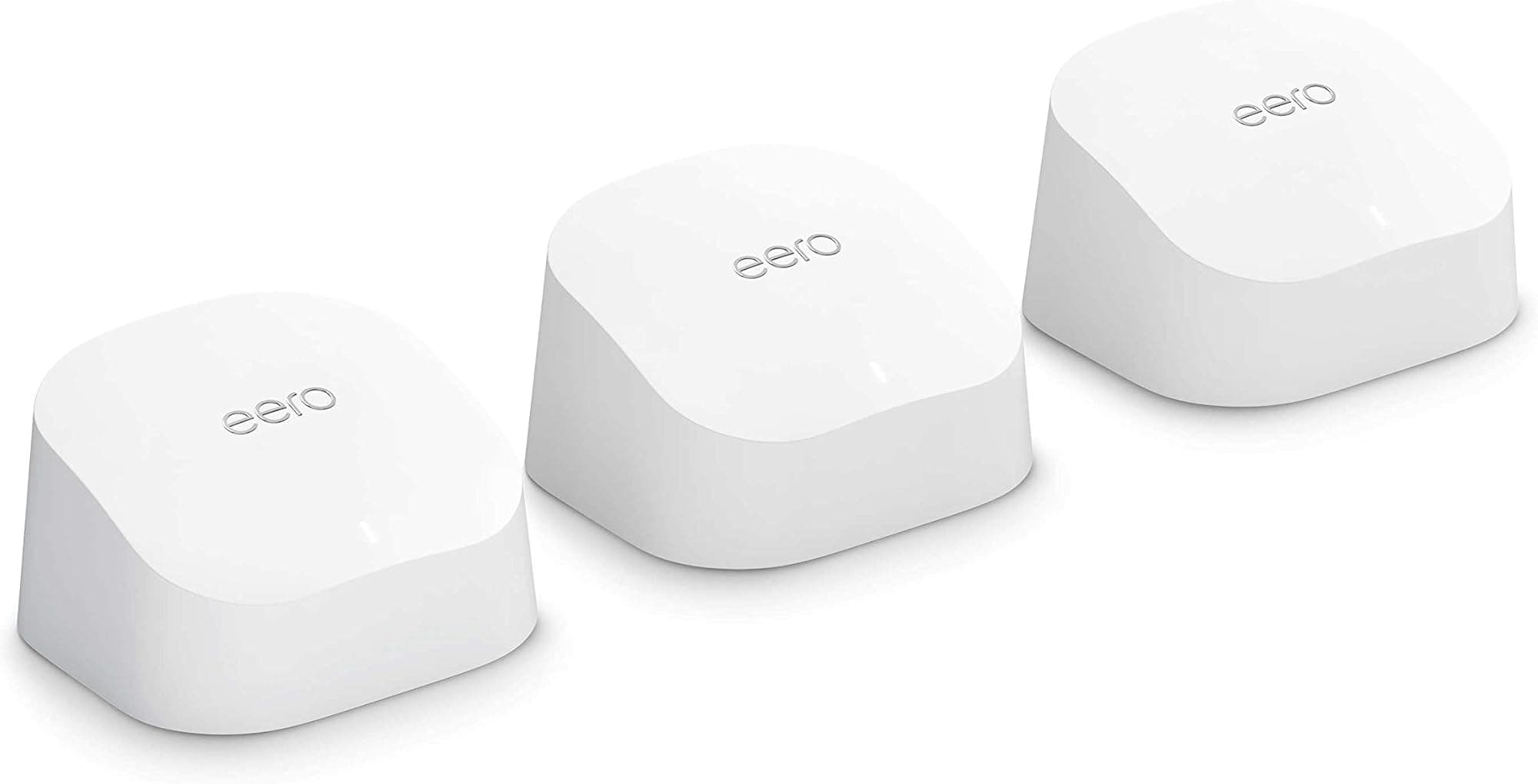
Amazon eero 6 mesh Wi-Fi router | 500 Mbps Ethernet | Coverage up to 420 m² | Connect 75+ devices | 3-Pack
£149.99 · eero
 7.5 / 10
TP-Link Deco X10(2-pack) AX1500Mbps Whole Home Dual-Band Mesh WiFi 6 System, AI-Driven WiFi Extender Booster, 2x Gigabit Ports, Coverage up to 3900ft²,Connect up to 120 devices, Gaming&4K, Easy Setup
£109.99 · TP-Link
Frequently asked
5 questions01Will the TP-Link Deco X50(2-pack) AX3000Mbps Whole Home AI-Driven Mesh WiFi 6 System, Dual-Band WiFi Booster with 3x Gigabit Ports, Coverage up to 4,500 ft2, Connect up to 150 devices, HomeShield Security cover my whole house?+
For most 3 to 4-bedroom UK homes, yes. The 2-pack is rated at 4,500 square feet, but that's a best-case figure in an open environment. In a real home with brick walls and multiple floors, coverage will be less. Place the two nodes sensibly (one per floor, centrally located), and larger or older stone-built properties may need a third node added to the system.
02Do I really need Wi-Fi 6E or Wi-Fi 7 for the TP-Link Deco X50(2-pack) AX3000Mbps Whole Home AI-Driven Mesh WiFi 6 System, Dual-Band WiFi Booster with 3x Gigabit Ports, Coverage up to 4,500 ft2, Connect up to 150 devices, HomeShield Security?+
No, not for most households right now. Wi-Fi 6 is the current mainstream standard and most phones, laptops, and tablets bought in the last three or four years support it. Wi-Fi 6E adds the 6GHz band but device support is still limited, and Wi-Fi 7 client devices are only just appearing in mainstream products. The X50's Wi-Fi 6 with HE160 channel support is a practical and well-matched choice for the majority of home networks in 2025 and 2026.
03Is the TP-Link Deco X50(2-pack) AX3000Mbps Whole Home AI-Driven Mesh WiFi 6 System, Dual-Band WiFi Booster with 3x Gigabit Ports, Coverage up to 4,500 ft2, Connect up to 150 devices, HomeShield Security mesh worth it over a single router or extender?+
For a home with dead zones, yes. A proper mesh system like the X50 handles device roaming between nodes properly, so your phone doesn't cling to a weak signal from a distant node the way it does with a dumb extender. The shared dual-band backhaul means wireless node-to-node performance is not as strong as a tri-band system, but if you can wire the backhaul via Ethernet or Powerline, that limitation goes away.
04Is the TP-Link Deco X50(2-pack) AX3000Mbps Whole Home AI-Driven Mesh WiFi 6 System, Dual-Band WiFi Booster with 3x Gigabit Ports, Coverage up to 4,500 ft2, Connect up to 150 devices, HomeShield Security easy to set up and reliable?+
Setup is app-guided: the Deco app walks you through it step by step, and the WAN/LAN auto-sensing on the ports removes one common stumbling block. On reliability, the X50 is rated 4.3 out of 5 from 12,571 Amazon reviews.
05What warranty and returns apply to the TP-Link Deco X50(2-pack) AX3000Mbps Whole Home AI-Driven Mesh WiFi 6 System, Dual-Band WiFi Booster with 3x Gigabit Ports, Coverage up to 4,500 ft2, Connect up to 150 devices, HomeShield Security?+
Amazon offers 30-day returns on most items. The manufacturer provides a 3-year warranty on the Deco X50. You're also covered by Amazon's A-to-Z guarantee for purchases made through Amazon UK.