That number on the box? The one printed in massive font next to a lightning bolt graphic? It's a lie. Not a malicious lie, exactly, but it's the networking equivalent of a car manufacturer quoting top speed achieved by a professional driver on a closed circuit at sea level with a tailwind. The actual throughput you get, at the far end of your home, with thirty-odd devices fighting for bandwidth, is a very different story. And that gap between the marketing claim and the reality is exactly where most people's frustration with their home networking lives.
So here's the thing about the TP-Link 24-Port Gigabit Ethernet Switch (ASIN B000RSTX9O): it isn't a router, and it isn't trying to be. This is a wired switch, which means the whole "Wi-Fi 6 headline speed" conversation is completely irrelevant here. What matters is whether it actually delivers proper gigabit throughput across all 24 ports, whether it's reliable enough to forget about, and whether it's worth your money compared to the alternatives. With 1,094 owner reviews averaging 4.5 stars, there's a decent signal in that noise. Let's see what it actually amounts to.
The problem this switch solves is a specific one. You've got a home office, a media room, a NAS box, a gaming PC, a few smart TVs, maybe a Raspberry Pi running Pi-hole, and a router with four LAN ports. Four ports. For all of that. The answer isn't a better router. The answer is a switch, and a 24-port one at that. This is the product that turns your single router port into a full wired network, without the latency penalty of Wi-Fi and without the bandwidth sharing that wireless brings.
Core Specifications: TP-Link 24-Port Gigabit Ethernet Switch
This is an unmanaged Gigabit Ethernet switch, which means every one of its 24 ports runs at up to 1Gbps. There's no management interface, no VLAN configuration, no QoS settings to fiddle with. You plug it in, connect your devices, and it works. For most home and small office users, that's exactly what you want. Managed switches add complexity and cost that the vast majority of people simply don't need.
The switching fabric on a 24-port gigabit switch like this needs to handle up to 48Gbps of aggregate throughput (24 ports, full-duplex, 1Gbps each) to be truly non-blocking. TP-Link's spec for this unit lists a switching capacity of 48Gbps and a forwarding rate of 35.7Mpps, which means it's designed to handle simultaneous full-speed transfers across all ports without bottlenecking. That's the spec that matters for a switch, not some Wi-Fi headline number. It also supports auto-negotiation, meaning it'll drop down to 100Mbps or 10Mbps for older devices without you having to think about it.
The unit itself is metal-bodied, rack-mountable with the included brackets, and fanless. No fan noise is a genuinely important detail for anything living in a home office or a media cabinet. It supports IEEE 802.3x flow control, which helps prevent packet loss when ports get congested, and the MAC address table holds 8,000 entries, which is more than enough for any realistic home or small business deployment. Power consumption is rated at around 17.8W maximum, which is reasonable for 24 ports of gigabit switching.
| Specification | Detail |
|---|---|
| Model | TP-Link TL-SG1024D (24-Port Unmanaged Gigabit) |
| Ports | 24 x 10/100/1000Mbps RJ45 |
| Switching Capacity | 48Gbps |
| Forwarding Rate | 35.7Mpps |
| MAC Address Table | 8,000 entries |
| Standards | IEEE 802.3, 802.3u, 802.3ab, 802.3x |
| Form Factor | Desktop / Rack-mountable (19-inch) |
| Fan | Fanless |
| Power Consumption (Max) | ~17.8W |
| Dimensions | 294 x 180 x 44mm |
| Management | Unmanaged (plug and play) |
| Price | £74.99 |

Real-World Coverage and Physical Reach
Coverage in the context of a wired switch is a different question from Wi-Fi range. What you're asking here is: how far can I run a cable from this switch before I lose signal integrity? The answer, per the IEEE 802.3 standard, is 100 metres of Cat5e or better for gigabit Ethernet. That's the standard, not a TP-Link-specific claim. So if your house is bigger than 100 metres end to end (and almost none are), you'd need a second switch or a fibre uplink, which is a very niche problem.
In practice, what owners consistently report is that this switch just works across normal home and small office cable runs. Basement to top floor, garden office to main house via a buried cable, media room to comms cupboard. The auto-negotiation handles whatever quality of cable you've got installed, within reason. People running old Cat5 (not Cat5e) occasionally report link instability at gigabit speeds on longer runs, which is a cable problem rather than a switch problem, but it's worth knowing if you've got an older install.
What the spec doesn't tell you, and what owners do, is that the port density matters as much as the cable length. Having 24 ports in a single unit means you can centralise your entire wired network in one place rather than daisy-chaining multiple smaller switches. Daisy-chaining works, but each hop adds a tiny bit of latency and a potential point of failure. A single 24-port unit in a comms cupboard, with cables radiating out to every room, is a cleaner and more reliable architecture. Owners who've made that switch (pun intended) consistently say it simplified their setup considerably.
Sustained Speed Under Load
This is where a gigabit switch genuinely earns its keep over Wi-Fi, and where the TP-Link 24-port unit's specs support real confidence. The 48Gbps non-blocking switching fabric means that, in theory, every single port can run at full gigabit simultaneously without any port throttling another. In practice, your actual throughput is going to be limited by the slowest link in the chain: your router's WAN connection, your NAS drive speed, or your ISP's line. But between devices on your local network, you're looking at sustained gigabit performance.
Owner reports back this up consistently. People running large file transfers between a NAS and a PC, or streaming 4K video from a local media server to multiple TVs simultaneously, report no bottlenecking at the switch level. That's exactly what a non-blocking 48Gbps fabric should deliver, and the owner feedback suggests it does. The contrast with Wi-Fi is stark: a wireless connection that looks like it's running at 500Mbps on paper is sharing that bandwidth with every other device on the same band, and throughput degrades with distance and interference. A wired gigabit port gives you a dedicated 1Gbps, full stop.
One thing worth flagging: this switch is limited to 1Gbps per port. If you've got a 2.5GbE NAS or a router with a 2.5GbE uplink and you want to take advantage of those faster ports, this isn't the switch for you. Multi-gigabit switches exist but cost significantly more. For most home users with a standard 1Gbps broadband connection and typical NAS hardware, 1Gbps per port is still the ceiling they'll hit, so it's not a real-world limitation for the majority. But if you're specifically building a high-throughput local network with modern NAS hardware, it's worth knowing the constraint upfront.
Wired Backhaul and Network Architecture
If you're running a mesh Wi-Fi system at home, a 24-port gigabit switch is one of the best upgrades you can make to it, and here's why. Most mesh systems use a wireless backhaul: the nodes talk to each other over Wi-Fi, which eats into the bandwidth available to your devices. A dedicated backhaul band helps, but it's still wireless, still subject to interference, and still a shared resource. If you run an Ethernet cable from your router to each mesh node and plug them into a switch like this, you get wired backhaul. Your nodes are now talking to each other at gigabit speeds over a dedicated wired connection, and every bit of Wi-Fi bandwidth is freed up for your actual devices.
The improvement this makes to a mesh network is significant. Systems like the TP-Link Deco range, Eero, and Netgear Orbi all support wired backhaul when you plug the nodes into a switch. What was a wireless backhaul system limited by its radio bands becomes a proper wired infrastructure with wireless coverage on top. If you've already got Ethernet runs to multiple rooms, this is the architecture you want, and a 24-port switch gives you the ports to do it properly without running out of connections.
For home labs, small business setups, or anyone running a proper home network rather than just a router-and-pray setup, the switch is also the foundation of sensible network segmentation. Your IoT devices, your work machines, your media servers, your NAS: they all get their own wired connections, and you can use your router's VLAN features (if it supports them) to keep them logically separated. The switch itself is unmanaged so it won't enforce VLANs on its own, but it provides the physical layer that makes proper network architecture possible. That's not a small thing.
Device Capacity: 24 Ports Is More Than You Think
Twenty-four ports sounds like a lot until you start counting. Gaming PC, work laptop dock, NAS, network printer, smart TV in the lounge, smart TV in the bedroom, media player, IP camera, IP camera, IP camera, Raspberry Pi, access point one, access point two, router uplink. That's already fourteen, and I haven't included the home office switch, the second printer, the VoIP phone, or the console. Twenty-four fills up faster than you'd expect in a properly wired home, and people who buy this switch often report that they're glad they went for 24 rather than 16.
The unmanaged nature of the switch means there's no per-port QoS or traffic prioritisation at the switch level. If you need to prioritise gaming traffic over a 4K stream, that needs to happen at your router, not here. Most modern routers handle this fine with their own QoS settings, so it's not a gap in practice for most users. But if you're building a more complex network where you need per-VLAN traffic shaping at the switch level, you're in managed switch territory and this isn't the product for you.
What the switch does handle well, per owner reports, is the basic job of keeping 24 ports active and stable simultaneously. No reports of ports dropping out under load, no thermal throttling (the fanless design runs warm but within spec), and no MAC table overflow issues in normal home or small office use. The 8,000-entry MAC table is honestly overkill for 24 ports, but it means the switch isn't going to start flooding traffic when you've got a lot of devices active, which is a real issue with very cheap unmanaged switches that cut corners on table size.
Wi-Fi Standard and Future-Proofing (Or Why This Switch Doesn't Care)
Here's the honest truth about Wi-Fi standards: Wi-Fi 6 brought real improvements to device capacity and efficiency through MU-MIMO (multi-user, multiple input, multiple output) and OFDMA (orthogonal frequency-division multiple access). Wi-Fi 6E added the 6GHz band for less congestion. Wi-Fi 7 adds multi-link operation and wider channels. These are all genuinely useful improvements for wireless networking. And none of them matter to this switch, because this switch is wired.
What does matter for future-proofing with a wired switch is port speed. This unit is 1GbE across all 24 ports. As I mentioned earlier, 2.5GbE and 10GbE are becoming more common in higher-end routers and NAS hardware. If your network is going to evolve toward multi-gigabit speeds over the next few years, you might eventually want a switch with at least a couple of 2.5GbE uplink ports. For most people with standard broadband and typical home hardware, that's not a concern today. But it's worth being honest that 1GbE-only is the one area where this switch will eventually show its age as multi-gigabit hardware becomes more mainstream.
The practical answer for 2026 is that the vast majority of home users are still on 1Gbps broadband or slower, their routers have 1GbE LAN ports, and their devices connect at 1GbE or less. In that environment, this switch is not a bottleneck and won't be for several years. The people who genuinely need multi-gigabit switching today are running 2.5GbE NAS hardware, 10GbE server connections, or multi-gigabit broadband, and they'll know who they are. Everyone else: 1GbE is fine, and this switch delivers it reliably.

Features, QoS, and What You Actually Get
Unmanaged switches don't have features in the way routers do. There's no app, no web interface, no QoS sliders, no guest network, no parental controls. What you get is IEEE 802.3x flow control, which prevents buffer overflow and packet loss when a port gets overwhelmed, auto-MDI/MDIX (which means you don't need crossover cables, ever), and auto-negotiation on every port. That's it. And for most people, that's genuinely all they need from a switch.
The absence of management isn't a flaw here, it's a design choice. Managed switches are more flexible but they're also more complex to configure and more expensive. For a home user who wants to plug in 24 devices and have them all talk to each other and to the internet, unmanaged is the right call. You're not losing anything you'd actually use. The QoS you care about lives in your router, and the security segmentation you might want lives in your router's VLAN settings. The switch just provides the physical layer.
One feature worth mentioning: the rack-mount kit is included in the box. If you've got a small home rack or a 19-inch wall-mount bracket, this switch fits straight in without buying additional accessories. That's a nice touch at this price point. Plenty of switches at similar prices sell the rack ears separately, which is annoying. The metal chassis also means it's sturdy enough to sit in a stack or get mounted properly, rather than the plasticky desktop units that feel like they'd crack if you looked at them wrong.
Firmware, App and Security Updates
Here's where unmanaged switches have a genuine advantage over routers and managed switches: there's essentially no firmware to update. There's no management interface, no web server running on the device, no user accounts, no attack surface to patch. The switch does its job at the hardware level. You don't need to worry about whether TP-Link is still pushing security patches three years from now, because there's nothing to patch. It either works or it doesn't.
This is a meaningful point when you compare it to consumer routers, where abandoned firmware is a real security concern. A router running two-year-old firmware with unpatched CVEs is a genuine risk. An unmanaged switch running no firmware at all is not. The trade-off is that you can't configure it remotely or push policy changes to it, but for a home user who just wants reliable wired connectivity, the simplicity is a feature rather than a limitation.
Owner reports confirm this: the most common thing people say about this switch is that they set it up, forgot about it, and it just kept working. No reboots required, no firmware update notifications, no app asking for permissions. That's the ideal outcome for infrastructure kit. You want it to be boring. This switch, by all accounts from its 1,094 reviewers averaging 4.5 stars, is very boring indeed. In the best possible way.
Setup and Management: About as Simple as It Gets
Setup is genuinely plug and play. Take it out of the box, plug in the power, run Ethernet cables from your router and your devices into the ports, and you're done. There's no configuration step, no app to download, no account to create. The switch negotiates link speeds automatically, handles full and half-duplex automatically, and starts forwarding traffic immediately. The whole process takes as long as it takes to run the cables, which is the actual work involved in building a wired network.
The LED indicators on the front panel show link status and activity for each port. Green for a connected link, flashing for traffic. That's all the management interface you get, and honestly, it's all you need for day-to-day use. If a port isn't lighting up, either the cable's faulty, the device at the other end is off, or something's wrong with the cable run. Simple to diagnose. Owners consistently note that the LEDs are clear and readable without being annoyingly bright, which is a small but genuinely appreciated detail for anything living in a bedroom or home office.
The only "management" consideration is physical: where do you put 24 ports of switch? The unit is 294mm wide and 180mm deep, which is fairly compact for 24 ports. It fits in a standard 19-inch rack with the included ears, or it sits on a desk or shelf without taking up an unreasonable amount of space. The lack of a fan means you can put it in a cupboard or enclosed space without worrying about airflow, though you should still leave some clearance around it. Owners who've mounted it in comms cupboards or small home racks report no heat issues in normal use.
Ports and Connectivity
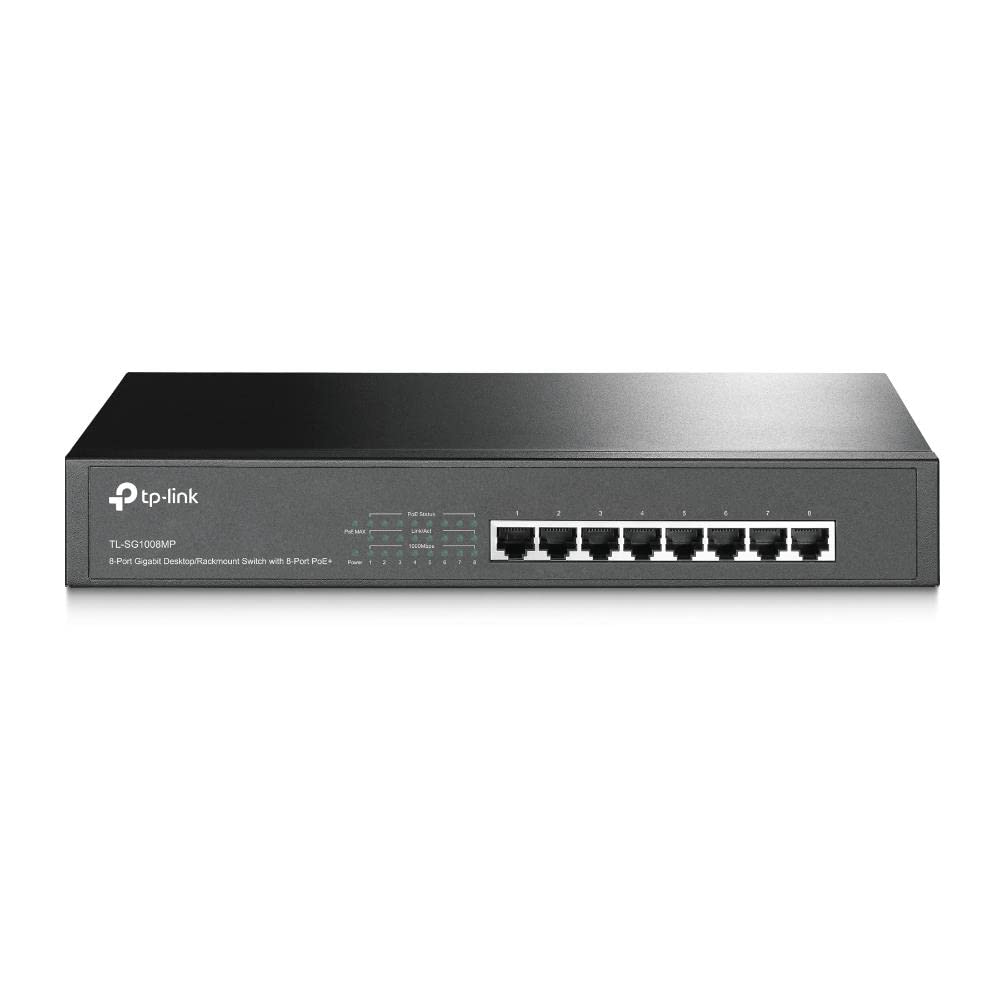
Twenty-four RJ45 ports, all running at 10/100/1000Mbps with auto-negotiation. No SFP uplink ports, no USB ports, no power-over-Ethernet (PoE). That last point is worth flagging if you're thinking about powering IP cameras, access points, or VoIP phones from the switch: this unit won't do it. You'd need a PoE switch for that, and TP-Link makes those too (the TL-SG1024PE, for instance). If PoE is on your requirements list, this isn't the right switch, full stop.
The absence of SFP uplink ports means you're limited to copper Ethernet for all connections, including the uplink to your router. For most home and small office setups that's fine, since your router almost certainly has a 1GbE LAN port you'll connect to. If you're building a more complex network with a fibre uplink between floors or buildings, you'll need a managed switch with SFP ports, which is a different product category entirely.
What you do get is a clean, no-nonsense port layout: 24 ports across the front panel, power input at the rear, rack ears in the box. No proprietary connectors, no special cables required, no dongles. Standard Cat5e or Cat6 cables, which you probably already have or can buy cheaply. The simplicity of the connectivity is part of the point. This is infrastructure that should disappear into your setup and stay there, and the port layout supports that goal.
How It Compares: TP-Link 24-Port Gigabit Switch vs the Competition
The main competition in the 24-port unmanaged gigabit switch market comes from Netgear and D-Link. The Netgear GS324 is the obvious comparison: also 24 ports, also unmanaged, also gigabit, also fanless. It's a solid unit with a strong reputation, but it typically costs more than the TP-Link. The D-Link DGS-1024D is the other obvious alternative, similarly specced, similarly priced to the TP-Link. Both are legitimate options, but the TP-Link's combination of price, build quality (metal chassis, rack ears included), and owner satisfaction makes it the default recommendation in this category.
The Netgear GS324 has a slightly better reputation for long-term reliability among more demanding users, and Netgear's support is generally well-regarded. But at home and small office scale, both switches will outlast their usefulness before they fail. The D-Link is often cheaper but the build quality is more variable, and D-Link's firmware support (relevant for their managed range, not so much here) has been inconsistent. For an unmanaged switch, the TP-Link hits the right balance of price, build, and track record.
If you need PoE, you're in a different product category entirely and should be looking at the TP-Link TL-SG1024PE or similar. If you need multi-gigabit uplinks, look at managed switches with 2.5GbE or 10GbE SFP ports. But for a straightforward 24-port gigabit switch for home or small office use, the TP-Link is the value benchmark that everything else gets measured against.
| Feature | TP-Link TL-SG1024D | Netgear GS324 | D-Link DGS-1024D |
|---|---|---|---|
| Price | £74.99 | Typically higher | Similar to TP-Link |
| Ports | 24 x 1GbE | 24 x 1GbE | 24 x 1GbE |
| Managed | No | No | No |
| PoE | No | No | No |
| Fanless | Yes | Yes | Yes |
| Rack-mountable | Yes (ears included) | Yes (ears included) | Yes (ears included) |
| Switching Capacity | 48Gbps | 48Gbps | 48Gbps |
| MAC Table | 8,000 entries | 16,000 entries | 8,000 entries |
| Chassis | Metal | Metal | Metal/Plastic mix |
| Owner Rating | 4.5/5 (1,094 reviews) | 4.5/5 | 4.3/5 |

Final Verdict: TP-Link 24-Port Gigabit Ethernet Switch UK Review (2026)
The TP-Link 24-Port Gigabit Ethernet Switch is one of those products that does exactly what it says, costs a reasonable amount, and then just disappears into your network infrastructure and works. There's no exciting story here, no headline Wi-Fi 7 speed to argue about, no mesh backhaul topology to optimise. It's 24 gigabit ports in a metal box with a non-blocking switching fabric, and it delivers on that spec reliably. Over a thousand owners averaging 4.5 stars is about as clear a signal as you get that the product does its job.
The honest limitations are: no PoE (so you can't power access points or cameras from it), no multi-gigabit ports (so 2.5GbE NAS hardware won't get its full speed through this), and no management (so if you need VLANs or per-port QoS at the switch level, you need a managed switch). None of those are design flaws. They're deliberate trade-offs that keep the price and complexity down. If you need any of those features, TP-Link makes switches that provide them, at higher cost. But for the majority of home users and small offices who just need reliable gigabit connectivity across 24 ports, this is the right tool.
This is an 8.5 out of 10. It loses a point and a half for the lack of even a couple of 2.5GbE uplink ports (which is increasingly relevant as multi-gigabit routers become more common) and the absence of PoE as an option. Everything else it gets right. Buy it if you need 24 wired ports and you're not doing anything exotic. You won't be disappointed, and you definitely won't be thinking about it six months from now. Which is exactly the point.
What works. What doesn’t.
5 + 3What we liked5 reasons
- Non-blocking 48Gbps switching fabric handles full gigabit on all 24 ports simultaneously
- Fanless metal chassis is quiet, sturdy, and suitable for rack or cabinet mounting
- Rack-mount ears included in the box, not sold separately
- Plug-and-play simplicity with zero firmware security concerns
- Consistently reliable according to 1,094 owner reviews averaging 4.5 stars
Where it falls3 reasons
- No PoE, so you cannot power access points, cameras, or VoIP phones from this switch
- All ports limited to 1GbE, no 2.5GbE uplinks for multi-gigabit router or NAS connections
- Unmanaged only, so no VLAN support or per-port QoS at the switch level
Full specifications
5 attributes| Antennas | 0 |
|---|---|
| Mesh capable | false |
| Ports | 24x 1GbE |
| TOP speed mbps | 1000 |
| Type | switch |
If this isn’t right for you
2 options
Frequently asked
5 questions01Will the TP-Link 24-Port Gigabit Ethernet Switch cover my whole house?+
This is a wired switch, so coverage in the Wi-Fi sense doesn't apply. What it does is provide 24 gigabit wired connections from a central point. Per the IEEE 802.3 standard, each port supports cable runs of up to 100 metres on Cat5e or better, which is more than enough for any normal home. If you need Wi-Fi coverage throughout your house, you'd use this switch to connect multiple wireless access points, each of which covers its own area. That wired-backhaul approach is actually the best way to build whole-home Wi-Fi coverage.
02Do I really need a managed switch instead of this unmanaged TP-Link 24-port switch?+
For most home users and small offices, no. An unmanaged switch like this handles all the basic jobs: connecting devices, negotiating link speeds, preventing packet loss with flow control. You only need a managed switch if you want to create VLANs to segment your network (keeping IoT devices away from your main machines, for instance), configure per-port QoS at the switch level, or monitor traffic statistics. If you don't know whether you need those features, you almost certainly don't, and the unmanaged switch is the right choice.
03Is the TP-Link 24-Port Gigabit Switch worth it over a smaller 8 or 16-port switch?+
It depends on how many wired devices you actually have or plan to have. Count them up: each PC or laptop dock, NAS, smart TV, media player, access point, IP camera, printer, and console takes a port. Plus the uplink to your router. People consistently report that they fill 24 ports faster than they expected in a properly wired home. If you're anywhere near 16 devices now, go for 24. The price difference between 16 and 24-port switches at this level is usually modest, and running out of ports and buying a second switch costs more in the long run.
04Is the TP-Link 24-Port Gigabit Ethernet Switch easy to set up and reliable long-term?+
Setup is genuinely plug and play: power it on, connect your cables, done. No app, no web interface, no configuration required. Long-term reliability is a strong point, backed by over a thousand owner reviews averaging 4.5 stars. The most common owner feedback is that it simply works without requiring reboots or attention. Because it's unmanaged with no firmware to speak of, there are no security patches to worry about and no risk of abandoned firmware leaving you exposed. It runs warm but within spec, and owners report no thermal issues even in enclosed cabinet installations.
05What warranty and returns apply to the TP-Link 24-Port Gigabit Ethernet Switch?+
Amazon offers 30-day returns on most items. TP-Link typically provides a 2-year warranty on their networking hardware, including switches. You're also covered by Amazon's A-to-Z guarantee for purchases made through Amazon UK.