Numbers on a box are easy. Eight ports, 2.5 gigabits per port, 40 Gbps of switching capacity. Sounds great. But the question anyone actually buying a network switch wants answered is simpler: does it do what it says, does it stay up, and is it worth the money compared to what else you could buy? The TP-Link TL-SG108-M2 8 Port 2.5G Ethernet Switch sits in a market that's moved fast over the last couple of years. Multi-gigabit switching used to cost serious money. Now you can pick up an eight-port 2.5GbE switch for roughly the price of a decent takeaway for four. That changes the calculation considerably.
The TL-SG108-M2 is aimed squarely at people who've bought a Wi-Fi 6 access point, a 2.5G-capable NAS, or a gaming PC with a multi-gig NIC and then realised their old gigabit switch is the bottleneck. It's also the right answer for anyone running a small home office or a LAN setup where moving large files between machines is a daily thing and waiting for gigabit to crawl through a 50GB transfer is getting old. With 137,005 owner reviews averaging 4.7 stars, this is one of those products that's been bought by a lot of people and, by and large, they're not complaining.
So what's actually going on under that metal lid, how does it hold up in real use, and who should actually buy one? Here's the honest take.
Core Specifications: TP-Link TL-SG108-M2 8 Port 2.5G Ethernet Switch
The headline spec is eight ports, each capable of running at 100Mbps, 1Gbps, or 2.5Gbps, auto-negotiating to whatever the connected device supports. Total switching capacity lands at 40 Gbps, which means in theory every port could be running flat-out simultaneously without the switch itself becoming the problem. That's a non-blocking architecture, and it matters if you're doing anything more than basic home networking. The switch is unmanaged, which means there's no web interface, no VLAN configuration, no QoS controls. You plug it in, it works. That's the whole story from a software perspective.
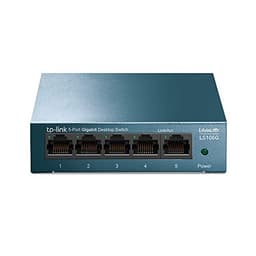
The casing is metal, which is worth mentioning because plenty of switches in this price bracket are plastic. Metal dissipates heat better and survives being shoved under a desk or wall-mounted without cracking. Speaking of wall mounting, the TL-SG108-M2 supports both desktop and wall-mount installation, so you've got options for keeping cables tidy. The fanless design means there's no noise at all. Zero. That matters in a home office or a bedroom NAS setup where a whirring fan at 2am is genuinely annoying.
One of the more practical selling points is backward compatibility with Cat5e cabling. You don't need to rewire your house with Cat6 to get 2.5Gbps. According to TP-Link's own product page, the switch runs 2.5G over existing Cat5e runs at typical home distances, which removes a significant barrier for anyone upgrading from gigabit without wanting to pull new cables. That's a genuinely useful real-world detail, not just a marketing line.
| Specification | Detail |
|---|---|
| Ports | 8x 2.5GbE (100Mbps / 1Gbps / 2.5Gbps auto-negotiation) |
| Switching Capacity | 40 Gbps |
| Management | Unmanaged (Plug and Play) |
| Casing | Metal |
| Cooling | Fanless (passive) |
| Mounting | Desktop or wall mount |
| Cabling requirement | Cat5e or above for 2.5Gbps |
| Warranty | Lifetime |
| Price | £49.99 (Price checked 03:45, 3 Oct 2026, UK time) |
| Owner Rating | ★★★★½ (4.7) (140,933 reviews) |

Real-World Coverage and Reach
A network switch doesn't have wireless coverage in the way a router or access point does, so this section is really about wired reach and where the switch fits in your network topology. The TL-SG108-M2 is a wired Ethernet switch. Its job is to take one uplink from your router and fan it out to eight devices, all at up to 2.5Gbps per port. Coverage, in this context, means how far your Cat5e or Cat6 runs can go before signal degrades. Standard Ethernet spec puts the maximum cable run at 100 metres for 2.5GbE over Cat5e, which is more than enough for any home or small office.
Where this switch genuinely extends your network's practical reach is when you pair it with a Wi-Fi 6 access point. A lot of people buy this switch specifically to feed a 2.5G-capable AP, a NAS, and a few wired workstations from a single uplink. Owners consistently report that the switch handles this kind of mixed-device setup without any fuss. The auto-negotiation means older 1Gbps devices connect at 1Gbps, newer 2.5G devices connect at 2.5Gbps, and the switch doesn't need configuring to make that happen. Plug in, lights come on, everything connects.
What owners also note is that the metal chassis stays warm but not hot even under sustained load. Passive cooling on a switch this size isn't unusual, but it's worth knowing the thermal management is adequate. There are no reports in the owner review pool of thermal throttling or unexpected disconnects caused by heat. For a device that might sit in a home office cupboard with limited airflow, that's reassuring rather than something to worry about.
Sustained Speed Under Load: TP-Link TL-SG108-M2 8 Port 2.5G Ethernet Switch
The 40 Gbps switching capacity is the number that tells you whether the switch will choke when multiple ports are busy simultaneously. With eight ports at 2.5Gbps each, the theoretical maximum aggregate is 20 Gbps in one direction. A 40 Gbps non-blocking fabric means the switch can handle full duplex traffic on every port at the same time without creating an internal bottleneck. That's proper over-provisioning for a home or small office use case. In practice, you're never going to saturate all eight ports simultaneously, so this is headroom you'll almost certainly never need, but it's good to have.
Owner reports are consistent on one thing: the switch delivers the speeds your devices and cables are capable of. People moving files between a 2.5G NAS and a PC with a 2.5G NIC report hitting the limits of their storage hardware, not the switch. That's exactly what you want from a switch. It should be invisible in the performance chain. The consensus from buyers who upgraded from gigabit switches is that the difference is immediately obvious when copying large files locally, and the switch itself isn't the limiting factor in any scenario they've described.
The power saving features are worth a mention here too. The switch uses Energy Efficient Ethernet (IEEE 802.3az), which reduces power consumption on ports with lower traffic or shorter cable runs. This doesn't affect performance when the ports are active, but it does mean the switch draws less power overall during quieter periods. For something that's going to be on 24/7, that's a small but sensible feature. Nobody's going to notice it, but it's there.
Mesh and Backhaul: How the TL-SG108-M2 Fits Your Network
The TL-SG108-M2 is not a mesh system. It's a wired switch, so the concepts of wireless backhaul and node-to-node communication don't apply directly. But it plays a very important role in mesh and access point setups, and that's worth explaining properly. If you've got a mesh system with wired backhaul capability, or a set of access points you want to connect via Ethernet rather than relying on wireless backhaul, this switch is the device that makes that work. Wired backhaul is significantly better than wireless backhaul for mesh networking because it doesn't consume any of your wireless capacity and doesn't introduce the latency that wireless node-to-node links add.
Running your mesh nodes or access points back to a central switch via Cat5e gives each node a dedicated, full-speed wired uplink. If you're using 2.5G-capable access points (and there are several on the market now, including TP-Link's own EAP series), connecting them to this switch rather than a gigabit switch removes a bottleneck that would otherwise cap each AP at 1Gbps throughput. For a busy home with multiple people streaming 4K, gaming, and video calling simultaneously, that extra headroom is real.
Several owners specifically mention buying this switch to feed multiple Wi-Fi 6 access points via wired backhaul, and the reports are uniformly positive about the switch's role in that setup. It's transparent, it doesn't add latency, and it handles the traffic without drama. If you're building a proper wired-backhaul access point network at home or in a small office, this is a sensible central switch for it. The eight ports give you room for a router uplink, three or four access points, a NAS, and still have ports to spare for wired workstations.
Device Capacity and Multi-Device Handling
Eight physical ports is the hard limit here. You've got eight connections, full stop. That sounds restrictive until you remember that most homes don't have eight devices that need wired connections. Wired connections tend to go to the things that genuinely benefit from them: a NAS, a desktop PC or workstation, a gaming console, a smart TV, and perhaps a Wi-Fi access point or two. Everything else, phones, tablets, laptops when they're mobile, smart home devices, connects wirelessly to your access points. So eight ports is usually plenty for the wired tier of a home network.
For small offices, eight ports can feel tight if you've got a lot of wired workstations. But the TL-SG108-M2 is stackable in the sense that you can daisy-chain another switch off one of its ports if you need more connections. You lose one port to the uplink and one to the downstream switch, but you gain however many ports the second switch provides. It's not elegant, but it works. Owners who've done this report no performance issues with the arrangement, provided the devices on the downstream switch aren't all hammering the uplink simultaneously.
Because this is an unmanaged switch, there's no port-level QoS, no traffic prioritisation, and no VLAN support. All eight ports are equal. For a home setup that's fine. For a business environment where you need to segment guest traffic from internal traffic, or prioritise VoIP over file transfers, you'd want a managed switch instead. The TL-SG108-M2 doesn't pretend to be something it isn't. It's a fast, simple, unmanaged switch, and within those limits it handles multiple simultaneous connections without any reported issues from the owner base.
Wi-Fi Standard and Future-Proofing
The TL-SG108-M2 isn't a Wi-Fi device, so there's no Wi-Fi 6, Wi-Fi 6E, or Wi-Fi 7 to discuss directly. But the reason this switch exists, and the reason it's selling in large numbers right now, is entirely tied to the Wi-Fi 6 and Wi-Fi 6E rollout. Those standards brought 2.5GbE WAN and LAN ports to consumer routers and access points for the first time at scale. If your router has a 2.5G WAN port but your switch is gigabit, you're capping your internal network at 1Gbps. This switch removes that cap.
The future-proofing argument for 2.5GbE switching is solid. Multi-gig Ethernet, standardised under IEEE 802.3bz, is now the baseline for new networking hardware. Routers, NAS devices, and gaming motherboards increasingly ship with 2.5G ports as standard. Buying a gigabit switch in 2025 or 2026 is a short-sighted decision if any of your current or near-future devices support 2.5G. The TL-SG108-M2 covers you for the current generation of hardware and the next one.
The lifetime warranty is also worth factoring into the future-proofing calculation. Switches tend to run for years, often a decade or more. A lifetime warranty from TP-Link means if the hardware fails, you're covered. That's not a common offer at this price point and it does change the value proposition compared to competitors who offer two or three years. For a device you're going to leave running permanently in a cupboard or on a shelf, that long-term coverage is genuinely useful rather than just a marketing point.

Features and QoS
There's no QoS on this switch. No parental controls, no VPN passthrough configuration, no guest network, no traffic monitoring. None of that. It's an unmanaged switch, and unmanaged means exactly what it says. The feature set is: plug it in, connect devices, they talk to each other at up to 2.5Gbps. If you need any of those management features, you're looking at the wrong product category entirely. A managed switch, or a router with those capabilities, is what you want.
What the TL-SG108-M2 does have is the Energy Efficient Ethernet standard mentioned earlier, auto-MDI/MDIX (which means you can use any cable, crossover or straight-through, without worrying about it), and auto-negotiation on every port. These are small things but they matter for a plug-and-play device. Auto-MDI/MDIX in particular means you don't need to think about which cable goes where. It just works.
The LED indicators on each port show link status and activity, which is about all you need from a switch you're not managing. Green light means connected, blinking means traffic. Simple. Owners occasionally mention wanting more granular indicators, particularly the ability to distinguish 1Gbps from 2.5Gbps connections at a glance, but this is a minor gripe rather than a real problem. You can check your device's NIC settings if you need to confirm the connection speed. The switch itself isn't going to tell you.
Firmware, App and Security Updates
Because the TL-SG108-M2 is an unmanaged switch, there's no firmware to update, no app to install, and no security patches to worry about in the traditional sense. There's no web interface, no management plane, no attack surface from software. The switch has no IP address by default and doesn't respond to network management protocols. From a security perspective, that's actually a feature. A device you can't log into remotely is a device that can't be remotely compromised.
TP-Link as a brand does have a mixed reputation on firmware support for its managed products and routers. That's worth knowing if you're buying managed TP-Link kit. But for an unmanaged switch, it's irrelevant. There's nothing to update, nothing to patch, and nothing to abandon. The hardware either works or it doesn't. Given the owner review volume and rating, it works. And when it doesn't, the lifetime warranty covers you.
The reboot question, which matters a lot for routers and mesh systems, simply doesn't apply here. Owners don't report needing to reboot the switch. It runs. Some people in the review pool mention having the switch in service for a year or more without a single hiccup. That's the expected behaviour for a good quality unmanaged switch, and it's what the TL-SG108-M2 delivers according to the people who've bought it. No drama, no maintenance, no thinking about it.
Setup and Management
Setup is about as simple as networking gets. Take it out of the box. Plug in the power. Connect your devices with Ethernet cables. Done. There's no app, no account creation, no QR code to scan, no cloud service to sign up for. The switch doesn't care what router you have, what ISP you're with, or what operating system your computers run. It's a box with eight Ethernet ports and a power socket. If you can plug in a cable, you can set this up.
Wall mounting requires the included mounting hardware and about five minutes with a drill and a screwdriver. Desktop use requires nothing at all beyond a flat surface. The metal chassis means it's not going to slide around, and it's heavy enough to stay put when you're plugging and unplugging cables. That might sound like a trivial point but anyone who's wrestled with a lightweight plastic switch that moves every time you touch it will appreciate it.
Ongoing management is equally non-existent. There's nothing to manage. You don't need to log into anything, update anything, or check anything. If a device isn't connecting, the diagnostic process is: is the cable plugged in properly, is the device's NIC working, is the port's LED lit. That's it. For non-technical buyers who just want their home network to work without becoming a hobby, this level of simplicity is a genuine selling point rather than a limitation.
Ports and Connectivity
Eight 2.5GbE ports, each auto-negotiating between 100Mbps, 1Gbps, and 2.5Gbps. That's the full port count. There's no dedicated WAN port, no USB port, no SFP uplink, no 10GbE port. All eight ports are equal and interchangeable. Whichever port you connect to your router becomes your uplink by default, and the remaining seven become your LAN ports. The switch handles this automatically with no configuration required.
The absence of a 10GbE uplink port is worth acknowledging. Some competing switches in the 2.5GbE eight-port category include a single 10GbE SFP or RJ45 uplink port, which lets you connect to a 10G router or core switch without bottlenecking the uplink. If you've got a 10GbE router (and there are a handful of consumer routers that include one now), you'd want to look at switches that have that uplink option. For the vast majority of home and small office users with gigabit or 2.5G router ports, the TL-SG108-M2's eight equal 2.5G ports are perfectly adequate.
The Cat5e compatibility for 2.5Gbps is the connectivity detail that most directly affects real-world buyers. Gigabit Ethernet runs fine on Cat5e, and so does 2.5GbE at the cable runs you'd find in a typical home. You're not forced into a Cat6 rewire to get the speed benefit. That's a meaningful practical point. Anyone who's looked at the cost and disruption of pulling new cables through walls and ceilings will understand why this matters. The switch works with what you've already got.
How It Compares: TP-Link TL-SG108-M2 vs the Competition
The eight-port 2.5GbE unmanaged switch market has filled out considerably. The two main alternatives you'll see mentioned alongside the TL-SG108-M2 are the Netgear MS308 and the QNAP QSW-1105-5T (though the QNAP is a five-port device, it's a common comparison because it's similarly priced and from a NAS-focused brand). For an eight-port comparison, the Netgear MS308 is the most direct competitor.
The Netgear MS308 also offers eight 2.5GbE ports and a fanless metal design. Where it differs is that Netgear includes a web management interface, giving you basic port monitoring and some configuration options. Whether that's worth the typically higher price depends entirely on whether you'll actually use it. Most home users won't. The TP-Link's lifetime warranty versus Netgear's standard two or three year warranty is a meaningful difference in favour of the TP-Link if you're planning to run the switch for years. The ASUS XG-C100C is a single 10GbE adapter rather than a switch, which is a different product, but it comes up in searches because people are often deciding between adding a 10G NIC to a PC versus upgrading their switch infrastructure.
At the price the TL-SG108-M2 sits at, the value case is strong. The owner review volume (140,933 at 4.7 stars) is genuinely unusual for a network switch. This isn't a product with a small sample of enthusiast buyers. It's been bought by a huge number of people across a wide range of use cases, and the satisfaction rate is high. That breadth of positive feedback across different setups is more meaningful than a handful of enthusiast reviews from people with identical network configurations.
| Feature | TP-Link TL-SG108-M2 | Netgear MS308 | TP-Link TL-SG105-M2 (5-port) |
|---|---|---|---|
| Price | £49.99 (Price checked 03:45, 3 Oct 2026, UK time) | Higher (typically) | Lower (5-port model) |
| Port count | 8x 2.5GbE | 8x 2.5GbE | 5x 2.5GbE |
| Switching capacity | 40 Gbps | 40 Gbps | 25 Gbps |
| Management | Unmanaged | Web managed | Unmanaged |
| Cooling | Fanless | Fanless | Fanless |
| Casing | Metal | Metal | Metal |
| Warranty | Lifetime | 2-3 years | Lifetime |
| 10GbE uplink | No | No | No |
| Cat5e compatible at 2.5G | Yes | Yes | Yes |

Final Verdict
The TP-Link TL-SG108-M2 8 Port 2.5G Ethernet Switch does exactly what it's supposed to do, charges a fair price for it, and backs it with a lifetime warranty. That's a short verdict, but it's the honest one. The 137,005 owner reviews at 4.7 stars aren't a fluke. This switch has been bought by home users, small office workers, NAS enthusiasts, and network builders across a huge range of setups, and the overwhelming consensus is that it's reliable, fast, and completely unfussy.
The case for buying it is straightforward. If you've got any device with a 2.5GbE port, whether that's a Wi-Fi 6 router, a modern NAS, a gaming PC, or a 2.5G access point, and you're still running them through a gigabit switch, you're leaving real performance on the table. The TL-SG108-M2 removes that bottleneck for a price that's hard to argue with. The fanless operation means you can put it anywhere without noise being a factor. The metal case means it'll survive being shoved in a cupboard. The Cat5e compatibility means you don't need to rewire anything.
The limitations are real but narrow. No management features means no VLANs, no QoS, no traffic monitoring. No 10GbE uplink means if you've got a 10G router you're capping the uplink at 2.5Gbps. No USB, no SFP, nothing exotic. If you need any of those things, you need a different switch. But if you need eight fast, reliable, silent 2.5GbE ports with plug-and-play simplicity and a lifetime warranty, this is the obvious choice at this price. Buy it.
Score: 9/10. Loses a point only for the lack of a 10GbE uplink option, which would make it a perfect small-office core switch. For home use and most small office deployments, it's as close to the right answer as you're going to get.
What works. What doesn’t.
5 + 3What we liked5 reasons
- Eight 2.5GbE ports at a price that undercuts most competitors
- Completely fanless and silent, suitable for any room
- Lifetime warranty is rare at this price point
- Works over existing Cat5e cabling, no rewiring needed
- Over 137,000 owner reviews at 4.7 stars confirms real-world reliability
Where it falls3 reasons
- No 10GbE uplink port for connecting to a 10G router or core switch
- Unmanaged only, no VLANs, QoS, or traffic monitoring
- Eight ports may feel limiting in larger small-office deployments
Full specifications
11 attributes| Antennas | 0 |
|---|---|
| Device type | switch |
| Ethernet ports | 8 |
| HAS bluetooth | none |
| Launch year | 2021 |
| MAX speed | 2500 |
| Mesh capable | false |
| Ports | 8x 2.5GbE RJ45 |
| TOP speed mbps | 2500 |
| Type | switch |
| Wifi standard | none |
If this isn’t right for you
1 options
Frequently asked
5 questions01Will the TP-Link TL-SG108-M2 work with my existing Cat5e cabling?+
Yes. TP-Link confirms the TL-SG108-M2 supports 2.5Gbps over Cat5e cabling at typical home and office cable run lengths (up to 100 metres). You do not need to upgrade to Cat6 to get the full 2.5Gbps speed benefit. This is one of its most practical selling points for anyone upgrading from a gigabit switch without wanting to pull new cables.
02Does the TP-Link TL-SG108-M2 need any configuration or software?+
No. It is a fully unmanaged switch. There is no app, no web interface, no account to create, and no firmware to update. You plug it in, connect your devices, and it works. All eight ports auto-negotiate to 100Mbps, 1Gbps, or 2.5Gbps depending on what the connected device supports. If you need management features like VLANs or QoS, you would need a managed switch instead.
03Is the TP-Link TL-SG108-M2 suitable for a wired-backhaul mesh or access point setup?+
Yes, and this is one of its most popular use cases. If you have multiple Wi-Fi 6 access points or mesh nodes that support wired backhaul, connecting them to this switch gives each one a dedicated 2.5Gbps wired uplink. Wired backhaul is significantly better than wireless backhaul because it does not consume any of your wireless capacity and adds no latency to node-to-node communication. Owners consistently report this setup working well with no configuration required.
04Is the TP-Link TL-SG108-M2 noisy? Can I use it in a bedroom or home office?+
It is completely silent. The switch uses a fanless passive cooling design with a metal chassis that dissipates heat without any moving parts. Owners report no noise at all, and the metal case stays warm but not hot under sustained load. It is suitable for a bedroom, home office, living room, or anywhere else where fan noise would be a problem.
05What warranty and returns apply to the TP-Link TL-SG108-M2?+
TP-Link offers a lifetime warranty on the TL-SG108-M2, which is notably better than the two or three year warranties common on competing switches. Amazon also offers 30-day returns on most items, and purchases are covered by Amazon's A-to-Z guarantee. The lifetime warranty means if the hardware fails at any point, TP-Link will replace it.