Best Overall Value
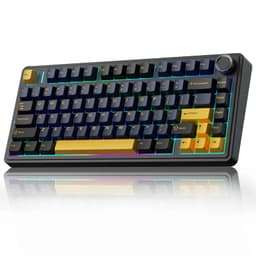
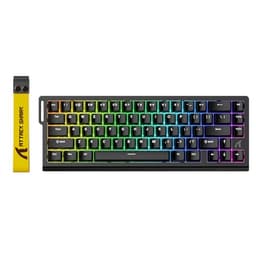
Here's the thing: hall effect magnetic switches at under £50 used to be unthinkable. The AULA WIN60 HE changes that completely. Hall effect switches use magnets rather than physical contact points to register keypresses, which means they don't wear out the same way traditional mechanical switches do. For typing, that translates to a consistent, precise feel that stays the same whether the board is brand new or two years old.
The adjustable actuation is the real star for typists. You can set exactly how far you need to press each key before it registers, anywhere from a feather-light 0.1mm to a more deliberate 4.0mm. If you're a heavy typist who bottoms out every key, set it deeper. If you prefer a light touch, bring it right up. It's a level of personalisation you simply don't get on most keyboards at three times the price.
The 60% layout does mean you lose the function row, arrow keys, and numpad. That's a genuine compromise for some typists, particularly anyone who uses arrow keys regularly for document navigation. You'll need to use function layer shortcuts instead, which takes a bit of getting used to. But if you're comfortable with that trade-off, the desk space you reclaim is substantial.
The 8K polling rate is overkill for typing (it's really a gaming spec), but it doesn't hurt anything. Build quality feels solid for the price. The RGB is bright and customisable. Mac and Windows compatibility is built in. For the best mechanical keyboards for typing on a tight budget, this is the one to beat.
Price: £39.99 | Rating: ★★★★☆ (4.4)
Pros
- Hall effect switches at a genuinely affordable price
- Adjustable actuation suits different typing styles
- Compact 60% layout saves desk space
- Mac and Windows compatible out of the box
- Durable switch technology with no contact wear
Cons
- No arrow keys or function row on the 60% layout
- Function layer shortcuts have a learning curve
- 8K polling rate is unnecessary for pure typing use
- Relatively new product with limited long-term owner feedback
Buy on Amazon
Best Build Quality
If you want the best build quality in this roundup and you're prepared to spend for it, the Corsair K70 PRO TKL is the answer. This is a proper premium board. The aluminium top plate feels reassuringly solid, the pre-lubed MGX hall effect switches are smooth from the first keypress, and the UK QWERTY layout means no faffing with key remapping.
For typing specifically, the hall effect switches are a big deal. Like the AULA WIN60 HE, they use magnetic actuation rather than physical contact, so the feel stays consistent over years of heavy use. The adjustable actuation means you can tune the switch response to your exact typing preference. Corsair's iCUE software gives you granular control over every parameter.
The 8000Hz polling rate and rapid trigger features are aimed squarely at competitive gamers, but they don't get in the way of everyday typing at all. The TKL layout keeps arrow keys and the navigation cluster intact, which most typists will appreciate over a 60% or 75% board.
The price is the obvious sticking point. At over £160, it's the second most expensive board in this roundup and sits well above what most people would call a budget pick. But if you type for a living and want a keyboard that'll last years without degrading, the Corsair K70 PRO TKL earns its price tag.
Price: £109.99 | Rating: ★★★★½ (4.6)
Pros
- Pre-lubed hall effect switches feel excellent for typing
- Premium aluminium build that feels built to last
- UK QWERTY layout, no remapping needed
- Adjustable actuation via iCUE software
- TKL layout keeps arrow keys and nav cluster
Cons
- Expensive, well above budget territory
- iCUE software can feel bloated for typing-only users
- Wired only, no wireless option
Buy on Amazon£109.99
Premium Pick
The SteelSeries Apex Pro TKL is a genuinely impressive piece of kit. Per-key adjustable actuation is the headline feature, and for typists it's more useful than it sounds. You can set different actuation depths for different keys, so your pinky fingers (which are naturally weaker) can have a lighter actuation while your stronger index fingers get a deeper, more deliberate press. It's a level of customisation that no other board in this roundup offers.
The OLED screen is a nice touch for monitoring system stats or displaying custom messages, though it's more of a novelty for typing use than a practical feature. Build quality is excellent throughout.
One critical caveat: this listing is the German QWERTZ layout. That means the key positions differ from a UK QWERTY board, and some keys you'd expect in certain places simply won't be there. For UK typists, that's a significant problem. Make absolutely sure you're buying the right layout before clicking purchase. If you can find the UK QWERTY version at a similar price, it's a strong contender for the top spot in this roundup.
Price: £171.43 | Rating: ★★★★½ (4.6)
Pros
- Per-key adjustable actuation is unique and genuinely useful
- Excellent build quality and premium feel
- TKL layout with full arrow key and nav cluster access
- OLED screen is a fun extra
Cons
- This listing is German QWERTZ, not UK QWERTY
- Most expensive board in the roundup
- Overkill for pure typing use cases
Buy on Amazon£171.43
Best Under £100
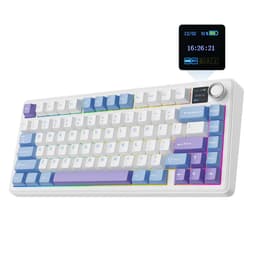
EPOMAKER has built a strong reputation in the enthusiast keyboard community, and the F75 MAX shows why. For under £80, you get a gasket-mounted 75% board with hot-swap switches, tri-mode wireless connectivity, a TFT display screen, and a volume knob. That's a spec list that would have cost twice as much a couple of years ago.
For typing, the gasket mount is the most important feature. It gives the board a slightly springy, cushioned feel underhand that reduces fatigue during long sessions. The Reaper switches in this configuration are linear and relatively light, which suits fast typists well. And because the board is hot-swappable, you can drop in tactile or clicky switches if you prefer more feedback without buying a whole new keyboard.
The TFT screen is genuinely useful for displaying the current connection mode, battery level, or custom animations. The volume knob is one of those features you don't think you need until you have it. Tri-mode wireless (2.4GHz, Bluetooth 5.0, and USB-C wired) means this board works with virtually any setup.
It's a proper step up from the budget options in this list, and it earns its place as the best mechanical keyboard for typing under £100.
Price: £79.99 | Rating: ★★★★½ (4.6)
Pros
- Gasket mount for comfortable long typing sessions
- Hot-swappable switches let you customise the feel
- Tri-mode wireless covers all connection scenarios
- TFT screen and volume knob are genuinely practical
- Strong value for the feature set
Cons
- Reaper switches may not suit typists who prefer tactile feedback
- 75% layout loses numpad and some function keys
- White/purple colourway won't suit every desk setup
Buy on Amazon£79.99
Best for Quiet Typing
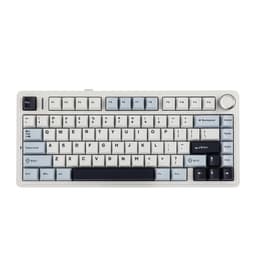
If you share an office or type late at night while others are sleeping, this is the board to look at. The EPOMAKER AULA F75 combines a gasket mount with dedicated sound dampening foam, which takes the edge off the clack of each keypress significantly. The Ice Vein switches are smooth linear switches with a light actuation force, so the overall typing experience is quiet, fast, and comfortable.
It's essentially the same platform as the F75 MAX above but without the TFT screen, which is where the price difference comes from. You still get hot-swap, tri-mode wireless (2.4GHz and Bluetooth 5.0), the volume knob, and that lovely gasket-mounted feel. For pure typing use, the absence of the TFT screen is no loss at all.
Owner feedback consistently highlights how good this board sounds and feels out of the box, which is a genuine achievement at this price. Most keyboards need modding (adding foam, lubricating switches) to reach this level of acoustic refinement. The F75 comes sorted from the factory.
Price: £108.23 | Rating: ★★★★½ (4.5)
Pros
- Sound dampening makes this one of the quietest boards here
- Gasket mount adds comfort for long typing sessions
- Hot-swap lets you change switches without soldering
- Smooth Ice Vein switches suit fast typists
- Good wireless range on both 2.4GHz and Bluetooth
Cons
- No TFT screen compared to the F75 MAX
- Linear switches only, no tactile option in this colourway
- 75% layout may frustrate heavy numpad users
Buy on Amazon
Best Wireless Value
The AULA F75 in Cool Black is a solid wireless mechanical keyboard that punches above its price for typists who want flexibility. Tri-mode connectivity (2.4GHz, Bluetooth 5.0, and USB-C wired) means you can switch between devices easily, which is handy if you type on both a work laptop and a home PC.
Hot-swap support is present here too, so you're not locked into whatever switches come installed. The 75% layout keeps arrow keys, which is a meaningful advantage over 60% boards for document and spreadsheet work. Build quality feels decent for the price, with a solid plastic chassis that doesn't flex noticeably during typing.
It lacks the gasket mount and sound dampening of the EPOMAKER F75 models, so the typing sound is a bit more clacky. But at a lower price point, that's a reasonable trade-off. If wireless connectivity and hot-swap are your priorities and you don't need the premium acoustic treatment, this is a smart pick.
Price: £79.89 | Rating: ★★★★½ (4.5)
Pros
- Tri-mode wireless for maximum device flexibility
- Hot-swappable switches
- 75% layout retains arrow keys
- Good value for a wireless mechanical board
Cons
- No gasket mount or sound dampening
- Typing sound is louder than the EPOMAKER F75 variants
- RGB software can be fiddly to configure
Buy on Amazon
Best for Comfort Typing
The YUNZII B75 PRO is a quiet achiever in this roundup. Pre-lubed Milk switches, a gasket mount, and tri-mode wireless at this price is a genuinely strong combination for typists. The Milk switches are smooth linear switches that feel buttery straight out of the box, which is something you'd normally only get after spending time lubing switches yourself.
The gasket mount gives the board a soft, cushioned feel that reduces the impact on your fingers during long typing sessions. It's the kind of thing that sounds like marketing fluff until you've typed on a gasket-mounted board for an afternoon and then gone back to a tray-mounted one. The difference is real.
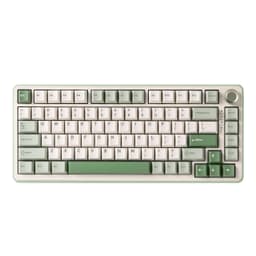
The volume knob is a practical addition for anyone who switches between music, calls, and video during the working day. The matcha green colourway is distinctive and well-executed. Build quality is solid throughout, with no notable flex or rattle.
Price: £62.39 | Rating: ★★★★½ (4.5)
Pros
- Pre-lubed Milk switches are smooth from day one
- Gasket mount reduces typing fatigue
- Tri-mode wireless connectivity
- Volume knob is a practical daily-use feature
- Attractive matcha green colourway
Cons
- Linear switches only, no tactile option in this variant
- 75% layout loses numpad
- Less brand recognition than Logitech or Corsair
Buy on Amazon
Best Hall Effect Mid-Range
The ATTACK SHARK X68 HE sits in an interesting spot. It's a hall effect keyboard with 0.01mm rapid trigger accuracy and 8000Hz polling, which is spec territory usually reserved for keyboards costing significantly more. For typing, the headline feature is the adjustable actuation, which lets you fine-tune exactly how much travel you need before a keypress registers.
The 65% layout (it's labelled as X68, suggesting 68 keys) keeps arrow keys and a few extra function keys while staying more compact than a TKL. That's a good balance for typists who want a smaller footprint without losing the keys they use most.
Build quality is decent for the price, though it doesn't quite match the premium feel of the Corsair or EPOMAKER boards. The rapid trigger and snap tap features are gaming-focused and largely irrelevant for typing, but they don't cause any issues either. If you want hall effect technology at a mid-range price and you're happy with a wired connection, this is a solid pick.
Price: £46.99 | Rating: ★★★★½ (4.5)
Pros
- Hall effect switches at a mid-range price
- Adjustable actuation for typing customisation
- Compact layout retains arrow keys
- Strong specs for the price
Cons
- Wired only, no wireless option
- Build quality doesn't match premium competitors
- Gaming-focused features add little for typists
- Less established brand with limited long-term reliability data
Buy on Amazon
Best Bundle Deal
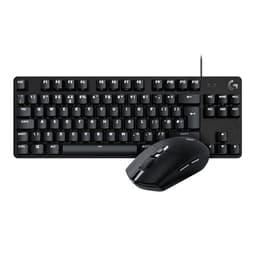
This is the bundle option in the roundup, pairing the G413 TKL SE keyboard with the G305 LIGHTSPEED wireless mouse. If you need both a keyboard and mouse and want to keep costs down, it's worth considering. But be clear about what you're buying: a chunk of the price goes towards the mouse, not the keyboard.
The G413 TKL SE itself is a solid typing board. Logitech's tactile mechanical switches give decent feedback for typing, the TKL layout keeps arrow keys and the navigation cluster, and the build quality is what you'd expect from Logitech: reliable and unfussy. The UK QWERTY layout is confirmed, which matters.
For pure typing use, the G413 TKL SE standalone (listed separately in this roundup) is the better value if you already have a mouse you're happy with. But if you're setting up a new desk from scratch, this bundle saves you the hassle of buying separately and the G305 is a genuinely good mouse with Logitech's HERO sensor.
Price: Check price | Rating: ★★★★½ (4.6)
Pros
- Good value if you need both keyboard and mouse
- G305 is a genuinely excellent wireless mouse
- G413 TKL SE is reliable and well-built
- Logitech brand reliability and support
Cons
- Poor value if you only need the keyboard
- G413 TKL SE lacks premium switch feel compared to hall effect options
- No wireless option for the keyboard itself
Buy on Amazon
Best for Beginners
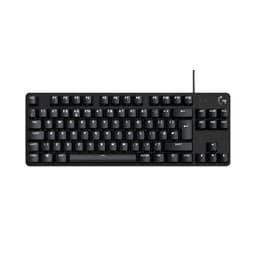
If you're new to mechanical keyboards and want a reliable first board from a brand you can trust, the Logitech G413 TKL SE is the sensible starting point. Logitech's name carries weight for good reason: their keyboards are well-built, their software is straightforward, and their customer support is accessible in the UK.
The tactile mechanical switches give you proper feedback on each keypress without being as loud as clicky switches. For typing in a shared space, that's a good balance. The TKL layout keeps everything you need for comfortable typing, including arrow keys and the navigation cluster, while dropping the numpad to save desk space.
It's not the most exciting board in this roundup. No gasket mount, no hot-swap, no wireless. But it does exactly what it says on the tin, and for a first mechanical keyboard for typing, that's often exactly what you want. The UK QWERTY layout is confirmed, which is worth repeating given how many boards in this price range ship in US or European layouts.
Price: £55.50 | Rating: ★★★★½ (4.6)
Pros
- Trusted Logitech brand with good UK support
- UK QWERTY layout confirmed
- Tactile switches suit office typing well
- TKL layout keeps arrow keys and nav cluster
- Simple, no-fuss setup
Cons
- No wireless option
- No hot-swap or gasket mount
- Switch feel is decent but not exceptional
- Limited customisation compared to enthusiast boards
Buy on Amazon
Best Ultra-Budget
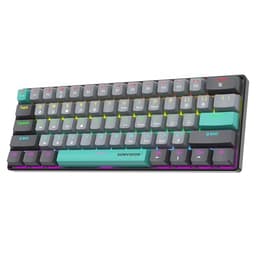
Let's be honest about this one. The SUMVISION SEEKER DESTROYER uses membrane switches designed to feel like mechanical ones. It's not a true mechanical keyboard. The "mechanical feel" in the product name is doing a lot of heavy lifting. For serious typists who want the genuine tactile feedback and longevity of real mechanical switches, this won't cut it.
That said, at under £20, it's one of the cheapest ways to get a compact 60% keyboard with backlighting and broad compatibility (Windows, Mac, PS5, Xbox). The UK tech support included in the price is a genuine bonus at this level. If you just need something cheap and compact for occasional typing, light note-taking, or a secondary board, it does the job.
The 60% layout means no arrow keys, function row, or numpad. Combined with the membrane-feel switches, this is really only worth considering if budget is the absolute primary concern and you're not planning to type heavily on it every day.
Price: £14.39 | Rating: ★★★★½ (4.7)
Pros
- Very affordable entry point
- Broad device compatibility including PS5 and Xbox
- UK tech support included
- Compact 60% form factor
Cons
- Not a true mechanical keyboard despite the name
- Membrane switches lack genuine tactile feedback
- No arrow keys on the 60% layout
- Not suitable for heavy daily typing use
Buy on Amazon£14.39
Best for Beginners on a Shoestring
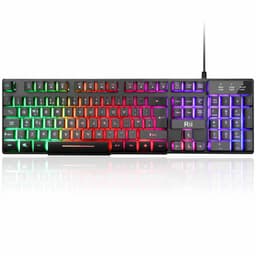
The Rii Gaming Keyboard is the most affordable option in this roundup, and it's important to be straight with you: it's not a mechanical keyboard. The "mechanical feeling" in the product name refers to the switch design, not genuine mechanical switches. You won't get the satisfying tactile bump or the longevity of a real mechanical board.
What you do get is a UK layout keyboard (genuinely useful and not always guaranteed at this price), rainbow LED backlighting, and a wired USB connection that works plug-and-play with Windows and Mac. For someone who has never used a mechanical keyboard before and wants to try a budget option before committing more money, it's a reasonable starting point.
For regular typing, though, the membrane-feel switches will feel noticeably different from any of the true mechanical options in this list. If you can stretch your budget even slightly, the Logitech G413 TKL SE at a bit more gives you a genuinely better typing experience. The Rii is best treated as a stopgap or a very occasional-use board.
Price: £18.98 | Rating: ★★★★☆ (4.4)
Pros
- Genuinely cheap entry point
- UK layout confirmed
- Plug-and-play USB, no drivers needed
- Rainbow LED backlighting looks decent for the price
Cons
- Not a true mechanical keyboard
- Membrane switches lack real tactile feedback
- Not suitable for heavy or professional typing use
- Build quality reflects the low price
Buy on Amazon£18.98