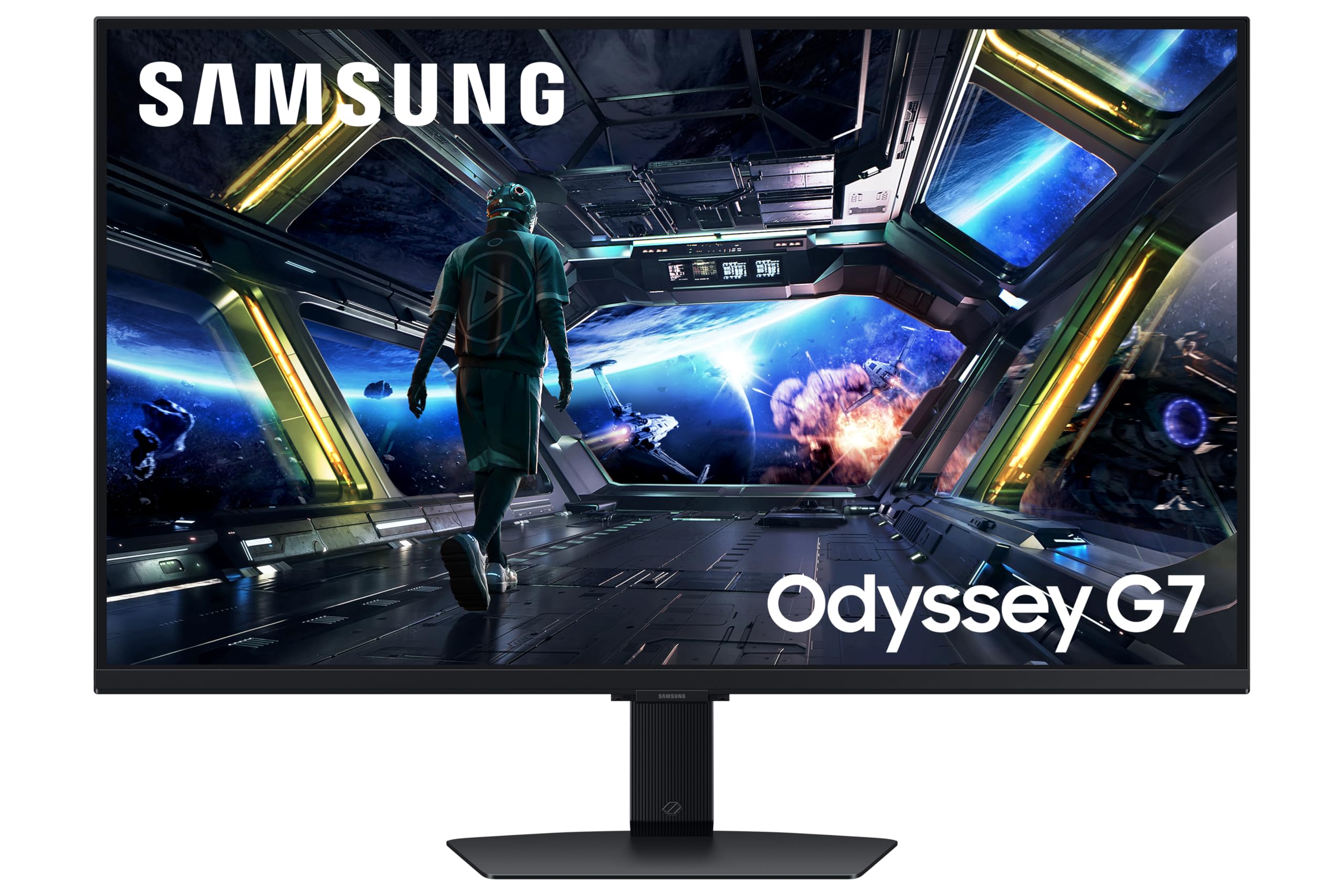
4K at 144Hz on an IPS panel for mid-range money. That's the pitch, and honestly? It's a genuinely exciting one. The Samsung Odyssey G7 27-inch sits at a crossroads that display enthusiasts have been waiting for: a resolution that makes every pixel count on a 27-inch screen, a refresh rate that keeps fast games feeling fluid, and a panel technology that doesn't punish you with washed-out colours in a bright room. The specs on paper are proper headline material. But specs on paper and specs in practice are two very different conversations, and that gap is exactly what this review is about.
The numbers from the spec sheet, the patterns emerging from dozens of owner reviews averaging ★★★★☆ (4.1), and how this monitor stacks up against the competition at this price point all point in the same direction: this is a strong mid-range gaming monitor with a few caveats before you buy. The HDR implementation is the kind that makes display enthusiasts wince slightly. The "1ms" response time claim needs unpacking. And the Smart Platform, while genuinely useful for console gamers, is something PC users will mostly ignore. None of that kills the deal. But you should know what you're actually buying.
So here's the verdict up front: the Samsung Odyssey G7 27-inch 4K IPS is a genuinely good monitor for the money, particularly if you're running a console or a high-end PC and want a single screen that handles gaming and everyday work without compromise. It's not perfect. But at this price point, few things are.
Core Specifications
Start with what Samsung is actually selling here. The panel is a 27-inch IPS at 3840x2160 resolution, which gives you a pixel density of around 163 PPI. That's meaningfully sharper than a 27-inch 1440p screen (roughly 109 PPI) and dramatically sharper than 1080p. At normal viewing distances, individual pixels are essentially invisible. Text looks crisp without any font smoothing tricks. Fine detail in games and productivity apps is genuinely better than on lower-resolution alternatives at this size.
The headline gaming credentials are a 144Hz refresh rate and a claimed 1ms response time (more on that shortly). Adaptive sync comes via AMD FreeSync Premium Pro, which also carries G-Sync compatibility in practice on Nvidia cards. The connectivity story is genuinely good for 2026: HDMI 2.1 means you can push 4K at 144Hz from a PS5 or Xbox Series X without needing DisplayPort, which is a bigger deal than it sounds for console players. There's also DisplayPort 1.4 for PC use. The built-in USB hub and speakers round things out, and the Samsung Smart Platform means you can use this as a standalone smart TV without any source device connected.
Peak brightness is rated at 400 nits in SDR mode, with HDR peak brightness claimed higher (Samsung's marketing materials reference HDR capabilities, though the specific peak HDR brightness figures are discussed in the HDR section below). The panel covers a wide colour gamut, with Samsung citing coverage figures suitable for both gaming and content work. The stand offers height, tilt, and swivel adjustment, which is more than you get on some monitors at this price. Full specs below.
| Specification | Detail |
|---|---|
| Screen Size | 27 inches |
| Resolution | 3840 x 2160 (4K UHD) |
| Panel Type | IPS |
| Refresh Rate | 144Hz |
| Response Time (claimed) | 1ms (GtG) |
| Adaptive Sync | FreeSync Premium Pro / G-Sync Compatible |
| HDR | HDR10 / HDR400 |
| Peak Brightness (SDR) | 400 nits (typical) |
| Colour Gamut | Wide Colour Gamut (DCI-P3 coverage) |
| Ports | 2x HDMI 2.1, 1x DisplayPort 1.4, USB Hub, Audio Out |
| Speakers | Yes (built-in) |
| Smart Platform | Yes (Samsung Tizen-based) |
| Stand Adjustments | Height, Tilt, Swivel |
| VESA Mount | Yes (100x100mm) |
| Dimensions (with stand) | Approx. 613 x 524 x 245mm |
| Current Price | £398.09 · Details |

Panel Technology
IPS is the right choice for this kind of monitor, and Samsung has made the sensible call here. The alternatives at this resolution and refresh rate are VA panels, which offer better native contrast but suffer from the notorious VA smearing problem on fast-moving content, and OLED, which delivers spectacular contrast and response times but costs considerably more and brings burn-in concerns for static productivity use. IPS sits in the middle: good viewing angles, accurate colours, no smearing, but with the trade-off of lower native contrast compared to VA.
The typical native contrast ratio for IPS panels sits around 1000:1, which is what you'd expect here. That's fine for most use cases in a reasonably lit room, but it does mean blacks look more like very dark grey in a dark room compared to a VA or OLED display. IPS glow is also a thing to be aware of: in dark scenes with a dark room, you'll see a slight brightening in the corners of the screen. It's inherent to the technology, not a defect specific to this monitor, and most people stop noticing it within a few days. But if you're planning to use this primarily in a pitch-black room for atmospheric single-player games.
The viewing angles on IPS are genuinely good. Colours stay consistent whether you're sitting directly in front or off to the side, which matters more than people realise for everyday use. If you have a monitor that sits slightly off-centre from your seating position, or if you share a screen occasionally, IPS is noticeably better than VA or TN in this regard. Owner reviews consistently mention the image quality positively, with several noting how good the colours look compared to previous VA monitors they've owned. That tracks with what IPS panels do well.
Display Quality
163 PPI at 27 inches is a sweet spot that's genuinely hard to argue with. The Samsung Odyssey G7 27 inch 4K review wouldn't be complete without acknowledging just how good this resolution looks at this screen size. Unlike 32-inch 4K monitors where you're sitting far enough away that the extra sharpness is partially wasted, a 27-inch 4K screen at a typical desk distance of 60 to 80cm puts all those pixels to work. Text rendering is exceptional. Fine detail in games, particularly foliage, distant objects, and texture work, is noticeably better than on a 1440p panel. If you've been using a 1080p monitor and you switch to this, the difference is dramatic.
The anti-glare coating on IPS panels from Samsung tends to be on the lighter side, which is a good thing. Aggressive anti-glare coatings can give images a slightly hazy or grainy look (sometimes called the "sparkle" effect), which is particularly noticeable on dark backgrounds. Samsung's approach here keeps the image looking clean and sharp without sacrificing too much reflectance control. In a bright room with windows, you'll still see some reflections, but they're manageable. Several owner reviews mention using this monitor in bright office environments without significant issues.
Brightness uniformity across the panel is generally good on IPS displays, and owner feedback doesn't flag any significant uniformity issues. The 400-nit SDR brightness is adequate for most indoor environments, though it won't compete with the 600-plus nit panels you find on premium monitors if you're working in a very bright room. For the vast majority of UK desk setups, 400 nits is more than sufficient. The matte finish also helps manage glare without the colour-dulling effect of more aggressive coatings, keeping the image looking vibrant even at moderate brightness levels.
Refresh Rate and Adaptive Sync
144Hz at 4K is the headline, and it's a genuine headline rather than a marketing trick. Getting 4K at 144Hz requires serious GPU horsepower (more on that in the FAQ section), but the monitor itself is fully capable of displaying it. For context, most 4K monitors top out at 60Hz, and the jump to 144Hz is substantial for gaming. Motion looks noticeably smoother, input lag feels lower, and fast-paced games feel more responsive. If you're coming from a 60Hz 4K display, the difference is immediately obvious.
FreeSync Premium Pro is the adaptive sync implementation here, and it's worth understanding what that certification actually means. FreeSync Premium Pro requires a minimum 120Hz refresh rate, Low Framerate Compensation (LFC), and HDR support with low latency. LFC is particularly important: it means that when your GPU drops below the monitor's minimum VRR range (typically around 48Hz for most panels), the monitor doubles or triples frames to maintain smooth motion rather than letting you drop out of the VRR window entirely. In practice, this means you get tear-free gaming across a wider range of frame rates than a standard FreeSync implementation.
The G-Sync compatibility is for Nvidia users. Samsung doesn't officially advertise this as G-Sync Compatible, but FreeSync Premium Pro monitors from Samsung have generally worked well with Nvidia cards in practice, and owner reviews from Nvidia GPU users don't flag VRR issues. The DisplayPort 1.4 connection supports 4K at 144Hz with DSC (Display Stream Compression), which is standard practice at this resolution and refresh rate combination and doesn't introduce any visible quality loss in normal use.
Response Time and Motion
The "1ms" claim. Every display enthusiast's favourite piece of marketing theatre. Here's the honest version: Samsung rates this at 1ms GtG (grey-to-grey), which refers to the fastest pixel transitions under optimal conditions. Real-world average GtG response times on IPS panels at this class typically land somewhere between 4ms and 8ms across the full range of pixel transitions, according to independent display measurement methodology published by outlets like TFT Central. That's not a failure of this monitor specifically, it's just how IPS physics work. The 1ms figure is achievable for some transitions, not all of them.
What matters more in practice is whether the overdrive (response time boost) settings introduce inverse ghosting, which is the ugly bright trail that appears behind moving objects when overdrive is pushed too hard. Samsung's Odyssey monitors have historically offered multiple overdrive levels, and the middle settings tend to offer a good balance between speed and ghosting. Owner reviews don't flag significant ghosting complaints, which suggests Samsung has tuned the overdrive reasonably well here. A few owners mention experimenting with the overdrive settings to find their preferred balance, which is normal behaviour for any gaming monitor.
For the games where response time actually matters, which is to say competitive shooters and fighting games rather than RPGs and strategy titles, this monitor is more than capable. The combination of 144Hz and well-tuned overdrive means motion looks clean and responsive. It's not OLED territory, where pixel response is genuinely measured in fractions of a millisecond, but it's a solid IPS performance. If you're a professional esports player who needs the absolute fastest response times available, you'd be looking at OLED or TN panels anyway. For everyone else, this is fine.
Color Accuracy and Gamut
This is where IPS panels in general, and Samsung's Odyssey line in particular, tend to shine. The wide colour gamut coverage on this panel covers a meaningful portion of the DCI-P3 colour space, which is the standard used for cinema and increasingly for HDR gaming content. Samsung's published specifications indicate strong colour coverage, and IPS panels at this tier typically achieve somewhere around 90 to 95% DCI-P3 coverage, which is genuinely good for gaming and adequate for content creation work.
Factory calibration on monitors in this price bracket is usually acceptable rather than exceptional. Samsung doesn't ship this with an individual calibration report, so you're relying on the panel's inherent accuracy and the preset colour modes. The sRGB mode is what you'd use for everyday Windows use and most games, and it keeps colours within the sRGB colour space rather than oversaturating everything. The wider gamut modes are useful for HDR content and creative work. Owner reviews mention the colours looking vibrant and accurate, which is consistent with what well-implemented IPS panels deliver.
For content creators, this is a usable monitor but not a professional colour-grading tool. Without a hardware colorimeter calibration, you can't guarantee Delta-E values below 2 (the threshold where colour errors become visible to the naked eye). If you're doing work where colour accuracy is genuinely critical, a factory-calibrated professional monitor with an individual calibration report is the right tool. For photographers doing casual edits, video creators working for web delivery, and designers who aren't doing print-critical work, this monitor's colour performance is more than adequate. The wide gamut coverage means you're not leaving colour information on the table.
HDR Performance
HDR400 is the certification level here, and if you know anything about HDR tiers, you already know what I'm about to say. VESA's DisplayHDR 400 certification requires a peak brightness of 400 nits, no local dimming requirement, and an 8-bit panel (with dithering accepted). It's the entry-level HDR certification, and it represents what the industry sometimes unkindly calls "checkbox HDR". The specification is real. The HDR experience it delivers is... modest.
Genuine HDR impact requires two things working together: high peak brightness (ideally 600 nits or above for SDR content areas, with specular highlights hitting 1000 nits or more) and local dimming that can make dark areas of the image actually dark while bright areas stay bright. Without local dimming, the monitor can't simultaneously display very bright highlights and very dark shadows, which is the whole point of HDR. At 400 nits peak brightness without local dimming, HDR mode on this monitor will look brighter than SDR mode, but it won't deliver the dramatic contrast improvement that makes HDR content genuinely impressive.
Owner reviews are honest about this. A handful of buyers mention that HDR looks decent but not transformative, which is exactly what you'd expect from an HDR400 IPS panel without local dimming. For gaming, many experienced users actually prefer to leave HDR off and use the monitor's SDR colour modes, which are well-tuned and look great. The HDR is there for console players who want to tick the box and get some benefit from HDR-enabled games, and it does provide some improvement over SDR. But if spectacular HDR is a priority, you need to be looking at monitors with mini-LED local dimming or OLED technology, both of which cost considerably more.
Contrast and Brightness
Native contrast on IPS panels sits around 1000:1, and this monitor is no exception. That number means the brightest white the panel can display is 1000 times brighter than the darkest black. In absolute terms, that's fine for a well-lit room. In a dark room, blacks will look grey rather than truly black. Compare that to a VA panel's typical 3000:1 to 4000:1 native contrast, or an OLED's effectively infinite contrast ratio, and you can see where IPS gives up ground. This isn't a flaw unique to this monitor; it's an inherent characteristic of IPS technology, and the trade-off you accept in exchange for better viewing angles and colour accuracy.
The 400-nit peak brightness in SDR mode is solid for a mid-range monitor. It's enough to use comfortably in a bright room, and it's enough headroom to make the image look punchy and vibrant in normal conditions. Some owners in very bright environments, particularly those with south-facing windows and no blinds, mention pushing brightness to maximum and still wishing for a bit more. That's a legitimate edge case. For the majority of UK desk setups, which tend to involve controlled lighting rather than direct sunlight, 400 nits is perfectly adequate.
Brightness uniformity across the panel is generally good on quality IPS panels, and the owner review base doesn't flag significant uniformity complaints. The occasional mention of minor IPS glow in corners during dark scenes is expected and normal for the technology. Samsung's quality control on Odyssey monitors has been generally reliable based on owner feedback patterns, with the usual caveat that panel lottery exists for any monitor and a small percentage of buyers will encounter issues with individual units. Amazon's return policy provides a reasonable safety net if you're unlucky.
Ergonomics and Stand
The stand on the Odyssey G7 27-inch is one of the better ones you'll find at this price point. Height adjustment, tilt, and swivel are all present, which covers the adjustments most people actually need day to day. Height adjustment range is generous enough to accommodate both sitting and standing desk use, and the tilt range lets you angle the screen to reduce neck strain. Swivel means you can rotate the screen left and right without moving the entire stand, which is useful for sharing the screen or optimising your viewing angle.
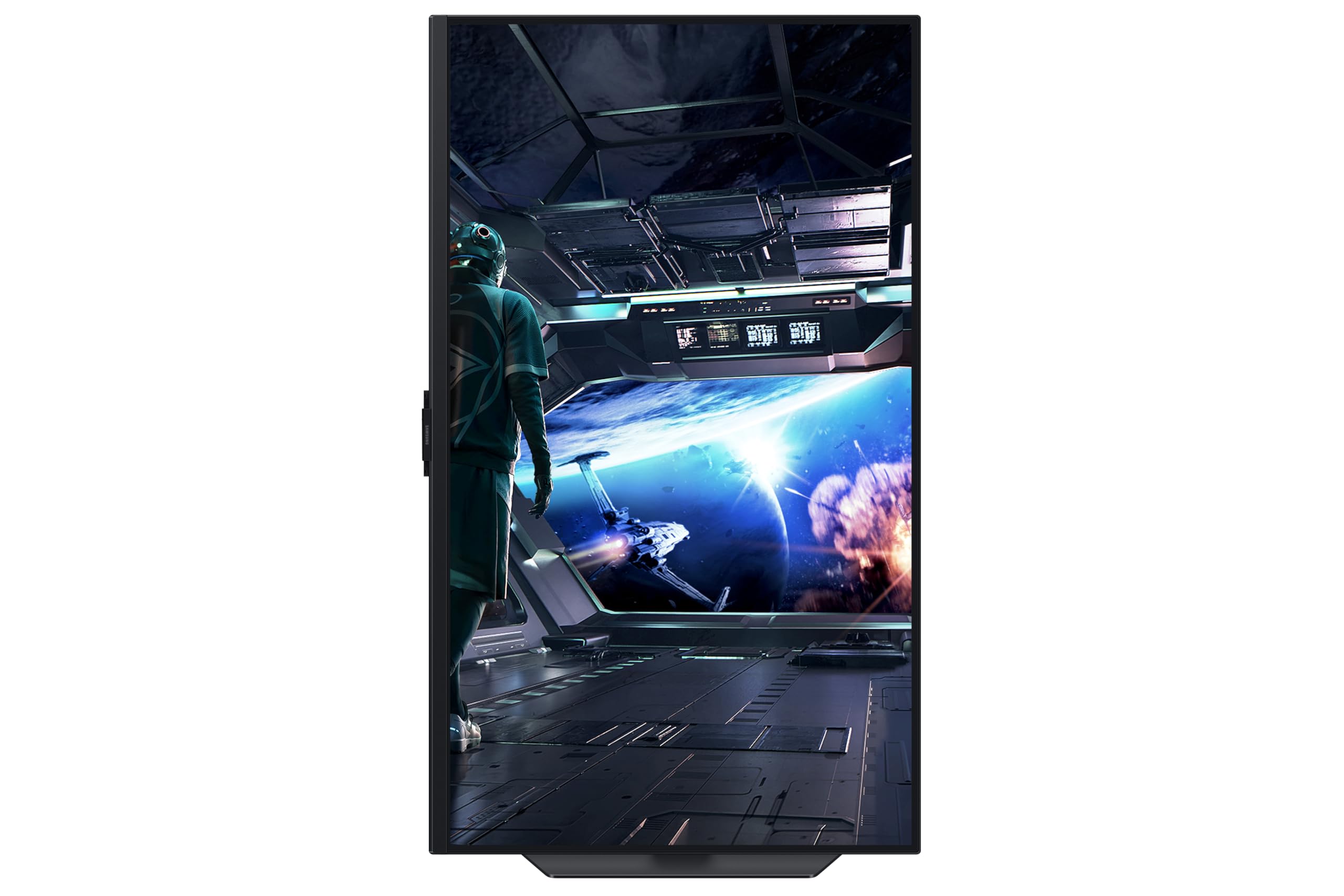
What's notably absent is pivot, meaning you can't rotate the screen to portrait orientation. For a 27-inch 4K gaming monitor, this isn't a significant omission since portrait mode on a screen this size is a niche use case. But if you're a developer who likes a vertical monitor for reading code. The stand footprint is moderate, not the smallest you'll find but not the desk-dominating slab that some gaming monitors ship with. Owner reviews generally describe the stand as sturdy and wobble-free, which matters more than it sounds when you're typing at a keyboard and the screen is vibrating with every keystroke.
VESA 100x100mm compatibility means you can ditch the stand entirely and mount this on an arm, which is the preferred setup for many desk enthusiasts anyway. Monitor arms give you more flexibility, free up desk space, and often provide better ergonomic positioning than even good stands. The monitor's weight is manageable for standard monitor arms. Build quality overall is described positively in owner reviews, with the typical Samsung Odyssey aesthetic: clean, relatively understated compared to more aggressively gamer-styled monitors, with the characteristic curved-base stand design. The rear lighting (if present on this model) is subtle rather than the full RGB explosion some gaming monitors go for.
Connectivity and Ports
The connectivity on this monitor is genuinely one of its strongest selling points, particularly for console gamers. Two HDMI 2.1 ports is the key detail. HDMI 2.1 supports 4K at 144Hz with VRR (Variable Refresh Rate), which means you can connect a PS5 or Xbox Series X and get the full 4K 120Hz experience with tear-free gaming, all over a single cable. Most monitors at this price point ship with a single HDMI 2.1 port, so having two means you can connect both a PS5 and an Xbox Series X simultaneously and switch between them without unplugging anything. For multi-console households, that's a genuinely useful feature.
The DisplayPort 1.4 port handles PC connectivity, supporting 4K at 144Hz using Display Stream Compression (DSC), which is the standard approach for this resolution and refresh rate combination. DSC is visually lossless in normal use and is universally supported by modern GPUs from both Nvidia and AMD. The USB hub adds practical value for connecting peripherals without running cables all the way to your PC, and the built-in audio output means you can plug headphones directly into the monitor. The built-in speakers are there for convenience rather than audio quality, but they're useful for video calls and casual content consumption.
The Samsung Smart Platform is the feature that makes this monitor genuinely different from a standard gaming display. Based on Samsung's Tizen operating system (the same platform used in their TVs), it gives you access to streaming apps like Netflix, Disney+, and Prime Video directly on the monitor without needing any connected device. For console gamers who also use their monitor for streaming, this is legitimately useful. For PC users who have a computer connected all the time, it's a feature they'll probably never use. It doesn't hurt anything, and the Smart Hub is responsive and well-implemented based on owner reports, but it's a bonus rather than a core reason to buy.
- 2x HDMI 2.1 (4K@144Hz with VRR)
- 1x DisplayPort 1.4 (4K@144Hz via DSC)
- USB Hub (downstream ports for peripherals)
- 3.5mm audio output
- Built-in speakers
- Samsung Smart Platform (Tizen OS, streaming apps)
How It Compares
The mid-range 4K gaming monitor market is genuinely competitive right now, and the Samsung Odyssey G7 27-inch doesn't exist in a vacuum. The two most relevant comparisons are the LG 27GP850-B (a 27-inch 1440p 165Hz IPS monitor that's often available for less) and the Asus ROG Swift PG27UQ or similar 4K 144Hz alternatives at a higher price point. The LG comparison is particularly important because it forces the question: do you actually need 4K at this screen size, or is 1440p at higher refresh rates a smarter buy?
The LG 27GP850-B runs at 1440p and 165Hz, with a faster real-world response time on a Nano IPS panel and typically costs less. For competitive gaming where frame rates regularly exceed 100fps, the 1440p panel is easier to drive and the extra Hz margin gives you a buffer. The Samsung wins on resolution and the Smart Platform, and the HDMI 2.1 dual-port setup is better for console use. If you're primarily a PC gamer focused on competitive titles, the LG argument is strong. If you want 4K sharpness for a mix of gaming, productivity, and console use, the Samsung makes more sense.
Against higher-end 4K 144Hz options, the Samsung holds up well on features but concedes on HDR performance. Monitors with mini-LED local dimming, like the Samsung Odyssey Neo G7 (the step-up sibling), deliver genuinely better HDR contrast. The premium for mini-LED is significant, and for most buyers the HDR400 on this monitor is adequate. But it's the upgrade path exists within Samsung's own lineup if HDR performance becomes important to you later.
| Feature | Samsung Odyssey G7 27" 4K | LG 27GP850-B 27" 1440p | Samsung Odyssey Neo G7 32" 4K |
|---|---|---|---|
| Resolution | 3840x2160 (4K) | 2560x1440 (1440p) | 3840x2160 (4K) |
| Panel Type | IPS | Nano IPS | VA + Mini-LED |
| Refresh Rate | 144Hz | 165Hz | 165Hz |
| HDR | HDR400 | HDR400 | HDR2000 (Mini-LED) |
| HDMI 2.1 | 2x HDMI 2.1 | 1x HDMI 2.0 | 1x HDMI 2.1 |
| Smart Platform | Yes | No | Yes |
| Local Dimming | No | No | Yes (Mini-LED) |
| Price | £398.09 · Details | Typically less | Typically more |

Final Verdict
The Samsung Odyssey G7 27-inch 4K IPS is a monitor that gets the fundamentals right. 4K at 144Hz on a well-implemented IPS panel, with dual HDMI 2.1 ports that make it genuinely excellent for console gaming, a Smart Platform that adds real convenience, and ergonomics that don't embarrass themselves. The positive overall rating across dozens of owner reviews reflects a product that delivers on its core promises without too many nasty surprises.
The caveats are real but manageable. HDR400 without local dimming means the HDR experience is functional rather than impressive. The "1ms" response time is marketing shorthand for a panel that performs like a good IPS display, not an OLED. And driving 4K at 144Hz requires a serious GPU investment that not everyone has made yet. None of these are dealbreakers, but they're things to go in with eyes open about.
For console gamers with a PS5 or Xbox Series X, this monitor is close to ideal. The dual HDMI 2.1 ports, 4K resolution, 120Hz support (the consoles cap at 120Hz rather than 144Hz, but that's still excellent), and FreeSync Premium Pro VRR support make this a proper next-gen console display. For PC gamers with a high-end GPU, it's a strong productivity and gaming hybrid. For competitive PC gamers who regularly push triple-digit frame rates in esports titles, a 1440p 165Hz or 240Hz monitor might serve you better because your GPU can actually saturate the refresh rate more easily.
The honest don't-overspend line: if you're primarily playing esports titles on PC and your GPU struggles to maintain 100fps at 4K, a 1440p 144Hz IPS monitor in the budget-to-mid-range bracket will feel faster and smoother in practice, because the resolution is easier to drive. 4K at 144Hz is a beautiful specification, but it only delivers its full potential when your GPU can keep up. Check your GPU first, then decide on the resolution.
At this price point in the mid-range bracket, the Samsung Odyssey G7 27-inch 4K IPS earns a solid recommendation for the right buyer. The feature set is genuinely impressive for the money, the panel quality is good, and the dual HDMI 2.1 implementation is a real differentiator. Score: 7.5 out of 10.
What works. What doesn’t.
5 + 4What we liked5 reasons
- Dual HDMI 2.1 ports: ideal for multi-console setups
- 4K at 144Hz on a well-implemented IPS panel
- FreeSync Premium Pro with G-Sync compatibility
- Samsung Smart Platform adds genuine standalone streaming value
- Good ergonomics including height, tilt, and swivel
Where it falls4 reasons
- HDR400 without local dimming delivers modest HDR impact
- Needs a very powerful GPU to drive 4K at full 144Hz
- 1ms GtG claim overstates real-world IPS response performance
- No pivot (portrait mode) support
Full specifications
11 attributes| Panel type | IPS |
|---|---|
| Aspect ratio | 16:9 |
| Curvature | flat |
| HDR | HDR400 |
| Launch year | 2024 |
| Ports | 2x HDMI 2.1, 1x DisplayPort 1.4, USB-B 3.0 upstream, 2x USB-A 3.0 downstream, RJ-45 LAN |
| Refresh rate HZ | 144 |
| Resolution | 3840x2160 |
| Response time MS | 1 |
| Screen size IN | 27 |
| Vesa compatible | true |
If this isn’t right for you
2 options

Frequently asked
5 questions01Is the Samsung Odyssey G7 LS27DG702EUXXU 27" 4K UHD IPS Gaming Monitor good for gaming?+
Yes, with an important caveat about your GPU. The monitor itself is well-specified for gaming: 144Hz refresh rate, FreeSync Premium Pro adaptive sync (which also works with Nvidia cards), and dual HDMI 2.1 ports that support 4K at 120Hz with VRR from PS5 and Xbox Series X. On PC, you'll need a powerful GPU to push meaningful frame rates at 4K. An RTX 4070 Super or RX 7800 XT is a reasonable minimum for most games at this resolution. For esports titles at high frame rates, a 1440p monitor may be a smarter choice since 4K is harder to drive. For single-player games and console use, this monitor is excellent.
02Does the Samsung Odyssey G7 LS27DG702EUXXU 27" 4K UHD IPS Gaming Monitor have good HDR?+
Honest answer: it's functional HDR rather than impressive HDR. The DisplayHDR 400 certification means a 400-nit peak brightness and no local dimming requirement. Without local dimming, the monitor can't simultaneously display very bright highlights and very dark shadows, which is the core HDR experience. You'll notice HDR mode looks brighter than SDR, and colours in HDR-enabled games and content will be more vivid, but the dramatic contrast impact you see on mini-LED or OLED displays isn't there. Many experienced users leave HDR off and use Samsung's well-tuned SDR colour modes instead.
03Is the Samsung Odyssey G7 LS27DG702EUXXU 27" 4K UHD IPS Gaming Monitor good for content creation?+
It's a capable everyday content creation monitor. The IPS panel delivers good colour accuracy and wide gamut coverage that reaches a meaningful portion of the DCI-P3 colour space, which is useful for photo editing and video work aimed at web delivery. Factory calibration is acceptable rather than exceptional, and without a hardware colorimeter calibration you can't guarantee professional-grade Delta-E accuracy. For photographers doing casual edits, YouTubers, and designers working on screen-delivered projects, it's more than adequate. For print-critical colour grading or professional photography retouching where Delta-E below 2 is essential, a factory-calibrated professional monitor with an individual calibration certificate is the right tool.
04What graphics card do I need for the Samsung Odyssey G7 LS27DG702EUXXU 27" 4K UHD IPS Gaming Monitor?+
To get meaningful benefit from the 144Hz refresh rate at 4K, you need a high-end GPU. For demanding AAA titles at 4K with settings that allow 60fps or above, an RTX 4070 or RX 7900 GRE is a reasonable starting point. To regularly approach 100fps or above in demanding games at 4K, you're looking at RTX 4080 or RX 7900 XTX territory. For esports titles like CS2, Valorant, or Apex Legends, 4K 144Hz is more achievable with mid-to-high-end cards because these games are less GPU-intensive. The monitor connects to PC via DisplayPort 1.4 using Display Stream Compression, which all modern GPUs support. For PS5 and Xbox Series X, the dual HDMI 2.1 ports handle 4K at 120Hz natively.
05What warranty and returns apply to the Samsung Odyssey G7 LS27DG702EUXXU 27" 4K UHD IPS Gaming Monitor?+
Samsung typically provides a manufacturer's warranty on Odyssey monitors; check Samsung's UK support pages for the specific terms applicable to this model at time of purchase. When buying through Amazon, you also benefit from Amazon's standard 30-day returns policy and the A-to-Z Guarantee, which provides a reasonable safety net if your unit arrives with any issues such as dead pixels or physical damage.