The Samsung Odyssey G4 is aimed squarely at competitive gamers who've been putting up with a 60Hz or 144Hz panel and want to know what all the fuss is about with 240Hz. Maybe you're coming from a budget 1080p monitor that's been fine but never felt quite right. Maybe you've been watching your mates talk about frame rates and you want to actually feel the difference. This is the monitor Samsung is pitching at you, and across gaming, general use and some colour work there's a pretty clear picture of what it does well and where it falls short.
The short version: it's a genuinely fast IPS panel that delivers on its motion performance promises better than most monitors in this bracket. But there are trade-offs, and some of Samsung's marketing language needs unpacking before you hand over your money.
Core Specifications
The G4 is a 25-inch IPS panel running at 1920x1080 (Full HD). That's a deliberate choice on Samsung's part. At 240Hz, pushing 1080p is dramatically easier on your GPU than 1440p, which means you're more likely to actually hit those high frame rates in competitive titles. The pixel density works out at around 88 PPI, which is perfectly sharp at normal desktop distances. It's not going to look as crisp as a 27-inch 1440p panel, but for a 25-inch screen you're sitting 60-70cm from, it's fine.
Connectivity is decent without being spectacular. You get two HDMI 2.0 ports and one DisplayPort 1.2. Worth noting: if you want the full 240Hz, you'll need to use DisplayPort. HDMI 2.0 can reach 240Hz at 1080p in theory, but DisplayPort is the safer choice for sustaining the full refresh rate. There's no USB hub, no USB-C, and no audio passthrough beyond a headphone jack. For a gaming-focused monitor at this price point, that's about what you'd expect, but it's worth knowing upfront if you were hoping to use it as a hub.
The stand offers height adjustment, tilt, and the monitor is VESA 75x75 compatible if you want to mount it on an arm. No pivot (portrait mode rotation) and no swivel, which is a minor frustration if you like to angle your monitor slightly off-centre. The back has that angular Odyssey aesthetic that Samsung has been running with for a few years now, and the base footprint is reasonably compact. Here's the full spec breakdown:
| Specification | Detail |
|---|---|
| Screen Size | 25 inches |
| Resolution | 1920 x 1080 (Full HD) |
| Panel Type | IPS |
| Refresh Rate | 240Hz |
| Response Time (claimed) | 1ms GtG |
| Adaptive Sync | AMD FreeSync Premium, G-Sync Compatible |
| HDR | HDR10 (DisplayHDR 400) |
| Brightness (typical) | 350 nits |
| Contrast Ratio | 1000:1 (typical) |
| Colour Gamut | 99% sRGB, 90% DCI-P3 |
| Ports | 2x HDMI 2.0, 1x DisplayPort 1.2 |
| Audio | Headphone jack (3.5mm) |
| Stand Adjustments | Height, Tilt |
| VESA Mount | 75 x 75mm |
| Dimensions (with stand) | 556 x 414-514 x 200mm |
| Weight | Approx. 3.7kg with stand |
| Current Price | £130.97 |

Panel Technology
Samsung uses what they call an IPS panel here, though they've branded it as part of their broader display technology lineup. IPS (In-Plane Switching) panels are generally the sweet spot for gaming monitors that need to balance colour accuracy, viewing angles, and response time. Compared to VA panels, you lose some native contrast (VA typically hits 3000:1 or higher versus IPS's more typical 1000:1), but you gain much better off-axis viewing and, crucially for competitive gaming, faster pixel response times. TN panels can technically be faster still, but the colour reproduction and viewing angles are noticeably worse, and most manufacturers have moved away from them for anything above budget tier.
Wide viewing angles are one of the IPS strengths here. For a single-user gaming setup this barely matters, but if you ever share your screen or have people watching over your shoulder, it's a nice property to have. The anti-glare coating is a standard matte finish. It does its job keeping reflections manageable in a normally lit room, though it adds a very slight haze to the image compared to glossy panels. In a bright room with a window behind you, you'll be grateful for it. In a dark room, you might occasionally wish the image had a touch more pop.
IPS panels at this price point are prone to some backlight bleed and IPS glow (that slight brightening of corners at an angle), visible mainly in very dark scenes or loading screens. If you're coming from a VA panel and you're used to inky blacks, you will notice the difference. That's just the IPS trade-off, and it's worth being honest about.
Display Quality
At 25 inches and 1080p, the pixel density is around 88 PPI. That's noticeably lower than a 27-inch 1440p monitor (around 109 PPI) or a 24-inch 1080p panel (around 92 PPI). At a normal gaming distance of 60-70cm, that's adequate. Where you might notice the lower density is in very fine text at small sizes, like browser tabs or spreadsheet cells, but for gaming it's a non-issue.
Peak brightness in SDR mode is rated at 350 nits (typical). That's adequate for most indoor environments. It's not going to compete with a high-brightness panel designed for use in very bright offices, but for a gaming monitor in a typical room it's fine.
Refresh Rate and Adaptive Sync
240Hz is the headline number. The panel supports the full 240Hz over DisplayPort, and the difference versus 144Hz is perceptible, particularly in fast-paced games where you're tracking moving targets. The smoothness of cursor movement alone is noticeably better. Whether you can actually tell 240Hz from 165Hz in a blind test is debatable, and honestly depends on the person, but going from 60Hz to 240Hz is a transformation that anyone will notice immediately.
Adaptive sync support covers both AMD FreeSync Premium and Nvidia G-Sync Compatible certification. FreeSync Premium requires a minimum 120Hz LFC (Low Framerate Compensation) support, which means even if your frame rate drops below the VRR range, the monitor doubles or triples frames to keep things smooth rather than letting you drop into tearing territory. The VRR range runs from 48Hz to 240Hz, which is a decent spread. In practice, if you're targeting 240fps in competitive titles, you'll want a GPU that can sustain that. But if you're playing something more demanding and your frames dip, the FreeSync range has you covered down to 48fps before things get choppy.
G-Sync Compatible certification means Nvidia users aren't left out. It's not a full G-Sync module (which would add significant cost), but the certification means VRR is supported in everyday use. The VESA Adaptive Sync standard underpins both implementations.
Response Time and Motion
"1ms" is one of the most abused specs in monitor marketing. The 1ms figure Samsung quotes is GtG (Grey-to-Grey), measured under specific conditions with overdrive cranked up. The actual pixel transition time varies depending on the transition being measured. Dark-to-dark transitions on IPS panels are typically slower than grey-to-grey, and the 1ms figure represents the fastest transitions under optimal conditions, not the average across all pixel states.
The OSD offers several overdrive levels (Samsung calls the middle one "Faster" and the top one "Fastest"). On IPS panels, the most aggressive overdrive setting tends to introduce inverse ghosting (bright halos trailing behind moving objects), so the middle setting is the sensible starting point for gaming.
MPRT (Moving Picture Response Time) is a different measurement that some monitors advertise, typically achieved through backlight strobing. The G4 doesn't use backlight strobing, so the 1ms MPRT claim you sometimes see associated with this panel is purely the GtG figure. At 240Hz, fast pans carry less motion blur than on a 144Hz IPS panel and far less than on a 60Hz display.
Colour Accuracy and Gamut
Samsung claims 99% sRGB and 90% DCI-P3 coverage for the G4. For gaming, that is more than adequate. The sRGB coverage means colours in games and general content look accurate and vibrant without being artificially pumped up. The DCI-P3 coverage is a nice bonus if you occasionally watch HDR content or do light photo editing.
A factory Delta E figure isn't specified, so if you're doing colour-critical work, you'd want to run a proper calibration with a colorimeter.
Samsung includes several preset modes including a sRGB mode, which clamps the output to the sRGB colour space and improves accuracy for web content and SDR media. There's also a game-specific mode that boosts contrast slightly and adds some sharpening. The sRGB mode is worth using if you're doing any photo work, as it prevents the slight oversaturation that can occur when a wide-gamut panel displays sRGB content without gamut mapping. It's a small thing, but it shows Samsung has thought about the monitor's use beyond pure gaming.
HDR Performance
I'll be honest here: the HDR on the G4 is checkbox HDR. It carries a VESA DisplayHDR 400 certification, which is the entry-level tier of the DisplayHDR standard. DisplayHDR 400 requires a peak brightness of 400 nits, no local dimming requirement, and relatively modest colour volume specs. In practice, this means the HDR experience is a step up from SDR in terms of brightness headroom, but you won't get the dramatic highlights and deep blacks that make HDR genuinely impressive on higher-tier displays.
Without local dimming, the panel can't independently control brightness in different zones of the image, so dark areas of the screen don't get any blacker when bright highlights are present. The overall HDR effect is subtle rather than transformative.
My recommendation: don't buy the G4 for its HDR capability. It's there, it works, and it's better than nothing, but it's not a reason to choose this monitor over alternatives. If HDR is important to you, you'd need to look at monitors with DisplayHDR 600 or higher certification, local dimming, and significantly higher peak brightness. For a 240Hz competitive gaming monitor at this price point, the HDR implementation is about what you'd expect, and the monitor's strengths lie elsewhere.

Contrast and Brightness
Native contrast on IPS panels is typically around 1000:1, and the G4 is no different. For comparison, a good VA panel might hit 3000:1 or higher, and OLED panels effectively have infinite contrast. What this means in practice is that blacks on the G4 look dark grey rather than truly black in a dark room. For gaming in a normally lit room, this is rarely noticeable. In a dark room with dark game content, you will see the difference compared to a VA or OLED panel.
Peak SDR brightness of 350 nits (typical) is solid for indoor use, and the matte coating helps in brighter rooms. For most gaming setups, the brightness is more than adequate. It's not a monitor designed for use in a brightly lit office environment, but for a gaming setup it's fine.
The overall brightness and contrast performance is appropriate for a competitive gaming monitor where the priority is motion clarity and refresh rate rather than cinema-quality image depth.
Ergonomics and Build
The stand on the G4 is better than average for this price bracket. You get a genuine height adjustment range of about 100mm, which is enough to get the screen at a comfortable eye level whether you're sitting at a standard desk or a higher standing desk. Tilt adjustment runs from about -2 to +20 degrees, which covers most sitting positions. What you don't get is swivel (left-right rotation) or pivot (portrait mode). For a dedicated gaming monitor, the lack of swivel is a minor inconvenience. Without swivel, angling the screen off-centre means moving the stand base.
The neck of the stand has a cable management channel, which is a nice touch that keeps things tidy. The monitor itself is relatively thin for a non-OLED display, and the bezels are slim on three sides with a slightly thicker bottom chin. The overall aesthetic is that angular, slightly aggressive Odyssey design language that Samsung has been using across their gaming range. It's not subtle, but it's not garish either. No RGB lighting on this model, which suits a clean desk setup.
VESA compatibility at 75x75mm means you can put it on a monitor arm if you want to free up desk space or get more precise positioning. The 75x75 standard is less common than 100x100 for monitor arms, so double-check your arm is compatible before buying. Most quality arms support both patterns. The monitor weighs around 3.7kg with the stand, which is light enough to handle easily during setup. There's a cover plate that hides the mounting point for a clean look.
Connectivity and Ports
The port selection on the G4 is functional but minimal. Here's what you get:
- 2x HDMI 2.0
- 1x DisplayPort 1.2
- 1x 3.5mm headphone jack
That's it. No USB hub, no USB-C, no built-in speakers. For a competitive gaming monitor, the two HDMI ports are useful if you want to connect a console alongside your PC without swapping cables. The DisplayPort 1.2 connection is what you'll want for your main PC gaming setup to get the full 240Hz reliably. DisplayPort 1.2 has enough bandwidth for 1080p at 240Hz with room to spare, so there's no technical limitation there.
The absence of a USB hub is noticeable if you're used to monitors that double as a desk hub for your keyboard, mouse, and peripherals. It's not a dealbreaker, but it's worth factoring in if your PC is tucked away and you rely on your monitor's USB ports for convenience. Similarly, no USB-C means you can't use this as a display for a laptop with a single-cable connection. Again, for a dedicated gaming monitor at this price point, these omissions are understandable, but they're real limitations if your setup needs that flexibility.
The headphone jack is a nice inclusion. It passes audio from whatever source is connected via HDMI or DisplayPort, which means you can plug your headset directly into the monitor rather than routing cables to your PC. There are no built-in speakers, which is fine. Monitor speakers are almost universally terrible, and the space they'd take up is better used elsewhere. The OSD (on-screen display) is controlled via a joystick on the back of the monitor, which is much more intuitive than the button arrays some monitors use.
Value Analysis
In the mid-range bracket (broadly £150-300), the G4 sits in a competitive but not overcrowded space. At this price point, you're making real choices about what matters to you. You could spend less and get a 144Hz IPS panel with better colour accuracy. You could spend more and get a 1440p 165Hz panel with better pixel density. The G4's value proposition is specifically about getting 240Hz IPS performance without paying premium prices, and on that measure it delivers.
The honest value question is whether 240Hz is worth it for you specifically. If you play competitive titles like CS2, Valorant, Apex Legends, or similar games where frame rate directly affects your ability to track and react to opponents, 240Hz is a meaningful upgrade over 144Hz. The difference is real, and at this price point the G4 is one of the more affordable ways to get there on an IPS panel. For a broader look at how it stacks up against other options, our best PC accessories/monitors UK guide covers the full competitive landscape, and pairing it with best gaming peripherals will complete your setup. If you play mostly single-player games, open-world titles, or RPGs where frame rate matters less than image quality, you'd probably be better served by a 1440p 144Hz monitor at a similar price.
The mid-range bracket is also where you start to feel the absence of premium features. No USB-C, no USB hub, no local dimming, no swivel. These aren't dealbreakers, but they're the kind of things that remind you this isn't a top-tier panel. For a dedicated gaming setup where you know exactly what you want (fast, smooth, accurate colours, reliable adaptive sync), the G4 is genuinely good value. For a monitor that needs to do everything well, you might find the compromises add up.
Full Specifications
| Specification | Detail |
|---|---|
| Model | Samsung Odyssey G4 LS25BG400EUXXU |
| Screen Size | 25 inches |
| Panel Technology | IPS |
| Resolution | 1920 x 1080 (Full HD / 1080p) |
| Pixel Density | ~88 PPI |
| Refresh Rate | 240Hz |
| Response Time | 1ms GtG (claimed) |
| Adaptive Sync | AMD FreeSync Premium, Nvidia G-Sync Compatible |
| VRR Range | 48-240Hz |
| HDR Standard | HDR10, VESA DisplayHDR 400 |
| Peak Brightness | 350 nits (typical) |
| Contrast Ratio | 1000:1 (typical) |
| Colour Gamut | 99% sRGB / 90% DCI-P3 |
| Colour Depth | 8-bit |
| Surface Treatment | Matte anti-glare |
| Video Inputs | 2x HDMI 2.0, 1x DisplayPort 1.2 |
| Audio Output | 3.5mm headphone jack |
| USB Hub | None |
| Stand Adjustments | Height (100mm), Tilt (-2° to +20°) |
| VESA Compatibility | 75 x 75mm |
| Power Consumption (typical) | ~28W |
| Dimensions (with stand) | 556 x 414-514 x 200mm |
| Weight (with stand) | ~3.7kg |
| Warranty | 3 years (Samsung UK) |

Final Verdict
The Samsung Odyssey G4 LS25BG400EUXXU is a focused, well-executed monitor that does exactly what it's designed to do. If you're a competitive gamer who wants 240Hz IPS performance at a mid-range price, this is one of the better options available right now. The motion clarity is genuinely excellent, the colour gamut is generous for a gaming-focused panel, and adaptive sync is certified for both AMD and Nvidia GPUs. On paper, the overall package reads well for competitive shooters, general gaming and a bit of desk work.
That said, it's not for everyone. If you play mostly single-player games and care more about image quality than frame rate, a 1440p monitor at a similar price would serve you better. If you need a USB hub or USB-C connectivity, look elsewhere. If you want genuinely impressive HDR, this isn't it. And if you're coming from a high-quality VA panel and love deep blacks, the IPS contrast will be a step down. These aren't criticisms so much as honest descriptions of what this monitor is and isn't. It's a specialist tool for a specific use case, and it's a good one.
Affiliate Disclaimer: This article contains affiliate links. If you purchase through these links, vividrepairs.co.uk may earn a small commission at no additional cost to you. This does not influence our editorial opinions.
What works. What doesn’t.
6 + 6What we liked6 reasons
- 240Hz IPS panel built for competitive titles
- Rated 99% sRGB and 90% DCI-P3 coverage, with an sRGB preset mode
- FreeSync Premium with Low Framerate Compensation and G-Sync Compatible certification
- Height-adjustable stand with integrated cable management
- Joystick-controlled OSD
- Dual HDMI ports are useful for connecting both a console and a PC without cable swapping
Where it falls6 reasons
- No USB hub, USB-C, or built-in speakers, limiting desk connectivity options
- Stand lacks swivel adjustment, making off-centre angling awkward without moving the base
- HDR is entry-level DisplayHDR 400 only, with no local dimming and a subtle real-world effect
- IPS contrast means dark grey rather than true black in a dark room
- 1080p resolution at 25 inches may feel constraining for productivity tasks such as spreadsheets or multi-tab browsing
- VESA mount is 75x75mm rather than the more common 100x100mm, requiring compatibility checks for monitor arms
Full specifications
12 attributes| Refresh rate | 180 |
|---|---|
| Screen size | 27 |
| Panel type | IPS |
| Aspect ratio | 16:9 |
| Curvature | flat |
| HDR | HDR10 |
| Launch year | 2024 |
| Ports | 1x HDMI, 1x DisplayPort |
| Refresh rate HZ | 180 |
| Resolution | 1920x1080 |
| Response time MS | 1 |
| Screen size IN | 27 |
If this isn’t right for you
2 options 8.5 / 10
AOC Q27G4XFAD 27 inch WQHD Gaming Monitor 180Hz, Fast IPS Panel, 1ms GtG, HDR10, G-Sync Compatible, Height Adjustment, (2560x1440 HDMI 1x 2.0 DP 1x 1.4) Black
£149.99 · AOC
 8.0 / 10
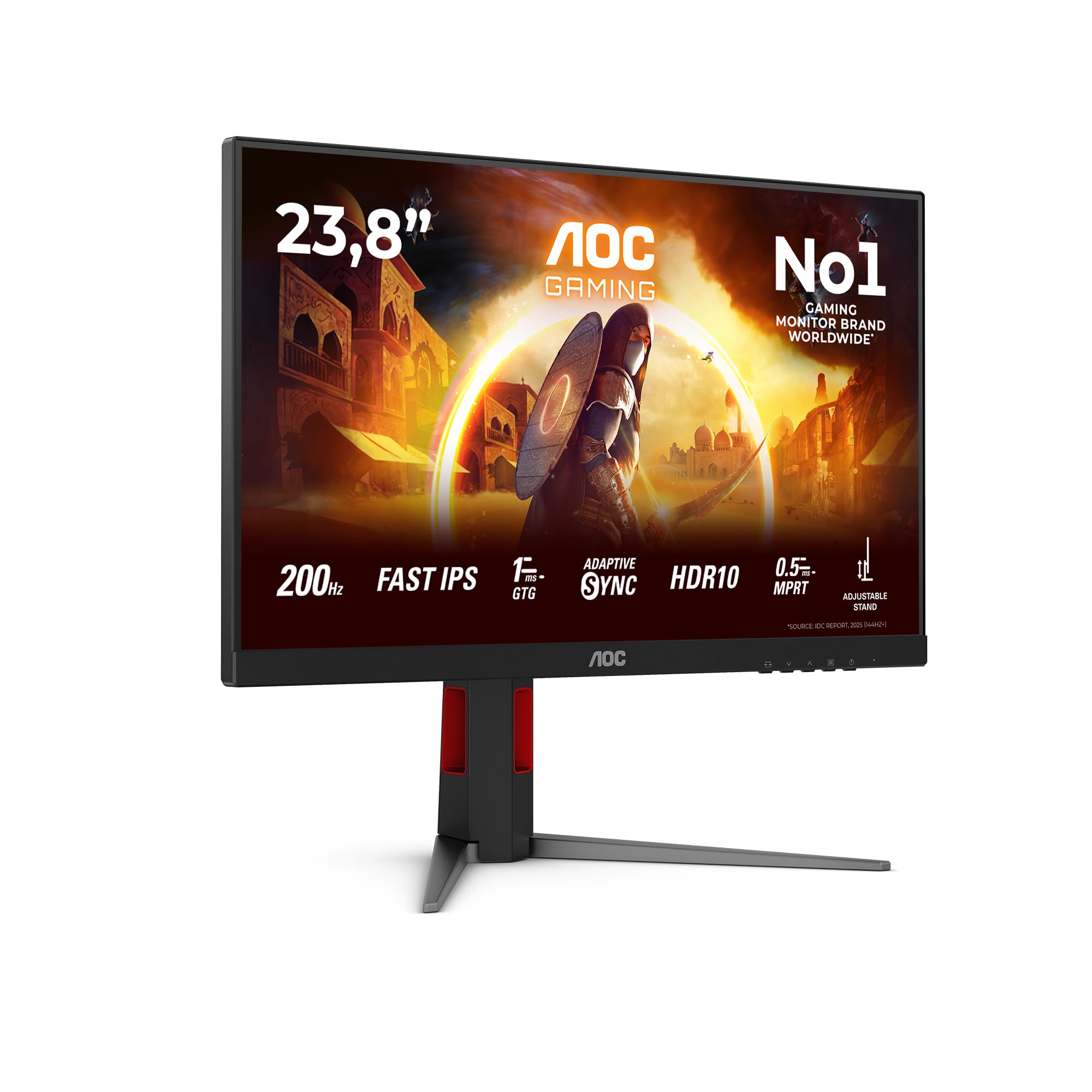
AOC 24G4HA 24 inch FHD Gaming Monitor 200Hz, Fast IPS Panel, 1ms GtG, HDR10, G-Sync Compatible, Height Adjustment, Speakers, (1920x1080 HDMI 2x 2.0 DP 1x 1.4) Black
£159.50 · AOC
Frequently asked
7 questions01Does the Samsung Odyssey G4 actually run at 240Hz, and does it require DisplayPort?+
Yes, the panel is rated at 240Hz. For the most reliable results, use the DisplayPort 1.2 connection. HDMI 2.0 can theoretically support 240Hz at 1080p, but DisplayPort is the safer choice for the full refresh rate.
02Is the 1ms response time claim accurate?+
The 1ms figure is a GtG (Grey-to-Grey) measurement taken under optimal conditions with overdrive at its highest setting. IPS panels tend to show inverse ghosting at that setting. Transition times across all pixel states aren't specified, so treat 1ms as a best case and start with the middle overdrive setting.
03Does the G4 work with Nvidia graphics cards?+
Yes. The G4 carries Nvidia G-Sync Compatible certification, meaning variable refresh rate works correctly with Nvidia GPUs. It does not include a full G-Sync hardware module, but the certification means VRR is supported for everyday gaming.
04Is the HDR on the Samsung Odyssey G4 worth using?+
It is present but not a strong selling point. The monitor carries a VESA DisplayHDR 400 certification, which is the entry-level tier. There is no local dimming, so blacks do not deepen when bright highlights are on screen. The HDR effect is subtle rather than dramatic, and the monitor's strengths lie in its refresh rate and motion clarity rather than HDR capability.
05Can the Samsung Odyssey G4 be mounted on a monitor arm?+
Yes, it is VESA compatible at 75x75mm. Note that this is a less common pattern than the 100x100mm standard, so confirm your monitor arm supports 75x75mm before purchasing. Most quality arms accommodate both patterns, but it is worth checking.
06Is 1080p sharp enough on a 25-inch panel?+
At a typical gaming distance of 60 to 70cm, the approximately 88 PPI pixel density is adequate. Very fine text at small sizes, such as browser tabs or spreadsheet cells, may appear slightly less sharp than on a higher-density panel, but for gaming it is not a concern.
07Does the G4 have a USB hub or built-in speakers?+
No to both. The connectivity is limited to two HDMI 2.0 ports, one DisplayPort 1.2, and a 3.5mm headphone jack. There are no USB ports, no USB-C, and no built-in speakers. If you rely on a monitor's USB hub for peripherals, this is a genuine limitation to factor into your decision.