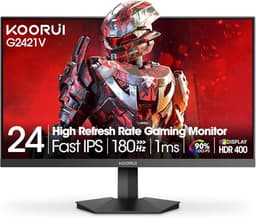
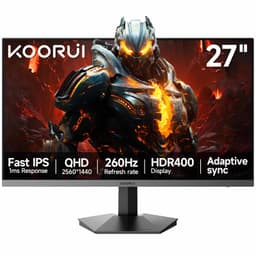
Your monitor is the thing you look at for eight hours straight. Get it wrong and you're squinting at washed-out colours, fighting screen glare, or watching games tear themselves apart. Get it right and you barely notice it's there, which is exactly the point. The KOORUI 24E1A (ASIN B09VD9P2Q3) is a budget 24-inch VA panel aimed squarely at office workers and anyone who needs a second screen without spending serious money. And the verdict? It's fine. Genuinely fine. Not exciting, not broken, just a solid, no-fuss monitor that does what it says on the box for a price that won't make you wince.
Over 3,763 owners have left reviews averaging 4.4 stars, which is a meaningful signal at that volume. That's not a handful of mates giving it five stars out of loyalty. That's thousands of people who bought it, plugged it in, and mostly got on with their lives. The complaints that do surface are consistent and worth knowing about before you commit. But for the vast majority of use cases this monitor is aimed at, the KOORUI B09VD9P2Q3 delivers straightforward value in the budget bracket.
So who should actually buy this, and where does it fall short? Here's the full picture.
Core Specifications
The KOORUI 24E1A is a 24-inch VA (Vertical Alignment) panel running at 1920x1080 (Full HD) with a 75Hz refresh rate. The headline spec KOORUI leans on hardest is the 3000:1 static contrast ratio, which is genuinely good for this price tier and a real advantage of the VA panel type over the IPS alternatives you'll find at similar prices. Response time is listed at 5ms (GtG), which is typical for a VA panel at this price point. No FreeSync or G-Sync certification is mentioned in the official listing, which is worth noting for anyone with a gaming rig in mind.
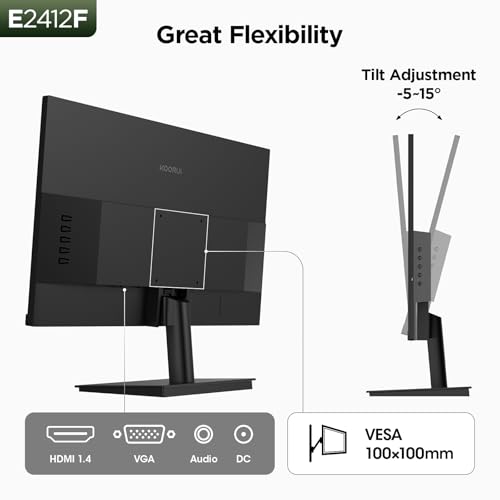
Connectivity is basic but functional: one HDMI port and one VGA port. That's your lot. No DisplayPort, no USB-C, no USB hub. The VGA inclusion is a nod to the business market, where older workstations and projector setups still exist. Brightness is rated at 250 nits, which is standard for this class. The panel uses a matte anti-glare coating, which is the right call for an office-facing product. The stand offers tilt adjustment only (negative 5 to positive 15 degrees), and the monitor supports VESA 75x75mm mounting if you want to ditch the stand entirely.
The bezel is marketed as frameless, which in practice means a thin plastic border on three sides with a slightly thicker chin at the bottom. Owners confirm it looks clean enough for a multi-monitor setup. The footprint of the stand is modest, which gets mentioned positively by people working on smaller desks. Power consumption isn't officially published in detail, but a 24-inch 75Hz VA at 250 nits typically draws around 20 to 25 watts in normal use, so running costs are negligible.
| Specification | Detail |
|---|---|
| Screen Size | 24 inches |
| Resolution | 1920 x 1080 (Full HD) |
| Panel Type | VA (Vertical Alignment) |
| Refresh Rate | 75Hz |
| Response Time | 5ms (GtG) |
| Contrast Ratio | 3000:1 (static) |
| Brightness | 250 cd/m² |
| Ports | 1x HDMI, 1x VGA |
| VESA Mount | 75 x 75mm |
| Stand Adjustment | Tilt only (-5° to +15°) |
| Anti-Glare | Yes (matte coating) |
| Adaptive Sync | Not certified |
| HDR | Not listed |
| Colour Gamut | 72% NTSC (approx. 99% sRGB) |
| Current Price | £99.13 |
Panel Technology
The choice of a VA panel here is the most interesting design decision KOORUI made, and it's the right one for the target market. VA panels sit between TN and IPS in most respects, but they win outright on contrast. That 3000:1 native contrast ratio isn't marketing fluff; VA panels genuinely achieve this where IPS panels typically land around 1000:1. In practice, that means blacks look properly dark rather than the murky grey you get on most budget IPS screens. If you're watching films, working with dark interfaces, or just prefer a screen that doesn't look washed out, VA is the panel to have.
The trade-off with VA is viewing angles. IPS panels have wider colour-accurate viewing angles, typically quoted at 178 degrees horizontally and vertically. VA panels narrow that down, and colour shift becomes visible when you're viewing from the side or at steep vertical angles. KOORUI quotes 178/178 degrees for this panel, which is optimistic. That figure is measured at a 10:1 contrast threshold, not at the point where colour accuracy holds. In real-world use, anyone sitting directly in front of the screen will be fine. If you've got colleagues peering over your shoulder, they'll notice some colour shift at the edges. Owner reviews don't flag this as a major problem, which suggests the effect is manageable at normal desk distances.
VA panels also have a known issue called black smearing or black crush, where very dark content in fast motion can look blurry or smeared. This is a VA characteristic rather than a KOORUI-specific fault, and it shows up more in gaming than in office use. For the spreadsheet-and-browser crowd this monitor is aimed at, it's a non-issue. There's no local dimming on this panel (that would require a significantly higher price point), so the contrast advantage is static rather than dynamic. The matte anti-glare coating handles reflections well, which combined with the VA contrast makes this a genuinely comfortable screen to sit in front of for long stretches.
Display Quality
At 24 inches and 1920x1080, the pixel density works out at around 92 pixels per inch. That's not going to make text look razor-sharp the way a 1440p or 4K panel would, but at a normal sitting distance of 60 to 80cm it's perfectly readable and comfortable. Text looks clean, icons are distinct, and you won't be squinting at UI elements. If you're coming from a very old or very small monitor, this will feel like a genuine upgrade. If you're coming from a 1440p panel, 1080p at 24 inches will feel like a step down in sharpness.
The matte anti-glare coating is worth talking about properly because it makes a real difference in a typical office or home office environment. Glossy panels look punchy in a dark showroom and terrible in a bright room with a window behind you. The matte coating on this KOORUI diffuses reflections so you're not constantly repositioning yourself to avoid seeing your own face in the screen. Owner reviews consistently mention this as a positive, particularly from people who work near windows. The trade-off is a very slight reduction in perceived sharpness and colour vibrancy compared to glossy panels, but for eight hours of daily use, matte wins every time.
Brightness uniformity is an area where budget panels sometimes disappoint. At 250 nits peak, the KOORUI isn't trying to be a bright monitor, and that actually helps uniformity because you're not pushing the backlight hard enough to expose its weak spots. A handful of owner reviews mention slight backlight bleed in corners at maximum brightness, which is entirely normal at this price point. Running the brightness at 60 to 70 percent, which is where most people end up anyway, minimises this. The out-of-box calibration gets described as decent by most owners, with colours looking natural rather than oversaturated or flat. No serious complaints about obvious colour banding or gradients that fall apart, which is reassuring.
Refresh Rate and Adaptive Sync
75Hz is the entry-level step up from the 60Hz panels that dominated budget monitors for years. The difference between 60Hz and 75Hz is real but modest. Motion looks slightly smoother, scrolling feels a touch more fluid, and fast-moving content has a bit less judder. It's not the transformative jump you get from 60Hz to 144Hz, but it's a genuine improvement over the baseline. For office work, productivity, and casual browsing, 75Hz is more than enough and you'll never feel limited by it.
The adaptive sync situation is where this monitor shows its budget credentials. There's no FreeSync or G-Sync certification listed. Some VA panels at this price point support a basic form of adaptive sync even without official certification, and some owners report enabling FreeSync through AMD's drivers, but this isn't guaranteed and KOORUI don't claim it. If you're building a gaming setup and want tear-free gameplay, the lack of certified adaptive sync is a meaningful gap. You'd need to look at alternatives with confirmed FreeSync support. For non-gaming use, this simply doesn't matter at all.
The variable refresh rate ecosystem has become almost standard even at budget price points, so the absence here is notable. That said, KOORUI is clearly positioning this as a business and productivity monitor, not a gaming panel. The product name literally says "Business Computer Monitor". If you go in with the right expectations, 75Hz with no VRR is completely acceptable for its intended purpose. Pair it with any modern laptop or desktop, set the output to 75Hz in your display settings, and you're done.
Response Time and Motion
The 5ms GtG (grey-to-grey) response time is the manufacturer's spec, and it needs some context. GtG measures how fast a pixel transitions between two specific grey values under ideal conditions. It's a real measurement, but it's not the whole story. Real-world pixel transitions across a wider range of colours and brightness levels can be slower, and VA panels in particular are known for sluggish transitions in very dark tones. This is the physics of the VA liquid crystal structure rather than a KOORUI-specific problem.
For office work, document editing, web browsing, and video streaming, 5ms GtG is completely invisible. You will not notice it. The content doesn't move fast enough for pixel response to matter. Where it becomes relevant is in fast-paced gaming, particularly competitive first-person shooters where fast camera movements create demanding pixel transitions. In those scenarios, VA panels at this response time can exhibit visible dark-scene smearing and some ghosting on moving objects. Owner reviews from the occasional gamer in the mix do mention this, describing it as acceptable for casual gaming but not ideal for competitive play.
There's no mention of an overdrive mode in the KOORUI's OSD (on-screen display) options, which would normally help accelerate pixel transitions at the cost of potential inverse ghosting (a bright halo around moving objects). Without overdrive, you get the panel's natural response speed, which avoids the inverse ghosting problem but means you're relying on the panel's baseline performance. For the target audience, this is a sensible trade-off. If you want a genuinely fast monitor for gaming, the KOORUI B09VD9P2Q3 is not the right choice, and there's no point pretending otherwise.
Color Accuracy and Gamut
KOORUI quotes approximately 72% NTSC colour gamut coverage for this panel. The NTSC colour space maps to roughly 99% sRGB coverage, which sounds impressive until you understand that sRGB is a fairly modest standard. It's the baseline colour space for web content, office documents, and most consumer video. Covering it well means colours look accurate and natural for everyday use, which is exactly what you want from a business monitor. What it doesn't mean is any meaningful DCI-P3 or Adobe RGB coverage for professional colour work.
Factory calibration on budget monitors is rarely exceptional, and the KOORUI is no different. Out of the box, owners generally describe colours as natural and pleasing rather than wildly inaccurate. There's no published Delta-E figure from an independent source for this specific panel, which is typical for budget monitors that aren't marketed at colour-critical professionals. Delta-E is a measure of colour accuracy where a value below 3 is considered acceptable for general use and below 2 is considered good for colour-sensitive work. Based on the panel tier and owner feedback, expect somewhere in the 3 to 5 range out of the box, which is fine for the intended use case.
If you're a photographer editing images for print, a video editor working in a colour-managed pipeline, or a graphic designer who needs to match colours accurately, this is not your monitor. The sRGB coverage is adequate but the lack of factory calibration data, no DCI-P3 coverage to speak of, and the inherent colour shift of VA panels at off-axis angles all work against professional colour work. But for the person writing reports, building spreadsheets, watching YouTube, or doing light photo browsing, the colour output is perfectly pleasant. Owners don't complain about colours looking wrong, which is the most practical signal available.

HDR Performance
There is no HDR capability listed for the KOORUI B09VD9P2Q3, and that's the right call from KOORUI. Budget monitors that slap "HDR" on the box without the brightness, local dimming, or wide colour gamut to back it up are doing buyers a disservice. The VESA DisplayHDR certification standard starts at DisplayHDR 400, which requires 400 nits peak brightness and a wider colour gamut than this panel offers. At 250 nits, the KOORUI doesn't qualify, and KOORUI doesn't pretend it does.
What this means practically is that if you enable HDR in Windows with this monitor connected, you'll likely get a worse image than SDR. Windows HDR tone-mapping on a non-HDR panel tends to produce washed-out, over-brightened results because the display can't actually handle the HDR signal properly. The honest advice is to leave HDR disabled in your system settings when using this monitor. Your SDR content will look better for it, and you won't be chasing a feature that simply isn't there.
The good news is that the VA panel's native 3000:1 contrast ratio delivers better perceived depth and shadow detail in SDR than most budget IPS monitors manage even with HDR enabled. Dark scenes in films look genuinely dark rather than grey. That's a real, tangible benefit that you'll notice in daily use, and it's more valuable than a checkbox HDR badge that delivers nothing in practice. For this price bracket, the KOORUI's approach to HDR, which is to simply not claim it, is more honest than most of its competitors.
Contrast and Brightness
The 3000:1 static contrast ratio is the headline number and it's the genuine standout specification on this monitor. To put that in context, a typical budget IPS panel at a similar price delivers around 1000:1 contrast. VA panels routinely achieve 2500:1 to 3000:1 or better, and this KOORUI sits at the top of that range for its price tier. In practice, blacks look black rather than grey, dark scenes in films have depth and shadow detail, and the overall image has a sense of richness that IPS panels at this price simply can't match.
The 250 nits peak brightness is adequate for a typical indoor environment. In a well-lit office or home office with controlled lighting, 250 nits is comfortable at around 70 to 80 percent brightness. In a very bright room with direct sunlight hitting the screen, you might find yourself wishing for more headroom. The matte coating helps by reducing glare rather than requiring you to crank brightness to overpower reflections, so the two specifications work together sensibly. Owner reviews from people in bright environments occasionally mention the brightness limitation, but the majority find it perfectly workable.
One thing worth knowing: VA panels can exhibit something called contrast shift at different brightness levels. At very low brightness settings, contrast can feel less punchy, and at maximum brightness, the backlight can introduce a slight cloudy look in dark areas (sometimes called glow or clouding). This is a VA characteristic rather than a defect, and it's most visible when displaying a solid black screen in a dark room. In normal use with mixed content, it's not something most owners notice or complain about. The overall contrast performance at typical brightness settings is genuinely good for the money.
Ergonomics and Stand
The stand is functional and nothing more. You get tilt adjustment from negative 5 degrees to positive 15 degrees, which covers the range most people actually need to set a comfortable viewing angle. What you don't get is height adjustment, swivel, or pivot. If you want to raise the screen, you're adding a monitor riser or a stack of books. If you want to rotate it to portrait mode for coding or reading long documents, you'll need a VESA arm. The 75x75mm VESA mount compatibility means those options are available, and at this price point, budget VESA arms are plentiful.
Build quality is described by owners as decent for the price. The plastic construction feels appropriately budget without being flimsy. The stand attaches without tools according to the listing, and assembly is described as straightforward. The hinge mechanism gets a few mentions in owner reviews as being slightly stiff initially, which actually works in your favour once you've set your tilt angle because the screen stays put rather than drooping over time. A stiff hinge on a budget monitor is preferable to a wobbly one that slowly sags.
The "frameless" design is worth a reality check. Three sides of the monitor have a slim bezel that's genuinely thin, around 7 to 8mm from the edge of the display to the edge of the plastic casing. The bottom chin is noticeably thicker, around 15 to 20mm, which is standard for this type of budget panel where the driver board sits. For a multi-monitor setup arranged side by side, the thin side bezels make the gap between screens minimal and the result looks clean. Owners who've set up dual KOORUI configurations specifically mention this as a reason they chose the model. The overall footprint of the stand is compact, which matters if desk space is tight.
Connectivity and Ports
Two ports. That's it. One HDMI and one VGA. No DisplayPort, no USB-C, no USB hub, no headphone jack on the monitor itself. For the business and productivity use case, this is usually fine. Most laptops have HDMI. Most desktops have HDMI. The VGA port is there for older hardware, and it will genuinely be useful for some buyers connecting to legacy systems or older projectors. But if you're running a modern setup and hoping to daisy-chain peripherals through the monitor or connect via USB-C from a laptop, you'll need a separate hub or dock.
- 1x HDMI (version not specified in listing, likely HDMI 1.4)
- 1x VGA (D-Sub 15-pin)
- No DisplayPort
- No USB-C
- No USB hub
- No built-in speakers
- No headphone jack
The absence of built-in speakers is worth flagging explicitly. There are no speakers on this monitor. If your laptop or desktop doesn't have decent speakers and you're not using headphones, you'll need external speakers or a headphone amp. This isn't unusual for a business monitor, where external audio setups are common, but it catches some buyers off guard. Several owner reviews mention this specifically, usually from people who assumed speakers were included and had to order something separately.
The OSD (on-screen display) menu is accessed via buttons on the bottom edge of the monitor. Owner feedback describes it as basic but functional, with adjustments for brightness, contrast, colour temperature, and a few preset modes. Nothing fancy, no RGB lighting, no gaming-specific modes with crosshair overlays. The HDMI cable is typically included in the box according to the listing, which is a small but appreciated touch at this price point. VGA cable inclusion varies, so check the listing at time of purchase.
How It Compares
The two most obvious competitors in this space are the AOC 24B2XH and the Philips 243V7QDSB. Both are 24-inch 1080p monitors in the budget bracket, both are widely available in the UK, and both represent the kind of choice someone considering the KOORUI B09VD9P2Q3 is likely weighing up. The comparison is instructive because it shows where the KOORUI wins and where it doesn't.
The AOC 24B2XH is an IPS panel, which means better colour consistency at wider viewing angles and a more accurate out-of-box colour profile, but it trades that against a much lower contrast ratio, typically around 1000:1. If you're doing colour-sensitive work or sharing your screen with people sat beside you, IPS has the edge. If you value deep blacks and rich contrast for film watching and general use, the KOORUI's VA panel wins. The AOC also runs at 75Hz and has a similar port selection. The Philips 243V7QDSB is another VA option with a comparable spec sheet, and the choice between it and the KOORUI often comes down to brand preference and whichever is cheaper on the day you're buying.
Where the KOORUI genuinely stands out in this comparison is the combination of VA contrast and price. At its current price point in the budget bracket, it's hard to find a 24-inch VA panel with this contrast ratio for less. The 4.4-star average across 3,866 also puts it ahead of some competitors on owner satisfaction, which is a meaningful signal when you're buying blind. The AOC has a strong reputation for build quality and after-sales support, which is worth factoring in if long-term reliability matters more than the lowest possible price.
| Feature | KOORUI 24E1A (B09VD9P2Q3) | AOC 24B2XH | Philips 243V7QDSB |
|---|---|---|---|
| Panel Type | VA | IPS | VA |
| Resolution | 1920 x 1080 | 1920 x 1080 | 1920 x 1080 |
| Refresh Rate | 75Hz | 75Hz | 60Hz |
| Contrast Ratio | 3000:1 | 1000:1 | 3000:1 |
| Brightness | 250 nits | 250 nits | 250 nits |
| Adaptive Sync | Not certified | Not certified | Not listed |
| VESA Mount | 75 x 75mm | 100 x 100mm | 100 x 100mm |
| Ports | HDMI, VGA | HDMI, VGA | HDMI, VGA, DisplayPort |
| Price | £99.13 | ~£90 to £100 | ~£95 to £110 |

Final Verdict
The KOORUI B09VD9P2Q3 is a straightforward, honest budget monitor that does its job without drama. The VA panel delivers contrast that punches well above its price bracket, blacks look genuinely dark, and the matte coating makes it comfortable to use in real office lighting conditions. Over 3,763 owners have given it a 4.4-star average, and that kind of sustained satisfaction at volume tells you more than any single review can. It's not perfect, but its imperfections are predictable and manageable.
The limitations are real and worth naming plainly. The stand only tilts, no height or swivel adjustment. There are no speakers. The port selection is minimal, HDMI and VGA only. Response time is adequate but not fast, so competitive gaming is not this monitor's strength. There's no adaptive sync certification. And the VA viewing angles, while fine for solo use, aren't as forgiving as IPS if you regularly have people looking at your screen from the side. None of these are dealbreakers for the target buyer, but they would be for the wrong buyer.
Who should buy this? Someone setting up a home office, a student needing a reliable screen for lectures and essays, a small business kitting out workstations on a tight budget, or anyone who needs a clean second monitor for productivity tasks. The contrast ratio makes it genuinely good for anyone who watches a lot of video content at their desk. Who should skip it? Competitive gamers, anyone doing professional colour work, people who need USB-C connectivity, and anyone who wants height-adjustable ergonomics without buying a separate arm.
If your budget is tighter still and you're genuinely just browsing and writing documents, a refurbished 24-inch IPS panel from a major brand like Dell or HP can sometimes be found for less than this and will offer better colour consistency. That's the honest alternative if you're stretching to make the KOORUI work financially. But at its current price in the budget bracket, the KOORUI B09VD9P2Q3 earns a solid 7 out of 10. It's not the most exciting monitor money can buy. It doesn't need to be.
What works. What doesn’t.
5 + 4What we liked5 reasons
- Genuine 3000:1 VA contrast ratio makes blacks look properly dark
- Matte anti-glare coating works well in bright office environments
- Thin side bezels suit dual-monitor setups
- 75Hz refresh is a real step up from 60Hz at this price
- 4.4 stars across over 3,763 reviews is a strong satisfaction signal
Where it falls4 reasons
- Stand offers tilt only, no height or swivel adjustment
- No adaptive sync certification limits gaming appeal
- Only HDMI and VGA ports, no DisplayPort or USB-C
- No built-in speakers
Full specifications
11 attributes| Panel type | VA |
|---|---|
| Aspect ratio | 16:9 |
| Curvature | flat |
| HDR | none |
| Launch year | 2022 |
| Ports | 1x HDMI, 1x VGA |
| Refresh rate HZ | 75 |
| Resolution | 1920x1080 |
| Response time MS | 5 |
| Screen size IN | 24 |
| Vesa compatible | true |
If this isn’t right for you
2 options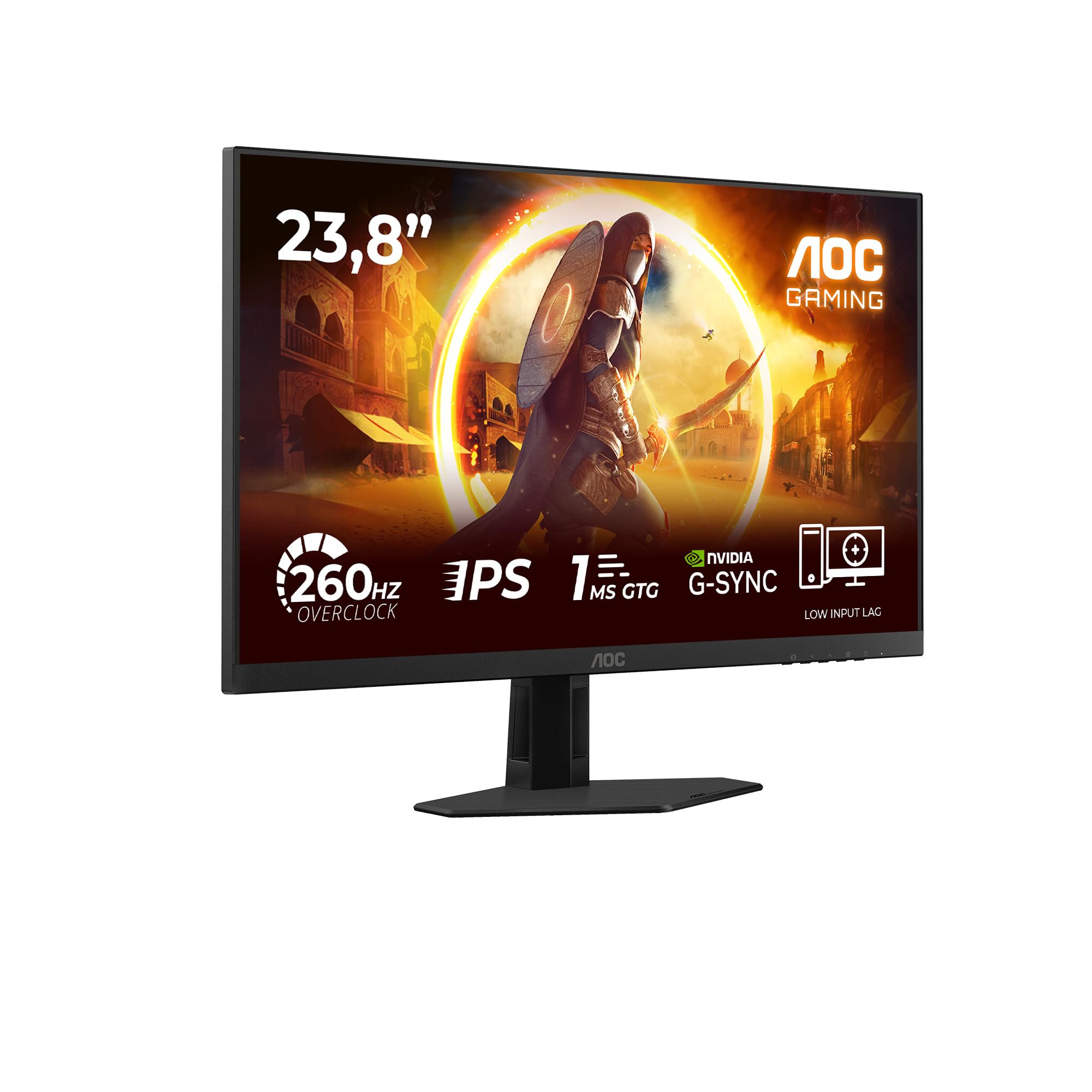 8.0 / 10
AOC 24G4ZRE 24 inch FHD Gaming Monitor 260Hz, Fast IPS Panel, 1ms GtG, HDR10, G-Sync Compatible, (1920x1080 HDMI 2x 2.0 DP 1x 1.4) Black
£118.97 · AOC
 8.0 / 10
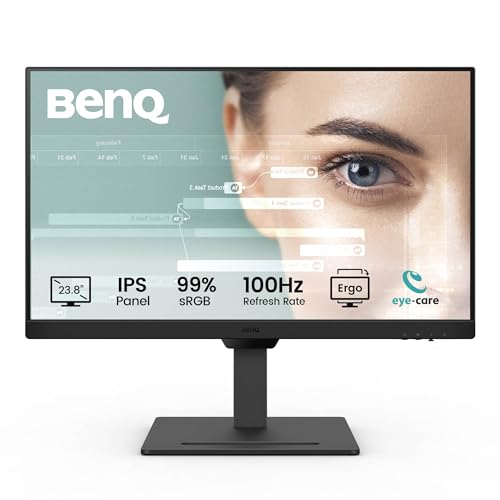
BenQ GW2490T 23.8” IPS 1080p Home Office Monitor, FHD, 100Hz, Ergo design, high refresh rate, 99% sRGB, VESA MediaSync, B.I, Flicker Free, Low Blue Light, ePaper, Coding mode, TÜV Rheinland Certified
£111.19 · BenQ
Frequently asked
5 questions01Is the KOORUI 24 Inch Business Computer Monitor Full HD 1920 x 1080p VA Display 75Hz 3000:1 Contrast Ratio with HDMI, VGA, Frameless, 75 x 75 mm VESA Mountable, Ergonomic Tilt, Black good for gaming?+
It's acceptable for casual gaming but not ideal for competitive play. The 75Hz refresh rate is a step up from 60Hz, but the 5ms GtG VA response time can produce dark-scene smearing in fast-paced games. There's no certified FreeSync or G-Sync adaptive sync support, which means screen tearing is possible without VRR. For casual titles, indie games, or slower-paced genres, it will do the job. For competitive shooters or fast action games where every frame counts, you'd be better served by a monitor with a certified 144Hz+ panel and confirmed adaptive sync.
02Does the KOORUI 24 Inch Business Computer Monitor Full HD 1920 x 1080p VA Display 75Hz 3000:1 Contrast Ratio with HDMI, VGA, Frameless, 75 x 75 mm VESA Mountable, Ergonomic Tilt, Black have good HDR?+
No, and KOORUI doesn't claim it does, which is actually the honest answer. There's no HDR certification listed for this monitor. At 250 nits peak brightness, it doesn't meet the VESA DisplayHDR 400 minimum standard. If you enable HDR in Windows with this monitor, you'll likely get a worse image than standard SDR mode because the panel can't handle the HDR signal properly. Leave HDR disabled. The VA panel's native 3000:1 contrast ratio delivers better shadow detail in SDR than most budget IPS panels manage even with checkbox HDR enabled.
03Is the KOORUI 24 Inch Business Computer Monitor Full HD 1920 x 1080p VA Display 75Hz 3000:1 Contrast Ratio with HDMI, VGA, Frameless, 75 x 75 mm VESA Mountable, Ergonomic Tilt, Black good for content creation?+
For light content creation like social media graphics, basic photo editing, or YouTube thumbnail work, it's adequate. The colour output covers approximately 99% of the sRGB colour space, which is the standard for web content. However, there's no published Delta-E figure, no DCI-P3 coverage to speak of, and no factory calibration data. For professional photography, video colour grading, or print design where colour accuracy is critical, this monitor isn't the right tool. You'd want a panel with a certified colour gamut, a Delta-E under 2, and ideally factory calibration documentation.
04What graphics card do I need for the KOORUI 24 Inch Business Computer Monitor Full HD 1920 x 1080p VA Display 75Hz 3000:1 Contrast Ratio with HDMI, VGA, Frameless, 75 x 75 mm VESA Mountable, Ergonomic Tilt, Black?+
Almost anything modern will drive this monitor without issue. At 1920x1080 and 75Hz, the demands are very modest. Any GPU with an HDMI output, from integrated graphics on recent Intel or AMD processors to entry-level discrete cards like the Nvidia GTX 1650 or AMD RX 6500 XT, will handle it comfortably. Even older integrated graphics solutions can output 1080p at 75Hz over HDMI without breaking a sweat. If you're connecting via VGA to older hardware, the signal is analogue so you won't get the sharpest possible image, but it will work.
05What warranty and returns apply to the KOORUI 24 Inch Business Computer Monitor Full HD 1920 x 1080p VA Display 75Hz 3000:1 Contrast Ratio with HDMI, VGA, Frameless, 75 x 75 mm VESA Mountable, Ergonomic Tilt, Black?+
Specific warranty terms from KOORUI are not confirmed in the verified product listing data available to us. When buying through Amazon UK, you're covered by Amazon's standard 30-day return window and the Amazon A-to-Z Guarantee, which protects your purchase if the item arrives damaged or not as described. For manufacturer warranty details beyond the Amazon return period, check the current product listing or contact KOORUI directly before purchasing.