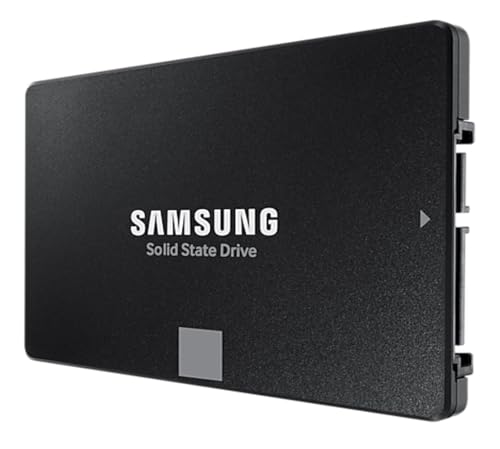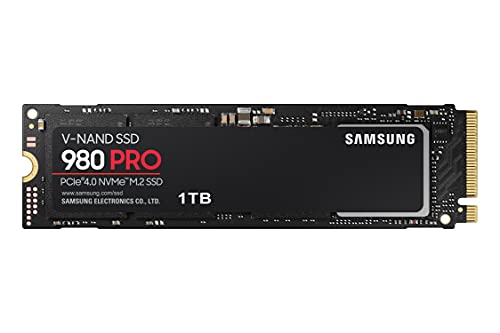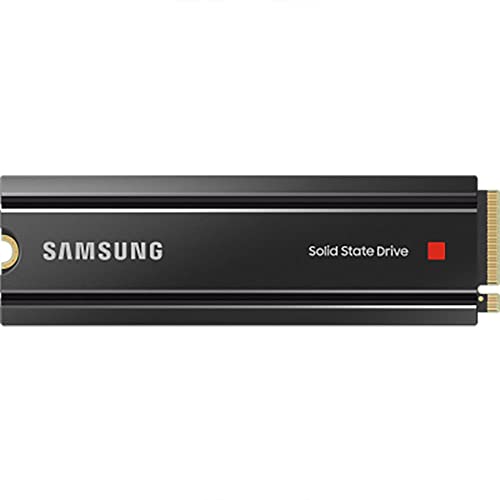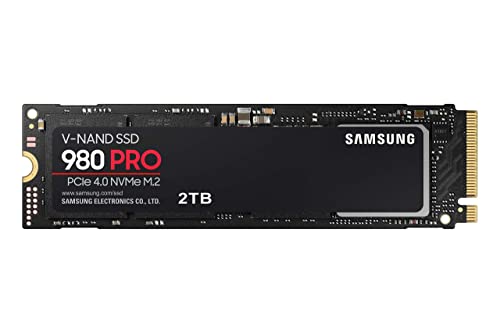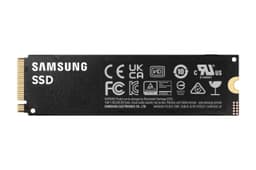
The Samsung 990 PRO is not a drive you buy because you stumbled across it. You buy it because you've done some reading, you know what PCIe 4.0 TLC with proper DRAM looks like on paper, and you want the thing that isn't going to embarrass you six months down the line. This heatsink variant, the MZ-V9P1T0CW, adds a chunky cooler and some RGB on top of the standard 990 PRO, which is already one of the more credible Gen4 drives on the market. But credible doesn't mean automatically right for you, and at the price this thing commands, it's worth being clear about exactly what you're getting and who it actually suits.
The 1TB capacity is the sweet spot for most people, and Samsung has packed in TLC NAND (not QLC, which matters), a DRAM cache, and their own in-house controller. That combination is genuinely good. But the heatsink version costs noticeably more than the bare drive, and if you're dropping it into a PS5 or a laptop with a heatsink slot, you need to know whether that premium makes sense. There's also the question of whether Gen4 speeds are worth paying for over a solid Gen3 drive, and the honest answer is more nuanced than the marketing suggests.
With thousands of owner reviews and a positive overall rating, the 990 PRO is clearly not a disaster. But popularity and good reviews don't tell you whether it's the right drive for your specific setup and budget. That's what this is for.
Core Specifications
The Samsung 990 PRO 1TB uses Samsung's own Elpis controller (the same architecture that powered the 980 PRO, refined here) paired with Samsung's proprietary V-NAND TLC. TLC means three bits per cell, which is the right answer for a performance drive. You don't want QLC here. The drive also carries a dedicated DRAM cache, which Samsung rates at 1GB for the 1TB model. That matters for sustained random I/O, and we'll get into why in the controller section.
Rated sequential reads hit 7,450 MB/s and sequential writes reach 6,900 MB/s. Those are the headline numbers Samsung puts on the box, and they're genuinely competitive for Gen4. Random performance is rated at 1,400K IOPS read and 1,550K IOPS write, which is where the drive actually earns its keep in day-to-day use. TBW endurance for the 1TB model is rated at 600TBW, backed by a five-year warranty. The drive uses the M.2 2280 form factor over NVMe PCIe Gen 4 x4.
The heatsink variant adds a low-profile aluminium cooler with RGB lighting. It's not just cosmetic, though the RGB obviously is. The heatsink has a practical job to do under sustained load, and Samsung designed it to keep the controller and NAND below throttling thresholds during heavy writes. Whether you actually need it depends on your board and use case, but it's not a pure vanity addition.
| Specification | Detail |
|---|---|
| Model | Samsung 990 PRO Heatsink (MZ-V9P1T0CW) |
| Capacity | 1TB |
| Form Factor | M.2 2280 |
| Interface | NVMe PCIe Gen 4 x4 |
| NAND Type | Samsung V-NAND TLC (3-bit) |
| Controller | Samsung Elpis (in-house) |
| DRAM Cache | Yes, 1GB LPDDR4 |
| Sequential Read | 7,450 MB/s |
| Sequential Write | 6,900 MB/s |
| Random Read | 1,400K IOPS |
| Random Write | 1,550K IOPS |
| TBW Endurance | 600 TBW |
| Warranty | 5 years |
| Heatsink | Yes, with RGB |
| Current Price | £228.00 · Details |

Interface and Form Factor
This is a PCIe Gen 4 x4 NVMe drive in an M.2 2280 (80mm) form factor. That means it needs an M.2 slot with Gen4 support to hit its rated speeds. Most mid-range and above motherboards from the last three or four years have at least one Gen4 slot, usually the primary one closest to the CPU. If you've got an older board running Gen3, the drive will still work, but you'll be capped at Gen3 speeds, roughly 3,500 MB/s sequential. Not a disaster, but you're paying for something you can't use.
The heatsink adds height to the drive, which is the compatibility issue worth thinking about. It measures roughly 11mm tall with the cooler attached. That's fine in most desktop builds, but if your motherboard has a factory-fitted M.2 armour or heatsink (which many modern boards do), you'll need to remove that before fitting this drive. Most boards allow for that. Where it gets trickier is in compact ITX cases where clearance above the M.2 slot is limited. Check your case specs before ordering.
For the PS5, Samsung explicitly markets this drive as compatible, and Sony's guidance allows M.2 NVMe drives with a heatsink attached, provided total height doesn't exceed 11.25mm. The 990 PRO heatsink sits right at the edge of that, so it fits, but only just. If you're going the PS5 route, double-check the current Sony clearance guidance before buying. Laptops are almost certainly out unless you're in a large gaming laptop with a dedicated M.2 bay that has clearance for the heatsink. Most ultrabooks and thin-and-lights won't accommodate it physically.
Real-World Performance
Sequential read and write speeds sound impressive on paper. 7,450 MB/s is a big number. But here's the thing about sequential speeds: outside of moving very large files, you rarely sustain them in normal use. What actually determines how fast your system feels is random I/O, specifically 4K random read performance. When Windows boots, when an application launches, when a game loads its assets, the storage subsystem is handling thousands of small random reads, not one big sequential stream. The 990 PRO's 1,400K IOPS random read rating is where the real story is.
Published benchmark results from the wider community consistently show the 990 PRO performing at or near the top of the Gen4 pack for 4K random read, frequently trading blows with the WD Black SN850X. In workloads that reflect real desktop use (mixed read/write, queue depths of one to four, small block sizes), the 990 PRO is genuinely fast. Boot times from cold are snappy. Application launches are quick. Game load times in titles like Cyberpunk 2077 and Microsoft Flight Simulator, which are genuinely storage-bound, are among the best you'll see from a Gen4 drive.
Owner reports across the thousands of reviews back this up. The consistent theme is that the drive feels fast in daily use, with no complaints about sluggishness in normal desktop tasks. Several owners specifically mention it as a PS5 upgrade over the stock drive, noting faster game load times and better texture streaming in open-world titles. That's consistent with what the random I/O specs suggest. The drive doesn't just have good peak numbers. It sustains the kind of low-latency random access that actually translates to a faster-feeling system.
Sustained Writes and Cache Behaviour
Every modern NVMe drive uses a portion of its NAND as a fast SLC write cache. Data coming in gets written to this SLC buffer at high speed, then the controller moves it to the main TLC NAND in the background. The 990 PRO's SLC cache on the 1TB model is dynamic, meaning its size varies depending on how much free space is available on the drive. Under normal conditions with plenty of free space, the SLC cache is large enough to handle most everyday workloads without ever being exhausted. For typical desktop use, game installs, OS updates, document work, you'll almost never see the cache fill.
Where it matters is in heavy sustained writes. Think video editing workflows where you're writing large raw footage files continuously, or big data migrations where you're moving hundreds of gigabytes in one go. Once the SLC cache fills, the drive writes directly to the TLC NAND. Published benchmarks show the 990 PRO's sustained TLC write speed settling in the region of 1,500 to 2,000 MB/s after cache exhaustion, which is actually respectable for TLC. It's not a cliff in the same way QLC drives are, where you can see speeds drop to 300 to 500 MB/s after the cache fills. TLC native write speed is significantly better than QLC, and that's one of the key reasons to care about NAND type.
The DRAM cache also plays a role here. Because the 990 PRO has a dedicated DRAM buffer, the controller can manage the SLC-to-TLC background migration more efficiently, and it doesn't have to lean on the host system's RAM via Host Memory Buffer. That means the post-cache behaviour is more consistent and predictable than on DRAM-less drives. For a creative professional moving large files regularly, or someone using this as a scratch disk for video editing, the combination of TLC NAND and DRAM cache means the 990 PRO handles sustained workloads far better than budget Gen4 alternatives. It's not perfect, but it's honest.
Controller, NAND and DRAM
Samsung makes their own everything here, and that vertical integration is genuinely a competitive advantage. The Elpis controller is Samsung's in-house design, fabbed on their own process, and it's been around long enough that its behaviour under real workloads is well understood. It's not a Phison E18 or an InnoGrit IG5236 (both perfectly fine third-party controllers used by many competitors). It's Samsung's own silicon, tuned specifically for Samsung's own V-NAND. That tight integration shows up in consistent performance and, based on the owner review base, very low failure rates.
The NAND is Samsung's sixth-generation V-NAND TLC. Three bits per cell, stacked vertically, and manufactured in-house. TLC is the right choice for a drive in this class. It offers a good balance of density, write endurance, and speed. The alternative you want to avoid at this price point is QLC (four bits per cell), which has lower write endurance, slower native write speeds after cache exhaustion, and generally shorter rated TBW. Some drives at similar prices use QLC and don't shout about it. Samsung isn't hiding anything here: this is TLC, it's on the spec sheet, and it's the right answer.
The 1GB LPDDR4 DRAM cache is a proper dedicated buffer, not Host Memory Buffer. HMB, used by DRAM-less drives, borrows a slice of your system RAM over PCIe. It works well enough for a boot drive in light use, but it adds latency compared to on-die DRAM, and it struggles more under sustained mixed workloads. Having dedicated DRAM on the drive means the controller has fast, local storage for its mapping tables, which keeps random I/O latency low and consistent. For anyone using this drive seriously, as a scratch disk, a game library with lots of titles installed, or a primary drive in a workstation, the DRAM cache is not a luxury. It's the difference between good and actually good.
Endurance and Reliability
The 990 PRO 1TB is rated at 600TBW. To put that in context: if you write 100GB to the drive every single day (which is a lot for most users), you'd hit the TBW limit in roughly 16 years. For a typical desktop user writing 20 to 30GB per day on average, the drive should last well beyond the five-year warranty period before the NAND wears out. Even for heavier users doing regular large file work, 600TBW is a genuinely comfortable number. Samsung's confidence in that figure is signalled by the five-year warranty, which is the right length for a drive at this price.
The owner review pattern is encouraging on reliability. With thousands of reviews and a positive overall rating, the failure rate implied by the review distribution is low. Negative reviews exist, as they do for any drive at this volume, but the complaints are not dominated by early failures or data loss. The more common gripes are about the heatsink RGB software (Samsung Magician integration is hit and miss for some users) and the price premium over the bare drive. Neither of those is a reliability issue. Samsung also provides S.M.A.R.T. monitoring and firmware updates through their Magician software, which is worth running periodically.
It's also worth noting that Samsung issued a firmware update for the 990 PRO in late 2023 after some users reported higher-than-expected NAND wear on early units. Samsung acknowledged the issue and the firmware fix resolved it. This is actually a point in Samsung's favour: they identified the problem, communicated it, and pushed a fix. Drives bought now ship with updated firmware. If you have an older unit, check the firmware version in Samsung Magician and update if needed. The fact that Samsung responded properly to the issue rather than going quiet is the kind of after-sales behaviour that matters when you're trusting a drive with your data.
Thermals
Gen4 NVMe drives run hot. That's not a Samsung-specific problem. It's physics: pushing data at 7,000 MB/s over a PCIe 4.0 interface generates heat, and the controller in particular gets warm under sustained load. Without any cooling, the 990 PRO (like most Gen4 drives) will thermal throttle during extended sustained writes, dropping speeds to protect the hardware. The bare 990 PRO relies on your motherboard's M.2 heatsink or the airflow in your case to manage this. That's usually fine for normal use, but it's not ideal for heavy sustained workloads.
The heatsink variant addresses this directly. The aluminium cooler Samsung ships with the MZ-V9P1T0CW is a proper low-profile heatsink with fins, not a decorative sticker. Published thermal testing from the wider community shows it keeps the controller meaningfully cooler under sustained load compared to the bare drive, reducing or eliminating throttling during extended write sequences. For video editors, content creators, or anyone regularly moving large files, that thermal headroom translates to more consistent sustained write speeds. The heatsink earns its keep in those scenarios.
For everyday desktop use, gaming, and general productivity, the thermal situation is less critical. The drive won't throttle during a game load or a Windows boot. It's sustained sequential writes over multiple minutes where temperatures climb and throttling becomes a risk. If your board has a good factory M.2 heatsink and you're not doing heavy creative work, the bare 990 PRO would manage fine thermally. But if you're buying this for a PS5 (where there's limited airflow around the M.2 slot) or for a desktop workstation doing sustained writes, the heatsink version is the sensible choice. The RGB is just a bonus for the people who care about that sort of thing.
Capacity Options and Price Per GB
The 990 PRO with heatsink is available in 1TB, 2TB, and 4TB. The 1TB sits at the entry point for this drive family, and it's the most price-competitive per-unit cost. The 2TB is the sweet spot for most people who want a single primary drive with room to breathe: enough for Windows, a decent game library, and a working folder without constantly managing space. The 4TB is for people who want everything in one place and aren't worried about the price.
Price per GB is where things get honest. The 990 PRO heatsink carries a premium over the bare drive, and a further premium over strong Gen4 competitors like the WD Black SN850X and the Seagate FireCuda 530. At the 1TB capacity, you're paying for Samsung's brand, their in-house manufacturing, the heatsink, and the RGB. Whether that's worth it depends on your priorities. If you want the heatsink anyway (for a PS5 or a boardless slot), the premium over buying a bare drive plus a third-party heatsink is smaller than it looks. If you're going into a board with good M.2 cooling already, the bare 990 PRO saves you money for equivalent performance.
Compared to budget Gen4 options like the Kingston NV3 or the Crucial P3 Plus, the 990 PRO heatsink costs significantly more per GB. But those are QLC drives with DRAM-less designs. The comparison isn't really fair: they're different products for different use cases. A fair comparison is TLC plus DRAM drives at Gen4 speeds, and there the 990 PRO is competitive. It's not the cheapest TLC Gen4 drive available, but it's not dramatically overpriced for what it is either.
Installation and Compatibility
Installing an M.2 NVMe drive is straightforward in most desktop builds. Power down, ground yourself, remove the M.2 retention screw or heatsink cover on your motherboard, slide the drive in at roughly a 30-degree angle into the M.2 slot, press it flat, and secure it. If your board has its own M.2 heatsink (most modern boards do), you'll need to remove that before fitting the 990 PRO heatsink variant, since you can't stack two heatsinks. The Samsung heatsink replaces your board's cooler on that slot. That's fine, but worth knowing before you start.
For the PS5, Sony requires an M.2 NVMe SSD in the expansion slot, and the 990 PRO is on their compatible drive list. The heatsink version fits within Sony's 11.25mm height limit. The process involves removing the PS5's side panel and expansion bay cover, fitting the drive, and letting the console format it automatically. It's a 10-minute job. One thing to check: make sure you're buying the heatsink variant specifically for PS5, since the bare drive needs a separately purchased heatsink to meet Sony's requirements. The MZ-V9P1T0CW saves you that hassle.
If you're migrating from an existing drive, Samsung's Magician software includes a cloning tool, and there are third-party options like Macrium Reflect Free that work well. Cloning to a new NVMe drive is generally reliable, but it's always worth having a backup before you start. One compatibility note: a small number of older AMD X570 boards have had firmware issues with Gen4 drives at full speed. If you're on a first-generation X570 board, check for a BIOS update before assuming you'll get full Gen4 throughput. It's a rare issue but worth five minutes of research.
Who It's For
The 990 PRO heatsink is a good fit for a few specific types of buyer. First, PS5 owners who want a proper upgrade over the stock drive and don't want to faff around sourcing a separate heatsink. The drive is fast, compatible, and comes ready to install. Second, desktop builders who want a primary NVMe drive for a high-end system and want TLC NAND with DRAM, proper endurance, and a five-year warranty without any compromises. Third, content creators and video editors who need a scratch disk that won't fall off a performance cliff mid-render. The TLC NAND and DRAM cache mean sustained write behaviour is significantly better than budget alternatives.
It's less obviously the right choice for people who just need a secondary game storage drive and aren't doing heavy creative work. In that scenario, a bare Gen4 TLC drive (or even a good Gen3 drive) would do the job at lower cost, and the heatsink premium is wasted. It's also not the right choice for laptops, where the heatsink physically won't fit in most cases, and where the sequential speed advantage of Gen4 over Gen3 is largely irrelevant given thermal throttling in thin chassis anyway.
Anyone who's primarily worried about reliability and longevity will find the 990 PRO reassuring. Samsung's in-house everything approach, the TLC NAND, the 600TBW rating, and the five-year warranty all point to a drive Samsung is confident will last. The owner review base backs that up. If you've had a cheap DRAM-less drive fail on you or slow to a crawl after a year of heavy use, the 990 PRO is the kind of step up that actually solves that problem rather than just moving it down the road.
How It Compares
The two most direct competitors at the 1TB Gen4 TLC-with-DRAM level are the WD Black SN850X and the Seagate FireCuda 530. Both are serious drives with strong reputations. The SN850X uses a WD in-house controller with Kioxia TLC NAND and a DRAM cache, rated at 7,300 MB/s sequential read and 6,600 MB/s sequential write. The FireCuda 530 uses a Phison E18 controller with Micron TLC NAND, rated at 7,300 MB/s read and 6,900 MB/s write. All three are genuinely competitive, and in real-world use the differences between them are small enough that most users won't notice.
Where the 990 PRO stands out is in random write IOPS (1,550K versus the SN850X's 1,100K), which matters for workstation-style mixed workloads. The FireCuda 530 is closer on random performance but has historically run slightly hotter and tends to be similarly priced. The SN850X is often slightly cheaper and is a strong alternative, particularly for PS5 use where WD also has good compatibility. Neither competitor ships a heatsink version as standard at the 1TB level in the same way Samsung does, which is a practical point in the 990 PRO's favour if you're going heatsink-required.
| Feature | Samsung 990 PRO Heatsink 1TB | WD Black SN850X 1TB | Seagate FireCuda 530 1TB |
|---|---|---|---|
| Interface | PCIe Gen 4 x4 NVMe | PCIe Gen 4 x4 NVMe | PCIe Gen 4 x4 NVMe |
| NAND Type | Samsung TLC V-NAND | Kioxia TLC | Micron TLC |
| Controller | Samsung Elpis (in-house) | WD in-house | Phison E18 |
| DRAM Cache | Yes (1GB LPDDR4) | Yes | Yes |
| Seq. Read | 7,450 MB/s | 7,300 MB/s | 7,300 MB/s |
| Seq. Write | 6,900 MB/s | 6,600 MB/s | 6,900 MB/s |
| Random Read IOPS | 1,400K | 1,000K | 1,000K |
| Random Write IOPS | 1,550K | 1,100K | 1,000K |
| TBW (1TB) | 600 TBW | 600 TBW | 700 TBW |
| Warranty | 5 years | 5 years | 5 years |
| Heatsink Included | Yes (with RGB) | No (optional) | No |
| Price | £228.00 · Details | Check current price | Check current price |
What Buyers Say
With thousands of reviews and a positive overall rating, the 990 PRO heatsink has one of the larger and more consistent owner review bases in the Gen4 NVMe category. The praise is fairly consistent across the review pool. Owners mention fast boot times, smooth game loading, and a noticeable improvement over older SATA SSDs and Gen3 NVMe drives they've upgraded from. PS5 users in particular are happy: the combination of fast load times and the ready-to-install heatsink gets repeated mentions. Several owners specifically call out the build quality of the heatsink as feeling solid rather than cheap.
The complaints, where they exist, cluster around a few themes. The RGB software integration through Samsung Magician is inconsistent: some users get it working cleanly, others find the software clunky or the RGB control limited. A small number of owners mention the heatsink being slightly fiddly to install in boards with tight M.2 slot clearance. And there's the usual grumble about price: the heatsink variant costs more than the bare drive, and some buyers feel the premium isn't fully justified if they don't need the cooler. None of these are performance or reliability complaints, which is the right pattern for a drive at this price.
The firmware issue from 2023 (mentioned in the endurance section) does appear in a small number of older reviews, with some users reporting higher wear levels than expected. But reviews from after the firmware update are consistently positive on this front, and Samsung's response to the issue was handled properly. If you're looking at this drive now, you're buying into a product that's had its early teething problems resolved. The owner review trend over the past year is strongly positive.
Value Analysis
The 990 PRO heatsink is not the cheapest way to get Gen4 NVMe storage. It's not trying to be. What it offers is a complete, no-compromise Gen4 package: TLC NAND, in-house DRAM-equipped controller, proper endurance rating, five-year warranty, and a heatsink that actually does something. If you're comparing it against budget QLC DRAM-less drives on price per GB alone, it will lose. But that comparison is misleading, because those drives are genuinely inferior products for sustained workloads.
The fairer comparison is against other TLC DRAM Gen4 drives at the 1TB capacity. Against the SN850X and FireCuda 530, the 990 PRO heatsink is competitive but typically priced at a slight premium, primarily because of the included heatsink and the Samsung brand. If the heatsink is something you need or want, that premium shrinks considerably. If you'd be buying a third-party M.2 heatsink anyway, the 990 PRO heatsink version often works out at similar or even lower total cost than buying a bare drive plus a decent cooler separately.
For the PS5 use case specifically, the value equation is particularly clean. Sony requires a heatsink, the 990 PRO heatsink is explicitly compatible, and you avoid the guesswork of whether a third-party heatsink will fit or perform adequately. For a desktop workstation or creative rig where sustained write performance matters, the TLC NAND and DRAM cache justify the price over budget alternatives. For a secondary game storage drive in a system that already has a fast primary NVMe, the value case is weaker. You could get most of the real-world benefit from a cheaper Gen3 or budget Gen4 drive in that role.
Full Specifications
| Specification | Detail |
|---|---|
| Model Number | MZ-V9P1T0CW |
| Brand | Samsung |
| Capacity | 1TB |
| Form Factor | M.2 2280 |
| Interface | NVMe PCIe Gen 4 x4 |
| NAND | Samsung V-NAND TLC (6th gen) |
| Controller | Samsung Elpis |
| DRAM | 1GB LPDDR4 |
| Sequential Read | 7,450 MB/s |
| Sequential Write | 6,900 MB/s |
| Random Read | 1,400,000 IOPS |
| Random Write | 1,550,000 IOPS |
| TBW | 600 TBW |
| Warranty | 5 years |
| Heatsink | Low-profile aluminium with RGB |
| PS5 Compatible | Yes |
| Dimensions (with heatsink) | 80 x 22 x 11mm (approx) |
| Current Price | £228.00 · Details |
| Star Rating | ★★★★½ (4.7) |
| Reviews | 4,065 |
Final Verdict
The Samsung 990 PRO heatsink is a proper drive. Not a budget drive with a flashy number on the box, not a QLC unit hiding behind an SLC cache, and not a DRAM-less design that'll struggle under sustained load. It's TLC NAND, in-house controller, dedicated DRAM cache, 600TBW endurance, five-year warranty, and a heatsink that does an actual job. The random I/O performance is among the best in the Gen4 category, which is what matters for how fast your system actually feels. The owner review base is large, consistent, and positive. Samsung sorted the firmware issue that affected early units. This is a drive you can trust.
The question isn't whether it's good. It is. The question is whether it's the right choice for your specific situation and budget. If you're building a high-end desktop and want a no-compromise primary NVMe drive, yes. If you're upgrading a PS5 and want to buy once and not think about it again, yes. If you're a content creator who needs a scratch disk that won't slow to a crawl mid-project, yes. If you're adding a secondary game storage drive to a system that already has a decent primary NVMe and you're watching your budget, there are cheaper options that will do that specific job adequately.
The heatsink premium is justified if you need the heatsink. It's a harder sell if you're going into a board with good M.2 cooling already and you'd be paying extra for RGB you'll never see inside a closed case. In that scenario, the bare 990 PRO saves you money for no real-world performance difference. But as a complete, ready-to-install package for PS5, workstation builds, or anyone who wants the thermal headroom without sourcing a separate cooler, the heatsink version makes sense. Score: 9 out of 10. Loses a point purely on price premium over the bare drive for users who don't need the cooler. Everything else is sorted.

Not Right For You?
If the heatsink premium doesn't make sense for your build, the bare Samsung 990 PRO 1TB (MZ-V9P1T0BW) gives you identical performance at a lower price, provided your board has decent M.2 cooling. It's the obvious first alternative.
If you want to save money without dropping to QLC, the WD Black SN850X 1TB is a strong competitor at a similar or slightly lower price, with comparable real-world performance and its own strong reliability record. It doesn't ship with a heatsink as standard at 1TB, but WD sells a heatsink version too.
If budget is the primary concern and you're adding secondary game storage (not a primary drive for heavy workloads), the Crucial P3 Plus or Kingston NV3 offer Gen4 speeds at a much lower price per GB. Just be aware those are QLC DRAM-less drives: fine for a game library you're reading from most of the time, not ideal for heavy sustained writes. Know what you're buying.
Always check current pricing before purchasing. This article contains affiliate links: if you buy through them, we may earn a small commission at no extra cost to you. Our editorial opinions are not influenced by affiliate relationships.
What works. What doesn’t.
6 + 4What we liked6 reasons
- Samsung in-house TLC NAND, Elpis controller, and dedicated LPDDR4 DRAM form a tightly integrated, no-compromise package
- Random I/O performance of 1,400K read and 1,550K write IOPS is among the best in the Gen4 category and translates to genuine real-world speed
- 600TBW endurance rating backed by a five-year warranty signals strong long-term confidence from Samsung
- Heatsink is included and PS5-ready out of the box, removing the need to source a separate cooler
- Sustained write behaviour after SLC cache exhaustion is considerably better than QLC alternatives thanks to TLC NAND
- Thousands of owner reviews with a good overall rating represent one of the largest and most consistent positive review bases in the Gen4 NVMe segment
Where it falls4 reasons
- Carries a price premium over the bare 990 PRO and several capable competitors, which is hard to justify if your board already has good M.2 cooling
- The heatsink adds approximately 11mm of height, making it incompatible with most laptops and requiring clearance checks in compact desktop builds
- Samsung Magician RGB integration is reportedly inconsistent, with some users finding the software clunky or the lighting controls limited
- The sequential speed advantage of Gen4 over a solid Gen3 drive is marginal for typical everyday desktop tasks such as web browsing, document work, and general productivity
Full specifications
6 attributes| Capacity | 4TB |
|---|---|
| Form factor | M.2 2280 |
| Interface | PCIe 4.0 |
| Read speed | 7450MB/s |
| Type | NVMe SSD |
| Write speed | 6900MB/s |
If this isn’t right for you
2 options

Frequently asked
7 questions01Does the Samsung 990 PRO heatsink fit in a PS5?+
Yes. Samsung explicitly lists the 990 PRO heatsink variant as PS5 compatible. Sony permits M.2 NVMe drives with an attached heatsink provided total height does not exceed 11.25mm. The MZ-V9P1T0CW measures approximately 11mm with the heatsink, so it fits within that limit. Always verify the current Sony clearance guidance before purchasing, as specifications can be updated.
02What is the difference between the heatsink and bare versions of the Samsung 990 PRO?+
The performance specifications are identical. Both use the same Samsung Elpis controller, sixth-generation V-NAND TLC, 1GB LPDDR4 DRAM cache, and carry the same rated speeds and endurance figures. The heatsink variant (MZ-V9P1T0CW) adds a low-profile aluminium cooler with RGB lighting, which helps manage temperatures under sustained write workloads. The heatsink version costs more; the bare version makes more sense if your motherboard already has a quality M.2 heatsink fitted.
03Is the Samsung 990 PRO 1TB good for video editing and creative workloads?+
It is well suited to those tasks. The combination of TLC NAND and a dedicated DRAM cache means sustained write performance after the SLC cache is exhausted settles in the region of 1,500 to 2,000 MB/s rather than the much lower figures seen in QLC DRAM-less drives. For writing large raw footage files or using the drive as a scratch disk, the 990 PRO handles sustained workloads considerably better than budget alternatives.
04What was the Samsung 990 PRO firmware issue and has it been resolved?+
In late 2023, some users of early 990 PRO units reported higher-than-expected NAND wear levels. Samsung acknowledged the issue and released a firmware update to correct it. Drives purchased after this period ship with updated firmware already applied. Owners of earlier units should open Samsung Magician, check the firmware version, and update if prompted. Samsung's handling of the issue, acknowledging it and pushing a fix, is generally regarded positively.
05Will the Samsung 990 PRO heatsink fit in a laptop?+
Almost certainly not. The heatsink adds significant height to the drive, bringing the total to approximately 11mm. Most laptops, including the majority of gaming laptops, do not have sufficient clearance above the M.2 slot to accommodate a drive of that height. If you need an NVMe upgrade for a laptop, the bare 990 PRO without the heatsink is the appropriate option, subject to the laptop's M.2 slot being available and accessible.
06How does the Samsung 990 PRO compare to the WD Black SN850X?+
Both are genuine Gen4 TLC DRAM-equipped drives with strong real-world performance. The 990 PRO has a slight edge in rated random IOPS, particularly random write (1,550K versus 1,100K for the SN850X), which can matter in mixed workstation workloads. The SN850X is often priced slightly lower and is also PS5 compatible, making it a strong alternative. In everyday desktop use and gaming, the real-world difference between the two is small enough that most users would not notice it.
07Does the Samsung 990 PRO work in a PCIe Gen 3 slot?+
Yes, it is backwards compatible with PCIe Gen 3 slots. However, the drive will be limited to Gen3 speeds, around 3,500 MB/s sequential read, rather than its rated 7,450 MB/s. The drive will function correctly, but you will not be getting the full performance it is capable of. If your motherboard only supports Gen3, consider whether paying for a Gen4 drive is worthwhile, as a quality Gen3 drive would deliver similar real-world performance at a lower price.