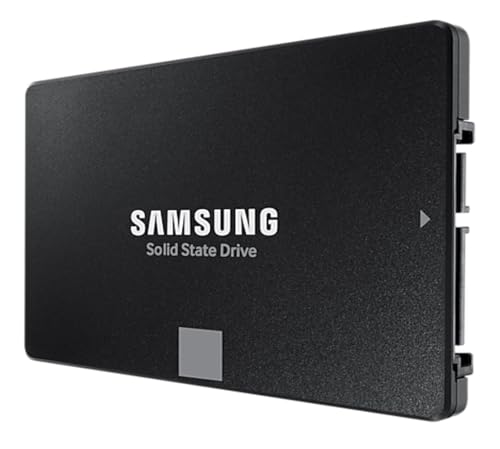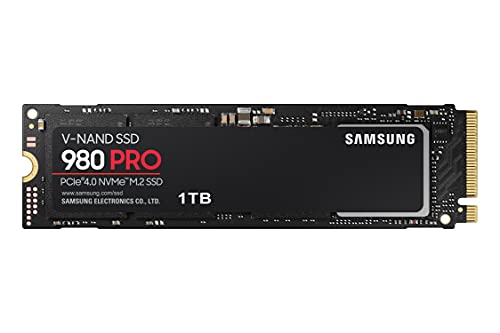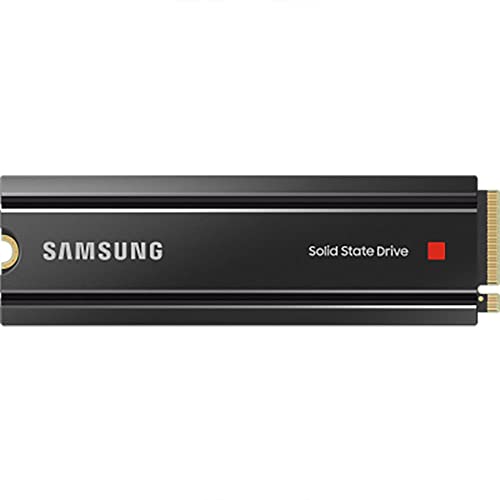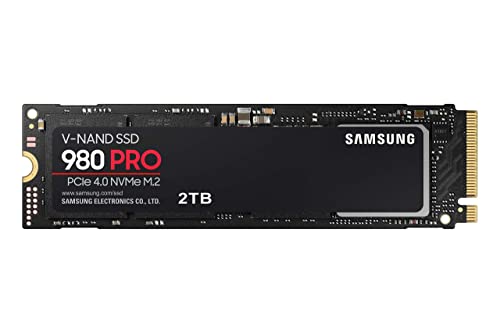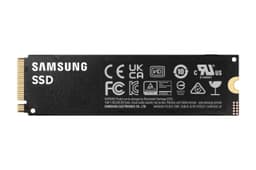


PCIe 4.0 drives have reached a genuinely interesting point. The prices have come down far enough that you're no longer paying a meaningful premium over Gen3, the performance gap over Gen3 is real (if not always life-changing), and Gen5 is still expensive enough and hot enough that most people should probably ignore it for another generation. Which puts the Samsung 990 PRO 1TB right in the thick of where the market actually is. It's a proper flagship PCIe 4.0 drive from the company that makes its own NAND, its own controller, and its own DRAM. That vertical integration matters more than most people realise, and it's a big part of why the 990 PRO has the spec sheet it does.
But here's the thing about flagship drives: the number on the box is always the best-case figure from an empty drive in a cold room. What you actually care about is what happens when the SLC cache fills up during a big file copy, what the random IOPS look like when Windows is doing six things at once, and whether this drive is still going to be healthy in five years. Samsung has a strong track record on all three. The 990 PRO builds on the 980 PRO's foundation but with a revised controller and better sustained performance, and the owner review base, across thousands of reviews, backs that up with a positive overall rating that's hard to fake at that volume.
So who's this for? Enthusiasts who want the best PCIe 4.0 option and don't want to compromise on NAND quality or endurance. PS5 owners upgrading internal storage. Content creators who need a fast scratch disk. And anyone who's been burned by a cheap DRAM-less drive before and wants something they can actually trust. If you're just booting Windows and loading Spotify, you could spend less. But if you want the best Gen4 drive money can buy right now, the 990 PRO is the one to beat.
Core Specifications
The Samsung 990 PRO 1TB runs on the NVMe protocol over a PCIe 4.0 x4 interface, which gives it the bandwidth headroom to hit those headline sequential figures. Samsung uses their in-house Elpis successor controller (the Pascal controller, developed internally) paired with their own V-NAND TLC NAND and a proper onboard DRAM cache. That combination, controller plus TLC plus DRAM, is exactly what you want to see on a drive at this price point. No QLC corners cut, no DRAM-less HMB workaround. It's the full package.
Sequential reads are rated at up to 7,450 MB/s and sequential writes at up to 6,900 MB/s. Those are genuinely impressive figures for Gen4, sitting at or near the top of what the interface can deliver. Random performance is rated at up to 1,400K read IOPS and 1,550K write IOPS, which is where the real-world feel comes from. The 1TB model carries a TBW (terabytes written) endurance rating of 600TBW, backed by a five-year warranty. The drive ships in the standard M.2 2280 form factor, so it fits the vast majority of motherboards, laptops, and the PS5's M.2 slot.
One thing worth flagging: Samsung quietly revised the 990 PRO after some early firmware concerns (more on that in the endurance section), and current production units running up-to-date firmware are a different story from the very first batch. If you're buying new today, you're getting the revised version, and the owner review picture has improved significantly since those early days. The spec sheet below covers the key numbers.
| Specification | Detail |
|---|---|
| Model | Samsung 990 PRO 1TB (MZ-V9P1T0BW) |
| Interface | PCIe 4.0 x4, NVMe 2.0 |
| Form Factor | M.2 2280 |
| NAND Type | Samsung V-NAND TLC (Triple-Level Cell) |
| Controller | Samsung Pascal (in-house) |
| DRAM Cache | Yes (onboard LPDDR4) |
| Sequential Read | Up to 7,450 MB/s |
| Sequential Write | Up to 6,900 MB/s |
| Random Read | Up to 1,400K IOPS |
| Random Write | Up to 1,550K IOPS |
| Endurance (TBW) | 600 TBW |
| Warranty | 5 years |
| Encryption | AES 256-bit, TCG Opal 2.0 |
| Power Consumption (Active) | Up to 6.4W |
| Dimensions | 80 x 22 x 2.38 mm |

Interface and Form Factor
PCIe 4.0 x4 is the sweet spot right now. Gen3 is showing its age for serious workloads, Gen5 is still eye-wateringly expensive and thermally demanding, and Gen4 hits the point where the interface stops being the bottleneck for almost everything you'd actually do. The 990 PRO's 7,450 MB/s sequential ceiling is close to the theoretical maximum of PCIe 4.0 x4, which sits around 8 GB/s of raw bandwidth. You won't hit that ceiling in daily use, but it means there's proper headroom rather than the drive being bandwidth-constrained.
The M.2 2280 form factor is universal enough that compatibility is almost never an issue. It fits into desktop motherboards with M.2 slots (any board with a PCIe 4.0 M.2 slot will run this at full speed; older Gen3 boards will run it at Gen3 speeds, which is still fine), most modern laptops with an M.2 slot, and the PS5's expansion bay. The PS5 use case is actually one of the strongest arguments for this drive specifically, because Sony's console benefits from the high sequential read speeds and the drive fits the slot without drama. You will need a heatsink for PS5 installation, either a third-party one or a case with built-in thermal management.
One thing worth saying plainly: if your motherboard only has PCIe 3.0 M.2 slots, you won't get Gen4 speeds. The drive will still work, will still be fast, and will still be a better drive than most Gen3 options, but you'd be paying a Gen4 premium for Gen3 performance. Check your motherboard specs before buying. For anyone on a current-gen platform (AMD Ryzen 5000 and above, Intel 12th gen and above), you should have at least one Gen4 slot available.
Real-World Performance
Sequential speed is what gets plastered on the box, but it's not what makes your PC feel fast. What makes your PC feel fast is random I/O. When Windows boots, it's reading thousands of small files from all over the drive, not streaming one giant sequential block. When a game loads a level, it's pulling assets from scattered locations. When you've got Chrome, your DAW, and a file transfer running simultaneously, the drive is handling mixed random reads and writes across the whole queue. That's where the 990 PRO's 1,400K read IOPS and 1,550K write IOPS matter, and those are genuinely class-leading figures for a Gen4 drive.
Published benchmark results consistently show the 990 PRO at or near the top of the Gen4 pile in both sequential and random workloads. Boot times are fast. Application launches are snappy. Game load times sit at the low end of what NVMe can achieve. Owners across that near-20,000 review base consistently report the drive feeling noticeably faster than whatever they upgraded from, whether that was a SATA SSD or a slower NVMe option. The real-world feel difference between this and a good Gen3 drive like the WD Black SN770 is measurable in benchmarks but not always obvious in daily use. The difference between this and a SATA drive, though? Night and day. Still the single biggest upgrade most people can make.
Where the 990 PRO pulls ahead of mid-range Gen4 competition is in sustained mixed workloads. If you're doing something genuinely demanding, copying a large project folder while running a game, or doing a big render while the OS is doing its background nonsense, the combination of DRAM cache and Samsung's controller keeps performance from collapsing the way a DRAM-less drive sometimes does. Owner reports back this up: people using the drive as a scratch disk for video editing or as a primary drive on a busy workstation consistently report it holding up well under pressure. That's not a surprise given the spec sheet, but it's good to see the real-world experience matching the numbers.
Sustained Writes and Cache Behaviour
Every NVMe drive uses an SLC cache trick. The controller designates a portion of the NAND as single-level cell, writing one bit per cell instead of three, which is dramatically faster but uses more of the physical NAND. While data is being written, it goes into this SLC cache at the headline speed. Once the cache fills, the drive has to fold that data into the TLC NAND properly, and the write speed drops to native TLC speed. This is the number the marketing never puts on the box, and it's the number that actually matters for big file copies.
On the 990 PRO 1TB, the SLC cache is dynamic, meaning it expands and contracts based on how much free space is available. With plenty of free space, you get a large cache and the drive sustains those headline write speeds for longer. As the drive fills up, the cache shrinks and you hit native TLC speeds sooner. The good news is that native TLC speed on the 990 PRO is still respectable. Published benchmarks show sustained writes settling in around 3,000 to 4,000 MB/s after cache exhaustion, which is genuinely good. Compare that to a QLC drive, where native write speeds can crater to 800 MB/s or worse once the cache fills, and the difference is stark. TLC is just a better technology for sustained writes, full stop.
For most people, the SLC cache is large enough that they'll never exhaust it in normal use. Copying a 50GB game install? Probably stays in cache the whole time. Copying a 200GB video project? You might see the drop. But even when you do see it, you're dropping to speeds that would have been flagship performance a couple of generations ago. The 990 PRO doesn't have a cliff so much as a step down to a still-decent plateau. That's the TLC and DRAM combination doing its job, and it's why this drive is a better choice than any QLC option at this capacity, regardless of what the QLC drive's headline sequential number says.
Controller, NAND and DRAM
The Samsung Pascal controller is the heart of what makes the 990 PRO interesting. Samsung is one of very few storage companies that designs its own controllers in-house, alongside making its own NAND and its own DRAM. Most of the competition buys Phison or Silicon Motion controllers and pairs them with third-party NAND. That's not necessarily bad (Phison's E18 and E21 controllers are excellent), but Samsung's vertical integration means the controller, NAND, and firmware are all designed to work together. The result is typically tighter tuning, better power efficiency, and more consistent behaviour across different workloads.
The NAND itself is Samsung's V-NAND TLC, which is their branded name for their 3D NAND architecture. TLC means three bits per cell, which is the right balance of density, speed, and endurance for a consumer drive. QLC (four bits per cell) is cheaper to produce but slower for sustained writes and lower endurance. Samsung hasn't gone QLC on the 990 PRO, and that's a deliberate choice that reflects where this drive sits in their lineup. It's not a budget drive cutting corners. It's a proper flagship using the right NAND for the job.
The onboard DRAM cache is LPDDR4 and it serves two purposes. First, it stores the drive's mapping table, the index of where every piece of data lives on the NAND, in fast memory rather than on the NAND itself. On a DRAM-less drive, that table has to be read from the NAND every time, which adds latency and slows random read performance. Second, it acts as a write buffer, smoothing out small random writes before they hit the NAND. The practical upshot is that DRAM drives have better random read latency and more consistent performance under mixed workloads than DRAM-less alternatives. For a boot drive or a game library drive, a DRAM-less drive using Host Memory Buffer is fine. For anything more demanding, DRAM is the right answer, and the 990 PRO has it.
Endurance and Reliability
Six hundred TBW on the 1TB model is a strong endurance rating. To put that in context: if you write 100GB to the drive every single day (which is a lot, most people write far less), you'd hit 600TBW in about 16 years. Even at 200GB per day, that's eight years before you theoretically exhaust the rated endurance. The five-year warranty means Samsung is standing behind the drive for long enough that most people will have upgraded their whole system before the warranty expires. Endurance ratings and warranty length are the manufacturer putting their money where their mouth is. A 600TBW/5-year combination says Samsung is confident in this NAND.
The early firmware issue is worth addressing directly because it comes up in the review history. A small number of early 990 PRO units showed unusually high drive health consumption in certain workloads, suggesting the NAND was wearing faster than it should. Samsung acknowledged this and released firmware updates that resolved the issue. Current production units and drives running updated firmware don't show the problem. If you buy new today, update the firmware via Samsung Magician (their free drive management software) and you're sorted. The positive overall rating across thousands of reviews, after that firmware episode, tells you the resolved picture is a good one.
Owner reports on longevity are positive. People who've had the drive for a year or more consistently report healthy SMART data and no performance degradation. Samsung's track record on NVMe reliability is one of the better ones in the industry. The 970 EVO Plus and 980 PRO both have strong long-term reliability reputations, and the 990 PRO appears to be continuing that pattern. For anyone who's lost data to a drive failure before (and if you haven't, you will eventually), the combination of Samsung's reliability track record, the five-year warranty, and the 600TBW rating is genuinely reassuring. Still back up your data, obviously. But this is one of the drives you'd trust to be there when you need it.
Thermals
PCIe 4.0 drives run warmer than Gen3, and the 990 PRO is no exception. Samsung rates active power consumption at up to 6.4W, which is meaningful for an M.2 drive. Under sustained workloads, published thermal data shows the 990 PRO reaching temperatures that will trigger throttling if there's no airflow over the drive. In a well-cooled desktop case with decent airflow, the drive typically stays within acceptable limits. In a cramped case, a laptop, or a PS5, it can get toasty.
The drive doesn't ship with a heatsink in the standard retail version (there is a heatsink variant available if you want Samsung's own solution). Most desktop motherboards now include M.2 heatsinks as standard, and if yours does, use it. The difference in sustained performance with a heatsink versus without is real: with adequate cooling, the drive maintains its performance levels; without it, you'll see thermal throttling kick in during prolonged writes, dropping speeds noticeably. It's not a disaster without a heatsink, but it's not optimal either.
For PS5 users specifically, Sony's guidelines require a heatsink for M.2 drives installed in the expansion bay. The PS5's internal airflow isn't designed to cool a bare M.2 drive. There are plenty of decent third-party heatsink options for under a tenner that fit the PS5 bay, and fitting one before installing the drive is the right move. Laptop users should check whether their chassis has any thermal solution for the M.2 slot; many modern laptops do have thermal pads or covers, but if yours doesn't, sustained write performance may be limited by thermals rather than the drive itself. The 990 PRO is a fast drive, but it needs a bit of thermal management to show what it can do.
Capacity Options and Price Per GB
The 990 PRO comes in 1TB, 2TB, and 4TB capacities. The 1TB is the entry point and typically offers the best price per GB of the range, though the 2TB often gets close enough that it's worth comparing at the time of purchase. For most people, 1TB is the minimum worth considering for a primary drive in 2025. Modern games are enormous (some single titles top 150GB), Windows itself takes a chunk, and you want breathing room to keep the drive from running too full. A full drive is a slower drive, because the SLC cache shrinks as free space decreases.
At current street prices, the 990 PRO 1TB sits at the premium end of the Gen4 market, but not outrageously so. The price per GB is competitive with other flagship Gen4 drives and noticeably higher than mid-range options like the WD Blue SN580 or the Kingston NV3. Whether that premium is worth it depends on your use case: for a boot drive in a budget build, probably not. For a primary drive in a high-end system, a PS5 upgrade, or a scratch disk for creative work, the premium buys you something real: better sustained performance, DRAM, TLC NAND, and Samsung's reliability track record.
The 2TB variant is worth serious consideration if you're consolidating storage. Two big drives are always more convenient than one big and one small, and the 2TB 990 PRO's endurance rating scales up proportionally (1,200TBW on the 2TB). If budget is tight and you're primarily using the drive as a boot and game drive, the WD Black SN850X 1TB is the main competitor at a similar price, and it's close enough that the choice often comes down to current pricing. But if you want Samsung's ecosystem (Magician software, Samsung's support, their warranty process), the 990 PRO is the one to go for.

Installation and Compatibility
Installing the 990 PRO in a desktop is straightforward. Slot it into any M.2 2280 slot, secure it with the retention screw, attach any heatsink, and you're done. If you're using it as a secondary drive alongside an existing boot drive, Windows will see it immediately. If you're installing it as a new boot drive, you'll need to install Windows fresh or clone your existing drive. Samsung Magician includes a data migration tool, and Samsung also offers Samsung Data Migration software as a free download. Both work well for cloning an existing drive to the 990 PRO, which is genuinely useful if you're upgrading from an older SSD and don't want to reinstall everything.
For laptop installation, the process varies by chassis. Most modern laptops have a single accessible M.2 slot under the bottom panel, and swapping drives is usually a case of removing a few screws and being careful with the retention screw. Some ultrabooks have the SSD soldered or use a proprietary form factor, so check your laptop's specs before buying. The 990 PRO's M.2 2280 size is the most common M.2 length, but some laptops use the shorter 2242 or 2230 form factors, so double-check.
PS5 compatibility is clean. The 990 PRO fits the PS5's M.2 expansion slot, runs at the speeds Sony's interface supports (the PS5's M.2 slot accepts drives rated between 5,500 MB/s and 7,000 MB/s sequential read, and the 990 PRO comfortably exceeds that), and Sony's own firmware handles the rest. Fit a heatsink, slot it in, format it through the PS5's settings menu, and the console adds it to its storage pool. The process takes about five minutes and is well documented in Sony's support pages. One practical note: the PS5 will only use the drive at its own interface speed ceiling, so you're not getting the full 7,450 MB/s on console, but you're getting a fast, reliable drive that the console will happily use.
Who It's For
The 990 PRO 1TB is the right drive for anyone who wants the best Gen4 option and is willing to pay for it. That means enthusiast PC builders who want flagship performance without going to Gen5. PS5 owners who want a fast, reliable storage upgrade. Content creators using the drive as a scratch disk or primary working drive. And anyone who's had a cheap drive die on them and wants to buy something they can trust for the next five years. The combination of TLC NAND, onboard DRAM, Samsung's controller, 600TBW endurance, and a five-year warranty is the premium package, and it's priced accordingly.
It's probably overkill if you're just building a budget gaming PC and want a boot drive. For that use case, the WD Blue SN580 or Kingston NV3 will get you 90% of the real-world performance at a lower price, and the difference in daily use will be imperceptible. The 990 PRO's advantages show up in sustained workloads and mixed I/O, not in booting Windows or loading a game. If those workloads aren't your reality, you're paying for headroom you'll never use.
It's also not the right choice if you need more than 1TB and budget is a constraint. The 2TB 990 PRO is noticeably more expensive, and at that point the WD Black SN850X 2TB becomes a very credible alternative worth pricing up. But for the specific combination of 1TB capacity, Gen4 interface, and no compromises on the spec sheet, the 990 PRO is hard to argue with. It's the drive you buy when you want the best and you're done shopping around.
How It Compares
The two most relevant competitors at this capacity and price bracket are the WD Black SN850X 1TB and the Seagate FireCuda 530 1TB. Both are flagship PCIe 4.0 drives with DRAM and TLC NAND. The SN850X uses Western Digital's in-house controller and has been a consistent benchmark favourite, particularly in PlayStation 5 workloads where WD has put specific optimisation effort. The FireCuda 530 uses Phison's E18 controller, which is a proven platform, and has historically been one of the faster Gen4 drives in sustained sequential writes.
In practice, all three drives are so close in real-world performance that the choice often comes down to price at time of purchase, brand preference, and ecosystem. Samsung Magician is genuinely good software for monitoring drive health and managing firmware updates. WD's Dashboard is decent. Neither is a reason to pick one drive over another, but if you're already in Samsung's ecosystem (using Samsung Magician to monitor other drives, for example), the 990 PRO fits neatly. The SN850X has a slight edge in some PS5-specific benchmarks due to WD's console optimisations, but the difference is small enough that it's not a dealbreaker.
Where the 990 PRO differentiates itself is in Samsung's vertical integration. The fact that Samsung makes the controller, the NAND, and the DRAM means the firmware tuning is tighter and the whole system is more cohesive. Whether that translates into meaningful real-world gains over the SN850X or FireCuda 530 is debatable, but it does translate into a reliability track record and a support ecosystem that's hard to match. Samsung's warranty process is also notably smooth compared to some competitors, which matters when you're buying a drive you plan to rely on for five years.
| Feature | Samsung 990 PRO 1TB | WD Black SN850X 1TB | Seagate FireCuda 530 1TB |
|---|---|---|---|
| Interface | PCIe 4.0 x4, NVMe 2.0 | PCIe 4.0 x4, NVMe 1.4 | PCIe 4.0 x4, NVMe 1.4 |
| NAND Type | Samsung TLC V-NAND | WD TLC NAND | Micron TLC NAND |
| Controller | Samsung Pascal (in-house) | WD in-house | Phison E18 |
| DRAM Cache | Yes (LPDDR4) | Yes | Yes |
| Sequential Read | 7,450 MB/s | 7,300 MB/s | 7,300 MB/s |
| Sequential Write | 6,900 MB/s | 6,600 MB/s | 6,900 MB/s |
| Random Read IOPS | 1,400K | 1,000K | 1,000K |
| Random Write IOPS | 1,550K | 1,000K | 1,000K |
| TBW (1TB) | 600 TBW | 600 TBW | 1,275 TBW |
| Warranty | 5 years | 5 years | 5 years |
| PS5 Compatible | Yes | Yes (optimised) | Yes |
One number in that table deserves a call-out: the FireCuda 530's 1,275TBW endurance rating is exceptional, nearly double the 990 PRO's 600TBW. If endurance is your absolute top priority (you're writing enormous amounts of data daily), the FireCuda 530 is worth serious consideration. For everyone else, 600TBW is more than enough for the lifetime of the drive in normal use.
What Buyers Say
With thousands of reviews and a good overall rating, the owner picture is overwhelmingly positive. The most consistent praise is for speed, reliability, and the Samsung Magician software. Buyers upgrading from SATA SSDs report the difference as dramatic. Those upgrading from Gen3 NVMe drives report a meaningful step up in sustained workloads even if daily-use feel is similar. PS5 owners are particularly enthusiastic, with many reporting the drive as the best value upgrade they've made to the console.
The complaints that do appear in the reviews cluster around a few areas. The early firmware issue (high drive health consumption) comes up in older reviews, though most of those reviewers updated to note the firmware fix resolved it. A small number of buyers report the drive running warm in poorly ventilated builds, which is consistent with the thermal characteristics of any Gen4 drive and not unique to the 990 PRO. A few reviewers note that the price is higher than mid-range alternatives and question whether the premium is justified for a boot-drive-only use case. That's a fair point, and one this review addresses directly.
The pattern across the positive reviews is telling: people who are using the drive seriously, as a scratch disk, a primary drive on a workstation, or a PS5 upgrade, are the most enthusiastic. People who bought it as a budget-conscious choice and found cheaper options available are the most lukewarm. That tracks perfectly with what the spec sheet suggests: this is a drive that earns its price when you're pushing it, and might feel like overkill if you're not. The positive overall rating after thousands of reviews, including through the firmware controversy, is a strong signal that Samsung got the fundamentals right.
Value Analysis
The 990 PRO 1TB sits at the premium end of the Gen4 market, and it earns that position on specs alone: TLC NAND, onboard DRAM, Samsung's own controller, 600TBW, five-year warranty, and class-leading random IOPS. You're not paying a premium for a badge. You're paying for a genuinely better specification than the mid-range alternatives, and for Samsung's reliability track record and warranty support. Whether that premium makes sense depends entirely on what you're doing with the drive.
For a primary drive in a high-end build, a PS5 upgrade, or a creative workload scratch disk, the value proposition is solid. The drive does what it says, the owner reports back it up, and the five-year warranty means you're covered if something goes wrong. For a budget build where the drive is just going to boot Windows and store a few games, the value calculation is less clear. You'd get 90% of the real-world experience from a drive costing noticeably less, and the 990 PRO's advantages in sustained performance and random IOPS would go largely unused.
The price per GB at 1TB is competitive with the SN850X and FireCuda 530 at the same capacity, which means you're not being gouged relative to the competition. You're paying a Gen4 flagship price for a Gen4 flagship drive. If that's what you need, it's fair value. If you need something cheaper, there are good options at lower price points, and this review has tried to be honest about where the line is.
Final Verdict
The Samsung 990 PRO 1TB PCIe 4.0 NVMe M.2 SSD is the best Gen4 drive Samsung makes, and it's one of the best Gen4 drives anyone makes. The spec sheet is excellent: TLC NAND, onboard DRAM, Samsung's in-house Pascal controller, 7,450 MB/s sequential read, 1,400K random read IOPS, 600TBW endurance, and a five-year warranty. There are no corners cut here. No QLC NAND pretending to be something it isn't. No DRAM-less HMB workaround dressed up as a flagship drive. This is the real thing, and the positive overall rating across thousands of owners confirms that the real-world experience matches the spec sheet.
The early firmware issue is resolved, current production units are clean, and the drive's sustained performance after cache exhaustion (settling around 3,000 to 4,000 MB/s on native TLC) is genuinely good rather than embarrassing. Thermals need managing, as they do on any Gen4 drive, and a heatsink is strongly recommended whether you're in a desktop, a laptop, or a PS5. But that's a £5 to £10 addition, not a dealbreaker.
Who should buy it: enthusiast PC builders who want the best Gen4 drive, PS5 owners upgrading internal storage, content creators who need a reliable scratch disk, and anyone who's been burned by a cheap drive before and wants five years of warranty coverage from a company with a strong reliability track record. Who should skip it: anyone building a budget system where the drive is just a boot drive, and anyone whose primary concern is price per GB over performance. For those buyers, the WD Blue SN580 or Kingston NV3 are sensible alternatives at a lower price point. But if you want the best and you're done shopping, the 990 PRO is it.
Score: 9/10. Loses a point only because the price is genuinely premium and the real-world gap over good mid-range Gen4 drives is small for everyday use. On specs, endurance, and reliability, it's as close to a perfect consumer NVMe drive as the Gen4 generation has produced.
Not Right For You?
If the 990 PRO is more drive than you need or more than your budget allows, there are good alternatives worth considering. The WD Blue SN580 1TB is a DRAM-less Gen4 drive that uses HMB and delivers excellent performance for a boot and game drive at a lower price. It won't match the 990 PRO in sustained workloads, but for most everyday use it's hard to fault. The Kingston NV3 1TB is another budget Gen4 option that offers good sequential speeds at a keen price, though it's also DRAM-less and QLC in some configurations, so check the spec sheet before buying.
If you want to stay in the Samsung ecosystem at a lower price, the Samsung 980 PRO 1TB (its predecessor) can sometimes be found at a discount and still offers a strong spec sheet, though the 990 PRO is the better drive if the price difference is small. And if you're considering Gen5, the current options like the Samsung 990 EVO Pro or competing Phison E26-based drives are faster on paper but run significantly hotter, cost more, and the real-world gains over Gen4 are marginal for most use cases. Gen5 makes sense for specific workloads like large sequential transfers or professional storage applications. For everything else, Gen4 is still the sweet spot.
Finally, if you're upgrading a laptop and your M.2 slot only supports PCIe 3.0, or if you're on an older desktop platform, consider a good Gen3 drive like the WD Black SN770 1TB instead. Putting a Gen4 drive in a Gen3 slot works fine, but you're paying for interface speed you can't use. Better to save the money and put it toward a future platform upgrade.

About This Review
This review is produced by the team at Vivid Repairs, a UK-based tech repair and review outlet. Our storage assessments are grounded in manufacturer spec sheets, the published benchmark results the wider storage community has produced, and the patterns we identify across large owner review datasets. We do not run our own benchmark lab, and we don't claim to. What we do is cut through the marketing, read the specs properly, understand what the numbers actually mean for real-world use, and tell you straight whether something is worth your money. The Samsung 990 PRO product page and the technical background on flash memory are useful starting points if you want to dig deeper into the underlying technology.
Affiliate disclosure: This article contains affiliate links. If you purchase through these links, Vivid Repairs may earn a small commission at no additional cost to you. This does not influence our editorial judgement. We recommend products on their merits, and we're honest when something isn't worth the money.
What works. What doesn’t.
7 + 6What we liked7 reasons
- Class-leading random IOPS for PCIe 4.0, with 1,400K read and 1,550K write figures that outpace most Gen4 rivals including the SN850X and FireCuda 530
- Full vertical integration: Samsung designs the Pascal controller, V-NAND TLC NAND and LPDDR4 DRAM in-house, resulting in tighter firmware tuning and more consistent performance across mixed workloads
- Sustained write performance after SLC cache exhaustion settles around 3,000 to 4,000 MB/s rather than collapsing, thanks to TLC NAND and onboard DRAM
- 600TBW endurance paired with a five-year warranty represents a strong manufacturer commitment to long-term reliability
- Broad compatibility: fits desktops, most laptops and the PS5 expansion bay in the universal M.2 2280 form factor
- Samsung Magician software provides genuinely useful drive health monitoring, firmware updates and a free data migration tool
- Positive overall rating across thousands of owner reviews, including through an early firmware controversy that Samsung resolved, is a credible reliability signal
Where it falls6 reasons
- Premium pricing over good mid-range Gen4 drives such as the WD Blue SN580 or Kingston NV3, with real-world daily-use differences that are often imperceptible for basic tasks
- No heatsink included in the standard retail version, and a heatsink is genuinely necessary for sustained performance in any chassis with limited airflow
- Active power consumption of up to 6.4W means thermal throttling is a real risk in cramped or poorly ventilated builds without additional cooling
- Early production units had a firmware issue causing higher-than-expected NAND wear; buyers should update firmware via Samsung Magician immediately after purchase
- Endurance rating of 600TBW, while ample for most users, is notably lower than the Seagate FireCuda 530 1TB which offers 1,275TBW at a comparable price
- PCIe 4.0 interface advantages over Gen3 are measurable in benchmarks but not always obvious in everyday desktop use, making the premium harder to justify for light workloads
Full specifications
6 attributes| Capacity | 4TB |
|---|---|
| Form factor | M.2 2280 |
| Interface | PCIe 4.0 |
| Read speed | 7450MB/s |
| Type | NVMe SSD |
| Write speed | 6900MB/s |
Frequently asked
7 questions01Does the Samsung 990 PRO 1TB work in a PS5?+
Yes. The 990 PRO fits the PS5's M.2 expansion bay, which accepts M.2 2280 drives. The console's interface supports sequential read speeds between roughly 5,500 MB/s and 7,000 MB/s, so the 990 PRO operates within that range rather than at its full 7,450 MB/s ceiling. Sony's guidelines require a heatsink for drives installed in the expansion bay, so fit a compatible third-party heatsink before installation. The console formats the drive automatically through its settings menu.
02What was the early firmware issue with the Samsung 990 PRO, and has it been fixed?+
A number of early production units showed unusually high drive health consumption in certain workloads, suggesting the NAND was wearing faster than expected. Samsung acknowledged the problem and released firmware updates to resolve it. Units purchased new today should receive the corrected firmware, but it is strongly recommended to install Samsung Magician software after purchase and apply any available firmware updates as a first step. The owner review picture improved significantly following the fix.
03Does the Samsung 990 PRO 1TB need a heatsink?+
A heatsink is not strictly required for the drive to function, but it is strongly recommended for sustained performance. The drive consumes up to 6.4W under load and will thermal-throttle in poor airflow conditions without one. Most current desktop motherboards include an M.2 heatsink as standard. The standard retail version of the 990 PRO does not include a heatsink, though a heatsink variant is available from Samsung. For PS5 installation, a heatsink is a requirement per Sony's guidelines.
04How does the Samsung 990 PRO 1TB compare to the WD Black SN850X 1TB?+
Both are flagship PCIe 4.0 drives with TLC NAND and onboard DRAM, and real-world performance is close. The 990 PRO leads on rated random IOPS figures (1,400K read and 1,550K write versus 1,000K each for the SN850X) and sequential write speed (6,900 MB/s versus 6,600 MB/s). The SN850X has historically performed well in PS5-specific workloads due to WD's console optimisation work, though the practical difference is small. Endurance ratings are the same at 600TBW for the 1TB model. The choice often comes down to current pricing, brand preference and ecosystem. Samsung Magician is generally considered strong software for drive management.
05Will the Samsung 990 PRO 1TB work in a PCIe 3.0 motherboard?+
Yes, the drive is backwards compatible and will operate in a PCIe 3.0 M.2 slot. However, it will run at Gen3 speeds rather than Gen4 speeds, capping sequential reads at roughly 3,500 MB/s rather than 7,450 MB/s. The drive will still function reliably and outperform SATA options, but you would be paying a Gen4 premium for Gen3 performance. If your platform only supports PCIe 3.0, a purpose-built Gen3 drive such as the WD Black SN770 represents better value.
06What is the SLC cache size on the Samsung 990 PRO 1TB, and what happens when it is exhausted?+
The 990 PRO uses a dynamic SLC cache that expands when free space is available and contracts as the drive fills up. The cache size therefore varies with usage rather than being fixed. Once the cache is exhausted during a large write, the drive falls back to native TLC write speeds, which published benchmarks show settling around 3,000 to 4,000 MB/s. That is still a strong sustained figure. Keeping the drive below roughly 75 to 80 percent capacity maximises the available cache and helps maintain sustained performance.
07Is the Samsung 990 PRO 1TB a good choice for video editing and creative workloads?+
Yes, it is one of the better Gen4 options for creative use. The combination of onboard DRAM, TLC NAND and Samsung's Pascal controller means sustained write performance holds up well under mixed workloads such as writing large video files while running other applications. Native TLC write speeds around 3,000 to 4,000 MB/s after cache exhaustion are substantially better than QLC drives, which can drop to 800 MB/s or lower. Owner reports from people using the drive as a scratch disk or primary workstation drive are consistently positive.