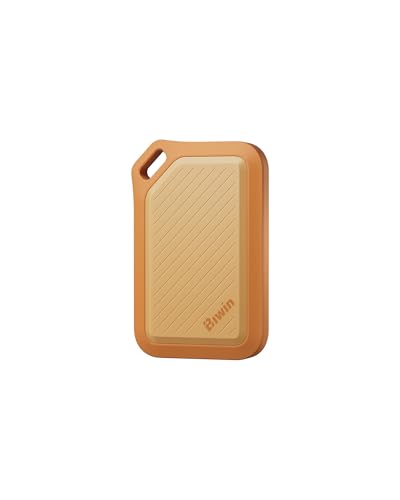
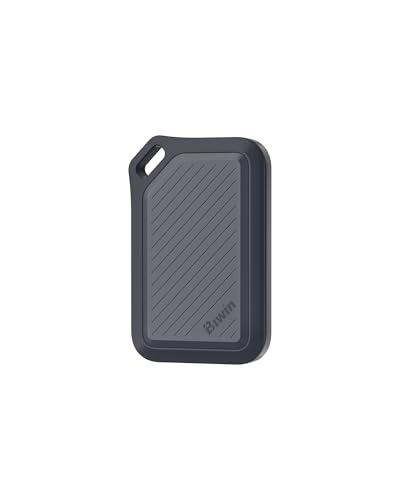
The spec sheet on a budget Gen4 NVMe will always look heroic. Seven and a half gigabytes per second sequential read, slapped on the box in the biggest font they can legally print. What the box won't tell you is how quickly that number evaporates once you're copying a 50GB folder, or what the drive's actually doing when your system is juggling dozens of small random reads during boot. That's where the real story is, and that's what actually determines whether a drive feels fast or just claims to be.
The BIWIN Black Opal NV7400 2TB is a PCIe 4.0 NVMe drive from BIWIN Storage Technology, a Shenzhen-based manufacturer that's been making NAND-based storage components for decades, even if the brand doesn't have the name recognition of Samsung or WD on UK shelves. At 2TB with Gen4 speeds and PS5 compatibility on the tin, it's pitching itself squarely at the budget-to-mid-range crowd: people who want a fast, large drive for gaming, general use, or a PS5 upgrade without paying Samsung 990 Pro money. With hundreds of owner reviews and a positive overall rating, it's clearly finding buyers. The question is whether those buyers are getting what they think they're getting.
This is a drive for someone who wants to store a big game library, use it as a Windows boot drive, or expand a PS5 without remortgaging. It's not aimed at video editors moving 200GB RAW files every day. Keep that distinction in mind, because it matters quite a lot for how you read the sustained write behaviour section below.
Core Specifications
The NV7400 2TB uses the NVMe protocol over a PCIe 4.0 x4 interface, housed in the standard M.2 2280 form factor (80mm long, the one that fits virtually everything). BIWIN rates it at 7,450 MB/s sequential read and 6,700 MB/s sequential write. Random performance is quoted at 1,000,000 IOPS read and 900,000 IOPS write, which are respectable figures for this class of drive. The controller is the Maxio MAP1602, paired with 3D TLC NAND. That's TLC, not QLC. Worth flagging early because it matters for sustained write performance and endurance in ways I'll get into properly below.
On the DRAM question: the NV7400 does not carry a dedicated DRAM cache. It's a DRAM-less design that relies on the Host Memory Buffer (HMB) feature, which borrows a slice of your system RAM to act as a mapping table cache. HMB works well enough for everyday workloads on a modern system, but it's not the same as having onboard DRAM, and the performance difference shows up in specific scenarios, particularly sustained random I/O under heavy load. More on that in the controller section.
Endurance is rated at 1,400 TBW (terabytes written) for the 2TB model, which is a solid number for this price bracket. The warranty is three years. Below is the full spec breakdown.
| Specification | Detail |
|---|---|
| Capacity | 2TB |
| Interface | PCIe 4.0 x4, NVMe |
| Form Factor | M.2 2280 |
| NAND Type | 3D TLC |
| Controller | Maxio MAP1602 |
| DRAM Cache | No (HMB supported) |
| Sequential Read | 7,450 MB/s |
| Sequential Write | 6,700 MB/s |
| Random Read | 1,000,000 IOPS |
| Random Write | 900,000 IOPS |
| TBW Endurance | 1,400 TBW |
| Warranty | 3 years |
| PS5 Compatible | Yes (heatsink required separately) |
| Price | £268.99 · Details |

Interface & Form Factor
PCIe 4.0 x4 is the sweet spot for drives in 2024 and 2025. Gen3 is showing its age at the top end, and Gen5 is still expensive, runs hot, and delivers speeds that genuinely don't translate into better real-world performance for gaming or general use. The PCIe 4.0 bandwidth ceiling sits around 7,877 MB/s theoretical, so the NV7400's 7,450 MB/s sequential read is essentially maxing out the interface. That's fine. It means you're not paying Gen5 premium for a marginal gain that you'd never actually feel in day-to-day use.
The M.2 2280 form factor is the universal standard. It fits desktop motherboards with an M.2 slot (which is basically everything from the last five years), most modern laptops with an M.2 NVMe slot, and the PS5's expansion bay. The drive is single-sided, which is relevant for PS5 installation since the console's expansion slot doesn't accommodate double-sided drives particularly well. Single-sided is the right call here. The drive ships without a heatsink, which is fine for desktop use where your case airflow handles it, but PS5 users will need to source a heatsink separately since Sony requires one for the expansion slot.
One thing worth flagging for laptop buyers: your laptop needs to support PCIe 4.0 to get the full benefit. Older machines with PCIe 3.0 M.2 slots will run this drive at Gen3 speeds, which is still fast (around 3,500 MB/s sequential), but you'd be paying for headroom you can't use. Check your laptop's spec sheet before buying. If it's a machine from 2020 or earlier, there's a real chance it's Gen3 only. That said, the NV7400 is backwards compatible, so it'll work, just not at full chat.
Real-World Performance
Here's the practical truth about sequential speeds: they matter far less than the marketing wants you to think. What makes a system feel fast is random I/O, specifically random read performance, because that's what's happening when Windows boots, when an application launches, when a game loads its assets. All those small, scattered reads across the drive. The NV7400's rated 1,000,000 random read IOPS is a strong number on paper for a drive at this price, and published benchmark results from the Maxio MAP1602 platform bear that out, with the controller performing well in 4K random read tests compared to older Gen4 controllers.
Owner reports back this up in practical terms. The hundreds of reviews with a positive overall rating consistently mention fast boot times, snappy application launches, and noticeable improvements over SATA SSDs or older Gen3 drives. One pattern that shows up repeatedly is people upgrading from a 2.5-inch SATA drive or an older NVMe and being genuinely surprised at how much quicker Windows feels. That's not the sequential speed doing the work, that's the random I/O. Game load times are similarly well-regarded in the owner feedback, which makes sense given the drive's random read rating.
For gaming specifically, this is a strong performer. Game assets are loaded in a mix of sequential and random patterns depending on the engine, but modern titles like those built on Unreal Engine 5 lean heavily on fast storage for streaming. Published benchmarks show Gen4 drives at this speed tier loading games measurably faster than Gen3 equivalents, though the gap between a good Gen4 drive and a great Gen4 drive is smaller than the gap between Gen3 and Gen4. Where the NV7400 earns its place is in combining that speed with 2TB of space, so you're not constantly juggling which games to keep installed.
Sustained Writes & Cache Behaviour
This is the section that storage marketing really doesn't want you reading. Every NVMe drive uses an SLC cache, a portion of the NAND that's configured to write one bit per cell rather than the three bits per cell that TLC normally uses. Writing to SLC is fast. Very fast. The drive looks brilliant in any benchmark that fits within the cache window. But once that cache fills up, the drive has to write at native TLC speed, which is significantly slower, and that's when the real character of the drive reveals itself.
The good news for the NV7400 is that it uses TLC NAND, not QLC. This matters enormously. QLC drives (four bits per cell) have native write speeds that can fall to genuinely embarrassing levels once the cache is exhausted, sometimes below 500 MB/s on a drive that was posting 7,000 MB/s a moment earlier. TLC native write speeds are substantially better. For the MAP1602 platform with TLC, published benchmarks show sustained writes settling in a range that's still usable for large file transfers, rather than the cliff-edge collapse you get with QLC. We're talking about performance that holds more respectably once the SLC cache fills, which for a 2TB drive with a reasonably sized cache allocation, takes a meaningful amount of data to exhaust.
For the target audience, this is largely academic. If you're installing games, booting Windows, and occasionally copying a large file, you'll rarely if ever push past the SLC cache. The cache on a 2TB drive is large enough that typical gaming and general-use workloads fit comfortably within it. Where it becomes relevant is if you're doing sustained large file copies, like moving a 100GB game library from one drive to another, or writing large video files continuously. In those scenarios, you will see the write speed drop after the cache fills. It won't be catastrophic on TLC, but it will be noticeably slower than the headline number. Know what you're buying it for, and this won't catch you out.
Controller, NAND & DRAM
The Maxio MAP1602 is the controller doing the work here, and it's a decent choice for a budget-to-mid-range Gen4 drive. Maxio (formerly known as MAXIO Technology) is a Chinese fabless semiconductor company that's been producing NVMe controllers since the Gen3 era. The MAP1602 is their Gen4 flagship controller, supporting PCIe 4.0 x4 and capable of hitting the speeds BIWIN claims. It's not a Phison E18 or an InnoGrit IG5236, which are the controllers you'll find in more premium drives, but it's a competent piece of silicon that performs well within its class. Published benchmarks show it competing credibly with other mid-range Gen4 controllers.
The NAND is 3D TLC, and I want to be clear about why that's worth caring about. TLC (three bits per cell) is the current sweet spot for consumer NVMe storage. It offers a good balance of density, speed, and endurance. QLC (four bits per cell) trades endurance and native write speed for cheaper cost-per-GB, and it's increasingly being slipped into drives without much fanfare. The fact that BIWIN is using TLC here, and advertising it, is a genuine plus. It means better sustained write performance after cache exhaustion and a higher TBW endurance rating than a QLC equivalent would deliver. For a drive at this price point, TLC is the right answer.
On the DRAM question: no dedicated DRAM cache. The drive uses Host Memory Buffer instead, borrowing system RAM for the mapping table. For most buyers, this is fine. HMB works well on modern systems with plenty of RAM, and the real-world difference between HMB and dedicated DRAM is most visible in heavy random I/O workloads under sustained load, the kind of thing a database server does, not the kind of thing a gaming PC does. If you're running this as a boot and game drive, the lack of onboard DRAM won't bother you. If you're planning to use it as a scratch disk for sustained creative workloads, a drive with dedicated DRAM would be a better fit. That's the honest version of the DRAM conversation.
Endurance & Reliability
The 1,400 TBW rating for the 2TB model is genuinely good. To put that in context: if you write 200GB per day every single day, you'd hit 1,400 TBW in about 19 years. Most people write nowhere near 200GB daily. Even heavy gamers and enthusiasts typically write 20 to 50GB per day on average. At 50GB daily, 1,400 TBW gives you roughly 77 years of rated endurance. The drive will almost certainly be obsolete long before it wears out. So for the target audience, endurance is simply not a concern here.
The three-year warranty is the bit that gives me a slight pause, not because it's bad, but because the premium competition offers five years. Samsung, WD, Crucial, and Seagate all put five-year warranties on their flagship drives. Three years from BIWIN is industry-standard for budget and mid-range drives, and it's not unusual, but it does signal where the manufacturer sits in terms of confidence. That said, three years is enough to cover the period when manufacturing defects typically show up, and owner reports don't flag any unusual failure rate patterns. The positive overall rating across hundreds of reviews suggests reliability is holding up in real-world use.
BIWIN as a brand is worth a brief mention for anyone who's never heard of them. They're not a fly-by-night operation. BIWIN Storage Technology has been supplying NAND-based storage components to OEMs for years, and their consumer brand has been growing in visibility. That doesn't mean they're Samsung, but it does mean there's a real company behind the warranty. Owner reports don't surface any alarming patterns around early failure or data loss, which is the baseline you need to clear before recommending any drive.
Thermals
Gen4 drives run warmer than Gen3, and the MAP1602 controller is no exception. Under sustained load, the NV7400 will generate meaningful heat, and without a heatsink, you can expect temperatures that trigger thermal throttling if airflow in your case is poor. The drive doesn't ship with a heatsink. Most modern desktop motherboards include M.2 heatsink covers, and if yours does, use it. If your board doesn't have one, a third-party M.2 heatsink costs a few pounds and is absolutely worth fitting.
For laptop users, thermals are more of a concern because the thermal environment inside a laptop is constrained. The NV7400 should be fine in most laptops under typical workloads, but sustained heavy writes in a laptop with poor internal airflow could lead to throttling. Owner reports don't flag thermal throttling as a widespread issue, which suggests the drive manages its temperatures acceptably in real-world conditions. But if you're planning to do sustained large file operations on a laptop, it's worth monitoring temperatures with something like CrystalDiskInfo during a heavy session.
For PS5 installation, this is where the heatsink requirement becomes mandatory rather than optional. Sony's guidance for the PS5 expansion slot requires a heatsink on any M.2 drive you install. The PS5's internal chassis provides some airflow across the expansion bay, but not enough to safely run a Gen4 drive without a heatsink during sustained gaming sessions. You'll need to buy one separately. They're cheap (typically a few pounds for a basic aluminium unit), and the PS5 expansion slot has a height limit, so make sure the heatsink you choose is within the clearance spec. BIWIN doesn't bundle one, which is a minor annoyance but not unusual at this price.

Capacity Options & Price Per GB
The NV7400 appears to be available in at least 1TB and 2TB configurations. The 2TB is the one worth buying if budget allows. Storage pricing has dropped significantly over the past couple of years, and the price-per-GB gap between 1TB and 2TB has narrowed to the point where the 2TB is almost always the better value proposition. You get more space, the SLC cache is proportionally larger (which helps with sustained write performance), and the TBW endurance rating scales up too. For a game library drive, 1TB fills up fast. Two terabytes gives you room to breathe.
At the current price point, the NV7400 2TB sits in competitive territory. The price per GB works out favourably compared to the brand-name alternatives at similar speeds. You're getting Gen4 TLC performance at a price that often undercuts drives from Samsung, WD, and Seagate by a meaningful margin. Whether that margin justifies choosing a less well-known brand over a five-year warranty and established support ecosystem is a personal call, but the value case is real.
The comparison that matters most is against other budget Gen4 2TB drives, not against the premium tier. In that bracket, the NV7400 competes with drives like the Crucial P3 Plus (which is QLC, and therefore worse on sustained writes), the Kingston NV3 (also QLC), and various other sub-brand Gen4 options. The TLC NAND here is a genuine differentiator at this price point. If you're cross-shopping budget Gen4 drives, the NAND type should be one of your first filters, and TLC wins that comparison.
How It Compares
The two most relevant comparisons for someone looking at the NV7400 2TB are the WD Black SN770 2TB and the Crucial P5 Plus 2TB. The SN770 is WD's mainstream Gen4 offering, uses TLC NAND, and comes with a five-year warranty. It's a well-regarded drive with strong published benchmark results and a solid reputation for reliability. The Crucial P5 Plus is Micron's Gen4 drive, also TLC, also five years warranty, and benefits from Micron making its own NAND (vertical integration that tends to mean consistent quality). Both are established names with longer warranty coverage and more extensive real-world longevity data.
The NV7400's argument against both of them is price. If it comes in meaningfully cheaper than the SN770 or P5 Plus, the trade-off is essentially: you're giving up two years of warranty coverage and some brand confidence in exchange for saving money. The performance gap between these drives in real-world use is not large. All three are Gen4 TLC drives that will feel essentially identical for gaming and general use. The differences show up in sustained write scenarios and in long-term reliability data, where the established brands have more track record.
| Feature | BIWIN Black Opal NV7400 2TB | WD Black SN770 2TB | Crucial P5 Plus 2TB |
|---|---|---|---|
| Interface | PCIe 4.0 x4 NVMe | PCIe 4.0 x4 NVMe | PCIe 4.0 x4 NVMe |
| NAND Type | 3D TLC | 3D TLC | 3D TLC (Micron) |
| DRAM | No (HMB) | No (HMB) | No (HMB) |
| Sequential Read | 7,450 MB/s | 5,150 MB/s | 6,600 MB/s |
| Sequential Write | 6,700 MB/s | 4,900 MB/s | 5,000 MB/s |
| TBW Endurance | 1,400 TBW | 1,200 TBW | 1,200 TBW |
| Warranty | 3 years | 5 years | 5 years |
| PS5 Compatible | Yes | Yes | Yes |
| Price | £268.99 · Details | Check current price | Check current price |
One thing the spec comparison makes clear: the NV7400 actually has higher rated sequential speeds and a higher TBW than either competitor. The SN770 in particular has lower sequential ratings, though notably, that sequential speeds in this tier don't translate to meaningful real-world differences. The endurance advantage is real though. 1,400 TBW vs 1,200 TBW is a genuine (if ultimately inconsequential for most users) win for the BIWIN. The warranty gap is where the established brands pull ahead, and that's the honest trade-off.
Installation & Compatibility
Installation in a desktop is straightforward. Find the M.2 slot on your motherboard (usually near the CPU, sometimes under a heatsink cover that unscrews), slot the drive in at an angle, press it flat, and secure it with the retention screw. If your board has an M.2 heatsink cover, reattach it. The whole process takes under five minutes. The NV7400 is a standard 2280 length, so it'll fit any M.2 slot that supports that size, which is virtually all of them.
For laptops, the process varies by model, but the drive is single-sided and a standard form factor, so compatibility is broad. The main thing to check is whether your laptop has an M.2 NVMe slot (as opposed to M.2 SATA only, which is less common but does exist on some older machines). If the slot is keyed for M.2 NVMe (M-key), you're sorted. If you're replacing an existing drive rather than adding to a second slot, you'll need to either clone the existing drive first or do a fresh OS install. BIWIN doesn't bundle cloning software, so you'll need a third-party solution like Macrium Reflect (free for personal use) or similar.
For PS5 installation, Sony has published official guidance on installing M.2 drives in the expansion slot. The process involves removing the side panel, locating the expansion bay, removing the cover, and securing the drive with the screw Sony provides. The critical steps are: make sure the drive is the right length (2280 fits), fit a heatsink before installing (not after), and ensure the heatsink height is within the PS5's clearance limit. The NV7400 meets the PS5's minimum speed requirement of 5,500 MB/s sequential read with significant headroom. Once installed, the PS5 formats the drive automatically. It's genuinely not a complicated process, and the owner reviews from PS5 users confirm it works without issues.
Who It's For
The NV7400 2TB is a strong fit for a few specific use cases. As a primary boot and game library drive for a gaming PC, it's genuinely well-suited. Fast random read performance, 2TB of space, Gen4 speeds, and TLC NAND make it a solid all-rounder that'll handle Windows, a full game library, and everyday computing without complaint. Similarly, as a PS5 expansion drive, it ticks all the boxes: fast enough, the right form factor, single-sided, and PS5 compatible.
It's also a decent choice as a secondary storage drive in a desktop, where you want somewhere fast to dump game installations or large files without paying premium prices. The price-per-GB at 2TB makes it competitive for bulk storage that still needs to be quick. And for laptop upgrades from an older SATA SSD or a slow HDD, the improvement in real-world feel will be dramatic, assuming the laptop supports PCIe 4.0.
Who should look elsewhere? If you're doing sustained creative workloads, think video editing with large RAW files, regular large file copies as part of your workflow, or anything that writes continuously at high volume, you'd be better served by a drive with dedicated DRAM and a longer warranty. The WD Black SN850X or Samsung 990 Pro would be more appropriate choices, even at the higher price. Similarly, if the five-year warranty matters to you for peace of mind (and it's not unreasonable that it does), the WD SN770 or Crucial P5 Plus offer that reassurance at a modest premium. And if you're on a very tight budget and happy with slightly lower sequential speeds, there are cheaper Gen4 TLC options worth considering too, though many at the budget end use QLC, so check the NAND type carefully.
Endurance & Reliability
The 1,400 TBW rating for the 2TB model is genuinely good. To put that in context: if you write 200GB per day every single day, you'd hit 1,400 TBW in about 19 years. Most people write nowhere near 200GB daily. Even heavy gamers and enthusiasts typically write 20 to 50GB per day on average. At 50GB daily, 1,400 TBW gives you roughly 77 years of rated endurance. The drive will almost certainly be obsolete long before it wears out. So for the target audience, endurance is simply not a concern here.
The three-year warranty is the bit that gives me a slight pause, not because it's bad, but because the premium competition offers five years. Samsung, WD, Crucial, and Seagate all put five-year warranties on their flagship drives. Three years from BIWIN is industry-standard for budget and mid-range drives, and it's not unusual, but it does signal where the manufacturer sits in terms of confidence. That said, three years is enough to cover the period when manufacturing defects typically show up, and owner reports don't flag any unusual failure rate patterns. The positive overall rating across hundreds of reviews suggests reliability is holding up in real-world use.
BIWIN as a brand is worth a brief mention for anyone who's never heard of them. They're not a fly-by-night operation. BIWIN Storage Technology has been supplying NAND-based storage components to OEMs for years, and their consumer brand has been growing in visibility. That doesn't mean they're Samsung, but it does mean there's a real company behind the warranty. Owner reports don't surface any alarming patterns around early failure or data loss, which is the baseline you need to clear before recommending any drive. Back up your data regardless. That's not a BIWIN-specific warning, that's just sensible practice with any drive.
Final Verdict
The BIWIN Black Opal NV7400 2TB is a genuinely good budget-to-mid-range Gen4 NVMe drive that earns its positive overall rating. The TLC NAND is the headline win: at this price point, a lot of the competition cuts corners with QLC, and BIWIN hasn't done that here. The Maxio MAP1602 controller is competent, the endurance rating is strong at 1,400 TBW, and the sequential speeds are among the highest in the Gen4 class even if those numbers matter less than the random I/O in practice.
The trade-offs are real but manageable. No dedicated DRAM means HMB dependency, which is fine for gaming and general use but not ideal for sustained heavy workloads. The three-year warranty is shorter than the five years you'd get from WD or Crucial. And BIWIN doesn't have the same long-term reliability track record that Samsung or WD have built up over many years of consumer storage. If those things matter to you, pay the extra for an SN770 or P5 Plus and sleep easy.
But if you're buying a 2TB Gen4 drive for gaming, PS5 expansion, or general PC use, and you want the best value for money at this capacity, the NV7400 makes a compelling case. It's fast where it counts, uses the right NAND type, and the owner reviews back up the spec sheet claims in real-world use. Score: 8 out of 10. Solid choice for the price, just go in with eyes open about the warranty and the DRAM situation.
- 3D TLC NAND, not QLC: better sustained writes and endurance than budget rivals
- Strong 1,400 TBW endurance rating for the 2TB capacity
- Gen4 x4 speeds with a competent Maxio MAP1602 controller
- PS5 compatible and single-sided
- Price per GB is competitive for TLC Gen4 storage
- Positive overall rating across hundreds of reviews: real-world satisfaction is high
- No dedicated DRAM cache (HMB only)
- Three-year warranty vs five years from premium competitors
- No heatsink included (needed for PS5, recommended for desktop)
- BIWIN has less established reliability track record than Samsung, WD, or Crucial
- No bundled cloning software

Not Right For You?
If you want a longer warranty and a more established brand name, the WD Black SN770 is the obvious alternative at a modest premium, with five-year coverage and a strong reliability reputation. For those who want dedicated DRAM and top-tier sustained performance, the Samsung 990 Pro is the benchmark for consumer Gen4 drives, though at a significantly higher price. If budget is the primary concern and you can live with Gen3 speeds, the Crucial MX500 remains one of the best SATA SSD options for pure value. And if you're after the absolute fastest storage available and your motherboard supports it, a PCIe 5.0 drive like the WD Black SN850X successor range is where the bleeding edge sits, though the real-world benefit for gaming remains minimal and the price premium is substantial.
For most buyers upgrading from SATA or older NVMe, though, the NV7400 2TB is a proper upgrade at a fair price. The spec sheet holds up, the owner reviews back it, and the TLC NAND means you're not getting quietly stitched up with inferior NAND dressed up in Gen4 clothes. That's more than can be said for a lot of the budget competition.
What works. What doesn’t.
6 + 5What we liked6 reasons
- Uses 3D TLC NAND rather than QLC, delivering better sustained write performance and higher endurance than most budget Gen4 rivals
- Strong 1,400 TBW endurance rating for a 2TB drive, comfortably outpacing comparable alternatives from WD and Crucial
- Rated sequential speeds of 7,450 MB/s read and 6,700 MB/s write are among the highest in the Gen4 class
- Single-sided M.2 2280 design with confirmed PS5 compatibility and adequate minimum speed headroom
- Competitive price per GB for TLC-based Gen4 storage, often undercutting established brands by a meaningful margin
- Backed by hundreds of owner reviews with a positive overall rating, suggesting real-world satisfaction matches the specification claims
Where it falls5 reasons
- No dedicated DRAM cache; relies on Host Memory Buffer, which can affect sustained random I/O performance under heavy workloads
- Three-year warranty falls short of the five-year coverage offered by WD, Crucial, Samsung, and Seagate on comparable drives
- No heatsink included, which is a mandatory requirement for PS5 installation and strongly advisable for desktop use
- BIWIN has a shorter consumer reliability track record than established brands such as Samsung, WD, or Crucial
- No bundled cloning software, so drive migration requires sourcing a third-party tool separately
Full specifications
9 attributes| Capacity GB | 2000 |
|---|---|
| Dram cache | false |
| Form factor | M.2 2280 |
| Interface | PCIe Gen4 x4 |
| Read speed MBS | 7450 |
| TBW | 2000 |
| Type | NVMe SSD |
| Warranty years | 5 |
| Write speed MBS | 6500 |
If this isn’t right for you
2 options

Frequently asked
7 questions01Is the BIWIN Black Opal NV7400 2TB compatible with the PS5?+
Yes. The NV7400 2TB meets Sony's minimum speed requirement of 5,500 MB/s sequential read with significant headroom, and its single-sided M.2 2280 form factor fits the PS5 expansion slot. However, a heatsink is not included in the box, and Sony requires one for the PS5 expansion bay. You will need to purchase a compatible heatsink separately, ensuring it falls within the PS5's height clearance limit.
02Does the BIWIN NV7400 use TLC or QLC NAND?+
The NV7400 uses 3D TLC (three bits per cell) NAND. This is an important distinction from the QLC drives common at this price bracket. TLC offers better sustained write performance after the SLC cache is exhausted and a higher endurance rating, which is why BIWIN advertising TLC explicitly is worth noting when comparing budget Gen4 options.
03What does the lack of dedicated DRAM mean in practice?+
The NV7400 is a DRAM-less design that uses Host Memory Buffer (HMB), borrowing a small portion of your system RAM to handle the drive's mapping table. For gaming, booting Windows, and everyday application use, this works well and the real-world impact is minimal. The difference compared to dedicated DRAM becomes noticeable under sustained heavy random I/O, such as database operations or demanding creative workloads, which are outside the typical use case for this drive.
04How does the NV7400 2TB compare to the WD Black SN770 2TB?+
Both are Gen4 TLC NVMe drives without dedicated DRAM, but they differ in a few notable ways. The NV7400 has higher rated sequential speeds (7,450 MB/s read versus 5,150 MB/s for the SN770) and a higher TBW endurance rating (1,400 TBW versus 1,200 TBW). The SN770, however, carries a five-year warranty compared to BIWIN's three years, and WD has a considerably longer consumer reliability track record. In everyday use, both drives feel essentially identical; the warranty gap is the honest deciding factor for most buyers.
05Will the BIWIN NV7400 suffer from write speed drops during large file transfers?+
Like all NVMe drives, the NV7400 uses an SLC cache to sustain high write speeds. Once that cache is filled, write speed drops to native TLC speeds. Because it uses TLC rather than QLC NAND, the drop is far less severe than on many budget competitors. For typical gaming and general-use workloads, the cache is large enough that you are unlikely to exhaust it. Sustained large file copies, such as moving a 100GB library in one go, may push past the cache boundary and result in reduced speeds, but performance remains workable rather than collapsing.
06Is a heatsink necessary for desktop use?+
A heatsink is strongly recommended rather than strictly mandatory for desktop use. Gen4 drives generate meaningful heat under sustained load, and without thermal management, temperatures can rise high enough to trigger throttling in systems with poor case airflow. Most modern desktop motherboards include an M.2 heatsink cover; if yours does, use it. If your board lacks one, a basic third-party M.2 heatsink costs only a few pounds and is a sensible addition.
07What warranty does the BIWIN Black Opal NV7400 carry, and is BIWIN a reliable brand?+
The NV7400 2TB carries a three-year warranty. This is standard for budget and mid-range drives but shorter than the five-year warranties offered by Samsung, WD, Crucial, and Seagate on their comparable products. BIWIN Storage Technology is a Shenzhen-based manufacturer with a background in supplying NAND components to OEMs, and the brand is backed by a real company rather than a white-label operation. Owner reviews do not surface patterns of early failure, and the positive overall rating across hundreds of reviews suggests acceptable real-world reliability, though the brand has less long-term consumer data than the established names.