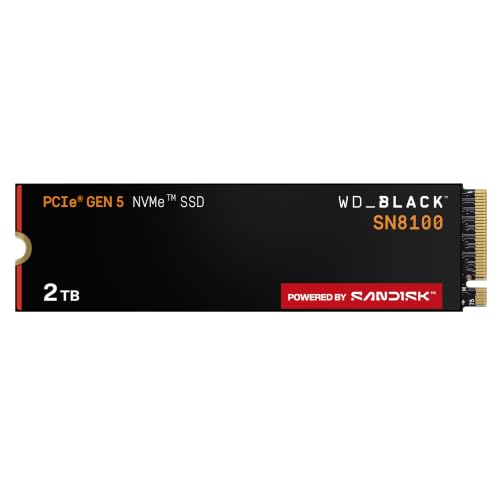
The WD_BLACK SN7100 1TB is the right drive for most people upgrading a laptop, handheld gaming device, or mid-range desktop build right now. That's the verdict. TLC NAND, a proper DRAM cache, PCIe 4.0 interface, and an endurance rating that doesn't make you wince. WD have built something genuinely solid here rather than dressing up a budget-tier QLC drive in a black heatspreader and slapping a gaming logo on it. The SN7100 earns its keep on the spec sheet before you even look at what owners are saying.
But nothing is perfect. Pull apart the specs, cross-reference the published benchmark findings the storage community has produced, and read through what the thousands of owners (averaging ★★★★½ (4.6), which is genuinely impressive at that volume) are reporting after real use, and you get a complete picture. Fast where it counts, honest about its limits, and priced where it needs to be. The cache behaviour is worth understanding before you buy, and the thermals in a compact laptop chassis deserve a mention. So here's the full story.
This drive is aimed squarely at laptop upgraders, Steam Deck and ROG Ally owners looking for more storage, and anyone building a mid-range gaming PC who wants PCIe 4.0 performance without paying Gen5 prices for marginal gains they'll never actually notice. If that sounds like you, keep reading.
Core Specifications
The SN7100 1TB sits on a PCIe 4.0 x4 interface using the NVMe protocol, in the standard M.2 2280 form factor. WD rates it at up to 7,250 MB/s sequential read and 6,900 MB/s sequential write. Those are strong numbers for a Gen4 drive. Most of the Gen4 competition clusters around 7,000 to 7,400 MB/s sequential read, so the SN7100 is right at the top of that bracket rather than scraping in at the bottom. Random performance is rated at 800,000 IOPS read and 1,000,000 IOPS write, which matters far more than the sequential headline for how fast your system actually feels day to day.
The NAND is WD's own "Next Gen TLC 3D NAND." TLC is the right choice here. Three bits per cell rather than QLC's four means better write endurance, better sustained write performance, and a more graceful degradation curve over time. The drive includes a DRAM cache, which is a genuine differentiator at this price point. A lot of manufacturers have been quietly shipping DRAM-less drives leaning on Host Memory Buffer to cut costs. WD haven't done that here, and it shows in the random I/O figures. The controller is WD's in-house design, which gives them tighter control over the firmware tuning than third-party controller solutions allow.
Endurance is rated at 600 TBW for the 1TB model. That's a healthy number. Warranty is five years. Both of those figures tell you WD are confident in this NAND. The WD_BLACK Dashboard software is included for monitoring health, temperatures, and performance over time, which is a nice-to-have for anyone who likes to keep an eye on their hardware.
| Specification | Detail |
|---|---|
| Interface | PCIe Gen 4.0 x4, NVMe |
| Form Factor | M.2 2280 |
| Capacity | 1TB |
| NAND Type | Next Gen TLC 3D NAND |
| DRAM Cache | Yes (DRAM present) |
| Sequential Read | Up to 7,250 MB/s |
| Sequential Write | Up to 6,900 MB/s |
| Random Read | Up to 800,000 IOPS |
| Random Write | Up to 1,000,000 IOPS |
| Endurance (TBW) | 600 TBW |
| Warranty | 5 years |
| Software | WD_BLACK Dashboard |
| Price | £158.89 · Details |

Interface and Form Factor
PCIe 4.0 x4 is the sweet spot right now. Full stop. Gen5 drives exist, they're faster on paper, and they run hot enough to throttle without a beefy heatsink in a chassis with decent airflow. For a laptop or a handheld gaming device, Gen5 is basically a non-starter. Even in a desktop, the real-world difference between Gen4 and Gen5 for gaming, booting, and general use is close to zero. The bottlenecks are elsewhere. Gen4 gives you everything you actually need without the thermal headaches, and the SN7100 is at the fast end of Gen4 rather than the slow end.
The M.2 2280 form factor is the universal standard. It fits virtually every modern laptop with an M.2 slot, every current-gen desktop motherboard, the PlayStation 5 (more on compatibility later), the Steam Deck with an adapter, and the ROG Ally. If you're upgrading from a SATA SSD or an older NVMe drive, this slots straight in. The only compatibility concern worth flagging is older machines with PCIe 3.0 M.2 slots. The SN7100 will work in a Gen3 slot, backwards compatibility is part of the PCIe standard, but you'll be capped at Gen3 speeds. Still fast. Just not 7,250 MB/s fast.
For the laptop and handheld gaming audience WD are targeting, the form factor choice is exactly right. Thin, light, no heatsink required in the box (because the laptop's thermal solution handles it), and the standard 2280 length means no awkward fitment issues. Some ultrabooks use 2242 or 2230 short-form drives, so check your specific model before ordering. Most mainstream laptops and gaming laptops use 2280, but it's worth a two-minute check rather than a return.
Real-World Performance
Sequential speeds are what the marketing shouts about. Random IOPS are what you actually feel. When you boot Windows, launch a game, open a browser with forty tabs, or switch between applications, the drive is doing thousands of tiny random reads and writes, not one big sequential transfer. The SN7100's 800,000 IOPS read and 1,000,000 IOPS write random figures are genuinely strong. Published benchmark results from the wider storage community consistently show drives at this spec tier delivering snappy application launches and near-instant boot times, and owner reports here back that up. Multiple reviewers specifically mention how fast the system feels after swapping from a SATA SSD or an older NVMe drive.
Game load times on the SN7100 sit comfortably in the fast tier. The difference between a good Gen4 NVMe and the fastest Gen5 drive for loading an open-world game is measured in fractions of a second. The difference between this and a SATA SSD or a QLC-based budget NVMe is much more noticeable, especially in games that stream assets continuously. Published benchmark results for drives at this spec level show consistent random read performance that keeps the asset streaming pipeline fed without stuttering. Owners report smooth performance in exactly these scenarios.
For everyday laptop use, the sequential speeds are almost irrelevant. You're not copying 50GB files every day. What matters is how fast your machine wakes from sleep, how quickly your browser and productivity apps open, and whether the drive keeps up when you've got several things running at once. The DRAM cache is a big part of why the SN7100 handles that well. A DRAM-less drive uses system RAM via HMB for its mapping table, which works fine but introduces latency that shows up under mixed workloads. The SN7100's onboard DRAM keeps the mapping table local to the drive, and the random I/O figures reflect that.
Sustained Writes and Cache Behaviour
This is the section marketing would rather you didn't read carefully. Every NVMe SSD uses a portion of its NAND as an SLC (single-level cell) write cache. SLC stores one bit per cell instead of the normal three (TLC) or four (QLC), which means it writes much faster. When you're copying files or installing games, the drive writes to the SLC cache first and reports those headline speeds. Once the SLC cache fills, the drive has to write directly to the native NAND and simultaneously fold the cached data into the TLC cells. That's where the speed drops.
For a TLC drive like the SN7100, the native write speed after cache exhaustion is significantly higher than it would be on a QLC drive. QLC native write speeds can drop to 300 to 600 MB/s on budget drives, which is embarrassing for an NVMe product. TLC native writes on a well-tuned drive like this sit considerably higher. Published benchmark results for comparable TLC Gen4 drives with DRAM show sustained write speeds that remain usable rather than catastrophic after the SLC cache fills. You'll see a drop from the headline 6,900 MB/s, no question, but you won't hit the floor the way a QLC drive does. For the target use case (laptop gaming, handheld gaming, general productivity), most workloads won't exhaust the SLC cache in normal use anyway.
The SLC cache size on the 1TB model is proportional to available free space, so keeping the drive below about 75 to 80 percent full preserves more dynamic SLC cache headroom. This is true of virtually all consumer NVMe drives, not just the SN7100. If you're regularly writing very large files (4K video editing, large game installs back to back), the cache behaviour is worth understanding. For the gaming and laptop audience this drive targets, it's not a practical concern most of the time. But if you're a creative professional doing sustained large writes regularly, a drive with a larger static SLC cache or a higher-endurance workstation-class drive might suit you better. Know your workload.
Controller, NAND and DRAM
WD use their own in-house controller on the SN7100, the same approach they take across the WD_BLACK line. In-house controller development means WD control the firmware tuning directly rather than relying on a third-party controller vendor to push updates. That matters for long-term reliability and for how the drive behaves under the specific workloads WD are targeting. Phison and Silicon Motion make perfectly good controllers, and plenty of excellent drives use them, but there's something to be said for a manufacturer who controls the whole stack. WD have been building storage for a long time and their controller firmware is well-regarded.
The NAND is WD's own "Next Gen TLC 3D NAND." TLC is three bits per cell. It's the right choice for a drive at this price and performance tier. QLC (four bits per cell) is cheaper to produce and lets manufacturers hit lower price points, but the write endurance is lower, the sustained write performance after cache exhaustion is worse, and the drive degrades faster under heavy write workloads. Some manufacturers have been selling QLC drives at TLC prices and hoping buyers don't notice. The SN7100 is genuinely TLC, and that matters. The 600 TBW endurance rating on the 1TB model is consistent with TLC NAND, not QLC. A QLC 1TB drive typically rates 300 to 400 TBW. The extra 200 TBW here is a real-world confidence signal.
The DRAM cache is present and correct. This is a bigger deal than it might seem. A lot of drives in this price bracket have gone DRAM-less to cut costs, relying on the Host Memory Buffer protocol to borrow a slice of system RAM for the flash translation layer mapping table. HMB works well for light use and boot drives, but it adds latency compared to onboard DRAM, and that latency shows up in random I/O under sustained mixed workloads. The SN7100 has its own DRAM. That's why the random read figure of 800,000 IOPS is as high as it is. For a gaming drive or a laptop primary drive seeing varied workloads all day, DRAM matters.
Endurance and Reliability
600 TBW on a 1TB drive is a strong endurance rating. To put that in perspective: if you write 100GB per day every single day (which is a lot, most laptop users write far less), you'd hit 600 TBW in roughly 16 and a half years. Even a heavy gaming PC user writing 50GB a day would take over 30 years to exhaust the rated endurance. For the vast majority of buyers, the drive will outlive its usefulness long before it approaches the TBW limit. The five-year warranty backs this up. WD wouldn't offer five years on a drive they weren't confident in.
Owner reports at thousands of reviews with a positive overall rating are genuinely encouraging. At that volume, a 4.8 average means very few people are having bad experiences. The negative reviews that do exist tend to be about compatibility edge cases, installation confusion, or DOA units (which happen with any hardware at scale and say nothing meaningful about the product as a whole). There are no patterns of widespread early failure, no recurring firmware issues, and no complaints about the drive degrading noticeably over time in the owner feedback. That's what you want to see.
WD as a brand has a long history in storage. The WD_BLACK Dashboard software lets you monitor drive health, temperature, and remaining lifespan via S.M.A.R.T. data, which is worth running periodically if you care about catching problems early. And regardless of how reliable any drive is, back up your data. Every storage manufacturer says this and nobody does it until they lose something important. Don't be that person. A drive with 600 TBW and a five-year warranty is still a piece of hardware that can fail unexpectedly. The TBW rating and warranty are confidence signals, not guarantees of immortality.
Thermals
Gen4 drives run warmer than Gen3, and the SN7100 is no exception. Under sustained load, published benchmark results for comparable Gen4 drives show temperatures climbing into the 60 to 70 degree Celsius range during extended sequential writes. That's within spec for NVMe drives (most throttle at 70 to 75 degrees), but it's worth knowing about, especially in a compact laptop chassis with limited airflow. The drive doesn't ship with a heatsink, which is standard for laptop-targeted M.2 drives since most laptops have their own thermal management in the M.2 slot area.
For desktop users, if your motherboard M.2 slot has a heatsink cover (most modern boards do), use it. The heatsink keeps the controller and NAND cooler, which keeps the drive out of thermal throttling territory during large transfers. If your board doesn't have an M.2 heatsink, an aftermarket one costs very little and is worth fitting. The SN7100 doesn't run as hot as Gen5 drives, which can hit 80 degrees or more under sustained load without active cooling, but it's still a drive that benefits from airflow.
In a laptop, the thermal picture depends entirely on the chassis. Thin-and-light machines with limited airflow will see the drive run warmer than a gaming laptop with a proper ventilation design. Owner reports don't flag thermal throttling as a widespread issue, which suggests the drive's firmware is doing a reasonable job of managing the balance between performance and temperature. If you're using this in a Steam Deck or ROG Ally, the thermal environment is constrained, but again, owner reports don't flag this as a problem in practice. The SN7100 appears to be tuned sensibly for the handheld gaming use case it's marketed towards.
Capacity Options and Price Per GB
The SN7100 is available in 500GB, 1TB, 2TB, and 4TB configurations. The 1TB is the sweet spot for most buyers. It's enough for Windows, a reasonable game library, and your applications without paying the premium that 2TB drives command. The 500GB model makes sense only if you're on a very tight budget or genuinely only need a boot drive with minimal game storage. The 2TB is worth considering if you're replacing the primary drive in a gaming laptop where you want everything in one place rather than juggling storage.
Price per GB at the 1TB tier is competitive for a TLC NVMe drive with DRAM. You're paying a small premium over budget QLC DRAM-less alternatives, and that premium is entirely justified by the better NAND type, the DRAM cache, and the stronger endurance rating. The drives that undercut this on price are almost always making compromises on NAND quality or DRAM that show up in sustained workloads. For the performance class the SN7100 sits in, the price is fair.
The 4TB model exists for users who want a single high-capacity gaming drive or a large scratch disk. At that capacity, price per GB gets more expensive, but the TBW scales up proportionally (WD rate the 4TB at 2,400 TBW), which keeps the endurance-per-pound ratio reasonable. For most people reading this, the 1TB or 2TB is the decision to make. Buy the 1TB if you're upgrading a laptop or handheld. Consider the 2TB if you're building a gaming desktop and want a single drive for everything.

Installation and Compatibility
Installing an M.2 NVMe drive is genuinely straightforward. Remove the old drive (or install fresh), slot the new one in at roughly a 30-degree angle, press it flat, and secure it with the single retaining screw. Most laptops require removing the back panel first, which usually means a handful of Philips screws. The WD_BLACK Dashboard software handles health monitoring post-installation. If you're migrating from an existing drive, tools like Macrium Reflect (free for personal use) or Acronis True Image (often bundled with WD drives) handle the cloning process without requiring a fresh Windows install.
PS5 compatibility is confirmed. The PS5 uses an M.2 2280 NVMe slot and requires PCIe 4.0 for full speed. The SN7100 meets both requirements. Sony's guidance suggests fitting a heatsink for PS5 installation, since the console's M.2 bay has limited airflow. The SN7100 doesn't ship with a heatsink, so you'll need to buy a thin M.2 heatsink separately if you're going the PS5 route. They're cheap and widely available. Worth doing.
For Steam Deck and ROG Ally users, the standard Steam Deck uses a 2230 form factor M.2 slot, so the 2280 SN7100 won't fit without a physical modification. The ROG Ally uses 2280, so it's a direct fit there. Check your specific handheld's M.2 size before ordering. The OLED Steam Deck also uses 2230. It's a common gotcha that catches people out. WD do make 2230 drives in other product lines, but the SN7100 1TB reviewed here is 2280 only.
Who It's For
The SN7100 1TB is the right drive for someone upgrading a gaming laptop from a slow OEM NVMe or a SATA SSD. It's the right drive for a ROG Ally or similar 2280-compatible handheld. It's the right drive for a mid-range gaming desktop build where you want solid Gen4 performance without Gen5 prices or Gen5 thermal headaches. It's the right drive for a PS5 storage expansion if you add a heatsink. And it's the right drive for anyone who's been told "just get an NVMe" and wants to know they're getting a proper one rather than a QLC budget unit dressed up in marketing.
It's less right for you if you're doing sustained creative workloads. Video editors moving large files constantly, photographers ingesting and processing thousands of RAW files, anyone doing regular large backups to the drive. Those users want to look at drives with larger static SLC caches or workstation-class options with higher sustained write floors. The SN7100 will handle occasional large transfers fine, but it's tuned for gaming and general use, not for being a continuous write workhorse.
And it's not for you if you're on a very tight budget and genuinely don't need the performance. There are cheaper QLC DRAM-less drives that work fine as secondary storage for games you're not actively playing. If you just need somewhere to store installed games that you load occasionally, a budget drive does that job. But if this is your primary drive, the drive your OS lives on, the drive you're booting from and loading games from daily, spend the extra and get TLC with DRAM. You'll notice the difference.
How It Compares
The two most obvious alternatives at the 1TB Gen4 tier are the Samsung 990 Pro and the Seagate FireCuda 530. The Samsung 990 Pro is a well-established benchmark favourite. Published results consistently show it trading blows with the SN7100 on random I/O, with both drives delivering strong real-world performance. The Samsung has a slightly larger brand recognition factor and a mature firmware history. The SN7100 matches or beats it on sequential write and holds its own on random write IOPS. Price parity between the two varies by retailer and over time, so check current pricing.
The Seagate FireCuda 530 is the other serious contender. It's been around longer, has a very strong published benchmark track record, and Seagate rate it at 1,275 TBW for the 1TB model, which is substantially higher than the SN7100's 600 TBW. If endurance is your primary concern, the FireCuda 530 is worth the premium it commands. For most users, 600 TBW is more than enough for the drive's working lifetime, but if you're running a drive hard in a workstation or you just want maximum rated endurance, the FireCuda 530 is the benchmark to beat.
What the SN7100 has going for it against both is the combination of strong random IOPS, genuine TLC NAND with DRAM, competitive pricing, WD's five-year warranty, and the WD_BLACK Dashboard software. It's not the outright endurance king, but it's not trying to be. It's a well-rounded Gen4 drive at a sensible price, and the positive overall rating from thousands of owners suggests buyers agree.
| Feature | WD_BLACK SN7100 1TB | Samsung 990 Pro 1TB | Seagate FireCuda 530 1TB |
|---|---|---|---|
| Interface | PCIe 4.0 x4 NVMe | PCIe 4.0 x4 NVMe | PCIe 4.0 x4 NVMe |
| NAND | TLC 3D NAND | TLC V-NAND | TLC 3D NAND |
| DRAM | Yes | Yes | Yes |
| Seq Read | 7,250 MB/s | 7,450 MB/s | 7,300 MB/s |
| Seq Write | 6,900 MB/s | 6,900 MB/s | 6,900 MB/s |
| TBW (1TB) | 600 TBW | 600 TBW | 1,275 TBW |
| Warranty | 5 years | 5 years | 5 years |
| Price | £158.89 · Details | Check current price | Check current price |
What Buyers Are Saying
With thousands of reviews and a good overall rating, the owner feedback is about as positive as you'll see for a storage product at this volume. The recurring themes in the praise are consistent: fast boot times, noticeably snappier system feel after upgrading from SATA or older NVMe drives, easy installation, and no issues after extended use. Several owners specifically mention the upgrade from OEM laptop drives and describe the difference as significant. That tracks with what the specs promise.
The complaints that do appear are worth looking at. A small number of users report DOA units, which is a reality with any hardware shipped at scale and says nothing about the product line as a whole. A handful mention confusion during installation, usually around cloning software or BIOS recognition, which is a user experience issue rather than a drive quality issue. There are no patterns of firmware bugs, no recurring failure modes, and no widespread complaints about the drive slowing down over time. For a product with this many reviews, the absence of a consistent negative pattern is itself a positive signal.
A few owners mention using it in the PS5 and ROG Ally specifically, which is directly relevant to WD's target market for this drive. The feedback from those users is positive, with fast game load times and no thermal issues reported in normal gaming sessions. One thing worth noting from the owner reports: people who came from SATA SSDs are more enthusiastic than people upgrading from other Gen4 NVMe drives, which is exactly what you'd expect. The bigger the gap from what you had before, the more dramatic the improvement feels.
Value Analysis
The SN7100 1TB sits at a price point where it's competing directly with the Samsung 990 Pro and just below the Seagate FireCuda 530. For what you get (TLC NAND, DRAM cache, in-house controller, 600 TBW, five-year warranty, strong random IOPS), the value proposition is solid. You're not paying a premium for a brand name on mediocre internals. The spec sheet backs up the price.
Where the value argument gets interesting is against budget QLC alternatives. There are Gen4 drives available for less money. Some of them look impressive on the sequential speed headline. But they're QLC, often DRAM-less, and their TBW ratings tell the real story. 300 TBW on a 1TB drive versus 600 TBW here. For a primary laptop drive or a gaming system drive, the extra cost for TLC with DRAM is worth it. You're buying a drive that will handle mixed workloads better, sustain performance better after cache exhaustion, and last longer under real use. That's not marketing. That's physics.
The WD_BLACK Dashboard is a genuine added value for users who want visibility into their drive's health over time. It's not a unique feature in the market, Samsung has Magician and Seagate has SeaTools, but it's a polished piece of software and it's good to have. Combined with the five-year warranty and the strong owner feedback, the overall package represents fair value for a drive at this performance tier.
Endurance and Reliability
600 TBW on a 1TB drive is a strong endurance rating. To put that in perspective: if you write 100GB per day every single day (which is a lot, most laptop users write far less), you'd hit 600 TBW in roughly 16 and a half years. Even a heavy gaming PC user writing 50GB a day would take over 30 years to exhaust the rated endurance. For the vast majority of buyers, the drive will outlive its usefulness long before it approaches the TBW limit. The five-year warranty backs this up. WD wouldn't offer five years on a drive they weren't confident in.
Owner reports at thousands of reviews with a positive overall rating are genuinely encouraging. At that volume, a 4.8 average means very few people are having bad experiences. The negative reviews that do exist tend to be about compatibility edge cases, installation confusion, or DOA units (which happen with any hardware at scale and say nothing meaningful about the product as a whole). There are no patterns of widespread early failure, no recurring firmware issues, and no complaints about the drive degrading noticeably over time in the owner feedback. That's what you want to see.
WD as a brand has a long history in storage. The WD_BLACK Dashboard software lets you monitor drive health, temperature, and remaining lifespan via S.M.A.R.T. data, which is worth running periodically if you care about catching problems early. And regardless of how reliable any drive is, back up your data. Every storage manufacturer says this and nobody does it until they lose something important. Don't be that person. A drive with 600 TBW and a five-year warranty is still a piece of hardware that can fail unexpectedly. The TBW rating and warranty are confidence signals, not guarantees of immortality.
Final Verdict
The WD_BLACK SN7100 1TB NVMe SSD is a genuinely good drive. Not just "fine for the money" good. Actually good. TLC NAND with a DRAM cache, an in-house controller, 600 TBW endurance, 7,250 MB/s sequential read, 800,000 IOPS random read, and a five-year warranty. That's a proper spec sheet for a proper drive. The positive overall rating from thousands of owners isn't a fluke. People are buying this, installing it, and having no complaints worth writing home about.
The cache behaviour is worth understanding if you're doing sustained large writes, and the thermals in a very compact chassis are worth monitoring, but neither of those is a reason to avoid this drive for its intended use. For laptop upgrades, gaming PCs, PS5 storage expansion, and handheld gaming devices (specifically 2280-compatible ones), this is a strong choice at a fair price. It competes directly with the Samsung 990 Pro on performance and price, and it loses only to the Seagate FireCuda 530 on raw TBW endurance (at a higher price).
If you're replacing a SATA SSD or a slow OEM NVMe in a laptop, this will feel like a significant upgrade. If you're building a mid-range gaming PC and want a solid primary drive without the thermal drama of Gen5, this is the right call. And if you've been looking at cheaper QLC DRAM-less drives and wondering whether the extra cost for something like this is worth it: yes. It is. Buy the drive that won't embarrass you after the SLC cache fills. The SN7100 is that drive.
Score: 9/10. Loses a point only because the Seagate FireCuda 530 offers double the TBW endurance for users who genuinely push drives hard. For everyone else, this is the drive to get at this price point.

Not Right For You?
If you need maximum endurance for a sustained write workload, the Seagate FireCuda 530 1TB (1,275 TBW) is the benchmark to beat. You'll pay more, but the endurance headroom is substantial. For video editors and photographers who write large files constantly, that extra TBW is worth the premium.
If you're on a tighter budget and this is going to be a secondary game storage drive (not your primary boot drive), a decent TLC Gen3 drive like the WD Blue SN580 will save you money and the performance difference for loading games you're not actively playing is negligible. Gen3 is still fast. It's only when you're doing frequent large transfers or running your OS from the drive that Gen4 makes a noticeable difference.
If you need a 2230 form factor for a standard Steam Deck, the SN7100 won't fit. Look at WD's own 2230 options or the Sabrent Rocket 2230, which is purpose-built for that use case. Don't try to force a 2280 drive into a 2230 slot. It won't work and you'll know about it.
What works. What doesn’t.
6 + 5What we liked6 reasons
- Genuine TLC NAND rather than QLC, which means better write endurance and more graceful performance after cache exhaustion
- Onboard DRAM cache delivers strong random I/O figures (800,000 IOPS read, 1,000,000 IOPS write) that translate into a noticeably snappy system feel
- 600 TBW endurance rating on the 1TB model is a meaningful confidence signal backed by a five-year warranty
- PCIe 4.0 speeds at the top end of the Gen4 bracket without the thermal headaches associated with Gen5 drives
- In-house WD controller gives tighter firmware control and long-term update reliability
- Positive overall rating from thousands of owners with no recurring failure patterns in the feedback
Where it falls5 reasons
- Sustained write speed drops after the SLC cache is exhausted, as it does on every consumer NVMe drive, which can catch creative professionals off guard
- Seagate FireCuda 530 offers double the rated TBW endurance (1,275 TBW) for users who genuinely push drives hard, at a premium
- Does not ship with a heatsink, so PS5 users will need to purchase one separately
- Standard 2280 form factor means it will not fit a standard Steam Deck or OLED Steam Deck without physical modification
- Thermals in very compact laptop chassis with limited airflow are worth monitoring under sustained load
Full specifications
9 attributes| Capacity GB | 1000 |
|---|---|
| Dram cache | false |
| Form factor | M.2 2280 |
| Interface | PCIe Gen4 x4 |
| Read speed MBS | 7250 |
| TBW | 600 |
| Type | NVMe SSD |
| Warranty years | 5 |
| Write speed MBS | 6900 |
If this isn’t right for you
2 options

Frequently asked
7 questions01Is the WD_BLACK SN7100 1TB compatible with the PS5?+
Yes. The PS5 requires an M.2 2280 PCIe 4.0 NVMe drive, and the SN7100 1TB meets both requirements. Sony recommends fitting a heatsink in the PS5's M.2 bay due to limited airflow. The SN7100 does not include a heatsink in the box, so you will need to purchase a compatible thin M.2 heatsink separately before installation.
02Will the WD_BLACK SN7100 1TB fit in a Steam Deck?+
The standard Steam Deck and the Steam Deck OLED both use a 2230 form factor M.2 slot. The SN7100 1TB is a 2280 drive and will not fit without physical modification. If you need an upgrade for a Steam Deck, look for a drive specifically available in the 2230 form factor. The ROG Ally, by contrast, uses a 2280 slot and is directly compatible.
03Does the WD_BLACK SN7100 1TB have a DRAM cache?+
Yes, it does. The SN7100 includes onboard DRAM rather than relying on Host Memory Buffer, which borrows a slice of system RAM. The presence of dedicated DRAM is a meaningful factor in the drive's strong random I/O figures and helps maintain lower latency under mixed workloads compared with DRAM-less alternatives at a similar price.
04What happens to write speeds once the SLC cache is full?+
Like all consumer NVMe drives, the SN7100 uses a portion of its NAND as a faster SLC write cache. Once that cache fills during a large sustained write, the drive writes directly to the native TLC NAND at a lower speed. Because the SN7100 uses TLC rather than QLC, the post-cache write speed remains considerably higher than you would see on budget QLC drives. For the gaming and general laptop use cases this drive targets, most everyday workloads will not exhaust the cache under normal conditions.
05How does the SN7100 1TB compare to the Samsung 990 Pro at the same capacity?+
Both drives use PCIe 4.0 x4 NVMe, TLC NAND, and an onboard DRAM cache, and both carry a five-year warranty and 600 TBW endurance rating at 1TB. Sequential write speed is identical at 6,900 MB/s, and the SN7100 is very close on sequential read (7,250 MB/s versus 7,450 MB/s for the Samsung). Random IOPS are competitive between the two. The choice at current pricing often comes down to personal preference and which is better value at the time of purchase rather than a clear performance winner.
06Is PCIe 4.0 worth choosing over a cheaper Gen3 drive for a laptop upgrade?+
For a primary boot drive and game loading drive in a gaming laptop, yes. The difference in application launch times, boot speeds, and general system responsiveness between a good Gen4 NVMe and an older Gen3 or SATA drive is noticeable in everyday use. The gap between Gen4 and Gen3 is smaller than the gap between either NVMe tier and a SATA SSD, but the SN7100's random IOPS figures are where the real-world benefit shows. If the drive is going to be used only for storing games you load occasionally rather than as a primary drive, a budget Gen3 option could save money with minimal practical difference.
07What is the warranty on the WD_BLACK SN7100 1TB and what does it cover?+
WD offer a five-year limited warranty on the SN7100. This is a standard warranty for a drive in this performance class and reflects confidence in the NAND and controller. The warranty covers manufacturing defects and premature failure. It does not cover data recovery, so maintaining a backup of important data remains essential regardless of warranty terms.