Storage marketing has a favourite trick: lead with the peak sequential read number, print it huge on the box, and hope you never ask what happens when that SLC write cache runs out of headroom. The WD_BLACK SN750 1TB M.2 2280 PCIe Gen3 NVMe Gaming SSD up to 3430 MB/s read speed is a drive that actually deserves a closer look beyond the headline figure, because the spec sheet and the owner reports tell a more nuanced story than "fast gaming SSD" suggests. This isn't a drive that hides behind cache tricks to fake its numbers. It's built on a genuine DRAM-equipped architecture with TLC NAND, and that combination matters more than the PCIe generation printed on the box.
The SN750 launched in 2019 and it's been around long enough that the community has put serious hours on it. With 9,348 owner reviews averaging ★★★★½ (4.8), this isn't a drive coasting on launch-day hype. That kind of sustained satisfaction across a massive sample tells you something real. But averages hide the detail, and the detail is where storage decisions actually live. So here's the full picture: controller, NAND, DRAM, sustained write behaviour, thermals, endurance, and how it stacks up against what you'd buy today instead.
The target buyer here is someone who wants a genuinely fast NVMe drive for a gaming PC or a productivity machine, doesn't want to gamble on DRAM-less budget drives, and is working with a PCIe Gen3 platform (or a Gen4 board where they're happy to run a Gen3 drive). If that's you, keep reading. If you're chasing the absolute bleeding edge of Gen5 speeds for video editing or large sequential workloads, this probably isn't your drive, and we'll get to why.
Core Specifications
The SN750 1TB sits on a standard M.2 2280 form factor, running the NVMe protocol over a PCIe Gen3 x4 interface. Western Digital uses their own in-house controller here, the WD-developed controller that replaced the Marvell silicon used in earlier WD Black drives. Crucially, this drive ships with a dedicated DRAM cache. That's not something you should take for granted at any price point, and it's one of the reasons the SN750 holds up so well in owner reports years after launch. NAND is 64-layer 3D TLC from SanDisk (Western Digital's NAND arm), which is a meaningful step above the QLC you'll find hiding in some drives at similar prices.
Rated sequential read speed is 3,430 MB/s and sequential write is 3,000 MB/s. Random read is rated at 515,000 IOPS and random write at 560,000 IOPS. Those random figures are the ones that actually determine how fast your system feels day to day. Sequential speeds matter for large file transfers, but the random I/O numbers drive boot times, application launches, and game level loads. The SN750's random write IOPS actually edges out its random read IOPS, which is slightly unusual and reflects the quality of the controller implementation. Endurance is rated at 600 TBW (terabytes written) for the 1TB model, backed by a five-year limited warranty. That's a confident TBW rating. Western Digital clearly trusts this NAND.
The drive is available with or without a heatsink variant (the heatsink version adds a passive aluminium cooler). For most desktop M.2 slots, the non-heatsink version is fine. The drive consumes up to 7.2W under load, which is higher than some Gen3 drives but manageable with decent airflow. Power consumption at idle drops to around 1.7W, and it supports low-power states (NVMe Power Management) for laptop use.
| Specification | Detail |
|---|---|
| Form Factor | M.2 2280 |
| Interface | PCIe Gen3 x4, NVMe 1.3 |
| NAND Type | 64-layer 3D TLC (SanDisk) |
| Controller | WD in-house (proprietary) |
| DRAM Cache | Yes (LPDDR4) |
| Sequential Read | Up to 3,430 MB/s |
| Sequential Write | Up to 3,000 MB/s |
| Random Read | 515,000 IOPS |
| Random Write | 560,000 IOPS |
| Endurance (TBW) | 600 TBW |
| Warranty | 5 years |
| Max Power Draw | 7.2W |
| Capacity (this review) | 1TB |
| Current Price | £383.95 |

Interface and Form Factor
PCIe Gen3 x4 via NVMe. That's what this drive runs on, and in 2025 that's worth addressing directly because the marketing landscape has moved to Gen4 and Gen5 drives as the default recommendation. Here's the honest take: for gaming, for booting Windows, for launching applications, the difference between Gen3 and Gen4 is largely invisible. Published benchmarks consistently show that game load times between Gen3 and Gen4 NVMe drives differ by a second or two at most, sometimes less. The bottleneck is almost never the storage interface for those tasks. It's the game engine, the CPU, and the RAM. So if you're on an older Intel or AMD platform that only supports Gen3, the SN750 is not a compromise. It's genuinely appropriate.
The M.2 2280 form factor fits the vast majority of desktop motherboards and most modern laptops. The 2280 designation means 22mm wide and 80mm long, which is the standard size that virtually every M.2 slot on the market accommodates. If you're fitting this into a laptop, check your laptop's M.2 slot supports PCIe NVMe rather than SATA-only M.2 (some budget laptops only support SATA over M.2, and an NVMe drive in a SATA-only slot simply won't be detected). For desktop use, this is a non-issue on any board from roughly 2016 onwards.
One thing worth flagging: if you're on a PCIe Gen4 platform (Ryzen 5000, Intel 12th gen onwards, or newer), the SN750 will run at Gen3 speeds. The drive is backward compatible, so it'll work fine, but you won't get Gen4 sequential speeds. If your board supports Gen4 and you're buying new, there's a reasonable argument for picking a Gen4 drive instead. But if you already own this drive or you're finding it at a compelling price, don't let the Gen3 label put you off. The real-world performance gap for typical use is much smaller than the spec sheet numbers suggest.
Real-World Performance
Published benchmark results for the WD_BLACK SN750 1TB show it consistently hitting its rated sequential figures on an empty or lightly filled drive. CrystalDiskMark results from multiple independent sources land very close to the 3,430 MB/s read and 3,000 MB/s write ratings. That's reassuring. Some drives rate optimistically and consistently underperform; the SN750 is not one of them. But sequential speeds, as already noted, are not what makes a drive feel fast in daily use. The random I/O numbers are what matter, and here the SN750 does well.
Random read performance at 515,000 IOPS means application launches feel snappy. Windows boots fast. Games load quickly. Owner reports consistently back this up, with buyers noting that the system responsiveness improvement over SATA SSDs is immediately noticeable, and that the drive holds that responsiveness over time. That last part matters. Some drives that perform brilliantly when new start to degrade in random I/O performance as they fill up and the controller struggles to manage garbage collection. The SN750's DRAM cache and TLC NAND combination means the controller has the resources to handle this properly, and the owner reports reflect that: people who've had this drive for two or three years still report it feeling quick.
For gaming specifically, which is what the "WD_BLACK" branding is aimed at, the drive delivers what it promises. Game installs on Steam or Epic load at speeds that make the old SATA SSD era feel genuinely painful by comparison. Shader compilation stutters in modern games are influenced by storage speed, and the SN750 handles that well. The WD Dashboard software also includes a "Gaming Mode" option that disables some power management features to prioritise sustained performance during gaming sessions. Owner reports suggest this makes a modest difference in consistency rather than a dramatic one in peak speed, but it's a nice option to have.
Sustained Writes and Cache Behaviour
This is the section that matters most and gets mentioned least in the marketing. Every NVMe SSD uses a portion of its NAND configured as an SLC (single-level cell) write cache. Writing to SLC is fast because each cell holds one bit of data instead of three (for TLC). The drive accepts incoming writes at high speed into this SLC cache, then later reorganises and writes that data to the main TLC NAND in the background. The problem is that the SLC cache has a finite size, and when it fills up, the drive has to write directly to native TLC NAND at native TLC speed. For QLC drives, that native speed can drop to 100 to 300 MB/s, which is genuinely awful. For TLC drives, it's better, but still slower than the cache-boosted figures.
The SN750 uses a dynamic SLC cache, meaning the cache size adjusts based on how much free space is available on the drive. When the drive is mostly empty, the cache can be quite large. As the drive fills up, the available SLC cache shrinks. Published sustained write tests show the SN750 maintaining its rated write speeds for a reasonable duration before the cache exhausts, and then dropping to native TLC speeds. That native TLC write speed on the SN750 is in the region of 1,000 to 1,500 MB/s depending on drive fill level and the specific workload. That's not as dramatic a cliff as you'd see on a QLC drive, where the drop can be to 300 MB/s or lower. For most users, copying a game install or a large video file, the SN750's sustained behaviour is perfectly acceptable.
Where this becomes relevant is if you're doing large sequential writes repeatedly, like copying a 100GB+ video project, doing a full system image backup, or moving large game libraries. In those scenarios, you'll eventually hit the native TLC write floor. The good news is that 1,000 MB/s sustained is still faster than a SATA SSD's best day. The DRAM cache also helps the controller manage the SLC-to-TLC reorganisation more efficiently than a DRAM-less drive would, meaning the drive recovers its cache faster after a big write. This is a meaningful practical advantage over cheaper DRAM-less alternatives, and it's part of why the owner satisfaction rate is so high.
Controller, NAND and DRAM
Western Digital developed their own NVMe controller for the SN750, moving away from third-party silicon. The controller handles the NVMe command queue, garbage collection, wear levelling, and the SLC caching logic. It's a capable piece of silicon that pairs well with the 64-layer 3D TLC NAND from Western Digital's SanDisk NAND operation. The vertical integration here matters: WD designs the controller with knowledge of the specific NAND characteristics, and the firmware is tuned accordingly. This is one reason the SN750 tends to behave predictably across different workloads rather than showing the erratic performance you sometimes see from drives where the controller and NAND come from different vendors who've never optimised for each other.
The DRAM cache is LPDDR4 and its presence is genuinely important. A DRAM cache stores the drive's mapping table (the index that tells the controller where every block of data lives on the NAND). Without DRAM, a drive has to store that mapping table on the NAND itself and fetch it using Host Memory Buffer (HMB) from system RAM via the PCIe link. HMB works, and modern DRAM-less drives are much better than early DRAM-less drives were, but there's still a latency penalty on random read operations compared to a drive with dedicated on-board DRAM. For a boot drive or a light workload drive, you probably won't notice. For a drive handling sustained mixed workloads, game streaming, or large project files, the DRAM advantage is real and measurable in published benchmarks.
The TLC NAND choice is worth emphasising because it's not universal at this price tier. Some competitors use QLC NAND to hit lower price points, and QLC has two meaningful disadvantages: lower endurance (fewer program/erase cycles per cell) and much slower native write speeds when the SLC cache exhausts. The SN750's 64-layer TLC avoids both of those problems. It's a more expensive NAND to produce, which is reflected in the drive's pricing, but you're getting a genuinely better foundation for long-term reliability and sustained performance. The physics of flash memory don't lie: fewer bits per cell means more endurance and better write performance at the NAND level.
Endurance and Reliability
600 TBW for a 1TB drive is a strong endurance rating. To put that in context: if you write 100GB to the drive every single day (which is a lot, even for a heavy gaming and content consumption workload), you'd hit 600 TBW in roughly sixteen and a half years. Most users write far less than 100GB per day. Even at 50GB per day, you're looking at over thirty years of rated endurance. The five-year warranty is the practical limit you'll actually hit, not the NAND endurance. Western Digital is clearly confident in this NAND, and the 600 TBW rating reflects that confidence rather than being a marketing figure plucked from thin air.
The five-year warranty is the right length for a drive at this level. Some budget drives offer three years, which is a signal that the manufacturer isn't fully backing their own product. Five years from WD means you have a real recourse if something goes wrong. Owner reports across the 9,360 show very few reports of early failure. The dominant pattern in the reviews is people who bought this drive in 2019 or 2020 still reporting it as their daily driver with no issues. That's the kind of longitudinal data that's more useful than any 48-hour benchmark run.
It's also worth noting that the SN750 supports end-to-end data path protection, which means it can detect and correct data errors not just on the NAND itself but across the entire data path from host to NAND and back. This matters for data integrity, particularly if you're storing anything important. Combined with the standard NVMe error correction and the DRAM cache's role in accurate mapping, the SN750 is a drive you can trust with your data. Back everything up regardless, obviously. But this drive isn't one of those sketchy budget units where you're quietly worried about it every time you leave the house.

Thermals
The SN750 runs warm under sustained load. Western Digital rates the operating temperature up to 70 degrees Celsius, and published thermal data shows the drive approaching that ceiling during extended sequential write workloads in systems with limited airflow. The drive does throttle when it gets too hot, reducing write speeds to protect the NAND and controller. In practice, most desktop builds with reasonable case airflow won't push the drive to throttling under normal gaming and productivity use. The drive isn't doing the kind of continuous sustained writes that would stress it thermally during typical gaming sessions.
Where thermals become a real consideration is in compact builds (SFF cases, mini-ITX systems) where airflow over the M.2 slot is restricted, and in laptops where the drive sits in an enclosed space with limited cooling. Western Digital sells a heatsink variant of the SN750, and if you're building in a case without good airflow over the M.2 slot, that heatsink is worth the small additional cost. The passive aluminium heatsink keeps temperatures meaningfully lower under sustained load and prevents throttling in marginal thermal environments.
Compared to PCIe Gen4 and Gen5 drives, the SN750's thermals are actually one of its advantages. Gen4 drives run significantly hotter, and Gen5 drives can hit temperatures that require active cooling or at least a substantial heatsink to avoid throttling. The SN750's Gen3 interface means lower power consumption and lower heat output per unit of work. If you're in a thermally constrained system, that's a real practical benefit, not just a spec sheet footnote. Owner reports from laptop users specifically note that the drive doesn't cause the kind of sustained thermal issues that some Gen4 drives can in thin-and-light chassis.
Capacity Options and Price Per GB
The SN750 is available in 250GB, 500GB, 1TB, and 2TB configurations. The 1TB is the sweet spot by a considerable margin, and it's the version most worth buying. The 250GB is too small for a modern gaming drive (a single AAA title can eat 100GB), and the price per GB on the 500GB is less favourable than the 1TB. The 2TB exists and is a good option if you need the capacity, but the price per GB is typically higher than the 1TB, which is normal for NVMe drives where the 1TB tier usually offers the best value.
At the 1TB tier, the SN750 competes directly with the Samsung 970 EVO Plus 1TB and the Seagate FireCuda 520 1TB. The SN750's price per GB sits in a competitive position, though it has crept up slightly as newer Gen4 drives have come down in price. The honest reality in 2025 is that Gen4 drives like the Samsung 980 Pro or the WD_BLACK SN850X are available at prices that make the SN750's value proposition tighter than it was at launch. If the SN750 is priced similarly to a Gen4 TLC drive with DRAM, the Gen4 option is the better buy for a new build. If the SN750 is meaningfully cheaper, it remains a very good drive at a good price.
For a Gen3 platform where Gen4 speeds aren't accessible anyway, the pricing comparison is straightforward: the SN750 is one of the best Gen3 drives you can buy, and if it's priced competitively against other Gen3 options, it's an easy recommendation. The 600 TBW endurance and five-year warranty add genuine long-term value that pure price-per-GB comparisons don't fully capture. A drive that lasts and stays reliable is worth paying a small premium for.
Installation and Compatibility
Fitting the SN750 is straightforward in any desktop with an M.2 slot. The drive uses the standard M.2 2280 form factor with an M-key connector, compatible with every PCIe NVMe M.2 slot on modern motherboards. You'll need a single M.2 mounting screw (usually included with the motherboard, not the drive), and the whole process takes about two minutes. Most modern motherboards have at least two M.2 slots, so adding the SN750 as a secondary drive alongside an existing boot drive is painless.
For laptops, compatibility depends on the specific model. The SN750 fits any laptop with an M.2 2280 NVMe slot, but some ultrabooks use the shorter 2242 or 2230 form factors, and the SN750 won't fit those. Check your laptop's service manual or the manufacturer's spec page before buying. Western Digital's compatibility tool is useful here. For PS5 installation, the SN750 is technically compatible with the PS5's M.2 expansion slot, but Sony's requirements include a heatsink, and the SN750 is a Gen3 drive in a slot that supports Gen4. It'll work, but you're leaving Gen4 performance on the table, and there are better-value options specifically for the PS5.
Migration from an existing drive is handled by WD's Acronis True Image software, which is available as a free download for WD drive owners. It clones your existing drive to the SN750, including the operating system, so you don't have to do a clean Windows install. The process works reliably based on owner reports, though the standard advice applies: make a backup before you start, because cloning operations always carry a small risk. The WD Dashboard software also provides drive health monitoring, firmware updates, and the Gaming Mode toggle mentioned earlier. It's not essential software, but it's competent and worth installing.
Who It's For
The SN750 1TB is the right drive for someone building or upgrading a gaming PC on a PCIe Gen3 platform, or someone who wants a proven, reliable NVMe drive without paying a premium for Gen4 speeds they won't actually notice. It's also a solid choice for anyone who's been burned by cheap DRAM-less drives and wants something with proper on-board DRAM and a manufacturer they can trust to honour a warranty. The 600 TBW endurance and five-year warranty make it a sensible long-term investment rather than a drive you're quietly hoping survives the warranty period.
It works well as a primary boot and game drive in a desktop, as a secondary game library drive, or as the main drive in a laptop with an M.2 NVMe slot. The thermals are manageable in most environments, and the sustained write performance after cache exhaustion is good enough for large game installs and file transfers. For content creators doing large video file work, the sustained write speeds are adequate but not exceptional. If your workflow involves repeatedly writing 50GB+ files, you'd want to look at a higher-endurance Gen4 drive with a larger SLC cache.
Who should look elsewhere? If you're on a Gen4 platform and the Gen4 drive options are priced similarly, buy the Gen4 drive. You're not giving anything up in thermals or endurance by doing so, and you're getting meaningfully faster sequential speeds for tasks that do use them. If you need 2TB or more of fast storage, the cost-per-GB maths may push you towards a Gen4 alternative. And if you're buying for a PS5 specifically, look at drives that are designed and marketed for that use case with appropriate heatsink options. The SN750 isn't the wrong answer for the PS5, but it's not the optimal one either.
How It Compares
The two most natural comparisons for the WD_BLACK SN750 1TB are the Samsung 970 EVO Plus 1TB and the Crucial P3 Plus 1TB. The Samsung 970 EVO Plus is the direct Gen3 TLC competitor with DRAM, long regarded as the benchmark for Gen3 NVMe performance. The Crucial P3 Plus represents the Gen4 DRAM-less alternative that's come down to competitive pricing and tempts buyers with higher sequential numbers.
Against the Samsung 970 EVO Plus, the SN750 is essentially a peer. Both use TLC NAND with DRAM caches and deliver similar real-world performance. The Samsung edges ahead in sequential read speeds and has a slightly more mature firmware history, but the WD's random write IOPS are competitive and the 600 TBW endurance matches the Samsung's rating. Owner satisfaction for both drives is similarly high. The choice between them often comes down to price at the moment of purchase rather than a meaningful performance difference.
The Crucial P3 Plus is a different proposition. It's Gen4, so the sequential numbers are higher on paper, but it's DRAM-less, relying on Host Memory Buffer. In random I/O workloads and sustained mixed workloads, the SN750's dedicated DRAM gives it an advantage that the Gen4 interface doesn't fully compensate for. Published benchmarks show the P3 Plus underperforming its rated sequential figures in real workloads and showing more variability in random I/O than the SN750. If you're choosing between the SN750 and the P3 Plus at similar prices, the SN750's DRAM is the more important spec than the P3 Plus's Gen4 interface.
| Feature | WD_BLACK SN750 1TB | Samsung 970 EVO Plus 1TB | Crucial P3 Plus 1TB |
|---|---|---|---|
| Interface | PCIe Gen3 x4 NVMe | PCIe Gen3 x4 NVMe | PCIe Gen4 x4 NVMe |
| NAND Type | 64L 3D TLC | V-NAND 3-bit TLC | 3D QLC |
| DRAM Cache | Yes (LPDDR4) | Yes (LPDDR4) | No (HMB) |
| Sequential Read | 3,430 MB/s | 3,500 MB/s | 5,000 MB/s |
| Sequential Write | 3,000 MB/s | 3,300 MB/s | 3,600 MB/s |
| Random Read IOPS | 515,000 | 600,000 | 650,000 |
| TBW (1TB) | 600 TBW | 600 TBW | 220 TBW |
| Warranty | 5 years | 5 years | 5 years |
| Price | £383.95 | Check current price | Check current price |
The comparison table makes the Crucial P3 Plus's QLC NAND and 220 TBW endurance very visible. That's less than a third of the SN750's rated endurance. For a drive you're going to use as a primary game library for five years, that endurance gap is real. The P3 Plus is fine as a secondary storage drive for games you're not constantly installing and uninstalling, but as a primary workhorse, the SN750's TLC foundation and 600 TBW rating are meaningfully better.

Final Verdict
The WD_BLACK SN750 1TB M.2 2280 PCIe Gen3 NVMe Gaming SSD up to 3430 MB/s read speed is a drive that holds up remarkably well considering it launched in 2019. The combination of an in-house WD controller, SanDisk 64-layer TLC NAND, and a dedicated DRAM cache was the right architecture then and it's still a solid architecture now. The 600 TBW endurance and five-year warranty signal genuine manufacturer confidence. And 9,360 averaging 4.8 stars from real owners who've had this drive through years of actual use is about as strong a reliability signal as you can get outside of a controlled failure-rate study.
The honest caveat is that the competitive landscape has shifted. Gen4 TLC drives with DRAM are available at prices that make the SN750 a harder sell for new builds on Gen4 platforms. If you're building fresh on a Ryzen 5000 or Intel 12th gen or newer system, the WD_BLACK SN850X or the Samsung 980 Pro deserve serious consideration at current prices. But if you're on a Gen3 platform, upgrading an older system, or specifically shopping for a proven drive at a good price where the SN750 is priced below Gen4 alternatives, it remains one of the best Gen3 NVMe drives ever made. Not a compromise. Not a "good for its age" drive. A genuinely good drive, full stop.
Score: 8.5 out of 10. Loses half a point for being in a market where Gen4 has closed the price gap, and another point for the lack of a heatsink in the box for a drive that can run warm in confined spaces. Everything else is close to as good as Gen3 NVMe gets.
What works. What doesn’t.
6 + 5What we liked6 reasons
- Dedicated LPDDR4 DRAM cache ensures consistent random I/O performance across mixed workloads, unlike cheaper DRAM-less alternatives
- 600 TBW endurance rating backed by a five-year warranty reflects genuine manufacturer confidence in the 64-layer TLC NAND
- Sustained write performance after SLC cache exhaustion remains in the 1,000 to 1,500 MB/s range, far above the QLC cliff seen in budget competitors
- Vertically integrated WD controller and SanDisk NAND combination produces predictable, stable behaviour across different workload types
- Runs cooler than PCIe Gen4 and Gen5 drives, making it a practical choice for thermally constrained laptops and compact desktop builds
- Exceptional long-term owner satisfaction: 9,348 reviews averaging 4.8 out of 5 from buyers who have used the drive for multiple years
Where it falls5 reasons
- PCIe Gen3 interface means buyers on Gen4 or Gen5 platforms are not accessing the full potential of their motherboard's M.2 slot
- No heatsink included in the standard box, despite the drive approaching 70 degrees Celsius under sustained load in restricted airflow environments
- Gen4 TLC drives with DRAM have closed the price gap in 2025, making the SN750 a harder recommendation for entirely new builds
- Dynamic SLC cache shrinks as the drive fills, so write performance at high capacity utilisation is lower than on a freshly formatted drive
- Not the optimal choice for PS5 expansion, where Gen4 drives and purpose-designed heatsink variants offer better value
Full specifications
9 attributes| Capacity GB | 1000 |
|---|---|
| Dram cache | true |
| Form factor | M.2 2280 |
| Interface | PCIe Gen3 x4 |
| Read speed MBS | 3430 |
| TBW | 600 |
| Type | NVMe SSD |
| Warranty years | 5 |
| Write speed MBS | 3000 |
If this isn’t right for you
2 options 9.2 / 10
WD BLACK SN850X NVMe SSD 2TB (Up to 7,300 MB/s read speed, Up to 6,600 MB/s write speed, M.2 2280, PCIe Gen4, Gaming Storage Expansion, High Performance Internal solid state drive) POWERED BY SANDISK
£265.20 · WD
 9.0 / 10
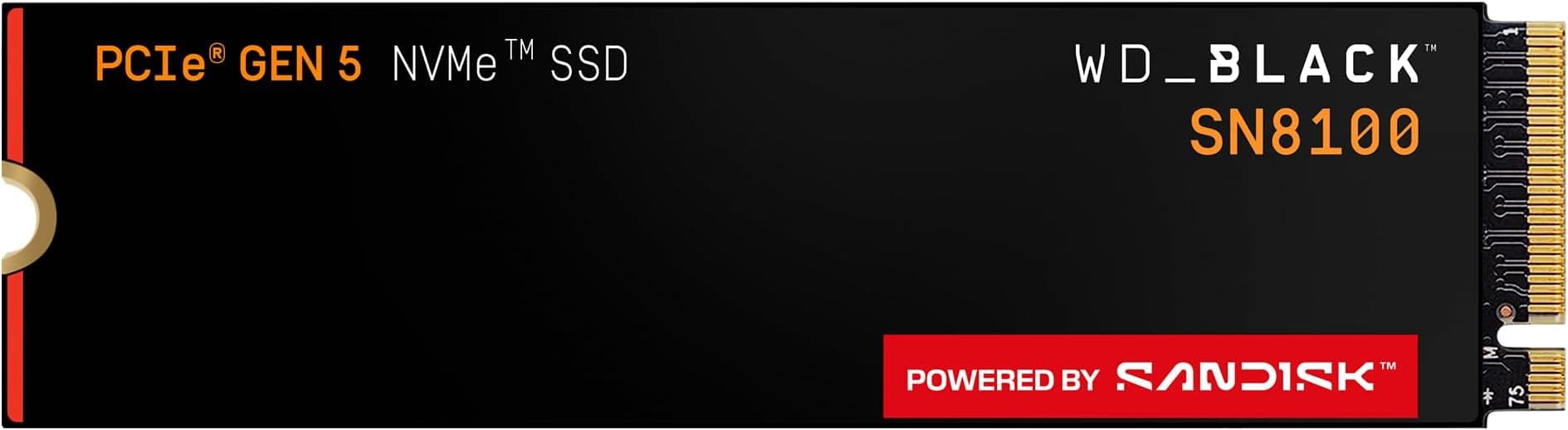
WD_BLACK SN8100 PCIe Gen 5 NVMe SSD 2TB (Up to 14,900MB/s read, 11,000MB/s write speeds, Next Gen TLC 3D CBA NAND, Up to 1,200TBW, Best for AI Applications, Gaming, Video Editing) POWERED BY SANDISK
£369.00 · SanDisk
Frequently asked
7 questions01Does the WD_BLACK SN750 1TB have a DRAM cache?+
Yes. The SN750 1TB includes a dedicated LPDDR4 DRAM cache. This stores the drive's mapping table on-board, which improves random read latency and helps the controller manage garbage collection and SLC-to-TLC reorganisation more efficiently than a DRAM-less drive relying on Host Memory Buffer.
02Will the WD_BLACK SN750 work in a PCIe Gen4 motherboard?+
Yes, the SN750 is backward compatible with PCIe Gen4 slots. It will operate at Gen3 speeds rather than Gen4 speeds, but it will function correctly. If your motherboard supports Gen4 and you are buying a drive new, there is a reasonable case for choosing a native Gen4 drive instead, as Gen4 TLC options have become competitively priced.
03What is the endurance rating of the SN750 1TB and what does it mean in practice?+
The SN750 1TB is rated at 600 TBW (terabytes written). At a heavy usage rate of 100GB written per day, that equates to roughly sixteen and a half years of use. Most users write considerably less than 100GB per day, so the five-year warranty is the practical limit you are far more likely to reach before the NAND endurance becomes a concern.
04Does the WD_BLACK SN750 throttle due to heat?+
It can throttle if temperatures reach around 70 degrees Celsius, which Western Digital lists as the operating ceiling. Under typical gaming and productivity workloads in a desktop with reasonable airflow, throttling is unlikely. In compact or poorly ventilated cases and in laptops, the heatsink variant of the SN750 is worth considering to keep temperatures within a comfortable range during sustained workloads.
05How does the WD_BLACK SN750 1TB compare to the Samsung 970 EVO Plus 1TB?+
The two drives are close peers. Both use TLC NAND with dedicated DRAM caches on a PCIe Gen3 x4 interface, and both carry 600 TBW endurance ratings with five-year warranties. The Samsung edges ahead in sequential read and random read IOPS on paper, while the WD's random write IOPS are competitive. Real-world performance differences are small, and the choice between them typically comes down to pricing at the time of purchase.
06Can I install the WD_BLACK SN750 in a PS5?+
The SN750 is technically compatible with the PS5's M.2 expansion slot, but it is not the optimal choice. Sony recommends a heatsink for PS5 M.2 drives, and the PS5 slot supports PCIe Gen4 speeds that the SN750 cannot deliver. The drive will function, but you would be leaving Gen4 performance unused. Drives designed specifically for PS5 expansion with appropriate heatsinks and Gen4 speeds represent better value for that use case.
07What happens to write speeds when the SLC cache on the SN750 fills up?+
Once the SLC write cache is exhausted, the drive writes directly to native TLC NAND. For the SN750, native TLC write speeds are typically in the range of 1,000 to 1,500 MB/s depending on drive fill level. This is a noticeable drop from the cache-boosted 3,000 MB/s rated speed, but it remains considerably faster than the 100 to 300 MB/s floor seen in QLC-based drives when their cache runs out.