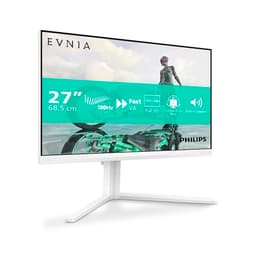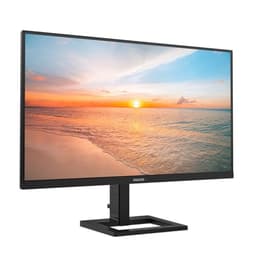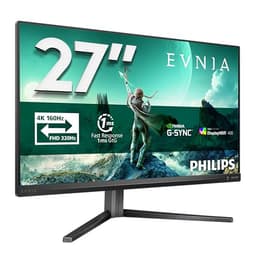
Most monitors at this price make you pick your poison. Fast refresh rate? Expect washed-out blacks. Good contrast? Prepare to live with 75Hz and motion blur that'd make a 2012 monitor blush. Sharp 1440p? Sure, but the stand wobbles and there's no height adjustment. The Philips Evnia 27M2C5591 is trying to sidestep that whole compromise game, and honestly, at the mid-range price point it's sitting in, it comes closer than you'd expect.
The headline verdict: if you're coming off a 1080p 60Hz monitor and want a proper upgrade without spending OLED money, this is a genuinely strong option. Fast VA panel, 180Hz, 1440p, curved, white chassis, height-adjustable stand, all in the mid-range bracket. That's a lot of boxes ticked. But VA panels have real quirks that matter depending on how you use your monitor, and the HDR10 badge on the box is doing some heavy lifting for a panel that almost certainly won't blow you away in HDR. The details matter here, so let's get into them.
Over 566 owner reviews and a 4.6-star average is a strong signal. That's not a handful of early adopters being enthusiastic. That's a monitor that's landed well with a lot of real buyers, and the pattern in the feedback is consistent: people are happy with the image quality and the price, and the build quality surprises them. There are some caveats around dark-scene performance that come with the territory for VA, and we'll cover those properly.
Core Specifications
The 27M2C5591 is a 27-inch curved monitor running at 2560x1440 (WQHD) on a VA panel with a 1500R curve radius. The refresh rate tops out at 180Hz, which puts it comfortably above the 144Hz baseline most people consider the gaming minimum. Response time is quoted at 1ms GtG, which is Philips doing what every monitor brand does with GtG figures. We'll get into what that actually means in practice in the response time section, because it matters.
Connectivity is two HDMI 2.0 ports and one DisplayPort 1.4. No USB-C, no USB hub, no built-in speakers. That's not unusual at this price, but it's something to factor in if you were hoping to run this off a laptop via USB-C. The DisplayPort 1.4 connection is the one you want for 1440p at 180Hz, since HDMI 2.0 tops out at 1440p 144Hz. Adaptive sync comes via AMD FreeSync Premium, and Philips confirms G-Sync compatibility, so Nvidia users aren't locked out.
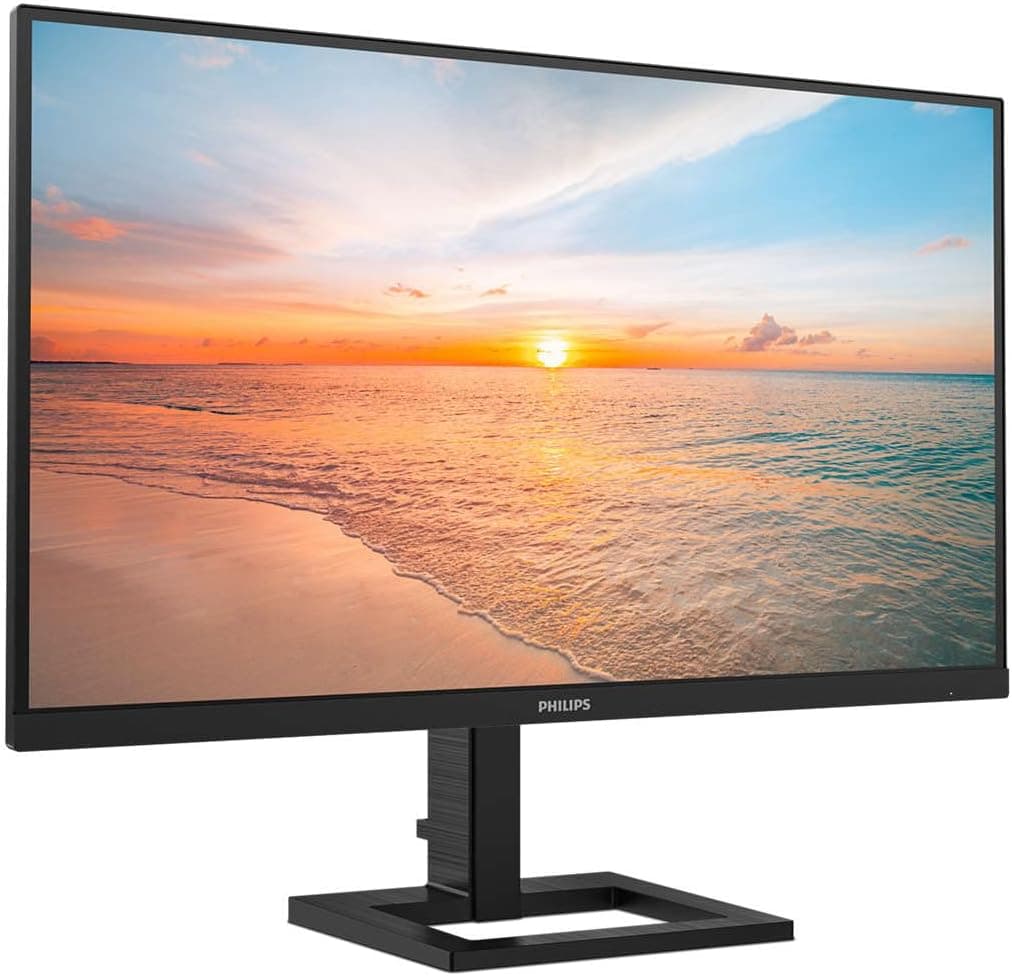
The stand offers tilt, swivel, and height adjustment, which is more than you typically get in this bracket. VESA mounting is 100x100mm if you'd rather put it on an arm. HDR10 support is listed, and the panel is rated at 300 nits typical brightness. That last figure is important context for the HDR section. The monitor ships in white, which is still relatively unusual in gaming monitors and looks genuinely good on a desk rather than the aggressive black-and-RGB aesthetic that dominates the category.
| Specification | Detail |
|---|---|
| Screen Size | 27 inches |
| Resolution | 2560x1440 (WQHD) |
| Panel Type | Fast VA (Vertical Alignment) |
| Refresh Rate | 180Hz |
| Response Time | 1ms GtG (marketed) |
| Curve Radius | 1500R |
| Adaptive Sync | FreeSync Premium, G-Sync Compatible |
| HDR | HDR10 |
| Brightness | 300 nits typical |
| Ports | 2x HDMI 2.0, 1x DisplayPort 1.4 |
| Stand Adjustments | Tilt, Swivel, Height |
| VESA Mount | 100x100mm |
| Colour | White |
| Price | £179.00 |

Panel Technology
VA panels sit between IPS and TN in most meaningful ways, and the "Fast VA" label Philips uses here is their way of saying they've pushed the pixel response times down compared to traditional VA. The headline advantage of VA over IPS is contrast. Where a decent IPS panel might deliver 1000:1 native contrast, VA panels routinely hit 3000:1 or higher. That translates to much deeper blacks and a more cinematic look in dark content. If you watch a lot of films or play atmospheric games, that contrast advantage is immediately visible and genuinely appreciated.
The trade-off is viewing angles. IPS panels maintain colour accuracy across wide angles, which matters if you have a large monitor or sit off-centre. VA panels shift colour more noticeably as you move away from the centre of the screen. On a 27-inch curved display at typical desk distances, this is less of a problem than it sounds. The 1500R curve actually helps here by angling the edges of the screen slightly toward your eyes, partially compensating for the inherent viewing angle weakness. Owner feedback on this monitor doesn't flag viewing angles as a significant issue, which suggests Philips has the curve radius calibrated sensibly for this screen size.
The other classic VA characteristic is black smearing in dark scenes. Traditional VA panels struggle with dark-to-dark pixel transitions, producing a ghosting effect that's particularly visible when objects move against dark backgrounds. Fast VA technology addresses this with improved liquid crystal formulations and overdrive tuning. How much it helps in practice varies by implementation. The published specs and owner feedback suggest this panel handles it better than budget VA alternatives, but it's still something to be aware of if competitive shooters in dark environments are your primary use case. More on that in the response time section.
Display Quality
At 2560x1440 on a 27-inch panel, you're getting roughly 109 pixels per inch. That's noticeably sharper than 1080p at the same size (82 PPI) and hits a sweet spot where individual pixels aren't visible at normal desk distances. Text is crisp, fine detail in games reads clearly, and the overall impression is of a properly sharp image without needing to sit uncomfortably close. If you're upgrading from a 1080p monitor of the same size, the jump in clarity is immediately obvious and stays obvious.
The anti-glare coating is matte, which is the right choice for a gaming monitor. Glossy panels look punchy in a darkened room but become mirrors the moment any ambient light enters the picture. The matte finish here handles reflections well without introducing the heavy grain that some aggressive anti-glare coatings produce. Owner reviews consistently mention the image looking clean and clear, which suggests Philips has the coating calibrated sensibly rather than going overboard.
Brightness uniformity on VA panels can be variable, and some owners of VA monitors report clouding or backlight bleed in corners. The 27M2C5591 doesn't attract many complaints about this in the owner reviews, which is a decent sign. A handful of reviews mention minor backlight bleed at extreme brightness settings, but that's true of most LCD panels at this price. The 300 nit typical brightness is fine for indoor use in a reasonably lit room. It's not going to fight direct sunlight, but that's not what this monitor is designed for. For a desk setup with controlled lighting, 300 nits is adequate.
Refresh Rate and Adaptive Sync
180Hz is a meaningful step up from 144Hz, and if you've only ever used a 60Hz monitor, the difference when you first switch is genuinely striking. Motion looks smoother, cursor movement feels more responsive, and fast-paced games feel more connected to your inputs. The jump from 144Hz to 180Hz is less dramatic than 60Hz to 144Hz, but it's still perceptible in practice, particularly in competitive titles where you're tracking fast-moving targets.
FreeSync Premium requires a minimum 120Hz VRR range with Low Framerate Compensation (LFC) support, which means the adaptive sync kicks in properly even when your frame rate drops well below the panel's maximum. That's important. Basic FreeSync implementations can stutter badly when you dip below the VRR floor. FreeSync Premium's LFC requirement eliminates that problem by doubling the frame rate signal when necessary to keep sync active. The practical result is smooth, tear-free gaming across a wider range of GPU performance levels.
Nvidia users can run this with G-Sync compatibility enabled in the Nvidia control panel. This isn't the same as a hardware G-Sync module, so you won't get the same guaranteed performance floor, but in practice most G-Sync Compatible monitors work well with Nvidia cards and this one appears to be no exception based on owner reports. AMD users get the full FreeSync Premium experience natively. Either way, you're getting proper adaptive sync at 180Hz for the mid-range price, which is the right combination at this price point.
Response Time and Motion
The "1ms GtG" claim needs unpacking because it's doing marketing work rather than technical work. GtG (grey-to-grey) response time measures a single pixel transition under ideal conditions, typically from a mid-grey to another mid-grey. It's not the figure that governs how your monitor feels in fast gaming. The transitions that cause visible ghosting are dark-to-dark and dark-to-mid transitions, and those are the ones VA panels historically struggle with. Philips doesn't publish full response time curves for all transitions, which is standard industry practice and also conveniently hides the less flattering numbers.
What "Fast VA" means in practice is that Philips has applied overdrive to push pixel transitions faster than a standard VA panel would manage. Overdrive is a double-edged tool. Too little and you get ghosting. Too much and you get inverse ghosting (bright halos around moving objects), which is arguably worse. The sweet spot varies by panel. Owner reviews on this monitor don't flag significant inverse ghosting complaints at the default overdrive setting, which suggests Philips has tuned it reasonably. There are some mentions of ghosting in very dark scenes, which is consistent with VA physics rather than a tuning failure.
For most gaming use cases, this response time performance is fine. Casual gaming, RPGs, strategy games, racing games, most shooters at this price point: the 27M2C5591 handles them without any motion issues that would bother you. If you're playing competitive Counter-Strike at 180fps and every millisecond of visual clarity matters for your ranking, you'd be looking at an IPS or TN panel instead. But that's a very specific use case and the monitors that serve it well cost considerably more or sacrifice contrast to get there. For the vast majority of people asking about this monitor, the response time is not a problem.
Color Accuracy and Gamut
Philips rates the 27M2C5591 at 90% DCI-P3 colour gamut coverage. For context, sRGB covers roughly 72% of DCI-P3, so 90% DCI-P3 means this panel reaches well beyond the standard sRGB colour space. In practice, that translates to more vivid, saturated colours in games and video content that's been mastered for wide colour gamut. The difference is most visible in saturated reds, greens, and blues, which look richer and more lifelike than on a standard sRGB panel.
Factory calibration on monitors at this price point is rarely spectacular. Philips doesn't ship a calibration report with the 27M2C5591, and the out-of-box Delta-E accuracy isn't independently verified to the same standard as professional display monitors. Owner feedback suggests colours look good straight out of the box with the default settings, which is consistent with Philips's general approach to their Evnia range. If you're doing professional colour grading or print-matched design work, you'd want a dedicated calibration tool and a panel with a factory calibration certificate. For gaming and general use, the factory settings are fine.
The wide colour gamut does mean that sRGB content can look oversaturated if you're running the monitor in its default wide gamut mode. Most gaming monitors in this category include an sRGB emulation mode in the OSD for this reason, and Philips's monitors typically do. If you're switching between gaming (where oversaturation often looks great) and productivity work (where accurate sRGB rendering matters more), it's the kind of thing you'd toggle in the settings. Owner reviews don't flag colour accuracy as a concern, and the 4.6-star average suggests most buyers are happy with what they see.

HDR Performance
HDR10 support at 300 nits peak brightness is what the industry politely calls "checkbox HDR". The VESA DisplayHDR certification tiers start at DisplayHDR 400, which requires 400 nits peak brightness and a minimum contrast ratio. This monitor's 300 nit rating puts it below even that entry-level certification. That doesn't mean HDR does nothing, but it does mean the HDR experience here is a long way from what you'd get on a 600-nit IPS panel or, obviously, an OLED.
What HDR10 mode actually does on a panel like this is mostly expand the colour volume slightly and adjust the tone mapping curve. The VA panel's native contrast helps somewhat. Deep blacks on VA are genuinely deep, which gives HDR content a more dynamic look than you'd get on a low-contrast IPS at the same brightness. But without local dimming and without the peak brightness to create specular highlights, you're not getting the full HDR experience. Bright windows in a dark scene won't punch the way they do on a proper HDR panel.
The honest advice here is to treat HDR10 support as a nice-to-have rather than a reason to buy. Enable it for HDR-mastered content if you like the look, but don't buy this monitor expecting a transformative HDR experience. The real strengths of the 27M2C5591 are its refresh rate, its native contrast, and its resolution, not its HDR capability. Owner reviews don't mention HDR as a standout feature, which tracks. Most buyers are using it in SDR mode and are happy with that.
Contrast and Brightness
This is where VA earns its keep. Native contrast ratios on VA panels typically land between 3000:1 and 5000:1, compared to 1000:1 to 1500:1 for most IPS panels. Philips doesn't publish a specific static contrast figure for the 27M2C5591 in the main spec sheet, but VA panel physics being what they are, you're looking at significantly deeper blacks than any IPS alternative at this price. In a dark room, watching a film or playing an atmospheric game, the difference is immediately visible. Shadows look like shadows rather than dark grey.
The 300 nit typical brightness is the trade-off. IPS panels in this price range often hit 350 to 400 nits, which gives them more headroom in brighter rooms. For a gaming setup where you control the lighting, 300 nits is adequate. For a monitor positioned near a window in a bright office, you might find yourself pushing the brightness slider to its limit on sunny days. It's manageable, but it's the spec that's most obviously been trimmed to hit the price point.
Owner reviews don't flag brightness as a significant complaint, which suggests most buyers are using this in the kind of setup it's designed for: a gaming desk with reasonable lighting control. The contrast advantage of the VA panel is mentioned positively in multiple reviews, with buyers commenting that dark scenes look genuinely dark compared to their previous monitors. That tracks with the physics. If contrast matters to you and you're not working in a very bright environment, the VA approach here is the right call for the money.
Ergonomics and Stand
Height adjustment on a gaming monitor in the mid-range bracket is not guaranteed, and the fact that the 27M2C5591 includes it is a genuine differentiator. Being able to raise or lower your monitor to eye level properly matters for long sessions. Monitors without height adjustment force you to use books or monitor risers, which works but feels like a bodge. The stand here also offers tilt and swivel, so you can dial in the position without being locked into whatever angle the factory set it at.
Owner reviews describe the stand as solid and stable. A few mention that the height adjustment mechanism has a slight resistance to it, which some people find reassuring (it stays where you put it) and others find slightly stiff initially. No reports of wobble or instability that would be a concern in normal use. The white chassis extends to the stand, so the whole unit looks cohesive rather than having a white panel on a black stand, which is a detail that matters if aesthetics are part of your buying decision.
The 100x100mm VESA mount is there if you prefer a monitor arm. The stand detaches cleanly, and the VESA pattern is standard, so any competent monitor arm will fit. The physical footprint of the stand is reasonable for a 27-inch curved panel. It's not a tiny footprint, because the curve requires a wider base, but it's not eating your whole desk either. Cable management through the stand is functional. The overall build quality, based on owner feedback, is described as better than the price suggests, which is the kind of comment you want to see in a mid-range product.
Connectivity and Ports
The port selection is straightforward: two HDMI 2.0 ports and one DisplayPort 1.4. For a gaming monitor at this price, that's a sensible layout. Two HDMI ports means you can have a PC and a console connected simultaneously without swapping cables. The DisplayPort 1.4 connection is the one to use for your primary PC if you want 1440p at the full 180Hz. HDMI 2.0 has enough bandwidth for 1440p at 144Hz, so if 144Hz is your actual GPU ceiling, HDMI works fine too.
There's no USB-C port, which matters if you want to connect a modern laptop with a single cable. No USB hub either, so you can't plug peripherals into the monitor. No built-in speakers. These omissions are all predictable at this price point and don't feel like cost-cutting so much as sensible prioritisation. The money has gone into the panel, the stand, and the refresh rate rather than features that most gaming monitor buyers don't use much anyway.
The OSD (on-screen display) controls are physical buttons on the back of the panel, which is standard for Philips monitors. Some manufacturers have moved to joystick-style controls, which are easier to navigate. Physical buttons work fine once you know the layout, but the initial learning curve is slightly more annoying than a joystick. Owner reviews don't flag this as a significant issue, just something to be aware of. The OSD itself covers the expected range of settings: brightness, contrast, colour temperature, overdrive mode, adaptive sync toggle, and input selection.
How It Compares
The two most obvious alternatives to consider are the AOC CQ27G2S and the MSI G274QPX. The AOC CQ27G2S is another 27-inch 1440p curved VA panel, typically sitting slightly below the Philips in price. It runs at 165Hz rather than 180Hz, which is a minor difference in practice. The stand on the AOC is less capable, offering tilt only rather than the full height adjustment the Philips provides. If ergonomics matter to you and you're not going to put it on an arm, the Philips stand is a meaningful advantage. The AOC has a slightly higher rated brightness at 350 nits, which gives it a small edge in brighter rooms.
The MSI G274QPX steps up to 165Hz on an IPS panel rather than VA. IPS means better viewing angles and faster dark-to-dark pixel transitions, but you lose the VA contrast advantage. The MSI typically costs more than the Philips, putting it at the upper end of the mid-range bracket. If you play a lot of competitive shooters and dark-scene ghosting is a genuine concern for you, the IPS panel on the MSI is worth the extra spend. If you watch films, play atmospheric games, or just want the deepest blacks for the money, the Philips VA contrast wins that argument.
The Philips 27M2C5591 sits in a sensible position in this comparison. More refresh rate than the AOC, better stand than the AOC, less than the MSI costs, and a contrast advantage over both IPS alternatives. The 180Hz Fast VA combination is doing real work here rather than just being spec-sheet padding. At the mid-range price point, it's a competitive package.
| Feature | Philips Evnia 27M2C5591 | AOC CQ27G2S | MSI G274QPX |
|---|---|---|---|
| Panel Type | Fast VA | VA | IPS |
| Resolution | 2560x1440 | 2560x1440 | 2560x1440 |
| Refresh Rate | 180Hz | 165Hz | 165Hz |
| Adaptive Sync | FreeSync Premium / G-Sync Compatible | FreeSync Premium | FreeSync Premium / G-Sync Compatible |
| Brightness | 300 nits | 350 nits | 400 nits |
| Stand | Tilt, Swivel, Height | Tilt only | Tilt, Swivel, Height |
| HDR | HDR10 | HDR10 | HDR400 |
| Price | £179.00 | Typically lower | Typically higher |

Final Verdict: Philips Evnia 27M2C5591 Review
The Philips Evnia 27M2C5591 is a well-executed mid-range gaming monitor that gets the fundamentals right. The 27-inch 1440p Fast VA panel at 180Hz is the right combination for most gaming use cases. The native contrast is the standout technical strength. The stand is better than the price suggests. The white chassis looks genuinely good on a desk. And 566 owners giving it 4.6 stars isn't a fluke, it's a monitor that delivers on what it promises for the people it's aimed at.
The caveats are real but manageable. The 1ms GtG marketing figure is optimistic, as it always is. Dark-scene ghosting is inherent to VA physics and present here to some degree, though Fast VA tuning keeps it from being a serious problem for most users. The HDR10 implementation is checkbox HDR rather than genuine HDR performance. And 300 nits peak brightness is the spec that most clearly reflects the price point. None of these are dealbreakers for the target buyer, but they're things to know before you commit.
If you're on a tighter budget and 144Hz is enough for your GPU anyway, the AOC CQ27G2S costs less and delivers a similar VA experience at slightly lower refresh rate. It's the smarter buy if you're not going to push past 144fps and the stand ergonomics don't matter to you. But if you want the full package at a mid-range price, the Philips earns its place. For someone upgrading from a 1080p 60Hz monitor, this is the kind of jump that genuinely changes how gaming feels.
Who should buy this: PC gamers upgrading from a 1080p or 60Hz monitor who want 1440p, high refresh rate, and good contrast without stepping into premium pricing. Great for RPGs, racing games, open-world games, and general gaming use. Also solid for mixed-use desks where you want a good-looking monitor that does gaming and everyday work without fuss.
Who should look elsewhere: Competitive FPS players who need the fastest possible dark-scene pixel transitions (look at IPS panels instead). Anyone expecting meaningful HDR performance from the HDR10 badge. Buyers who need USB-C connectivity or a built-in USB hub for their workflow.
Editorial score: 8 out of 10. Strong value, honest trade-offs, and a build quality that punches above its price bracket.
What works. What doesn’t.
5 + 4What we liked5 reasons
- 180Hz Fast VA delivers strong contrast and smooth motion for the price
- Full height, tilt, and swivel stand adjustment at mid-range pricing
- 1440p at 27 inches hits the sweet spot for sharpness and GPU demand
- FreeSync Premium with G-Sync compatibility covers both AMD and Nvidia users
- White chassis looks genuinely good rather than generic gaming-monitor aggressive
Where it falls4 reasons
- 300 nit peak brightness is the lowest in its class
- HDR10 support is checkbox HDR, not a real HDR experience
- Dark-scene VA ghosting present, as expected from panel physics
- No USB-C, no USB hub, no speakers
Full specifications
11 attributes| Panel type | VA |
|---|---|
| Aspect ratio | 16:9 |
| Curvature | 1500R |
| HDR | HDR10 |
| Launch year | 2025 |
| Ports | 2x HDMI 2.0, 1x DisplayPort 1.4, 1x 3.5mm audio |
| Refresh rate HZ | 180 |
| Resolution | 2560x1440 |
| Response time MS | 1 |
| Screen size IN | 27 |
| Vesa compatible | true |
If this isn’t right for you
2 options 8.5 / 10
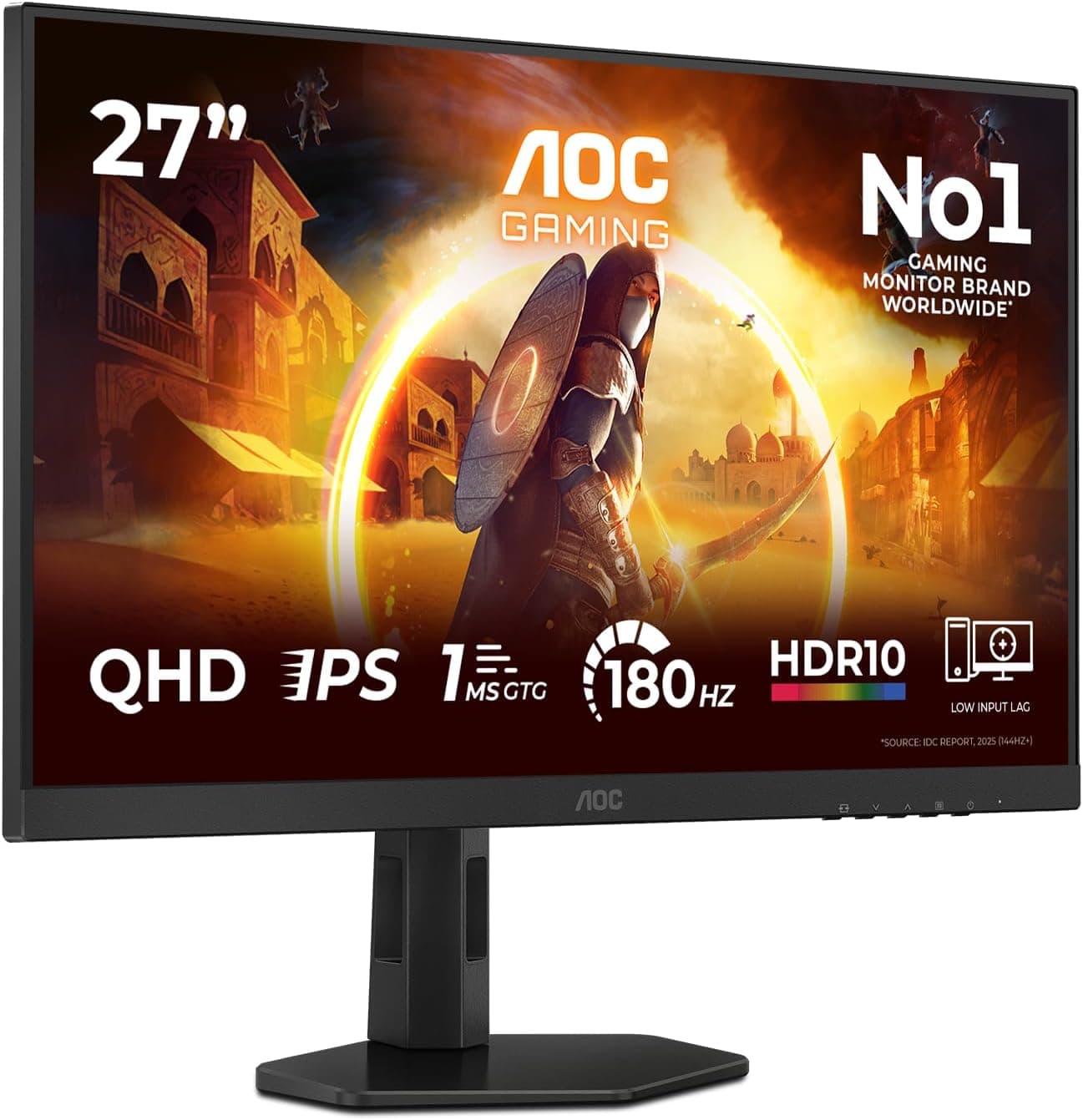
AOC Q27G4XFAD 27 inch WQHD Gaming Monitor 180Hz, Fast IPS Panel, 1ms GtG, HDR10, G-Sync Compatible, Height Adjustment, (2560x1440 HDMI 1x 2.0 DP 1x 1.4) Black
£149.99 · AOC
 8.5 / 10
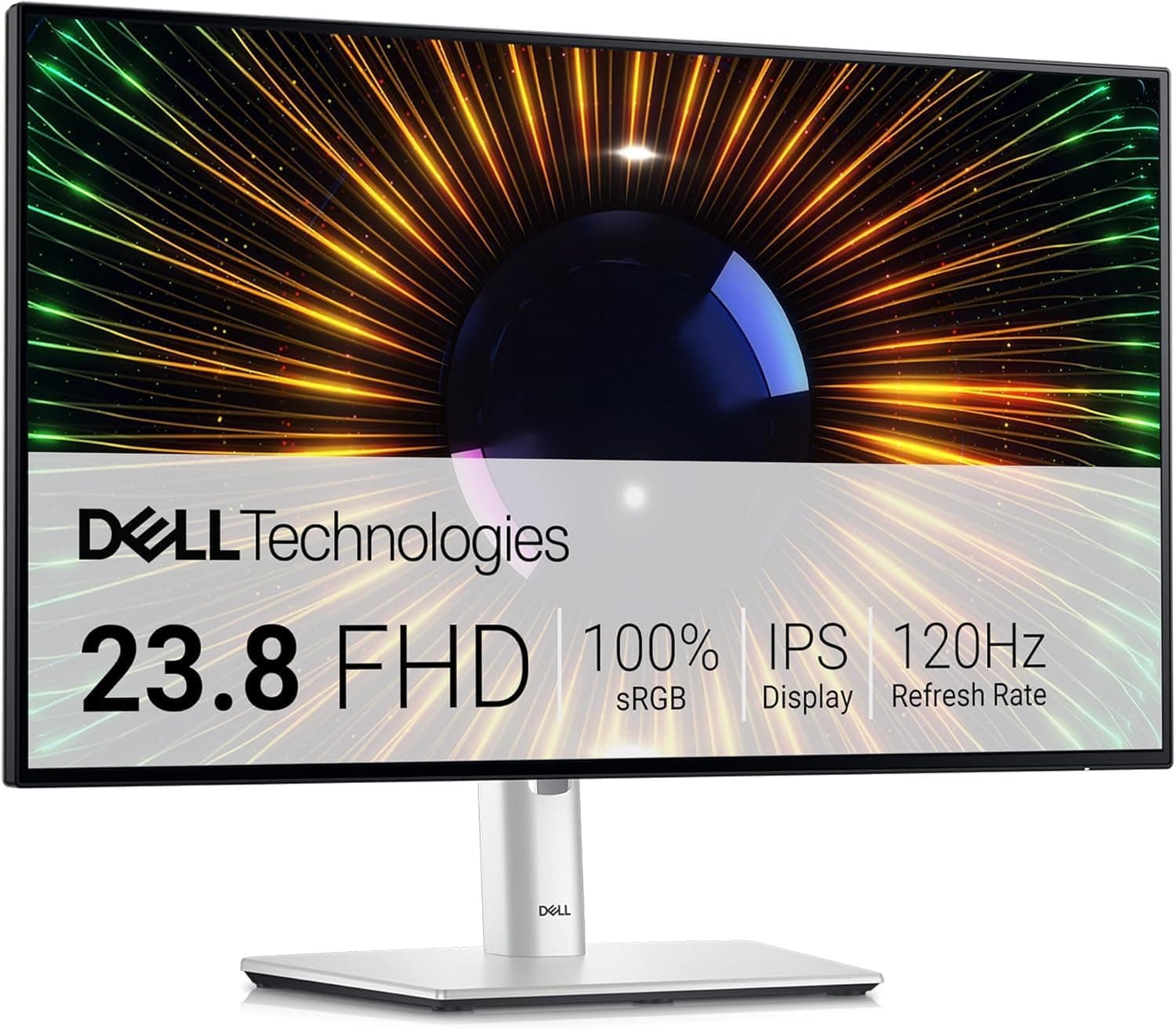
Dell U2424H UltraSharp 24 Inch FHD (1920x1080) Monitor, 120Hz, IPS, 5ms, 98% DCI-P3, 2x USB-C, 2x DisplayPort, HDMI, 3x USB, 3 Year Warranty, Silver
£200.78 · Dell
Frequently asked
5 questions01Is the Philips Evnia 27M2C5591 good for gaming?+
Yes, for most gaming use cases. The 180Hz refresh rate and FreeSync Premium adaptive sync (with G-Sync compatibility for Nvidia users) make it a smooth, tear-free gaming experience. The Fast VA panel handles motion well in the majority of game genres. The main caveat is dark-scene ghosting, which is a characteristic of VA panels and is more noticeable in competitive shooters with dark environments than in most other game types.
02Does the Philips Evnia 27M2C5591 have good HDR?+
Honestly, no. The HDR10 badge is there, but the 300 nit peak brightness puts it below VESA's entry-level DisplayHDR 400 certification. There's no local dimming. HDR mode will adjust the tone mapping and colour volume slightly, and the VA panel's native contrast does help with perceived dynamic range, but this is not a monitor you buy for HDR performance. Treat HDR10 as a nice-to-have rather than a headline feature.
03Is the Philips Evnia 27M2C5591 good for content creation?+
It's decent for casual content creation. The 90% DCI-P3 colour gamut coverage means colours are vivid and wide-gamut content looks good. Factory calibration is adequate for general use. For professional colour grading or print-matched design work where Delta-E accuracy and a certified calibration report matter, you'd want a dedicated professional display. For video editing, photo editing as a hobby, or mixed gaming and productivity use, it's a reasonable choice.
04What graphics card do I need for the Philips Evnia 27M2C5591?+
For 1440p at 60 to 100fps in modern AAA games, an Nvidia RTX 4060 or AMD RX 7600 is a sensible minimum. To regularly push towards 180fps in demanding titles, you're looking at an RTX 4070 or RX 7700 XT or better. In less demanding or older games, mid-range cards will hit 180fps more easily. The FreeSync Premium adaptive sync range means you don't need to hit 180fps constantly to benefit from smooth gameplay.
05What warranty and returns apply to the Philips Evnia 27M2C5591?+
Philips typically covers their monitors with a 3-year warranty, though you should verify the specific terms on the Philips UK support pages for this model. When purchasing through Amazon UK, you also get Amazon's standard 30-day returns policy and the A-to-Z Guarantee, which provides additional buyer protection if there are any issues with the order.