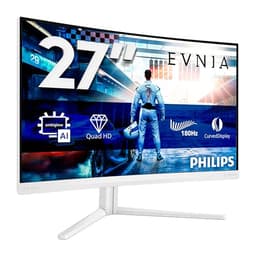
A monitor is the one component you stare at every single day. Get it wrong and you're reminded of that mistake every time you sit down. The Philips Evnia 49M2C8900AM is the kind of screen that makes the decision feel weighty, partly because of the size, partly because of the price, and partly because QD-OLED at this scale is still relatively new territory. So does it actually deliver, or is it trading on a flashy spec sheet?
The short answer: for the right person, this is a genuinely excellent monitor. A 49-inch QD-OLED panel running at 5120x1440 and 240Hz is a proper combination of immersion, speed, and colour quality that you simply cannot get from a VA or IPS screen at any price. But it's a premium purchase that demands a premium GPU, a specific use case, and a desk big enough to house it. If those boxes tick, read on. If you're not sure, the section on who should skip it is just as important.
Core Specifications
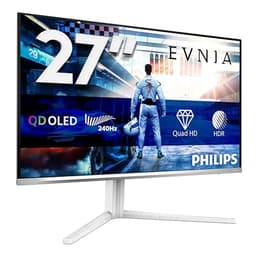
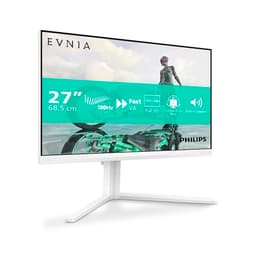
The Philips Evnia 49M2C8900AM is a 49-inch curved ultrawide running a QD-OLED panel at 5120x1440 resolution, which is the standard for this class of screen. The 32:9 aspect ratio means you're essentially getting two 27-inch 1440p monitors side by side, without the bezel down the middle. Refresh rate is 240Hz, and the quoted response time is 0.03ms GtG, which is the kind of figure only OLED panels can actually hit. The screen ships in white, which is still a relative rarity in the monitor market and looks genuinely smart on a clean desk setup.
Connectivity includes HDMI 2.1, DisplayPort 1.4, USB-C, and a USB hub. The presence of HDMI 2.1 is important at this resolution and refresh rate, since older HDMI versions simply don't have the bandwidth to carry 5120x1440 at 240Hz. The USB-C port adds flexibility for laptop users who want a single-cable connection. Ambiglow, Philips' bias lighting system, is built in and projects light from the rear of the monitor to reduce eye strain in darker rooms, which is a nice touch for long sessions. HDR400 certification is present, and we'll get into what that actually means in practice in the HDR section.
Owner feedback across 176 lands at ★★★★☆ (4.3), which is a solid score for a premium product where buyers tend to be more demanding. The most common praise centres on the image quality and immersion. The most common complaints relate to the price and the GPU requirements, which are honest objections rather than product defects. That pattern tells you a lot about where this monitor sits.
| Specification | Detail |
|---|---|
| Screen Size | 49 inches |
| Panel Type | QD-OLED |
| Resolution | 5120x1440 (DQHD) |
| Refresh Rate | 240Hz |
| Response Time | 0.03ms GtG |
| Aspect Ratio | 32:9 |
| HDR | HDR400 |
| Connectivity | HDMI 2.1, DisplayPort 1.4, USB-C, USB Hub |
| Special Features | Ambiglow, curved panel |
| Colour | White |
| Current Price | £869.99 |
| Rating | ★★★★☆ (4.3) (176 reviews) |

Panel Technology
QD-OLED is a hybrid technology developed by Samsung Display that layers quantum dot material over a blue OLED backplane. The result is a panel that combines true per-pixel illumination (so genuine infinite contrast and perfect blacks) with the colour volume that quantum dots add. Standard OLED panels, particularly white OLED (WOLED) designs used by LG, can struggle to hit saturated colours at high brightness. QD-OLED largely solves that problem. The colours are vivid without being artificial, and the blacks are properly black, not the dark grey you get from even the best IPS or VA panels.
Viewing angles on QD-OLED are essentially perfect. There's no colour shift when you move off-axis, which matters on a 49-inch screen because the edges are physically further from your eyes than the centre. On a VA panel of this size, you'd often notice contrast shift towards the corners. On QD-OLED, that problem doesn't exist. The curve on this panel (Philips rates it at 1800R, a fairly aggressive curve for a screen this wide) helps bring those edges into a more consistent viewing angle, and most owners report it feels natural rather than gimmicky once you're used to it.
The one thing to know about OLED in general is burn-in risk. It's a real thing, not a myth, but modern OLED panels include pixel-shifting and screen-saver features that reduce the risk substantially under normal use. Owners who use this primarily for gaming and mixed desktop work report no issues. If you're planning to run a static HUD or a fixed spreadsheet layout for eight hours a day, every day, you'd want to be more careful. Philips includes built-in burn-in protection features, and for the vast majority of users this won't be a practical concern.
Display Quality
5120x1440 across 49 inches gives you a pixel density of around 109 pixels per inch. That's not as sharp as a 4K 27-inch monitor (which sits around 163 PPI), but it's noticeably sharper than a 1080p panel at the same size, and the sheer screen real estate compensates. Text is crisp and readable at normal desktop distances. For productivity, the resolution is genuinely transformative: you can have two full browser windows open side by side at a usable size, or a wide-format video timeline with panels open alongside it, without feeling cramped.
QD-OLED panels at this generation are glossy, which is a deliberate choice to preserve colour accuracy and contrast. It does mean reflections in brightly lit rooms are more noticeable than on a matte IPS panel. Owners in rooms with windows directly behind them mention this as a real-world consideration. In a controlled or dim environment, the glossy finish actually enhances perceived contrast and colour depth. So room lighting matters here. If your desk faces a south-facing window with no blinds, factor that in.
Brightness uniformity is one of the genuine advantages of OLED over backlit panels. Because each pixel generates its own light, there's no backlight bleed or clouding to worry about. The corners are as bright as the centre when displaying bright content, and the blacks in dark corners of an image are as deep as the blacks in the middle. Owners consistently comment on how clean the image looks, particularly in dark scenes in games and films. That consistency is hard to replicate with any LED-backlit technology, regardless of how good the local dimming is.
Refresh Rate and Adaptive Sync
240Hz on a 49-inch ultrawide is a combination that didn't exist a couple of years ago. It means you're getting competitive-tier refresh rates on an immersive productivity panel, which sounds contradictory until you actually use an ultrawide for gaming. The peripheral vision fill-in that a 32:9 screen provides makes motion feel more convincing, and pairing that with 240Hz means fast-paced games feel genuinely smooth rather than just technically fast. Racing games, flight sims, and open-world titles in particular benefit from this combination.
The Philips Evnia 49M2C8900AM supports AMD FreeSync Premium Pro, which provides variable refresh rate (VRR) support across a wide range of frame rates. This means screen tearing is eliminated when your GPU is pushing frames within the VRR range. The monitor is also G-Sync compatible, meaning Nvidia GPU owners get adaptive sync too, though without the full G-Sync module. In practice, the difference between native G-Sync and G-Sync Compatible on a panel this capable is minimal for most users.
Low framerate compensation (LFC) is supported, which matters when your GPU dips below the lower end of the VRR range. Rather than dropping out of adaptive sync entirely, LFC keeps the experience smooth by frame-multiplying. Given that driving 5120x1440 at 240Hz is a serious GPU task, and frame rates will fluctuate in demanding titles, LFC is a genuinely useful feature here rather than a checkbox spec. Owners with high-end GPUs report smooth, tear-free gameplay even in demanding open-world titles where frame rates aren't perfectly consistent.
Response Time and Motion
The 0.03ms GtG response time is one of those specs that sounds almost too good, but on QD-OLED it's actually credible. Traditional LCD panels, whether IPS or VA, physically move liquid crystals to change pixel state, which takes time and introduces ghosting. OLED pixels switch by turning on and off at the emitter level, which is a fundamentally faster process. The 0.03ms figure reflects that physical reality, not marketing spin. Published measurements from display specialists confirm that QD-OLED panels of this generation achieve near-instantaneous pixel transitions in practice.
What this means for gaming is the absence of visible ghosting in dark scenes, which has historically been the Achilles heel of VA panels on ultrawides. Fast-moving objects in dark environments, things like car headlights on a night racing track or muzzle flashes in a dark corridor, render cleanly without the smearing that ruins immersion on slower panels. Overshoot, where pixels briefly flash to an incorrect colour before settling, is also well-controlled on this generation of QD-OLED. It's not completely absent at all overdrive settings, but at the recommended settings it's not something you'd notice in normal play.
At 240Hz, the motion clarity is a step up from the 144Hz or 165Hz ultrawides that have been the mainstream option. The difference between 144Hz and 240Hz is less dramatic than the jump from 60Hz to 144Hz, but it's real, particularly in competitive titles where tracking moving targets matters. For the audience this monitor is aimed at, that extra headroom is a meaningful upgrade rather than a marginal one. Owners who came from 144Hz VA ultrawides consistently describe the motion improvement as one of the most immediately noticeable changes.
Color Accuracy and Gamut
QD-OLED panels at this generation typically cover around 99% of the DCI-P3 colour space and around 95% of Adobe RGB, which puts them ahead of most IPS monitors and dramatically ahead of VA panels. The Philips Evnia 49M2C8900AM follows that pattern. For context, DCI-P3 is the colour standard used in digital cinema, and hitting 99% coverage means colours in HDR content and wide-gamut creative work look as intended. sRGB coverage is essentially 100%, which is the baseline for web content, general productivity, and most games.
Factory calibration on Philips Evnia monitors has historically been decent rather than exceptional. Published measurements from display specialists show Delta-E values typically in the range of 1 to 2 out of the box, which is good enough for most creative work without any adjustment. Delta-E below 2 is generally considered indistinguishable from perfect by the human eye in normal viewing conditions. If you're doing professional print work where colour matching is critical, you'd want a hardware calibration tool to dial it in precisely. For gaming, film, and general creative work, the factory calibration is more than adequate.
The Ambiglow system is relevant here too, in a slightly different way. Bias lighting behind the monitor, which Ambiglow provides by projecting a colour-matched glow onto the wall behind the screen, reduces the perceived contrast between the bright screen and the dark room. This reduces eye strain over long sessions and, usefully, makes the colours on screen appear more saturated and accurate to the human eye. It's a genuinely useful feature for evening use, and owners who've used it report it makes the overall viewing experience more comfortable. It's not a gimmick on a screen this size.
HDR Performance
HDR400 is where honesty is required. The VESA DisplayHDR 400 certification means the panel can sustain 400 nits of peak brightness, which is the minimum tier in the HDR certification scheme. On a conventional LCD, HDR400 is essentially checkbox HDR: the brightness isn't high enough to produce the specular highlights and shadow detail that HDR content is designed to show, and without proper local dimming, the contrast ratio doesn't support it either. Many monitors with HDR400 labels deliver a disappointing HDR experience.
QD-OLED changes that calculation significantly. The infinite native contrast ratio means that even at 400 nits peak brightness, the difference between a bright highlight and a true black is effectively infinite. On an LCD with HDR400, a bright white next to a dark area still has a grey background because the backlight illuminates both. On QD-OLED, the dark area is genuinely black. The result is that HDR content on this panel looks considerably better than HDR400 would suggest if you've only experienced it on LCD screens. The contrast depth compensates for the brightness ceiling.
That said, the brightness ceiling is real. Panels with HDR1000 or higher peak brightness will produce more convincing specular highlights in very bright scenes, sunlight on water, headlights in a dark scene, that sort of thing. If you're comparing this directly to a Mini-LED monitor with HDR1000 or HDR1400, the peak brightness on those screens is genuinely higher. The QD-OLED wins on contrast, blacks, and colour, but the Mini-LED wins on raw peak luminance. For most content, the QD-OLED experience is more satisfying because the blacks are so much better. But it's a real trade-off and not one to dismiss.
Contrast and Brightness
Native contrast on QD-OLED is effectively infinite. When a pixel is off, it produces no light. There's no minimum luminance floor imposed by a backlight. In practice, the measured contrast ratios on QD-OLED panels run into the millions to one, which makes the 3000:1 to 5000:1 figures quoted by premium VA panels look modest. This matters most in dark scenes: a night sky in a game, a dimly lit film scene, or a dark desktop wallpaper will show true black rather than the dark grey that even the best VA panels produce.
SDR peak brightness on QD-OLED is typically in the 250 to 350 nit range for full-screen white content, which is slightly lower than the brightest IPS panels. In a normally lit room, this is perfectly comfortable. In a very bright room with lots of natural light, you might want more headroom. The glossy panel surface also means that reflections can reduce perceived contrast in bright environments, which compounds the brightness consideration. Owners in darker or controlled lighting environments are consistently more satisfied than those in very bright open-plan offices.
For SDR productivity use, the brightness is entirely adequate for most environments. The contrast advantage of QD-OLED over IPS is significant even in SDR: the deeper blacks make text on a dark background sharper and more legible, and images with shadow detail look richer. Owners who use this for photo editing and video work consistently comment on how much more depth the image has compared to their previous IPS monitors. That depth is real, and it comes directly from the contrast advantage of the panel technology.
Ergonomics and Stand
A 49-inch monitor needs a stand that can actually hold it steady, and at this price point you'd expect Philips to have sorted that. Owner feedback suggests the stand is solid and stable, with no reported wobble issues under normal desk conditions. The stand allows for height adjustment and tilt, which is the minimum you'd want on a screen this size. Given that the panel is 49 inches wide, swivel isn't really a practical option, and pivot (rotating to portrait) is obviously not applicable to an ultrawide of this scale.
The footprint of the stand is substantial. A 49-inch curved monitor needs a wide base to stay stable, and that base will take up meaningful desk depth. Owners consistently mention that desk depth matters: a shallow desk makes the screen feel uncomfortably close at the edges, and the curve is designed for a viewing distance where the full width sits within a comfortable field of view. A desk depth of at least 80cm is generally recommended for screens of this size. If your desk is shallower than that, the experience won't be what it should be.
VESA mount compatibility is present, which means you can replace the stand with a monitor arm if you want to reclaim desk space or get more precise positioning. Not all monitor arms are rated for the weight and width of a 49-inch panel, so check the weight rating carefully before buying one. The white finish on this model is unusual in the monitor market and does attract attention. It's a clean, modern look that suits white or light-coloured desk setups well. Whether that matters to you is entirely personal, but it's a differentiator from the sea of black monitors at this price point.
Connectivity and Ports
The connectivity on the Philips Evnia 49M2C8900AM covers the bases you'd expect at this price. HDMI 2.1 is the important one: it carries enough bandwidth to handle 5120x1440 at 240Hz, whereas HDMI 2.0 would require compromises on either resolution or refresh rate. If you're connecting a modern gaming console (PS5 or Xbox Series X), HDMI 2.1 is also the interface you need for the best output those consoles can produce, though neither console outputs at 5120x1440 natively. DisplayPort 1.4 is the primary connection for PC gaming at full resolution and refresh rate.
- HDMI 2.1
- DisplayPort 1.4
- USB-C
- USB Hub
The USB-C port is genuinely useful for laptop users. A single cable can carry video signal and data, which simplifies the cable situation on a desk where you're switching between a desktop and a laptop. The USB hub extends the monitor's usefulness as a desk hub, letting you connect peripherals to the monitor rather than running cables back to the PC. This is a practical feature on a monitor that's clearly aimed at people who spend serious time at their desks.
The Ambiglow system connects internally and doesn't require additional cabling. It operates automatically based on the on-screen content, adjusting the colour and brightness of the rear lighting to match what's happening on screen. Some owners love it, some find it distracting and turn it off. The fact that it's adjustable and can be disabled entirely means it's a bonus feature rather than a potential annoyance you're stuck with. For late-night gaming sessions in a dark room, the bias lighting effect it creates is legitimately comfortable on the eyes.
How It Compares
The two most relevant competitors in the 49-inch ultrawide space are the Samsung Odyssey OLED G9 (LS49CG954SUXEN) and the LG 49WQ95C-W. The Samsung is the most direct rival: it's also a 49-inch QD-OLED at 5120x1440 and 240Hz, using the same Samsung Display panel that likely underpins the Philips too. The differences between them come down to software features, stand design, OSD quality, and price positioning. The Samsung has a strong brand reputation in this category and a slightly different aesthetic, but the core panel performance is comparable.
The LG 49WQ95C-W is a different proposition: it's an IPS-based 49-inch ultrawide running at 5120x1440 but at 144Hz rather than 240Hz, and without the OLED contrast advantage. It's typically priced lower than the QD-OLED options, which makes it a genuine alternative for users who prioritise productivity over gaming performance and don't need the contrast depth of OLED. The IPS panel is matte rather than glossy, which suits bright room environments better. But you're giving up the blacks, the colour volume, and the motion clarity that QD-OLED provides.
If budget is the primary concern and the 49-inch format appeals, there are 49-inch VA ultrawides available at significantly lower prices. The Samsung Odyssey G9 (non-OLED, QLED version) runs at 240Hz on a VA panel and costs considerably less. The VA panel has better contrast than IPS but still can't match OLED for black depth, and the response time is meaningfully slower in dark scenes. For competitive gaming where motion clarity is the priority, the QD-OLED advantage is clear. For mixed use where price matters more, the VA option is a sensible compromise.
| Feature | Philips Evnia 49M2C8900AM | Samsung Odyssey OLED G9 | LG 49WQ95C-W |
|---|---|---|---|
| Panel Type | QD-OLED | QD-OLED | IPS |
| Resolution | 5120x1440 | 5120x1440 | 5120x1440 |
| Refresh Rate | 240Hz | 240Hz | 144Hz |
| Response Time | 0.03ms GtG | 0.03ms GtG | 5ms GtG |
| HDR | HDR400 | HDR1000 | HDR400 |
| Ambiglow / Bias Lighting | Yes (Ambiglow) | No | No |
| USB-C | Yes | Yes | Yes |
| Colour | White | White/Black | White |
| Price | £869.99 | Check Amazon | Check Amazon |

Final Verdict
The Philips Evnia 49M2C8900AM is a serious monitor for serious users. The QD-OLED panel at 5120x1440 and 240Hz is the combination that makes this screen genuinely exciting rather than just spec-sheet impressive. The blacks are real blacks. The colours are vivid without being oversaturated. The motion clarity at 240Hz with 0.03ms response time is the best you can get from any panel technology right now. And the 49-inch format, for the right desk setup and the right use case, is transformative. Productivity users get the equivalent of two monitors without the bezel. Gamers get peripheral immersion that a 27-inch or 34-inch screen simply cannot replicate.
Is the Philips Evnia 49M2C8900AM a good monitor? Yes, clearly. Is Philips Evnia a good monitor brand? The Evnia line has built a strong reputation since launch, and the 4.3-star average across 176 backs that up. Are Philips monitors good quality? Generally yes, particularly in the Evnia gaming range, which uses quality panels and doesn't cut corners on connectivity. Is it worth getting a 49-inch monitor? If your desk can handle it and your GPU can drive it, absolutely. The immersion and productivity benefits are real. What's the best 49-inch monitor for an office? If you're doing colour-sensitive creative work alongside productivity tasks and can tolerate the glossy panel, this is a top-tier answer.
The caveats are real though. The glossy panel needs a controlled lighting environment to shine. The GPU requirement is substantial: driving 5120x1440 at 240Hz demands something in the RTX 4080 or RX 7900 XTX tier to actually use the full refresh rate in demanding games. And HDR400, while better than it sounds on QD-OLED, isn't the HDR1000 experience you get from the Samsung Odyssey OLED G9. If peak HDR brightness is your priority, the Samsung has the edge there. If you don't need 240Hz and the OLED contrast advantage, the LG 49WQ95C-W at a lower price point is the smarter buy for office-focused users who just want the ultrawide format.
For gamers and creative professionals who want the best 49-inch ultrawide experience available and have the desk space and GPU to match, the Philips Evnia 49M2C8900AM earns a strong recommendation. It's a 9 out of 10. The one point it drops is for the HDR400 ceiling and the glossy panel's sensitivity to room lighting. Everything else is as good as this format gets.
What works. What doesn’t.
5 + 4What we liked5 reasons
- QD-OLED delivers genuine infinite contrast and vivid colour volume
- 240Hz with 0.03ms GtG is the best motion performance available on any panel type
- 5120x1440 across 49 inches is transformative for both gaming immersion and productivity
- HDMI 2.1 and USB-C cover modern connectivity needs properly
- Ambiglow bias lighting is a practical comfort feature, not just a gimmick
Where it falls4 reasons
- Glossy panel struggles in bright rooms with direct light sources
- HDR400 peak brightness trails Mini-LED rivals at HDR1000 or above
- Driving 5120x1440 at 240Hz demands a flagship-tier GPU
- Premium price point requires genuine commitment to the 49-inch ultrawide format
Full specifications
6 attributes| Refresh rate | 240 |
|---|---|
| Screen size | 49 |
| Panel type | QD-OLED |
| Adaptive sync | Both |
| Resolution | 5120x1440 |
| Response time | 0.03ms |
If this isn’t right for you
1 options
Frequently asked
5 questions01Is the Philips Evnia 49M2C8900AM good for gaming?+
Yes, it's one of the best gaming monitors available in the 49-inch ultrawide format. The QD-OLED panel runs at 240Hz with a 0.03ms GtG response time, which eliminates ghosting and delivers the kind of motion clarity that LCD panels at any price cannot match. The 5120x1440 resolution provides genuine peripheral immersion in racing, flight, and open-world titles. The main practical consideration is GPU requirement: you need a flagship-tier graphics card (RTX 4080 or RX 7900 XTX class) to actually push this panel at its full refresh rate in demanding games. Adaptive sync via FreeSync Premium Pro and G-Sync compatibility keeps the experience smooth when frame rates fluctuate.
02Does the Philips Evnia 49M2C8900AM have good HDR?+
Better than the HDR400 certification suggests, but not the best available. On a conventional LCD, HDR400 is barely adequate. On QD-OLED, the infinite native contrast ratio means that even at 400 nits peak brightness, the difference between highlights and true blacks is dramatic and convincing. Dark scenes in HDR content look genuinely impressive. However, monitors with HDR1000 or higher peak brightness (particularly Mini-LED designs) produce brighter specular highlights in very bright scenes. If peak HDR luminance is your priority, the Samsung Odyssey OLED G9 with its higher HDR rating has the edge. For most HDR gaming and film content, the QD-OLED contrast advantage makes the experience satisfying despite the brightness ceiling.
03Is the Philips Evnia 49M2C8900AM good for content creation?+
Yes, particularly for video editing, colour grading, and photo work. QD-OLED panels at this generation typically cover around 99% of DCI-P3 and close to 95% of Adobe RGB, which is excellent coverage for professional colour work. Factory calibration on the Evnia line typically produces Delta-E values in the 1 to 2 range, which is accurate enough for most creative work without manual adjustment. The 5120x1440 resolution gives you a wide timeline and plenty of room for panels and tools alongside your main workspace. The glossy panel surface does mean you need a controlled lighting environment. For print-critical colour matching, a hardware calibration tool is still advisable, but for screen-based creative work this monitor is a genuinely strong choice.
04What graphics card do I need for the Philips Evnia 49M2C8900AM?+
To drive 5120x1440 at 240Hz in demanding games, you need a flagship-tier GPU. On the Nvidia side, an RTX 4080 or RTX 4090 is the realistic minimum for hitting high frame rates in modern AAA titles at this resolution. On the AMD side, an RX 7900 XTX is the comparable option. Mid-range cards like an RTX 4070 or RX 7800 XT will drive the monitor and handle less demanding titles at high frame rates, but will struggle to hit 240Hz in graphically intensive games. For productivity use, video playback, and lighter creative work, the GPU requirement is much lower. The monitor's adaptive sync support means variable frame rates are handled smoothly, so you don't need to hit 240Hz consistently to benefit from the panel.
05What warranty and returns apply to the Philips Evnia 49M2C8900AM?+
Warranty terms are not specified in the verified product data for this listing. When purchasing through Amazon UK, you're covered by Amazon's standard 30-day return policy and the A-to-Z Guarantee, which protects your purchase if the item arrives damaged or not as described. For specific manufacturer warranty information, check the Philips Evnia product page directly or contact Philips UK support before purchasing.