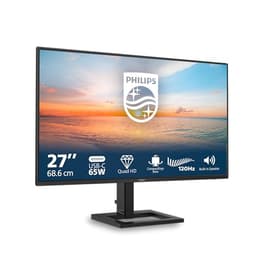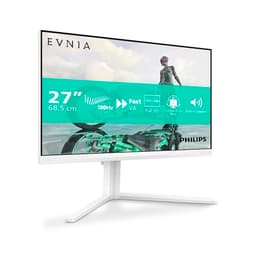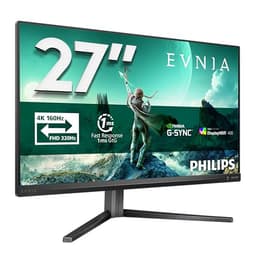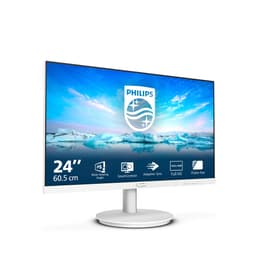
A 4K monitor for under £200. That sentence used to be a joke. These days it's just Tuesday, and the Philips 27E1N1800AE is proof. Crisp 3840x2160 on a 27-inch IPS panel, a proper ergonomic stand with height adjustment, built-in speakers, and a price tag that sits firmly in the mid-range bracket. On paper, it looks like a steal. But specs on paper and specs in practice are two different things, and the question that actually matters is whether this panel delivers on what it promises or just ticks boxes to look good in a comparison table.
The short answer: it's genuinely good. Not perfect, and there are real trade-offs you need to know about before you buy, but for a home office monitor or a secondary productivity screen, the 27E1N1800AE punches well above its price. The 301 owner reviews averaging ★★★★½ (4.6) aren't fluke numbers. People are happy with this thing. So let's get into the detail, because the headline specs only tell half the story.
The catch, since this is a verdict-first article, is the 60Hz refresh rate. If you're a gamer expecting smooth, fluid motion at high frame rates, this is not your monitor. Full stop. But if you're a home worker, a content consumer, or someone who just wants a genuinely sharp screen to replace a tired 1080p panel, the 27E1N1800AE makes a very strong case for itself.
Core Specifications
The 27E1N1800AE is a 27-inch IPS monitor running at 3840x2160 (4K UHD). The refresh rate is 60Hz, which is the honest starting point for any conversation about whether this suits your use case. Philips specifies a 4ms GtG response time, which is reasonable for an IPS panel at this price. The panel covers 99% of the sRGB colour space according to Philips' own figures, and HDR10 support is included, though as we'll get into later, HDR10 at this brightness level is more of a feature checkbox than a transformative experience.
Connectivity is solid for the price. You get one DisplayPort 1.4 input and two HDMI 2.0 inputs, which covers most setups. The built-in speakers are listed at 2x2W, which is modest but genuinely useful for a desk setup where you don't want to clutter the surface with external speakers. The stand offers tilt, swivel, and height adjustment, which is more than you'd get from many monitors in this bracket. VESA 100x100mm mounting is supported for those who prefer an arm.
One thing that doesn't show up in the headline specs but matters a lot in practice: this is an IPS panel, not VA. That means wide viewing angles and decent colour consistency, at the cost of the deep blacks that VA panels offer. For a productivity monitor used in a normally lit room, IPS is the right call. The pixel density at 27 inches and 4K resolution works out to roughly 163 PPI, which is noticeably sharper than a 1080p panel at the same size (82 PPI). That difference is immediately visible in text rendering, which is the primary reason most home office buyers are drawn to 4K.
| Specification | Detail |
|---|---|
| Screen Size | 27 inches |
| Resolution | 3840 x 2160 (4K UHD) |
| Panel Type | IPS |
| Refresh Rate | 60Hz |
| Response Time | 4ms GtG |
| HDR | HDR10 |
| Brightness | 350 cd/m² (typical) |
| Contrast Ratio | 1000:1 (typical) |
| Colour Coverage | 99% sRGB |
| Viewing Angles | 178°/178° (H/V) |
| Ports | 1x DisplayPort 1.4, 2x HDMI 2.0 |
| Audio | 2x 2W built-in speakers, 3.5mm audio out |
| Ergonomics | Tilt, Swivel, Height Adjust |
| VESA Mount | 100 x 100mm |
| Dimensions (with stand) | 614 x 520 x 219mm |
| Weight (with stand) | Approx. 5.6kg |
| Current Price | £179.00 |

Panel Technology
IPS (In-Plane Switching) is the right panel choice for this monitor's intended audience. The technology, which you can read more about in its Wikipedia overview, delivers consistent colour reproduction across wide viewing angles, which matters when you're sharing a screen with a colleague or watching content from a couch-adjacent desk setup. VA panels can offer higher native contrast (often 3000:1 or more versus IPS's typical 1000:1), but they suffer from noticeable colour shift when viewed off-axis and can exhibit a distracting smearing effect on fast motion that makes them poor for mixed-use scenarios. TN panels are out of the conversation entirely at this resolution and price point. OLED would be ideal, but OLED 4K monitors at 27 inches cost significantly more.
The 1000:1 native contrast ratio is standard for IPS. That number means blacks in a dark room look more like very dark grey than true black, and in a pitch-dark environment, you'll notice it. In a normally lit home office, which is where this monitor will live for most buyers, it's not an issue. The IPS glow (a characteristic brightening of the corners when displaying dark content) is present, as it is on virtually every IPS panel. Owner reviews don't flag it as a major problem, which suggests Philips has kept it to an acceptable level rather than the egregious uniformity issues that occasionally plague cheaper IPS panels.
The 178-degree horizontal and vertical viewing angles are about as good as IPS gets. Colours stay accurate when you view from the side or look up slightly from a seated position, which matters if your monitor isn't perfectly positioned at eye level. For a panel with height adjustment (so you can actually set it correctly), this is a nice combination. Compared to VA, IPS also handles fast-moving bright objects on dark backgrounds more cleanly, with less of the smearing that VA panels are known for. At 60Hz, the motion performance conversation is more limited anyway, which we'll cover properly in the response time section.
Display Quality
At 27 inches and 4K resolution, the pixel density of around 163 PPI is the headline win here. Text is genuinely sharp. Fonts render cleanly without the slight fuzziness that 1080p at 27 inches produces, and the difference is immediately obvious if you're upgrading from a 1080p panel. This is one of those things that's hard to quantify but easy to notice: spreadsheets, browser tabs, and documents all look crisper, and you can fit more on screen without squinting. Windows 11 handles 4K scaling well at 150%, which is the sweet spot for 27-inch 4K in terms of usability.
The anti-glare matte coating is sensible for a productivity monitor. Glossy screens look punchier in a showroom but are genuinely annoying in a real office with windows and overhead lighting. The matte coating on the 27E1N1800AE reduces reflections without adding the heavy graininess that some budget panels exhibit. Owner reviews don't report issues with the coating texture, which is reassuring. A bad matte coating can make 4K feel less sharp than it should, and that doesn't appear to be the case here.
Brightness is rated at 350 cd/m² typical, which is adequate for most indoor environments. Bright sunlit rooms with the monitor facing a window could be challenging, but that's true of most monitors in this bracket. The 99% sRGB coverage means colours look accurate and saturated for everyday use, photos, and video content. Philips publishes this figure in their UK product page, and it's consistent with what IPS panels at this tier typically deliver. Backlight uniformity across the panel is generally reported as good by owners, with no widespread complaints about bright patches or dimmer corners that would indicate a quality control problem.
Refresh Rate and Adaptive Sync
This is where the 27E1N1800AE draws its clearest line in the sand. Sixty hertz. That's it. No 75Hz mode, no 120Hz option, just the standard 60Hz that has been the baseline for monitors since the early 2000s. For productivity work, document editing, video streaming, and casual gaming, 60Hz is absolutely fine. The human visual system at a desk, working through spreadsheets or browsing, doesn't need 144Hz. But for fast-paced gaming, 60Hz is a real limitation that no amount of good panel quality can paper over.
Adaptive sync is listed as FreeSync compatible, which means AMD GPU users get variable refresh rate support within the monitor's supported range. At 60Hz, the FreeSync range is limited. FreeSync works by allowing the monitor to match its refresh rate to the GPU's output frame rate, reducing screen tearing. Low Framerate Compensation (LFC) typically requires a FreeSync range of at least 2.5:1 (so a 48 to 144Hz range, for example). At 60Hz, the range is narrow, which limits how useful FreeSync is in practice. If your frame rate drops below the monitor's minimum sync threshold, you'll see tearing or stuttering regardless. For productivity use where VRR isn't relevant, this doesn't matter at all.
Nvidia GPU users should note that G-Sync compatibility is not officially confirmed for this model. G-Sync Compatible certification requires Nvidia validation, and Philips hasn't listed it here. That said, many FreeSync monitors do work with Nvidia cards via the adaptive sync standard, but you'd be relying on that rather than a guaranteed certified experience. For a monitor that's clearly aimed at productivity and home office use rather than gaming, this is a minor point rather than a deal-breaker. If gaming is your primary use case, the refresh rate is the bigger issue anyway.
Response Time and Motion
Philips specifies 4ms GtG (grey-to-grey), which is a reasonable figure for an IPS panel. The important context here is that GtG figures from manufacturers are typically measured under optimal conditions, often at the fastest overdrive setting, and don't always reflect what you'd see in typical use. Published measurements of comparable IPS panels in this tier generally land in the 5 to 9ms range at typical overdrive settings before overshoot becomes visible. That's not a criticism specific to this monitor; it's just how IPS response time works across the board.
At 60Hz, the frame time is 16.67ms, which means even a 9ms pixel transition completes well within the frame window. In practical terms, this means motion blur at 60Hz on this panel is dominated by the refresh rate itself rather than pixel persistence. You'll see the characteristic 60Hz motion blur on fast-moving objects regardless of whether the panel's pixel response is 4ms or 8ms, because the limiting factor is how often the image updates. Owners don't report excessive ghosting or visible overshoot artefacts in normal use, which suggests the overdrive tuning is sensible rather than aggressive.
For the target audience, this is fine. Watching 4K content on Netflix or Disney+, working through documents, or playing slower-paced games like strategy titles, RPGs, or simulations, the response time is not going to be a visible issue. For competitive first-person shooters where you need to track fast-moving targets, 60Hz is the problem, and a faster panel wouldn't solve it. If you're a serious gamer, you need a monitor with at least 120Hz and ideally 144Hz or higher. The 27E1N1800AE is not that monitor, and Philips isn't pretending it is.
Color Accuracy and Gamut
The 99% sRGB coverage is the key figure for most buyers. sRGB is the standard colour space for web content, office applications, and general consumer media. A monitor that covers 99% of it will display colours accurately for the vast majority of everyday content without the oversaturation that can occur when a wide-gamut monitor displays sRGB content without proper colour management. For home office use, this is exactly what you want.
DCI-P3 coverage, which is the wider colour space used in professional video and increasingly in HDR content, is not prominently specified by Philips for this model. Based on the sRGB figure and the panel tier, you'd expect coverage in the 70 to 80% DCI-P3 range, which is typical for IPS panels at this price. That's adequate for content consumption but not ideal for professional video colour grading, where you'd want 90% or higher DCI-P3 coverage. If colour-critical video work is your primary use case, a monitor with explicit DCI-P3 coverage figures and factory calibration data would be a better fit.
Factory calibration is not mentioned in Philips' specifications for the 27E1N1800AE, which is normal at this price point. Factory calibration with individual Delta-E reports is typically reserved for monitors positioned as professional colour tools, usually at a considerably higher price. Owner reviews don't report obvious colour accuracy issues out of the box, with most describing colours as natural and pleasing rather than oversaturated or muddy. For document work, photo viewing, and video streaming, the out-of-box accuracy is reported as good. Serious photographers or designers who need verified Delta-E below 2 should look at monitors with factory calibration reports, but for everyone else, this panel's colour output is genuinely solid for the money.
HDR Performance
HDR10 support is listed, and it's important to be straight with you about what that means at this brightness level. The VESA DisplayHDR certification tiers start at DisplayHDR 400, which requires a minimum peak brightness of 400 cd/m² and local dimming. The 27E1N1800AE is rated at 350 cd/m² typical brightness and does not feature local dimming. That puts it below the entry-level DisplayHDR 400 certification, and HDR10 support here is essentially the monitor accepting an HDR signal rather than delivering a true HDR visual experience.
In practice, this means HDR content will display, but you won't get the dramatic highlight pop and shadow detail that HDR is capable of on higher-tier panels. The monitor lacks the peak brightness to make bright highlights punch, and without local dimming, it can't deepen blacks while simultaneously showing bright elements in the same frame. On a proper HDR display (DisplayHDR 600 or higher, with local dimming), HDR genuinely transforms how film and game content looks. On a monitor like this, it's more of a compatibility feature than a performance one.
That's not a reason to avoid the 27E1N1800AE. Most monitors in this price bracket are in the same position. Genuine HDR performance costs significantly more, and buyers choosing this monitor for home office use and content consumption are getting excellent SDR image quality, which is what actually matters for 90% of use cases. The HDR10 support means you won't have compatibility issues when connecting to a console or a PC that outputs HDR, but you should set your expectations accordingly. If HDR is genuinely important to you, you need to spend more, or look at OLED options at a higher price point.
Contrast and Brightness
The native contrast ratio of 1000:1 is standard IPS territory. It's not exciting, but it's honest. VA panels at similar prices can offer 3000:1 or higher, which produces noticeably deeper blacks in dark content. The trade-off is that VA panels have worse viewing angles and can exhibit smearing on fast motion. For a productivity monitor in a lit room, the IPS contrast is perfectly usable. Dark scenes in movies will look less dramatic than on a VA or OLED panel, but text on white backgrounds, which is what most people stare at all day, looks clean and sharp.
The 350 cd/m² typical brightness is adequate for most indoor environments. In a home office with windows, you'd want to position the monitor away from direct sunlight, but that's good practice regardless of the panel. At full brightness, the monitor is comfortable to use in a well-lit room. Owner reviews don't flag excessive brightness or difficulty reading in normal conditions, and the brightness adjustment range is reported as smooth and usable across its range. Some owners do note that the default brightness out of the box is set quite high, so you'll likely want to dial it back for comfortable daily use.
Backlight uniformity is generally reported as good by owners. No widespread complaints about noticeable bright patches, clouding, or dimmer corners have emerged from the 313, which is a positive signal. IPS panels can occasionally suffer from backlight bleed at the edges, particularly visible in dark scenes with the room lights off. A small number of owners mention this, as is normal for any IPS panel, but it doesn't appear to be a systematic issue across the production run. The anti-glare coating helps manage reflections in real-world lighting conditions, keeping the image readable without the washed-out look that heavy matte coatings can produce.
Ergonomics and Stand
The stand is one of the genuine highlights of the 27E1N1800AE. Height adjustment, tilt, and swivel in a monitor at this price is not a given. Plenty of monitors in this bracket ship with a fixed-height stand that offers only tilt, leaving you to prop the monitor up on books or buy a separate arm to get it to eye level. Philips has included a proper ergonomic stand here, and owner reviews consistently praise it. Getting a monitor to the right height is one of the most important things you can do for long-term comfort, and it's genuinely good to see it included rather than treated as a premium feature.
The height adjustment range is reported as generous enough to accommodate both sitting and standing desk use, though if you regularly switch between sitting and standing at a height-adjustable desk, a monitor arm gives you more flexibility. The tilt range allows you to angle the screen back slightly to reduce neck strain, and swivel lets you rotate the panel left or right for sharing the screen or adjusting to your seating position. Pivot (rotating to portrait orientation) is not listed in the specifications, which is a minor omission for anyone who works with long documents or code, but it's not a common expectation at this price.
The physical build is described by owners as solid and well-assembled, without the flexing or wobbling that cheaper stands can exhibit. The footprint of the base is reasonable for a desk setup, not so large that it dominates the workspace. Cable management through the stand is present, keeping the desk looking tidy. VESA 100x100mm compatibility means you can ditch the stand entirely and mount the monitor on a third-party arm if you prefer, which is a useful option for dual-monitor setups or for freeing up desk space. The monitor weighs around 5.6kg with the stand, which is manageable for a single-person setup and assembly.
Connectivity and Ports
The port selection is practical and covers the most common use cases. DisplayPort 1.4 is the primary connection for PC users, capable of carrying 4K at 60Hz with bandwidth to spare. DisplayPort 1.4 supports up to 32.4 Gbps, which is more than enough for 4K at 60Hz and also supports HDR10 metadata passthrough. This is the connection you want to use for a PC or laptop with a discrete GPU. The two HDMI 2.0 ports are useful for connecting a games console, a second PC, or a streaming device. HDMI 2.0 supports 4K at 60Hz, so you get full resolution from all three inputs.
There is no USB-C port, which matters if you have a modern laptop with USB-C as its primary video output. You'll need a USB-C to DisplayPort or USB-C to HDMI adapter, which is an additional cost and a minor inconvenience. USB-C with DisplayPort Alt Mode and Power Delivery is increasingly common on mid-range monitors, and its absence here is a real gap for laptop users. If you're connecting a desktop PC via DisplayPort or HDMI, it's not relevant, but if a MacBook or a modern Windows laptop is your primary device, factor in the adapter cost.
There's no USB hub on this monitor, which again is common at this price but useful to flag. Some monitors in a similar bracket include a USB-A hub for connecting peripherals, which can reduce cable clutter on the desk. The 3.5mm audio output jack allows you to connect headphones or external speakers, which pairs nicely with the built-in speakers for setups where you want both options. The built-in 2x2W speakers are modest but owner reviews describe them as adequate for video calls and background audio. Nobody is using them as a hi-fi system, but for a Teams call or a YouTube video, they do the job without needing external speakers taking up desk space.
- 1x DisplayPort 1.4
- 2x HDMI 2.0
- 3.5mm audio output
- 2x 2W built-in speakers
- No USB-C
- No USB hub
How It Compares
The two most obvious competitors in this space are the LG 27UL500-W and the AOC U27P2CA. The LG 27UL500-W is a well-established 27-inch 4K IPS monitor that has been around long enough to have a solid track record. It covers 99% sRGB and 95% DCI-P3, which gives it a slight colour gamut edge for content creators. However, it typically ships with a more basic stand (tilt only, no height adjustment), which is a meaningful ergonomic disadvantage for home office use. The LG also lacks built-in speakers. Depending on current pricing, the Philips often undercuts or matches it while offering better ergonomics out of the box.
The AOC U27P2CA is a more direct comparison, offering 4K IPS with USB-C connectivity, which the Philips lacks. If you're connecting a laptop via USB-C, the AOC is the smarter choice. It also includes a USB hub, which the Philips doesn't. On the other hand, the AOC typically costs more than the Philips, and if USB-C and USB hub aren't priorities for your setup, you're paying extra for features you won't use. The Philips wins on price-to-feature ratio for desktop PC users connecting via DisplayPort or HDMI.
Both competitors run at 60Hz, so nobody in this price bracket is offering a gaming-capable refresh rate alongside 4K resolution. That's a hardware and cost reality at this price point rather than a failing of any individual product. The Philips holds its own in this comparison primarily because of the ergonomic stand, the competitive price, and the strong owner review scores. The ★★★★½ (4.6) average across 313 is a higher satisfaction rate than many competitors manage, and that kind of sustained positive feedback across a large sample is a reliable signal.
| Feature | Philips 27E1N1800AE | LG 27UL500-W | AOC U27P2CA |
|---|---|---|---|
| Resolution | 3840x2160 (4K) | 3840x2160 (4K) | 3840x2160 (4K) |
| Panel Type | IPS | IPS | IPS |
| Refresh Rate | 60Hz | 60Hz | 60Hz |
| sRGB Coverage | 99% | 99% | 99% |
| DCI-P3 | Not specified | 95% | Not specified |
| Height Adjust | Yes | No | Yes |
| USB-C | No | No | Yes |
| Built-in Speakers | Yes (2x2W) | No | No |
| USB Hub | No | No | Yes |
| VESA Mount | 100x100mm | 100x100mm | 100x100mm |
| Price | £179.00 | Check current price | Check current price |

Final Verdict
The Philips 27E1N1800AE is a genuinely good budget 4K monitor for home office use, and the 4.6-star average from 301 owners reflects that honestly. The IPS panel delivers sharp, accurate colours at 4K resolution, the ergonomic stand is better than most competitors at this price, the built-in speakers are a practical bonus, and the port selection covers the most common connection scenarios. For anyone upgrading from a 1080p monitor for productivity work, document editing, or video streaming, this is a very compelling option in the mid-range bracket.
The limitations are real but clearly defined. Sixty hertz means this is not a gaming monitor. The HDR10 support is a compatibility feature rather than a genuine HDR experience. There's no USB-C, which matters if your laptop is your primary device. And the native contrast of 1000:1 means dark-room movie watching won't look as cinematic as it would on a VA or OLED panel. None of these are surprises or hidden flaws; they're the natural trade-offs of a monitor at this price point, and Philips has made sensible decisions about where to spend the budget (ergonomics, panel quality, speakers) versus where to cut (refresh rate, HDR hardware).
If you don't need 4K and your primary use is gaming, a 1080p or 1440p monitor at 144Hz or higher will serve you far better for the same money. Something like a 27-inch 1440p 144Hz IPS monitor in the same price bracket will feel dramatically smoother for gaming, even if the pixel count is lower. But if you're a home worker who stares at text and spreadsheets all day and wants a proper, sharp screen with a decent stand, the 27E1N1800AE is one of the best options available at this price. Our rating: 8 out of 10.
What works. What doesn’t.
5 + 4What we liked5 reasons
- Crisp 4K IPS panel at 163 PPI with 99% sRGB coverage
- Proper ergonomic stand with height, tilt, and swivel included
- Built-in speakers save desk space and add real convenience
- Competitive mid-range price for a 4K IPS monitor with full ergonomics
- Strong 4.6/5 owner satisfaction across 301 reviews
Where it falls4 reasons
- 60Hz only - not suitable for gaming or high-frame-rate content
- No USB-C input, a real gap for modern laptop users
- HDR10 support is checkbox-level, not a genuine HDR experience
- No USB hub on the monitor itself
Full specifications
11 attributes| Panel type | IPS |
|---|---|
| Aspect ratio | 16:9 |
| Curvature | flat |
| HDR | HDR10 |
| Launch year | 2024 |
| Ports | 2x HDMI 2.0, 1x DisplayPort 1.4, audio out |
| Refresh rate HZ | 60 |
| Resolution | 3840x2160 |
| Response time MS | 4 |
| Screen size IN | 27 |
| Vesa compatible | true |
If this isn’t right for you
2 options 8.5 / 10
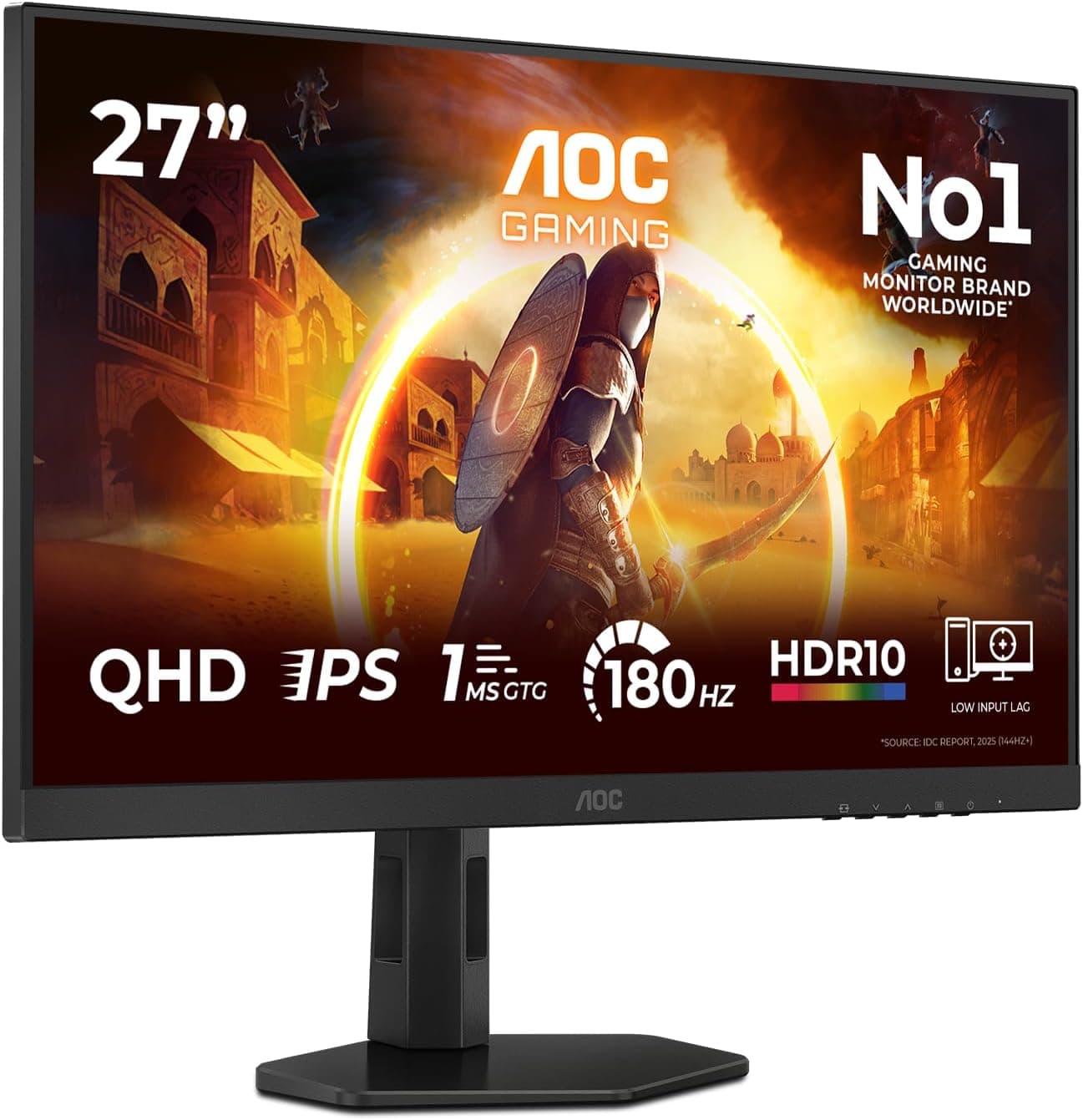
AOC Q27G4XFAD 27 inch WQHD Gaming Monitor 180Hz, Fast IPS Panel, 1ms GtG, HDR10, G-Sync Compatible, Height Adjustment, (2560x1440 HDMI 1x 2.0 DP 1x 1.4) Black
£149.99 · AOC
 8.5 / 10
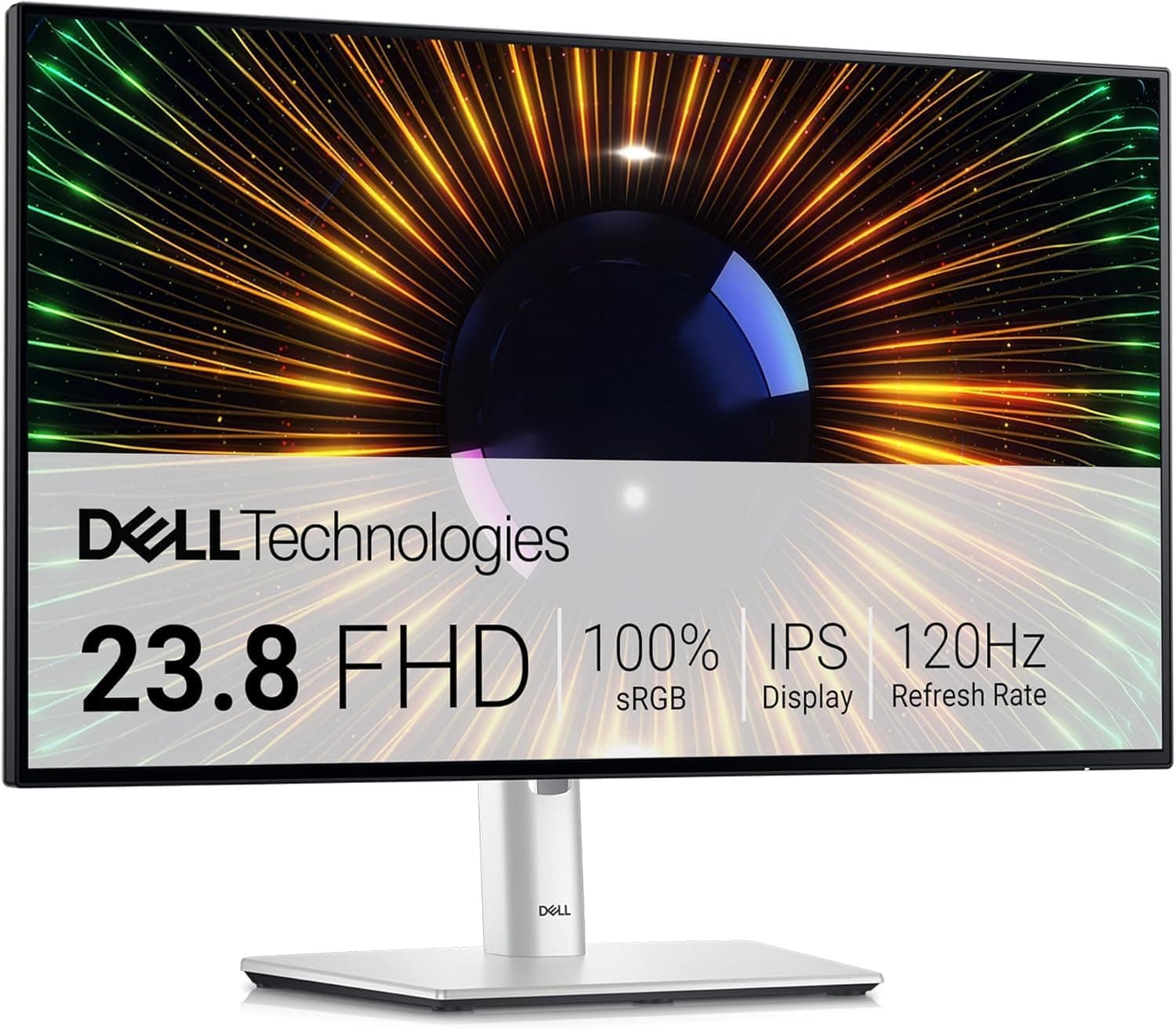
Dell U2424H UltraSharp 24 Inch FHD (1920x1080) Monitor, 120Hz, IPS, 5ms, 98% DCI-P3, 2x USB-C, 2x DisplayPort, HDMI, 3x USB, 3 Year Warranty, Silver
£194.39 · Dell
Frequently asked
5 questions01Is the Philips 27E1N1800AE good for gaming?+
For casual gaming, strategy titles, RPGs, and slower-paced games, it's perfectly adequate. The 4ms GtG response time and IPS panel handle everyday gaming without obvious ghosting. But the 60Hz refresh rate is a real limitation for fast-paced or competitive gaming. If you play shooters or action games where smooth, high-frame-rate motion matters, you'll want a monitor with at least 120Hz, ideally 144Hz or higher. The 27E1N1800AE is a productivity monitor first, and the refresh rate makes that clear.
02Does the Philips 27E1N1800AE have good HDR?+
Honest answer: no, not in any meaningful sense. It supports HDR10 signals, so it won't refuse an HDR input from a console or PC, but the 350 cd/m2 peak brightness and lack of local dimming mean it falls below the VESA DisplayHDR 400 entry-level certification. You won't get the bright highlight pop or deep shadow detail that proper HDR delivers. For SDR content, the panel looks great. For HDR, manage expectations accordingly.
03Is the Philips 27E1N1800AE good for content creation?+
For general content creation, photo editing for web, and video work intended for online platforms, the 99% sRGB coverage is solid and the 4K resolution gives you plenty of screen real estate. DCI-P3 coverage is not explicitly specified, so professional video colourists who need verified wide-gamut accuracy should look elsewhere. There's no factory calibration report included. For hobbyist photographers and video editors working in sRGB, it's a capable and affordable option.
04What graphics card do I need for the Philips 27E1N1800AE?+
To drive 4K at 60Hz, you need a GPU with a DisplayPort 1.4 or HDMI 2.0 output. Most discrete GPUs from the last five years support this, including Nvidia GTX 1080 and newer, AMD RX 5700 and newer, and Intel Arc A770. For productivity and content consumption at 60Hz, the GPU demands are modest. If you want to game at 4K, even at 60Hz, you'll need a more capable card such as an RTX 4070 or RX 7800 XT to achieve consistent 60fps in modern titles at full resolution.
05What warranty and returns apply to the Philips 27E1N1800AE?+
Philips typically offers a three-year warranty on its monitors sold in the UK, including a pixel defect policy. For purchases made through Amazon UK, you also get Amazon's standard 30-day return window and the A-to-Z Guarantee for added peace of mind. Check the specific warranty terms on the Philips UK website or the Amazon product listing at the time of purchase, as terms can vary by seller.