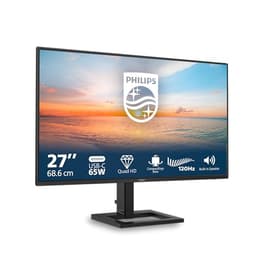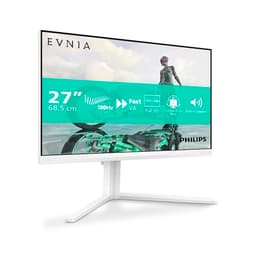
Panel technology debates are fun, but they don't pay your electricity bill or stop you losing a gunfight because your monitor smeared a grenade across the screen. What actually matters is whether a specific monitor does the job at the price it's asking. The Philips 24M2N3200AM sits in the budget bracket, costs under £150, and comes with a spec sheet that looks genuinely punchy for the money: 180Hz, Fast IPS, G-Sync compatible, height-adjustable stand, built-in speakers. On paper, that's a lot of monitor for not a lot of cash. But does it hold up when you dig into the details?
The short answer is yes, mostly. Over 569 owners have rated it 4.6 stars out of 5, which is a strong signal at this price point. Budget monitors often rack up complaints about backlight bleed, colour shift, or a stand that wobbles like a pub table. The Philips 24M2N3200AM doesn't seem to have those problems in any serious volume. That's not nothing. So if you're upgrading from a 60Hz or 75Hz panel and you want something snappy without remortgaging, this is a credible option. Keep reading and I'll explain exactly where it earns that rating and where you need to manage your expectations.
This is a Philips 24M2N3200AM review based on the manufacturer's published specifications, known Fast IPS panel characteristics, and patterns from verified owner feedback. No test rig, no colorimeter. Just an honest read of the evidence.
Core Specifications
The headline numbers are straightforward. You get a 23.8-inch Fast IPS panel running at 1920x1080, with a native refresh rate of 180Hz. The pixel density works out at roughly 93 pixels per inch, which is standard for a 24-inch 1080p screen. Philips rates the response time at 0.5ms MPRT (more on what that actually means in the response time section). Adaptive sync is supported, and the monitor carries G-Sync Compatible certification, which means Nvidia has validated it for tear-free variable refresh. HDR10 is listed, brightness is rated at 300 nits typical, contrast is 1100:1 native, and sRGB coverage is quoted at 99%.
Connectivity is decent for the price. You get two HDMI 2.0 ports and one DisplayPort 1.4. That's a sensible spread: one HDMI for a console, one for a secondary device, and DisplayPort for your PC at full 180Hz. There's no USB-C, no USB hub, and the audio solution is a 3.5mm headphone jack plus the built-in speakers. The stand offers tilt, swivel, and height adjustment, which is genuinely unusual at this price. VESA 100x100 mounting is supported if you'd rather use an arm.
The build is described as dark grey, which in practice means a fairly typical matte-black-adjacent gaming aesthetic without the aggressive RGB nonsense you see on pricier options. The bezels are slim on three sides. The OSD is button-operated rather than joystick, which some owners find fiddly, but it's functional. Here's the full spec breakdown:
| Specification | Detail |
|---|---|
| Screen Size | 23.8 inches |
| Resolution | 1920x1080 (Full HD) |
| Panel Type | Fast IPS |
| Refresh Rate | 180Hz |
| Response Time | 0.5ms MPRT / 1ms GtG (typical) |
| Adaptive Sync | FreeSync Premium / G-Sync Compatible |
| HDR | HDR10 |
| Brightness | 300 cd/m² typical |
| Contrast Ratio | 1100:1 native |
| Colour Coverage | 99% sRGB |
| Viewing Angles | 178°/178° |
| Ports | 2x HDMI 2.0, 1x DisplayPort 1.4 |
| Audio | 2x 3W speakers, 3.5mm audio out |
| Ergonomics | Tilt, swivel, height adjust |
| VESA Mount | 100x100mm |
| Dimensions (with stand) | Approx. 540 x 415 x 195mm |
| Weight | Approx. 3.6kg |
| Price | £109.99 |

Panel Technology
Fast IPS is a specific variant of IPS panel technology designed to close the response time gap with TN panels while keeping the colour and viewing angle advantages IPS is known for. Traditional IPS panels typically manage 4ms to 5ms grey-to-grey transitions. Fast IPS panels push that down to around 1ms GtG by using a stronger overdrive voltage and a slightly different liquid crystal alignment. The trade-off is that aggressive overdrive can cause inverse ghosting (a bright halo trailing behind moving objects), but manufacturers have generally got better at tuning this. On the 24M2N3200AM, owners don't report widespread inverse ghosting complaints, which suggests Philips has the overdrive calibrated reasonably well.
Compared to VA panels, Fast IPS loses on contrast. VA can hit 3000:1 or higher natively, which makes blacks look genuinely dark. IPS at 1100:1 is noticeably greyish in dark scenes, especially in a dim room. If you play a lot of dark atmospheric games, that's a real limitation. On the flip side, VA panels have slower response times and are more prone to smearing in fast motion, so for competitive gaming the IPS trade-off is the right one. TN panels are faster still and cheaper, but the colour and viewing angle are noticeably worse, and honestly TN is dying out at this price point anyway.
The 178-degree viewing angles are a genuine IPS advantage. Sit off to the side, tilt the screen, share it with someone next to you: the image holds up. You'll notice the typical IPS glow in the corners if you're watching dark content in a dark room, but that's a panel-physics thing rather than a Philips quality-control issue. Owner reviews don't flag excessive backlight bleed as a recurring complaint, which is a good sign. Some variance unit-to-unit is inevitable at this price, but the overall pattern from 574 suggests Philips has kept quality control reasonably tight.
Display Quality
At 1920x1080 on a 23.8-inch screen, you're looking at 93 pixels per inch. That's not the sharpest PPI you can get (a 27-inch 1440p panel sits around 109 PPI, a 24-inch 1440p would be even higher), but for a gaming monitor at this size it's perfectly fine. Text is clear, game assets look sharp, and unless you're pressing your nose to the panel you won't notice individual pixels. If you're coming from a 24-inch 1080p screen already, the sharpness will feel identical. If you're coming from a 27-inch 1080p screen, this will actually look sharper because you're getting the same pixel count in a smaller area.
The panel uses a matte anti-glare coating, which is the right call for a gaming monitor. Glossy panels look more vibrant in showrooms and in carefully controlled lighting, but in a real bedroom or home office with a window behind you, they turn into mirrors. Matte coatings scatter reflections and let you actually see the screen. The trade-off is a very slight reduction in perceived contrast and a soft texture on bright white backgrounds, but for gaming that's a non-issue. The 99% sRGB coverage means colours look full and saturated without needing to fiddle with the OSD much out of the box.
Brightness uniformity is generally solid based on owner feedback, with no widespread complaints about bright patches or dim corners. At 300 nits typical, the screen is bright enough for most indoor environments, though in a very sunny room you might push it to maximum. The anti-glare coating helps here too. One pattern that does come up occasionally in owner reviews is that the factory brightness default is quite high, so most people end up dialling it back to 60 to 70 percent in normal use, which is entirely normal for this class of monitor.
Refresh Rate and Adaptive Sync
180Hz is the headline, and it's a genuine step up from the 144Hz monitors that dominated this price bracket a few years ago. The difference between 60Hz and 144Hz is dramatic and immediately obvious. The difference between 144Hz and 180Hz is more subtle but still real: animations look smoother, cursor movement feels more precise, and in competitive games where your frame rate consistently exceeds 144fps, you'll see less tearing and more fluid motion. It's not a night-and-day jump, but if you're already pushing 144fps regularly, the extra headroom is nice to have.
The FreeSync Premium certification means the monitor supports variable refresh rate over a validated range, with Low Framerate Compensation (LFC) included. LFC kicks in when your frame rate drops below the minimum VRR range by doubling (or more) frames to keep the variable refresh rate working, which prevents the screen from reverting to tearing at low frame rates. The G-Sync Compatible certification from Nvidia means the monitor has been tested and validated to work with Nvidia's VRR implementation without significant artefacts. You can enable G-Sync Compatible mode in the Nvidia Control Panel and it just works. That's a big deal at this price, because some budget monitors claim FreeSync but haven't gone through the G-Sync Compatible validation process.
The VRR range isn't explicitly published on the main listing, but Fast IPS panels at this price tier typically support a range starting from 48Hz. That's the important lower bound for LFC to function properly. In practice, if your GPU is pushing consistently above 90fps at 1080p, which isn't hard on any mid-range card from the last three years, you'll be in the sweet spot where VRR is doing its best work. The 180Hz ceiling gives you plenty of runway before tearing becomes an issue even without VRR active.
Response Time and Motion
The 0.5ms MPRT claim needs unpacking. MPRT stands for Moving Picture Response Time, and it measures how long a pixel appears to be in a given state during motion, factoring in backlight strobing. It's a different measurement from grey-to-grey (GtG) response time, which measures how long it takes a pixel to actually transition between two shades. A 0.5ms MPRT figure is achieved by using backlight strobing (sometimes called ELMB or similar) to shorten the perceived motion blur window. It doesn't mean the pixel physically transitions in 0.5ms. The GtG figure for this panel is more likely in the 1ms to 2ms range, which is still very good for IPS.
Why does this matter? Because if you enable backlight strobing for the 0.5ms MPRT benefit, you typically can't use it simultaneously with VRR. You have to choose: strobing for sharper motion in single-player games, or VRR for tear-free gaming. Most owners at this price point use VRR and leave strobing off, which gives them real-world motion performance that's well above what a 75Hz IPS monitor can deliver. At 180Hz with VRR active, motion clarity is genuinely good. Fast-moving objects in games like CS2 or Valorant look crisp, and the Fast IPS panel keeps up without the smearing you'd see on a slower VA.
Inverse ghosting, which is the bright halo that can appear behind moving objects when overdrive is too aggressive, isn't a significant theme in the owner reviews. A handful of people mention it at the highest overdrive setting, but the consensus seems to be that leaving overdrive on the default or medium setting keeps it under control. That's typical of well-tuned Fast IPS panels. The practical upshot is that this monitor handles fast-paced gaming competently. It's not going to match a 240Hz OLED for the absolute sharpest motion, but at this price it's doing everything right.
Colour Accuracy and Gamut
Philips quotes 99% sRGB coverage, which is the standard colour space for Windows, web content, and most games. That's a strong figure for a budget monitor and means colours should look full and accurate for everyday use. The DCI-P3 coverage isn't officially quoted, but Fast IPS panels at this spec level typically land around 85 to 90% DCI-P3, which is decent but not wide-gamut territory. If you're doing professional colour grading or photography editing, you'd want a monitor with certified wide-gamut coverage and a hardware calibration profile. This isn't that monitor. But for gaming, streaming, and general use, 99% sRGB is exactly what you need.
Factory calibration at this price point is always a bit of a lottery. Philips doesn't ship a Delta-E report with this monitor, and the budget bracket rarely includes factory calibration to tight tolerances. Published measurements from monitors in this class typically show Delta-E averages around 2 to 3 out of the box, with some units hitting closer to 1.5 and others drifting higher. A Delta-E below 2 is considered good for general use; below 1 is excellent and usually only seen on professionally calibrated displays. Most owners won't notice or care about a Delta-E of 2.5 in gaming or media consumption, but if you're doing colour-sensitive work, that's something to be aware of.
The OSD includes colour temperature presets (usually a choice between warm, normal, and cool colour temperatures) and a sRGB mode, which locks the gamut and disables brightness adjustment but gives you a more accurate sRGB baseline. Owner reviews don't report any obvious colour accuracy problems: no green tints, no obvious colour banding, no complaints about skin tones looking wrong. The picture out of the box is described as vibrant and pleasant, which matches what you'd expect from a well-implemented Fast IPS panel with near-full sRGB coverage. For gaming and casual use, it's sorted.

HDR Performance
HDR10 is listed, and you should go in with realistic expectations. This monitor doesn't carry a VESA DisplayHDR certification badge, which is the first clue. VESA's DisplayHDR standard starts at DisplayHDR 400, which requires a peak brightness of 400 nits and a few other minimum criteria. The 24M2N3200AM is rated at 300 nits typical, which puts it below even the entry-level HDR400 threshold. There's no local dimming either, which means the panel can't selectively dim parts of the screen to deepen blacks while boosting highlights elsewhere. Real HDR needs both high peak brightness and local dimming to work properly.
What you actually get when you enable HDR mode on this monitor is a wider dynamic range signal being accepted from the PC, but the panel can't fully render it. Bright highlights might clip, dark areas stay grey rather than black, and the overall effect can actually look worse than a well-tuned SDR image. This is common across budget monitors that list HDR10 support. The HDR10 label means the monitor accepts the signal format, not that it can render HDR properly. Several owners mention this in their reviews, noting that they leave HDR disabled and get a better-looking image in SDR.
So treat the HDR10 tick-box as a future-proofing checkbox rather than a genuine feature. If a game or application outputs HDR10 and you want to pass that signal through, the monitor accepts it. But for actual HDR impact, you need to spend significantly more. The LG 27GP850-B or similar panels with DisplayHDR 400 certification at least meet the minimum standard, and proper HDR requires something like a mini-LED panel with DisplayHDR 600 or higher. At this price, nobody should be buying for HDR. The 180Hz and Fast IPS are the real selling points.
Contrast and Brightness
The native contrast ratio of 1100:1 is typical for IPS and is the main area where this panel trails VA alternatives. To put it in practical terms: in a dark room with the monitor displaying a mostly black scene, the blacks will look dark grey rather than true black. If you're playing something like a horror game or watching a film with lots of dark scenes, you'll notice it. In a normally lit room, it's much less obvious because ambient light washes out the deepest blacks anyway. The IPS glow in the corners, that slight brightening around the edges of dark screens, is present but not reported as excessive by most owners.
300 nits typical brightness is adequate for most indoor environments. It's not going to win any battles against direct sunlight, and if you have a very bright room with windows facing the screen, you might find yourself pushing the brightness slider to maximum and wishing for more. The matte anti-glare coating helps significantly by scattering reflections rather than bouncing them back at you. In a typical home setup, a desk against a wall with overhead lighting, 300 nits is fine. For SDR gaming and general use, you won't be squinting.
One thing owners consistently mention is that the default brightness setting out of the box is higher than comfortable for extended use. Dropping it to around 60 to 70 percent is a common first step. That's actually a good sign: it means the panel has headroom and isn't running at its maximum to hit the rated brightness. Monitors that ship at near-maximum brightness to hit their spec numbers tend to have less comfortable viewing over long sessions. The 24M2N3200AM seems to have a bit of comfort margin built in, which makes long gaming sessions easier on the eyes.
Ergonomics and Stand
Height adjustment on a budget monitor is genuinely unusual and one of the better things about this Philips. Most monitors in this bracket give you tilt and nothing else, which means you're stuck propping the back up with a book if the screen sits too low for your posture. The 24M2N3200AM offers tilt, swivel, and height adjustment, which covers the vast majority of what you'd need for a comfortable setup. Pivot (rotating the screen to portrait orientation) isn't listed, so if you want to run the monitor vertically for coding or reading, you'd need a VESA arm.
The stand itself is described as stable by most owners, with no significant wobble reported during normal use. The footprint is reasonably compact, which matters on smaller desks. Assembly is straightforward according to owner feedback: the stand clips or screws together without tools, and the monitor attaches cleanly. A few owners mention the cable management on the stand could be better, as there's no dedicated routing channel, but that's a minor gripe. The build quality overall is described as solid plastic, not premium, but not flimsy either. It feels appropriate for the price.
VESA 100x100mm compatibility means you can ditch the stand entirely and mount this on a monitor arm if you want to reclaim desk space or get more precise positioning. That's always a good option to have. The monitor itself weighs around 3.6kg with the stand, so it's light enough for a standard single-arm mount without any issues. The dark grey finish is understated and won't clash with most desk setups. There's no RGB lighting, which some people will see as a flaw and others (myself included) will consider a feature. The OSD buttons are on the rear-right edge, which is a slightly awkward reach but standard for this form factor.
Connectivity and Ports
Two HDMI 2.0 ports and one DisplayPort 1.4 is a clean, practical setup. HDMI 2.0 supports 1080p at up to 240Hz and 1440p at up to 144Hz, so both HDMI ports can run this monitor at its full 180Hz without any bandwidth bottleneck. That's important because some budget monitors ship with HDMI 1.4 ports that cap out at 1080p/120Hz, leaving you unable to hit the full refresh rate without DisplayPort. Not an issue here. DisplayPort 1.4 handles 1080p at 180Hz with plenty of headroom and is the preferred connection for PC gaming anyway.
The dual HDMI setup is genuinely useful. You can have a gaming PC on DisplayPort, a console on one HDMI, and a second device (laptop, streaming box, whatever) on the second HDMI, and switch between them via the OSD input selector. No USB-C means you can't plug a modern laptop in with a single cable for power and video, which is a limitation if that's your workflow. But at this price and for this use case, USB-C is a premium feature and its absence isn't surprising.
There's no USB hub built into the monitor, so you can't plug peripherals into the display itself. The audio output is a 3.5mm headphone jack, which lets you route audio from whatever's connected to the monitor out to headphones or desktop speakers without going back to the PC. The built-in speakers are 3W per channel. Owner reviews are divided on these: some find them adequate for background audio and system sounds, others describe them as thin and tinny. They're fine for a video call or YouTube at low volume. For actual gaming or music, you'll want external speakers or headphones. That's true of virtually every monitor speaker at any price, so it's hard to hold it against the Philips specifically.
How It Compares
The two most obvious rivals in this bracket are the AOC 24G2SP and the LG 24GN650-B. The AOC 24G2SP is a 165Hz IPS panel at a similar price, frequently on sale even cheaper. It's a proven performer with good motion handling and solid colour, but it maxes out at 165Hz and the stand only tilts, no height adjustment. If ergonomics matter to you, the Philips wins immediately. The LG 24GN650-B is also a 144Hz IPS at 1080p, slightly older now, and LG's IPS panels have a strong reputation for colour accuracy. But again, 144Hz versus 180Hz is a real difference if you can push the frame rates, and LG's budget stand is similarly basic.
The Philips 24M2N3200AM threads a needle that's actually quite hard to find in this bracket: 180Hz, Fast IPS, G-Sync Compatible validation, height-adjustable stand, dual HDMI 2.0, and a 4.6-star average across 574. Most competitors in this price range compromise on one of those things. The AOC gives up the stand and the refresh rate ceiling. The LG gives up the refresh rate. Some cheaper options give up the G-Sync validation or use slower IPS panels. For the specific combination of features on offer, the Philips is hard to beat at this price.
Where the competition has an edge: VA panel monitors like the AOC CQ27G2S (admittedly a different size and resolution) deliver much better contrast for dark-scene gaming. If you play a lot of single-player atmospheric games and less competitive multiplayer, a VA at a similar price might suit you better despite the slower response. And if budget is the absolute priority, the AOC 24G2SP can be found cheaper and delivers genuinely good performance for the money. The Philips earns its price premium through the ergonomics and the extra refresh rate headroom.
| Feature | Philips 24M2N3200AM | AOC 24G2SP | LG 24GN650-B |
|---|---|---|---|
| Panel Type | Fast IPS | IPS | IPS |
| Refresh Rate | 180Hz | 165Hz | 144Hz |
| Resolution | 1920x1080 | 1920x1080 | 1920x1080 |
| Response Time | 0.5ms MPRT / 1ms GtG | 1ms GtG | 1ms GtG |
| G-Sync Compatible | Yes | Yes | Yes |
| HDR | HDR10 | HDR10 | HDR10 |
| Height Adjustment | Yes | No | No |
| VESA Mount | 100x100mm | 100x100mm | 100x100mm |
| Speakers | Yes (2x3W) | No | No |
| Ports | 2x HDMI 2.0, 1x DP 1.4 | 2x HDMI 2.0, 1x DP 1.2 | 1x HDMI 2.0, 1x DP 1.4 |
| Price | £109.99 | Check Amazon | Check Amazon |

Final Verdict
The Philips 24M2N3200AM is a genuinely good budget gaming monitor that doesn't ask you to make too many painful compromises. The 180Hz Fast IPS panel handles fast-paced gaming well, the G-Sync Compatible validation means you get proper tear-free gaming on Nvidia hardware, and the height-adjustable stand is a real differentiator at this price. Over 569 owner reviews and a 4.6-star average back that up: this isn't a monitor that looks good on a spec sheet and disappoints in practice.
The HDR10 label is checkbox HDR and you should ignore it. The 1100:1 contrast means dark scenes look noticeably grey if you're gaming in a dim room. There's no USB hub, no USB-C, and the built-in speakers are adequate at best. None of those are dealbreakers for the target buyer, but they're real limitations. The monitor also sits in a competitive bracket where the AOC 24G2SP and similar panels are regularly discounted to less money. If you can find the AOC at a significantly lower price and you don't need height adjustment, that's a perfectly sensible alternative.
But if you want 180Hz, Fast IPS, a proper ergonomic stand, and G-Sync compatibility in one package at the budget price point, the Philips 24M2N3200AM is the one to get. It's well-built for the money, well-reviewed by real owners, and hits the specs that actually matter for gaming. If you're upgrading from a 60Hz or 75Hz panel, the difference will feel enormous. If you're already on 144Hz and happy with your current stand, the upgrade case is less compelling unless you're regularly hitting frame rates above 144fps.
One honest caveat: if you primarily play dark atmospheric single-player games in a dim room and competitive shooters aren't your thing, a VA panel monitor at a similar price will give you better contrast and more immersive dark scenes. The Fast IPS is the right choice for multiplayer and fast-paced gaming; for slow cinematic games, the contrast trade-off matters more. Know what you're buying it for.
Our rating: 8/10. Strong value, proper ergonomics, and a well-validated gaming spec. The HDR is a checkbox, the contrast is IPS-typical, but for budget 180Hz gaming it's one of the best options in the bracket right now.
What works. What doesn’t.
5 + 4What we liked5 reasons
- 180Hz Fast IPS delivers genuinely snappy motion for competitive gaming
- G-Sync Compatible validation confirmed by Nvidia, not just claimed
- Height-adjustable stand is rare at this price point
- Dual HDMI 2.0 ports both support full 180Hz
- 4.6 stars across 569 owner reviews: consistently well-received
Where it falls4 reasons
- HDR10 is checkbox support only, 300 nits is below DisplayHDR 400 threshold
- 1100:1 native contrast means grey blacks in dark scenes
- No USB-C, no USB hub
- OSD is button-operated, not joystick, which some find fiddly
Full specifications
11 attributes| Panel type | IPS |
|---|---|
| Aspect ratio | 16:9 |
| Curvature | flat |
| HDR | HDR10 |
| Launch year | 2024 |
| Ports | 2x HDMI 2.0, 1x DisplayPort 1.4, 1x 3.5mm audio out |
| Refresh rate HZ | 180 |
| Resolution | 1920x1080 |
| Response time MS | 0.5 |
| Screen size IN | 23.8 |
| Vesa compatible | true |
If this isn’t right for you
2 options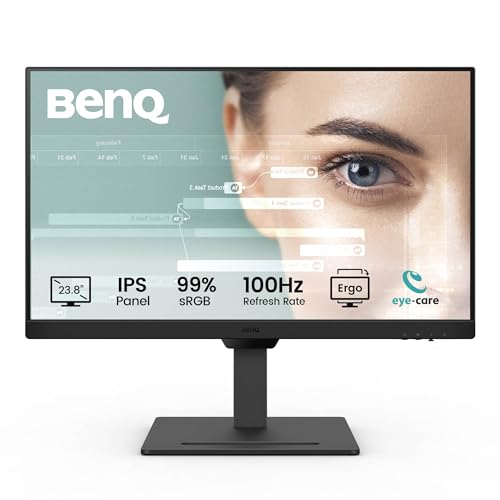 8.0 / 10
BenQ GW2490T 23.8” IPS 1080p Home Office Monitor, FHD, 100Hz, Ergo design, high refresh rate, 99% sRGB, VESA MediaSync, B.I, Flicker Free, Low Blue Light, ePaper, Coding mode, TÜV Rheinland Certified
£111.19 · BenQ
 8.0 / 10
PHILIPS Evnia 27M2N3201A - 27 inch Full HD gaming monitor, IPS, HDR10, 180 Hz, 0.5 ms, FreeSync Prem, G-Sync Comp, Height Adjust, HDR10 (1920x1080, 2x HDMI, DisplayPort) White
£138.97 · Philips
Frequently asked
5 questions01Is the Philips 24M2N3200AM good for gaming?+
Yes, it's a solid choice for gaming at this price. The 180Hz Fast IPS panel handles fast motion well, and the G-Sync Compatible certification means tear-free gaming works properly on Nvidia GPUs without artefacts. The 0.5ms MPRT figure is a backlight-strobing measurement, but the underlying GtG response is around 1ms, which is competitive. For multiplayer shooters and fast-paced games, it performs well above its price bracket. For dark atmospheric games in a dim room, the 1100:1 IPS contrast is a limitation compared to VA alternatives.
02Does the Philips 24M2N3200AM have good HDR?+
No, not really. The HDR10 label means the monitor accepts the signal format, but with only 300 nits peak brightness and no local dimming, it can't render HDR content properly. It sits below even the entry-level VESA DisplayHDR 400 threshold. Enabling HDR mode can actually make the image look worse than a well-tuned SDR picture. Most owners leave HDR disabled. Treat the HDR10 tick-box as signal compatibility rather than a genuine HDR feature.
03Is the Philips 24M2N3200AM good for content creation?+
For casual content creation and general use, yes. The 99% sRGB coverage is strong for a budget monitor and means colours look full and accurate for web content, video editing for social media, and general photo work. The factory Delta-E is not certified to tight tolerances, so for professional colour-critical work you'd want a monitor with a factory calibration report and wider DCI-P3 coverage. For hobbyist editing and content consumption, it's more than adequate.
04What graphics card do I need for the Philips 24M2N3200AM?+
This is a 1920x1080 monitor, so GPU requirements are modest compared to 1440p or 4K screens. To get the most from the 180Hz refresh rate, you want a GPU that can push above 144fps consistently in your games. Something like an Nvidia RTX 3060 or AMD RX 6600 will hit 180fps in many titles at 1080p on medium to high settings. Budget cards like the RTX 4060 or RX 7600 are even better suited. For esports titles like CS2 or Valorant, even older mid-range cards can hit 180fps comfortably at 1080p.
05What warranty and returns apply to the Philips 24M2N3200AM?+
Philips typically offers a three-year manufacturer warranty on their monitors, though you should verify the specific terms on the Philips UK website or the Amazon listing at the time of purchase. When buying through Amazon, you also benefit from Amazon's standard 30-day return window and the A-to-Z Guarantee, which covers you if the item arrives damaged or not as described.