Bad Wi-Fi coverage doesn't just slow things down. It kills the video call in the spare room, tanks the console in the back bedroom, and gets blamed on the broadband provider when the actual problem is a router that can't reach past two walls. The Linksys MR7350 is pitched squarely at fixing that, and at the mid-range price point it's asking, it had better do exactly that.
So here's the verdict upfront: the Linksys MR7350 Dual Band Mesh WiFi 6 Router is a solid, sensible upgrade for anyone stuck on an ISP-supplied box or an ageing Wi-Fi 5 router. It won't blow the doors off anything, and there are real trade-offs to know about before you buy. But for a typical two-storey UK home with a busy mix of devices, it does the job it's sold to do, and the positive overall rating across hundreds of owner reviews backs that up. Read on for the full picture.
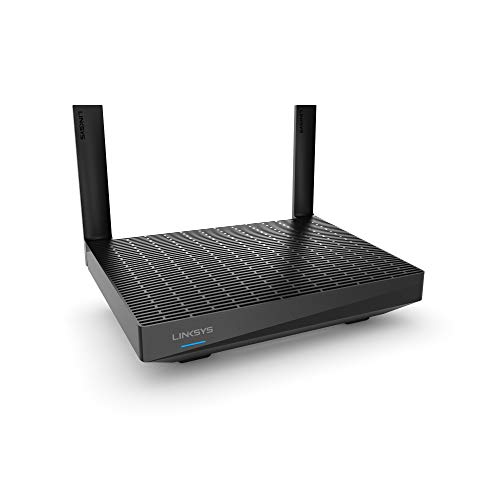
This is a Wi-Fi 6 AX1800 router, which means it's dual-band (2.4GHz and 5GHz), rated to a combined theoretical maximum of 1800Mbps, and it supports the Linksys Velop mesh system if you want to add nodes later. It's not a mesh kit in the box by default. It's a single router that can be expanded. That distinction matters, and we'll get into it properly below.
Core Specifications: Linksys MR7350 Dual Band Mesh WiFi 6 Router
The MR7350 is built on a dual-band Wi-Fi 6 (802.11ax) platform. The 2.4GHz band tops out at a theoretical 300Mbps and the 5GHz band at 1201Mbps, giving you that headline AX1800 figure. In practice, those numbers are measured at arm's length from the router with no walls, no interference, and no other devices on the network. Nobody gets them in a real home. What actually matters is what holds up at range and under load, which we'll cover in the next sections.
Internally, it's running a quad-core 717MHz processor with 256MB of RAM. That's meaningfully more capable than the single or dual-core chips in budget routers, and it's one reason this unit handles concurrent connections better than cheaper alternatives. Four internal antennas handle the radio side, and the router supports MU-MIMO (multi-user, multiple input, multiple output) and OFDMA (orthogonal frequency division multiple access). In plain English: it can talk to multiple devices at the same time rather than queuing them up, which makes a real difference in a home with twenty-plus clients all wanting attention simultaneously.
On the physical side, you get one Gigabit WAN port and four Gigabit LAN ports, which is a decent spread for wired devices. No 2.5GbE here, so if you're on a multi-gig broadband connection you'll hit a ceiling at around 940Mbps wired. For most UK broadband speeds that's not a problem yet. There's no USB port on this model, so no NAS or printer sharing from the router itself. Setup and management are handled through the Linksys app, which we'll assess properly in the firmware section.
| Specification | Detail |
|---|---|
| Wi-Fi Standard | Wi-Fi 6 (802.11ax) |
| Band Layout | Dual-band (2.4GHz + 5GHz) |
| Maximum Theoretical Speed | AX1800 (300Mbps + 1201Mbps) |
| Processor | Quad-core 717MHz |
| RAM | 256MB |
| Antennas | 4 internal |
| MU-MIMO | Yes |
| OFDMA | Yes |
| WAN Port | 1x Gigabit Ethernet |
| LAN Ports | 4x Gigabit Ethernet |
| USB | None |
| Mesh Compatibility | Linksys Velop system |
| Coverage Rating (Manufacturer) | Up to 2,000 sq ft (approx. 185 sq m) |
| Management | Linksys app (iOS/Android) |
| Price | £99.99 · Details |
Real-World Coverage: What the Linksys MR7350 Dual Band Mesh WiFi 6 Router Actually Reaches
Linksys rates the MR7350 for up to 2,000 square feet. That's roughly 185 square metres, which maps to a decent-sized three-bedroom semi or a smaller detached house. As always with manufacturer coverage claims, treat that as the best possible case: single floor, open plan, no thick stone walls, no competing signals from neighbours. Real UK homes, especially anything Victorian or 1930s with solid internal walls, will see that figure shrink. Owner reports consistently place it as comfortable for a two-storey three-bed with standard plasterboard walls, but more marginal in older properties with brick party walls or concrete floors between storeys.
What owners generally report is strong signal through the ground floor and into the first floor, with the 5GHz band holding up well in adjacent rooms. Where things get spottier is the far end of a long house, the garden, or a room two floors up from the router. Several owners in the review pool specifically mention the signal dropping off in a back bedroom or losing the 5GHz band and falling back to 2.4GHz by the time you're at the far end of the property. That's not unusual for a single router at this price point. It's just worth being honest about.
The 2.4GHz band, slower but better at punching through walls, is what keeps smart home devices and IoT kit connected at range. The 5GHz band is where you'll get the throughput for streaming and gaming, but it doesn't travel as far. For a compact flat or a small terraced house, the MR7350 placed centrally should cover the whole property without drama. For a larger detached or a home with awkward layout, you'll want to think seriously about adding a Velop node to fill the gaps rather than expecting one router to do everything.
Sustained Speed Under Load
The AX1800 headline is a combined theoretical maximum across both bands. Nobody's getting 1800Mbps to their phone. What you realistically see on the 5GHz band at close range, on a Wi-Fi 6 device, is somewhere in the several-hundred-Mbps territory, and that drops as you move away from the router and as more devices compete for bandwidth. Owner reports bear this out: people on 500Mbps or gigabit broadband connections consistently report getting strong speeds near the router, with a noticeable but not catastrophic drop further away.
The quad-core processor and 256MB of RAM are genuinely useful here. Budget routers with underpowered single-core chips start struggling when you've got fifteen devices active at once, and you'll see latency spike even on lightly loaded connections. The MR7350 handles a busy home network more gracefully than that. Owners with streaming, gaming, and smart home devices all running simultaneously report it holding up without the kind of slowdowns that plague cheaper kit. That said, it's not immune to congestion. A few owners note performance dipping during peak evening hours when everyone in the house is online at once, which is just the reality of a dual-band router without a dedicated backhaul channel.
Buffer bloat, the tendency for routers to queue packets badly and spike latency during heavy downloads, is a known issue with consumer routers. The MR7350 includes basic QoS (quality of service) controls through the app, which help prioritise traffic. Owners who've used the QoS features report it makes a noticeable difference for gaming and video calls when someone else is hammering a download. It's not as granular as the adaptive QoS on some Asus routers, but it's functional and accessible to non-technical users through the app rather than buried in a web interface.
Mesh and Backhaul: What You're Actually Getting
This is where you need to be clear-eyed about what the MR7350 is. It's a single router that's compatible with the Linksys Velop mesh networking system. Out of the box, it's just a router. If you add Velop nodes wirelessly, those nodes communicate with the MR7350 over the 5GHz band, which means the backhaul (the link between the router and its satellite nodes) shares the same radio channel as your client devices. That's a shared backhaul setup, and it costs you usable bandwidth.
In a dedicated-backhaul tri-band mesh system, one radio band is reserved purely for the router-to-node link, leaving the other bands fully available for your devices. The MR7350 can't do that on its own because it's dual-band. This is a real limitation if you're planning a multi-node setup and you want to preserve throughput at the satellite nodes. The workaround is wired backhaul: if you can run an Ethernet cable from the MR7350 to a Velop node, the wireless bands are freed up entirely for client devices and you get proper mesh performance. Owners who've done this report noticeably better speeds at the satellite nodes compared to wireless backhaul.
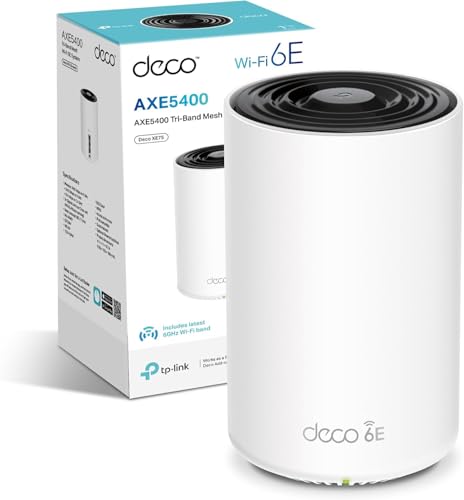
If you're using the MR7350 as a standalone router, none of this matters. And for most people buying this as a single router to replace their ISP-supplied box, that's exactly the use case. But if your plan is to build a whole-home mesh system and you want the best possible throughput at satellite nodes, you should know that a tri-band mesh system with dedicated backhaul (like the Linksys Velop MX5300 or a competing TP-Link Deco XE75) will outperform a wireless MR7350 plus nodes setup. The MR7350 is the budget-friendly entry point to the Velop ecosystem, not the performance ceiling of it.
Device Capacity: How Many Clients Before It Struggles
Modern homes have a lot of connected devices. Two phones, two laptops, a smart TV, a games console, a tablet, a couple of smart speakers, a doorbell, some smart bulbs, a thermostat, maybe a few smart plugs. That's easily twenty to thirty clients before anyone's even turned on the work laptop. The question is whether the router can handle all of them simultaneously without the network turning into a queue.
The MR7350's MU-MIMO and OFDMA support are the relevant specs here. MU-MIMO lets the router talk to multiple devices at the same time (rather than one at a time, which is what older Wi-Fi 5 routers do). OFDMA goes further by subdividing each channel into smaller sub-channels, so multiple devices can share a single transmission window. Together, these features meaningfully reduce the contention problem in a busy home. Owner feedback from households with twenty-plus devices is generally positive, with people specifically noting that adding more smart home devices doesn't seem to degrade performance for the high-bandwidth stuff like streaming and gaming.
Where it starts showing strain is at the upper end of that device count, particularly with lots of devices trying to do bandwidth-intensive things simultaneously. A few owners with larger families or home offices report occasional slowdowns during peak hours. That's partly the dual-band limitation (a tri-band router can spread load across three radios rather than two) and partly just the reality of a mid-range router. If you're running a home office with multiple people on video calls at the same time as the kids are gaming and streaming, you might find the MR7350 occasionally struggling. For most households, though, it's more than adequate.
Wi-Fi Standard and Future-Proofing: Is Wi-Fi 6 Enough?
Wi-Fi 6 (802.11ax) is the current mainstream standard, and for most UK households buying a router today it's the right call. Wi-Fi 6E adds the 6GHz band, which is less congested and offers better performance in dense environments, but the number of client devices that actually support 6E is still relatively small. Most phones, laptops, and smart home devices sold in the last three years are Wi-Fi 6 or Wi-Fi 5 at most. Paying a significant premium for a Wi-Fi 6E router when your devices can't use the 6GHz band is just buying headroom you won't use for a while.
Wi-Fi 7 (802.11be) is starting to appear in high-end routers and some flagship phones and laptops, but it's very early days for mainstream adoption. The performance gains are real in the right conditions, but those conditions (lots of Wi-Fi 7 clients, low interference, close range) don't describe most homes yet. For anyone whose devices are mostly Wi-Fi 5 or Wi-Fi 6, a Wi-Fi 7 router is significant overkill at this price point, and you'd be paying for compatibility with hardware you don't own yet.
Wi-Fi 6 on the MR7350 is genuinely useful now. The OFDMA and MU-MIMO improvements over Wi-Fi 5 are real and noticeable in a busy home, not just on paper. If you've got a mix of newer smartphones, a Wi-Fi 6 laptop, and a current-gen console, you'll get tangible benefit from those features. The 2.4GHz band keeps older and IoT devices happy. It's a solid standard choice for 2024 to 2026 purchasing, and the MR7350 implements it at a price that makes sense. You're not paying a premium for a standard your devices can't use.

Features and QoS: What's Actually Useful
The MR7350 comes with a reasonable feature set for the price. QoS is available through the Linksys app and lets you prioritise specific devices or types of traffic. It's not the most granular implementation out there, but it's accessible. You can bump the games console up the priority list without needing to understand what DSCP markings are. Owners who've used it for gaming report it does reduce the latency spikes you get when someone else starts a large download, which is the main thing most people want QoS for.
Parental controls are included and managed through the app. You can set schedules, pause internet access per device, and filter content by category. It's competent rather than exceptional. If you need granular content filtering with detailed reporting, you'll want something more sophisticated (or a separate DNS-based filtering service like a Pi-hole). But for keeping a child's tablet offline at bedtime or blocking social media during homework hours, it works. Several parents in the owner reviews specifically mention the parental controls as a reason they chose this router, and the feedback is generally positive.
Guest network support is included, which lets you give visitors internet access without them touching your main network. That's basic hygiene for home security and it's good to see it here, and it's worth pairing with a good VPN if you want an extra privacy layer on your home network and protection on public Wi-Fi when you're away from it. There's no built-in VPN server functionality, so if you want to VPN into your home network remotely, this isn't your router. There's also no advanced firewall configuration or VLAN support for separating IoT devices onto their own network segment. For a mid-range consumer router that's fine, but if you're the sort of person who wants to put all your smart plugs on a separate VLAN from your laptops, you'll need something from the Asus or Netgear Nighthawk range instead.
Firmware, App and Security Updates
The Linksys app is the primary way to set up and manage the MR7350, and owner feedback on it is mixed in an instructive way. Setup gets consistently positive marks: most people report being up and running in under fifteen minutes with no technical knowledge required. Day-to-day use of the app for checking connected devices, adjusting QoS, or managing parental controls is generally described as straightforward. The interface is clean and doesn't bury the useful stuff in sub-menus.
Where it gets less rosy is firmware updates and long-term stability. Some owners report the router needing a reboot every week or two to clear what feels like a memory leak, with speeds gradually degrading before a restart fixes things. This isn't universal, but it's frequent enough in the review pool to be. Linksys has released firmware updates for the MR7350 since launch, which is better than some brands that abandon a model within a year, but the update cadence isn't as aggressive as Asus or Netgear on their higher-end lines. Security patches have been issued, which matters: a router that doesn't get security updates is a router that's slowly becoming a liability on your network.
The app does support automatic firmware updates, which is worth enabling. It means you're not relying on remembering to check for updates manually. Some owners prefer to control when updates happen to avoid unexpected reboots, and the app does let you schedule them. One thing: there's no web interface fallback on the MR7350. If you prefer managing your router through a browser rather than a phone app, this router doesn't give you that option. For most buyers that won't matter, but for anyone who likes granular control or manages their network from a desktop, it's a limitation.
Setup and Management
Setup is straightforward. You connect the MR7350 to your modem or ISP router (in modem mode), download the Linksys app, and follow the on-screen steps. Owner reports consistently describe this as taking ten to fifteen minutes with no gotchas for most broadband connections. PPPoE connections (common with some DSL providers) are supported, and the app walks you through it. The router broadcasts a setup network automatically, so you don't need to find a default IP address or log into a web interface to get started.
Ongoing management through the app covers the basics well: you can see all connected devices, rename them, check signal strength, run a speed test, adjust QoS priorities, manage parental controls, and check for firmware updates. Adding a Velop node to expand coverage is handled through the same app and owners report it's similarly painless. The app is available on both iOS and Android and receives reasonably regular updates. Remote management works too, so you can check on the network or pause a device when you're away from home.
The absence of a web interface is the main management limitation. Power users who want to set static DHCP leases for specific devices, configure port forwarding rules in detail, or tweak advanced wireless settings will find the app's options somewhat limited. Port forwarding is supported through the app, but the interface for it is basic. If you need to run a home server, host game servers, or do anything that requires careful port management, you'll spend more time in the app than you'd like. It's fine for the vast majority of users who just want reliable Wi-Fi and don't want to think about the router at all, which is probably the right audience for this product.
Ports and Connectivity
The MR7350 gives you one Gigabit WAN port and four Gigabit LAN ports. Five ports total is a decent complement for a mid-range router. You can wire up a desktop PC, a NAS, a smart TV, and a games console without needing a separate switch, which is handy. All five ports are standard Gigabit Ethernet, topping out at around 940Mbps in practice. For the vast majority of UK broadband connections, that's not a bottleneck: most people are on connections well below 1Gbps, and even full-gig fibre connections from providers like Hyperoptic or CityFibre are served adequately by Gigabit ports.
Where it becomes relevant is if you're on a multi-gig connection, or if you want to use wired backhaul between the MR7350 and a Velop node and preserve full throughput. A 2.5GbE WAN port would future-proof this router better, and some competitors at similar prices are starting to include one. The MR7350 doesn't. For today's typical UK broadband speeds that's fine. For the next five years as multi-gig connections become more common, it's a limitation to be aware of.
There's no USB port on this model, which rules out connecting a USB hard drive for basic NAS functionality or a USB printer for network sharing. Some buyers specifically want that feature and should know it's absent here. No link aggregation either, so you can't bond two LAN ports together for a 2Gbps wired connection to a NAS or server. Again, that's not something most buyers need, but it's worth stating clearly. What you get is clean, functional, no-frills Gigabit connectivity across five ports, which is exactly right for the target audience.
How It Compares: Linksys MR7350 Dual Band Mesh WiFi 6 Router vs the Competition
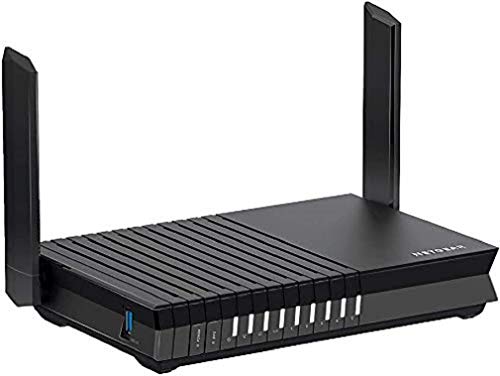
The two most relevant alternatives at this price point are the TP-Link Archer AX23 and the ASUS RT-AX55. All three are dual-band Wi-Fi 6 AX1800 routers in the same mid-range bracket, so the differences come down to processor, features, app quality, and ecosystem.
The TP-Link Archer AX23 is often a few pounds cheaper and has a strong reputation for reliability and a more feature-rich web interface. TP-Link's Tether app is solid, and the AX23 gets consistent firmware updates. It doesn't have the same mesh ecosystem integration as the MR7350, so if you're planning to expand with Velop nodes, the Linksys makes more sense. But as a standalone router, the AX23 is a tough competitor. The ASUS RT-AX55 sits at a similar price and brings ASUS's AiMesh compatibility, more granular QoS through ASUS's interface, and generally better long-term firmware support. ASUS has a strong track record for keeping routers updated. The trade-off is that ASUS's setup is less beginner-friendly than the Linksys app.
Where the MR7350 wins is in setup simplicity and Velop ecosystem compatibility. If you're already in the Linksys Velop world, or you specifically want the easiest possible setup experience, it earns its place. If you're starting fresh and ecosystem lock-in doesn't matter, the ASUS RT-AX55 is worth a look for its better long-term firmware support, and the TP-Link AX23 is if you want the lowest price and a solid web interface.
| Feature | Linksys MR7350 | TP-Link Archer AX23 | ASUS RT-AX55 |
|---|---|---|---|
| Wi-Fi Standard | Wi-Fi 6 (AX1800) | Wi-Fi 6 (AX1800) | Wi-Fi 6 (AX1800) |
| Band Layout | Dual-band | Dual-band | Dual-band |
| MU-MIMO / OFDMA | Yes / Yes | Yes / Yes | Yes / Yes |
| LAN Ports | 4x Gigabit | 4x Gigabit | 4x Gigabit |
| WAN Port | 1x Gigabit | 1x Gigabit | 1x Gigabit |
| USB Port | None | None | None |
| Mesh Ecosystem | Linksys Velop | TP-Link Deco (limited) | ASUS AiMesh |
| Web Interface | No (app only) | Yes | Yes |
| Parental Controls | Yes (app) | Yes (app + HomeCare) | Yes (AiProtection) |
| Firmware Track Record | Moderate | Good | Very good |
| Setup Difficulty | Very easy | Easy | Moderate |
| Price | £99.99 · Details | Check Amazon | Check Amazon |
Final Verdict: Who Should Buy the Linksys MR7350 Dual Band Mesh WiFi 6 Router
The MR7350 is a genuinely good mid-range Wi-Fi 6 router that does what it promises for the right buyer. It's easy to set up, handles a busy home's device load better than budget alternatives, and gives you a credible upgrade path through the Velop mesh system if you need more coverage later. The positive overall rating from hundreds of real owners isn't an accident: this is a product that works well for the people it's designed for.
Those people are: anyone replacing an ISP-supplied router in a two or three-bedroom home, anyone who wants Wi-Fi 6's efficiency benefits without paying for 6E or 7 before their devices can use it, and anyone who wants a simple app-based setup without wrestling with a web interface. If you're in the Linksys Velop ecosystem already, this is an obvious node to add.
Who should skip it? Anyone who wants a web interface for granular control. Anyone planning a large wireless mesh system where shared backhaul will hurt throughput and wired backhaul isn't an option. Anyone in a larger home (four-plus bedrooms, older construction) who'll need more than one router to cover the whole property. And anyone who specifically needs a USB port for NAS or printer sharing.
On value: at the mid-range price it sits at, the MR7350 is fair. It's not the cheapest AX1800 router you can find, but it's not overpriced either. If you want to spend a bit less and don't care about Velop compatibility, the TP-Link Archer AX23 is the sensible alternative. If you want better long-term firmware support and more configuration depth, the ASUS RT-AX55 is worth the marginal extra cost. But if the Linksys app simplicity and Velop expansion path are what you're after, the MR7350 earns a clear recommendation.
Editorial score: 7.5 out of 10. Solid, practical, and honest about what it is. Not trying to be something it isn't.
What works. What doesn’t.
5 + 4What we liked5 reasons
- Very easy app-based setup, typically under 15 minutes
- Quad-core processor handles 20-plus device homes without choking
- Velop mesh ecosystem compatibility for future expansion
- MU-MIMO and OFDMA deliver real efficiency gains over Wi-Fi 5 routers
- Four Gigabit LAN ports for wired devices without needing a separate switch
Where it falls4 reasons
- No web interface, app-only management limits granular control
- Shared backhaul on wireless mesh setups reduces satellite node throughput
- Some owners report gradual speed degradation requiring periodic reboots
- No USB port, no 2.5GbE WAN for future multi-gig connections
Full specifications
7 attributes| Coverage SQM | 185 |
|---|---|
| Launch year | 2020 |
| Mesh capable | true |
| Ports | 1x Gigabit WAN, 4x Gigabit LAN |
| TOP speed mbps | 1800 |
| Type | router |
| Wifi standard | Wi-Fi 6 |
If this isn’t right for you
2 options

Frequently asked
5 questions01Will the Linksys MR7350 Dual Band Mesh WiFi 6 Router cover my whole house?+
Linksys rates the MR7350 for up to 2,000 square feet (roughly 185 square metres), which covers a typical two or three-bedroom semi-detached house in good conditions. Owner reports suggest it handles standard plasterboard-walled properties well on two floors, but older homes with solid brick walls or concrete floors between storeys will see that range shrink noticeably. For a larger detached home or an awkward layout, adding a Velop node is a better plan than expecting one router to cover everything.
02Do I really need Wi-Fi 6E or Wi-Fi 7 instead of the Linksys MR7350's Wi-Fi 6?+
For most UK households right now, no. Wi-Fi 6E adds a 6GHz band that very few current devices can actually use, and Wi-Fi 7 is even earlier in its client device adoption cycle. If your phones, laptops, and consoles are from the last three years, they're likely Wi-Fi 6 or Wi-Fi 5, and the MR7350's Wi-Fi 6 implementation with OFDMA and MU-MIMO gives you real, usable improvements over older routers. Paying significantly more for 6E or 7 is buying headroom you won't use for a while.
03Is the Linksys MR7350 mesh worth it over a single router or range extender?+
The MR7350 is sold as a single router that's compatible with the Linksys Velop mesh system. As a standalone router it competes directly with other AX1800 single-unit routers. If you add Velop nodes wirelessly, those nodes use the 5GHz band for backhaul, which shares bandwidth with your client devices. Wired backhaul between the MR7350 and a node avoids this and gives you proper mesh performance. A traditional range extender is cheaper but creates a separate network and typically halves throughput. Mesh with wired backhaul is the best option for large homes; for smaller properties the MR7350 alone is likely sufficient.
04Is the Linksys MR7350 easy to set up and reliable day to day?+
Setup is one of its strongest points. Owner reports consistently describe getting up and running in ten to fifteen minutes through the Linksys app, with no technical knowledge needed. Day-to-day reliability is generally good, though a subset of owners report the router needing a reboot every week or two as speeds gradually degrade, which suggests a firmware-level memory issue. Enabling automatic firmware updates helps. The app is stable for routine tasks like checking connected devices and managing parental controls.
05What warranty and returns apply to the Linksys MR7350?+
Warranty terms are not confirmed in the verified product listing data. For purchases through Amazon UK, you're covered by Amazon's standard 30-day return window and the A-to-Z Guarantee. For manufacturer warranty details, check the Linksys support pages directly or contact Linksys UK customer support before purchasing if warranty length is important to your decision.