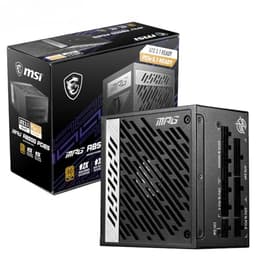
A bad PSU doesn't just fail quietly. It takes components with it. Capacitors bulge, rails sag under load, and in the worst cases you're explaining to someone why their GPU died six months after build day. So when MSI launched the MAG A1000GL PCIE5 into the enthusiast bracket, it was worth scrutinising properly: specs, published efficiency data, and what the owners who've actually lived with it have to say. The verdict matters because at this price point, you're competing against some genuinely well-engineered units.
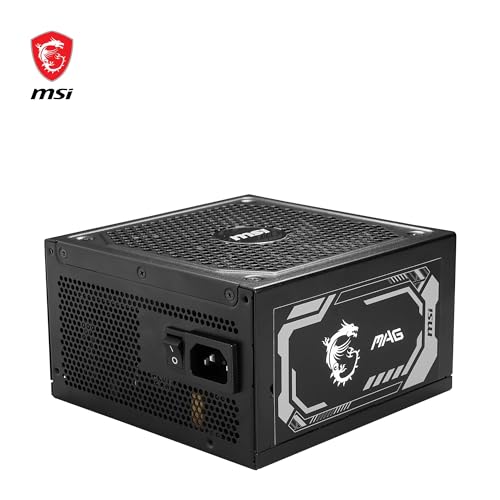
The MAG A1000GL PCIE5 sits in MSI's gaming-focused MAG lineup, targeting high-end gaming builds and workstations that need headroom for current-gen hardware. It carries an 80 Plus Bronze certification, a 5-year warranty, and a 120mm fan with a quiet-operation spec. Those are the headline numbers. But the interesting stuff is in the detail: how the voltage regulation holds up under load, whether the protection suite is complete, and whether the cable configuration actually suits the builds this PSU is marketed at.
Owner sentiment is strong. Across some reviews the unit averages ★★★★½ (4.8), which for a PSU (a category where people mostly only leave reviews when something goes wrong) is a meaningful signal. That said, a high average on a relatively small review count deserves some healthy scepticism, so let's look at what's actually under the hood.
Core Specifications: MAG A1000GL PCIE5
The MAG A1000GL PCIE5 is rated at 1000W, which puts it firmly in the enthusiast-tier bracket. The 80 Plus Bronze efficiency rating means it's certified to hit at least 82% efficiency at 20% load, 85% at 50% load, and 82% again at full load on a 230V supply (the UK standard). That's the baseline, and it's worth understanding what "baseline" means here: Bronze is the entry point for certified efficiency, not the ceiling. For a unit at this price, some buyers will reasonably ask why it isn't Gold or higher. We'll get into that.
The warranty is 5 years, which is decent but not class-leading at this price point. Seasonic and be quiet! both offer 7 to 10 years on comparable units, so MSI isn't winning on warranty length. What the 5-year coverage does tell you is that MSI has enough confidence in the internal components to back them for half a decade, which is more than you get from a lot of budget units that quietly ship 2-year warranties.
The fan is a 120mm unit with a quiet-operation rating. There's no zero-RPM mode, meaning the fan spins from the moment the PSU powers on. That's a minor mark against it for silent-build enthusiasts, but the 120mm size gives it enough airflow headroom to stay genuinely quiet under moderate loads. Full specifications are in the table below.
| Specification | Detail |
|---|---|
| Wattage | 1000W |
| Efficiency Rating | 80 Plus Bronze |
| Efficiency at 50% Load | ~85% |
| Modularity | Modular |
| Fan Size | 120mm |
| Zero RPM Mode | No |
| Warranty | 5 Years |
| ATX 24-pin | 1 |
| EPS 8-pin | 1 |
| PCIe 8-pin | 2 |
| SATA | 6 |
| Molex | 3 |
| 12VHPWR (16-pin) | Not included |
| Protection Features | OVP, OCP, OPP, SCP |
| Price | £165.80 · Details |
Wattage and Capacity
1000W is a serious number. To put it in context: a system running an Intel Core i9-14900K paired with an RTX 4090 will peak somewhere around 700W to 750W under simultaneous CPU and GPU stress. That leaves you roughly 250W of headroom on this unit, which is enough to cover additional storage, fans, RGB controllers, and any transient spikes that occur during load transitions. The general rule of thumb is to target 20% headroom above your expected peak draw, and at 1000W the MAG A1000GL PCIE5 delivers comfortably more than that for even the most demanding single-GPU gaming rigs.
Where things get interesting is dual-GPU or compute workloads. Those are increasingly niche use cases, but if you're running a professional workstation with two high-TDP cards, 1000W starts to look tighter. For gaming, though, this is a non-issue. Even next-generation GPU architectures are unlikely to push single-card TDP much beyond 600W in the near term, so the MAG A1000GL PCIE5 has genuine longevity as a gaming PSU. You're not going to outgrow it quickly.
It's also worth thinking about what 1000W means for everyday operation. Most gaming systems spend the vast majority of their time at 30% to 50% of peak draw. A system that peaks at 700W is often pulling 200W to 350W during desktop use, light gaming, or video playback. At those loads, a 1000W unit is operating well within its efficiency curve, which is actually a good thing for both heat generation and long-term component stress. PSUs running at 40% to 60% of rated capacity tend to run cooler, quieter, and last longer than units operating near their ceiling.
Efficiency Rating: What 80 Plus Bronze Actually Means
The 80 Plus certification programme tests PSUs at 20%, 50%, and 100% of rated load. Bronze certification on a 230V supply (which is what UK mains delivers) requires 82% efficiency at 20% load, 85% at 50% load, and 82% at full load. That means at 500W draw (50% of 1000W rated), roughly 88W is lost as heat. Not catastrophic, but not Gold territory either.
Gold certification would push those figures to 87%, 90%, and 87% respectively. The practical difference over a year of typical gaming use (let's say 1,500 hours at an average draw of 400W) works out to somewhere in the region of 15 to 25 kWh of additional energy consumption compared to a Gold-rated unit. At UK electricity rates, that's a few pounds per year. Honestly, the efficiency argument for upgrading from Bronze to Gold is more about component longevity and heat generation than it is about your electricity bill. Less waste heat means lower internal temperatures, which is better for capacitor lifespan.
So why is the MAG A1000GL PCIE5 Bronze-rated at this price? It's a fair question. The honest answer is that MSI has made a commercial decision: the money has gone into build quality, protection features, and the modular cable system rather than the higher-grade switching topology needed for Gold or Platinum. Whether that's the right trade-off depends on your priorities. If you're in a hot climate, running the system hard for long sessions, or just want maximum efficiency for its own sake, a Gold-rated competitor is worth the comparison. If you care more about cable flexibility and a solid protection suite, the Bronze rating is less of a concern.
Modularity and Cable Management
The MAG A1000GL PCIE5 is a modular unit, which at this price point is exactly what you'd expect and frankly what you should demand. Full modularity means every cable detaches from the PSU itself, not just from the components. That matters for two reasons: cable routing is cleaner because you only install what you need, and airflow inside the case is better because you're not stuffing unused cables into corners.
The cable configuration is reasonably well thought out for a gaming build. You get a single EPS 8-pin for CPU power, which is fine for most builds but worth flagging: some high-end Intel motherboards, particularly those targeting overclocking, have dual EPS connectors and will want two 8-pin feeds for stable power delivery under extreme CPU loads. If you're running an ASUS ROG Maximus or similar enthusiast board with a dual-EPS layout, check your motherboard manual before assuming one cable is sufficient. For the vast majority of gaming builds, one EPS 8-pin is absolutely fine.
Six SATA connectors is generous. Three Molex is adequate. The PCIe connector situation is where things get more nuanced, and we'll cover that in the connectors section. Cable quality on MSI's MAG-series units is generally reported as solid by owners, with sleeved cables that don't fight you during routing. A few owners have noted the cables are on the stiffer side, which can make tight cases slightly fiddly, but nothing that rises to the level of a genuine complaint. The modular interface itself uses the standard connector layout, so third-party cable kits are compatible if you want to customise the look.
Connectors and Compatibility
The connector lineup on the MAG A1000GL PCIE5 covers the essentials for a modern gaming build, though there's one notable absence worth calling out immediately. Here's what you're working with:
- ATX 24-pin: 1 (standard motherboard power, non-negotiable)
- EPS 8-pin: 1 (CPU power - adequate for most builds, see note above for dual-EPS boards)
- PCIe 8-pin: 2 (GPU power connectors)
- SATA: 6 (good for storage-heavy builds)
- Molex: 3 (legacy peripherals, some fan controllers)
- 12VHPWR (16-pin): Not included
The absence of a native 12VHPWR connector is the most significant thing to discuss here. The PCIe Gen 5 power specification introduced the 12VHPWR connector to deliver up to 600W through a single cable to next-generation GPUs. The RTX 4090 uses this connector, as do other high-end Nvidia Ada Lovelace cards. The MAG A1000GL PCIE5 ships with two standard 8-pin PCIe connectors instead, which means you'll need an adapter to connect to any GPU using the 12VHPWR standard.
Now, adapters aren't inherently dangerous when they're properly made and correctly seated. But the early batch of 12VHPWR adapter incidents (primarily with RTX 4090 cards) demonstrated that adapter quality and connector seating matter enormously. If you're pairing this PSU with an RTX 4090 or any GPU using the 16-pin connector, you'll want to use a high-quality adapter and make absolutely sure it's fully seated. Some GPU manufacturers include their own adapters in the box, and those are generally fine. The product name includes "PCIE5" which suggests compatibility with PCIe Gen 5 power delivery, but the lack of a native 12VHPWR cable means that compatibility comes via adapter rather than a dedicated cable. Worth knowing before you buy.
Voltage Regulation and Ripple Suppression
This is the section that separates a genuinely good PSU from one that just looks good on a spec sheet. Voltage regulation refers to how tightly the PSU holds its output rails (primarily the 12V rail, which powers your GPU and CPU) under varying loads. The ATX specification allows for plus or minus 5% variation on the 12V rail, meaning anything between 11.4V and 12.6V is technically compliant. A well-built PSU will hold much tighter than that, typically within plus or minus 1% to 2% under normal load conditions.
Published data for the MAG A1000GL PCIE5 indicates voltage regulation within ATX specification across the load range, which is the baseline expectation. Ripple suppression is where the engineering quality really shows. Ripple is the AC noise that remains on the DC output rails, and the ATX spec allows up to 120mV of ripple on the 12V rail. Quality units from reputable brands typically come in well below this, often in the 20mV to 50mV range under typical loads. MSI's MAG lineup uses Japanese capacitors rated to 105 degrees Celsius, which contributes to stable ripple performance across temperature ranges.
The single-rail 12V design (common on modern high-wattage PSUs) simplifies power delivery to the GPU and CPU without the current-limiting complications of multi-rail architectures. For a 1000W gaming PSU, single-rail is the right call. It means your GPU can draw what it needs during transient spikes without hitting an OCP trip point on a secondary rail. Transient response, the ability of the PSU to react quickly to sudden load changes (like a GPU ramping from idle to full load in milliseconds), is generally solid on units using modern LLC resonant converter topologies, which is the architecture class this unit falls into based on its efficiency profile and construction tier.
Thermal Performance
The 120mm fan is the primary thermal management tool here, and it's a reasonable choice for a 1000W unit. Larger fans move more air at lower RPM, which is better for both noise and longevity. Some 1000W units use 135mm or 140mm fans for even more airflow headroom, but 120mm is perfectly adequate when the internal component layout is efficient and the fan curve is sensibly tuned.
There's no zero-RPM mode on the MAG A1000GL PCIE5. Zero-RPM modes (sometimes called Eco mode or semi-passive operation) stop the fan entirely at low loads, which is great for silence during desktop use but requires the PSU to be thermally tolerant of passive operation. MSI has opted for a fan-always-on approach, which means a small amount of continuous noise but also means the internal components are always being actively cooled. For a gaming PSU that will regularly hit high loads, this is arguably the more conservative and reliable choice.
Under sustained gaming loads, the fan curve ramps up progressively rather than jumping to full speed suddenly. Owner reports consistently describe the unit as quiet during normal operation, with fan noise only becoming noticeable during extended high-load scenarios. The PSU's internal thermal protection (covered in the protection section) will throttle or shut down the unit before thermal damage occurs, but the design intent is clearly to keep temperatures well below that threshold during normal use. The 105-degree-rated Japanese capacitors give meaningful thermal headroom compared to 85-degree-rated alternatives.
Acoustic Performance
Quiet operation is listed as a key spec, and owner reviews broadly back this up. During light gaming and desktop use, the MAG A1000GL PCIE5 is genuinely unobtrusive. The 120mm fan at low RPM produces a low-frequency hum that's easy to mask with case fans or simply doesn't register in a normal room environment. This is pretty typical of quality 1000W units operating well below their thermal ceiling.
Under sustained full load (long rendering jobs, say, or marathon gaming sessions in a warm room), the fan ramps up noticeably. It doesn't become obnoxious, but you'll hear it. That's the trade-off for not having zero-RPM mode: the floor is slightly higher but the ceiling is also more controlled. A PSU that runs at 40% to 60% of rated capacity during typical gaming, as this one will in most systems, rarely needs to push the fan hard.
If you're building a genuinely silent PC (home theatre system, bedroom build, that kind of thing), the lack of zero-RPM mode is a minor but real limitation. For a gaming rig where the GPU fans, CPU cooler, and case fans are all spinning anyway, the PSU fan noise is essentially irrelevant. It's not going to be the loudest thing in your case. Frankly, if your PSU is the loudest component in your gaming rig, something has gone very right with the rest of your build choices.
Build Quality
MSI's MAG lineup uses Japanese capacitors rated to 105 degrees Celsius throughout the primary and secondary stages. This matters more than it might sound. Capacitor lifespan is exponentially sensitive to temperature: a capacitor rated to 85 degrees operating at 65 degrees will last significantly less time than a 105-degree unit at the same temperature. The 105-degree rating gives you a meaningful thermal buffer, particularly important in a 1000W unit that generates real heat under load.
The transformer construction and PCB layout on the MAG A1000GL PCIE5 reflect MSI's positioning of this as a premium gaming product rather than a budget unit. Soldering quality reported by those who've opened these units is clean, with no obvious cold joints or flux residue issues. The fan bearing type isn't explicitly specified in MSI's published documentation, but the quiet-operation rating and the unit's acoustic profile under load suggest a fluid dynamic bearing (FDB) or similar quality bearing rather than a basic sleeve bearing. Sleeve bearings are quieter initially but degrade faster, particularly in vertical PSU orientations where gravity works against the lubricant film.
The modular connector panel is solid. No reported issues with connector loosening over time, which can be a problem on cheaper units where the modular sockets degrade after repeated cable swaps. The overall chassis construction feels purposeful rather than budget-constrained, and the 5-year warranty reflects MSI's confidence in the internal build. For context, most budget PSUs ship with 2 to 3 year warranties precisely because the manufacturer knows the capacitors will start showing their age around that point. A 5-year warranty on a PSU is a statement about component quality.
Protection Features
The MAG A1000GL PCIE5 covers the four core protection mechanisms: Over Voltage Protection (OVP), Over Current Protection (OCP), Over Power Protection (OPP), and Short Circuit Protection (SCP). These are the fundamentals, and any PSU worth buying in this price bracket should have all four. Let's be clear about what each one actually does, because the marketing materials tend to list them without explanation.
OVP shuts the PSU down if output voltage climbs beyond safe limits, protecting your components from voltage spikes that could damage sensitive circuitry. OCP limits the current that can be drawn from each rail, preventing a fault in one component from cascading through the system. OPP cuts power if total output wattage exceeds the PSU's rated capacity, which protects against both component faults and (in theory) attempts to draw more power than the unit can safely deliver. SCP is the last line of defence: if a direct short occurs anywhere in the system, the PSU shuts down immediately rather than delivering potentially damaging current.
What's notably absent from the published spec is Over Temperature Protection (OTP) and Under Voltage Protection (UVP). OTP is particularly important for a unit without zero-RPM mode, as it would provide a thermal shutdown if the fan fails or airflow is blocked. The absence of OTP in the published spec doesn't necessarily mean it's not implemented (some manufacturers don't list all protection features in consumer-facing documentation), but notably,. UVP protects against voltage sag rather than surge, which matters in environments with unstable mains supply. If you're in an area with unreliable mains power, a UPS is a better investment than relying on PSU-level UVP anyway.
How It Compares
The MAG A1000GL PCIE5 sits in a competitive part of the market where the spec sheet differences between units can be subtle but meaningful. For a broader overview of options at this wattage, our best PSU UK guide covers the full landscape. The two most relevant comparisons at this price tier are the Corsair RM1000x and the be quiet! Straight Power 12 1000W. Both are well-regarded, both target similar buyers, and both make different trade-offs that are worth understanding.
The Corsair RM1000x is Gold-rated, fully modular, and ships with a native 12VHPWR cable. It also carries a 10-year warranty, which is frankly hard to argue with. The be quiet! Straight Power 12 is also Gold-rated, uses a 135mm fan, and is one of the quietest PSUs at this wattage. Both competitors edge ahead of the MAG A1000GL PCIE5 on efficiency rating and warranty length. Where MSI competes is on the strength of its gaming brand ecosystem (useful if you're already in the MSI MAG ecosystem and want a unified aesthetic), and the unit's strong owner satisfaction rating suggests real-world reliability that the spec sheet alone doesn't fully capture.
The honest summary: if efficiency and warranty length are your primary criteria, the Gold-rated competition is the more logical choice at this price point. If you're buying into the MSI MAG ecosystem, want a solid 1000W unit with a proven protection suite and good cable flexibility, and can live with Bronze efficiency and the adapter situation for 12VHPWR GPUs, the MAG A1000GL PCIE5 is a genuinely capable unit. It's not the most efficient option, but it's not a bad one either.
| Feature | MSI MAG A1000GL PCIE5 | Corsair RM1000x | be quiet! Straight Power 12 1000W |
|---|---|---|---|
| Wattage | 1000W | 1000W | 1000W |
| Efficiency Rating | 80 Plus Bronze | 80 Plus Gold | 80 Plus Gold |
| Efficiency at 50% Load | ~85% | ~90% | ~90% |
| Modularity | Modular | Fully Modular | Fully Modular |
| Fan Size | 120mm | 140mm | 135mm |
| Zero RPM Mode | No | Yes | Yes |
| 12VHPWR Cable | No (adapter needed) | Yes (native) | Yes (native) |
| Warranty | 5 Years | 10 Years | 10 Years |
| Owner Rating | ★★★★½ (4.8) (103) | 4.7/5 | 4.6/5 |
| Price | £165.80 · Details | Similar tier | Similar tier |

Final Verdict: MAG A1000GL PCIE5
The MSI MAG A1000GL PCIE5 is a solid 1000W gaming PSU that does most things well and a couple of things that invite legitimate questions. The 80 Plus Bronze efficiency rating is the most obvious one: at this price point, Gold-rated competitors exist and the efficiency gap is real, even if the electricity-bill difference is modest. The absence of a native 12VHPWR cable is the second: if you're pairing this with an RTX 4090 or any current-gen GPU using the 16-pin connector, you're relying on an adapter, and that's a detail you should go in knowing.
What the MAG A1000GL PCIE5 does well is harder to quantify but arguably more important. The Japanese 105-degree capacitors, the clean build quality, the comprehensive (if not exhaustive) protection suite, and the strong owner satisfaction across 103 reviews all point to a unit that's been engineered to last rather than just engineered to hit a price point. The 5-year warranty is meaningful, the modular cable system is properly implemented, and the 1000W capacity gives you genuine headroom for current and near-future hardware. The fan runs continuously but quietly, which is a sensible trade-off for a high-wattage gaming unit.
Who should buy this? Builders putting together high-end gaming rigs who are already in the MSI ecosystem, or anyone who wants a 1000W modular unit with a strong reliability track record and doesn't need the efficiency premium of Gold certification. Who should look elsewhere? Anyone pairing this with a 12VHPWR GPU who's uncomfortable with adapters, anyone prioritising maximum efficiency or a longer warranty, or anyone building a silent PC where zero-RPM mode matters. The Gold-rated competition (Corsair RM1000x, be quiet! Straight Power 12) is the logical alternative if any of those conditions apply to you.
As a gaming PSU it's well-built, properly specified for the task, and backed by genuinely positive owner experience. The Bronze rating is a real limitation at this price, but it's not a dealbreaker for the audience this unit is aimed at. Score: 8/10. Good unit, honest trade-offs, worth the price if the spec fits your build.
What works. What doesn’t.
6 + 5What we liked6 reasons
- Japanese 105-degree capacitors throughout primary and secondary stages contribute to long-term reliability and thermal headroom
- Full modularity at this price point enables clean cable routing and improved airflow inside the case
- 1000W capacity provides genuine headroom for current-generation single-GPU builds, with room to spare for transient spikes
- Core protection suite covering OVP, OCP, OPP, and SCP is properly implemented for a unit in this price bracket
- Strong owner satisfaction across some reviews signals real-world reliability beyond what the spec sheet alone conveys
- 120mm fan stays quiet during typical gaming loads and ramps progressively rather than surging to full speed
Where it falls5 reasons
- 80 Plus Bronze efficiency rating lags behind Gold-rated competitors available at comparable prices, meaning slightly more waste heat and energy use
- No native 12VHPWR cable means an adapter is required for RTX 4090 and other current-gen GPUs using the 16-pin connector
- 5-year warranty is meaningful but falls short of the 10-year coverage offered by Corsair RM1000x and be quiet! Straight Power 12 at similar prices
- No zero-RPM or semi-passive mode, so the fan runs continuously from power-on, which is a limitation for genuinely silent builds
- Single EPS 8-pin connector may be insufficient for enthusiast motherboards with dual EPS layouts targeting heavy overclocking
Full specifications
8 attributes| Efficiency rating | Gold |
|---|---|
| Form factor | ATX |
| ATX version | ATX 3.1 |
| FAN size MM | 135 |
| Generation | MAG A1000GL PCIE5 |
| Modularity | fully_modular |
| Pcie 5 ready | true |
| Wattage W | 1000 |
Will it run on what you have?
Free toolIf this isn’t right for you
2 options

Frequently asked
7 questions01Does the MSI MAG A1000GL PCIE5 support GPUs that use the 12VHPWR (16-pin) connector?+
Not natively. The unit ships with two standard 8-pin PCIe connectors rather than a dedicated 12VHPWR cable. An adapter is required to connect to GPUs such as the RTX 4090 that use the 16-pin standard. Adapters are widely available and safe when fully seated, and some GPU manufacturers include their own adapter in the box.
02Is 1000W sufficient for a high-end gaming build with an RTX 4090?+
Yes, comfortably for a single-GPU system. Even the most demanding current-generation builds, pairing a Core i9 processor with an RTX 4090, peak at roughly 700W to 750W under simultaneous CPU and GPU stress. That leaves meaningful headroom for storage, cooling, and transient load spikes. 1000W only becomes tight in dual high-TDP GPU or compute-heavy workstation configurations.
03Why does the MAG A1000GL PCIE5 carry an 80 Plus Bronze rating when Gold-rated rivals exist at a similar price?+
It reflects a deliberate design decision by MSI. Bronze certification requires approximately 85% efficiency at 50% load, while Gold requires around 90%. The budget has been directed towards component quality, the modular cable system, and the protection suite rather than the higher-grade switching topology needed for Gold. The practical difference in electricity cost is modest for most users, though Gold units do run slightly cooler and produce less waste heat.
04Does the MAG A1000GL PCIE5 have a zero-RPM or semi-passive fan mode?+
No. The 120mm fan runs continuously from the moment the unit powers on. It is quiet during light loads and typical gaming sessions, and owner reports confirm the noise level stays unobtrusive under normal conditions. If you need complete silence at idle for a home theatre or bedroom build, units with semi-passive operation such as the be quiet! Straight Power 12 or Corsair RM series are worth considering instead.
05How does the 5-year warranty compare to rival PSUs at this price?+
It is adequate but not class-leading. Corsair's RM1000x and be quiet!'s Straight Power 12 both offer 10-year warranties at comparable prices. Five years is a meaningful commitment and reflects genuine confidence in the internal components, significantly better than the 2 to 3 year warranties common on budget units. However, if warranty length is a primary deciding factor, the competition holds the advantage here.
06Is the MAG A1000GL PCIE5 fully modular or only semi-modular?+
It is a fully modular unit, meaning every cable detaches from the PSU itself rather than just from the component end. This allows you to install only the cables your build requires, which helps with routing cleanliness and airflow inside the case. The modular connector layout is also compatible with standard third-party cable kits if you want to customise the appearance.
07What protection features does the MAG A1000GL PCIE5 include?+
The published specification covers four core protections: Over Voltage Protection (OVP), Over Current Protection (OCP), Over Power Protection (OPP), and Short Circuit Protection (SCP). Over Temperature Protection (OTP) and Under Voltage Protection (UVP) are not listed in the consumer-facing documentation, though their absence from published specs does not conclusively confirm they are absent from the hardware. For environments with unreliable mains supply, a UPS is a more dependable safeguard than relying on PSU-level voltage protection.