Budget laptops live or die on a few things: whether the screen is pleasant to look at, whether the battery gets you through the day, and whether 8GB of memory and a phone-class chip keep up with the tabs you actually open. That's what this review focuses on.
The Lenovo IdeaPad Slim 3 Chromebook sits in a market that's got surprisingly interesting at the budget end. ChromeOS machines have had a bit of a renaissance lately, partly because people have finally accepted that most of what they do lives in a browser anyway, and partly because the hardware has caught up enough to stop feeling like a punishment. Some context: this is a 14-inch machine with a MediaTek chip, 8GB of RAM, and a price tag that keeps it firmly in budget territory. So the question isn't whether it competes with a MacBook Air. The question is whether it's the best use of your money at this end of the market.
Short answer: mostly yes, with a couple of honest caveats. Longer answer: read on.
Where the Lenovo IdeaPad Slim 3 Chromebook Sits in the Market
The Lenovo IdeaPad Slim 3 Chromebook is aimed at anyone wanting a cheap, capable machine for browsing, emails and the odd video call. The sub-£400 category is packed with contenders (Acer, HP, Samsung all want your money). Here I'll cover where it shines, where it frustrates, and who should genuinely consider buying one.
What Lenovo has done here is make some sensible choices and one slightly frustrating one. The sensible choices: 8GB of RAM (not the 4GB you sometimes see at this tier, which is genuinely painful in 2026), 128GB of eMMC storage, WiFi 6 support, and a 14-inch screen. The slightly frustrating one: a TN panel. More on that in the display section. But the overall package, at £299.99, is competitive enough that it deserves a proper look rather than being dismissed as just another cheap Chromebook.

Core Specifications
The MediaTek Kompanio 520 is the processor doing the work here, and it's worth understanding what that actually means before you get excited or disappointed. The Kompanio 520 is an octa-core ARM-based chip, designed specifically for Chromebooks rather than being a general-purpose mobile chip that's been shoehorned in. That matters because ChromeOS is optimised to run efficiently on ARM architecture, which is part of why battery life on these machines tends to be better than the specs suggest it should be. It's not a powerhouse. It won't run demanding Linux apps without complaining. But for browsing, streaming, Google Workspace, and light productivity, it handles things without drama.
The 8GB of RAM is genuinely one of the better decisions Lenovo made here. ChromeOS is efficient, but it's still a browser-based OS, and Chrome tabs are notoriously hungry. With 4GB you'd be constantly feeling the squeeze. With 8GB you can have a reasonable number of tabs open, run a Google Meet call, and have a Docs document going simultaneously without the machine grinding to a halt. It's not luxury headroom, but it's functional headroom, which is what matters at this price. The memory is soldered, so 8GB is what you'll have for the life of the machine.
Storage is 128GB of eMMC. The eMMC part is worth understanding: it's faster than a spinning hard drive but noticeably slower than an NVMe SSD. You'll feel this most when the OS is doing something storage-intensive, like installing updates. Day-to-day, for a Chromebook where most things live in the cloud anyway, 128GB is plenty. And if you need more local storage, there's a microSD slot, which is a genuinely useful addition that some competitors skip. The integrated Arm Mali-G52 GPU handles the graphical side of things, which means video playback and light image editing are fine, but don't expect to run anything GPU-intensive.
| Specification | Detail |
|---|---|
| Processor | MediaTek Kompanio 520 |
| GPU | Arm Mali-G52 2EE MC2 (Integrated GPU) |
| RAM | 8GB LPDDR4X (soldered) |
| Storage | 128GB eMMC |
| Operating System | ChromeOS |
| Screen Size | 14 inches |
| Resolution | 1920x1080 (FHD) |
| Panel Type | TN |
| Brightness | 250 nits |
| WiFi | WiFi 6 |
| Bluetooth | 5.3 |
| Touchscreen | No |
| Ports | 1x USB-C 3.2 Gen 1, 1x USB-A 3.2 Gen 1, 1x 3.5mm audio, 1x microSD, 1x Kensington Nano |
| Battery Life (claimed) | 13.5 hours |
| Battery | 47Wh |
| Charger | 45W USB-C |
| Weight | Around 1.3kg |
| Dimensions | 325.9 x 221.8 x 18.6mm |
| Warranty | 1 year |
| Price | £299.99 |
Performance
The Kompanio 520 sits in the middle of the Chromebook performance stack. It's not as fast as MediaTek's higher-end Kompanio chips in pricier Chromebooks, and it's not as sluggish as the older MediaTek MT8183 chips that were doing the rounds a couple of years ago. What this should translate to is a machine that handles everyday ChromeOS tasks, browsing, Google Docs and Sheets, YouTube and video calls, without fuss.
Where the limits show up is when you push beyond the obvious use cases. Running Android apps from the Play Store works, but heavier Android games will stutter. If you're hoping to use Linux (Crostini) on ChromeOS for development work, the Kompanio 520 will cope with basic terminal work and lightweight tools, but it's not the machine for running a local development environment with multiple services. That's not really the target audience for this laptop, to be fair. But if you're a developer considering a Chromebook as a travel machine, this is probably one tier below where you'd want to be.
The eMMC storage does mean app loading times are a touch slower than you'd get on an NVMe-equipped machine, but ChromeOS boots fast regardless, and day-to-day you won't be staring at loading screens.
One thing worth flagging: the MediaTek Kompanio platform is ARM-based, which means any x86-only software simply won't run. On ChromeOS this rarely matters since almost everything runs through the browser or the Play Store. But it's worth knowing if you had any niche software in mind that requires x86 emulation. For the vast majority of users, it's a non-issue.
Display Analysis
The display is where this laptop gets its most honest criticism, and it's fair criticism. A TN panel in 2026 is a compromise, full stop. TN (Twisted Nematic) technology is older and cheaper than IPS or IPS-like panels, and the trade-offs are real: narrower viewing angles, less accurate colours, and generally a less pleasant image to look at for long periods. The 1920x1080 resolution on a 14-inch screen gives you a pixel density that's perfectly sharp for text and video, so that part's fine. But the TN nature of the panel means that if you're not sitting directly in front of it, colours shift and the image washes out.
The 250-nit brightness is the other honest limitation. Indoors in a normally lit room, it's adequate. Near a window with sunlight coming in, you'll be squinting. Outdoors is basically a write-off unless you're in deep shade. For a machine that's marketed partly on the "wander about all day" pitch, 250 nits is a bit of a mismatch with that vision. Competing Chromebooks at similar prices sometimes offer IPS panels with higher brightness, which is worth knowing if your use case involves a lot of work in bright environments.
Lenovo pitches it for YouTube, and a 1080p screen with front-facing speakers suits that. The screen isn't going to win any awards. But it's functional, and if you're mainly using this in a controlled indoor environment, you'll live with it.
Colour accuracy is not this panel's strong suit. Lenovo rates it at 45% NTSC with a 400:1 contrast ratio, and quotes viewing angles of just 15 degrees upward and 35 degrees downward, which is why tilting the lid changes the picture so much. If you do any photo editing or design work, even casually, you'll notice colours look a bit flat and the viewing angle sensitivity means what you see changes depending on how you're sitting. For everything else, browsing, documents, video calls, streaming, it does the job. Just don't expect to be wowed by it.
Battery Life
Lenovo claims 13.5 hours, which is an ambitious number. Real-world battery life is almost always lower than the manufacturer's figure, but with ChromeOS on ARM silicon, the gap tends to be smaller than it is on Windows machines. The Kompanio 520's efficiency helps here.
Heavy use, lots of video calls, screen brightness turned up, Play Store apps running in the background, will pull that down.
Charging is handled via the USB-C port, which supports Power Delivery 3.0, and Lenovo supplies a 45W USB-C charger. That means you can charge it with any compatible USB-C PD charger, which is genuinely convenient if you're already carrying one for a phone or tablet. The USB-C port also supports DisplayPort 1.1a, so you can run one external monitor from it, though Lenovo caps that at 1920x1080 at 60Hz. A 1440p or 4K monitor will be run at 1080p.
The bottom line on battery: ARM efficiency plus ChromeOS optimisation is a winning combination for longevity. If battery life is a priority, this is one of the reasons to pick this machine over a budget Windows alternative at the same price, where you'd typically be looking at considerably fewer hours.
Portability
A 14-inch Chromebook sits in a sensible sweet spot. It's big enough to actually work on comfortably, unlike the smaller 11 and 12-inch Chromebooks that feel like they're designed for children. And it's not so large that it becomes a burden to carry. The IdeaPad Slim 3 Chromebook fits in most laptop bags and backpacks without drama, and the ARM-based chip means there's no big cooling solution adding bulk, so the chassis stays reasonably slim.
Lenovo puts the weight at around 1.3kg and the dimensions at 325.9 x 221.8 x 18.6mm, which is light enough for daily commuting and travel. A machine like this spends much of its life on café, airport and hotel Wi-Fi, so it's worth pairing it with a good VPN to keep your connection safe on shared networks.
The USB-C charging is a real portability win. You're not carrying a proprietary barrel-connector charger that only works with this one laptop. If you've already got a USB-C PD charger in your bag for other devices, that's one less thing to pack. For anyone who travels regularly or commutes with their laptop, that kind of flexibility matters more than it might seem until the day you leave your charger at home and realise your phone charger will do the job instead.
Keyboard and Trackpad
Lenovo's keyboards have a good reputation across their laptop range, though this isn't the ThinkPad keyboard that Lenovo fans get misty-eyed about. This one is a spill-resistant six-row Chrome layout with UK keys. There's no backlight, so typing in a dim room means relying on the glow from the screen.
The ChromeOS keyboard layout is slightly different from a standard Windows layout, which catches some people out. There's no Caps Lock key in the traditional sense (it's replaced by a Search key), and the function row has ChromeOS-specific shortcuts instead of F1 through F12. If you're coming from Windows, there's a small adjustment period. If you're already a ChromeOS user, it's exactly what you'd expect. The layout is UK-friendly, which matters for British users who've been burned by US layout keyboards in the past.
Budget Chromebook trackpads vary a lot. This one is a buttonless pad with a Mylar surface, and ChromeOS trackpad gestures are genuinely useful once you get used to them.

Thermal Performance
One of the underrated benefits of ARM-based Chromebooks is thermal behaviour. The Kompanio 520 is an efficient chip that doesn't generate the kind of heat that Intel and AMD mobile processors do under load.
It's designed for the kind of workloads ChromeOS users actually run. Push it hard with demanding Android apps or intensive Linux tasks and you might see some performance reduction, but that's an edge case for the target audience.
Acoustic Performance
This is where ARM Chromebooks have a structural advantage over their Windows competition: they're often very quiet. For library work, coffee shop sessions, or meetings where you don't want your laptop announcing itself to everyone nearby, that matters.
For video calls specifically, fan noise can bleed into the microphone and distract whoever you're talking to. Quiet computing is underrated. You notice it most when you go back to a louder machine.
Ports and Connectivity
The port selection is modest but thought-through. You get one USB-C 3.2 Gen 1 port with Power Delivery 3.0 and DisplayPort 1.1a support, one USB-A 3.2 Gen 1 port, a 3.5mm audio jack, a microSD card reader, and a Kensington Nano security slot. That's not a lot of ports in absolute terms, but for a Chromebook at this price, it covers the essentials. The combination of USB-C for charging and display output, USB-A for legacy peripherals, and microSD for storage expansion is a practical set.
WiFi 6 (802.11ax) is a proper upgrade over the WiFi 5 you still find on some budget machines. Faster speeds, better performance in congested environments (offices, coffee shops, anywhere with lots of devices), and improved efficiency. Bluetooth 5.3 handles wireless peripherals and headphones. The absence of a full-size HDMI port is notable, but the USB-C DisplayPort support means you can run an external monitor with a USB-C to HDMI adapter, which most people already have kicking around.
The Kensington Nano security slot is a nice inclusion for anyone using this in a shared workspace or office environment. It's a small thing but it shows Lenovo is thinking about real-world professional use cases rather than just the home market. The camera privacy shutter and dedicated mute mic key are in the same category: practical security and privacy features that cost almost nothing to include but matter to people who care about these things.
- 1x USB-C 3.2 Gen 1 (Power Delivery 3.0, DisplayPort 1.1a)
- 1x USB-A 3.2 Gen 1
- 1x 3.5mm audio jack
- 1x microSD card reader
- 1x Kensington Nano security slot
- WiFi 6 (802.11ax)
- Bluetooth 5.3
Webcam and Audio
The webcam on budget laptops is almost always a weak point. The camera privacy shutter is a genuinely good feature, both for security and for the peace of mind of knowing the camera is physically blocked when you're not using it. Low-light performance won't be impressive, but that's true of virtually every laptop camera at this price tier. If video quality matters to you professionally, an external webcam is the answer regardless of which budget laptop you buy.
The microphone, combined with the dedicated mute key, is practical for calls.
The speakers are tuned by Waves Audio, a real audio technology company with a track record in professional audio processing, and they're front-facing, which is the right place for them on a laptop used mostly for YouTube, music and video calls. They're not going to replace a proper speaker.
Build Quality
The IdeaPad Slim 3 Chromebook is a plastic machine. That's not a criticism at this price point, it's just a fact. It's not going to feel like a premium aluminium machine.
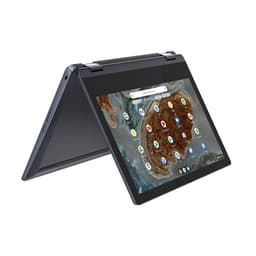
It's a conventional clamshell rather than a 360-degree convertible.
The top and bottom are PC-ABS plastic with a textured paint finish rather than a glossy one, which helps hide fingerprints and smudges. The finish is practical rather than beautiful. It's not ugly, but it's not a machine you'd pull out at a coffee shop to impress anyone.

Final Verdict
The Lenovo IdeaPad Slim 3 Chromebook is a well-considered budget Chromebook that gets most of the important things right. The 8GB of RAM is the right call for 2026. The WiFi 6 support is a genuine upgrade over what competitors sometimes offer. The battery life is strong. And ChromeOS, for users who've accepted that their computing life mostly lives in a browser, is a genuinely good operating system that's fast, secure, and gets out of your way.
The TN display is the weak point. If you spend a lot of time working near windows, or if you share your screen with people sitting at an angle to you, the viewing angle limitations will bother you. The 250-nit brightness is fine indoors but limiting outdoors. These aren't dealbreakers for most users, but they're real compromises that you should go in knowing about. The Lenovo IdeaPad range has always made trade-offs to hit price points, and the display is where this model makes its most visible one.
Who should buy this? Students, home users, anyone who wants a reliable all-day machine for browsing, streaming, video calls, and Google Workspace. People who travel and want good battery life without carrying a power brick everywhere. Anyone who's been burned by a cheap Windows laptop that ran out of steam within a year and wants something that will stay fast because ChromeOS doesn't accumulate the cruft that Windows does over time. The ChromeOS platform also gets regular security updates from Google, which matters for longevity.
Who should skip it? Anyone who needs Microsoft Office desktop apps (the browser versions work but aren't identical), anyone who does photo or video editing that requires colour accuracy, anyone who works primarily outdoors or in very bright environments, and anyone who needs more than light Linux app support. For everyone else, at £299.99 with a ★★★★☆ (4.3) rating from 321 Amazon reviews, this is a solid 7.5 out of 10 for the budget Chromebook tier. The display holds it back from being the easy recommendation it could have been.
What works. What doesn’t.
4 + 6What we liked4 reasons
- 8GB of RAM is the right specification for 2026 and keeps multitasking manageable
- WiFi 6 support, a step up from the WiFi 5 still found on some budget machines
- Front-facing speakers tuned by Waves Audio
- ARM-based chip and ChromeOS optimisation combine for genuinely strong all-day battery life
Where it falls6 reasons
- TN panel produces narrow viewing angles and washed-out colours when not viewed head-on
- 250-nit brightness is adequate indoors but limiting near windows and impractical outdoors
- eMMC storage is noticeably slower than NVMe, which shows during updates and heavier file operations
- Port count is modest, with only one USB-C and one USB-A, and no full-size HDMI
- Android games and intensive Linux development workloads push the Kompanio 520 beyond its comfort zone
- No keyboard backlight
Full specifications
12 attributes| Storage type | eMMC 5.1 |
|---|---|
| Battery life H | 13 |
| Battery WH | 47 |
| Bluetooth | 5.1 |
| CPU | MediaTek Kompanio 520 |
| Display refresh HZ | 60 |
| Display resolution | 1920x1080 |
| Display size IN | 14 |
| GPU | ARM Mali-G52 2EE MC2 integrated |
| Keyboard | non-backlit |
| Launch year | 2023 |
| OS | Chrome OS |
If this isn’t right for you
2 options 8.0 / 10
ASUS Chromebook 14 CX3402CBA 14.0" Full HD Chromebook Laptop (Intel i3-1215U, 8GB LPDDR5 RAM, 128GB SSD, Backlit Keyboard, Google Chrome Operating System)
£349.00 · ASUS
 7.5 / 10
HP Chromebook Plus 14", Intel Core i3 N-series Processor, 8 GB RAM, 256 GB Flash Storage, Intel UHD Graphics, FHD Display, Up to 11hrs battery, Chrome OS, Dual Speakers, Silver, 14a-nf0000sa
£329.00 · HP
Frequently asked
6 questions01Is the Lenovo IdeaPad Slim 3 Chromebook suitable for university work?+
Yes, for the vast majority of university tasks. Browsing, Google Docs, Sheets, Slides, video calls via Google Meet or Zoom, and streaming all run without drama on the Kompanio 520 with 8GB of RAM. If your course requires specific Windows desktop software or intensive creative applications, you would need a Windows machine instead.
02Can you run Microsoft Office on the Lenovo IdeaPad Slim 3 Chromebook?+
You can use the web-based versions of Word, Excel, and PowerPoint through a browser, and Microsoft 365 works well this way for most tasks. The full desktop Office applications are not available on ChromeOS.
03How long does the battery actually last in real-world use?+
Lenovo claims 13.5 hours. Real-world battery life is almost always lower than a manufacturer's figure, and heavy use with video calls, elevated screen brightness, and background apps running will reduce it further.
04Does the TN display make a noticeable difference day to day?+
It depends on your setup. If you sit directly in front of the screen in a normally lit indoor environment, the 1080p resolution looks sharp and the image is perfectly usable. If you work near windows, share your screen with people sitting at an angle, or care about colour accuracy for creative work, the TN panel's limitations become more apparent. Those who work outdoors will find 250 nits insufficient.
05Can you expand the storage on the Lenovo IdeaPad Slim 3 Chromebook?+
Yes. The laptop includes a microSD card reader, which allows you to add local storage relatively cheaply. Since ChromeOS is designed around cloud storage and most files are kept in Google Drive, the built-in 128GB eMMC is sufficient for most users, but the microSD slot provides a useful safety net if you need more local space.
06Is ChromeOS a good operating system for everyday use in 2026?+
For users whose computing life centres on a browser, ChromeOS is genuinely well-suited. It is fast, secure, and receives regular updates from Google without accumulating the performance degradation that can affect Windows over time. It runs Google Workspace, web applications, and Android apps from the Play Store. It is less suitable for anyone who relies on specific Windows desktop software, advanced creative tools, or local development environments.