Best Overall Value
Finding a decent Lenovo laptop under £750 sounds simple until you're staring at a dozen model numbers that all look nearly identical. IdeaPad, ThinkPad, Yoga, Slim: the naming alone is enough to put you off. That's where this guide comes in. We've compared eleven Lenovo laptops that genuinely earn their place under the £750 mark as of September 2026, weighing build quality, battery life, screen and real-world performance rather than spec-sheet noise. Some are brilliant for students. Others suit anyone working from home or juggling a bit of light creative work. Below you'll find each one ranked, with honest notes on where it shines and where it cuts corners, so you can pick the right machine without second-guessing yourself.
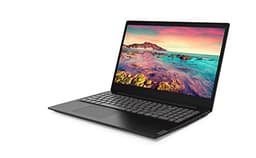
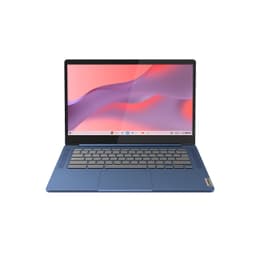
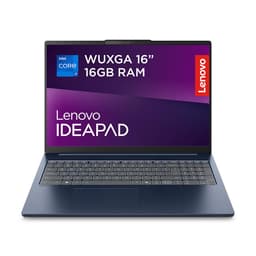
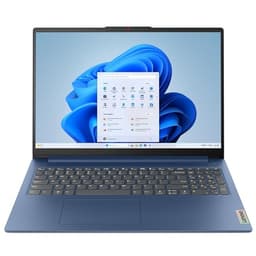
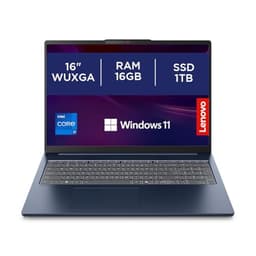
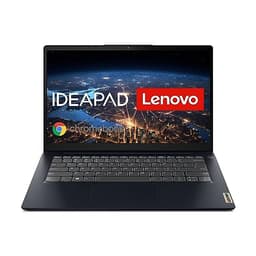
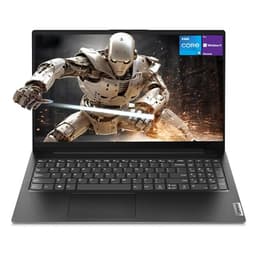
This is the one. If you're searching for the best Lenovo laptops under £750 UK 2026 and want a single recommendation that covers most people's needs, the IdeaPad Slim 3 with the i5-12450H is it. The processor is a proper 12th-gen Intel chip with eight cores, not a watered-down mobile variant. Paired with 16GB of RAM and a 512GB SSD, it handles everything from spreadsheets and video calls to light photo editing without complaint.
The 14-inch Full HD display is sharp and comfortable for long sessions. It's not a colour-accurate panel for professional creative work, but for everyday use it looks proper decent. The Abyss Blue finish is understated and the build feels solid without being heavy. Battery life sits around 7 to 9 hours in real use, which is enough to get through a full working day.
Windows 11 Home ships without S mode restrictions here, which is a genuine relief compared to some of the other models in this lineup. You can install whatever software you need straight out of the box. That alone puts it ahead of several cheaper alternatives.
Look, at this price point you're not getting a premium aluminium chassis or a 120Hz display. The speakers are average and the webcam is basic. But for the money, the combination of a modern processor, generous RAM, and fast SSD storage is hard to argue with. This is the laptop most people should buy.
Pros
- Modern 12th-gen Intel Core i5 processor
- 16GB RAM handles multitasking well
- 512GB SSD is fast and spacious
- Full Windows 11 Home, no S mode restrictions
- Good battery life for all-day use
Cons
- Display isn't colour-accurate for creative professionals
- Webcam quality is basic
- Speakers are average at best
- Plastic build, not premium feel
Buy on Amazon
Best Build Quality
★★★★☆ (4.4)
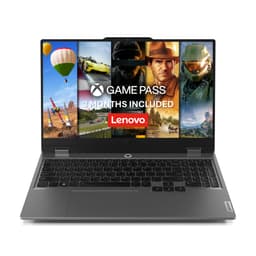
The Lenovo LOQ is the only laptop in this entire roundup with a dedicated graphics card. That matters a lot if gaming is anywhere on your list. The NVIDIA GeForce RTX 3050 isn't a powerhouse by 2026 standards, but it handles 1080p gaming in popular titles like Fortnite, Minecraft, and older AAA games at medium to high settings without much fuss.
The specs are genuinely impressive for the price. Twenty-four gigabytes of RAM is more than most laptops twice the cost, and the 1TB SSD gives you room for a proper game library. The i5-12450HX is the high-performance variant of the 12th-gen chip, designed specifically for gaming laptops with higher thermal headroom.
Build quality is the best in this lineup. The LOQ feels noticeably more solid than the IdeaPad range, with a sturdier hinge and a chassis that doesn't flex when you pick it up. The 15.6-inch FHD display has decent colour reproduction and the 144Hz refresh rate (where available) makes gaming feel smooth. Lenovo's Coldfront cooling does its job, though the fans do spin up audibly under load.
Battery life takes a hit, as it always does with gaming laptops. Expect 4 to 6 hours on light tasks and much less when gaming. It's also heavier than the IdeaPad models. But if you want the best-built Lenovo under £750 that can actually run games, this is it.
Pros
- RTX 3050 GPU for genuine 1080p gaming
- 24GB RAM is exceptional at this price
- 1TB SSD storage
- Best build quality in this roundup
- High-performance i5-12450HX processor
Cons
- Battery life suffers under gaming load
- Heavier than standard laptops
- Fans are audible during demanding tasks
- RTX 3050 is entry-level by 2026 gaming standards
Buy on Amazon
Best for Beginners
★★★★☆ (4.1)
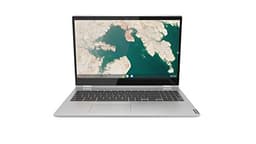
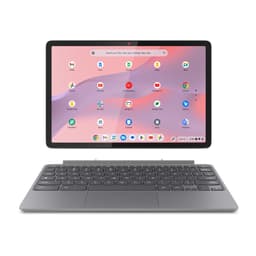
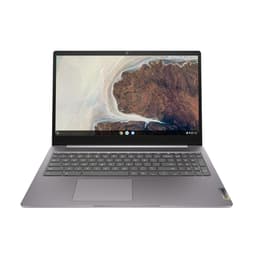
The Chromebook C340 is the best Chrome OS option in this roundup, and it's the one Lenovo Chromebook worth recommending if you're committed to the platform. The Intel Core i3 processor makes it noticeably snappier than the AMD A4-powered S345, and the 128GB eMMC storage gives you a bit more breathing room for local files and Android apps.
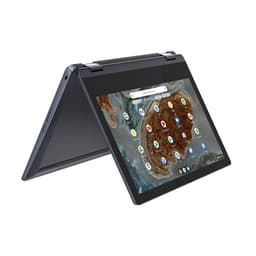
The big selling point here is the 15.6-inch FHD touchscreen. It's a proper 1080p panel with touch support, which works well with Chrome OS's Android app compatibility. You can run mobile versions of apps like Spotify, Netflix, and even some light productivity tools. The 360-degree hinge means it doubles as a chunky tablet if needed.
But let's be honest about the limitations. Four gigabytes of RAM is tight in 2026, even for Chrome OS. Open too many tabs and you'll notice slowdown. The eMMC storage is slower than a proper SSD. And Chrome OS simply isn't Windows. If you need Microsoft Office desktop apps, Adobe software, or anything that requires a proper Windows install, this isn't the machine for you.
For light browsing, video calls, streaming, and Google Workspace tasks, it's a solid and low-maintenance option. Boot times are fast, security updates are automatic, and it just works without fuss.
Pros
- 15.6-inch FHD touchscreen is a genuine bonus
- Core i3 makes it the fastest Chromebook here
- 128GB storage is reasonable for Chrome OS
- 360-degree hinge for tablet mode
- Fast boot, low maintenance
Cons
- Only 4GB RAM, tight for multitasking
- Chrome OS limits software compatibility
- eMMC storage is slower than SSD
- Not suitable for Windows software users
Check availability
Best Under £50
★★★★½ (4.6)
The entry-level IdeaPad Slim 3 with the Core i3-N305 is a mixed bag. On the positive side, the N305 is a modern Intel processor built on a recent architecture, so it's not ancient hardware. Eight gigabytes of RAM is workable for basic tasks. And it carries the Slim 3 name, which means the chassis is a step up from the IdeaPad 1 in terms of feel.
The problems are the storage and the S mode situation. One hundred and twenty-eight gigabytes of UFS storage fills up fast once Windows is installed and you add a few apps. UFS is faster than eMMC but slower than a proper NVMe SSD. You'll likely want to add external storage or a microSD card fairly quickly.
S mode is the other frustration. At this price point, many buyers are looking for a no-fuss Windows laptop. Having to immediately switch out of S mode to install basic software like Chrome or VLC is an extra hurdle that feels unnecessary. It's not difficult, but it's annoying.
As the most affordable Windows laptop in this lineup, it does the job for very light use. Web browsing, email, and Microsoft 365 via the Store all work fine. Just don't expect to do anything demanding with it.
Pros
- Modern N305 processor architecture
- 8GB RAM handles basic multitasking
- Slim 3 build quality is decent for the price
- 15-inch FHD display
Cons
- 128GB UFS storage fills up quickly
- Ships in Windows S mode
- Not suitable for demanding tasks
- No dedicated GPU
Check availability
Chromebook Runner-Up
£239.00 | ★★★★☆ (4.4)
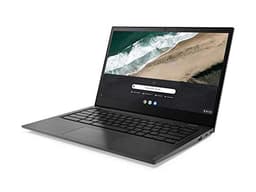
The Chromebook S345 is the cheaper Chromebook option here, and the specs show it. The AMD A4 processor is noticeably slower than the Core i3 in the C340, and 32GB of eMMC storage is genuinely tight. Once Chrome OS is installed and you add a handful of Android apps, you're already pushing the storage limit.
For pure browsing and Google Workspace use it functions, but the performance ceiling is low. Streaming video, video calls, and light document work are about as far as it comfortably goes. The 14-inch FHD display is fine, and the compact size makes it portable. But compared to the C340, it's a harder sell.
If the C340 is out of budget or out of stock, the S345 is a fallback. Otherwise, stretch to the C340 for a much better experience.
Pros
- Compact 14-inch form factor
- FHD display
- Chrome OS is low maintenance and secure
Cons
- 32GB storage is very tight
- AMD A4 is noticeably slow
- Only 4GB RAM
- Outclassed by the C340 at a similar price
Buy on Amazon£239.00
Ultra-Budget Windows
★★★★☆ (4.4)
The IdeaPad 1 with the AMD 3020e is the cheapest Windows option here, and the specs reflect that. The 3020e is a very basic dual-core processor that struggles with anything beyond simple tasks. Four gigabytes of RAM and 64GB of storage compound the problem. Windows 10 S mode means you can't install apps outside the Microsoft Store without switching out first.
The 250-nit display is dim by modern standards. You'll notice it in bright rooms. The 11-inch screen is small, which limits productivity. Honestly, for most buyers in 2026, this laptop is too underpowered to recommend as a primary machine. It might work as a secondary device for a child doing basic schoolwork, but even then the IdeaPad Slim 3 entry-level model is a better investment.
Pros
- Very affordable entry point
- Compact and lightweight
- Anti-glare display coating
Cons
- AMD 3020e is very slow for 2026
- 64GB storage fills up almost immediately
- 4GB RAM is insufficient for comfortable Windows use
- Dim 250-nit display
- Windows 10 S mode restrictions
Check availability
Older Stock
£499.99 | ★★★★☆ (4.3)
The IdeaPad S145 is older stock that's still floating around at a price that feels too high for what you get. The Intel Core i5 here is a previous-generation chip, not the 12th-gen found in the Slim 3. Eight gigabytes of RAM and a 256GB SSD are workable but not generous. Windows 10 S mode adds the usual friction.
The 15.6-inch FHD display is fine, and the overall package isn't terrible. But when you compare it directly to the IdeaPad 1 Ryzen 5 model at a lower price with 16GB RAM and a 512GB SSD, the S145 simply doesn't justify its asking price. It's not a bad laptop, it's just not good value in 2026. Skip it.
Pros
- 15.6-inch FHD display
- 256GB SSD is usable
Cons
- Older generation processor
- Only 8GB RAM at this price point
- Windows 10 S mode
- Poor value compared to current IdeaPad models
Buy on Amazon£499.99
Legacy Only
★★★★☆ (4.0)
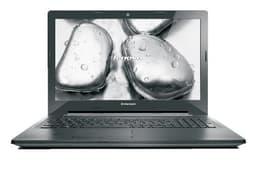
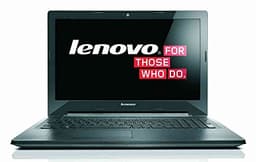
The G50-70 with the i5-4200U is a laptop from around 2014. That's over a decade old. The fourth-generation Intel Core processor, spinning hard drive, and Windows 8.1 operating system tell you everything you need to know. It's not supported by Windows 11. The HDD is painfully slow compared to any modern SSD. And the DVD drive, while occasionally nostalgic, is not a selling point in 2026.
There is no scenario where this is a sensible purchase for a new buyer. If you already own one and want to keep it running for a specific legacy task, fine. But at the listed price, you could buy a current-generation IdeaPad 1 and have a dramatically better experience in every measurable way. Avoid.
Pros
- 1TB HDD gives plenty of storage space
- DVD drive for legacy media
Cons
- Over a decade old, fourth-gen Intel processor
- Spinning HDD is very slow
- Windows 8.1, not upgradeable to Windows 11
- No longer receives security updates
- Terrible value at current pricing
Check availability
Legacy Only
★★★½☆ (3.8)
Same generation as the i5 G50-70 above, but with a weaker Core i3-4005U processor. Everything said about the i5 variant applies here, only more so. The i3-4005U is a dual-core chip running at 1.7GHz. It was modest even when new. In 2026 it's genuinely painful for everyday Windows use.
The 1TB HDD is the only spec that looks decent on paper, and even that is undermined by the slow spinning drive speeds. This is not a laptop to buy in 2026. Full stop.
Cons
- Decade-old dual-core processor
- Slow HDD storage
- Windows 8.1, no Windows 11 support
- No security updates
- Weaker than the i5 G50-70 at a similar price
Check availability
Basic Notebook
★★★★☆ (4.1)
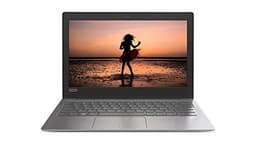
The IdeaPad 120S rounds out this list at the very bottom. The Intel Celeron N3350 is a low-power chip designed for the most basic computing tasks. Four gigabytes of RAM and 32GB of eMMC storage mean you'll be fighting for space almost immediately after setup. The 11.6-inch HD display is not Full HD, which is noticeable at this screen size.
Windows 10 S mode adds the usual restrictions, and Windows 10 itself is approaching end of life. This laptop was never powerful, and it hasn't aged well. The only reason it appears here is completeness. Don't buy it.
Pros
- Compact and lightweight
- Very low power consumption
Cons
- Celeron N3350 is very slow
- 32GB eMMC storage is insufficient
- HD display, not Full HD
- Windows 10 approaching end of life
- S mode restrictions
Check availability