Best Overall Value
Rating: ★★★★½ (4.6)
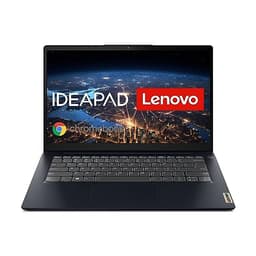
This is the one we'd recommend to most people searching for the best Lenovo laptops under £500 UK 2026. The Intel Core i3-N305 is a modern efficient chip, not a dusty old processor from 2014, and that matters a lot. It handles web browsing, Microsoft Office, video streaming, and light multitasking without breaking a sweat. The 15-inch Full HD display is comfortable for long sessions, whether you're writing essays or watching something on iPlayer.
The 8GB RAM is the right amount for everyday use in 2026. You won't be running video editing software, but for the tasks most people actually do on a budget laptop, it's fine. The 128GB UFS storage is the one genuine compromise here. It's faster than eMMC (which is a good thing), but 128GB fills up quicker than you'd expect once Windows updates and a few apps are installed. Cloud storage or an external drive is worth considering.
It ships with Windows 11 Home in S mode. Switching out of S mode is free and takes about two minutes, so don't let that put you off. Once you've done it, you have a full Windows 11 machine. The Arctic Grey finish looks clean and professional. Build quality is decent for the price, nothing premium, but it doesn't feel like it'll fall apart either.
For students, home workers, or anyone who just needs a reliable everyday laptop without spending a fortune, this is the clear winner in our best Lenovo laptops under £500 UK 2026 roundup.
Pros
- Modern i3-N305 processor handles everyday tasks well
- Full HD 15-inch display is comfortable to use
- Windows 11 included (S mode easily switched off)
- Faster UFS storage compared to older eMMC
- Competitive price well under the £500 ceiling
Cons
- 128GB storage is tight for long-term use
- S mode can confuse first-time buyers
- Not suitable for video editing or gaming
Check availability
Best Build Quality
Rating: ★★★★☆ (4.1)
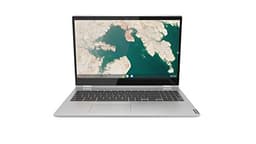
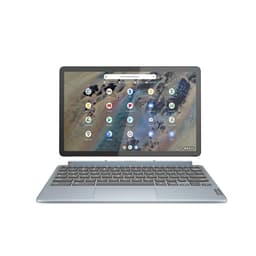
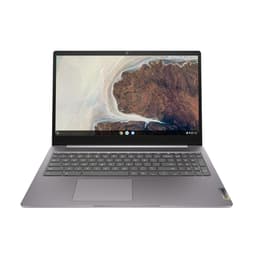
The best Chromebook in this roundup, and the one we'd point students and light users towards if they don't need Windows. The 15.6-inch Full HD touchscreen is genuinely useful on a Chromebook. Chrome OS supports touch input well, and the larger screen makes it more comfortable for extended use than the smaller 11 or 14-inch Chromebook options.
The Intel Core i3 keeps Chrome OS running smoothly. Chromebooks don't need powerful processors because the operating system is so lightweight, and this one handles Google Docs, Sheets, video streaming, and web browsing without any fuss. The 128GB eMMC storage is more than enough for a Chromebook, where most files live in Google Drive anyway.
The 2-in-1 design means the screen folds back into tablet mode. It's not something everyone uses, but it's a nice option for reading or watching video. Build quality is solid for a Chromebook at this price. The hinge feels sturdy and the keyboard is comfortable.
The main limitation is the 4GB RAM. It's fine for Chrome OS, but you'll notice slowdowns if you open too many tabs or run Android apps heavily. And of course, if you need Microsoft Office desktop apps or any Windows-only software, a Chromebook simply won't do the job. Know what you're buying it for and it's a proper decent machine.
Pros
- Large 15.6-inch Full HD touchscreen
- 2-in-1 design adds versatility
- 128GB storage is generous for Chrome OS
- Chrome OS is fast, secure, and low maintenance
- Good build quality for the price
Cons
- 4GB RAM can feel limited with many tabs open
- No Windows software support
- eMMC storage is slower than SSD
Check availability
Best Under £50 (Legacy)
Price: £499.99 | Rating: ★★★★☆ (4.3)
On paper, the IdeaPad S145 looks reasonable. Intel Core i5, 8GB RAM, 256GB SSD, and a 15-inch Full HD screen. The problem is that it runs Windows 10, which Microsoft is ending support for in October 2025. By 2026, you'll be running an unsupported operating system on a machine that may not officially support Windows 11. That's a genuine security concern for anyone using it for banking, shopping, or work.
The specs themselves are fine for everyday tasks. The i5 processor handles Office and browsing without complaint, and 256GB SSD gives you decent storage. But the price is hard to justify when newer models with Windows 11 and more modern processors are available for similar or less money.
If you find this at a significantly reduced price and you're comfortable managing the OS situation yourself (perhaps installing Linux or accepting the Windows 10 end-of-life risk), it could work. But as a straightforward recommendation in our best Lenovo laptops under £500 UK 2026 guide, the newer IdeaPad options are simply better choices.
Pros
- Decent i5 processor for everyday tasks
- 256GB SSD is a comfortable amount of storage
- Full HD 15-inch display
Cons
- Windows 10 reaches end of support in late 2025
- May not officially support Windows 11 upgrade
- Priced similarly to newer, better-specced alternatives
- S mode adds unnecessary friction
Buy on Amazon£499.99
Best for Beginners (Chromebook)
Price: £239.00 | Rating: ★★★★☆ (4.4)
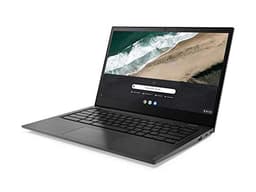
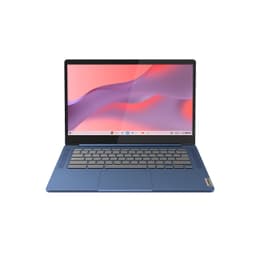
The Chromebook S345 is a lightweight option for users who live almost entirely in a web browser. Chrome OS keeps the AMD A4 processor feeling reasonably responsive for basic tasks, and the 14-inch Full HD display is a comfortable size for everyday use. It's a decent pick for a student who needs something for Google Classroom, email, and video calls.
The 32GB eMMC storage is the real sticking point. It sounds like plenty, but Chrome OS itself takes a chunk, and if you start downloading Android apps from the Play Store, you'll run out of space faster than expected. Google Drive integration helps, but you'll need a reliable internet connection to make the most of it.
The AMD A4 processor is modest. It handles basic Chrome OS tasks fine, but it's noticeably slower than the Intel Core i3 in the C340 above when you push it with multiple tabs or heavier web apps. For the price, it's acceptable, but the C340 is a better Chromebook overall if your budget stretches that far.
Pros
- Chrome OS is fast and secure on modest hardware
- 14-inch FHD display is a good size
- Lightweight and portable
Cons
- 32GB storage fills up very quickly
- AMD A4 is noticeably slower than Intel i3 alternatives
- No Windows software support
Buy on Amazon£239.00
Ultra-Basic Tasks Only
Rating: ★★★★☆ (4.4)
Look, this one is hard to recommend with any enthusiasm. The AMD 3020e is a very low-power processor that struggles with anything beyond the most basic tasks. Pair that with 4GB RAM and 64GB storage, and you've got a machine that will feel frustrating within weeks of regular use. Windows 10 S mode restricts you to Microsoft Store apps only, and Windows 10 itself is heading for end of support.
The 11-inch screen is small, the 250-nit brightness is dim in anything other than a dark room, and 64GB storage disappears fast once Windows updates and a few apps are installed. The Ice Blue colour is admittedly quite nice. But that's about the only positive thing to say here.
If someone genuinely only needs a machine for the occasional email and nothing else, it technically works. But for the price, there are better options in this roundup. This sits near the bottom of our best Lenovo laptops under £500 UK 2026 ranking for good reason.
Pros
- Compact and lightweight 11-inch form factor
- Anti-glare display reduces reflections
Cons
- AMD 3020e processor is very slow
- 4GB RAM is insufficient for comfortable multitasking
- 64GB storage is far too small
- Windows 10 S mode is very restrictive
- Windows 10 end of support approaching
Check availability
Very Basic Use Only
Rating: ★★★★☆ (4.1)
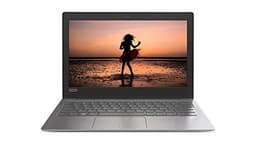
The IdeaPad 120S is an old machine that really shouldn't be considered in 2026. The Intel Celeron N3350 is a processor from 2016. It was never fast, and it hasn't got any faster with age. The 32GB eMMC storage is genuinely not enough for Windows 10, let alone any meaningful use. Windows 10 S mode makes the situation worse by restricting you to Store apps only.
The 11.6-inch HD (not Full HD) display is noticeably lower resolution than everything else in this roundup. Text and images look soft compared to modern FHD screens. Battery life is one of the few things that might impress, as low-power processors tend to sip electricity rather than gulp it. But that's cold comfort when the machine struggles to open multiple browser tabs.
This is the kind of laptop that made budget computing look bad. There are much better options available now, even at very low price points. We'd only consider this if it were being given away for free and you needed something for the very lightest possible use.
Pros
- Potentially decent battery life due to low-power chip
- Very compact and light
Cons
- Celeron N3350 is extremely slow by 2026 standards
- 32GB eMMC storage is inadequate
- HD (not Full HD) display looks soft
- Windows 10 S mode is very limiting
- Windows 10 end of support approaching
Check availability
Avoid in 2026
Rating: ★★★★☆ (4.0)
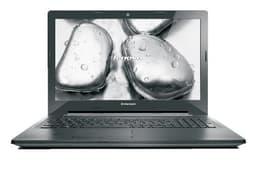
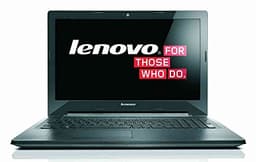
We're being completely straight with you here: do not buy this in 2026. The G50-70 was released around 2014. The Intel Core i5-4200U is a 4th-generation processor that cannot officially run Windows 11. It ships with Windows 8.1, which Microsoft stopped supporting in January 2023. That means no security updates, no patches, and a real risk if you use it for anything involving personal data or online banking.
The 1TB HDD sounds impressive compared to the SSD options above, but a mechanical hard drive from this era is dramatically slower than even the cheapest modern SSD. Boot times measured in minutes rather than seconds. App loading is painfully slow. The DVD drive is a novelty that most people haven't needed since about 2012.
The price being asked is genuinely baffling given the age and limitations of this machine. You could buy the IdeaPad Slim 3 (our best overall pick) for less and get a machine that's a decade newer, faster, and actually supported. This is not a hidden gem. It's an old laptop that should have been retired years ago.
Pros
- 1TB storage capacity (though slow HDD)
- DVD drive if you genuinely need one
Cons
- 2014-era processor, cannot run Windows 11
- Windows 8.1 is completely unsupported
- Slow mechanical HDD
- Overpriced for what it is in 2026
- Security risk for online use
Check availability
Avoid in 2026
Rating: ★★★½☆ (3.8)
Everything said about the G50-70 i5 above applies here, only more so. The i3-4005U is weaker than the i5-4200U, and it was already a slow chip when it launched in 2014. Windows 8.1 is unsupported. The 1TB HDD is slow. There is no realistic path to Windows 11 on this hardware.
This is the lowest-ranked machine in our best Lenovo laptops under £500 UK 2026 comparison, and it earns that position. The only scenario where this makes any sense at all is if someone needs a very cheap machine purely for offline tasks with no security concerns whatsoever. Even then, there are better options available.
Save your money. Buy something from the top half of this list instead.
Pros
- 1TB storage capacity
- DVD drive included
Cons
- Decade-old i3 processor, very slow
- Windows 8.1 is completely unsupported
- Cannot run Windows 11
- Mechanical HDD is painfully slow
- Poor value at current asking price
Check availability