Best Overall Value
Choosing the best Intel CPU in 2026 isn't as simple as grabbing whatever sits at the top of the price list, and if you've spent any time comparing Core Ultra chips lately you already know the naming scheme is a mess. We compared eleven of them across gaming, video editing and everyday multitasking to see which ones actually earn their keep. Some surprised us. A couple didn't. As of August 2026, the gap between the mid-range and the flagship parts is smaller than Intel would like you to believe, which matters a lot when you're deciding where your money goes. Below you'll find honest rankings, the benchmark numbers that count, and clear advice on which chip suits your build rather than someone else's spec sheet.
Look, the i5-11400 is not the newest chip on this list. Not even close. But here's the thing: for budget desktop builds in 2026, it still makes a compelling case for itself. Six cores, a 4.4 GHz boost clock, and a 65W TDP that keeps thermals manageable on even modest coolers. It works with LGA1200 boards, which you can pick up second-hand for very little money, and that makes the total platform cost genuinely low.
In day-to-day use, the i5-11400 handles web browsing, office applications, video streaming, and light photo editing without breaking a sweat. Gaming performance is decent too, particularly at 1080p where the CPU is rarely the bottleneck. You won't be pushing 4K with this chip, but that was never the point.
The integrated Intel UHD Graphics 730 are there if you need them, though they're basic. Pair this with a budget discrete GPU and you have a proper capable machine for well under £400 all-in. That's the real appeal here.
Where it falls short is obvious. Compared to 14th gen chips, single-core performance lags behind, and there's no hybrid core architecture. If you're doing video encoding or running demanding multi-threaded workloads, you'll feel the difference. But for the price, this chip punches well above its weight and remains one of the best value Intel processors you can buy in the UK right now.
Pros
- Excellent value for money
- Low 65W TDP keeps running costs and cooling needs down
- Integrated graphics included
- Compatible with affordable LGA1200 platforms
- Solid everyday and light gaming performance
Cons
- 11th gen architecture is showing its age
- No hybrid core design limits multi-threaded headroom
- Not suitable for demanding content creation workloads
- LGA1200 is a dead-end platform with no upgrade path
Buy on Amazon£186.17
Best Budget (14th Gen)
Price: £232.99 | Rating: ★★★★½ (4.6)
If you want modern 14th gen architecture without the premium price of the K-series chips, the i5-14500 is where to look. Fourteen cores (6 P-cores and 8 E-cores), a 5.0 GHz boost clock, and Intel UHD Graphics 770 built in. And crucially, it works on B760 motherboards, which are significantly cheaper than Z790 boards.
For gaming, the i5-14500 is a proper performer at 1080p and 1440p. The hybrid core architecture handles background tasks efficiently, so your game gets the P-cores it needs without interference. Real-world gaming frame rates sit comfortably close to the more expensive 14600K in most titles, which makes the price difference hard to justify for pure gaming builds.
Productivity tasks like video editing in DaVinci Resolve and rendering in Blender benefit from those extra E-cores too. It's not as fast as the i7-14700K, but it's a lot cheaper. The integrated graphics are also genuinely useful for troubleshooting or running a secondary display without a dedicated GPU.
The main limitation is that it's not overclockable. You get what you get from the factory clocks, and that's fine for most people. But if you want headroom to push performance further, you'll need to step up to the 14600K.
Pros
- 14th gen hybrid architecture at a budget price
- Works with affordable B760 motherboards
- Integrated UHD Graphics 770 included
- Strong 1080p and 1440p gaming performance
- Good multi-threaded capability for the price
Cons
- Not overclockable
- Slower than the 14600K in demanding workloads
- LGA1700 platform still requires a decent motherboard investment
Buy on Amazon£232.99
Best for Beginners
Price: £147.97 | Rating: ★★★★½ (4.7)
The i5-14400F is a proper beginner's chip. Ten cores, a 4.7 GHz boost, and a price that doesn't make your eyes water. The F suffix means no integrated graphics, so you will need a dedicated GPU, but if you're building a gaming PC that's a given anyway.
For first-time builders, this chip is appealing because it runs cool, doesn't demand expensive cooling solutions, and pairs well with mid-range B760 motherboards. The installation process is straightforward, and the chip's power draw is manageable enough that you don't need a massive PSU either.
Gaming performance at 1080p is genuinely solid. The six P-cores handle game threads well, and the four E-cores keep background processes tidy. You'll notice the difference compared to the 14600K in CPU-heavy titles, but for most games the gap is smaller than the price difference suggests.
It's not the chip for content creators or anyone running heavy multi-threaded workloads. And the lack of integrated graphics means you can't even boot without a GPU. But for a first gaming build on a sensible budget, the i5-14400F is a smart, uncomplicated choice.
Pros
- Affordable entry into 14th gen
- Low power draw and easy to cool
- Good 1080p gaming performance
- Compatible with budget B760 boards
Cons
- No integrated graphics
- Not overclockable
- Fewer cores than the i5-14500 at a similar price point
Buy on Amazon£147.97
Best for Gaming
Price: £230.58 | Rating: ★★★★½ (4.7)
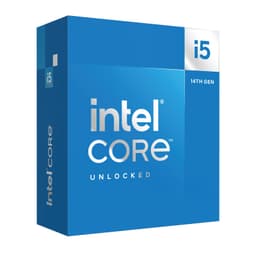
The i5-14600K is the chip most UK gamers should be looking at seriously. Fourteen cores, a 5.3 GHz boost clock, and full overclocking support via a Z790 board. It's not the cheapest option here, but the performance per pound is excellent when you factor in what you're getting.
In gaming benchmarks, the i5-14600K trades blows with chips costing significantly more. The six P-cores are fast enough to handle even the most CPU-demanding titles, and the eight E-cores keep everything else running smoothly in the background. Streaming while gaming? No problem. Running Discord, a browser, and a game simultaneously? Sorted.
The integrated Intel UHD Graphics 770 are a nice safety net too. If your GPU ever needs to go back for warranty repair, you're not left completely without a display output. Small thing, but useful.
The main cost consideration is the Z790 motherboard requirement for overclocking. That adds to the total platform cost. But even without overclocking, this chip is fast enough to satisfy most gamers for several years. It's the sweet spot in Intel's 14th gen lineup, and one of the standout picks in any guide to the best Intel CPUs UK 2026 has to offer.
Pros
- Excellent gaming performance at 1080p and 1440p
- Overclockable for extra headroom
- Integrated graphics included
- 14 cores handle multitasking well
- Strong single-core performance
Cons
- Requires Z790 board for overclocking, adding cost
- Runs warm under sustained load
- Not the best value for pure productivity workloads
Check availability
Best for GPU Owners
Price: £214.97 | Rating: ★★★★½ (4.7)
The i5-14600KF is, in almost every meaningful way, the same chip as the i5-14600K. Same core count, same boost clock, same overclocking capability. The only difference is the missing integrated graphics, and that's why it costs a bit less.
If you already have a dedicated GPU and you're never going to need a display output without it, the KF is the smarter buy. You get identical gaming and productivity performance for a lower price. Simple as that.
The performance story is the same as the 14600K: fast single-core speeds, capable multi-threaded performance, and enough headroom to overclock if you want to squeeze out extra frames. For gaming-focused builds where every pound saved on the CPU can go towards a better GPU or more RAM, the KF makes a lot of sense.
Just be aware of the no-iGPU situation. If your GPU fails and you need to troubleshoot, you'll need a spare card or a different system. It's a minor inconvenience for most, but worth knowing upfront.
Pros
- Same performance as the 14600K at a lower price
- Overclockable
- 14 cores with strong gaming and productivity output
- Good value for dedicated GPU users
Cons
- No integrated graphics
- Still requires Z790 board for overclocking
- Runs warm under load
Buy on Amazon£214.97
Best Retail Box Option
Price: £239.75 | Rating: ★★★★½ (4.7)
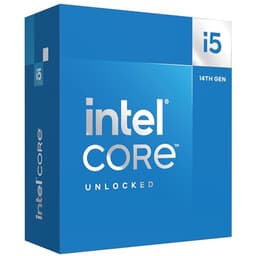
This is the boxed retail version of the i5-14600K, and the performance is identical to the tray version listed above. The reason it gets its own entry is simple: the retail box includes Intel's stock cooler, which is actually decent enough for moderate use, and it comes with full retail packaging and warranty documentation that some buyers prefer.
For first-time builders who aren't sure about aftermarket coolers yet, the boxed version offers a bit more peace of mind. You can get the system up and running without buying a separate cooler immediately, test everything works, and upgrade the cooling later if needed.
The price difference between the tray and box versions fluctuates, so it's worth checking both at the time of purchase. Sometimes the box version is barely more expensive, making it the obvious choice. Other times the gap is wider and you'd be better off buying the tray version and a budget aftermarket cooler separately.
Pros
- Includes stock cooler for immediate use
- Full retail packaging and warranty
- Identical performance to the tray i5-14600K
- Good option for first-time builders
Cons
- Stock cooler is adequate but not impressive under load
- Can be more expensive than tray version plus a budget cooler
- Same Z790 board requirement applies
Buy on Amazon£239.75
Best Multi-Threaded Value
Price: £308.97 | Rating: ★★★★☆ (4.4)
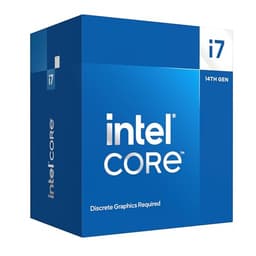
Twenty cores without the integrated graphics tax. The i7-14700F is a proper workhorse for anyone who needs serious multi-threaded performance without paying the full i7-14700K premium. Video editors, 3D artists, and developers who compile large codebases will feel the difference immediately.
The 5.5 GHz boost clock is fast, and the combination of 8 P-cores and 12 E-cores means this chip handles both single-threaded gaming and heavy parallel workloads with equal competence. It's a genuinely versatile processor.
Because it lacks integrated graphics, you'll need a dedicated GPU. But anyone buying a 20-core processor almost certainly has one. The non-K suffix means no overclocking, but the factory clocks are high enough that most users won't feel the need to push further.
For content creators who also game, the i7-14700F sits in a sweet spot. It's faster than the i5-14600K in multi-threaded tasks, cheaper than the i7-14700K, and the performance gap in gaming between the two is minimal. A smart buy if your workload justifies it.
Pros
- 20 cores for serious multi-threaded work
- Cheaper than the i7-14700K
- Strong gaming and productivity performance
- Works with B760 boards
Cons
- No integrated graphics
- Not overclockable
- High power draw under sustained load
Buy on Amazon£308.97
Best Build Quality
Price: £337.97 | Rating: ★★★★½ (4.5)
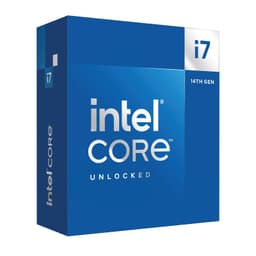
The i7-14700K is the chip for people who want the best of both worlds: elite gaming performance and serious productivity capability. Twenty cores, a 5.6 GHz boost clock, full overclocking support, and integrated UHD Graphics 770. It's a complete package.
In gaming, the i7-14700K is essentially on par with the i9-14900K in most titles. The extra cores and higher clocks give it a slight edge in CPU-limited scenarios, but the real advantage shows in multi-threaded workloads. Video rendering, 3D modelling, and large file compression all benefit from those 12 E-cores handling background tasks efficiently.
The build quality of Intel's flagship K-series chips is excellent. The IHS (integrated heat spreader) is well-made, and the chip responds well to good cooling solutions. With a quality 240mm or 360mm AIO, you can push the overclock further and maintain stable temperatures.
It's not cheap, and you'll need a Z790 board to unlock its full potential. But if you're building a high-end system that needs to handle both gaming and professional workloads without compromise, the i7-14700K is the most sensible choice in this lineup. It's the chip we'd recommend to anyone who can stretch the budget.
Pros
- 20 cores with excellent single and multi-threaded performance
- Overclockable for extra headroom
- Integrated UHD Graphics 770 included
- Superb for both gaming and content creation
- Strong long-term platform viability
Cons
- Expensive
- Requires Z790 board and quality cooling
- High power draw under full load
Buy on Amazon£337.97
Best for Professionals
Price: £484.97 | Rating: ★★★★½ (4.7)
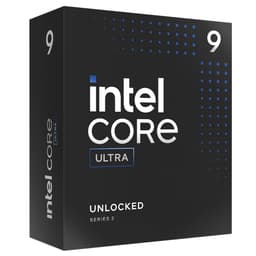
The Core Ultra 9 285K is Intel's Arrow Lake flagship, and it's a different beast from the rest of this list. Twenty-four cores, a 5.7 GHz boost clock, and a brand new architecture designed with AI workloads and professional applications in mind. This is not a gaming chip first. It's a workstation chip that also games.
For video professionals running DaVinci Resolve with complex timelines, engineers using CAD software, or developers running local AI models, the 285K offers capabilities that nothing else here can match. The 16 E-cores handle background tasks at a scale that makes the i7-14700K look modest by comparison.
Gaming performance is strong but not dramatically better than the i7-14700K in most titles. The architectural changes in Arrow Lake mean some older benchmarks don't translate directly, and real-world gaming frame rates are competitive rather than dominant. For pure gaming, you're paying a significant premium for relatively modest gains.
The price is the obvious sticking point. At close to £490, this chip demands a premium Z890 platform and serious cooling investment on top. It's a brilliant processor for the right person. But most UK buyers will find the i7-14700K covers their needs at a much more sensible price.
Pros
- 24 cores for extreme multi-threaded workloads
- Arrow Lake architecture with AI capabilities
- 5.7 GHz boost clock
- Future-proof for professional applications
Cons
- Very expensive
- Requires new Z890 platform
- Gaming gains over i7-14700K are modest
- Overkill for most home users
Buy on Amazon£484.97
Best Peak Performance
Price: £549.98 | Rating: ★★★★½ (4.9)
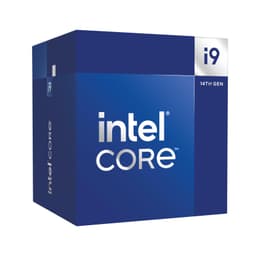
The i9-14900 (non-K) is a curious chip. Twenty-four cores, a 5.8 GHz boost clock, and all the raw power you'd expect from an i9 processor. But the non-K suffix means no overclocking, and the price is still eye-watering at over £560.
Where this chip makes sense is in pre-built systems or workstation builds where overclocking isn't on the agenda but maximum out-of-the-box performance is. The 5.8 GHz boost is the highest on this list, and in single-threaded workloads it shows. Applications that rely on fast single-core speeds, like certain audio production software or legacy applications, will benefit.
For gaming, the i9-14900 is fast but not meaningfully faster than the i7-14700K in most scenarios. The price premium is hard to justify for gaming alone. And the power draw under sustained load is significant, requiring proper cooling and a quality PSU.
Honest assessment: most buyers would be better served by the i7-14700K and putting the savings towards a better GPU or more RAM. The i9-14900 is for specific use cases where those extra cores and that peak clock speed genuinely matter.
Pros
- Highest boost clock on this list at 5.8 GHz
- 24 cores for demanding workloads
- Works on existing LGA1700 Z790 platforms
- Integrated graphics included
Cons
- Very expensive for a non-K chip
- Not overclockable
- High power draw
- Marginal gaming gains over the i7-14700K
Buy on Amazon£549.98
Legacy Option
Price: £453.00 | Rating: ★★★★½ (4.6)
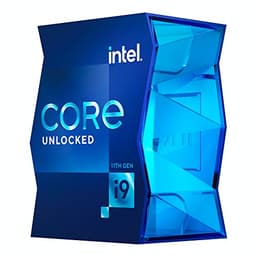
The i9-11900K was a flagship chip in its day. Eight cores, a 5.2 GHz boost clock, and LGA1200 compatibility. But that day was 2021, and in 2026 this chip is genuinely hard to recommend at its current asking price.
The core count is lower than the i5-14600K. The architecture is two generations old. And the power draw is notoriously high for what you get, with the chip running hot under sustained load even with quality cooling. Intel's 11th gen Rocket Lake architecture was a stopgap generation, and it shows in the benchmarks.
For gaming, the i9-11900K falls behind modern mid-range chips in CPU-limited scenarios. For productivity, the eight-core design is outpaced by 14th gen i5 chips with hybrid core architectures. It's not a bad processor in absolute terms, but at its current price it represents poor value compared to everything else on this list.
If you already own one and it's working fine, there's no urgent reason to upgrade. But if you're buying new, spend your money elsewhere. The i5-11400 at the top of this list is a better budget LGA1200 option, and the 14th gen chips offer far better performance per pound.
Pros
- High 5.2 GHz boost clock
- Overclockable
- LGA1200 platform compatibility
Cons
- Outdated 11th gen architecture
- Only 8 cores, fewer than modern i5 chips
- High power draw and heat output
- Poor value at current UK pricing
- Dead-end LGA1200 platform
Buy on Amazon£453.00