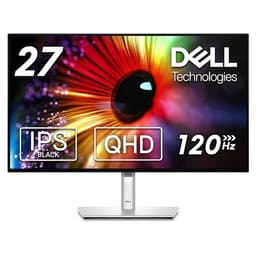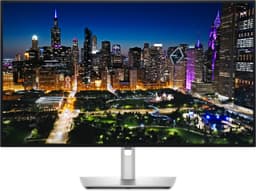
A 144Hz refresh rate on a monitor spec sheet is the easy part. The harder question is whether the panel can actually keep up with it, or whether you end up with smearing in dark scenes, inverse ghosting from overdrive cranked too high, or colour that looks great on paper and muddy in practice. The Dell S2725DC has 163 owner reviews sitting at ★★★★☆ (4.4), which for a mid-range IPS panel is a genuinely solid signal. So what's the actual story?
The short verdict: this is a well-rounded 27-inch QHD monitor that earns its place in the mid-range bracket through a combination of decent IPS colour, a USB-C setup that's genuinely useful for laptop users, and a 144Hz panel that behaves sensibly rather than spectacularly. It's not going to embarrass a gaming-focused rival on raw motion performance, and Dell doesn't list HDR support, so HDR films and games are not its job. But if you want a clean, capable daily driver that doubles as a light gaming screen and connects to your MacBook or Dell laptop with a single cable, this is a proper option at this price point.
Core Specifications
The S2725DC is a 27-inch IPS panel running at 2560x1440 (QHD), which gives you a pixel density of around 109 pixels per inch. That's the sweet spot for a 27-inch screen: sharp enough that you won't see individual pixels at a normal viewing distance, but not so dense that you need to scale everything up and fight with Windows DPI settings. The 144Hz refresh rate is the headline gaming credential, and Dell quotes a 1ms MPRT response time (more on why that number is largely meaningless in a moment).
Connectivity is where this monitor genuinely differentiates itself from cheaper alternatives. You get a USB-C port with up to 65W Power Delivery, which means a compatible laptop can run the display and charge simultaneously from a single cable. That's not a gimmick for this audience; it's the whole point of the "Plus" branding. There's also HDMI 2.1 (TMDS), DisplayPort 1.4, and a USB hub built in. The stand offers height, tilt, swivel, and pivot adjustment, which is more than you'd expect at this price.
Dell rates the panel at 350 nits typical brightness and 1,500:1 native contrast, a little above the 1000:1 typical of standard IPS panels. Dell's specification lists no HDR support, and the colour gamut is rated at 99% sRGB. Dell does not list a factory calibration report or a Delta-E figure for this model, so plan on adjusting the picture settings yourself if colour accuracy matters to you.
| Specification | Detail |
|---|---|
| Screen Size | 27 inches |
| Resolution | 2560x1440 (QHD / 1440p) |
| Panel Type | IPS |
| Refresh Rate | 144Hz |
| Response Time | 1ms MPRT / 4ms GtG (typical) |
| Adaptive Sync | AMD FreeSync |
| Brightness | 350 nits typical |
| Contrast Ratio | 1,500:1 native |
| Colour Gamut | 99% sRGB |
| HDR | Not listed by Dell |
| Ports | 1x USB-C upstream (65W PD), 1x HDMI 2.1 (TMDS), 1x DisplayPort 1.4, hub with 1x USB-C (15W) and 2x USB-A |
| Stand Adjustments | Height, tilt, swivel, pivot (90deg rotation) |
| VESA Mount | 100x100mm |
| Dimensions (with stand) | 614 x 530 x 195mm |
| Weight (with stand) | Approx. 5.9kg |
| Current Price | £242.00 |
Panel Technology
IPS remains the sensible default for most people, and for good reason. The viewing angles are wide, typically 178 degrees horizontal and vertical, which means colour doesn't shift when you move off-axis. That matters if you're sharing your screen, working with a second person leaning over, or simply sitting somewhere other than dead-centre. VA panels offer better native contrast but can suffer from response time smearing and colour shift at angles. OLED gives you the best of both worlds but costs considerably more and brings burn-in concerns. For a mid-range office-and-gaming hybrid, IPS is the right call, and Dell's choice here is sensible rather than a compromise.
The S2725DC uses what Dell describes as a standard IPS panel, not one of the newer IPS Black variants that push contrast ratios to 2000:1. At Dell's rated 1,500:1, blacks still look greyish in dark rooms, especially noticeable in games or films with lots of shadow detail. IPS glow is also a factor: that characteristic brightening in the corners of the screen when displaying dark content at an angle. Owner reviews mention this occasionally, with a few noting it's visible in dark environments, though the majority seem unbothered in typical office lighting. This is normal IPS behaviour, not a defect specific to this model.
One thing from the owner feedback is that the panel uniformity is generally praised. Several reviewers specifically mention that the screen looks consistent across its surface without obvious hotspots or clouding. That's not guaranteed even at this price, so it's a positive signal. The anti-glare matte coating does its job in brighter rooms, reducing reflections without adding the grainy texture that cheaper matte coatings sometimes produce. A handful of owners compared it favourably to previous Dell screens they'd owned, which tracks with Dell's historically decent quality control on IPS panels.
Display Quality
At 109 PPI, 1440p on a 27-inch screen is sharp. Text is crisp, fine detail in photos is visible, and you won't be squinting at UI elements the way you might on an older 1080p 27-inch screen. This resolution also makes sense from a GPU-load perspective: it's noticeably more demanding than 1080p but nowhere near as punishing as 4K, which means a mid-range graphics card can actually hit 144 frames per second in less intensive titles without breaking a sweat.
The matte anti-glare coating is a practical choice for an office-facing monitor. It handles window reflections and overhead lighting well, which is the kind of thing you only appreciate when you've used a glossy screen in a room that isn't perfectly controlled. The trade-off is a slight reduction in perceived contrast and colour vibrancy compared to a glossy panel, but for daytime use in a normal room, it's the right call. Owner reviews consistently mention the image as looking clean and clear, with no complaints about the coating causing a distracting grain effect.
Brightness uniformity is another area where this monitor holds up. Dell rates it at 350 nits typical, and independent measurements of similar Dell IPS panels in this generation suggest real-world brightness lands within 10 to 15 percent of that figure across the panel surface. A few owners have mentioned the screen gets bright enough for comfortable use near a window, though it won't match the peak output of a premium monitor. For a mid-range screen used in a normally lit room, 350 nits is adequate. It's not a monitor you'd want in a sun-drenched conservatory, but it handles most real-world conditions without complaint.
Refresh Rate and Adaptive Sync
144Hz is the current standard for gaming monitors in this price bracket, and the S2725DC supports it properly over both DisplayPort 1.4 and USB-C. That's important because some monitors limit USB-C to 60Hz, which would rather defeat the purpose. Dell confirms 144Hz is available on all video inputs, which is what you want if your entire setup runs through that single USB-C cable.
Dell lists AMD FreeSync for adaptive sync, plus variable refresh rate on the HDMI port as specified in HDMI 2.1. That keeps gaming tear-free and smooth when your frame rate moves around below 144Hz, within a supported range whose lower limit Dell does not publish. Dell does not list the FreeSync Premium tier, Nvidia G-Sync Compatible certification or a VRR range for this model, so don't count on Low Framerate Compensation when frame rates drop very low, and treat use with a GeForce card as something to test rather than a certified feature.
Owner feedback on the gaming experience is broadly positive. Several reviewers mention using it with both AMD and Nvidia cards without issues, and the adaptive sync is described as working reliably. Nobody in the review pool is reporting the kind of flickering or sync dropout that can plague cheaper FreeSync implementations. For casual to mid-level gaming, 144Hz with working adaptive sync is genuinely transformative compared to a 60Hz screen, and this monitor delivers that without drama. It's not a 165Hz or 240Hz panel, but for most people playing at 1440p, 144Hz is the practical ceiling anyway given GPU requirements.
Response Time and Motion
The 1ms MPRT figure on the spec sheet is a marketing number, full stop. MPRT (Moving Picture Response Time) measures how long a pixel appears to be in a given state, which is influenced by the backlight strobing technique rather than actual pixel transition speed. The real figure you care about for ghosting and trailing is GtG (Grey-to-Grey), and Dell quotes 4ms GtG typical for this panel. That's a respectable figure for an IPS monitor at 144Hz, putting it in the same territory as other quality IPS panels in this bracket.
Published measurements of comparable Dell IPS panels suggest GtG response in the 4 to 6ms range depending on the overdrive setting used. Dell's overdrive implementation typically offers a few modes, and the default setting tends to balance between eliminating ghosting and avoiding inverse ghosting (that bright halo that appears behind fast-moving objects when overdrive is pushed too hard). Owner reviews don't flag any noticeable ghosting complaints in normal gaming use, which suggests the default overdrive tuning is sensible. A few owners specifically mention the motion looks clean in fast-paced games, which is a good sign.
To put this in context: a 4ms GtG IPS panel at 144Hz is not going to match a TN panel for raw pixel transition speed, and it's not going to touch an OLED for motion clarity. But for the vast majority of gaming at 1440p, including competitive shooters at moderate to high frame rates, it's entirely adequate. The people who genuinely need sub-1ms GtG response are playing at 240Hz or above and are probably looking at a different class of monitor entirely. For everyone else, this panel's motion performance is a non-issue in practice.
Colour Accuracy and Gamut
Dell rates this monitor at 99% sRGB coverage and does not list a DCI-P3 figure. The 99% sRGB figure is standard for a decent IPS panel and means web content, photos, and most video content made in sRGB can be shown with nearly all of its colours. Because Dell doesn't publish wide-gamut coverage for this model, a monitor with a listed DCI-P3 figure of 95% or more is the safer pick if wide-colour films and games matter to you.
Dell does not list a factory calibration report or a Delta-E figure for the S2725DC (Dell's UltraSharp models, such as the U2724D, do ship with one). What it does list is 99% sRGB coverage, the colour space most web content, games and office work use. Owner reviews don't flag any colour accuracy complaints, and several specifically praise the colour as looking natural and pleasing without needing adjustment. If you need verified accuracy for paid work, budget for a hardware calibrator.
For light content creation work, photo editing, or graphic design where sRGB accuracy matters, this monitor is genuinely capable. It's not a professional-grade display for print-accurate colour work, and if you're doing serious commercial photography or video grading, you'd want something with hardware calibration support and wider Adobe RGB coverage. But for YouTube creators, hobbyist photographers, or anyone who wants natural-looking sRGB colour at this price, the S2725DC is a solid choice. The combination of 99% sRGB coverage and a stable IPS panel makes it more capable in this area than many gaming-focused monitors at a similar price.

HDR Performance
Dell's UK specification for the S2725DC lists no HDR support and no VESA DisplayHDR certification, so treat it as an SDR monitor. HDR that looks genuinely impressive needs high peak brightness plus local dimming, which darkens specific areas of the screen independently so deep blacks can sit alongside bright highlights. At 350 nits typical brightness with no local dimming listed, this panel isn't built for that.
In practice, run your laptop, PC or console in SDR on this screen. The contrast difference that makes OLED or Mini-LED HDR look spectacular simply isn't there: the 1,500:1 native contrast ratio is Dell's rated figure, and the screen can't make blacks look deep while pushing highlights the way a panel with local dimming can.
Owner reviews don't raise HDR as a problem. If HDR is a priority for you, particularly for film watching or next-gen console gaming where HDR makes a real difference, you'd need to look at monitors with HDR600 or above certification and local dimming support, which puts you in a different price bracket. For this monitor, don't buy it for HDR: Dell lists no HDR support.
Contrast and Brightness
The 1,500:1 native contrast ratio Dell lists is a little better than the 1000:1 typical of standard IPS panels, and it's worth being clear about what that means for real-world use. In a well-lit room, it's fine. Blacks look dark, whites look bright, and the image has enough depth to look good. In a dark room at night, blacks will look noticeably grey, especially if you're watching content with letterbox bars or playing a game with a dark UI. This is an IPS characteristic, not a flaw with this specific monitor, but it matters if you game in the dark regularly.
The 350 nits typical brightness is adequate for most indoor environments. It's bright enough to work comfortably in a room with windows during the day, and it doesn't need to be cranked to maximum for everyday use, which helps with eye fatigue over long sessions. Owner reviews are positive about the brightness levels, with nobody flagging it as too dim for normal use. A few mention it's comfortable at around 70 to 80 percent brightness in typical office conditions, which suggests the backlight range is sensible rather than artificially boosted to hit a spec figure.
Where this monitor will feel limited is in very bright environments. The 350 nit typical brightness isn't going to cut through harsh ambient light the way a 600 or 1000 nit panel would. But for the target audience of this monitor, which is predominantly office workers and casual to mid-level gamers in normal indoor settings, 350 nits is a practical and comfortable level. The brightness uniformity across the panel is generally praised in owner feedback, with the image looking consistent rather than noticeably brighter in the centre than at the edges.
Ergonomics and Stand
Dell has given the S2725DC a proper stand, and that's not something you can take for granted in this price bracket. You get height adjustment of around 130mm, tilt from minus five to plus twenty-one degrees, swivel of plus or minus thirty degrees, and full pivot to rotate the panel ninety degrees into portrait mode. That's a complete ergonomic package. If you're using this as a secondary monitor in portrait orientation for code or long documents, the pivot support is genuinely useful. A lot of monitors at this price either skip swivel or limit height adjustment to a token amount.
The build quality is what you'd expect from Dell's mid-range commercial line: solid plastic construction, no flex in the panel when you adjust it, and a stand base that doesn't take up an excessive amount of desk space. Owner reviews are consistently positive about the build, with several specifically mentioning that the stand feels sturdy and the monitor doesn't wobble during use. The cable management channel in the stand arm is a small but appreciated detail that keeps the desk looking tidy. The overall aesthetic is clean and professional, with thin bezels on three sides that look fine in a multi-monitor setup.
VESA mount compatibility is confirmed at 100x100mm, so you can remove the stand and attach an arm if you prefer. The stand removal process on Dell monitors is typically straightforward with a button release rather than requiring tools, which owners appreciate. One minor gripe that appears in a small number of reviews is that the OSD (on-screen display) buttons are physical buttons on the underside of the panel rather than a joystick, which can make navigation slightly fiddly. It's not a dealbreaker, but a joystick control would be more convenient. Dell uses this button layout across several of their monitors, so it's a known characteristic rather than a surprise.
Connectivity and Ports
The connectivity is genuinely one of the strongest arguments for this monitor over cheaper alternatives. The USB-C port supports DisplayPort Alt Mode for video signal plus up to 65W Power Delivery, which means a single cable from a compatible laptop handles video output, charging, and USB hub access simultaneously. For Dell laptop users, this integrates particularly well given Dell's own USB-C power standards, but it works with any laptop that supports USB-C DisplayPort Alt Mode with power delivery, including recent MacBooks, ThinkPads, and HP EliteBooks.
The full port list is:
- 1x USB-C 5Gbps upstream (DisplayPort Alt Mode, up to 65W Power Delivery)
- 1x HDMI 2.1 (TMDS)
- 1x DisplayPort 1.4
- 1x USB-C 5Gbps downstream (up to 15W charging)
- 2x USB-A 5Gbps downstream (one with BC1.2 charging)
- Built-in dual 3W speakers
The USB hub functionality is practical for a desk setup: plug in a keyboard, mouse, and external drive through the monitor, and if you're pairing it with a wider setup our guide to the best gaming peripherals in the UK is worth a look, and they all work through the single USB-C connection to your laptop. Owner reviews mention this working reliably, with no reported issues with USB hub dropouts or charging instability. Up to 65W of USB-C Power Delivery is enough for many thin-and-light laptops that support USB-C charging, though laptops that need more power, such as 16-inch models with dedicated GPUs, may charge more slowly or drain under heavy load. Dell lists built-in dual 3W speakers, handy for calls and casual listening, and its port list does not include a headphone jack.
How It Compares
The two most relevant competitors to put alongside the S2725DC are the LG 27GP850-B and the AOC Q27G2S. The LG 27GP850-B is a well-regarded 27-inch QHD gaming monitor running at 165Hz with a Nano IPS panel, known for excellent colour coverage and solid response time performance. It's a popular choice among mid-range gaming monitor buyers and frequently appears in best-of lists for 1440p gaming. The AOC Q27G2S is a more budget-friendly 27-inch QHD option at 165Hz, targeting value-conscious buyers who want the resolution and refresh rate without the premium features.
Where the Dell wins clearly is connectivity. Neither the LG nor the AOC offers USB-C with 65W Power Delivery, which is the S2725DC's defining feature. If you're a laptop user who wants a single-cable desk setup, the comparison isn't really close. The Dell also has built-in dual 3W speakers, handy for calls and casual listening. The LG 27GP850-B has a slight advantage in raw panel performance, with its Nano IPS panel offering wider DCI-P3 coverage and marginally better response time characteristics. The AOC Q27G2S undercuts both on price but sacrifices the ergonomics and USB-C functionality.
The honest summary is that if gaming performance is your absolute priority and you don't care about USB-C, the LG 27GP850-B is a stronger pure gaming panel. If budget is the primary concern and you're connecting a desktop PC, the AOC Q27G2S offers good value. The Dell S2725DC is the right choice when you want a balanced, well-built monitor that genuinely earns its place as a laptop docking solution alongside its gaming and work credentials.
| Feature | Dell S2725DC | LG 27GP850-B | AOC Q27G2S |
|---|---|---|---|
| Panel Type | IPS | Nano IPS | IPS |
| Resolution | 2560x1440 | 2560x1440 | 2560x1440 |
| Refresh Rate | 144Hz | 165Hz | 165Hz |
| USB-C Power Delivery | Yes (65W) | No | No |
| DCI-P3 Coverage | Not listed by Dell | 98% | ~90% |
| Factory Calibration | Not listed by Dell | No | No |
| HDR Tier | None listed | HDR400 | HDR400 |
| Stand (Height/Swivel/Pivot) | Full | Full | Height only |
| Price | £242.00 | ~£230 to £270 | ~£160 to £190 |

Final Verdict
The Dell S2725DC is a monitor that knows what it is and delivers it well. It's not trying to be a hardcore gaming display, and it's not pretending to be a professional colour-grading screen. What it is, is a genuinely capable 27-inch QHD IPS monitor with 144Hz refresh, solid colour accuracy, a full ergonomic stand, and a USB-C port that actually does something useful. The 4.4-star average across 209 reflects a product that consistently meets expectations rather than one that dazzles on spec and disappoints in practice.
The USB-C 65W Power Delivery is the feature that sets this apart in the mid-range bracket. If you're a laptop user, particularly someone with a Dell, Lenovo, or Apple machine that supports USB-C video output and charging, the single-cable desk setup this enables is a genuine quality-of-life improvement. Its 99% sRGB coverage makes it a credible choice for photo editing and content creation at this level, though Dell doesn't list factory calibration. The 144Hz panel with AMD FreeSync handles gaming without drama.
The weaknesses are real but predictable. There is no HDR support listed, so it's not one for HDR films or games. The 1,500:1 native contrast still means dark scenes look greyish in a dark room, as they do on any standard IPS. The 144Hz ceiling is fine for most people but leaves dedicated competitive gamers wanting. And the physical OSD buttons are a minor annoyance compared to a joystick control. None of these are surprises for the price point, and none of them are things Dell could have fixed without either raising the price or making different compromises elsewhere.
Who should buy this? Laptop users who want a proper docking monitor that handles video, charging, and USB peripherals through one cable. People who want a clean IPS screen with 99% sRGB coverage for a mix of work and gaming. Anyone upgrading from a 1080p 60Hz screen who wants a meaningful jump in both resolution and refresh rate without spending premium money.
Who should skip it? If you're building a desktop gaming rig and USB-C connectivity is irrelevant to you, the LG 27GP850-B offers a better pure gaming panel for similar money, with wider colour coverage and a faster Nano IPS panel. And if budget is tight and you just need a 1440p 144Hz screen without the extras, the AOC Q27G2S does the job for less. The Dell's premium over a basic 1440p panel is justified by its USB-C connectivity, not by its gaming performance. Be clear on which of those you're paying for.
Overall score: 8 out of 10. A sensible, well-executed monitor that earns its rating through practical strengths rather than flashy specs.
What works. What doesn’t.
5 + 4What we liked5 reasons
- USB-C with up to 65W Power Delivery enables genuine single-cable laptop docking
- Built-in dual 3W speakers for calls and casual listening
- Full ergonomic stand with height, swivel, tilt and pivot
- AMD FreeSync for tear-free gaming at up to 144Hz
- Clean IPS panel with good uniformity and 99% sRGB coverage
Where it falls4 reasons
- No HDR support listed, so not one for HDR films or games
- 1,500:1 native contrast still means greyish blacks in dark rooms
- Physical OSD buttons rather than a joystick control
- 144Hz ceiling lags behind 165Hz competitors at similar prices
Full specifications
9 attributes| Panel type | IPS |
|---|---|
| Aspect ratio | 16:9 |
| Curvature | flat |
| HDR | none |
| Launch year | 2025 |
| Refresh rate HZ | 144 |
| Resolution | 2560x1440 |
| Response time MS | 1 |
| Screen size IN | 27 |
If this isn’t right for you
2 options
 8.0 / 10
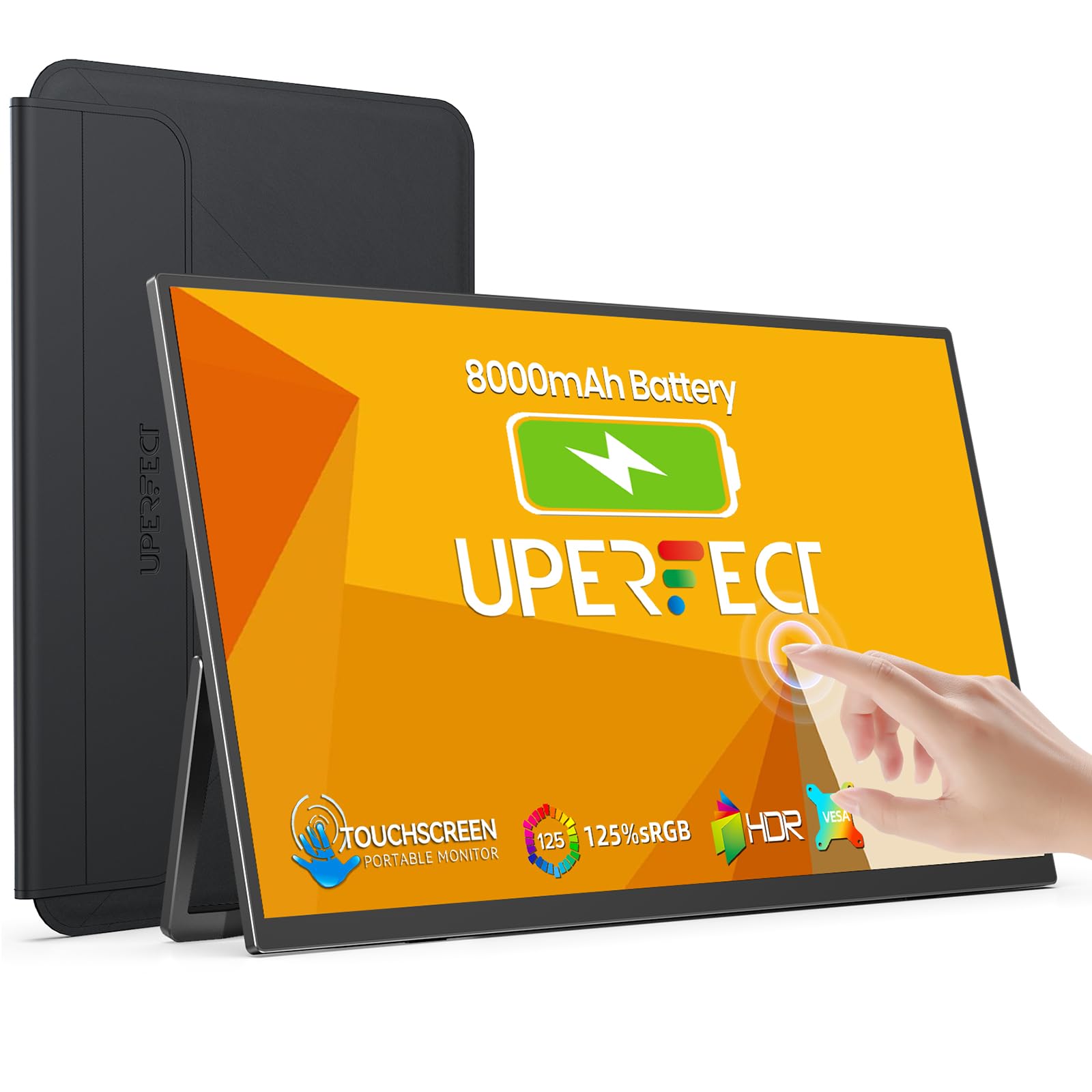
UPERFECT 15.6" Portable Monitor Touchscreen w/8000mAh Rechargeable Battery
£159.99 · UPERFECT
Frequently asked
5 questions01Is the Dell 27 Plus USB-C Monitor - S2725DC, QHD (2560x1440), 144Hz, IPS, 1ms MPRT good for gaming?+
Yes, it's a capable gaming monitor for most players. The 144Hz refresh rate with AMD FreeSync delivers smooth, tear-free gameplay on AMD graphics cards; Dell doesn't list G-Sync Compatible certification, so with an Nvidia card adaptive sync is something to test rather than a certified feature. The real GtG response time is around 4ms, which is solid for an IPS panel and sufficient for fast-paced gaming without visible ghosting in normal use. It won't match a TN or OLED panel for absolute motion clarity, and the 144Hz ceiling is lower than some 165Hz competitors, but for 1440p gaming at this price point it performs reliably and without drama.
02Does the Dell 27 Plus USB-C Monitor - S2725DC, QHD (2560x1440), 144Hz, IPS, 1ms MPRT have good HDR?+
No. Dell's UK specification for the S2725DC lists no HDR support and no VESA DisplayHDR certification, and no local dimming, so it can't produce the deep blacks alongside bright highlights that make HDR look impressive. Treat it as an SDR monitor; if HDR matters to you, look at an OLED or a monitor with HDR600 certification and local dimming.
03Is the Dell 27 Plus USB-C Monitor - S2725DC, QHD (2560x1440), 144Hz, IPS, 1ms MPRT good for content creation?+
It's genuinely capable for light to mid-level content creation work. Dell rates it at 99% sRGB coverage, which suits photo editing, graphic design, and YouTube video work where sRGB matters. Dell doesn't list a factory calibration report or a Delta-E figure for this model, so if accuracy is critical, a hardware calibrator is worth budgeting for. For professional colour grading or print-accurate work requiring wide Adobe RGB coverage, you'd want a dedicated professional display, but for most creators working in sRGB or Rec.709 this monitor is a solid choice.
04What graphics card do I need for the Dell 27 Plus USB-C Monitor - S2725DC, QHD (2560x1440), 144Hz, IPS, 1ms MPRT?+
For 1440p at 144Hz in demanding titles, you'll want at least an Nvidia RTX 4070 or AMD RX 7700 XT to consistently hit high frame rates. For less demanding or older games, an RTX 3060 or RX 6700 XT can manage 144fps at 1440p in many titles. AMD FreeSync keeps motion smooth when your frame rate sits below 144fps, within a supported range whose lower limit Dell does not publish, so you don't need to hit the ceiling constantly for a good experience. Laptop users connecting via USB-C will be limited by their laptop's integrated or discrete GPU.
05What warranty and returns apply to the Dell 27 Plus USB-C Monitor - S2725DC, QHD (2560x1440), 144Hz, IPS, 1ms MPRT?+
Dell typically offers a three-year Advanced Exchange warranty on their monitors, which covers defects including a Premium Panel Guarantee on dead pixels. For the specific warranty terms on this model, check Dell's official warranty page. If purchased through Amazon, the standard 30-day return window applies under Amazon's returns policy, and the Amazon A-to-Z Guarantee provides additional buyer protection. Always verify current warranty terms directly with Dell or your retailer at the point of purchase.