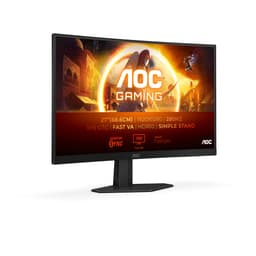
Best Overall Value
AOC has quietly become the brand to beat if you want a decent monitor without paying Samsung or LG money, and picking the right one from their sprawling lineup is genuinely tricky. That's why we've compared 12 of the best AOC monitors on sale in the UK, from budget office panels to fast 240Hz gaming screens, and ranked them by what actually matters: panel quality, refresh rate, build, and whether the price makes sense. Some of AOC's range is superb value. Some of it, frankly, isn't. Below you'll find our honest picks for September 2026, with clear guidance on which model suits gamers, which suits creatives, and which one to buy if you just want a solid all-rounder that won't let you down.
Here's the thing: getting a 34-inch ultrawide WQHD gaming monitor at this price used to be impossible. The CU34G2XPD changes that. At 3440x1440 resolution with a 180Hz refresh rate and 1ms response time, this is a proper gaming ultrawide that doesn't ask you to sell a kidney first.
The 1500R curved VA panel wraps nicely around your field of view, and the extra horizontal real estate makes a genuine difference in open-world games and racing titles. FreeSync Premium keeps things tear-free, and the built-in USB hub is a genuinely useful addition that most monitors at this price skip entirely.
Colour accuracy out of the box is decent rather than spectacular. If you're doing colour-critical work you'll want to calibrate it, but for gaming and general use it looks great. The stand is height and tilt adjustable, which is more than you'd expect at this price. Black/red styling is a bit gamer-y, but it's not over the top.
The main limitation is the VA panel's viewing angles. Sit directly in front and it's excellent. Off-axis it shifts a bit. For a single-user desk setup that's rarely a problem. The 34-inch size also means you'll need a decent desk. But if you have the space and want the best AOC monitor experience available right now, this is it. The CU34G2XPD earns its place at the top of this Best AOC Monitors UK 2026 | 6 Compared & Ranked list without much argument.
Pros
- 34-inch WQHD ultrawide at a genuinely competitive price
- 180Hz refresh rate with 1ms response time
- Built-in USB hub is a practical bonus
- Height and tilt adjustable stand
- FreeSync Premium for tear-free gaming
Cons
- VA panel has limited off-axis viewing angles
- Colour accuracy needs calibration for professional work
- Requires a large desk footprint
- Black/red styling won't suit every setup
Buy on Amazon
Best Budget Pick
Price: £109.97 | Rating: ★★★★☆ (4.4)
260Hz on a Fast IPS panel for around £135. That's the headline, and it's a good one. The AOC 27G4ZR is the best budget gaming monitor in this entire roundup if you care about raw speed and smooth motion. Fast IPS gives you the colour and viewing angle advantages of IPS with response times that rival TN panels. The 0.3ms MPRT is about as fast as it gets at any price.
G-Sync compatibility means Nvidia users are fully supported alongside AMD. HDR10 is present but, honestly, at 1080p on a budget panel it's more of a checkbox than a transformative feature. Don't buy this for HDR. Buy it for the 260Hz and the silky smooth motion in fast-paced games.
The height-adjustable stand is a proper quality-of-life feature that cheaper monitors skip. Two HDMI 2.0 ports and a DisplayPort round out a solid connectivity package. The 27-inch size at 1080p means pixel density is lower than a 24-inch 1080p screen, so text can look slightly soft if you're doing a lot of reading. For gaming though, the extra screen size is worth it.
This is the monitor we'd recommend to most budget-conscious UK gamers in 2026. It's fast, it's well-built, and it doesn't cut corners where it matters.
Pros
- 260Hz Fast IPS at a budget price
- G-Sync compatible and FreeSync Premium
- Height-adjustable stand included
- 0.3ms MPRT response time
- Two HDMI 2.0 ports
Cons
- 1080p at 27 inches has lower pixel density
- HDR10 implementation is basic
- No USB hub
Buy on Amazon
Best Build Quality
Rating: ★★★★½ (4.5)
If you want a step up in resolution without going full 4K, the Q27G4XD is the monitor to look at. 2560x1440 at 180Hz with HDR400 certification and G-Sync compatibility. It's the most well-rounded gaming monitor in the AOC range for buyers who want quality over raw speed.
The build quality here genuinely stands out. The stand feels solid, the bezels are slim on three sides, and the overall finish is more premium than the price suggests. HDR400 is real HDR, not just a logo. You'll notice the difference in supported content, particularly in darker scenes where the contrast holds up well.
1440p at 27 inches is the sweet spot for pixel density. Text is sharp, game worlds look detailed, and you're not demanding as much GPU power as 4K. For UK gamers running mid-range cards like an RTX 4060 or RX 7600, this resolution is ideal. The 180Hz refresh rate keeps things competitive without needing a flagship GPU to hit frame targets.
Two HDMI 2.0 ports and a DisplayPort 1.4 cover most setups. The only real compromise is that 180Hz, while excellent, falls short of the 260Hz to 280Hz options lower in this list. But the resolution and HDR quality more than compensate.
Pros
- 1440p resolution at 180Hz is a great balance
- HDR400 certification with genuine impact
- Premium build quality for the price
- G-Sync compatible and FreeSync Premium
- Slim three-sided bezels
Cons
- 180Hz is slower than some cheaper FHD options
- Needs a capable GPU to hit high frame rates at 1440p
- No USB hub
Buy on Amazon
Best for Competitive Gaming
Price: £129.99 | Rating: ★★★★☆ (4.2)
280Hz. On a curved 27-inch panel. For under £140. If you play CS2, Valorant, or any competitive shooter where frame rate is everything, this is the AOC monitor to shortlist. The C27G4ZXED is built for speed, and it delivers.
The 1ms response time and 280Hz refresh rate combine to produce motion that feels genuinely instant. Fast-moving targets stay sharp, and the FreeSync Premium adaptive sync keeps things smooth even when your frame rate dips. The 1500R curve is subtle enough that it doesn't distort competitive gameplay while still adding a bit of immersion.
HDR10 is included but, as with most budget panels, it's not the reason to buy this monitor. The 1080p resolution at 27 inches is the same pixel density trade-off as the 27G4ZR. For competitive gaming it's fine because you're prioritising frame rate over image sharpness anyway. The black/gray colour scheme is clean and understated.
One thing to note: the stand on this model is tilt-only, no height adjustment. That's a real-world compromise at this price. If ergonomics matter, budget for a monitor arm. But for pure competitive gaming performance, the C27G4ZXED is hard to beat in this price range.
Pros
- 280Hz is the fastest refresh rate in this roundup
- 1ms response time for sharp motion in competitive games
- FreeSync Premium adaptive sync
- Clean, understated design
- Curved panel adds subtle immersion
Cons
- Tilt-only stand, no height adjustment
- 1080p at 27 inches has lower pixel density
- HDR10 is basic
Buy on Amazon
Best Under £100
Price: £148.97 | Rating: ★★★★☆ (4.4)
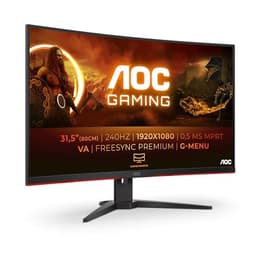
A 32-inch curved gaming monitor at 240Hz for under £100. That sentence would have seemed absurd three years ago. The C32G2ZE makes it real, and it earns its Best Under £100 badge without much competition.
The VA panel delivers deep blacks and strong contrast that IPS panels at this price can't match. For gaming in a darker room, the visual impact is genuinely impressive. 240Hz keeps things smooth, and the 1ms MPRT response time handles fast motion well. FreeSync Premium is on board for tear-free performance with AMD cards.
The compromises are real though. VA panels have slower pixel response than IPS in certain transitions, which can cause slight ghosting in very fast scenes. The 1500R curve is pronounced at 32 inches, which some people love and others find distracting. And 1080p at 32 inches means pixel density is noticeably lower than smaller screens. Text can look a bit soft for office work.
But as a gaming monitor under £100? It's outstanding. The sheer screen size makes games feel more immersive, and the 240Hz refresh rate is genuinely fast for the money. If you're upgrading from a basic 60Hz screen, this will feel like a completely different experience.
Pros
- 32-inch curved screen under £100 is exceptional value
- 240Hz refresh rate for smooth gaming
- VA panel with deep blacks and strong contrast
- FreeSync Premium included
- Low input lag for responsive gameplay
Cons
- 1080p at 32 inches has low pixel density
- VA ghosting visible in very fast scenes
- Pronounced curve isn't for everyone
- Limited stand adjustment
Buy on Amazon
Best for Beginners
Price: £74.97 | Rating: ★★★★½ (4.5)
Not everyone needs 260Hz. If you're buying your first proper monitor, upgrading from a laptop screen, or setting up a secondary display, the 24B3HA2 is a sensible, no-fuss choice. IPS panel, 100Hz, 1ms, slim bezels. It does what it needs to do without overcomplicating things.
The IPS panel gives you accurate colours and wide viewing angles straight out of the box. For homework, browsing, casual gaming and video streaming, it's genuinely good. The 100Hz refresh rate is a meaningful step up from 60Hz and makes everyday scrolling and light gaming noticeably smoother. Adaptive Sync keeps things tear-free with compatible graphics cards.
FlickerFree technology reduces eye strain during long sessions, which matters if you're staring at a screen for hours. The ultra-narrow border design looks clean in a multi-monitor setup. At under £70 it's one of the most accessible entry points into a decent IPS monitor experience.
The limitations are obvious. No height adjustment on the stand. 250 cd/m brightness is adequate but not bright. And if you're a serious gamer, 100Hz will feel limiting quickly. But for beginners and casual users, this is a proper decent starting point.
Pros
- IPS panel with accurate colours and wide viewing angles
- 100Hz is a genuine step up from 60Hz
- FlickerFree for comfortable long sessions
- Slim bezels look clean in multi-monitor setups
- Very accessible price for an IPS screen
Cons
- No height adjustment on the stand
- 250 cd/m brightness is modest
- 100Hz will feel limiting for serious gamers
- HDMI 1.4 rather than 2.0
Buy on Amazon
Best Under £50
Price: £69.97 | Rating: ★★★★½ (4.6)
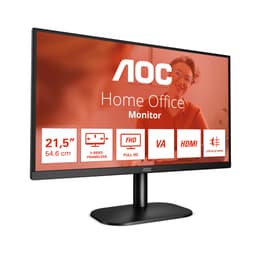
The 22B2H is the most basic monitor in this roundup, and that's fine. Not every buyer needs gaming performance. If you want a reliable FHD screen for office work, studying, or a secondary display and you're working with a tight budget, this delivers exactly what it promises.
75Hz is a modest step above 60Hz. The VA panel gives decent contrast for the price. The frameless design keeps it looking tidy. LowBlue Mode and FlickerFree are genuinely useful for reducing eye fatigue during long work sessions. The VGA port is a throwback, but it means compatibility with older systems that don't have HDMI.
The 7ms response time is slow by gaming standards. Don't buy this for fast-paced gaming. Motion blur will be visible in anything requiring quick reactions. The stand is tilt-only with no height adjustment, which is a real ergonomic limitation for daily use. A monitor arm would fix that, but it adds cost.
For under £55 though, it's hard to argue with. It's a solid, no-frills screen that does the basics well. AOC's build quality at this price point is better than many rivals, and the 3-year warranty gives peace of mind.
Pros
- Very affordable entry price
- VA panel with decent contrast
- FlickerFree and LowBlue Mode for eye comfort
- VGA port for older system compatibility
- Clean frameless design
Cons
- 7ms response time is too slow for gaming
- 75Hz is modest even for casual use
- Tilt-only stand with no height adjustment
- No DisplayPort
Buy on Amazon£69.97
Best 4K Value
Price: £178.97 | Rating: ★★★★½ (4.5)
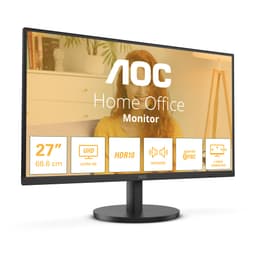
4K IPS for around £99. That's the story here, and it's a compelling one for productivity users and content consumers. The U27B3A isn't a gaming monitor. 60Hz makes that clear. But for photo editing, video streaming, spreadsheets and general desktop work, the 3840x2160 resolution on a 27-inch IPS panel is genuinely sharp.
The 350 cd/m brightness is the highest in this roundup, which helps in brighter rooms. HDR10 support combined with that brightness means streaming HDR content from Netflix or YouTube looks noticeably better than on a standard monitor. Built-in speakers are a bonus, though they're not going to replace a proper audio setup.
The three-sided frameless design looks smart on a desk, and the IPS panel delivers accurate colours without calibration for most use cases. LowBlue Light and FlickerFree make long working sessions more comfortable.
The 60Hz refresh rate is the obvious limitation. Scrolling feels less smooth than higher-refresh monitors, and gaming is limited to 60fps. If you split your time between work and gaming, this isn't the right pick. But as a dedicated productivity or media monitor, it offers remarkable value.
Pros
- 4K IPS resolution at a budget price
- 350 cd/m brightness, highest in this roundup
- Built-in speakers included
- HDR10 for streaming content
- Three-sided frameless design
Cons
- 60Hz only, not suitable for gaming
- 4ms response time is slow for fast content
- Requires a capable GPU to drive 4K
- Stand adjustment is limited
Buy on Amazon
Best Compact Gaming
Price: £89.98 | Rating: ★★★★☆ (4.4)
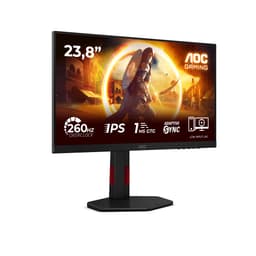
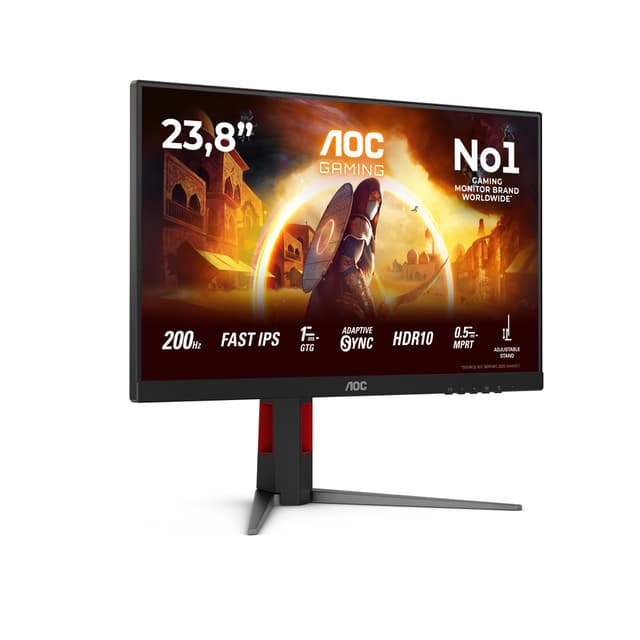
Think of this as the 27G4ZR's smaller sibling. Same Fast IPS panel, same 260Hz refresh rate, same 0.3ms MPRT. But in a 24-inch body, which means higher pixel density and sharper text. If desk space is limited or you prefer a smaller screen for competitive gaming, the 24G4ZR is the one to pick.
The pixel density advantage over the 27-inch version is real. At 24 inches, 1080p looks noticeably sharper. Text is crisper, game textures look cleaner. For anyone who spends time reading or working between gaming sessions, that matters. The height-adjustable stand is included, which is a proper quality feature at this price point.
G-Sync compatibility and Adaptive Sync cover both Nvidia and AMD users. Two HDMI 2.0 ports make it easy to connect a console alongside a PC. HDR10 is present but, as with most budget panels, it's not the headline feature.
The only reason this sits below the 27-inch version in our ranking is pure screen size. For most gaming scenarios, bigger is better. But for compact setups or buyers who prioritise pixel density, the 24G4ZR is the smarter choice.
Pros
- 260Hz Fast IPS with higher pixel density than 27-inch version
- Height-adjustable stand
- G-Sync compatible and Adaptive Sync
- Two HDMI 2.0 ports
- Compact footprint for smaller desks
Cons
- Smaller screen size limits immersion
- HDR10 implementation is basic
- No USB hub
Buy on Amazon
Best Mid-Range Curved
Price: £119.70 | Rating: ★★★★½ (4.5)
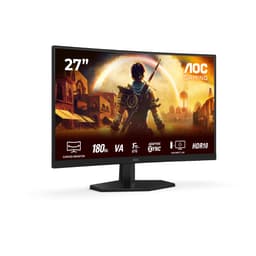
The C27G42E sits in a slightly awkward spot. At around £100, it competes with the C32G2ZE which offers more screen for similar money. But the C27G42E has a tighter 1500R curve and a 0.5ms response time that edges out the 32-inch model in motion clarity. So it comes down to what you value: screen size or motion performance.
180Hz is solid for most gaming scenarios. FreeSync Premium keeps things smooth. The curved 27-inch panel wraps nicely around your view without being as dramatic as a 32-inch curve. For racing games and action titles, it adds genuine immersion. The black finish is clean and understated.
Connectivity is limited to one HDMI 2.0 and one DisplayPort 1.4, which covers most setups but won't satisfy multi-device users. The stand is basic. If you're choosing between this and the C32G2ZE purely on value, the 32-inch wins on screen size. But if motion clarity and a tighter curve matter more, the C27G42E makes sense.
Pros
- 0.5ms response time for sharp motion
- 180Hz with FreeSync Premium
- Tight 1500R curve for immersive gaming
- Clean, understated design
Cons
- Limited connectivity options
- Basic stand with minimal adjustment
- C32G2ZE offers more screen for similar money
Buy on Amazon
Best Everyday Gaming
Price: £123.72 | Rating: ★★★★½ (4.8)
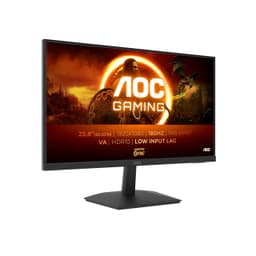
The 24G15N2 is a straightforward 24-inch 1080p 180Hz gaming monitor. No curves, no gimmicks, just a clean flat panel with a decent refresh rate at a mid-range price. For everyday gaming on a budget, it does the job without fuss.
180Hz is fast enough for most game genres. The 24-inch flat panel suits buyers who prefer a traditional screen over curved designs. It's a sensible choice for a first gaming monitor upgrade or a secondary gaming setup. The design is clean and won't look out of place in any setup.
At around £142, it's priced higher than some faster alternatives in this roundup, which is where it loses ground. The 27G4ZR offers 260Hz for less money. The C32G2ZE offers a bigger screen for less. The 24G15N2 needs to be the right fit for your specific preference for a flat 24-inch panel to justify the price.
Pros
- Clean flat panel design
- 180Hz for smooth everyday gaming
- 24-inch size is comfortable for most desk setups
Cons
- Priced higher than faster alternatives in this roundup
- No significant feature advantage over cheaper options
- Limited stand adjustment
Buy on Amazon£123.72
Best 25-inch Option
Price: £99.95 | Rating: ★★★★☆ (4.4)
The 25G3ZM/BK occupies a niche size category. 25 inches sits between the standard 24 and 27-inch options, and not everyone wants it. But if you do, this is a solid 240Hz gaming monitor at a fair price. Motion clarity is good, and the 240Hz refresh rate keeps competitive gaming smooth.
At around £100, it competes directly with the C32G2ZE, which offers significantly more screen for the same money. The 25-inch size is the main differentiator here, and it's a personal preference call. Some buyers find 27 inches too large for close-up desk use and prefer the slightly smaller footprint.
It's a competent monitor that ranks last in this roundup not because it's bad, but because the competition at similar prices offers more compelling reasons to buy. If the 25-inch size specifically suits your setup, it's worth considering. Otherwise, the C32G2ZE or 27G4ZR offer better overall value.
Pros
- 240Hz for smooth competitive gaming
- Niche 25-inch size suits specific desk setups
- Competitive price around £100
Cons
- C32G2ZE offers more screen for similar money
- 25-inch size has limited appeal
- No standout feature advantage
Buy on Amazon£99.95