Monitor manufacturers and their response time claims. You'd think someone would have told them by now that nobody believes the headline figure anymore. Samsung quotes 4ms grey-to-grey for the M70F, which sounds reasonable until you understand that grey-to-grey figures are measured under the most flattering possible conditions, at the most optimistic overdrive setting, and the number you actually care about (average grey-to-grey across the full transition range) is almost always higher. On a 60Hz VA panel, this matters in a specific way, and we'll get into it. But the response time story here is only part of what this monitor is about.
The Samsung M70F 32 Inch 4K Smart AI Monitor is positioned as something different to a pure productivity screen or a pure gaming display. It's Samsung's attempt to merge a proper 4K monitor with a smart TV platform, complete with Tizen OS, a built-in Gaming Hub for cloud gaming, voice control, and AI-assisted upscaling. At the upper mid-range price point, that's an interesting pitch. Whether it holds together in practice, or whether the smart features are just padding around a mediocre panel, is exactly what this research is here to answer. The 52 owner reviews averaging ★★★★☆ (4.4) suggest most buyers are happy. But happy buyers and technically excellent displays aren't always the same thing.
The short verdict: this is a well-specified smart monitor that suits a specific type of buyer very well, and a poor fit for others. If you want to know which camp you're in, read on.
Core Specifications
The M70F runs a 32-inch VA panel at 3840 x 2160 (4K UHD), which gives you a pixel density of around 138 pixels per inch. At 32 inches, that's a genuinely comfortable 4K density. You're not squinting at tiny UI elements the way you would on a 27-inch 4K screen, and the extra screen real estate compared to a 27-inch makes a real difference for productivity tasks. Samsung rates the refresh rate at 60Hz, the response time at 4ms grey-to-grey, and the peak brightness at 400 nits with HDR10 support. The panel uses a VA matrix, which has implications for contrast and viewing angles that we'll cover in the panel technology section.
Connectivity is where the M70F starts to look interesting relative to a standard monitor. Samsung includes two HDMI 2.0 ports, one USB-C port with DisplayPort Alternate Mode and 65W Power Delivery, and a USB hub with multiple USB-A ports. There's also a 3.5mm headphone jack and built-in 5W speakers. The smart platform runs on Samsung's Tizen OS, which means you get access to Netflix, Disney+, Prime Video, YouTube, and other streaming apps natively, without needing a connected PC or console. The Gaming Hub integration adds cloud gaming access through services like Xbox Cloud Gaming and NVIDIA GeForce Now.
The AI features Samsung advertises include 4K upscaling for lower-resolution content, an AI-powered noise reduction mode, and voice control via Bixby and Amazon Alexa compatibility. These aren't unique to the M70F within Samsung's lineup, but they're genuinely useful additions at this price point rather than pure marketing theatre. The stand offers tilt adjustment but limited height and swivel range, which is a notable limitation we'll address in the ergonomics section.
| Specification | Detail |
|---|---|
| Screen Size | 32 inches |
| Resolution | 3840 x 2160 (4K UHD) |
| Panel Type | VA (Vertical Alignment) |
| Refresh Rate | 60Hz |
| Response Time | 4ms (Grey-to-Grey) |
| Peak Brightness | 400 nits (HDR) |
| HDR Support | HDR10 |
| Contrast Ratio | 3000:1 (static, native VA) |
| Colour Gamut | Approx. 90% DCI-P3 (Samsung spec) |
| Adaptive Sync | FreeSync (AMD) |
| Ports | 2x HDMI 2.0, 1x USB-C (DP Alt Mode, 65W PD), USB-A hub ports, 3.5mm audio |
| Speakers | 5W built-in stereo |
| Smart Platform | Tizen OS (Samsung Smart TV apps) |
| VESA Mount | 100 x 100mm |
| Dimensions (with stand) | Approx. 714 x 506 x 222mm |
| Weight (with stand) | Approx. 7.3kg |
| Price | £565.59 |

Panel Technology
VA panels sit in an interesting middle ground between IPS and OLED. The key advantage is native contrast. Where a typical IPS panel delivers contrast ratios in the 1000:1 to 1200:1 range, a good VA panel can hit 3000:1 or higher natively, without any local dimming trickery. Samsung's spec sheet quotes 3000:1 for the M70F, which is credible for a VA panel of this generation. In practical terms, that means blacks look genuinely dark in a dimly lit room. Dark scenes in films, moody game environments, anything with significant shadow detail will look noticeably better on this than on a comparable IPS display. That's a real, meaningful difference, not a spec-sheet abstraction.
The trade-off with VA is viewing angles. Vertical alignment panels have a well-documented weakness here. Samsung quotes 178 degrees horizontally and vertically, which is the standard marketing claim, but in practice VA panels show visible colour shift and contrast loss when you move off-axis by more than 20 to 30 degrees. For a single user sitting directly in front of a 32-inch screen at typical desk distance, this usually isn't a problem. If you're sharing the screen with someone sitting beside you, or using it as a secondary display at an angle, the colour shift becomes obvious. IPS handles off-axis viewing better. OLED handles it better still. VA does not.
There's also the question of black smearing, which is a specific VA characteristic worth understanding. When dark pixels transition to slightly lighter dark pixels (the kind of transitions that happen constantly in dark game scenes), VA panels can exhibit a trailing or smearing artefact. This is separate from the ghosting caused by slow overdrive; it's a fundamental characteristic of the VA pixel structure. On a 60Hz panel like the M70F, where frame transitions are slower than on a 144Hz display, this can be more noticeable than on a high-refresh VA. Several owner reviews specifically mention this in darker game scenes, which aligns with what the panel technology would predict. It's not a dealbreaker for most use cases, but it's worth knowing about before you buy.
Display Quality
At 138 PPI, the M70F's 4K resolution on a 32-inch panel produces a genuinely sharp image. Text rendering is clean without needing to enable Windows display scaling, which is a practical advantage over higher-DPI 4K panels at smaller sizes. At 27 inches, 4K UHD gives you around 163 PPI, which is excellent but often requires scaling for comfortable text at normal viewing distances. At 32 inches, you can typically run at 100% scaling and everything looks proportionate. That's a usability point that matters for all-day productivity work.
The anti-glare coating on the M70F is a standard matte finish. Matte coatings reduce specular reflections effectively, which is useful in bright office environments, but they introduce a slight haze to the image compared to glossy panels. Samsung's coating is competent rather than exceptional. In well-controlled lighting, the image looks clean and detailed. In very bright rooms with direct light sources behind you, the matte coating does its job without the aggressive graininess you see on some cheaper panels. Owner feedback is generally positive on this, with no significant complaints about coating quality in the 52 reviews.
Brightness uniformity is worth addressing. VA panels can show some backlight variation across the panel, and at 400 nits peak brightness, the M70F isn't the brightest display in this price range. For SDR content in a normally lit room, 300 to 350 nits of typical brightness is comfortable. In very bright rooms or with strong ambient light, you might find yourself wanting more headroom. The 400 nit HDR peak is also on the lower end for meaningful HDR impact, but we'll cover that in the HDR section. A handful of owner reviews mention minor backlight uniformity variation in dark scenes, which is typical for VA panels at this price and not unusual for the category.
Refresh Rate and Adaptive Sync
The M70F runs at 60Hz. Full stop. There's no 75Hz mode, no overclocking headroom mentioned in Samsung's documentation, and no pathway to higher refresh rates. For a monitor in the upper mid-range bracket in 2026, 60Hz is a limitation that deserves honest discussion. If your primary use case is competitive gaming, anything under 120Hz is going to feel sluggish compared to what your opponents might be running. Fast-paced shooters, fighting games, racing titles: all of these benefit meaningfully from higher refresh rates, and 60Hz puts a hard ceiling on how smooth the motion can feel.
For productivity, streaming, casual gaming, and console use, 60Hz is perfectly adequate. The PlayStation 5 and Xbox Series X both output at 4K 60Hz as their standard 4K mode (with 4K 120Hz requiring specific game support and HDMI 2.1, which the M70F doesn't have). So for console gaming at 4K, the M70F's 60Hz is actually well-matched to what most console games deliver at 4K resolution. PC gamers who prioritise frame rate over resolution will want to look elsewhere.
FreeSync support is present, which means variable refresh rate operation within the supported range for AMD GPU users. The FreeSync range on the M70F is specified as 48 to 60Hz, which is a narrow VRR window. This means FreeSync only activates when your frame rate is between 48 and 60 frames per second. Below 48fps, you lose the adaptive sync benefit and may see tearing. At 4K on demanding titles, dropping below 48fps is not uncommon even on mid-range GPUs, so the practical benefit of FreeSync on this panel is more limited than the spec sheet implies. G-Sync compatibility is not certified, though some NVIDIA users report it working in practice. DisplayPort Adaptive Sync is the underlying standard that FreeSync builds on.
Response Time and Motion
Samsung's 4ms grey-to-grey claim needs unpacking. Grey-to-grey response time measurements are taken at a specific transition (typically mid-grey to mid-grey) under the highest overdrive setting. What independent display analysis consistently shows for VA panels at 60Hz is that the average grey-to-grey across all transitions is significantly higher than the best-case figure. For 60Hz VA panels in this class, average measured response times of 8ms to 15ms are common, with slower transitions (particularly dark-to-dark) often exceeding 20ms. The 4ms figure represents the fastest possible transition, not the typical one.
At 60Hz, the frame time is 16.7ms, which means a single frame lasts 16.7ms. A pixel transition that takes 12ms is completing within a single frame, which sounds acceptable, but the cumulative effect of slower transitions in dark areas creates visible trailing in motion. This is the black smearing characteristic mentioned in the panel technology section, and it's more pronounced on VA panels at 60Hz than on faster VA panels at 120Hz or higher. In practice, for the M70F's primary audience (productivity users, media consumers, casual gamers, console players), this level of motion performance is workable. For competitive gaming or fast-paced action games where motion clarity is critical, it's a genuine weakness.
Samsung includes an overdrive setting in the OSD (on-screen display menu), typically labelled as response time compensation or similar. Setting this too aggressively on a VA panel produces inverse ghosting, where bright halos appear around moving objects. The sweet spot is usually a moderate overdrive setting. Owner feedback doesn't flag severe ghosting complaints, which suggests Samsung's default overdrive tuning is reasonable. But anyone coming from a high-refresh IPS or OLED display will notice the motion performance difference immediately, particularly in darker scenes. This is a 60Hz VA panel doing 60Hz VA panel things. Manage expectations accordingly.
Colour Accuracy and Gamut
Samsung quotes approximately 90% DCI-P3 colour coverage for the M70F, which is a reasonable figure for a VA panel at this price. For context, DCI-P3 is the colour space used in digital cinema production, and 90% coverage means the display can reproduce most (but not all) of the colours in that space. In sRGB terms, a 90% DCI-P3 panel typically covers 125% to 130% of sRGB, meaning colours in standard content will appear slightly more saturated than on a standard sRGB display. Whether that's a positive depends on your use case.
For content creation work where colour accuracy matters, the important figure isn't just gamut coverage but Delta-E accuracy. Delta-E is a measurement of how far a displayed colour deviates from its target value. A Delta-E below 2 is considered good for professional work; below 1 is excellent. Samsung doesn't publish factory calibration data for the M70F in the way that professional display manufacturers do, and there's no ICC profile included. Published measurements from display analysts on comparable Samsung VA panels in this range typically show average Delta-E values in the 2 to 3 range out of the box, which is acceptable for general use but not precise enough for colour-critical professional work without individual calibration.
For the M70F's target audience, this colour performance is genuinely good. Streaming video looks vibrant and punchy. Photo editing at a casual level is fine. Graphic designers who need Delta-E below 1 and verified colour accuracy should be looking at professionally calibrated IPS panels or OLED displays with factory calibration data. But for the vast majority of buyers, the M70F's colour output will look excellent and feel like a step up from a budget display. Several owner reviews specifically praise the colour richness, which tracks with what a wide-gamut VA panel delivers on saturated content.

HDR Performance
HDR10 support is present, but the M70F sits at what the industry sometimes calls checkbox HDR territory. The VESA DisplayHDR certification framework gives a useful reference point here. DisplayHDR 400 certification requires a minimum peak brightness of 400 nits, which is exactly where Samsung rates the M70F. That's the entry-level HDR certification tier, and it's a significant distance from the DisplayHDR 600 or DisplayHDR 1000 tiers where HDR starts to produce genuinely impressive results.
The reason peak brightness matters so much for HDR is that HDR content is mastered with highlights that can reach 1000 nits or higher. A display that peaks at 400 nits will tone-map those highlights downward, compressing the HDR signal and reducing the impact of bright highlights. The contrast advantage of the VA panel (that 3000:1 native contrast ratio) does help the M70F's HDR presentation relative to an IPS panel at the same brightness, because the blacks stay dark even as the highlights are limited. But compared to a proper HDR display with local dimming and 600+ nit peak brightness, the HDR experience on the M70F is modest.
There is no local dimming on the M70F. Local dimming, which divides the backlight into independently controlled zones, is what allows a display to show deep blacks in one part of the screen while simultaneously showing bright highlights in another. Without it, the backlight level is a compromise for the whole screen at any given moment. For HDR content with mixed bright and dark areas in the same frame (which is most HDR content), this limits the achievable contrast. The M70F's VA panel does a reasonable job with its fixed backlight and high native contrast, but it's not delivering the HDR experience you'd get from a Mini-LED or OLED panel. If HDR quality is a priority, this is not the right display.
Contrast and Brightness
The 3000:1 native contrast ratio is the M70F's strongest display specification. In a darkened room, the difference between this and a 1000:1 IPS panel is immediately visible. Dark scenes in films have genuine depth. The letterbox bars above and below widescreen content are properly dark rather than the washed-out grey you see on lower-contrast displays. For anyone who watches a lot of film content or plays atmospheric games in a dim environment, this is a meaningful advantage that justifies choosing VA over IPS at the same price point.
The 400 nit peak brightness is adequate for most indoor environments but not exceptional. In a bright room with sunlight coming through windows, you may find yourself pushing the brightness to maximum and still wishing for more. Competing IPS panels in this price range can reach 400 to 500 nits as well, so this isn't a VA-specific weakness, but notably, that the M70F won't win any brightness contests. For typical home office use with controlled ambient lighting, 300 to 350 nits of comfortable operating brightness is workable.
Where the M70F's contrast shines most is in the combination of dark room use and media consumption. The VA panel's ability to render genuinely dark blacks without the IPS glow (that slight grey-ish halo visible in the corners of IPS panels in dark content) makes it noticeably better for film watching in dim conditions. Owner reviews consistently mention the picture quality for movies and TV content as a highlight, which makes sense given the contrast advantage and the wide colour gamut working together. This is a monitor that looks excellent with the right content in the right lighting conditions.
Ergonomics and Stand
The stand is one of the M70F's weaker points relative to its price. Samsung includes tilt adjustment (forward and backward) as standard, but height adjustment is limited. Several owner reviews mention that the stand height is fixed or offers only minimal adjustment, which means finding a comfortable eye level often requires a monitor arm or a monitor riser. For a display in the upper mid-range bracket, a full ergonomic stand with height, tilt, swivel, and pivot would be expected. The M70F doesn't deliver that.
The good news is that the M70F supports a 100 x 100mm VESA mount pattern, so fitting a third-party monitor arm is straightforward. If you're already planning to use a monitor arm (and at 32 inches, many people do), the stand limitation is irrelevant. If you're planning to use the included stand long-term, factor in the potential need for a monitor riser or desk stand to get the screen to a comfortable eye height. The stand itself is stable once positioned; there's no significant wobble reported by owners, and the build quality of the chassis feels solid for the price.
The overall build quality of the M70F is good. The bezel is slim on three sides with a slightly thicker bottom chin, which is standard for Samsung's monitor lineup. The back of the panel has a clean, minimal aesthetic with Samsung's cable management routing built into the stand. The power brick is external, which some people find annoying but is standard for monitors in this category. At around 7.3kg with the stand, it's not light, but 32-inch monitors rarely are. Setup from the listing description is straightforward, with the stand attaching without tools.
Connectivity and Ports
The M70F's port selection is better than many monitors in this bracket, largely because of the USB-C implementation. A single USB-C port with DisplayPort Alternate Mode and 65W Power Delivery means you can connect a modern laptop with one cable, getting video output and charging simultaneously. For MacBook Pro and MacBook Air users, or anyone with a USB-C laptop, this is genuinely useful. 65W is enough to charge most laptops, though some high-performance laptops prefer 90W or more for full-speed charging under load.
- 2x HDMI 2.0 (supports 4K at 60Hz)
- 1x USB-C (DisplayPort Alt Mode, 65W Power Delivery)
- 2x USB-A (hub, downstream)
- 1x USB-A (service/upstream)
- 3.5mm headphone output
- Built-in 5W stereo speakers
- Wi-Fi and Bluetooth (for smart platform connectivity)
The two HDMI 2.0 ports are worth noting. HDMI 2.0 supports 4K at 60Hz, which is sufficient for this panel's resolution and refresh rate. However, HDMI 2.0 does not support 4K at 120Hz (that requires HDMI 2.1), so if you're hoping for future-proofing for console gaming at 4K 120Hz, the M70F won't accommodate that. The PlayStation 5 and Xbox Series X support 4K 120Hz on HDMI 2.1 connections, but the M70F's HDMI 2.0 ports cap at 4K 60Hz. For current 4K 60Hz console use, this is fine. For next-generation console gaming at higher frame rates, it's a limitation.
The built-in Wi-Fi and Bluetooth connectivity exist primarily for the Tizen smart platform, allowing the M70F to connect to streaming services and the Gaming Hub without a wired network connection. This is a genuine convenience feature for users who want to use the smart TV functionality without running an Ethernet cable to the monitor. The 5W speakers are adequate for background audio and video calls but won't replace a proper speaker setup for serious music or film audio. They're better than nothing, which is the honest assessment of built-in monitor speakers at any price point.
How It Compares
The most direct competitors for the Samsung M70F 32 Inch 4K Smart AI Monitor are the LG 32UN880-B (the Ergo 4K, a 32-inch 4K IPS panel with an articulating stand) and the Dell U3223QE (a 31.5-inch 4K IPS panel aimed at productivity). Both sit in a similar price bracket and target similar buyers, but they make very different trade-offs.
The LG 32UN880-B uses an IPS panel, which means better viewing angles and more consistent colour accuracy off-axis, but lower native contrast than the M70F's VA. The LG's articulating stand is genuinely excellent and far more adjustable than Samsung's offering. For pure productivity work where you need to share the screen or work at varied angles, the LG's IPS panel and better stand ergonomics give it an edge. The M70F wins on contrast, smart platform integration, and the Gaming Hub features. The Dell U3223QE is a more professionally oriented display with better factory colour accuracy, Thunderbolt 4 connectivity, and a more complete USB hub, but it lacks the smart TV features entirely and costs more. It's a better display for colour-critical work; the M70F is a better display for mixed home use.
What the M70F offers that neither competitor does is the full smart TV platform with built-in streaming apps, voice control, and cloud gaming via the Gaming Hub. If you want a 32-inch 4K display that can function as a standalone smart TV without a connected PC, the M70F is one of the few monitors that genuinely delivers this. That's a real differentiator, not just a marketing bullet point. For a bedroom or living room setup where you want one device that handles both computer monitor and smart display duties, the M70F's proposition is compelling.
| Feature | Samsung M70F 32" | LG 32UN880-B | Dell U3223QE |
|---|---|---|---|
| Panel Type | VA | IPS (Nano IPS) | IPS (IPS Black) |
| Resolution | 3840 x 2160 | 3840 x 2160 | 3840 x 2160 |
| Refresh Rate | 60Hz | 60Hz | 60Hz |
| Native Contrast | 3000:1 | ~1000:1 | ~2000:1 (IPS Black) |
| Peak Brightness | 400 nits | 350 nits | 400 nits |
| USB-C PD | 65W | 60W | 90W (Thunderbolt 4) |
| Smart TV Platform | Yes (Tizen) | No | No |
| Stand Adjustability | Tilt only (limited) | Full articulating arm | Height, tilt, swivel, pivot |
| Built-in Speakers | 5W stereo | 5W stereo | No |
| Price | £565.59 | Upper mid-range | Premium |

Final Verdict
The Samsung M70F 32 Inch 4K Smart AI Monitor is a genuinely good product for the right buyer, and a genuinely wrong product for the wrong one. The VA panel delivers contrast that IPS panels at this price can't match, the 4K resolution at 32 inches is a comfortable, practical combination, and the Tizen smart platform is a real differentiator that works properly rather than feeling bolted on as an afterthought. The Gaming Hub with cloud gaming access, the built-in streaming apps, the voice control: these aren't gimmicks if you actually want them. Owner feedback at ★★★★☆ (4.4) across 52 reviews reflects genuine satisfaction from buyers who bought this for the right reasons.
The limitations are equally real. Sixty Hz is a hard ceiling that competitive gamers will find frustrating. The VA panel's black smearing in dark motion scenes is a known characteristic of the technology, not a manufacturing defect, but it's noticeable if you're sensitive to it. The stand is limited, the HDR implementation is entry-level rather than genuinely impressive, and the HDMI 2.0 ports rule out 4K 120Hz console gaming. The 4ms grey-to-grey marketing claim should be treated with the scepticism it deserves; real-world average transitions on 60Hz VA panels run considerably higher, and anyone expecting IPS-level motion clarity will be disappointed.
Who should buy this? Primarily people who want a large, sharp 4K display that doubles as a smart TV. The work-from-home user who wants a single screen for laptop productivity (via USB-C), streaming Netflix in the evening, and occasional casual gaming. The console gamer who plays at 4K 60Hz and wants a proper display without buying a separate smart TV. The buyer who values deep blacks and rich colour for film watching over motion clarity for fast gaming. For all of these people, the M70F is a well-thought-out product that delivers on its core promises.
Who should skip it? Competitive gamers who need 120Hz or higher. Anyone doing colour-critical professional work who needs verified Delta-E accuracy below 1. Users who need a fully adjustable ergonomic stand and don't want to buy a monitor arm. And if smart TV features genuinely don't interest you and you just want a good 4K monitor, there are IPS panels with better viewing angles and ergonomics at a similar price point. The LG 32UN880-B is the smarter buy if you want better stand adjustability and don't need the smart platform. The Dell U3223QE is the smarter buy if colour accuracy and Thunderbolt connectivity matter more than smart features. But if the M70F's combination of contrast, smart platform, and 4K sharpness matches your actual use case, it earns its price point comfortably.
What works. What doesn’t.
5 + 4What we liked5 reasons
- 3000:1 native VA contrast delivers genuinely deep blacks for film watching
- 4K at 32 inches is a practical, comfortable density without needing display scaling
- Tizen smart platform with streaming apps and Gaming Hub works properly
- USB-C with 65W Power Delivery for single-cable laptop connectivity
- Wide colour gamut (approx. 90% DCI-P3) produces vibrant, rich images
Where it falls4 reasons
- 60Hz only: a hard ceiling that rules out competitive gaming
- VA black smearing visible in dark motion scenes
- Stand offers limited adjustability; height adjustment is minimal
- HDR10 at 400 nits is entry-level; no local dimming limits real HDR impact
Full specifications
11 attributes| Panel type | VA |
|---|---|
| Aspect ratio | 16:9 |
| Curvature | flat |
| HDR | HDR10 |
| Launch year | 2025 |
| Ports | 2x HDMI 2.0, 1x USB-C 65W, 3x USB 2.0 |
| Refresh rate HZ | 60 |
| Resolution | 3840x2160 |
| Response time MS | 4 |
| Screen size IN | 32 |
| Vesa compatible | true |
If this isn’t right for you
2 options 8.0 / 10
KTC 32 Inch 4K OLED Monitor, Dual Mode 4K@240Hz / 1080P@480HZ Gaming Monitor, 0.03ms, Adaptive Sync, HDR Ture Black 400, HDMI 2.1, DP 1.4, Full Function 65W USB C, 3 x USB A 3.0, KVM,Dual Speaker
£559.99 · KTC
 7.5 / 10
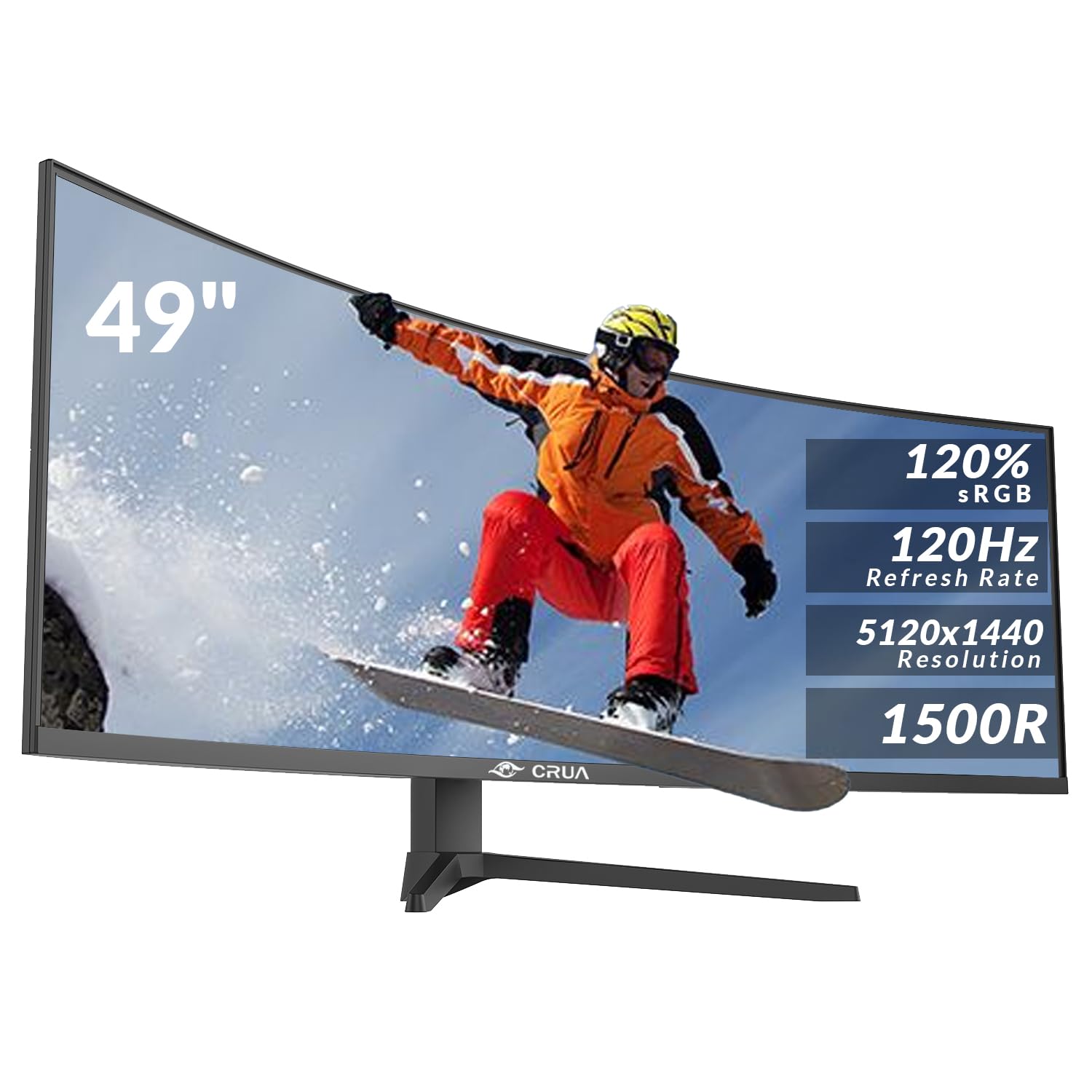
CRUA 49 Inch Curved Gaming Monitor, DQHD 5120 x 1440, 120Hz, 1500R, 32:9 UltraWide, AMD FreeSync, 120% sRGB, Height Adjustable, HDMI 2.1 & DP 1.4, Black
£499.99 · CRUA
Frequently asked
5 questions01Is the Samsung M70F 32 Inch 4K Smart AI Monitor, VA Panel, 3840 x 2160, 60Hz, 4ms (G/G), Speaker, Gaming Hub, 4K Upscaling, Voice Control, Smart TV Apps & AI Features, HDR10, LS32FM700UUXEN good for gaming?+
It depends entirely on what kind of gaming. For casual gaming, RPGs, strategy titles, and 4K console gaming at 60Hz, the M70F is perfectly capable. The VA panel's high native contrast makes dark game environments look impressive. For competitive gaming in fast-paced shooters or fighting games, the 60Hz refresh rate is a significant limitation. Most competitive players want 144Hz or higher, and the M70F's 60Hz ceiling and VA panel's characteristic dark-scene smearing make it a poor fit for that use case. FreeSync is present but operates over a narrow 48 to 60Hz range, limiting its practical benefit.
02Does the Samsung M70F 32 Inch 4K Smart AI Monitor, VA Panel, 3840 x 2160, 60Hz, 4ms (G/G), Speaker, Gaming Hub, 4K Upscaling, Voice Control, Smart TV Apps & AI Features, HDR10, LS32FM700UUXEN have good HDR?+
Honest answer: it has checkbox HDR rather than impressive HDR. HDR10 support is present and the display meets the minimum VESA DisplayHDR 400 specification with its 400 nit peak brightness. However, without local dimming and with a peak brightness that falls well short of the 600 to 1000 nit range where HDR really starts to look dramatic, the HDR experience is modest. The VA panel's high native contrast (3000:1) does help compared to an IPS panel at the same brightness, but this is not a display that will make HDR content look the way it does on a proper HDR TV or OLED monitor.
03Is the Samsung M70F 32 Inch 4K Smart AI Monitor, VA Panel, 3840 x 2160, 60Hz, 4ms (G/G), Speaker, Gaming Hub, 4K Upscaling, Voice Control, Smart TV Apps & AI Features, HDR10, LS32FM700UUXEN good for content creation?+
For casual content creation, photo editing, and video work where colour accuracy doesn't need to be precise to professional standards, the M70F is good. The approximately 90% DCI-P3 colour gamut coverage produces vibrant, rich colours, and the 4K resolution gives you plenty of working space. For professional colour-critical work requiring verified Delta-E accuracy below 1 and factory calibration data, the M70F is not the right tool. Samsung doesn't publish factory calibration data for this model, and comparable VA panels in this range typically measure average Delta-E values of 2 to 3 out of the box, which is acceptable for general use but not for precision colour work.
04What graphics card do I need for the Samsung M70F 32 Inch 4K Smart AI Monitor, VA Panel, 3840 x 2160, 60Hz, 4ms (G/G), Speaker, Gaming Hub, 4K Upscaling, Voice Control, Smart TV Apps & AI Features, HDR10, LS32FM700UUXEN?+
For 4K 60Hz gaming, you'll want a GPU capable of maintaining 48fps or higher in your target games to benefit from FreeSync. An NVIDIA RTX 4070 or AMD RX 7800 XT and above will handle most modern titles at 4K 60fps with high settings. For productivity and media use without gaming, any modern GPU with HDMI 2.0 or a USB-C DisplayPort output is sufficient. If you're connecting via USB-C, ensure your laptop or PC has a USB-C port with DisplayPort Alternate Mode support.
05What warranty and returns apply to the Samsung M70F 32 Inch 4K Smart AI Monitor, VA Panel, 3840 x 2160, 60Hz, 4ms (G/G), Speaker, Gaming Hub, 4K Upscaling, Voice Control, Smart TV Apps & AI Features, HDR10, LS32FM700UUXEN?+
Samsung typically offers a 2-year manufacturer warranty on their monitor products sold in the UK, but we recommend verifying the specific warranty terms on the Samsung UK website or the Amazon product listing before purchasing, as terms can vary by seller and region. When buying through Amazon, you're also covered by Amazon's standard 30-day return policy and the A-to-Z Guarantee, which provides additional buyer protection if the item arrives damaged or not as described.