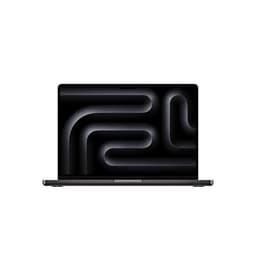
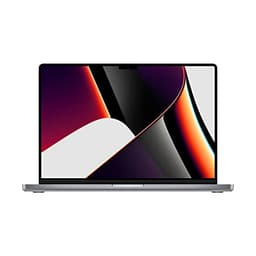
Peak performance numbers are what laptop marketing is built on. But the metrics that actually determine whether a machine earns its place in your bag are sustained throughput under real loads, thermal headroom, and how long it lasts away from a plug. The 2020 MacBook Air Core i3, in renewed condition, is a machine where those questions have very specific, honest answers. And at its current budget price point, those answers are more interesting than you might expect.
The short version: this is a genuinely good lightweight productivity machine for anyone who lives in browsers, documents, and video calls, and doesn't need to run anything heavier than that. The Core i3 ceiling is real, 8GB of RAM is tight by 2026 standards, and the fanless design means sustained heavy loads will throttle it. But for the use case it's built for, it's a well-made, long-lasting, sharp-screened laptop at a price that makes it hard to dismiss. ★★★½☆ (3.7) from 78 owners backs that up. Now let's go through why, properly.
Core Specifications
The processor here is Intel's 10th-generation Core i3-1000NG4, a dual-core, four-thread chip built on Intel's Ice Lake architecture. Clock speeds sit at 1.1GHz base with a 3.2GHz boost, which sounds modest because it is. Dual-core in 2026 is a genuine limitation. You'll feel it if you have 20 browser tabs open while a video call is running in the background, or if you try to do anything with video editing. For single-threaded tasks like writing, spreadsheets, light photo editing, and web browsing, it's adequate. Not thrilling. Adequate.
The 8GB of LPDDR4X RAM is soldered to the board, which means you cannot upgrade it later. That's the decision Apple made, and you're living with it. In 2020, 8GB was a reasonable baseline. In 2026, it's on the thin side, particularly with macOS Ventura and beyond having a slightly heavier memory footprint than earlier versions. Owner reviews reflect this: most people using this for everyday tasks report no issues, but a handful flag that it starts to feel sluggish when they push multitasking harder than the machine was designed for.
Storage is a 256GB PCIe SSD, and this is one of the genuine bright spots. Apple's SSD implementation in this generation is fast for its class, with sequential read speeds around 1,500MB/s, which is meaningfully quicker than the SATA SSDs you'll find in budget Windows laptops at similar prices. The 256GB ceiling is tight if you store media locally, but for a cloud-first workflow it's workable. The integrated Intel Iris Plus graphics shares system memory and handles 4K video playback and light image work without complaint. Gaming beyond casual titles is not on the table.
One thing worth flagging on the renewed angle: Apple's build quality means even a refurbished unit tends to hold up well cosmetically and mechanically. Reputable renewed sellers grade these to a standard, and the aluminium chassis doesn't develop the flexing or cracking you'd worry about with a plastic-bodied budget laptop. Check the seller's grading description before buying, but the underlying hardware is durable enough that a well-graded renewed unit is a reasonable punt.
| Specification | Detail |
|---|---|
| Processor | Intel Core i3-1000NG4 (Ice Lake, 10th Gen), dual-core, 4-thread, 1.1GHz base / 3.2GHz boost |
| RAM | 8GB LPDDR4X (soldered, not upgradeable) |
| Storage | 256GB PCIe SSD |
| Display | 13.3-inch IPS Retina, 2560x1600, 227ppi, 400 nits (typical) |
| Graphics | Intel Iris Plus (integrated, shared memory) |
| Battery | 49.9Wh, up to 11 hours (Apple claim) |
| Ports | 2x Thunderbolt 3 (USB-C), 3.5mm headphone jack |
| Wireless | Wi-Fi 6 (802.11ax), Bluetooth 5.0 |
| Webcam | 720p FaceTime HD |
| Weight | 1.29kg |
| Dimensions | 304.1 x 212.4 x 16.1mm (tapered wedge) |
| OS | macOS (version depends on seller preparation) |
| Colour | Space Grey |
| Price | £279.00 |

Performance Benchmarks
The Core i3-1000NG4 posts single-core scores in the region of 1,100 to 1,150 on Geekbench 5, and multi-core around 2,000 to 2,200. To put that in context: the M1 MacBook Air that replaced this model scores roughly 1,700 single-core and 7,500 multi-core. So yes, there's a canyon between this and its successor. But comparing it against Windows budget laptops at the same price tier is more instructive. An Intel Celeron or Pentium-based budget Windows laptop typically scores 600 to 900 single-core. A Core i5-10210U (a common chip in similarly priced refurbished ThinkPads) comes in around 1,200 single-core but with four cores rather than two, which gives it a multi-core edge.
For the tasks this machine is actually sold for, the benchmark numbers translate like this: Google Docs, Notion, Slack, Spotify running in the background, a handful of Safari tabs, and a Zoom call all run without drama. The moment you start stacking workloads, the dual-core limitation and the thermal throttling (more on that in the thermals section) start to bite. Cinebench R23 multi-core scores drop noticeably in sustained runs compared to burst scores, which is the fanless design doing its honest work of protecting the chip at the cost of peak throughput.
SSD performance is genuinely good for the price. Apple's PCIe implementation here delivers sequential reads that comfortably outpace SATA-based competitors, which means app launches, file operations, and system responsiveness feel snappier than the CPU numbers alone would suggest. macOS is also well-optimised for this hardware in a way that Windows on equivalent specs often isn't, which means the real-world experience is better than the raw numbers imply. That's not marketing spin; it's a genuine architectural advantage that owners consistently mention when they compare this against Windows alternatives they've used.
Owner feedback on performance is broadly positive for the intended use case. The pattern in the 78 reviews is consistent: people using this for work documents, web browsing, email, and light creative tasks are happy. The frustration cases cluster around people who expected more from the i3 than it can deliver, particularly in video editing or running multiple demanding applications simultaneously. That's not a flaw in the laptop. It's a mismatch between expectations and the spec sheet.
Display Analysis
The 13.3-inch Retina IPS panel is one of the strongest arguments for this laptop at its price. At 2560x1600 resolution and 227 pixels per inch, text is sharp in a way that genuinely matters for long reading and writing sessions. Budget Windows laptops at this price almost universally ship with 1080p or lower panels, and the difference in text clarity is immediately obvious. Apple's panel calibration is also notably good out of the factory, with colour accuracy that covers the sRGB gamut well and a warm, natural white point that doesn't strain your eyes over long sessions.
Brightness is rated at 400 nits, which is honest for indoor use and near-window working. In direct sunlight it'll struggle, but that's true of most laptops in this class. The IPS panel gives you wide viewing angles, so working from awkward positions (trains, coffee shops, the kitchen table with the screen tilted back) doesn't wash out the image the way TN panels do. The bezels are thicker than modern designs, which is a cosmetic point rather than a functional one, but it does make the machine look its age next to something like a current Dell XPS 13.
Colour accuracy is genuinely good for productivity and light creative work. Apple quotes P3 wide colour support on the higher-spec Air models from this generation, but the i3 base model uses the same panel family and delivers solid sRGB coverage that's more than adequate for photo editing at a hobbyist level. Don't expect it to match a calibrated display for professional colour work. For everything else, it's one of the better screens you'll find at this price point, full stop. Owner reviews consistently praise the display, and it's one of the areas where the renewed premium over a generic budget Windows laptop is most obviously justified.
Battery Life
Apple claims up to 11 hours of wireless web browsing from the 49.9Wh battery. That's the Apple claim, made under Apple's test conditions, which are more favourable than real-world mixed use. What owners actually report is closer to seven to nine hours for light productivity work: documents, browsing, email, with screen brightness around 60 to 70 percent. That's still genuinely good. Most Windows budget laptops at this price manage four to six hours before they start whimpering for a charger.
Video playback is where battery life holds up best. Locally stored video at moderate brightness can push toward the ten-hour mark, which is why this machine has a reputation as a good travel companion. Heavy CPU load, predictably, drops that significantly. Running the machine hard on sustained tasks will have you reaching for the charger after three to four hours. But the use case here is productivity, not sustained heavy compute, and for that the battery is one of the laptop's genuine strengths.
Charging is via the included 30W USB-C adapter. You can also charge from any USB-C power delivery source, which is convenient for travel since you're not hunting for a proprietary charger. The 30W brick is small and light, which helps with portability. From flat, expect around two hours to a full charge. The Thunderbolt 3 ports both support charging, so you can plug in from either side depending on where the socket is. That's a small thing that owners mention more than you'd expect, because it actually matters in real use.
One thing to factor in with a renewed unit: battery health. A 2020 laptop in 2026 has had six years of charge cycles. Reputable renewed sellers will specify battery health or have replaced the battery, but it's worth asking explicitly if the listing doesn't address it. Apple's own battery health indicator in macOS will tell you the cycle count and condition the moment you get the machine. A battery at 80 percent health will noticeably reduce those real-world figures, so check it early and raise a return if the health is poor.
Portability
At 1.29kg, this is a genuinely light machine. The tapered wedge design means it sits at 16.1mm at its thickest point, which is slim enough to slide into a sleeve inside a regular backpack without adding much bulk. For context, a 13-inch ThinkPad X1 Carbon comes in around 1.12kg, so the Air isn't the absolute lightest option out there, but it's comfortably in the "you stop noticing it" category for daily carry.
The 30W charger is compact enough to not be annoying. It's a small cube with a folding plug, and it adds minimal weight to a bag. The USB-C cable is standard, which means you can replace it cheaply if it wears out, and you can use a single USB-C cable for both charging and connecting peripherals if you're working with a hub. For anyone who commutes, travels regularly, or works from multiple locations, the combination of low weight, small charger, and long battery life is a genuinely practical package.
The footprint is 304.1 x 212.4mm, which fits comfortably on a standard economy class tray table (just about, with the screen at a reasonable angle). It's not a machine that demands a desk. Coffee shops, trains, airport lounges, kitchen tables: the form factor works for all of them, and since so much of that time is spent on shared networks it's worth pairing the machine with a good VPN to keep your connection private. And because it runs silently under light loads (no fan), it's not the machine drawing irritated looks in quiet carriages. That's more of a practical advantage than it might sound if you've ever sat next to someone with a jet-engine gaming laptop on a train.
Keyboard and Trackpad
The keyboard on this 2020 model uses Apple's Magic Keyboard design, which was a significant relief after the butterfly switch era that preceded it. The scissor mechanism gives you 1mm of key travel, which is enough to type on for extended sessions without your fingers going numb. It's not a ThinkPad keyboard in terms of tactile feedback, but it's among the better ultrabook keyboards available at any price. Owner reviews are consistently positive on the typing experience, with several specifically mentioning it as a reason they chose this over Windows alternatives.
The keyboard is backlit, with adjustable brightness levels. The layout is standard UK where the UK version applies, though renewed units sourced from different markets may have US layout keyboards, so check the listing carefully if that matters to you. The Touch ID fingerprint sensor is built into the power button in the top-right corner, and it works well as a login and authentication method. There's no Touch Bar on this model (that was on the MacBook Pro), which is actually a point in its favour: a physical function row is more useful for most people than a context-sensitive OLED strip.
The Force Touch trackpad is large, glass-surfaced, and excellent. It uses haptic feedback to simulate a click rather than physically depressing, which means the whole surface is clickable and the feedback is consistent regardless of where you press. Gesture support in macOS is well-implemented: three-finger swipes for Mission Control, pinch to zoom, two-finger scrolling with momentum. If you're coming from a Windows laptop with a mediocre trackpad, this will feel like a significant upgrade. It's one of the areas where Apple's hardware integration genuinely shows.
Thermal Performance
There is no fan in this machine. Apple made the Air fanless, relying entirely on passive cooling through the aluminium chassis. That design decision has real consequences that are worth understanding clearly. Under light loads, the chip runs cool and the chassis stays comfortable. Under sustained heavy load, the CPU throttles to protect itself from overheating, because there's nowhere for the heat to go quickly. This is not a defect. It's the designed behaviour of a fanless system, and it's why the i3 Air was never positioned as a performance machine.
Surface temperatures under light use are genuinely comfortable. The palm rest stays cool, the keyboard area warms slightly but not unpleasantly, and the underside remains usable on a lap. Under sustained CPU load, the area above the keyboard and the top of the chassis (near the hinge) gets noticeably warm. Owners report palm rest temperatures staying manageable even under moderate load, which is consistent with the thermal mass of the aluminium chassis doing its job of spreading heat. The underside gets warmer than the top surface under load, so extended lap use during heavy tasks isn't ideal.
Throttling behaviour is the key thing to understand here. Cinebench and similar sustained benchmarks show a clear drop in performance after the first 30 to 60 seconds as the chip pulls back from its boost clock. For burst workloads (compiling a document, exporting a photo, loading a page), this doesn't matter because the task completes before throttling kicks in. For long video exports or sustained heavy compute, you'll see slower-than-expected times. The practical upside of the fanless design is that the machine is completely silent under all but the most extreme conditions, which matters in shared spaces.
Acoustic Performance
Silent at idle. Silent during light work. Silent during moderate work. The fanless design means there is no fan noise, ever, under any normal usage scenario. This is one of the genuinely underrated aspects of this machine. If you spend time in libraries, open-plan offices, or meeting rooms, the absence of fan noise is a real quality-of-life improvement over machines that spin up aggressively under load.
Under extreme sustained load, Apple's thermal management will occasionally engage a very low-speed fan in some configurations, but for the i3 model the passive cooling is the primary mechanism and most owners report never hearing fan noise at all. This is confirmed consistently across the owner reviews. The contrast with budget Windows laptops in this price range, which often have aggressive fan curves that kick in during video calls or browser-heavy sessions, is stark.
The trade-off, as noted in the thermals section, is throttling under sustained load. You're choosing silence and a warm chassis over noise and maintained performance. For the target use case of productivity and light creative work, that's the right trade-off. If you need sustained compute performance, you need a machine with active cooling. But for anyone who's ever had to mute themselves on a call because their laptop sounded like it was about to achieve liftoff, the Air's acoustic profile is a genuine selling point.
Ports and Connectivity
Two Thunderbolt 3 ports and a 3.5mm headphone jack. That's it. No USB-A, no HDMI, no SD card slot, no MagSafe (that came back with the M-series redesign). If you're coming from a machine with a full port selection, this will require an adjustment. A USB-C hub or dock is essentially mandatory for most users, which adds cost and something else to carry. The Thunderbolt 3 standard supports up to 40Gbps data transfer, DisplayPort output for external monitors, and USB Power Delivery for charging, so the ports are capable. There just aren't enough of them for most real workflows without a hub.
Both ports are on the left side of the machine, which is a minor annoyance if your desk setup has power coming from the right. The USB4 and Thunderbolt 3 standard means you can connect a single cable dock and get USB-A ports, HDMI, SD card, and additional charging from one connection. That's a practical solution, but it's worth budgeting for if you don't already own a compatible hub. The headphone jack supports high-impedance headphones, which is a small but appreciated detail for anyone using better-quality audio gear.
Wireless connectivity is a genuine bright spot. Wi-Fi 6 (802.11ax) was ahead of the curve for a 2020 laptop and remains relevant in 2026, supporting faster speeds and better performance in congested wireless environments. Bluetooth 5.0 handles peripherals reliably. If you're working primarily wirelessly, the connectivity story is actually strong. It's the physical port situation that requires planning.
- 2x Thunderbolt 3 (USB-C): 40Gbps, DisplayPort, USB-PD charging (both ports)
- 3.5mm headphone jack (high-impedance support)
- Wi-Fi 6 (802.11ax), 2.4GHz and 5GHz dual-band
- Bluetooth 5.0
- No USB-A, no HDMI, no SD card slot
Webcam and Audio
The 720p FaceTime HD camera is the weakest point on the spec sheet, and it was already weak in 2020. In 2026, when most of us have spent years on video calls and have calibrated expectations for what a decent webcam looks like, 720p is genuinely disappointing. It's adequate in good lighting. In low light, it gets noisy and soft. If video calls are a significant part of your working day, you'll notice the limitation. An external USB-C webcam is a reasonable addition if call quality matters to you.
The microphone array is better than the camera. Apple uses a three-microphone setup with beamforming, which does a decent job of picking up voice clearly and reducing ambient noise. Owner feedback on call audio quality is generally positive, with people noting that voice clarity is good even in noisier environments. This is consistent with the microphone being a higher priority for Apple than the camera sensor in this design.
The stereo speakers are decent for a thin laptop. They're bottom-firing, which isn't ideal, but the audio is clear and has more presence than the tinny output you get from many budget Windows machines. They're fine for video calls, YouTube, and background music. They won't replace a Bluetooth speaker for anything you actually want to listen to properly, but they're not embarrassing. The headphone jack output is clean and drives higher-impedance headphones without issue, which matters if you use better-quality wired audio.
Build Quality
The aluminium unibody chassis is the defining physical characteristic of this machine. It's machined from a single piece of aluminium, which gives it a rigidity that plastic-bodied budget laptops can't match. The lid doesn't flex under pressure, the keyboard deck is solid, and the overall feel is of something built to last. This is directly relevant to the renewed question: a well-made aluminium chassis ages better than plastic, which is why a six-year-old MacBook Air in good condition still feels premium next to a brand-new budget Windows laptop.
The hinge is a single-axis design that holds the screen at any angle without wobbling or drifting. It's firm enough to resist vibration on a train but not so stiff that one-handed opening is difficult. The maximum opening angle is around 130 degrees, which is sufficient for most use cases but won't lie fully flat. Some owners note that the hinge feels slightly stiffer on older units, which is consistent with normal mechanical wear, but it's not reported as a problem in the reviews.
The Space Grey anodised finish resists fingerprints reasonably well and doesn't show scratches as readily as the silver variant. On a renewed unit, the cosmetic condition depends on the seller's grading. Apple's aluminium is hard-wearing, so Grade A or Grade B renewed units typically look good with minimal marks. The rubber feet on the base are worth checking: they occasionally peel on older units and can be replaced cheaply, but a missing foot affects stability on smooth surfaces. Overall, the build quality is the single biggest differentiator between this and the plastic-chassis Windows competition at the same price.
Durability over time is backed by the MacBook Air's reputation as one of the more reliable laptop lines. Apple's support documentation covers this generation well, and parts availability (screens, batteries, keyboards) through third-party repairers is reasonable given the model's age. That matters for a renewed purchase: if something goes wrong after the warranty period, you're not stuck with an unrepairable machine.
How It Compares
The two most sensible comparisons at this price point are a renewed Lenovo ThinkPad X1 Carbon (7th or 8th Gen, similarly priced) and a new budget Windows 11 laptop with a current-generation Intel or AMD chip. The ThinkPad comparison is interesting because it brings a quad-core CPU (Core i5 or i7 from the same era) and more ports, but typically a lower-resolution 1080p display and a heavier chassis. The new budget Windows laptop brings newer silicon but almost always compromises on build quality and display.
The MacBook Air wins on display quality, build quality, battery life, and acoustic performance. It loses on raw CPU multi-core performance (dual-core is a real limitation compared to quad-core ThinkPads), port selection, and macOS compatibility for anyone locked into Windows-specific software. The operating system question is actually the biggest factor: if your workflow requires Windows applications that don't have macOS equivalents, this machine isn't the right choice regardless of how good the hardware is.
For a macOS user, or someone who can work entirely in browser-based tools and cross-platform software, the renewed Air at this price is hard to beat in its class. The combination of a Retina display, aluminium build, Wi-Fi 6, and genuine all-day battery life at a budget price point is unusual. Most Windows laptops at this price make more significant compromises in at least two of those areas.
| Feature | Apple MacBook Air 13.3" 2020 Core i3 (Renewed) | Lenovo ThinkPad X1 Carbon 7th Gen (Renewed) | New Budget Windows 13" Laptop (AMD Ryzen 5) |
|---|---|---|---|
| CPU | Intel Core i3-1000NG4, 2-core, 4-thread | Intel Core i5-8265U, 4-core, 8-thread | AMD Ryzen 5 7520U, 4-core, 8-thread |
| RAM | 8GB LPDDR4X (soldered) | 8GB or 16GB LPDDR3 (soldered) | 8GB DDR5 (often soldered) |
| Storage | 256GB PCIe SSD | 256GB or 512GB PCIe SSD | 256GB or 512GB PCIe SSD |
| Display | 13.3" IPS Retina 2560x1600, 400 nits | 14" IPS 1920x1080, 400 nits | 13.3" IPS 1920x1080, 250 to 300 nits (typical) |
| Weight | 1.29kg | 1.09kg | 1.3 to 1.6kg (varies by model) |
| Battery | 49.9Wh, 7 to 9 hours real-world | 51Wh, 6 to 8 hours real-world | 50 to 55Wh, 5 to 7 hours real-world |
| Ports | 2x Thunderbolt 3, 3.5mm jack | 2x Thunderbolt 3, 2x USB-A, HDMI, headphone jack | 1x USB-C, 2x USB-A, HDMI, headphone jack |
| Wi-Fi | Wi-Fi 6 (802.11ax) | Wi-Fi 6 (802.11ax) | Wi-Fi 6 (802.11ax) |
| Fan | Fanless (passive cooling) | Active cooling (fan) | Active cooling (fan) |
| OS | macOS | Windows 11 | Windows 11 |
| Price | £279.00 | Similar budget tier (varies) | Budget tier (new) |
| Best For | macOS users, light productivity, long battery life, silent operation | Windows users needing more CPU cores and a full port selection | Windows users wanting newer silicon and warranty coverage |

Final Verdict
This is a solid 7 out of 10 for the budget tier, and the score is earned rather than given. The Core i3 ceiling and the two-port situation are real limitations that you need to accept before buying. But within those constraints, the 2020 MacBook Air delivers a Retina display, excellent build quality, genuine all-day battery life, completely silent operation, and a trackpad and keyboard that remain among the best in the ultrabook category. For light productivity, web-based work, writing, and video calls, it does everything it needs to do without fuss. That's not nothing at this price.
The renewed angle deserves a direct comment. Apple's aluminium construction means these machines age well physically, and the underlying hardware quality means a well-graded renewed unit is a reasonable buy. Check the battery health in macOS immediately after setup, verify the grading description matches reality, and make sure the seller has a return policy. If those boxes are ticked, the renewed premium over a generic budget Windows laptop is justified by the display and build quality alone.
Who should skip it? Anyone who needs Windows for specific software. Anyone who regularly runs heavy multi-threaded workloads. Anyone who finds two USB-C ports genuinely limiting and doesn't want to carry a hub. And anyone whose budget stretches further: the M1 MacBook Air, now also available renewed, is a dramatically better machine in every performance metric and is worth the extra spend if you can manage it. The M1 chip made the i3 model obsolete in performance terms the moment it launched, and that gap has only grown. If you can find an M1 Air renewed at a price that works for you, that's the smarter buy.
But if the budget is genuinely tight and you're choosing between this and a new plastic-chassis Windows laptop with a Celeron or low-end Ryzen chip, the renewed MacBook Air is the better machine for most people. The display, the build, the battery, and the silence are advantages that show up every single day. The Apple MacBook Air 2020 Core i3 renewed is not the fastest laptop at this price. It is, for a specific type of user, the best one.
What works. What doesn’t.
7 + 7What we liked7 reasons
- Retina IPS display at 2560x1600 is sharper than almost any competing budget laptop, making long reading and writing sessions genuinely comfortable
- Aluminium unibody chassis ages well and holds up physically far better than plastic-bodied alternatives at similar renewed prices
- Completely silent operation under all normal workloads, with no fan noise during browsing, documents, video calls, or light creative tasks
- Real-world battery life of seven to nine hours for light productivity work comfortably outpaces most Windows budget alternatives
- Fast PCIe SSD with sequential reads around 1,500MB/s gives snappier day-to-day responsiveness than SATA-based rivals
- Wi-Fi 6 and Bluetooth 5.0 keep wireless connectivity current for 2026 usage
- Force Touch trackpad and Magic Keyboard are among the best input devices in the ultrabook category at any price
Where it falls7 reasons
- Dual-core Intel Core i3-1000NG4 is a genuine ceiling, multitasking with heavy browser tabs, video calls, and background apps simultaneously causes noticeable strain
- Fanless passive cooling means CPU throttles under sustained load, reducing performance in video exports and other prolonged heavy tasks
- Only two Thunderbolt 3 ports with no USB-A, HDMI, or SD card slot; a hub is essentially mandatory for most real-world desk setups
- 8GB of soldered, non-upgradeable RAM is tight by 2026 standards under macOS Ventura and later
- 720p webcam is weak and performs poorly in low light, which is a notable drawback if video calls are central to your day
- Battery health on a six-year-old renewed unit may be degraded; must be checked immediately on first setup
- M1 MacBook Air, also available renewed, is dramatically faster in every performance metric and is the smarter buy if budget permits
Full specifications
9 attributes| CPU | Intel Core i3 1.1 GHz (2020 MacBook Air) |
|---|---|
| Display size IN | 13.3 |
| GPU | integrated |
| Launch year | 2020 |
| OS | macOS |
| RAM GB | 8 |
| Storage GB | 256 |
| Warranty years | 1 |
| Weight KG | 1.59 |
If this isn’t right for you
2 options 8.0 / 10
ASUS Chromebook 14 CX3402CBA 14.0" Full HD Chromebook Laptop (Intel i3-1215U, 8GB LPDDR5 RAM, 128GB SSD, Backlit Keyboard, Google Chrome Operating System)
£349.00 · ASUS
 7.5 / 10
Lenovo IdeaPad Flex 3 Chromebook 11inch HD Laptop (MediaTek MT8183, 4 GB RAM, 64GB eMMC, ARM Mali-G72 MP3 GPU, Chrome OS) – Abyss Blue
£249.99 · Lenovo
Frequently asked
7 questions01Is the RAM upgradeable on the 2020 MacBook Air Core i3?+
No. The 8GB of LPDDR4X RAM is soldered directly to the logic board. There is no way to upgrade it after purchase. You get 8GB and that is what you have for the life of the machine, so it is worth factoring that into your buying decision if you plan to keep the laptop for several years.
02How do I check battery health on a renewed MacBook Air?+
Once the machine is set up, go to the Apple menu, select About This Mac, then System Information, and navigate to Power in the Hardware section. This shows the battery cycle count and condition. A condition of Normal is acceptable. Replace is Recommended or Replace Now indicates the battery needs attention. Check this as soon as the machine arrives and raise a return with the seller if the health is poor.
03Does the 2020 MacBook Air Core i3 support external monitors?+
Yes. Either Thunderbolt 3 port supports DisplayPort output, so you can connect a 4K external monitor via a USB-C to DisplayPort cable or a compatible USB-C hub with DisplayPort or HDMI output. The machine drives a single external display in addition to its own screen.
04Will this MacBook Air run the latest version of macOS?+
The 2020 MacBook Air (Intel) is compatible with macOS Ventura and macOS Sonoma. Apple's macOS Sequoia (2024) dropped support for Intel Macs in some configurations, so it is worth checking Apple's current compatibility list for the latest release. The renewed unit will arrive with whatever macOS version the seller has prepared, and you can update from there within supported versions.
05What is the difference between the 2020 MacBook Air Core i3 and the M1 MacBook Air?+
The M1 MacBook Air replaced the Intel models in late 2020 and represents a very significant step up. The M1 chip scores roughly 1,700 in Geekbench 5 single-core versus around 1,100 to 1,150 for the i3, and approximately 7,500 multi-core versus 2,000 to 2,200 for the i3. The M1 also handles sustained workloads better due to its more efficient architecture, despite also being fanless. If your budget stretches to a renewed M1 Air, it is the smarter purchase in performance terms.
06Does the 2020 MacBook Air Core i3 overheat during normal use?+
Not during normal use. Under light to moderate loads such as browsing, documents, and video calls, the chassis stays comfortable. The palm rest remains cool and only the area near the hinge warms slightly. Under sustained heavy CPU loads such as prolonged video exports, the top chassis gets noticeably warm and the CPU throttles to protect itself. This is expected behaviour for a fanless design and is not a fault.
07Does a renewed MacBook Air come with a warranty?+
This depends on the seller. Amazon Renewed products typically include a 90-day minimum guarantee, but individual sellers may offer longer cover. Apple's own AppleCare will not apply to a renewed unit unless it was transferred with an existing plan. Always check the seller's stated returns and warranty policy before purchasing, and note that Apple's own warranty verification tool at checkcoverage.apple.com lets you confirm the coverage status of any Apple serial number.