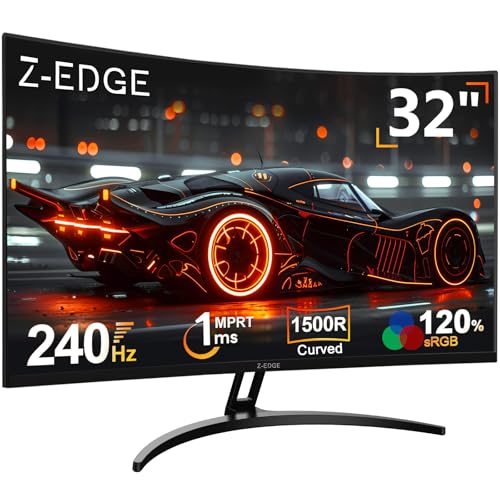
Buying a monitor in the budget bracket is genuinely confusing. Brands throw numbers at you like 240Hz and 1ms and you're supposed to just trust them, but half those figures are measured under conditions that have nothing to do with actual gaming. So when something like the Z-Edge 32 inch 240Hz curved monitor turns up at a budget price, the obvious question is: which bits are real and which bits are marketing padding? The answer, as usual, is somewhere in the middle. And that middle is actually more useful than you'd expect.
Here's the short version: this is a big, curved, high-refresh-rate screen that costs less than most people spend on a GPU cooler upgrade. At 32 inches with a 1500R curve and 240Hz on the tin, it solves a very specific frustration, which is wanting a genuinely large gaming display without spending the kind of money that makes your bank app send you a notification. Over a thousand owners have reviewed it and the average is positive, which for a budget monitor is honestly impressive. That doesn't mean it's perfect. It absolutely isn't. But it means real people are using it and mostly not regretting it. That counts for something.
Core Specifications
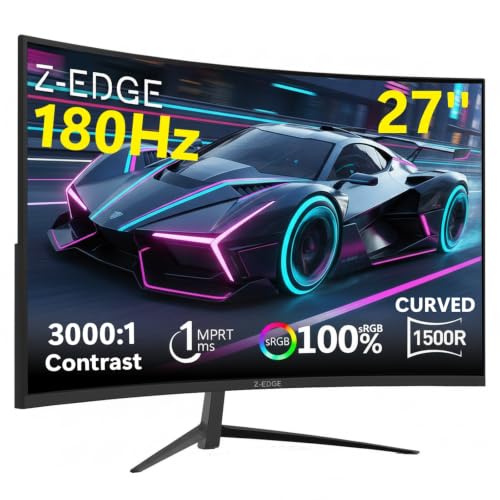
The Z-Edge UG32 (the model behind this listing) is a 32 inch curved VA panel running at 1920x1080 resolution with a 1500R curve radius. The headline refresh rate is 240Hz, paired with the manufacturer's claimed 1ms response time. It supports AMD FreeSync for adaptive sync, which is good news for anyone on a mid-range AMD GPU. Connectivity is straightforward: one HDMI port and one DisplayPort input. There's a headphone jack. That's roughly it on the ports front, which we'll get into properly later.
The panel is rated at 250 nits typical brightness, which is on the lower side even for a budget display. Contrast ratio is listed at 3000:1 static, which is where VA panels earn their keep compared to IPS. The screen has an anti-glare matte coating, which is the right call for a monitor that's likely going to end up in a bedroom or living room with variable lighting. The stand offers tilt adjustment but no height adjustment or pivot, which is a compromise you'll either live with or find annoying depending on your desk setup.
The 1500R curvature is. That's a fairly aggressive curve, more so than the 1800R you see on a lot of curved monitors. At 32 inches it wraps around your field of view noticeably, which some people love and some people find disorienting. Owner reviews are fairly split on this point, with most adapting to it quickly but a handful finding it too curved for desktop productivity work. For gaming, it's generally a positive. For spreadsheets, your mileage may vary.
| Specification | Detail |
|---|---|
| Screen Size | 32 inches |
| Resolution | 1920 x 1080 (Full HD) |
| Panel Type | VA (Vertical Alignment) |
| Refresh Rate | 240Hz |
| Response Time (Claimed) | 1ms MPRT |
| Curve Radius | 1500R |
| Brightness | 250 cd/m² typical |
| Contrast Ratio | 3000:1 static |
| Adaptive Sync | AMD FreeSync |
| HDR | HDR10 (basic) |
| Ports | 1x HDMI, 1x DisplayPort |
| Audio | Headphone jack (3.5mm) |
| VESA Mount | 100 x 100mm |
| Stand Adjustment | Tilt only |
| Colour Gamut | sRGB (claimed 100%) |
| Price | £169.99 · Details |

Panel Technology
VA panels sit in an interesting spot in the display world. They're not as fast as TN panels in terms of raw pixel response, and they don't have the wide viewing angles of IPS (In-Plane Switching) panels. What they do have is genuinely good contrast. The 3000:1 static contrast ratio on this Z-Edge is a real VA characteristic, not a marketing invention. IPS panels typically land around 1000:1 to 1200:1 at this price point, so blacks on a VA panel look properly dark rather than that washed-out grey you get on a budget IPS in a dim room. For gaming in the evening with the lights down, that's a noticeable difference.
The trade-off with VA, and it's a real one, is something called black smearing or black level response lag. When dark pixels need to transition quickly, VA panels can struggle in ways that IPS and TN don't. This shows up most obviously in dark, fast-moving scenes, think a character running through a shadowy corridor in a first-person shooter. You can see a faint smear or trail behind fast-moving dark objects. It's a known characteristic of VA technology and it doesn't disappear just because the marketing says 1ms. At 240Hz with overdrive enabled, it's reduced compared to lower-refresh VA panels, but it doesn't vanish entirely. Owner reviews do occasionally mention this, particularly from people coming from IPS displays.
Viewing angles on VA are acceptable but not brilliant. The manufacturer quotes 178 degrees horizontally and vertically, which is the standard claim, but in practice there's noticeable colour shift when you move significantly off-axis. At a normal sitting position directly in front of the screen, this isn't a problem. If you've got mates watching over your shoulder, they'll see a slightly different image to you. For a single-user gaming setup, it's fine. The 1500R curve actually helps here to some extent, because the curved surface keeps more of the panel at a consistent angle relative to your eyes compared to a flat screen of the same size. It's a small benefit but it's a real one.
Display Quality
Right, so 1080p on a 32 inch screen. This is the elephant in the room and we should address it properly. The pixel density works out at roughly 69 pixels per inch. That is, to be direct about it, not sharp. For comparison, a 27 inch 1080p monitor sits at about 82 PPI, and a 27 inch 1440p panel gets you to around 109 PPI. At 69 PPI you will see individual pixels if you sit close to the screen. Text can look a bit soft. Fine detail in games is noticeably less crisp than on a higher-resolution display of the same size.
Now, whether that matters depends entirely on how far you sit from the screen and what you're using it for. If this is going on a desk and your face is 60 to 70cm from the panel, you'll probably find the low pixel density a bit distracting at first. If it's further back, say on a TV-style setup or a larger desk, it becomes much less obvious. A lot of the owner reviews come from people who've put this on a gaming desk and are perfectly happy with it, particularly because the sheer size of the image compensates for the lower sharpness. Explosions and landscapes look dramatic on 32 inches. You just won't be reading small text with any comfort.
The anti-glare matte coating does its job. Reflections are well controlled, and the screen doesn't turn into a mirror in bright rooms the way glossy panels do. Brightness uniformity across the panel is reported as decent by owners, with no major hotspots or significant backlight bleed in the corners mentioned in the majority of reviews. There are always individual unit variations with budget panels, but the pattern across the owner feedback is broadly positive on uniformity. The 250 nit peak brightness is low enough that you'll want to avoid placing this in a very bright, sunlit room, but for typical indoor gaming conditions it's workable.
Refresh Rate and Adaptive Sync
240Hz is the headline and it is a genuine 240Hz panel, not an overclocked 165Hz or anything dodgy like that. At 240Hz you're getting a new frame every 4.17 milliseconds, which is meaningfully smoother than 144Hz (6.94ms per frame) and dramatically smoother than the 60Hz monitors a lot of people are upgrading from. The difference between 60Hz and 144Hz is enormous and obvious to almost everyone. The difference between 144Hz and 240Hz is real but more subtle, and most noticeable in very fast-paced competitive games like CS2, Valorant, or fast-paced battle royale titles.
FreeSync support means that if you're on an AMD GPU, the monitor will sync its refresh rate to your GPU's output frame rate, eliminating screen tearing without the input lag penalty of V-Sync. The AMD FreeSync range on this monitor isn't explicitly published in the spec sheet, which is a minor frustration. Budget FreeSync implementations sometimes have a narrow VRR range, which reduces how effective the feature is when frame rates drop significantly below the maximum. Owner feedback doesn't flag this as a major issue, but The VRR window might not extend all the way down to 48Hz the way premium FreeSync Premium displays do.
For Nvidia GPU owners, the situation is less clear. There's no official G-Sync compatibility certification listed for this monitor. Some FreeSync monitors work with Nvidia cards in a limited capacity, but without the official certification you're taking a bit of a punt. If you're on a recent Nvidia card and adaptive sync is important to you, check current owner reports before committing. If you're on AMD, you're sorted. The 240Hz alone without adaptive sync is still a big upgrade over a 60Hz or 75Hz display, so it's not a dealbreaker, just.
Response Time and Motion
The "1ms" claim needs unpacking because it's doing a lot of heavy lifting in the marketing. The 1ms figure here refers to MPRT, which stands for Moving Picture Response Time. This is a different measurement from GtG (Grey to Grey), which is the more commonly cited and more meaningful figure for gaming. MPRT measures how long a pixel appears to be in motion using backlight strobing techniques, not how quickly the actual pixel changes colour. It's a method of reducing perceived motion blur, but it's not the same thing as the pixel physically responding in 1 millisecond.
Real GtG response times on VA panels at this price point typically land in the 4ms to 8ms range, depending on the transition and the overdrive setting. At 240Hz, the panel has 4.17ms between frames, so a 4ms to 5ms GtG response is actually reasonably well matched to the refresh rate. The overdrive modes on this monitor (the listing and owner reviews suggest there are multiple overdrive settings) can help push transitions faster, but cranking overdrive too high on a VA panel introduces inverse ghosting, where you see a bright halo around moving objects. Finding the right overdrive setting is something owners report needing to experiment with.
For competitive gaming, the motion performance is better than you'd get from a 60Hz or 75Hz VA panel, and the high refresh rate genuinely helps with perceived smoothness. But if you're coming from a fast IPS 144Hz monitor and expecting identical motion clarity, you may notice the difference in dark scenes. For casual and mid-level competitive gaming, the 240Hz VA combo is more than adequate. For professional-level competitive play where every millisecond is life or death, you'd probably want a TN or fast IPS panel anyway, and you'd be spending significantly more money. At this price point, the Z-Edge's motion performance is fair and honest for the category.
Color Accuracy and Gamut
Z-Edge claims 100% sRGB coverage on this panel. That's a reasonable claim for a VA panel in this class and aligns with what VA technology typically delivers. The sRGB colour space covers the standard gamut used for web content, most games, and general Windows use, so 100% sRGB means colours should look as intended across typical content. There's no DCI-P3 coverage figure published, which is fairly typical for budget monitors that aren't targeting content creators. If you're editing photos or video professionally, this monitor isn't aimed at you anyway.
Factory calibration on budget monitors is rarely impressive. There's no published Delta-E figure from the manufacturer, and at this price point you wouldn't expect one. Delta-E is a measure of colour accuracy where a value below 2 is considered good and below 1 is excellent. Budget panels typically ship with Delta-E values in the 3 to 5 range out of the box, which is visible as a slight colour cast in some situations but not something most gamers will notice or care about. Owner reviews don't flag colour accuracy as a significant concern, with most people reporting that colours look punchy and vibrant, which is consistent with VA panels that tend to oversaturate slightly rather than undersaturate.
The colour modes available through the OSD (on-screen display) include standard gaming presets like FPS, RTS, and a standard mode. These are the usual suspects on gaming monitors and they shift the colour temperature and saturation to suit different content types. For most people, the standard or user mode with manual adjustments will give the most accurate result. The OSD navigation gets mixed reviews from owners, with some finding it intuitive and others finding the button layout fiddly. It's a minor complaint but if you like to tweak settings frequently.
HDR Performance
HDR10 support is listed, and this is one of those situations where you need to manage expectations firmly. HDR10 as a standard requires a minimum peak brightness of 400 nits to qualify for the VESA DisplayHDR 400 certification. This monitor's typical brightness is rated at 250 nits. It does not have a DisplayHDR certification. The HDR10 badge here means the monitor can accept an HDR signal from a console or PC, not that it can actually display HDR content with any meaningful impact.
In practice, enabling HDR mode on this monitor in Windows or on a PlayStation will likely result in a washed-out, dim image rather than the punchy, high-contrast HDR experience you'd get from a proper HDR-capable display. The panel doesn't have local dimming, which is what allows premium HDR monitors to show bright highlights alongside deep blacks simultaneously. Without local dimming and without sufficient peak brightness, HDR on this monitor is essentially a checkbox feature. It exists. It doesn't really work in any meaningful way.
The honest advice here is to leave HDR disabled and use the monitor in standard SDR mode. The VA panel's native 3000:1 contrast ratio actually gives you reasonably good perceived dynamic range in SDR, with proper dark blacks that make games look atmospheric. That's a more useful real-world benefit than a broken HDR implementation. Owner reviews don't really discuss HDR performance in depth, which is itself telling. People aren't using it or aren't noticing it, which suggests it's not adding anything to the experience. Skip it and enjoy the good native contrast instead.
Contrast and Brightness
The 3000:1 static contrast ratio is the genuine highlight of this panel's display performance. To put that in context, a typical IPS monitor at this price point delivers around 1000:1 to 1200:1. The difference is very visible in dark gaming environments. Blacks on this VA panel look dark and convincing rather than the murky grey that budget IPS monitors show in dim rooms. If you play a lot of games with dark environments, horror games, space games, anything with a lot of night scenes, the VA contrast advantage is real and worthwhile.
The 250 nit typical brightness is the weaker side of the equation. For indoor gaming in a normally lit room, 250 nits is usable but not comfortable in bright conditions. If your gaming space gets a lot of natural light during the day, you might find the image looking a bit washed out. The matte anti-glare coating helps by reducing reflections, but it can't compensate for a dim backlight when sunlight is hitting the room. Evening gaming or in a controlled-light setup, this is fine. Bright office environment or sun-facing room, it's a limitation.
Brightness uniformity across the panel is reported as acceptable by the majority of owners. The large 32 inch size does mean there's more surface area for backlight inconsistencies to show up, but the owner feedback pattern doesn't suggest systematic problems. Individual units will always vary, and budget panels don't go through the same rigorous quality control as premium displays, so there's always a small lottery element. The good news is that Amazon's return process is straightforward if you get a unit with obvious backlight bleed or uniformity issues, and the positive overall rating across over a thousand reviews suggests most people are getting acceptable panels.
Ergonomics and Stand
The stand is functional and not much more than that. You get tilt adjustment, typically around minus 5 to plus 15 degrees, which lets you angle the screen up or down to suit your eye line. What you don't get is height adjustment, swivel, or pivot. For a lot of people, tilt-only is fine if the monitor ends up at roughly the right height on their desk. But if you're taller than average, or if your desk is particularly low or high, you might find yourself needing a monitor arm to get comfortable positioning. The 100x100mm VESA mount is present, which means swapping to a third-party arm is an option and not an expensive one.
Build quality is what you'd expect at this price point. The bezels are reasonably slim on three sides, with a slightly thicker bottom bezel that houses the brand logo. The plastic construction feels solid enough for desk use without feeling premium. Owner reviews occasionally mention that the stand feels a bit wobbly when the monitor is nudged, which is a common complaint at this price level and not unique to Z-Edge. If you're the type who gestures expressively while gaming, a monitor arm will solve the wobble issue and improve ergonomics simultaneously.
The OSD controls are physical buttons on the back or underside of the panel, which is standard for this class of monitor. Navigation is reported as functional if not particularly intuitive. The power button is separate from the menu navigation buttons, which is a small but appreciated design choice. Cable management is basic, with no dedicated routing channels in the stand. For a clean desk setup you'll want to use your own cable ties or a monitor arm with integrated cable management. None of this is unusual for a budget monitor, just if you're particular about desk aesthetics.
Connectivity and Ports
The port selection is minimal. You get one HDMI port and one DisplayPort input. That's your lot for video inputs. There's no USB hub, no USB-C, and no daisy-chaining capability. For most single-PC gaming setups this is perfectly adequate, but if you want to connect a PC and a console simultaneously and switch between them, you'll need an external HDMI switch or you'll be physically swapping cables. It's a real limitation if you use multiple sources regularly.
- 1x HDMI (version not specified in listing, likely HDMI 2.0)
- 1x DisplayPort (version not specified, likely DP 1.2 or 1.4)
- 1x 3.5mm headphone jack
- No USB hub
- No USB-C
- No built-in speakers
The HDMI port should handle 1080p at 144Hz, but to hit 240Hz you'll want to use the DisplayPort connection. This is standard practice for high-refresh monitors, as DisplayPort has higher bandwidth than HDMI 2.0 at these resolutions and refresh rates. If you're connecting a console that only outputs HDMI, you'll be capped at 120Hz maximum (if the console even supports that), which is still a great experience but not the full 240Hz the panel can do. PC gamers with a dedicated GPU and a DisplayPort cable will get the full experience.
No built-in speakers is explicitly. The headphone jack is there for audio passthrough, but if you were hoping to avoid a separate speaker purchase, this monitor won't help you. Budget gaming monitors often skip speakers entirely to keep costs down, and the speakers that do appear in this class are usually so poor that omitting them is arguably the more honest choice. Get a decent headset or a small desktop speaker setup separately. The headphone jack works fine for that purpose.
How It Compares
The natural competitors for this Z-Edge are other budget 32 inch and 27 inch high-refresh monitors. The AOC C32G2ZE is a strong comparison point, another 32 inch curved VA panel with 240Hz. It tends to sit at a similar or slightly higher price point and has been around long enough to have extensive published measurements from independent reviewers. The AOC generally shows good out-of-box colour accuracy and similar VA contrast characteristics. The Z-Edge competes directly on price and size, and the owner review volume (over a thousand reviews at 4.4 stars) gives it credibility that some lesser-known budget alternatives lack.
The other comparison worth making is the Pixio PX329C, a 32 inch curved VA at 165Hz rather than 240Hz. The Pixio is often cited as a solid budget curved monitor and its lower refresh rate is actually less of a disadvantage than it sounds for most users, since 165Hz is plenty smooth for all but the most competitive gaming scenarios. If you can find the Pixio at a meaningfully lower price than the Z-Edge, and you're not specifically chasing 240Hz, it's a valid alternative. If the Z-Edge is at a competitive price in the budget bracket, the extra refresh rate headroom is a reasonable reason to choose it.
It's also worth thinking about whether a 27 inch 1440p 165Hz IPS monitor might serve you better at a similar or slightly higher price. Something like the AOC Q27G2S or similar 1440p 27 inch options offer significantly better pixel density (around 109 PPI versus 69 PPI), better colour accuracy from IPS, and better motion clarity in dark scenes. You give up screen size and the VA contrast advantage. For gaming where image quality and sharpness matter, the 1440p 27 inch route is genuinely worth the consideration. For pure size and the cinematic curved gaming feel on a tight budget, the Z-Edge makes its own case.
| Feature | Z-Edge 32" 240Hz VA | AOC C32G2ZE 32" 240Hz VA | Pixio PX329C 32" 165Hz VA |
|---|---|---|---|
| Screen Size | 32 inches | 32 inches | 32 inches |
| Resolution | 1080p | 1080p | 1080p |
| Panel Type | VA | VA | VA |
| Refresh Rate | 240Hz | 240Hz | 165Hz |
| Adaptive Sync | FreeSync | FreeSync Premium | FreeSync |
| Curve | 1500R | 1500R | 1500R |
| HDR | HDR10 (basic) | HDR10 (basic) | HDR10 (basic) |
| USB Hub | No | No | No |
| Height Adjust | No | No | No |
| Price | £169.99 · Details | Similar bracket | Similar bracket |

Final Verdict
The Z-Edge 32 inch 240Hz gaming monitor does exactly what a good budget monitor should do: it's honest about what it is. It's a big, curved, high-refresh-rate screen with decent VA contrast, a genuine 240Hz panel, and a price that doesn't make you wince. The positive overall rating across over a thousand owner reviews isn't a fluke. Real people are buying this, setting it up, and mostly being happy with it. That's the best endorsement a budget monitor can get.
The limitations are real and you should go in clear-eyed about them. The 1080p resolution on a 32 inch panel is genuinely low pixel density, and if you sit close to your screen you will notice it. The "1ms" response time is MPRT, not GtG, and VA panels have inherent dark-scene smearing that no amount of overdrive fully eliminates. The 250 nit brightness is modest. The HDR is checkbox-only and should be ignored. The stand is tilt-only. Connectivity is minimal with just one HDMI and one DisplayPort. None of these are surprises for the price bracket, but they're worth naming rather than burying.
For who this is actually for: if you're upgrading from a 60Hz or 75Hz monitor and want a dramatic step up in size and refresh rate without spending a lot, this delivers that upgrade convincingly. It's great for console gaming where 1080p is still the standard output anyway. It works well for casual and mid-level PC gaming where the large screen and high refresh rate feel more impactful than the pixel density limitation. It suits people with a controlled lighting environment who can manage the modest brightness. And it suits people who want the curved cinematic feel without paying premium curved-monitor prices.
Who should skip it: if you're a competitive PC gamer who needs the absolute fastest motion clarity, a TN or fast IPS panel will serve you better. If pixel sharpness is important to you, look at a 27 inch 1440p monitor instead, even at a slightly higher price, the image quality difference is significant. If you need height adjustment or a proper ergonomic stand, budget for a monitor arm or choose a different model. And if you're on Nvidia and adaptive sync is a priority, verify current compatibility before buying since G-Sync support isn't confirmed.
If 240Hz at 32 inches on a budget is the brief, this Z-Edge delivers it. If the brief is anything more nuanced than that, a 27 inch 1440p 165Hz IPS monitor in the same or slightly higher price bracket is probably the smarter long-term buy. The Z-Edge earns a solid 7 out of 10 for doing its specific job well at its specific price. Recommended, with eyes open.
What works. What doesn’t.
5 + 4What we liked5 reasons
- Genuine 240Hz panel at a budget price point
- Strong 3000:1 VA contrast for dark gaming environments
- Large 32 inch curved screen with 1500R immersive curve
- A positive overall rating across over a thousand owner reviews shows consistent real-world satisfaction
- 100x100mm VESA mount for monitor arm compatibility
Where it falls4 reasons
- Low pixel density at 69 PPI makes text and fine detail soft
- HDR10 is checkbox-only; 250 nit brightness makes it useless in practice
- Tilt-only stand with no height or swivel adjustment
- Single HDMI input limits multi-source setups
Full specifications
11 attributes| Panel type | VA |
|---|---|
| Aspect ratio | 16:9 |
| Curvature | 1500R |
| HDR | none |
| Launch year | 2022 |
| Ports | 2x HDMI, 2x DisplayPort, 1x Audio Out |
| Refresh rate HZ | 240 |
| Resolution | 1920x1080 |
| Response time MS | 1 |
| Screen size IN | 32 |
| Vesa compatible | true |
If this isn’t right for you
2 options 8.0 / 10
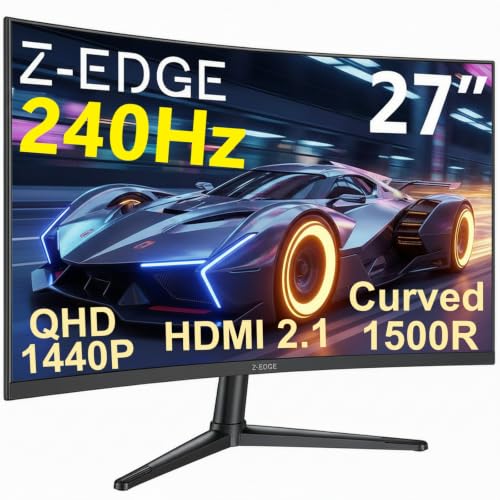
Z-Edge 27 Inch Curved Gaming Monitor 240Hz QHD 2560x1440 VA 1500R HDMI 2.1
£179.99 · Z Z-Edge · Details

Frequently asked
5 questions01Is the Z-Edge 32 Inch Curved Gaming Monitor 240Hz 1ms VA 1500R 1080P HDMI DP Black good for gaming?+
Yes, for casual to mid-level gaming it's a solid choice. The genuine 240Hz refresh rate delivers noticeably smoother gameplay compared to 60Hz or 144Hz displays, and the 3000:1 VA contrast makes dark scenes look atmospheric and convincing. The main caveat for competitive gaming is that VA panels have inherent dark-scene smearing that fast IPS or TN panels don't, so if you play fast-paced competitive shooters at a high level, a fast IPS alternative might serve you better. For most gamers upgrading from a standard display, the Z-Edge delivers a genuinely impressive step up.
02Does the Z-Edge 32 Inch Curved Gaming Monitor 240Hz 1ms VA 1500R 1080P HDMI DP Black have good HDR?+
No, and this is worth being direct about. The monitor supports HDR10 signal input, but with a typical brightness of only 250 nits and no local dimming, it cannot display HDR content meaningfully. VESA's DisplayHDR 400 certification requires a minimum of 400 nits, and this monitor doesn't carry that certification. Enabling HDR mode will likely result in a washed-out image rather than an improved one. The best approach is to leave HDR disabled and enjoy the monitor's strong native SDR contrast ratio of 3000:1, which gives genuinely good perceived dynamic range without needing HDR.
03Is the Z-Edge 32 Inch Curved Gaming Monitor 240Hz 1ms VA 1500R 1080P HDMI DP Black good for content creation?+
Not really, and it's not designed to be. The monitor claims 100% sRGB coverage which is adequate for web-targeted work, but there's no published Delta-E accuracy figure, no DCI-P3 coverage data, and no factory calibration report. For photo or video editing where colour accuracy matters, you'd want a monitor with verified colour accuracy and ideally a wide-gamut panel covering DCI-P3. The low pixel density at 69 PPI also makes fine detail work uncomfortable on a 32 inch 1080p screen. This is a gaming monitor first and foremost.
04What graphics card do I need for the Z-Edge 32 Inch Curved Gaming Monitor 240Hz 1ms VA 1500R 1080P HDMI DP Black?+
To drive 1080p at 240Hz you need a GPU capable of consistently producing 240 frames per second in your target games. For competitive titles like CS2, Valorant, or Fortnite at 1080p, mid-range cards like an AMD RX 6600 or Nvidia RTX 3060 can hit those frame rates in many scenarios. For more demanding games, you'll likely be running below 240fps, which is fine since the monitor still displays those frames smoothly. Use the DisplayPort connection rather than HDMI to ensure you can access the full 240Hz refresh rate. AMD GPU owners also benefit from FreeSync adaptive sync support.
05What warranty and returns apply to the Z-Edge 32 Inch Curved Gaming Monitor 240Hz 1ms VA 1500R 1080P HDMI DP Black?+
The specific warranty terms from Z-Edge are not confirmed in the verified product listing data we have access to. We'd recommend checking the current Amazon product page for any manufacturer warranty information listed there. Regardless of manufacturer warranty, Amazon's standard 30-day return window applies to purchases made through Amazon UK, and the Amazon A-to-Z Guarantee provides additional buyer protection. If you receive a unit with backlight bleed or uniformity issues, Amazon's return process is the most straightforward route to a resolution.