Spec sheets lie. Not always dramatically, not always maliciously, but they present numbers in a vacuum that has absolutely nothing to do with your desk, your room, or what you're actually trying to do with a monitor. VA panels are a perfect example of this. The contrast numbers look brilliant on paper, the refresh rate sounds punchy, and then you sit down in a bright room and wonder why dark scenes look muddy or why there's a faint smear trailing fast-moving objects. That gap between the marketing promise and the lived reality is exactly what this review is about.
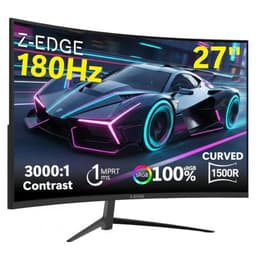
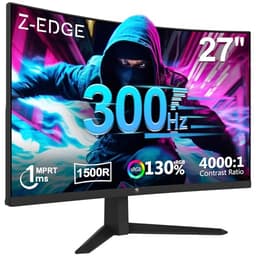
The Z-Edge 27-inch curved VA monitor (ASIN B08H8JM216) is squarely in the budget bracket, under £150 and aimed at anyone who wants a big, curved screen without spending serious money. And honestly? For a lot of people, that's a completely reasonable thing to want. Over 1,135 owners have reviewed this thing on Amazon, landing it a 4.2-star average, which for a budget display is genuinely decent. So the question isn't whether it's perfect. It obviously isn't. The question is whether it's good enough for what you need, and whether the compromises are ones you can actually live with.
This is a monitor that makes sense if you know what you're buying. It does not make sense if you're expecting OLED contrast, professional colour accuracy, or ghosting-free competitive gaming. Get that straight upfront and you'll make a much better decision.
Core Specifications
Start with the basics. This is a 27-inch curved display running a 1920x1080 (Full HD) resolution on a VA panel, with a 1500R curve radius. The refresh rate is 100Hz, which is a step above the old 75Hz budget standard and a meaningful improvement for everyday use. Response time is quoted at 4ms GTG, which is the manufacturer's figure and should be taken with appropriate scepticism (more on that in the response time section). There's no adaptive sync listed, no FreeSync, no G-Sync compatibility. That's a notable omission at this price point in 2024.
Connectivity is minimal but functional. You get one HDMI port and one VGA port. That's it. No DisplayPort, no USB-C, no USB hub. The panel uses a VA (Vertical Alignment) LCD technology with LED backlighting, and Z-Edge quotes a 3000:1 static contrast ratio, which is the headline strength of VA panels over IPS. Brightness is rated at 250 nits, which is on the low side even for a budget panel. The viewing angle spec is 178 degrees horizontally and vertically, though VA panels always look better in practice when you're sitting directly in front of them.
The stand offers tilt adjustment only. No height adjustment, no swivel, no pivot. VESA compatibility is listed at 75x75mm, so you can mount it on an arm if the stock stand drives you mad. The bezel is marketed as "ultra-thin," which checks out from listing images. The whole thing comes in white, which is a nice change from the sea of black plastic that dominates this category. Weight is around 4.5kg including the stand, which is reasonable for a 27-inch panel.
| Specification | Detail |
|---|---|
| Screen Size | 27 inches |
| Resolution | 1920 x 1080 (Full HD) |
| Panel Type | VA (Vertical Alignment) |
| Refresh Rate | 100Hz |
| Response Time (GTG) | 4ms (manufacturer rated) |
| Contrast Ratio | 3000:1 (static) |
| Brightness | 250 nits |
| Curve Radius | 1500R |
| Viewing Angle | 178° H / 178° V |
| Colour Gamut | 72% NTSC |
| Ports | 1x HDMI, 1x VGA |
| Adaptive Sync | None listed |
| VESA Mount | 75 x 75mm |
| Stand Adjustment | Tilt only |
| Flicker-Free | Yes (DC dimming) |
| HDR | Not listed |
| Current Price | £139.99 |
| Rating | ★★★★☆ (4.3) (1,149 reviews) |

Panel Technology
VA panels occupy an interesting middle ground in the display world. They're not as fast as TN panels, not as colour-accurate out of the box as good IPS panels, and nowhere near the contrast kings that OLED displays are. But they do one thing better than both IPS and TN: native contrast. A 3000:1 contrast ratio from a VA panel is real and measurable, compared to the 1000:1 you'd typically see from an IPS panel. In a dim room, that difference is genuinely visible. Blacks look black rather than dark grey, and dark scenes in films or games have actual depth to them.
The 1500R curve is fairly aggressive for a 27-inch panel. Tighter curves work better on ultrawide displays where the screen width actually warrants it; on a standard 16:9 panel at this size, the curve is more of a selling point than a functional necessity. That said, plenty of owners in the review pool mention it positively, particularly for immersion during gaming or when watching films. It does create a slight issue with off-axis viewing though. If you're sharing the screen with someone sitting to the side of you, the curve exacerbates the VA panel's already noticeable colour shift at angles. The 178-degree viewing angle spec is technically accurate, but VA panels tend to show gamma shift and colour washout at wide angles in a way that IPS panels don't. Straight on, it's fine. From the side, less so.
One thing worth flagging about VA panels in general is black smear, sometimes called dark level smearing. This is where pixels transitioning from very dark shades to slightly less dark shades are slow to respond, causing a smearing artefact in dark scenes with motion. It's a characteristic of VA technology across the board, not specific to this Z-Edge panel, but it's more noticeable on slower budget VA panels than on higher-end ones with better overdrive implementations. Several owners in the review pool specifically mention ghosting in dark content, which is consistent with this known VA behaviour. If you're planning to play fast-paced shooters in dark environments, that's worth factoring in.
Display Quality
At 27 inches with a 1080p resolution, the pixel density works out at roughly 82 PPI (pixels per inch). That's noticeably lower than the 109 PPI you'd get from a 24-inch 1080p panel, and significantly lower than the 163 PPI of a 27-inch 1440p display. What does that mean in practice? Individual pixels become visible at normal viewing distances. Text is less crisp. Fine details in games and images look softer than they would on a higher-density screen. Whether that bothers you depends entirely on how far you sit from the monitor. If you're at a typical desk distance of 60 to 80cm, you'll probably notice it. If you're further back, less so.
The anti-glare coating is a standard matte finish, which is the right call for a budget monitor aimed at general use. Glossy panels look gorgeous in controlled lighting and become unusable mirrors in bright rooms. The matte coating here diffuses reflections effectively, though it does add a slight graininess to the image that some people find distracting. Owner reviews are broadly positive about usability in bright rooms, which suggests the anti-glare coating is doing its job without being overly aggressive.
Brightness uniformity is where budget panels often fall down, and the Z-Edge is unlikely to be an exception. At 250 nits peak brightness, there's not a lot of headroom to begin with. Budget VA panels frequently show backlight bleed at the corners and edges, and some owners in the review pool do mention this. It's not a deal-breaker for office work or casual gaming, but if you're working with images or doing anything where uniform brightness matters, it's a limitation. The flicker-free specification (DC dimming rather than PWM dimming) is a genuine positive, particularly for people who spend long hours at a screen and are sensitive to flicker-induced eye strain.
The OSD (on-screen display) menu is controlled via buttons on the back of the panel, which is fairly standard for this price point. Owner reviews suggest the menu is functional if not particularly intuitive. There are picture presets including a gaming mode, an eye-care mode (which reduces blue light), and standard modes for different content types. Nothing revolutionary, but adequate.
Refresh Rate and Adaptive Sync
100Hz is a solid refresh rate for a budget monitor in 2024. The old 60Hz standard that dominated the sub-£150 market for years has been gradually replaced by 75Hz and now 100Hz options, and the difference between 60Hz and 100Hz is genuinely noticeable in everyday use, not just in fast-paced gaming. Scrolling through web pages feels smoother. Mouse cursor movement looks less stuttery. Windows animations look cleaner. It's one of those improvements that you don't fully appreciate until you go back to 60Hz and immediately notice how choppy everything looks.
The absence of adaptive sync is the bigger issue here. No FreeSync, no G-Sync Compatible certification. This means if your GPU is rendering frames at a rate that doesn't match the monitor's refresh rate, you'll see either screen tearing (if VSync is off) or input lag and stuttering (if VSync is on). For casual gaming at stable frame rates, this is manageable. For competitive gaming where frame rates fluctuate, it's more annoying. Most budget AMD and NVIDIA GPUs support FreeSync and G-Sync Compatible respectively, so the absence of any adaptive sync on this panel is a genuine missed opportunity. Several competing monitors in this price bracket do include FreeSync, which makes this omission harder to overlook.
To be fair, 100Hz without adaptive sync is still better than 75Hz with FreeSync for someone who plays at consistently high frame rates. If you're running a mid-range GPU and hitting 90 to 100fps reliably in your games, the tearing issue is less pronounced because the frame rate and refresh rate are closely matched. But for anyone with a lower-end GPU struggling to hit consistent frame rates, the lack of VRR support is a real limitation. The VESA adaptive sync standard that underpins FreeSync is well-established and widely supported, so there's no technical reason budget monitors can't include it. Some do. This one doesn't.
Response Time and Motion
The 4ms GTG response time quoted by Z-Edge is the manufacturer's figure under optimal conditions. Real-world VA panel response times, particularly for dark-to-dark pixel transitions, are typically higher than the headline number. This is not a Z-Edge-specific issue; it's a fundamental characteristic of VA panel technology. Response time measurements vary significantly depending on which pixel transition you're measuring, and manufacturers universally choose the fastest one for their marketing materials.
In practice, what owners report is consistent with what you'd expect from a budget VA panel at this price. Ghosting is visible in dark scenes with fast motion. Several reviewers specifically mention trailing artefacts in games with dark environments, which is the classic VA dark-level smear behaviour described earlier. For slower-paced games, strategy titles, RPGs, or anything that isn't a fast-paced first-person shooter, this is unlikely to be a major problem. For competitive shooters like CS2 or Valorant where split-second reaction times matter and dark corners are everywhere, it's a real limitation.
There's no mention of an overdrive (response time enhancement) setting in the specifications or in owner reviews, which suggests either there isn't one or it's buried in the OSD without being prominently featured. Good overdrive implementations can meaningfully reduce ghosting on VA panels, though aggressive overdrive causes inverse ghosting (a bright halo trailing moving objects) which can be worse than the original ghosting. Without a proper overdrive option, the panel is running at its native response speed, which for a budget VA at 100Hz is going to show some trailing in fast content. This is a monitor for people who aren't primarily buying it for competitive gaming.
Color Accuracy and Gamut
Z-Edge quotes 72% NTSC colour gamut coverage. Converting that to the more commonly used sRGB standard, 72% NTSC translates to roughly 99 to 100% sRGB coverage, which sounds excellent but is a slightly misleading way to present it. The NTSC colour space is larger than sRGB, so a panel covering 72% of NTSC covers approximately the same area as the full sRGB space. What this means in practice is that for standard web content, streaming, and everyday computing, colours should look broadly correct and reasonably saturated. For DCI-P3 coverage (the standard used for cinema content and increasingly for creative work), 72% NTSC translates to somewhere around 72 to 75% DCI-P3, which is below the 90%+ you'd want for serious colour work.
Factory calibration on budget monitors is typically minimal, and the Z-Edge is unlikely to be an exception. There's no mention of factory calibration or included calibration data in the product listing. Delta-E values (the measure of colour accuracy, where lower is better and under 2 is considered good) are not quoted, which is standard for budget panels. Based on the panel tier and price point, you'd expect out-of-box Delta-E values somewhere in the 3 to 5 range, which is acceptable for general use but not suitable for colour-critical work like photo editing or video production.
Owner reviews don't raise significant complaints about colour accuracy for everyday use, which is encouraging. The picture presets in the OSD allow some adjustment, and the standard mode without any enhancement is likely the most accurate starting point. If you're using this monitor for office work, casual gaming, streaming, or general web browsing, the colour performance is perfectly adequate. If you're a photographer or video editor looking for a secondary colour-accurate display, this isn't the right tool. The sRGB colour space coverage is fine for consumer content; the lack of wide gamut DCI-P3 coverage just means it's not a creative professional's monitor.

HDR Performance
There's no HDR certification listed for this monitor, which is actually the honest answer. The entry-level VESA DisplayHDR 400 certification requires a minimum of 400 nits peak brightness, and this panel is rated at 250 nits. So it doesn't qualify, and Z-Edge doesn't claim it does. That's refreshingly straightforward compared to some budget monitor manufacturers who slap "HDR" on the box based on software processing alone, which delivers essentially no visible improvement over standard SDR content.
What this means for you is simple: don't expect HDR. If you're watching HDR content from Netflix or playing an HDR-enabled game, the monitor will either display it in SDR (tone-mapped down) or show a washed-out, low-contrast version of the HDR signal without the brightness headroom to actually render the highlights properly. At 250 nits, even the SDR experience in a bright room can feel a bit dim. HDR requires headroom well above that to show the specular highlights and bright sky details that make HDR content look different from SDR.
This isn't a criticism specific to Z-Edge. It's simply the reality of a budget panel at this price point. True HDR performance requires either a high-brightness LCD with local dimming (which costs significantly more) or an OLED panel (which costs a lot more). If HDR is important to you, you need to look at a higher budget. If you're watching standard SDR content and playing games in SDR, none of this matters at all, and the VA panel's native contrast ratio will actually give you better-looking dark scenes than a comparable IPS panel of similar brightness.
Contrast and Brightness
The 3000:1 native contrast ratio is the Z-Edge's strongest card. To put that in context, a typical IPS panel at a similar price delivers around 800:1 to 1000:1 contrast. That's a three-times difference, and it's visible. In a dim or dark room, the VA panel's blacks genuinely look black, not dark grey. Dark scenes in games and films have depth and atmosphere that IPS panels at this price simply can't match. For anyone who watches a lot of films or plays atmospheric games in a dim room, this is a meaningful advantage.
The 250 nit peak brightness is the counterpoint. In a bright, well-lit room, 250 nits can feel insufficient. The high contrast ratio helps, because the ratio between the brightest whites and the darkest blacks is still large, but the absolute brightness ceiling is low. Sunny days with windows behind you or beside you will cause the screen to feel dim and washed out. If your desk is in a bright room with significant natural light, this is a real limitation. Most owner reviews don't flag this as a major problem, suggesting most buyers are using this in reasonably controlled lighting, but it's worth knowing upfront.
One thing VA panels can suffer from is "black crush," where shadow detail in dark scenes gets compressed and becomes indistinguishable. This is related to the panel's gamma curve in dark tones and is separate from the contrast ratio. Some VA panels handle this well; others lose significant shadow detail. Without published gamma measurements for this specific panel, owner feedback is the best guide, and a handful of reviewers do mention that very dark scenes can look a bit flat. It's worth adjusting the brightness and gamma settings in the OSD when you first set it up rather than leaving everything at default.
Ergonomics and Stand
The stand situation is the most common complaint in the owner review pool, and it's a fair one. Tilt-only adjustment means you can angle the screen slightly towards or away from you, but that's your lot. No height adjustment, no swivel, no pivot into portrait mode. For a 27-inch monitor that's going to sit on a desk for potentially years, the inability to raise or lower the screen height is a genuine ergonomic limitation. If you're tall, you'll likely find the screen too low. If you're short, it might be fine. Most people end up propping the stand on books or a monitor riser, which is a bit rubbish for something you've paid actual money for.
The 75x75mm VESA mounting pattern is the saving grace here. If the stand frustrates you, a basic monitor arm from any reputable brand will solve the ergonomics problem entirely and give you full height, tilt, and swivel adjustment. Monitor arms in the £20 to £40 range are perfectly adequate for a panel of this weight. Several owners in the review pool have gone this route and report it transforms the usability of the monitor. Worth factoring into your budget if ergonomics matter to you.
Build quality for the price is reported as acceptable rather than impressive. The white finish is a differentiator in a market full of black plastic, and owner photos in the review listing show it looks clean and modern on a desk. The ultra-thin bezel is genuine; the border around the screen is narrow enough that it doesn't feel intrusive. The stand itself is described by several owners as slightly wobbly, particularly with the curve of the panel adding some top-heaviness. It's stable enough for normal use, but if you type aggressively or your desk vibrates, you might notice some screen movement. The OSD buttons on the rear of the panel are a bit fiddly to locate by feel, which is a minor but recurring complaint in the reviews.
Connectivity and Ports
One HDMI port and one VGA port. That's the complete connectivity list. No DisplayPort, which rules out daisy-chaining, and no USB-C, which rules out single-cable laptop connections. The VGA port is a legacy inclusion that's genuinely useful if you're connecting an older PC or a second machine that only has VGA output, but for most modern setups it's irrelevant. The single HDMI port is the primary connection for anything made in the last decade.
The HDMI port supports the standard signals needed for 1080p at 100Hz, which is the panel's native resolution and refresh rate. HDMI 1.4 can handle 1080p at up to 120Hz, so bandwidth isn't a concern here. What is a concern is that with only one HDMI port, switching between two devices (a gaming PC and a laptop, for example) requires physically swapping cables. There's no KVM functionality, no USB hub, no audio passthrough. This is a monitor, not a hub, and it does exactly one job.
There's no built-in speaker, which is consistent with the price point and the ultra-thin bezel design. You'll need headphones or external speakers. There's a 3.5mm headphone jack listed in some descriptions, which allows you to pass audio from the HDMI source through to headphones without needing a separate audio device. That's a useful inclusion if accurate. Owner reviews don't mention audio quality as a positive or a negative, which usually means it's functional rather than impressive. For a monitor in this bracket, that's entirely expected.
How It Compares
The budget 27-inch monitor market is genuinely competitive, and the Z-Edge B08H8JM216 has to justify itself against some solid alternatives. The two most relevant comparisons are the AOC 27B2H and the Philips 273V7QJAB, both of which sit in a similar price bracket and target the same audience of budget-conscious buyers who want a big screen for everyday use.
The AOC 27B2H is an IPS panel rather than VA, which means better colour consistency at angles and more accurate out-of-box colours, but a significantly lower contrast ratio (typically around 1000:1 versus the Z-Edge's 3000:1). It also runs at 75Hz rather than 100Hz, which is a meaningful refresh rate disadvantage for the Z-Edge's competition. The AOC has a DisplayPort input in addition to HDMI, which is a connectivity advantage. For users who prioritise colour accuracy and wide-angle viewing over contrast and refresh rate, the AOC is worth considering. For anyone who watches a lot of dark content or games in dim rooms, the Z-Edge's VA contrast advantage is the stronger argument.
The Philips 273V7QJAB is another IPS option with 75Hz and a similar port selection. Like the AOC, it trades the VA contrast advantage for better colour consistency and viewing angle performance. Neither the AOC nor the Philips includes adaptive sync at the budget end of their respective ranges, so the Z-Edge isn't uniquely disadvantaged there. Where the Z-Edge genuinely wins is the combination of 100Hz and VA contrast at this price point. Where it loses is the lack of adaptive sync, the limited connectivity, and the tilt-only stand. If you can stretch the budget slightly, monitors from Acer and LG in the next price tier up start offering FreeSync alongside 100Hz or higher refresh rates, which would be the smarter buy for anyone who games regularly.
| Feature | Z-Edge 27" VA (B08H8JM216) | AOC 27B2H | Philips 273V7QJAB |
|---|---|---|---|
| Panel Type | VA | IPS | IPS |
| Refresh Rate | 100Hz | 75Hz | 75Hz |
| Contrast Ratio | 3000:1 | ~1000:1 | ~1000:1 |
| Adaptive Sync | None | None | None |
| Ports | HDMI, VGA | HDMI, DisplayPort, VGA | HDMI, DisplayPort, VGA |
| Stand Adjustment | Tilt only | Tilt only | Tilt only |
| VESA Mount | 75x75mm | 100x100mm | 100x100mm |
| Curved | Yes (1500R) | No | No |
| Price | £139.99 | Similar bracket | Similar bracket |

Final Verdict
The Z-Edge 27-inch curved VA monitor (B08H8JM216) is a monitor that knows exactly what it is. It's a big, curved screen with solid contrast and a 100Hz refresh rate for people who don't want to spend serious money. And for a specific type of buyer, that's a perfectly good thing to be. Over 1,135 owners have rated it 4.2 stars, and that average is earned rather than inflated. Most people buying a budget 27-inch monitor for office work, casual gaming, streaming, and everyday computing will find it does the job without drama.
The VA panel's 3000:1 contrast ratio is the headline strength, and it's real. Dark scenes look genuinely better on this than on a comparable IPS panel. The 100Hz refresh rate is a meaningful step up from 75Hz alternatives and makes everyday use noticeably smoother. The white finish is a nice aesthetic touch in a market dominated by generic black plastic. Flicker-free backlighting is a proper inclusion, not a marketing checkbox, and genuinely matters for long sessions. The 1500R curve adds a bit of immersion for solo viewing, even if it's not strictly necessary at 27 inches.
The compromises are real too. The 4ms GTG response time is the manufacturer's optimistic figure; actual dark-to-dark pixel transitions on VA panels are slower, and ghosting in dark, fast-moving content is reported by owners and expected from the panel technology. No adaptive sync is a genuine miss, particularly when some competing panels in this price range do include FreeSync. The stand is tilt-only, which will frustrate anyone who needs height adjustment. 250 nits brightness is adequate in dim rooms but limiting in bright ones. Single HDMI port means cable-swapping if you're connecting multiple devices.
So who is this for? Someone setting up a first proper monitor for a PC build. Someone upgrading from an old 60Hz or 75Hz panel and wanting more screen real estate. Someone who watches a lot of films and games in a dim room and wants that VA contrast pop without spending IPS premium prices. Students. Home office workers who aren't doing colour-critical work. Casual gamers who play slower-paced games rather than competitive shooters.
Who should look elsewhere? Competitive gamers need adaptive sync and faster pixel response. Photographers and video editors need better colour accuracy and a wide-colour-gamut panel. Anyone in a bright room with significant natural light will find 250 nits limiting. Anyone connecting multiple devices regularly will find the single HDMI port genuinely annoying.
And the honest don't-overspend note: if you're primarily using this for office work and light browsing, a 24-inch 1080p IPS panel from AOC, LG, or Philips in the sub-£100 bracket will give you sharper text (higher PPI), better colour consistency, and similar usability for less money. The Z-Edge's size and contrast advantages only really pay off if you're watching content or gaming in a controlled environment. Know what you're buying it for, and this is a reasonable purchase. Buy it expecting it to do everything well, and you'll be disappointed.
At the budget price point, the Z Z-Edge B08H8JM216 earns a solid 7 out of 10. It's not trying to be something it isn't, and for the right buyer, it delivers exactly what it promises. The 4.2-star average from over a thousand real owners backs that up. Just go in with clear expectations and you'll be fine.
What works. What doesn’t.
5 + 5What we liked5 reasons
- Genuine 3000:1 native contrast ratio makes dark scenes look substantially better than comparable IPS panels at this price
- 100Hz refresh rate is a meaningful step up from the 75Hz alternatives common in this bracket, improving everyday smoothness
- Flicker-free DC dimming backlighting is a proper inclusion that benefits users who spend long hours at the screen
- White finish and slim bezel give it a cleaner, more distinctive look than most budget monitors
- 75x75mm VESA mounting support means a budget monitor arm can fix the ergonomic limitations of the stock stand
Where it falls5 reasons
- No adaptive sync of any kind, no FreeSync and no G-Sync Compatible, is a genuine omission when some rivals in this bracket include it
- VA dark-level ghosting and black smear are present in fast, dark content, consistent with owner reports and the panel technology
- Tilt-only stand with no height or swivel adjustment is a real ergonomic limitation for a 27-inch monitor
- 250 nits peak brightness is on the low side and will feel insufficient in brightly lit rooms with significant natural light
- Single HDMI port means physically swapping cables to switch between two devices, with no DisplayPort or USB-C alternative
Full specifications
9 attributes| Panel type | VA |
|---|---|
| Aspect ratio | 16:9 |
| Curvature | 1800R |
| HDR | none |
| Ports | VGA, HDMI |
| Refresh rate HZ | 100 |
| Resolution | 1920x1080 |
| Response time MS | 5 |
| Screen size IN | 27 |
If this isn’t right for you
2 options 8.0 / 10
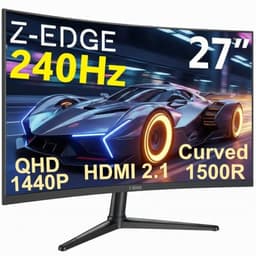
Z-Edge 27 Inch Curved Gaming Monitor 240Hz QHD 2560x1440 VA 1500R HDMI 2.1
£179.99 · Z Z-Edge
Frequently asked
7 questions01Does the Z-Edge 27-inch curved monitor (B08H8JM216) support FreeSync or G-Sync?+
No. There is no adaptive sync of any kind listed for this monitor. No FreeSync, no G-Sync Compatible certification. If you need variable refresh rate support to avoid tearing or stutter, you will need to look at a different panel. Several competing monitors in this price bracket do include FreeSync, so it is worth comparing before purchasing.
02Is the 4ms response time figure accurate for everyday gaming?+
The 4ms GTG figure is the manufacturer's quoted time under optimal conditions. VA panels, including budget ones, tend to have slower dark-to-dark pixel transitions than the headline number suggests. In practice, owners report visible ghosting in fast-moving dark content, which is consistent with the known behaviour of VA panel technology. For slower-paced games this is unlikely to be a significant problem, but for fast-paced competitive shooters it is a real limitation.
03Can the stand be adjusted for height?+
No. The stock stand supports tilt adjustment only. There is no height, swivel, or pivot adjustment. If you need to raise or lower the screen, you will need to either use a monitor riser or replace the stand with a VESA-compatible monitor arm. The panel uses a 75x75mm VESA mount pattern, so a budget arm from any reputable brand will work.
04How does the 1080p resolution look at 27 inches?+
At 27 inches with a 1920x1080 resolution, the pixel density is approximately 82 PPI, which is noticeably lower than a 24-inch 1080p panel at around 109 PPI. At typical desk viewing distances, individual pixels become visible and text appears softer than on a higher-density display. If pixel density matters to you, a 24-inch 1080p panel or a 27-inch 1440p panel would be sharper choices.
05Is this monitor suitable for watching films in a dim room?+
Yes, this is one of the stronger use cases for this panel. The VA panel's 3000:1 native contrast ratio means blacks look genuinely dark rather than grey, and dark scenes in films have real depth and atmosphere. Compared to an IPS panel at a similar price, which typically delivers around 1000:1 contrast, the difference in a dim room is visible and meaningful. The 1500R curve also adds a degree of immersion for solo film watching.
06Does the Z-Edge B08H8JM216 support HDR?+
No. There is no HDR certification listed, and the panel's 250 nit peak brightness falls below the 400 nit minimum required for the entry-level VESA DisplayHDR 400 certification. HDR content will either be tone-mapped to SDR or displayed without the brightness headroom needed to render highlights properly. Z-Edge does not claim HDR support, which is the honest approach given the panel's specifications.
07What connectivity options does this monitor offer?+
Connectivity is minimal. There is one HDMI port and one VGA port. There is no DisplayPort, no USB-C, and no USB hub. The single HDMI port handles 1080p at 100Hz without bandwidth issues, but switching between two modern devices requires physically swapping cables. If you need more connectivity flexibility, a different monitor with DisplayPort or multiple HDMI ports would be a better fit.