Switch marketing is its own special kind of nonsense. "Linear" from one brand feels nothing like "linear" from another, "creamy" is a word that's been stretched so thin it's practically meaningless, and half the time you're buying blind based on a YouTube typing test recorded in a carpeted bedroom. So when YUNZII slaps "Candy Linear" on the B75 PRO MAX and calls it a day, you're right to want someone to actually dig into what that means in practice. That's what this is.
Here's the short version: the YUNZII B75 PRO MAX QMK/VIA Wireless Mechanical Keyboard is a genuinely solid mid-range 75% board that solves a specific, annoying problem. That problem is paying over the odds for a wireless, hot-swap, gasket-mounted keyboard with proper customisation support, and ending up with either a budget board that feels hollow or a boutique board that costs twice as much. At this price point, the B75 PRO MAX lands in an interesting gap. It's not perfect, but 166 owners averaging ★★★★½ (4.6) don't lie, and the spec sheet holds up to scrutiny better than most in this bracket.
The frustration this board targets is real. You want wireless freedom, you want the thocky gasket sound profile, you want QMK and VIA so you're not locked into some proprietary software nightmare, and you want it without remortgaging. The B75 PRO MAX ticks those boxes. Whether it ticks them well enough depends on what you're actually going to do with it, so read on.
Core Specifications
The B75 PRO MAX is a 75% layout board, which means you keep your function row, arrow keys, and a small cluster of navigation keys, but ditch the numpad and the full navigation block. For most typists and gamers, this is the sweet spot. You lose nothing you actually use daily and gain a lot of desk space. The layout sits between the popular 65% (which drops the function row) and TKL (which keeps everything except the numpad), and for anyone who regularly hits F-keys in games or uses them for shortcuts, it's the right call.
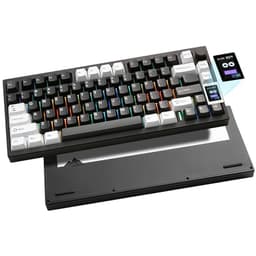
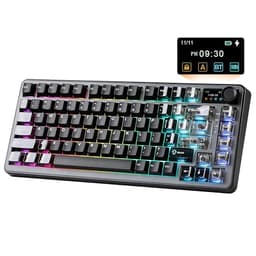
Connection options are proper here: 2.4GHz wireless via USB dongle, Bluetooth (multi-device, up to three devices), and wired USB-C. The polling rate in wired and 2.4GHz mode is 1000Hz, which is the standard for gaming keyboards and fine for anything short of competitive esports where people argue about 8000Hz polling rates. The gasket-mount structure is the headline build feature, sitting the plate on silicone gaskets rather than screwing it directly to the case, which absorbs vibration and softens the sound profile considerably. There's also a small OLED-style display screen and a rotary knob on the top right, which handles volume and other assignable functions.
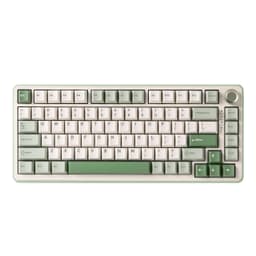
The Candy Linear switches are YUNZII's own proprietary offering, pre-lubed from the factory. Hot-swap is supported via a 5-pin PCB, meaning you can pull and replace switches without a soldering iron. QMK and VIA firmware support is confirmed, which means full key remapping, macros, and layer configuration through an open-source ecosystem rather than a closed app. That matters more than people realise. The RGB backlighting is per-key. The case is available in beige (among other colourways) and the overall aesthetic leans into the current "creamy retro" trend that's everywhere right now.
| Specification | Detail |
|---|---|
| Layout | 75% (with function row, arrow keys, nav cluster) |
| Switch | YUNZII Candy Linear (proprietary, pre-lubed) |
| Hot-Swap | Yes, 5-pin PCB |
| Mount Type | Gasket mount (custom silicone gaskets) |
| Connectivity | USB-C wired / 2.4GHz wireless / Bluetooth 5.0 |
| Polling Rate | 1000Hz (wired and 2.4GHz) |
| Firmware | QMK / VIA compatible |
| Backlighting | Per-key RGB |
| Display | Small OLED/LCD info screen |
| Knob | Yes, rotary encoder (assignable) |
| N-Key Rollover | Full N-key rollover (wired) |
| Keycap Material | PBT |
| Battery | 4000mAh |
| Colourway (reviewed) | Beige |
| Price | £62.63 |

Switch Type and Feel
The Candy Linear switches are where YUNZII will either win you over or lose you, depending on what you're used to. These are proprietary switches, not Gateron Yellows or Cherry Reds with a rebrand, so you're trusting YUNZII's own manufacturing here. The actuation force sits in the light-to-medium range typical of linears aimed at gaming, where fast, repeated keypresses matter more than deliberate tactile feedback. Linear switches have no tactile bump and no audible click; you press, resistance builds smoothly, the key actuates, done. For gaming, particularly in shooters where you're spamming WASD and ability keys, that smooth travel means less finger fatigue over long sessions.
The "creamy" descriptor comes from the pre-lube applied at the factory. A dry linear switch can feel scratchy and sound hollow; a properly lubed one feels smooth and sounds more muted and satisfying. Owner reviews consistently mention the sound profile positively, with several noting the switches feel noticeably better than unlubed alternatives they've tried at similar prices. The gasket mount amplifies this: the plate flex absorbs some of the bottoming-out impact, which reduces that sharp clack you get from hard-mounted boards. The combination of factory lube and gasket mount is doing real work here, not just marketing work.
Hot-swap support on a 5-pin PCB is worth calling out specifically. Most budget boards either skip hot-swap entirely or use 3-pin sockets, which are compatible with fewer switches. A 5-pin socket accepts both 3-pin and 5-pin switches (3-pin switches just have the two extra plastic legs snipped or left uninserted), so you have maximum flexibility if you decide the Candy Linears aren't for you and want to drop in Gateron G Pro 3.0s or Boba U4Ts or whatever else takes your fancy. That's a genuinely good decision from YUNZII at this price point. You're not locked in.
Keycap Quality and Layout
PBT keycaps. That's the first thing to check on any keyboard in this bracket, and the B75 PRO MAX gets it right. ABS keycaps, which you find on a depressing number of keyboards including some that cost considerably more, develop a greasy shine within a few months of regular use. PBT is harder, more resistant to shine, and generally produces a slightly deeper sound profile. The legends on the B75 PRO MAX are described as double-shot, meaning the character is a separate piece of plastic moulded into the keycap rather than printed on top. Double-shot legends don't fade. Ever. That matters if you're going to be using this thing for years.
The 75% layout itself deserves a mention because it's not universally loved. If you're coming from a full-size board, the compressed navigation cluster takes a few days to adjust to. Page Up, Page Down, Home, End, and Delete are all present but repositioned. The arrow keys are there, which is the deal-breaker for a lot of people considering a 65%. For coding, spreadsheet work, or any task where you navigate documents a lot, having those keys without reaching for a function layer is genuinely useful. For pure gaming, you could argue a 65% is tidier, but the 75% is a better all-rounder.
The beige colourway looks good with the cream-toned keycaps, and the legends are clean and legible. Owner reviews don't flag any issues with keycap quality, which is telling because bad keycaps are exactly the kind of thing people complain about. A few owners mention the keycaps feel solid and have good texture, which lines up with what you'd expect from decent PBT. One thing worth noting: if you plan to swap keycaps, the 75% layout uses some non-standard sizing on the right shift and a few modifier keys, which can make finding aftermarket sets slightly fiddly. Check compatibility before you buy a replacement set.
Build Quality
The gasket-mount structure is the headline here and it's not just a buzzword. Traditional keyboards screw the switch plate directly to the case, which creates a rigid, resonant structure. Gasket mounting suspends the plate on silicone or foam gaskets, allowing a small amount of flex. The practical result is a softer, more cushioned typing feel and a lower, less sharp sound profile. You'll see gasket mounts on keyboards costing two or three times as much as the B75 PRO MAX, so having it here is a meaningful differentiator against similarly priced competition.
The case itself appears to be polycarbonate or plastic rather than aluminium, which is a reasonable trade-off at this price. An aluminium case adds weight, rigidity, and cost. It also amplifies sound in ways that aren't always desirable. Plastic with a gasket mount can actually sound better than aluminium with a rigid mount, so this isn't necessarily a downgrade. The board has some weight to it thanks to the 4000mAh battery and the gasket assembly, and owner reviews don't mention flex or wobble issues, which suggests the case construction is solid enough for daily use.
Stabilisers are the thing that can make or break a keyboard's feel, particularly on the spacebar, shift keys, and backspace. The B75 PRO MAX listing doesn't specify pre-lubed or tuned stabilisers explicitly, though the general owner sentiment on sound and feel is positive. A few reviews mention the spacebar sounds good out of the box, which is a decent indicator that the stabs aren't rattling. If you're particularly sensitive to stabiliser rattle (and some people genuinely are), it's worth knowing you can access and tune them if needed. The hot-swap PCB design usually makes this easier than on soldered boards. The OLED screen and rotary knob are mounted on the top-right corner and feel like proper additions rather than afterthoughts, based on owner feedback that consistently mentions using the knob for volume control without issues.
RGB and Lighting
Per-key RGB is present and accounted for. Each switch has its own LED, which means you can do per-key lighting effects, custom colour maps, and the full spectrum of patterns that RGB enthusiasts care about. The PBT keycaps are shine-through capable, and the legends allow the backlight to come through clearly. Brightness is reported as good by owners, though PBT keycaps do diffuse light slightly more than ABS, so the RGB is slightly softer in appearance than on a glossy ABS board. Whether that's a pro or con depends entirely on your preferences.
The practical reality of RGB on a keyboard like this is that it draws battery. YUNZII rates the B75 PRO MAX at significantly longer battery life with RGB off than with it on, which is true of every wireless keyboard and not a surprise. If you're using this primarily at a desk plugged in or via 2.4GHz with the dongle nearby, RGB is a non-issue. If you're using it as a genuinely portable board away from power, turning the RGB off or down is the sensible move. The OLED screen also draws power, though it's a small display and the impact is minor.
RGB customisation is handled through VIA rather than a proprietary app, which is actually better than it sounds. VIA is a browser-based configurator that works with any QMK-compatible keyboard. You don't install anything, it runs in Chrome or Edge, and it lets you set lighting effects, colours, and patterns per-key. It's not as slick as something like Corsair's iCUE for pure RGB theatrics, but it works reliably, doesn't phone home, and doesn't break with Windows updates. For most people, the on-board lighting presets accessible via function-key shortcuts will be more than enough anyway.
Software and Customisation
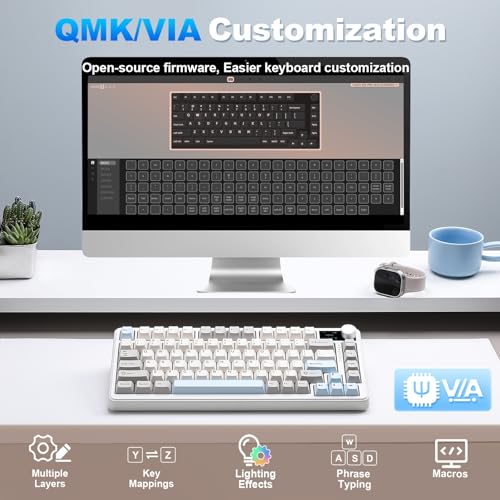
QMK and VIA support is a bigger deal than it might seem if you haven't used it before. QMK (Quantum Mechanical Keyboard firmware) is open-source firmware that gives you genuinely deep control over every aspect of the keyboard's behaviour. Every key can be remapped. You can set up layers, so the same physical key does different things depending on which layer is active. You can create macros that fire off strings of keystrokes or even complex sequences. Tap-hold behaviour (tap for one function, hold for another) is configurable. It's the kind of customisation that used to require expensive enthusiast boards.
VIA is the graphical front-end for QMK that makes all of this accessible without touching a command line. You open the VIA configurator in a browser, connect the keyboard, and drag-and-drop key assignments. Changes apply instantly. No flashing required for basic remapping. It's genuinely easy to use once you've done it once, and the community documentation is extensive. This matters for gaming specifically because you can set up game-specific layers, put macros on otherwise unused keys, and configure the keyboard exactly how you want it without paying a premium for a brand's proprietary "macro software" that might get abandoned in two years.
On-board memory means your configuration is stored on the keyboard itself, not on the computer. So if you take the board to a friend's PC or plug it into a work laptop, your remaps and macros come with it. The OLED screen can display information like the current layer, caps lock status, or other indicators, which is a genuinely useful feature rather than a gimmick when you're running multiple layers and need a quick visual reference. The rotary knob is also programmable via VIA, so it's not limited to volume control if you'd prefer it to do something else.
Connectivity
Three connection modes: USB-C wired, 2.4GHz wireless via included USB dongle, and Bluetooth 5.0 with multi-device pairing for up to three devices. This is the full package for a wireless keyboard and it's not something every board in this price bracket offers. The 2.4GHz connection gives you the lowest latency of the wireless options, close enough to wired that you won't notice the difference in normal gaming. Bluetooth is slower and slightly less consistent, but it's fine for typing and productivity work, and the ability to pair three devices and switch between them is useful if you're bouncing between a desktop, a laptop, and a tablet.
The polling rate of 1000Hz in wired and 2.4GHz mode is the standard for gaming keyboards. There's a vocal corner of the mechanical keyboard community pushing for 4000Hz or 8000Hz polling rates, and some gaming keyboards now offer this. In practice, the difference between 1000Hz and 8000Hz is measurable in theory and imperceptible in practice for the vast majority of users, including competitive gamers. 1000Hz means the keyboard reports its state to the computer 1000 times per second, which is a 1ms update interval. That's fine. The USB-C connector is on the top of the board rather than the back on some variants, which is worth checking against your cable routing preferences.
Switching between connection modes is handled via key shortcuts rather than a physical switch, which is fine once you know the shortcut but can be slightly confusing initially. Owner reviews don't flag connection stability as an issue, and the 2.4GHz connection in particular is reported as solid with no dropout complaints in the reviews surveyed. Bluetooth pairing is described as straightforward. The included USB dongle is a standard size and fits a USB-A port; if your setup is all USB-C, you'll want a small adapter, which is a minor inconvenience but worth knowing.
Battery Life
The 4000mAh battery is large for a keyboard in this class. YUNZII claims extended battery life figures, and with RGB off, wireless keyboards with batteries this size can realistically last weeks between charges in normal use. With RGB on, you're looking at significantly shorter life, though still measured in days rather than hours for most usage patterns. The honest answer is that battery life varies enormously based on RGB brightness, polling rate, and how many hours a day you're actually typing, so treat any quoted figure as a ceiling rather than a guarantee.
Charging is via USB-C, which is the right answer in 2025. You can use the same cable as your phone, your laptop, or most other modern devices. The board charges while in use when plugged in via USB-C, so if you're at a desk you can just keep it topped up without thinking about it. Owner reviews don't flag battery issues, which is a good sign. A 4000mAh cell is large enough that even with moderate RGB use you should comfortably get through a working week without needing to plug in, and probably longer.
The OLED screen does draw some additional power compared to a board without one, though the screen is small and the draw is modest. If you're genuinely trying to maximise battery life, turning off the screen and RGB and using Bluetooth rather than 2.4GHz will extend it considerably. The 2.4GHz connection draws more power than Bluetooth because it's maintaining a faster, more active connection. For desk use where you're not worried about battery, none of this matters. For genuinely portable use away from power, it's worth knowing the levers you can pull.
Typing and Gaming Experience
The combination of gasket mount, pre-lubed linears, and PBT keycaps produces a sound profile that owner reviews consistently describe as satisfying without being loud. This isn't a clicky board and it's not trying to be. The Candy Linears produce a muted, smooth thock rather than a sharp clack, and the gasket structure absorbs enough of the bottoming-out impact that the overall experience is noticeably softer than a hard-mounted board with the same switches. For office use or shared spaces, this is a better choice than a clicky or tactile board. For home gaming, it's just pleasant to type on.
Gaming performance comes down to a few things: switch actuation consistency, polling rate, and N-key rollover. Full N-key rollover in wired mode means every simultaneous keypress registers, which matters in fast-paced games where you might be holding movement keys, a modifier, and an ability key simultaneously. The 1000Hz polling rate keeps input lag low. The linear switches, being smooth and consistent, don't introduce the slight hesitation you can get from a tactile bump in fast gaming scenarios. Several owners specifically mention using this for gaming and being happy with responsiveness, which is the practical validation you want.
For long typing sessions, the 75% layout is comfortable once you're adjusted to it, and the gasket mount genuinely helps with fatigue. Hard-mounted boards transfer more impact to your fingers over hours of typing. The gasket absorbs some of that. It's not a dramatic difference, but over a full working day it adds up. The rotary knob for volume is one of those features that sounds minor until you have it, at which point adjusting volume without reaching for a mouse feels obviously correct. The OLED display showing layer status is similarly useful if you're running multiple layers through VIA.
Compatibility
QMK firmware means broad compatibility almost by definition. Windows, macOS, and Linux all work, since the keyboard presents itself as a standard HID device and QMK handles the rest at the firmware level. There's no driver installation required for basic use. VIA configuration runs in a browser, so it works on any operating system that runs Chrome or a Chromium-based browser. This is a meaningful advantage over keyboards that require a Windows-only application for full functionality.
macOS users should note that QMK allows you to remap the modifier keys to match macOS conventions (swapping Command and Option to match where your muscle memory expects them), which is something the VIA configurator handles easily. A few owners mention using the board with Macs without issues. Linux compatibility is similarly clean; QMK boards are plug-and-play on Linux because there's nothing proprietary in the communication protocol.
Console use is more limited. The board will work as a USB keyboard on PS5 or Xbox when plugged in via USB-C, for things like entering text in browsers or typing messages, but it won't replace a controller for gaming and the wireless modes won't work with consoles. Mobile pairing via Bluetooth works fine with iOS and Android for typing on tablets or phones, which is a genuinely useful feature if you work across multiple devices. The three-device Bluetooth pairing means you could have a desktop, a phone, and a tablet all paired and switch between them with a key shortcut.
How It Compares
The obvious competition in this bracket is the Keychron Q2 and the Nuphy Air75 V2. The Keychron Q2 is a 65% aluminium gasket-mount board with QMK support that's become a benchmark for mid-range quality. It's heavier, more premium-feeling, and more expensive. It doesn't do wireless. If you need wireless, the Q2 is immediately out of the running, which is a significant constraint for a keyboard at this price. The YUNZII B75 PRO MAX wins on layout (75% vs 65%), wins on connectivity (wireless vs wired only), and offers the OLED and knob as extras. The Q2 wins on case material (aluminium vs plastic) and arguably on community support and keycap compatibility.
The Nuphy Air75 V2 is a closer comparison: 75% layout, wireless, hot-swap, gasket mount, and similar pricing. It's a well-regarded board with a strong following. The B75 PRO MAX counters with QMK/VIA support (the Air75 V2 uses Nuphy's own software), the OLED display, and the larger battery. QMK/VIA support is a genuine differentiator for anyone who wants deep customisation without being tied to a manufacturer's app. The Air75 V2 has a larger community and more established track record, which matters if you care about long-term support.
Against budget alternatives under £62.63 the B75 PRO MAX's gasket mount, QMK support, and wireless connectivity are hard to match. Most boards under £62.63 compromise on at least two of those three. The mid-range bracket is exactly where the B75 PRO MAX belongs, and within it, the feature set is genuinely competitive.
| Feature | YUNZII B75 PRO MAX | Keychron Q2 | Nuphy Air75 V2 |
|---|---|---|---|
| Layout | 75% | 65% | 75% |
| Wireless | Yes (2.4GHz + BT) | No (wired only) | Yes (2.4GHz + BT) |
| Mount Type | Gasket | Gasket | Gasket |
| QMK/VIA | Yes | Yes | No (proprietary) |
| Hot-Swap | Yes (5-pin) | Yes (5-pin) | Yes |
| Keycaps | PBT double-shot | PBT double-shot | PBT |
| Case Material | Plastic | Aluminium | Plastic/Polycarbonate |
| OLED Screen | Yes | No | No |
| Rotary Knob | Yes | No | Yes (some variants) |
| Battery | 4000mAh | N/A | 4000mAh |
| Price | £62.63 | Higher | Similar |

Final Verdict
The YUNZII B75 PRO MAX QMK/VIA Wireless Mechanical Keyboard is a genuinely well-specified board that earns its 4.6-star average. It's not the flashiest thing in the mid-range bracket and the plastic case won't satisfy people who want aluminium heft, but the combination of gasket mount, QMK/VIA support, three-mode wireless, 5-pin hot-swap, PBT double-shot keycaps, and a 4000mAh battery at this price is difficult to argue with. The Candy Linear switches, pre-lubed from the factory, produce a sound profile that owner reviews back up as genuinely satisfying rather than just "fine." The OLED screen and rotary knob are useful rather than gimmicky. This is a thoughtfully specced board.
Who is it for? Typists and gamers who want a compact but not crippled layout, wireless flexibility, and the ability to customise deeply through VIA without fighting proprietary software. It's particularly good for people who work across multiple devices and want to switch between them without plugging and unplugging cables. It's also a solid choice for anyone who wants to experiment with switch swapping without committing to a soldering iron.
Who should skip it? If you want an aluminium case for that premium feel and sound, save up for the Keychron Q2 or look at the Q1 Pro. If you're a pure gamer who never uses wireless and wants the absolute most rigid, consistent actuation possible, a hard-mounted board with a polished switch like Gateron G Pro 3.0 might serve you better. And if you're on a tight budget and don't need wireless or gasket mount, there are decent wired boards under £50 that do the basics well. The B75 PRO MAX is a mid-range board that justifies its mid-range price, but don't pay for features you won't use.
The honest editorial score: 8 out of 10. It's let down only by the plastic case and the relative newness of YUNZII's proprietary switches compared to proven options from Gateron or Akko. Everything else is genuinely good. For the price, it's one of the better-specified wireless 75% boards you can buy right now without venturing into boutique territory.
What works. What doesn’t.
7 + 6What we liked7 reasons
- Gasket-mount structure delivers a noticeably softer, more cushioned typing feel at a price where rigid mounts dominate
- Full QMK and VIA support means deep, open-source customisation without relying on proprietary software that could be abandoned
- Three-mode connectivity covering USB-C, 2.4GHz, and Bluetooth with three-device pairing covers almost every use case
- 5-pin hot-swap PCB accepts both 3-pin and 5-pin switches, giving maximum flexibility for future switch swaps
- PBT double-shot keycaps resist shine and legend fade, a meaningful quality call at this price point
- 4000mAh battery is large for the class and supports extended wireless use, particularly with RGB disabled
- OLED display and programmable rotary knob are practical additions backed by positive owner feedback
Where it falls6 reasons
- Plastic case lacks the premium heft and rigidity of aluminium alternatives such as the Keychron Q2
- Candy Linear switches are proprietary and relatively unproven compared to established options from Gateron or Akko
- Non-standard sizing on some modifier keys can make finding aftermarket keycap sets more difficult
- RGB and OLED screen draw down battery life noticeably, so claimed wireless figures should be treated as ceilings
- 2.4GHz dongle is USB-A only, requiring an adapter for setups that are entirely USB-C
- Switching between connection modes uses key shortcuts rather than a physical toggle, which takes adjustment initially
Full specifications
6 attributes| Switch type | YUNZII Candy Linear |
|---|---|
| Layout | 75% |
| Backlighting | RGB |
| HOT swappable | true |
| Keycaps | Double-shot PBT |
| Switch actuation | linear |
If this isn’t right for you
2 options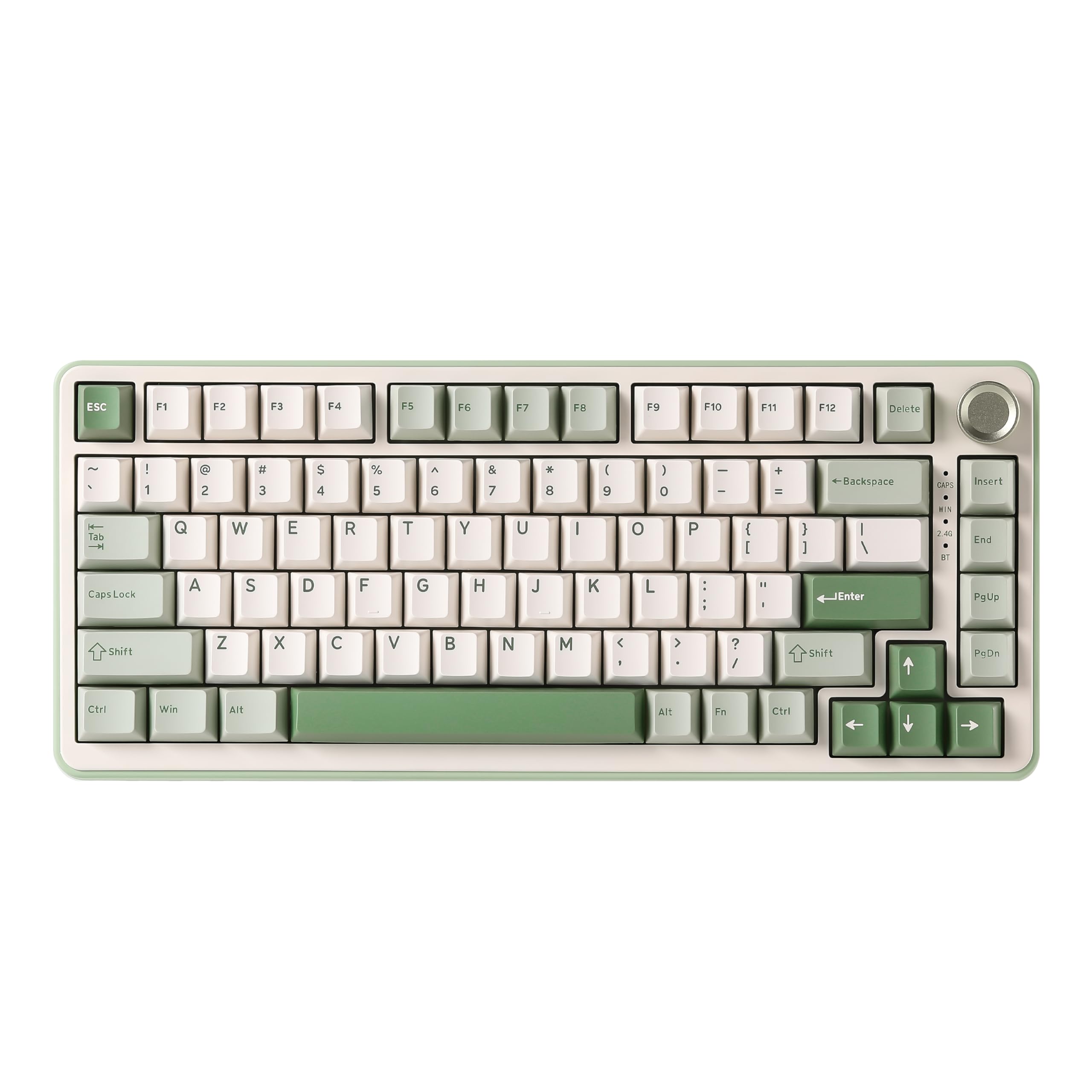 8.5 / 10
YUNZII B75 PRO Wireless Mechanical Keyboard,75% Gaming Keyboard Gasket Hot Swap Custom Keyboard with Knob,Pre-lubed Switches RGB,Bluetooth/Type-C/2.4G (Matcha Green, Milk Switch)
£66.29 · YUNZII
 8.5 / 10
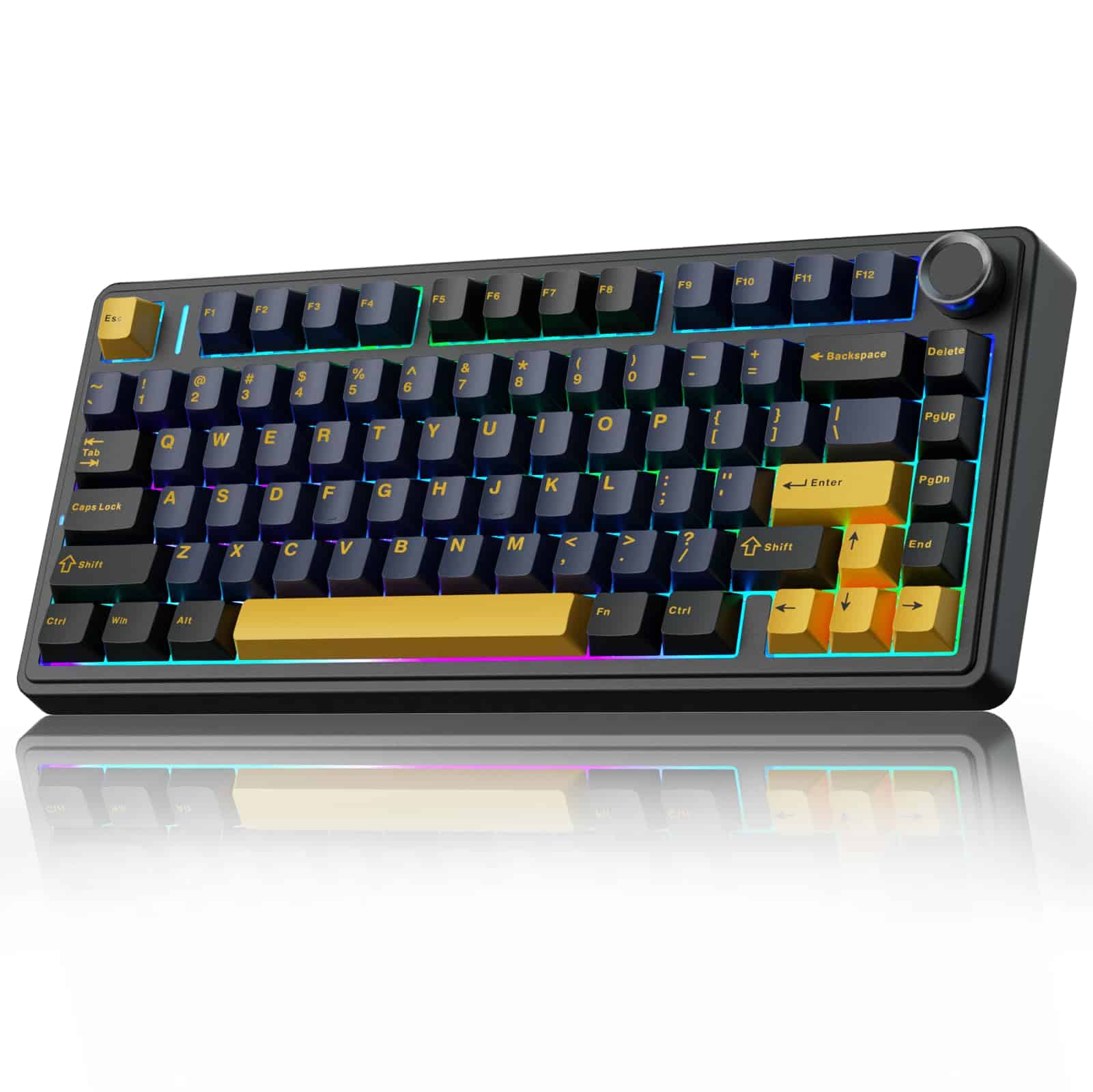
AULA F75 75% Wireless Mechanical Keyboard,2.4Ghz/Type-C/BT5.0 Gaming Keyboards,Advanced Structure,RGB Backlight,Hot Swappable Custom Keyboard for PC/Mac (Cool Black)
£67.91 · AULA
Frequently asked
7 questions01Does the YUNZII B75 PRO MAX work with macOS and Linux?+
Yes. Because the board runs QMK firmware it presents itself as a standard HID device, so no driver installation is needed on any operating system. VIA configuration runs in a Chromium-based browser, which works on Windows, macOS, and Linux alike. macOS users can remap modifier keys to match Command and Option conventions directly through VIA.
02What is the difference between the 2.4GHz and Bluetooth connections on this keyboard?+
The 2.4GHz connection via the included USB dongle operates at a 1000Hz polling rate and offers lower, more consistent latency, making it the better choice for gaming. Bluetooth 5.0 supports pairing with up to three devices and switching between them via a key shortcut, but carries slightly higher and less consistent latency, which is fine for typing and productivity but less ideal for fast-paced gaming.
03Can I replace the Candy Linear switches with other brands?+
Yes. The 5-pin hot-swap PCB accepts both 5-pin and 3-pin switches without any soldering. Popular options such as Gateron G Pro 3.0, Boba U4T, or any other MX-footprint switch will fit. Three-pin switches simply leave the two additional plastic alignment pins unused or can be gently trimmed. This gives you complete freedom to change the switch feel whenever you choose.
04How long does the battery last on the YUNZII B75 PRO MAX?+
Battery life depends heavily on RGB brightness and usage patterns. With RGB disabled, the 4000mAh battery is large enough to last well over a week of normal daily use in wireless mode. With RGB enabled at higher brightness, life drops considerably, though it is still measured in days rather than hours for typical usage. Charging is via USB-C and the board can be used while charging.
05Is QMK/VIA configuration stored on the keyboard or on the computer?+
Your configuration is stored in the keyboard's on-board memory, not on the host computer. This means your key remaps, macros, and layer settings travel with the board. If you plug it into a different PC, a work laptop, or a friend's machine, your customisations remain active without needing to reconfigure anything.
06How does the YUNZII B75 PRO MAX compare to the Nuphy Air75 V2?+
Both boards share a 75% layout, gasket mount, wireless connectivity, hot-swap support, and similar pricing. The B75 PRO MAX adds QMK/VIA support, an OLED display, and a programmable rotary knob, none of which the Air75 V2 offers. The Air75 V2 uses Nuphy's proprietary software and has a longer track record with a larger established community. QMK/VIA support is the decisive advantage of the B75 PRO MAX for users who want open-source, manufacturer-independent customisation.
07Are the keycaps on the B75 PRO MAX compatible with standard aftermarket sets?+
Mostly, but with caveats. The 75% layout uses non-standard sizing on the right shift key and certain modifier keys, which means not every aftermarket keycap set will include the correct sizes. Before purchasing a replacement set, check that it explicitly supports 75% layouts or lists the specific key sizes the B75 PRO MAX requires. Standard alphanumeric and function row keys are compatible with the vast majority of sets.