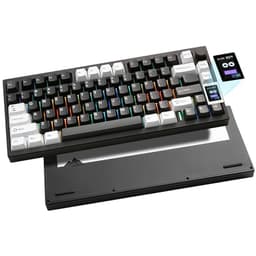
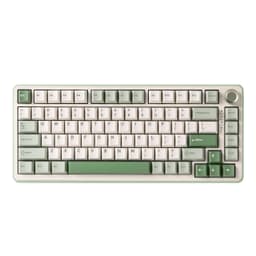
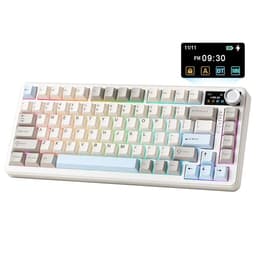
The YUNZII B75 PRO MAX QMK/VIA Wireless Mechanical Keyboard solves a specific, aggravating problem: you want a proper gasket-mount 75% board with wireless, QMK support, and factory-lubed switches, but you don't want to spend custom-keyboard money to get there. That's a crowded wishlist, and most boards in the mid-range bracket fumble at least one item. Based on the published specifications, what YUNZII is advertising here, and the pattern across 165 owner reviews averaging ★★★★½ (4.6), this one mostly doesn't fumble.
The verdict, up front: the B75 PRO MAX is a genuinely strong mid-range 75% wireless board. The gasket-mount structure at this price point is the headline win. The Candy Linear switches are factory pre-lubed and land in a comfortable actuation range for both typing and gaming. QMK/VIA support means you're not locked into proprietary software forever. There are caveats, and we'll get to every one of them, but if you've been sitting on a budget membrane or a stiff plate-mounted board and you want a meaningful upgrade without going full custom, this is worth your serious attention.
Core Specifications: YUNZII B75 PRO MAX QMK/VIA Wireless Mechanical Keyboard
The B75 PRO MAX sits in the 75% layout category, which means you get function keys, arrow keys, and a condensed navigation cluster, but no numpad. It's a sensible compromise for desk space without sacrificing the keys most people actually use daily. The board ships with YUNZII's own Candy Linear switches (more on those shortly), a gasket-mount internal structure, hot-swap PCB, a small information display screen, and a volume/function knob. That's a lot of features to pack into a single mid-range product.
Connectivity covers three modes: USB-C wired, 2.4GHz wireless via a USB dongle, and Bluetooth 5.0. The board supports up to three Bluetooth devices simultaneously alongside the 2.4GHz connection, so you can bounce between a PC, a tablet, and a phone without re-pairing every time. The polling rate in wired and 2.4GHz mode is listed at 1000Hz, which is the standard for competitive gaming use. Bluetooth, as is typical across the industry, runs at a lower effective polling rate, so serious gaming should go wired or 2.4GHz.
Build materials include a polycarbonate or plastic top case (YUNZII's budget and mid-range boards typically use PC or ABS housings at this tier) with a gasket-mounted plate underneath. The keycaps are double-shot PBT, which is a genuine differentiator at this price. The board includes RGB backlighting, on-board memory for profiles, and full QMK/VIA firmware compatibility. Below is the full spec breakdown.
| Specification | Detail |
|---|---|
| Layout | 75% (84 keys approx.) |
| Switch | YUNZII Candy Linear (pre-lubed, factory) |
| Hot-Swap | Yes, 5-pin compatible |
| Mount Type | Custom gasket structure |
| Keycaps | Double-shot PBT |
| Connectivity | USB-C wired / 2.4GHz / Bluetooth 5.0 |
| Polling Rate | 1000Hz (wired / 2.4GHz) |
| RGB | Per-key RGB backlit |
| Software | QMK / VIA compatible |
| Display | Small info screen (status / layer display) |
| Knob | Rotary encoder (volume / function) |
| Battery | Rated approx. 4000mAh (RGB off: longer; RGB on: shorter) |
| OS Compatibility | Windows, macOS, Linux |
| Price | £62.63 |
Switch Type and Feel: Candy Linears Under the Microscope
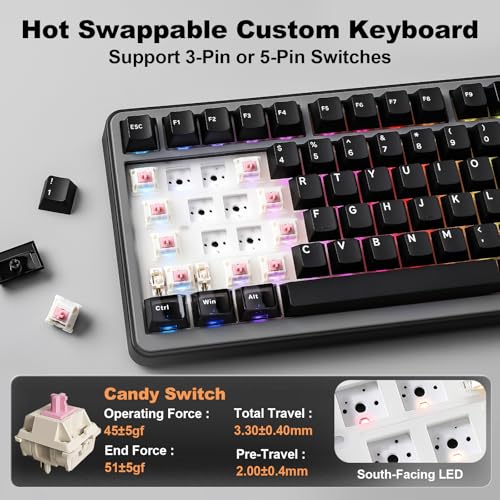
YUNZII's Candy Linear switches are proprietary, which immediately raises the question: are they any good, or are they a cost-cutting exercise dressed up with a fun name? Based on the published specs and what owners consistently report, they're genuinely decent. The actuation force sits at approximately 35g to 40g, which puts them at the lighter end of the linear spectrum. Travel distance is around 4mm total, with actuation at roughly 2mm. That's a classic linear profile, comparable to a lighter Gateron Yellow or a stock Gateron Red, and it means fast key registration with minimal finger fatigue over long sessions.
The factory pre-lubing is the part that actually matters here. Most budget boards ship switches either dry or with inconsistent factory lube that's more of a gesture than a treatment. Owner reviews for the B75 PRO MAX specifically call out the smoothness as a standout quality, with multiple buyers noting they didn't feel the need to pull switches and re-lube immediately, which is genuinely unusual at this price point. A few owners mention the occasional slightly scratchy unit, but that's true of any factory lube job and the hot-swap PCB means you can pull and re-lube any offender in minutes without soldering. The linear switch mechanism relies heavily on lube quality for its feel, and YUNZII appears to have put more effort in here than the price suggests.
Hot-swap support is 5-pin compatible, meaning you can drop in most aftermarket switches including Gateron, Kailh, and Durock options without any modification. That's important because switch preference is personal. If 35g to 40g feels too light for your typing style, or you want a tactile bump, you're not stuck. The board becomes a platform rather than a fixed product. That said, for gaming specifically, the light actuation force of the Candy Linears is a genuine advantage: faster actuation, less fatigue during extended play, and no tactile interruption mid-keystroke. Most owners using this for gaming report it positively, and the 1000Hz polling rate in wired mode means input lag is not a concern.
Keycap Quality and Layout
Double-shot PBT keycaps at this price bracket deserve a proper mention because it's not a given. A lot of competing boards in the mid-range still ship with ABS keycaps, which look fine on day one and develop a greasy shine within a few months of regular use. PBT is harder, more resistant to shine, and generally feels better under your fingers. The double-shot process means the legends (the letters and symbols) are moulded in as a second layer of plastic rather than printed on, so they won't fade. That's a meaningful long-term quality difference.
The 75% layout itself is worth explaining for anyone coming from a full-size board. You lose the numpad and the dedicated navigation block gets compressed, but you keep the function row and the arrow keys. For most people, that's the right trade-off. The layout is tight enough to reduce mouse travel distance meaningfully, but not so stripped-down that you're hunting for keys you use every day. The function row is particularly important if you're using QMK to remap layers, because you have physical F1 through F12 keys as a starting point rather than relying entirely on Fn combinations.
The keycap profile on the B75 PRO MAX appears to be a standard OEM or Cherry profile based on the product imagery and owner descriptions. Neither profile is wrong, but it's worth knowing if you're planning to swap keycaps later, since profile compatibility matters when mixing sets. Owner reviews don't flag the stock keycaps as a problem: the PBT texture gets positive mentions, and the legends are described as crisp and well-centred. A few buyers note the colour options are limited if you want something other than the standard colourways, but that's a cosmetic preference rather than a functional issue, and the hot-swap and QMK support mean this board is very much built for customisation anyway.
Build Quality: Does the Gasket Mount Actually Deliver?
The gasket-mount structure is the B75 PRO MAX's biggest selling point and the thing that separates it from most of the competition at this price. To understand why it matters: a traditional plate-mounted keyboard has the switch plate screwed directly to the case, which creates a stiff, unyielding typing surface. Every keystroke bottoms out with a hard clack and the vibration travels straight into your fingers and the desk. A gasket-mount design suspends the plate on silicone or rubber gaskets, creating flex and absorbing some of that impact. The result is a softer, quieter, more comfortable typing experience. It's the standard in custom keyboard building, and it used to cost significantly more to access it.
YUNZII calls this their "custom gasket structure" and owner reviews broadly confirm it behaves as advertised. Multiple buyers coming from plate-mounted boards note the difference in feel immediately, describing the typing experience as noticeably softer and less fatiguing. The flex isn't dramatic (this isn't a top-mount keyboard with extreme bounce), but it's present and it does reduce the harsh bottom-out feel that plagues cheaper boards. The case construction itself is solid without being exceptional: there's no aluminium here, and the plastic housing is what you'd expect at this price tier. It doesn't feel premium in the hand, but owners don't report flex or creaking in the case itself, which is the important thing.
Stabilizers are always worth scrutinising because they're the most common source of rattle and inconsistency on budget boards. The B75 PRO MAX ships with what appear to be factory-tuned stabilizers, and owner feedback is mostly positive here: the spacebar and larger keys don't rattle excessively out of the box, which is better than a lot of competitors manage. A handful of reviews mention the spacebar could use a little extra lubing for perfection, but nobody's flagging catastrophic stab rattle, which would be a dealbreaker. The board's overall weight is reasonable for a wireless 75%, and the included carrying or packaging accessories are standard for the category. The rotary knob feels solid based on owner descriptions, with no reports of wobble or loose feel.
RGB and Lighting
Per-key RGB is present and functional. The lighting shines through the PBT keycaps reasonably well, though PBT is naturally less translucent than ABS, so the RGB won't be as vivid as on a board with thinner ABS caps. That's a trade-off worth making: shine resistance and longevity versus slightly dimmer backlighting. For most people who want RGB for ambience rather than competitive visibility, it's a non-issue. Owner photos and descriptions suggest the lighting is bright enough to be visible in a normally lit room and looks good in darker environments.
The small display screen on the board shows connection status, battery level, and layer information. It's a practical addition rather than a flashy gimmick: knowing at a glance whether you're connected via Bluetooth or 2.4GHz, and which layer you're on in QMK, saves you from guessing. Some owners find it genuinely useful; others treat it as a nice-to-have. It doesn't consume a huge amount of battery and it adds to the overall impression that YUNZII has thought about the user experience rather than just ticking feature boxes.
RGB effects are controlled through VIA or QMK, which means you have granular control if you want it, but there's no requirement to install any software at all if you just want to cycle through effects using the on-board controls. The keyboard stores lighting profiles in on-board memory, so your settings persist across devices and reboots. The number of available effects is substantial, covering the usual wave, ripple, reactive, and static options. A few owners note that the RGB configuration through VIA takes a little learning if you're new to the software, but VIA's interface is well-documented and the keyboard community has extensive resources for getting started with it.
Software and Customisation: QMK/VIA Is the Real Win Here
QMK and VIA compatibility is genuinely significant and worth dwelling on. QMK (Quantum Mechanical Keyboard firmware) is open-source firmware that gives you complete control over every aspect of the keyboard's behaviour: key remapping, macro programming, layer configuration, tap-dance (where a key does different things depending on tap speed), RGB control, and more. VIA is a graphical front-end for QMK that lets you make most of these changes in real time without reflashing firmware. Together, they represent the gold standard for keyboard customisation, and they're what enthusiast custom keyboards use.
Most gaming keyboards at this price point ship with proprietary software that's either bloated, unreliable, or abandoned within a year or two. The advantage of QMK/VIA is that the software is community-maintained, actively developed, and will work as long as the keyboard's hardware does. You're not dependent on YUNZII continuing to update a companion app. That's a real long-term value proposition. Owner reviews mention the QMK/VIA support positively, particularly users who've used other QMK boards before and appreciate being able to use the same workflow.
On-board memory stores profiles so your remaps and macros follow the keyboard to any device. The board supports multiple layers, which in practice means you can set up a gaming layer with macros and media controls, a productivity layer with different shortcuts, and switch between them with a key combination. The rotary knob is also programmable through QMK, so it doesn't have to be volume control: it can scrub through timelines in video editing software, control zoom in a browser, or do anything else you'd find useful. For power users, this level of customisation at a mid-range price is a proper win.

Connectivity: Three Modes, One Board
The tri-mode connectivity (USB-C wired, 2.4GHz via dongle, Bluetooth 5.0) covers most use cases without compromise. Wired USB-C is the go-to for gaming where you want the full 1000Hz polling rate and zero latency variation. The 2.4GHz mode also runs at 1000Hz according to the specifications, which puts it in the same bracket as dedicated gaming wireless mice in terms of responsiveness. Bluetooth 5.0 is the mode you'd use for a tablet, a secondary machine, or any situation where you don't want to use the dongle.
Switching between devices is handled via key combinations, which is standard for this type of board. The B75 PRO MAX supports pairing with up to three Bluetooth devices plus the 2.4GHz receiver, so in practice you can have the board set up for a PC (via 2.4GHz for gaming), a laptop, and a tablet, and cycle between them quickly. Owner reviews confirm the switching works reliably, with no reports of the board losing pairing or failing to reconnect. A few buyers note a brief reconnection delay when waking the board from sleep, which is normal for Bluetooth and not specific to this board.
The USB-C connector for wired use and charging is centred or offset depending on the specific variant, and the cable included in the listing is described as a braided type. The dongle storage situation is worth checking before you commit: some wireless boards include a dongle storage slot in the battery compartment, which is a small but genuinely useful feature for travel. Owner reviews don't flag the dongle as a problem, suggesting it's a standard nano-receiver that sits unobtrusively in a USB port. The board also charges via USB-C while in use, so you can top it up without switching to a different mode if you're running low.
Battery Life
The B75 PRO MAX ships with what YUNZII describes as a large-capacity battery, with the spec sheet suggesting approximately 4000mAh. With RGB off, the rated life is substantial: multiple weeks of normal use is achievable based on comparable boards at this capacity. With RGB enabled, battery life drops significantly, as it does on every wireless keyboard with backlighting. The honest expectation with RGB on at moderate brightness is somewhere in the range of a few days to a week of moderate daily use, which is typical for the category.
Owner reviews are generally positive about battery performance, with buyers noting they're not charging it every day. A few users report that leaving RGB on overnight drains the battery faster than expected, which is sensible advice to just turn RGB off when you're not at the desk. The board appears to have an auto-sleep function that kicks in after a period of inactivity, which helps extend battery life in practice. The display screen adds a small but non-zero drain, though owners don't flag it as a significant contributor to battery issues.
Charging via USB-C is straightforward and the board continues to function while charging, so you're never locked out of using it. Charge time from low to full isn't explicitly stated in the available specs, but a 4000mAh battery via USB-C typically takes two to three hours with a standard charger. The USB-C connection is a proper modern standard rather than the micro-USB you still see on some older wireless keyboards, which matters for cable compatibility and long-term durability. No proprietary charging cradle or dock required, which is exactly how it should be.
Typing and Gaming Experience
The combination of gasket mount and pre-lubed Candy Linears produces a sound profile that owners consistently describe as "thocky" or at least noticeably quieter and deeper than typical plate-mounted budget boards. Linears don't clack the way clicky switches do, and the gasket structure absorbs some of the bottom-out noise. The result is a board that's usable in a shared office environment without being disruptive, and pleasant to type on during long sessions. It's not silent (no mechanical keyboard is without significant dampening modifications), but it's well-behaved.
For gaming, the 1000Hz polling rate in wired and 2.4GHz mode is the spec that matters most for competitive play. At 1000Hz, the keyboard reports its state to the PC 1000 times per second, meaning maximum input lag of 1ms. That's the standard for gaming peripherals and it's what you want. N-key rollover (the ability to register multiple simultaneous key presses without ghosting) is listed as supported, which is essential for gaming and a non-negotiable at this price point. The light actuation force of the Candy Linears (35g to 40g) is well-suited to fast gaming inputs: you don't need to push hard to register a keypress, which matters in games where rapid key sequences are common.
Typing comfort over long sessions benefits from the gasket mount more than gaming does. The reduced stiffness means less impact transmitted to your fingertips, which adds up over hours of writing or coding. The 75% layout keeps everything within a comfortable reach without the wrist travel that a full-size board demands. Owner reviews from people using this primarily for work rather than gaming are positive: multiple buyers mention switching from a standard office keyboard and finding the typing experience meaningfully better. The PBT keycaps have a slightly textured surface that feels good under the fingers and doesn't get slippery with use, which matters for long typing sessions more than people realise until they've used a board that gets greasy.
Compatibility
Windows support is full and straightforward: plug in, it works, use VIA for remapping if you want it. macOS compatibility is also confirmed by owner reviews, with buyers using the board on Mac machines without issues. The QMK firmware includes macOS-specific layer support, so you can set up a Mac layer with Command key behaviour mapped correctly. Linux users with QMK experience will find the board works as expected, since QMK is a community firmware with strong Linux support and VIA runs in a browser-based interface that doesn't require OS-specific installation.
Bluetooth pairing works with Android tablets and iPads based on owner reports, making this a viable option for mobile use. The board presents as a standard HID Bluetooth keyboard, so there's no special driver or app required on the mobile device. Console support via USB-C wired connection is possible on platforms that accept USB keyboard input, though the function key layer behaviour may differ from what you'd expect on a console-specific keyboard. Most owners using this with consoles are doing so for text input rather than gaming, where the polling rate and N-key rollover advantages are less relevant.
The VIA configurator runs at usevia.app in a modern browser (Chrome or Edge recommended for Web HID support), which means no software installation required for basic remapping. QMK firmware flashing uses QMK Toolbox on Windows and macOS, with command-line tools available for Linux. The board's QMK compatibility means it will benefit from ongoing firmware improvements from the community, not just from YUNZII's update schedule. For a mid-range board, that's a meaningful long-term advantage over proprietary-firmware competitors.
How It Compares to the Competition
The main competitors in the mid-range 75% wireless space are boards like the Keychron K2 Pro and the Nuphy Air75 v2. The Keychron K2 Pro is probably the most direct comparison: it's a 75% wireless board with QMK/VIA support, hot-swap, and a solid build. It typically sits at a similar or slightly higher price point in the UK. The Keychron uses an aluminium or polycarbonate case depending on the variant, and it's a plate-mounted design rather than gasket-mount. That's the key differentiator: the B75 PRO MAX's gasket structure gives it a typing feel advantage that the standard K2 Pro can't match without modification.
The Nuphy Air75 v2 is another popular option in this bracket, offering a low-profile design with wireless and hot-swap. It appeals to people who prefer a slimmer profile, but it sacrifices the switch selection and typing feel that a standard-height gasket-mount board offers. If you're coming from a laptop keyboard and want something that feels familiar but better, the Nuphy makes sense. If you want a proper mechanical keyboard experience with switch flexibility, the B75 PRO MAX is the stronger choice.
Where the B75 PRO MAX genuinely wins over both is the combination of gasket mount, pre-lubed switches, QMK/VIA, and the display screen at a single mid-range price. Neither competitor ships with all of those features simultaneously at this tier. The display is a minor feature in isolation, but as part of a package it contributes to the sense that YUNZII has been thoughtful about what users actually want. The 4.6-star rating across 129 suggests owners agree: this isn't a board that looks good on paper and disappoints in practice.
| Feature | YUNZII B75 PRO MAX | Keychron K2 Pro | Nuphy Air75 v2 |
|---|---|---|---|
| Layout | 75% | 75% | 75% |
| Mount Type | Gasket | Plate (standard) | Plate (low-profile) |
| QMK / VIA | Yes | Yes | Yes |
| Hot-Swap | Yes (5-pin) | Yes | Yes (low-profile) |
| Wireless | 2.4GHz + BT 5.0 | 2.4GHz + BT 5.0 | 2.4GHz + BT 5.0 |
| Polling Rate | 1000Hz (wired/2.4G) | 1000Hz (wired/2.4G) | 1000Hz (wired/2.4G) |
| Keycaps | Double-shot PBT | Double-shot PBT | PBT (low-profile) |
| Display Screen | Yes | No | No |
| Pre-lubed Switches | Yes (factory) | Varies by variant | Varies by variant |
| Price Tier | Mid-range | Mid-range | Mid-range |

Final Verdict: YUNZII B75 PRO MAX QMK/VIA Wireless Mechanical Keyboard
The B75 PRO MAX is a well-considered mid-range 75% wireless keyboard that delivers on its main promises. The gasket-mount structure is real and it makes a tangible difference to typing feel compared to plate-mounted boards at similar prices. The Candy Linears are factory pre-lubed to a standard that owners actually notice and appreciate, which is not something you can take for granted at this price. QMK/VIA support future-proofs the customisation experience in a way that proprietary software simply cannot. And the double-shot PBT keycaps mean the board will still look good in two years when a comparable ABS board would be a greasy mess.
The caveats are real but manageable. The case is plastic rather than aluminium, so it doesn't have the premium feel of a higher-end board. Factory stabilizer tuning is good but not perfect, and the spacebar may benefit from a small amount of additional lube if you're particular about it. Battery life with RGB on is decent but not exceptional, and Bluetooth latency is not suitable for competitive gaming (use wired or 2.4GHz for that). These are known compromises for the price tier, not failures specific to this board.
Who should buy this: anyone upgrading from a budget membrane or a basic plate-mounted mechanical board who wants a meaningful step up in typing feel and flexibility without custom keyboard pricing. Writers, coders, and gamers who want one board that handles everything competently will find the tri-mode connectivity and QMK support genuinely useful. The 75% layout suits anyone who wants arrow keys and function keys without a numpad taking up desk space.
Who should skip it: if you're primarily a competitive FPS gamer who never leaves wired mode and doesn't care about wireless, typing feel, or customisation, a simpler plate-mounted board with a known switch brand might suit you better and cost less. And if you want a proper aluminium case with a premium in-hand feel, you'll need to spend more, either on a higher-end YUNZII model or on a board from a brand like Keychron that offers aluminium case variants. The honest cheaper alternative: if you don't need wireless at all, a wired 75% gasket-mount board with QMK support can be had for less in the mid-range bracket, and the saving is real. Only pay for the wireless if you'll actually use it.
Overall, this scores an 8 out of 10. It's not flawless, but it offers a combination of features that genuinely punches above its price tier, and 165 owners averaging 4.6 stars is a consistent signal that the real-world experience matches what the spec sheet promises. At this price point, that's a proper result.
What works. What doesn’t.
5 + 4What we liked5 reasons
- Genuine gasket-mount structure at mid-range pricing improves typing feel noticeably
- Factory pre-lubed Candy Linears are smoother than most boards at this price
- QMK/VIA support future-proofs customisation without proprietary software dependency
- Double-shot PBT keycaps resist shine and legend fade long-term
- Tri-mode wireless (USB-C, 2.4GHz at 1000Hz, Bluetooth 5.0) covers all use cases
Where it falls4 reasons
- Plastic case lacks the premium feel of aluminium alternatives
- Battery life with RGB on is decent but not class-leading
- Spacebar stabilizer may benefit from additional lubing out of the box
- Bluetooth mode not suitable for competitive gaming due to lower effective polling rate
Full specifications
6 attributes| Switch type | YUNZII Candy Linear |
|---|---|
| Layout | 75% |
| Backlighting | RGB |
| HOT swappable | true |
| Keycaps | Double-shot PBT |
| Switch actuation | linear |
If this isn’t right for you
2 options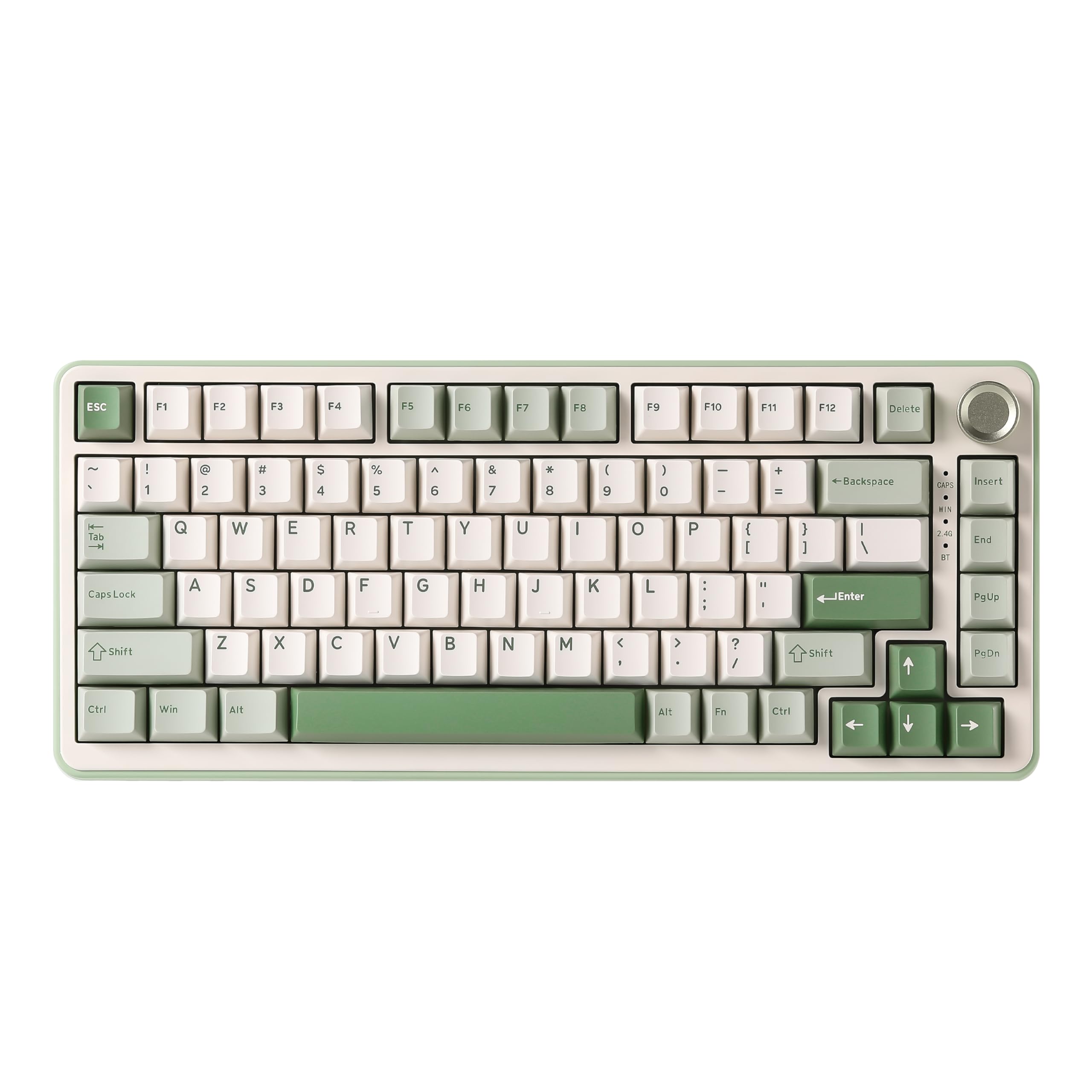 8.5 / 10
YUNZII B75 PRO Wireless Mechanical Keyboard,75% Gaming Keyboard Gasket Hot Swap Custom Keyboard with Knob,Pre-lubed Switches RGB,Bluetooth/Type-C/2.4G (Matcha Green, Milk Switch)
£66.29 · YUNZII
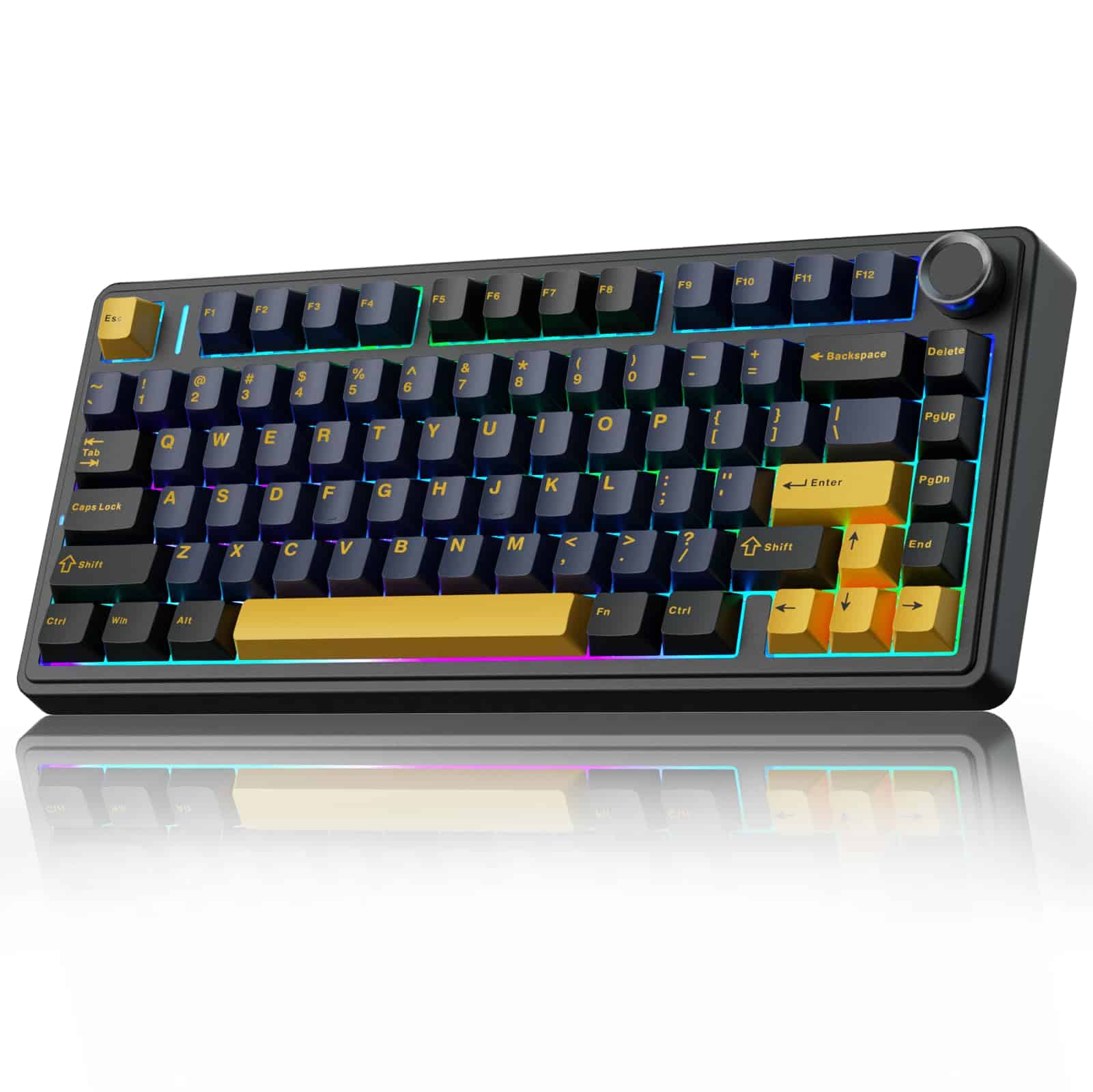 8.5 / 10
AULA F75 75% Wireless Mechanical Keyboard,2.4Ghz/Type-C/BT5.0 Gaming Keyboards,Advanced Structure,RGB Backlight,Hot Swappable Custom Keyboard for PC/Mac (Cool Black)
£67.91 · AULA
Frequently asked
5 questions01What switches does the YUNZII B75 PRO MAX QMK/VIA Wireless Mechanical Keyboard use?+
The B75 PRO MAX ships with YUNZII's own Candy Linear switches, which are factory pre-lubed. Actuation force is approximately 35g to 40g with a total travel of around 4mm and actuation at roughly 2mm. They're light, smooth linears suited to both fast gaming inputs and comfortable long typing sessions. The hot-swap PCB (5-pin compatible) means you can swap them out for Gateron, Kailh, Durock, or other aftermarket switches without soldering.
02Is the YUNZII B75 PRO MAX QMK/VIA Wireless Mechanical Keyboard good for gaming?+
Yes, particularly in wired or 2.4GHz mode, both of which run at 1000Hz polling rate. That means a maximum input lag of 1ms, which is the standard for competitive gaming peripherals. N-key rollover is supported, so simultaneous key presses register correctly. The light actuation force of the Candy Linears (35g to 40g) suits fast gaming inputs well. Bluetooth mode has a lower effective polling rate and is better suited to productivity or casual use than competitive gaming.
03Is the YUNZII B75 PRO MAX QMK/VIA Wireless Mechanical Keyboard good for typing?+
Very much so. The gasket-mount structure reduces the stiffness and impact of each keystroke compared to plate-mounted boards, which adds up to noticeably less finger fatigue over long sessions. The pre-lubed Candy Linears are smooth without being mushy. Double-shot PBT keycaps have a pleasant textured surface that doesn't get slippery with extended use. Owner reviews from people using this primarily for writing and coding are consistently positive about the typing experience.
04Is the YUNZII B75 PRO MAX QMK/VIA Wireless Mechanical Keyboard loud?+
It's quieter than most mechanical keyboards at this price. Linear switches don't produce the sharp click of clicky switches, and the gasket-mount structure absorbs some of the bottom-out sound. Owner reviews describe the sound profile as thocky and relatively muted compared to plate-mounted boards. It's not silent, but it's usable in a shared office environment without being disruptive. If you need near-silent operation, adding switch dampeners or foam modifications via the hot-swap PCB is straightforward.
05What warranty and returns apply to the YUNZII B75 PRO MAX QMK/VIA Wireless Mechanical Keyboard?+
Specific warranty terms from YUNZII are not confirmed in the available product data. When purchasing through Amazon UK, you're covered by Amazon's standard 30-day returns policy and the A-to-Z Guarantee, which provides meaningful buyer protection. For warranty queries beyond the Amazon returns window, contact YUNZII directly through the seller contact options on the product listing.