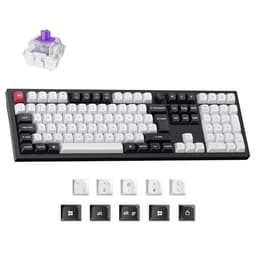
Wireless number pads are a genuinely niche product. Most people either don't need one, or they buy the cheapest USB option they can find and forget about it. The Keychron K0 Max is doing something different: it's a low-profile, hot-swappable, QMK-programmable numpad with a 1000Hz polling rate, a rotary knob, and full wireless support across both 2.4GHz and Bluetooth 5.3. That spec sheet reads more like a compact enthusiast board than a forgotten accessory bolted to the side of your desk.
The verdict? This is one of the best wireless numpads you can buy at the mid-range price point, and the 4.4-star average from 141 owners backs that up. It's not perfect. The low-profile switches won't suit everyone, and if you don't need the wireless or the QMK programmability, there are cheaper ways to add a numpad to your setup. But for the person who wants a genuinely capable, customisable numpad that can pair to three devices and pull 1000Hz polling over 2.4GHz, the K0 Max is a proper bit of kit. The rest of this review explains exactly why, and where the caveats sit.
Core Specifications: Keychron K0 Max Wireless Low-Profile Number Pad
The K0 Max is a 21-key low-profile numpad (that includes the rotary knob, which functions as a programmable encoder). The switch spec is Keychron's own low-profile optical-mechanical reds in the variant covered here, sitting at roughly 45g actuation force with a 1.5mm actuation point and 3.0mm total travel. That's meaningfully shorter than a standard MX-style switch, which typically actuates at 2.0mm and bottoms out at 4.0mm. The difference in finger travel is noticeable, especially if you're coming from a full-height board.
Connectivity covers three modes: 2.4GHz via USB dongle (with 1000Hz polling rate), Bluetooth 5.3 (which typically runs at 125Hz on most host implementations, so manage expectations there), and wired USB-C. The 2.4GHz dongle is what makes this interesting for anyone who cares about latency. At 1ms polling intervals over the 2.4GHz connection, you're getting response times that match or beat most wired peripherals. The board supports N-key rollover across all connection modes, which matters more on a full keyboard but is still a sign of quality implementation here.
The board is QMK and Via compatible, which means you're not locked into proprietary software. QMK is the gold standard for open-source keyboard firmware, and having it on a numpad is genuinely unusual at this price point. The Keychron Launcher (their browser-based configurator) also works if you'd rather not touch a JSON config file. RGB backlighting is per-key, which is also unusual for a numpad. The battery is rated at 2000mAh, and the board charges over USB-C.
| Specification | Detail |
|---|---|
| Form Factor | 21-key low-profile numpad with rotary encoder |
| Switch Type | Keychron Low-Profile Red (linear, hot-swappable) |
| Actuation Force | ~45g |
| Actuation Distance | 1.5mm |
| Total Travel | 3.0mm |
| Polling Rate | 1000Hz (2.4GHz / wired), 125Hz (Bluetooth) |
| Connectivity | 2.4GHz wireless, Bluetooth 5.3, USB-C wired |
| Multi-device pairing | Up to 3 devices (BT) + 1 via 2.4GHz dongle |
| Backlighting | Per-key RGB |
| Hot-swap | Yes (low-profile socket) |
| Firmware | QMK / Via / Keychron Launcher |
| Battery | 2000mAh, USB-C charging |
| OS Support | Windows, macOS, Linux, iOS, Android |
| Rotary Encoder | Yes, 1x programmable knob |
| Price | £64.99 |

Switch Type and Feel: Low-Profile Reds Under the Microscope
Low-profile switches are a bit of a marmite thing in the mechanical keyboard world. Keychron's own low-profile reds are linear switches with a 1.5mm actuation point and 3.0mm total travel. For context, a Cherry MX Red actuates at 2.0mm with 4.0mm total travel, and a standard Gateron Red sits in the same ballpark. The K0 Max's switches are genuinely shorter, which means faster actuation for rapid keystrokes but also a higher risk of accidental keypresses if you're a heavy-handed typist who rests fingers on keys. That's not a flaw, it's a characteristic. Know your typing style before committing.
The hot-swap sockets are a significant selling point. Low-profile hot-swap boards are rarer than full-height ones, and the fact that Keychron has included it here means you're not stuck with reds if you decide you want something with a tactile bump. The caveat is that your swap options are limited to Keychron's own low-profile switch ecosystem (and compatible low-profile switches like Gateron KS-33), so you can't just drop in any MX-style switch you fancy. The low-profile socket is a different physical format. Worth knowing before you start browsing switch vendors.
Owner reports are largely positive on the feel. The reds are described as smooth for a budget-tier low-profile switch, with no significant wobble or scratchiness out of the box. A small number of owners mention that the switches feel slightly lighter than expected, which tracks with the 45g actuation spec. If you're used to heavier switches (Cherry MX Blues at 60g actuation, or Browns at 55g), the reds will feel noticeably lighter. For numpad use, where you're mostly doing data entry rather than gaming, that light actuation is generally a positive. Fingers don't fatigue as quickly on long data entry sessions. For the rotary encoder, owners report smooth rotation with good detent feedback, which is the main thing you want from a knob.
Keycap Quality and Layout
The K0 Max ships with low-profile double-shot PBT keycaps. PBT (polybutylene terephthalate) is the material you want on a mechanical keyboard. It's harder and more resistant to shine than ABS (acrylonitrile butadiene styrene), which is the cheaper plastic that starts looking greasy within a few months of regular use. Double-shot legends mean the characters are moulded from a second layer of plastic rather than printed on top, so they won't fade. This is the right combination for a keyboard that's supposed to last.
The keycap profile is low-profile, which is a specific shape designed to sit closer to the plate than standard OEM or Cherry profile caps. If you've only ever used standard-height keycaps, they'll feel flatter than you're used to. Some people love this, especially for wrist comfort on a flat desk setup without a wrist rest. Others find the reduced key height makes typing feel less precise because there's less of a physical guide for your fingers. On a numpad specifically, where you're often typing by feel without looking, this is worth considering. Most owners don't flag it as a problem, but it's a real adjustment if you're new to low-profile boards.
The layout itself is standard numpad: 21 keys including the rotary encoder, num lock, a full number cluster, arithmetic operators, enter, and a zero with double-width. The rotary knob sits at the top right and can be programmed to do basically anything via QMK, though volume control is the obvious default. One thing worth noting is that the low-profile keycap ecosystem is more limited than standard MX keycaps if you want to customise the look later. You can't just grab any artisan keycap or custom set and expect it to fit. You're working within a narrower compatibility window. Not a dealbreaker, but it's a real constraint compared to a standard-height board.
Build Quality: What You're Actually Getting
The K0 Max uses an aluminium top case, which is the right call for a peripheral in this price bracket. Plastic-cased numpads at similar prices feel cheap and flex when you press on them. The aluminium here gives the board a solid, planted feel on the desk. Owner reviews consistently mention that it feels more premium than the price suggests, and that's usually a sign the case material is doing its job. The weight, while not specified by Keychron in the public listings, is reported by owners as satisfying without being heavy enough to be annoying when moving it around.
The plate material isn't explicitly confirmed in Keychron's public spec sheet for the K0 Max, but based on the construction pattern across Keychron's low-profile Max line, it's likely a steel or aluminium plate rather than polycarbonate. This affects the sound and flex profile: stiffer plate, less flex, slightly higher-pitched sound signature. For a numpad, this is generally fine. You're not going to be doing the kind of extended typing that makes plate material a major comfort consideration on a full-size board. The stabilisers on the zero key (the only stabilised key on a standard numpad layout) are reported as acceptable by most owners, with no significant rattle flagged in the review pool.
The USB-C port is on the top edge of the board, which is a sensible placement for a peripheral that sits to the right of a main keyboard. The 2.4GHz dongle stores in a small slot on the underside of the board, which is a nice touch. Keychron includes a USB-C cable in the box, and the feet give two height positions. No tilt adjustment beyond the two-position feet, which is standard for a compact board. A small number of owners mention that the rubber feet could be grippier on glass or polished desks, but this is a common complaint across the entire peripheral category rather than a K0 Max-specific issue.
RGB and Lighting
Per-key RGB on a numpad is genuinely unusual. Most competing numpads either skip backlighting entirely or offer single-zone or zone-based lighting that looks a bit flat. The K0 Max has individual LEDs under each key, which means you can set up per-key colour assignments through QMK or the Keychron Launcher. In practice, most people will pick a preset effect and leave it, but the option is there. Owner photos show the lighting as bright and even, with good bleed through the PBT keycaps. PBT is typically less translucent than ABS, so the RGB won't be as vivid as you'd get on a board with ABS caps, but the tradeoff (no shine, no fading) is worth it.
The RGB effects available include the usual suspects: static colour, breathing, wave, reactive (lights up on keypress), and a handful of others. These are all configurable through the Keychron Launcher without needing to touch QMK directly. The brightness is reported as sufficient for use in a lit room, which is the minimum bar for any RGB peripheral. In a dark room it's vivid enough to be a genuine aesthetic feature rather than just a faint glow. The rotary encoder cap is also backlit, which is a small detail that most competitors skip.
One thing to flag: running RGB with the wireless connection active will drain the battery faster. Keychron's own guidance suggests turning RGB off or reducing brightness when using the board wirelessly for extended periods. This is true of every wireless keyboard with RGB, not just the K0 Max. The 2000mAh battery is reasonably sized for a numpad, but it's not enormous. With RGB on full brightness over 2.4GHz, you're likely looking at battery life measured in days rather than weeks. With RGB off, the rated life is significantly longer (Keychron quotes up to several weeks in this mode across their low-profile Max line, though the K0 Max specific figure isn't separately published). More on battery in the dedicated section below.
Software and Customisation: QMK on a Numpad
This is where the K0 Max genuinely separates itself from the competition. QMK firmware is open-source, actively maintained, and gives you complete control over every key, every layer, every macro, and every lighting effect. On a full keyboard this is expected at the enthusiast tier. On a numpad in the mid-range bracket, it's unusual enough to be a real differentiator. You can remap every key, set up multiple layers (so the numpad can function as a macro pad in one layer and a standard numpad in another), configure tap-dance, set up combos, and program the rotary encoder to do whatever you want per-layer.
The Keychron Launcher is the browser-based configurator that sits on top of QMK for people who don't want to compile firmware. It works through WebHID, so you need a compatible browser (Chrome or Edge, not Firefox or Safari). The interface is visual and relatively straightforward: you see a layout of the board, click a key, and assign a function. It's not as powerful as writing raw QMK config, but for the majority of users who just want to remap a few keys and set a lighting effect, it's perfectly adequate. Owner feedback on the software is generally positive, with the main complaint being that the Launcher can occasionally be slow to recognise the board on first connection.
On-board memory means your key mappings and lighting settings are stored on the board itself, not in software on the host machine. This matters if you're using the K0 Max across multiple computers via Bluetooth or 2.4GHz switching. You don't need to install anything on each machine. Your setup travels with the board. For a numpad that's specifically marketed as a multi-device peripheral, this is the right implementation. Macro support is limited only by QMK's own capabilities, which is to say it's essentially unlimited in scope. You can set up complex macros, text strings, application shortcuts, or media controls, all stored on the board.

Connectivity: Three Modes, One Dongle
The connectivity setup on the K0 Max is one of its strongest arguments. Three modes: 2.4GHz wireless via the included USB dongle, Bluetooth 5.3 for up to three paired devices, and wired USB-C. The 2.4GHz connection runs at 1000Hz polling, which puts it on par with wired gaming peripherals. For a numpad used in data entry or as a macro pad, 1000Hz polling is overkill, but it's a sign that the wireless implementation is done properly rather than as an afterthought. Bluetooth 5.3 brings improved connection stability and lower power consumption compared to earlier Bluetooth versions, though as noted above, the polling rate over Bluetooth will be lower than over 2.4GHz.
Switching between devices on Bluetooth is handled by dedicated key combinations (typically Fn + number key on Keychron boards). The switch is reported by owners as fast, typically under two seconds, which is acceptable for a peripheral you're not switching constantly. If you need to swap between a desktop PC and a laptop frequently throughout the day, the switching speed is fine. If you're doing it every few minutes, it might get slightly irritating, but that's true of any Bluetooth peripheral rather than a K0 Max-specific issue.
The 2.4GHz dongle is the connection to use when you care about latency. At 1ms polling intervals, you're matching wired performance for all practical purposes. The dongle stores in the board's underside compartment when not in use, which means you're unlikely to lose it. Owner reports don't flag any interference or dropout issues with the 2.4GHz connection in typical home or office environments. The wired USB-C mode is there for charging or for situations where you want guaranteed connectivity without any wireless overhead. The cable is included in the box. All three modes work on Windows, macOS, and Linux.
Battery Life: Realistic Expectations
The K0 Max packs a 2000mAh battery. For a numpad, that's a reasonable size. Keychron's broader low-profile Max lineup quotes battery life in the range of 200 to 300 hours with RGB off and Bluetooth, dropping significantly when RGB is on. The K0 Max's specific battery life isn't separately published in the product listing, but the 2000mAh capacity and the low-profile Max architecture suggest similar ballpark figures. With RGB running at full brightness over 2.4GHz, expect considerably shorter runtimes. Think days rather than weeks.
In practice, owner reviews don't flag battery life as a major complaint. The consensus seems to be that the battery lasts long enough that charging isn't a constant chore, especially if you're sensible about RGB brightness. The board charges over USB-C, and you can use it while charging, so running out of battery mid-session is only a problem if you've genuinely neglected it. The USB-C charging is a practical detail that matters more than it sounds: older wireless peripherals with proprietary charging connectors or micro-USB are increasingly annoying to deal with when most cables in circulation are USB-C.
There's no battery percentage indicator on the board itself (no OLED, no LED battery meter), which means you're relying on the OS-level battery reporting or just keeping an eye on how long it's been since you last charged. On Windows and macOS, Bluetooth devices typically report battery level in the system settings. Over 2.4GHz, battery level reporting depends on the driver implementation. Some owners mention they'd prefer a more obvious low-battery warning. It's a fair point, though not unusual for a peripheral at this size and price point.
Typing and Gaming Experience
As a data entry numpad, the K0 Max is excellent. The low-profile reds at 45g actuation and 1.5mm actuation distance make rapid number entry comfortable and fast. The aluminium case keeps the board planted on the desk without needing to tape it down or add weight. Owner reviews from accountants, data entry workers, and people who use spreadsheets heavily are uniformly positive. The sound profile is relatively quiet for a mechanical board, partly because low-profile switches have less travel and therefore less noise from the downstroke and the return. Not silent, but office-appropriate in most environments.
As a macro pad for gaming or creative work, the QMK programmability makes this significantly more useful than a standard numpad. You can assign any key to any function, set up layer switching so the board has completely different behaviour in different applications, and use the rotary encoder for things like scroll speed, brush size in Photoshop, or timeline scrubbing in video editing software. This is the use case where the K0 Max earns its mid-range price tag. A standard numpad can't do any of this. The 1000Hz polling rate over 2.4GHz means macro execution is as responsive as a wired gaming keyboard.
The rotary encoder deserves a specific mention. It's smooth, the detents are well-defined, and the click (pressing the knob) is clean without being mushy. For volume control, which is the default assignment, it works exactly as you'd want. But the real value is in QMK layer programming: you can have the knob do one thing in layer 0 and something completely different in layer 1. Scroll through tabs in one layer, scrub a timeline in another, adjust brush opacity in a third. This kind of flexibility from a single small peripheral is genuinely useful for a multi-monitor, multi-application workflow. Owner reviews from video editors and streamers specifically call out the knob as a highlight.
Compatibility
The K0 Max works on Windows, macOS, Linux, iOS, and Android. The QMK firmware and Keychron Launcher are primarily designed around desktop OS use, but as a Bluetooth input device, the board will pair and function on tablets and phones as well. On iOS and Android, you lose the QMK customisation layer (you can't run the Launcher on a phone), but the key mappings stored in on-board memory still work. So if you've programmed the board on a desktop and then pair it to a tablet, your custom layout travels with it.
macOS compatibility is explicitly supported, with Keychron including both Windows and macOS keycap legends (or the option to switch via a hardware toggle, depending on the variant). Keychron has always been good at dual-OS support, and the K0 Max continues that. Function key behaviour and modifier key mapping can be adjusted for macOS versus Windows conventions through QMK without needing to swap keycaps. Linux works fine with QMK boards generally, and the Keychron Launcher's WebHID approach means it'll work in any Linux distribution running a Chromium-based browser.
Console support is limited. The board will function as a USB HID device over wired connection on platforms that accept USB keyboards, but the 2.4GHz dongle and Bluetooth pairing are host-dependent. On PS5 or Xbox, you're unlikely to get full functionality, and the QMK programmability is irrelevant in that context anyway. This isn't a console peripheral. It's a desktop and laptop peripheral, and within that scope it's broadly compatible with anything you'd reasonably want to use it with.
How It Compares to the Competition
The wireless numpad market is thin. Most of what's available splits into two camps: cheap USB wired numpads that cost under £15 and do nothing interesting, and full-size wireless keyboards that happen to have a numpad section. The K0 Max sits in a genuinely underserved middle ground: a dedicated wireless numpad with enthusiast features. The two most relevant comparisons are the Epomaker TH21 (a low-profile hot-swap numpad with Bluetooth) and the NuPhy Gem80 numpad section (if you're considering a full wireless board just for the numpad). Neither is a perfect comparison, but they illustrate where the K0 Max sits.
The Epomaker TH21 is the closest direct competitor. It's a low-profile hot-swap numpad with Bluetooth and RGB, and it comes in at a lower price point. The tradeoff is no 2.4GHz option, no QMK support, and a less refined software experience. If you don't need 1000Hz polling and you're not interested in QMK programmability, the TH21 is worth considering. But if the macro pad use case or the low-latency 2.4GHz connection matters to you, the K0 Max justifies the premium. The Keychron brand also has a stronger track record for firmware support and long-term software updates than Epomaker, which is a real consideration for a peripheral you're planning to keep for several years.
The other comparison worth making is against Keychron's own Q0 Plus, which is a full-height hot-swap numpad with QMK and a similar feature set but in a standard switch format. The Q0 Plus accepts MX-compatible switches, which gives you a vastly wider switch and keycap ecosystem. If low-profile specifically isn't a requirement for your setup (maybe you prefer the feel of full-height switches, or you want to match a full-height main keyboard), the Q0 Plus is worth serious consideration. The K0 Max's advantage is the wireless connectivity and the lower profile. The Q0 Plus is wired-only but has more switch and keycap flexibility.
| Feature | Keychron K0 Max | Epomaker TH21 | Keychron Q0 Plus |
|---|---|---|---|
| Switch Type | Low-profile linear (hot-swap) | Low-profile linear (hot-swap) | Full-height MX (hot-swap) |
| Wireless | 2.4GHz + BT 5.3 + USB-C | Bluetooth + USB-C | Wired USB-C only |
| Polling Rate | 1000Hz (2.4GHz/wired) | ~125Hz (BT) | 1000Hz (wired) |
| QMK / Via | Yes | No | Yes |
| Rotary Encoder | Yes | No | Yes |
| RGB | Per-key | Per-key | Per-key |
| Case Material | Aluminium top | Plastic | Aluminium |
| Switch Ecosystem | Low-profile only | Low-profile only | Full MX-compatible |
| Price Tier | Mid-range | Budget to mid-range | Mid-range |

Final Verdict: Keychron K0 Max Wireless Low-Profile Number Pad
The Keychron K0 Max Wireless Low-Profile Number Pad is the most capable wireless numpad available at the mid-range price point, and it's not particularly close. The combination of 2.4GHz at 1000Hz polling, QMK programmability, per-key RGB, hot-swap low-profile sockets, and an aluminium case is a feature set that doesn't exist elsewhere in this form factor at this price. The 4.4-star average from 141 owners isn't a fluke. People who buy this are consistently pleased with it, particularly the build quality and the wireless reliability.
The caveats are real but specific. Low-profile switches won't suit everyone, and the hot-swap ecosystem is narrower than full-height MX. The Bluetooth polling rate is standard (125Hz) rather than the 1000Hz you get over 2.4GHz, which matters if you're using this as a macro pad for gaming rather than just data entry. And if you're pairing this to a single Windows PC and never moving it, the wireless premium might not be worth it versus a simpler wired option. The QMK programmability is brilliant if you'll use it, and genuinely wasted if you just want a numpad that types numbers.
Who should buy this? Anyone who works across multiple computers, anyone who wants a programmable macro pad in numpad form, anyone who cares about low-profile switches and wants the flexibility to swap them, and anyone who wants a wireless numpad that doesn't compromise on polling rate. Data entry workers, spreadsheet-heavy accountants, video editors who want a dedicated scrubbing knob, streamers who want a macro pad that doesn't look like a toy. This suits all of them.
Who should skip it? If you just want a numpad for occasional number entry and you're not interested in QMK, wireless multi-device support, or the rotary encoder, this is more keyboard than you need. The Keychron Q0 Plus (wired, full-height, QMK, slightly cheaper) is the smarter buy if you don't need wireless and you'd prefer the broader MX switch and keycap ecosystem. And if budget is the primary constraint, a basic wired numpad under £15 will type numbers just as accurately. The K0 Max earns its price through features, not fundamentals.
Editorial score: 8.5 out of 10. Genuinely excellent for its specific use case. Loses half a point for the limited low-profile switch ecosystem and another for the lack of a published battery life figure in the official spec sheet. Everything else is properly done.
What works. What doesn’t.
5 + 4What we liked5 reasons
- 1000Hz polling over 2.4GHz matches wired gaming peripheral performance
- QMK and Via compatible, rare at this price and form factor
- Hot-swappable low-profile sockets for switch flexibility
- Aluminium top case feels premium and stays planted on the desk
- Per-key RGB on a numpad is unusual and well-implemented
Where it falls4 reasons
- Low-profile hot-swap limits switch and keycap ecosystem options
- Bluetooth polling rate is standard 125Hz, not the 1000Hz of 2.4GHz mode
- No published battery life figure for the K0 Max specifically
- Keychron Launcher requires Chrome or Edge, not Firefox or Safari
Full specifications
8 attributes| Switch type | Keychron Milk POM Switch |
|---|---|
| Layout | numpad |
| Backlighting | RGB |
| Battery life H | 50 |
| HOT swappable | true |
| Keycaps | low-profile double-shot PBT |
| Polling rate HZ | 1000 |
| Switch actuation | linear |
If this isn’t right for you
2 options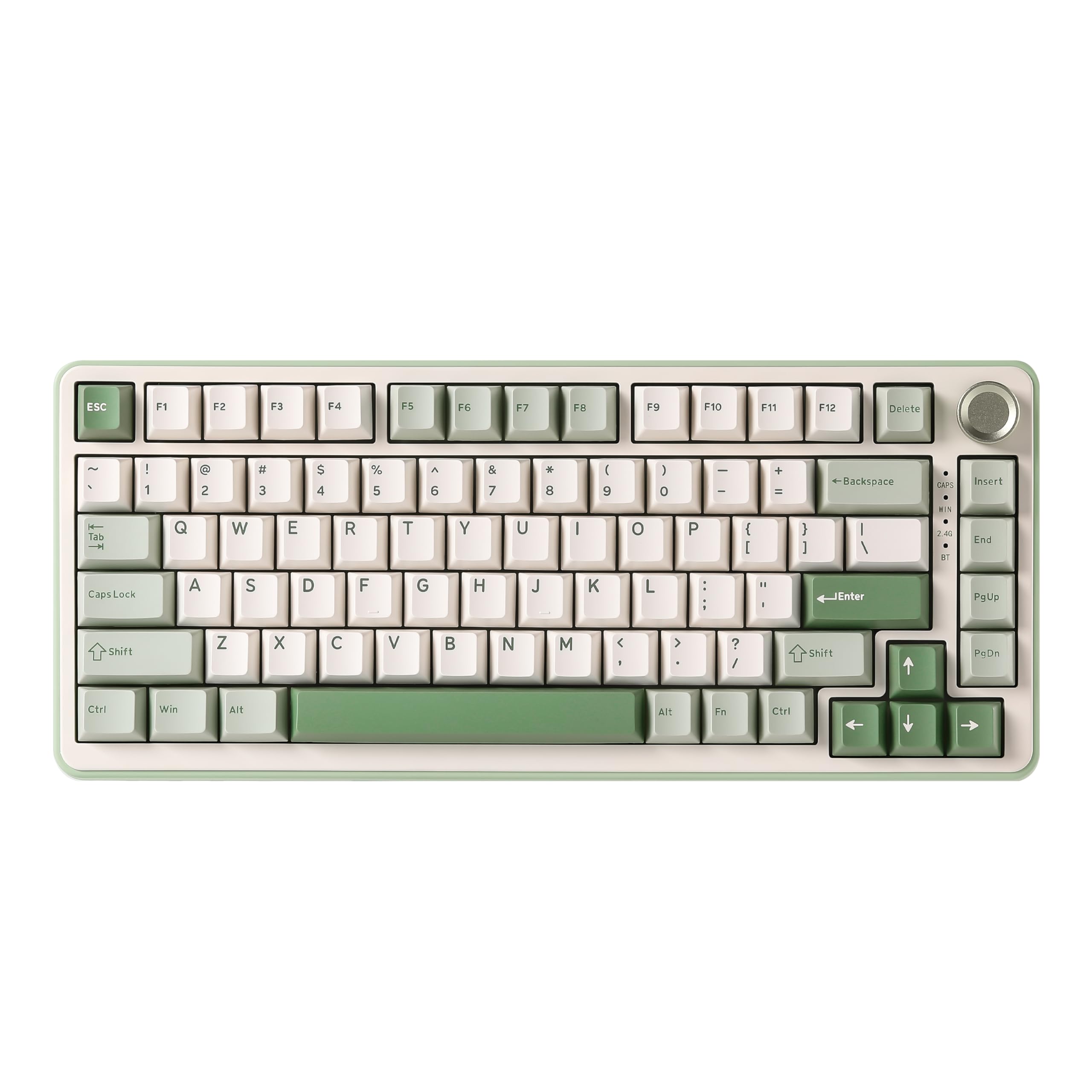 8.5 / 10
YUNZII B75 PRO Wireless Mechanical Keyboard,75% Gaming Keyboard Gasket Hot Swap Custom Keyboard with Knob,Pre-lubed Switches RGB,Bluetooth/Type-C/2.4G (Matcha Green, Milk Switch)
£66.29 · YUNZII
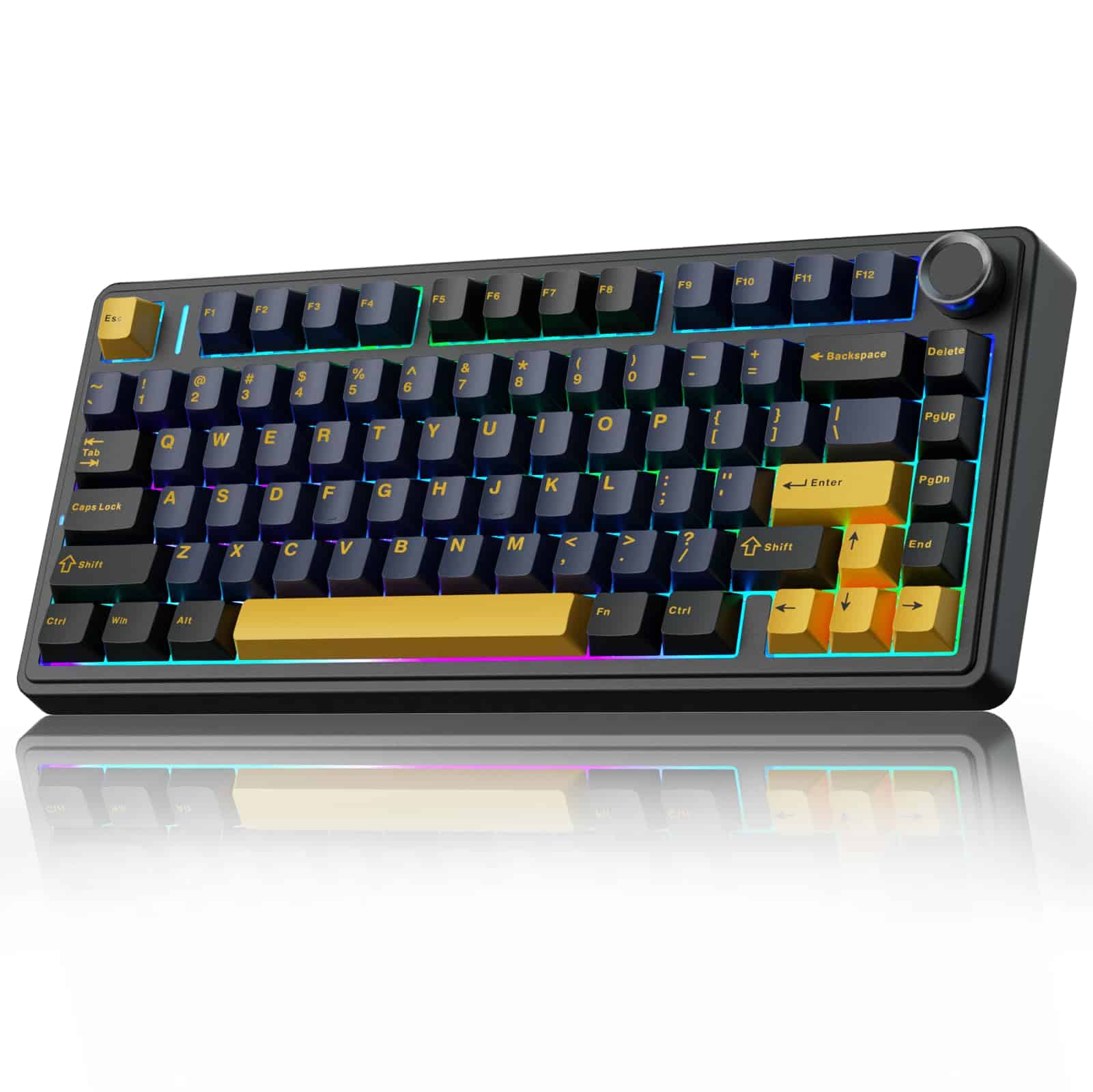 8.5 / 10
AULA F75 75% Wireless Mechanical Keyboard,2.4Ghz/Type-C/BT5.0 Gaming Keyboards,Advanced Structure,RGB Backlight,Hot Swappable Custom Keyboard for PC/Mac (Cool Black)
£67.91 · AULA
Frequently asked
5 questions01What switches does the Keychron K0 Max Wireless Low-Profile Number Pad use?+
The K0 Max ships with Keychron's own low-profile red switches in the variant reviewed here. These are linear switches with approximately 45g actuation force, a 1.5mm actuation point, and 3.0mm total travel. That's meaningfully shorter than a standard MX-style red, which actuates at 2.0mm with 4.0mm total travel. The board is hot-swappable, but the sockets accept low-profile switches only, not standard MX-compatible ones. Compatible alternatives include Gateron KS-33 low-profile switches.
02Is the Keychron K0 Max Wireless Low-Profile Number Pad good for gaming?+
As a macro pad for gaming, yes. Over the 2.4GHz wireless connection, the K0 Max runs at 1000Hz polling, which gives 1ms response intervals matching wired gaming peripherals. QMK firmware lets you program every key and the rotary encoder with custom macros, layer switching, or any function you need. Over Bluetooth the polling rate drops to a standard 125Hz, so for gaming use specifically, the 2.4GHz dongle is the connection to use. As a standalone gaming numpad for number-key use in games, it's responsive and accurate.
03Is the Keychron K0 Max Wireless Low-Profile Number Pad good for typing?+
For data entry and numpad typing, yes. The low-profile red switches at 45g actuation and 1.5mm actuation distance make rapid number entry comfortable and relatively fast. The aluminium case keeps the board planted. The sound profile is quieter than full-height mechanical switches due to the reduced travel distance. The low-profile keycap shape takes adjustment if you're used to standard-height keys, but most owners adapt quickly. PBT double-shot keycaps mean legends won't fade and the surface won't shine up with extended use.
04Is the Keychron K0 Max Wireless Low-Profile Number Pad loud?+
It's quieter than most full-height mechanical keyboards. Low-profile switches have shorter travel, which reduces the noise from both the downstroke and the upstroke. The linear red switches have no tactile bump or click mechanism, so there's no clicky noise. Owner reports describe the sound as moderate mechanical, acceptable in a shared office environment. It's not silent, but it's not the kind of keyboard that will earn complaints from colleagues or housemates. If you need near-silent operation, lubing the switches (possible given the hot-swap design) would reduce noise further.
05What warranty and returns apply to the Keychron K0 Max Wireless Low-Profile Number Pad?+
Specific warranty terms for the K0 Max are not listed in the verified product data available to us. When purchasing through Amazon UK, the standard Amazon 30-day returns policy applies, along with the A-to-Z Guarantee which covers you if the item arrives not as described or fails to arrive. For manufacturer warranty queries, we recommend contacting Keychron directly through their official support channels.