
There's a specific kind of networking question that gets asked constantly, and it's almost never the right question. People obsess over headline speeds, Wi-Fi standards, and mesh topology when the actual bottleneck in most setups is simpler and more boring: they don't have enough wired ports, and the ones they do have are choking on power-hungry devices that need PoE (Power over Ethernet) to run. IP cameras, access points, VoIP phones, smart doorbells with proper wired connections. All of them need juice delivered down the cable, and most home switches don't do that.
The TP-Link TL-SG1008MP 8-Port Gigabit PoE Switch is the answer to that specific problem. Not a router. Not a mesh node. A managed-adjacent unmanaged switch that hands out gigabit speeds and PoE+ power across eight ports, all in a metal chassis that'll sit on a desk or slot into a 13-inch rack. At a mid-range price point, it's pitching itself squarely at small businesses, home labs, and anyone running a proper IP camera setup or multi-AP Wi-Fi network. Based on the spec sheet and what 42 owners report (averaging ★★★★☆ (4.4)), it largely delivers on that pitch. But there are a few things before you buy.
This isn't a Wi-Fi device, so the usual router metrics don't apply here. What matters instead: total PoE budget, per-port power limits, port speeds, build quality, and whether it runs cool and quiet enough to live somewhere sensible. Those are the things that decide whether this switch earns its place in your network or ends up throttling your cameras at the worst possible moment.
Core Specifications: TP-Link TL-SG1008MP 8-Port Gigabit PoE Switch
Eight ports, all gigabit, all PoE+ capable. That's the headline. The TP-Link TL-SG1008MP supports both IEEE 802.3af (PoE) and 802.3at (PoE+) on every single port, which means each port can push up to 30W to a connected device. The total PoE budget across all eight ports is 153W. That's not unlimited, and we'll get into the budget maths in the device capacity section, but it's a solid allocation for this price tier.
The switching capacity is 16Gbps non-blocking, which is the right number for eight gigabit ports running simultaneously at full speed. Forwarding rate sits at 11.9Mpps. The MAC address table handles up to 4,000 entries, which is more than enough for any realistic home or small-office deployment. There's no fan in this unit, so it relies entirely on passive cooling through the metal chassis. That matters a lot for where you can put it and how much noise it makes (none, as it turns out).
The chassis is metal, not plastic, which is genuinely important for a fanless device that's going to run 24/7. It measures 294mm x 180mm x 44mm and ships with rack-mount ears for 13-inch rack installation, but it's equally happy on a desk. There's no web management interface on this model. It's an unmanaged switch, which means plug-and-play operation with no configuration required, and no VLAN support or QoS controls. If you need those, you'd want the TL-SG1008PE or step up to a managed model. For most home and small-office PoE deployments, unmanaged is fine.
| Specification | Detail |
|---|---|
| Ports | 8 x 10/100/1000Mbps RJ45 |
| PoE Standard | IEEE 802.3af / 802.3at (PoE+) |
| Max Per-Port PoE Power | 30W |
| Total PoE Budget | 153W |
| Switching Capacity | 16Gbps |
| Forwarding Rate | 11.9Mpps |
| MAC Address Table | 4,000 entries |
| Management | Unmanaged (plug and play) |
| Chassis | Metal, fanless passive cooling |
| Dimensions | 294 x 180 x 44mm |
| Mounting | Desktop or 13-inch rack mount |
| Standards | IEEE 802.3, 802.3u, 802.3ab, 802.3af, 802.3at, 802.3x |
| Price | £99.99 |

Real-World Coverage and Deployment Range
This is a wired switch, so "coverage" means something different here than it does for a router or mesh node. What you're actually asking is: how far can the PoE signal reliably travel down a Cat5e or Cat6 cable, and does the switch handle that without voltage drop causing problems? The answer, based on the IEEE 802.3at standard, is up to 100 metres per run. That's the cable standard limit, not a TP-Link-specific restriction. In practice, owners report clean power delivery to cameras and access points at the far end of full-length runs without issues.
Where this matters most is in multi-floor homes or properties where you're running a structured cabling setup. If you've got Cat5e or Cat6 punched through walls to camera positions or ceiling-mounted access points, the TL-SG1008MP is the device that sits in your comms cupboard or on your router shelf and feeds all of them. Owners running IP cameras at distances of 40 to 80 metres consistently report stable power and data delivery. Nobody's flagging voltage drop or intermittent PoE negotiation failures at typical residential cable run lengths.
What you won't get is any kind of extended PoE (ePoE or similar proprietary long-range modes that some Hikvision and Dahua switches offer). If you need PoE beyond 100 metres, this isn't the switch for that. But for standard structured cabling in a house, a flat, or a small office, 100 metres per run covers virtually every realistic scenario. The non-blocking 16Gbps switching fabric means data throughput doesn't become the constraint either. All eight ports can run at full gigabit simultaneously without the switch becoming the bottleneck.
Sustained Speed Under Load
The switching capacity of 16Gbps non-blocking is the key number here. It means the internal fabric can handle all eight ports at full 1Gbps simultaneously, in both directions, without queuing or dropping packets. That's what "non-blocking" actually means in switch spec sheets, and it's the right architecture for a device this size. You're not going to saturate this switch with eight IP cameras and a couple of access points. The forwarding rate of 11.9Mpps supports that claim at a packet level too.
Owner reports back this up. People running four to six IP cameras alongside one or two PoE access points report no throughput degradation, no packet loss, and stable operation over extended periods. Nobody's flagging the switch itself as a bottleneck. Where you'll hit limits is the PoE power budget, which we'll cover properly in the device capacity section, not the data switching performance. The two are separate constraints and it's worth keeping them mentally distinct when you're planning a deployment.
One thing: this is an unmanaged switch, so there's no traffic prioritisation, no QoS, and no way to give your cameras or VoIP phones preferential treatment at a packet level. In most home and small-office setups that doesn't matter, because the switch fabric has more than enough headroom. But if you're running latency-sensitive applications like VoIP alongside bulk-transfer devices on the same switch, and you're seeing the switch run close to saturation (which would require a very busy deployment), the lack of QoS could theoretically become relevant. For the vast majority of buyers at this price point, it won't be.
Mesh, Backhaul, and How This Fits Your Network
The TL-SG1008MP isn't a mesh node or a router, but it plays a genuinely important role in a well-designed mesh or multi-AP network. The single biggest upgrade you can make to any mesh Wi-Fi system is switching from wireless backhaul to wired backhaul. Wireless backhaul, where your mesh nodes talk to each other over Wi-Fi, costs you bandwidth. A dedicated backhaul band helps, but it still shares the radio spectrum. Wired backhaul, where each access point or mesh node connects back to the central switch via a physical cable, eliminates that overhead entirely.
That's where the TL-SG1008MP earns its place. If you've got TP-Link Deco nodes, Ubiquiti UniFi access points, or any other PoE-capable access points ceiling-mounted around your property, this switch can power them and carry their backhaul traffic simultaneously over the same cable run. One cable per access point, carrying both power and data. That's a clean, proper installation. Owners running two or three PoE access points off this switch alongside IP cameras consistently report that it handles the mixed load without complaint.
The practical implication for Wi-Fi performance is significant. A mesh system running wired backhaul through a switch like this will sustain much higher throughput to distant nodes than the same hardware running wireless backhaul, because the backhaul link is no longer competing for airtime with your client devices. If you're already running Cat5e or Cat6 to multiple rooms and wondering whether to invest in a proper PoE switch, this is the answer. The combination of a good router, this switch, and two or three ceiling-mounted PoE access points will outperform almost any consumer mesh system in a mid-sized house, at a comparable or lower total cost.
Device Capacity and PoE Budget Management
Eight ports with a 153W total PoE budget. That's the constraint you need to plan around. The maths is straightforward: if every port ran at the maximum 30W simultaneously, you'd need 240W of budget. You don't have that. What you have is 153W spread across eight ports, which means you need to think about what each device actually draws, not just the maximum it could draw. Most IP cameras pull 7 to 15W. Most PoE access points pull 12 to 25W depending on the model and whether they're running at full radio power.
A realistic mixed deployment might look like this: four IP cameras at 10W each (40W total), two PoE access points at 20W each (40W total), and a VoIP phone at 6W. That's 86W, well within the 153W budget with comfortable headroom. Where people run into trouble is when they mix high-draw devices without checking the numbers first. Two or three high-end access points (think Ubiquiti UniFi U6 Pro at up to 25W, or TP-Link EAP670 at up to 22W) alongside several cameras can push the budget harder than expected. The switch will manage this by potentially reducing power to lower-priority ports if the budget is exceeded, but planning ahead avoids that situation entirely.
The 4,000-entry MAC address table means the switch can track a very large number of devices without performance degradation. For a home or small-office deployment, you're nowhere near that limit. Even a busy smart-home setup with dozens of wired and wireless clients (the wireless ones connecting through PoE access points) won't stress the MAC table. The unmanaged nature of the switch means it handles all of this automatically through standard Ethernet MAC learning, no configuration required.
Wi-Fi Standard and Future-Proofing
This section is a bit different for a switch than it would be for a router, because the TL-SG1008MP doesn't do Wi-Fi at all. What's relevant here is how it fits into a future-proofed network architecture, and the answer is: very well. Gigabit ports are the current standard for home and small-office use, and they'll remain so for most deployments for the foreseeable future. The devices that benefit from 2.5GbE or 10GbE connections (high-end NAS units, certain gaming PCs, top-tier Wi-Fi 7 access points with multi-gig uplinks) are still a minority. For IP cameras, standard PoE access points, VoIP phones, and smart-home controllers, gigabit is more than sufficient.
The PoE+ standard (802.3at) this switch implements is the current mainstream standard for powered devices. The next tier up, 802.3bt (PoE++, also called 4PPoE), supports up to 60W or 90W per port and is used by high-end access points like the Ubiquiti UniFi U6 Enterprise or certain PTZ cameras. If you're planning to run those specific devices, you'd need a switch with 802.3bt support, and this isn't it. But for the vast majority of PoE devices on the market, 802.3at at 30W per port covers everything. Wi-Fi 6 and even most Wi-Fi 6E access points run happily on 802.3at power.
Looking further ahead: if you eventually upgrade to Wi-Fi 7 access points and find that your chosen model needs 802.3bt power or a 2.5GbE uplink, you'd need to revisit the switch choice. But that's a fairly niche scenario for now, and the TL-SG1008MP will serve the overwhelming majority of buyers well for several years before any of that becomes relevant. Buy for what you need today, not for hypothetical future hardware that most people won't actually deploy.
Features and Management: What You Get (and Don't)
Unmanaged means exactly that. You plug devices in, they get power and data, and the switch handles everything automatically. There's no web interface, no app, no configuration portal. No VLANs, no port-based QoS, no traffic monitoring, no SNMP, no link aggregation. For a lot of buyers, this is actually a feature rather than a limitation. There's nothing to misconfigure, nothing to update, nothing to log into. It just works.
What you do get is automatic PoE negotiation on every port. The switch detects whether a connected device is PoE-capable and delivers the appropriate power level automatically, following the 802.3af/at standard. Non-PoE devices (standard switches, PCs, NAS units) can connect on any port without issue. The switch simply won't push power to a device that doesn't request it. There's also auto-MDI/MDIX on all ports, which means you don't need to worry about crossover cables. And the switch supports 802.3x flow control for managing congestion on busy links.
One genuinely useful feature that some owners highlight: the front-panel LEDs give you a clear visual indication of PoE status per port, link speed, and activity. For a device that lives in a comms cupboard or on a rack shelf, being able to glance at it and immediately see which ports are powered and which are active is more useful than it sounds. Owners mention this specifically as a practical benefit during initial setup and troubleshooting. If a camera goes offline, you can see immediately whether the switch is still powering that port or whether the issue is downstream.
Firmware, App and Long-Term Support
Here's where unmanaged switches have a structural advantage over routers and managed switches: there's almost nothing to update. There's no firmware in the traditional sense, no web interface to patch, no app to maintain. The switch runs its logic in hardware. That means no security vulnerabilities from an exposed management interface, no abandoned firmware that leaves you running outdated code, and no dependency on a cloud service that might get shut down. From a long-term reliability standpoint, unmanaged switches age much better than managed ones.
TP-Link's track record with their business networking products is generally solid. The TL-SG series has been around for years and the hardware designs are mature. Owner reviews on this specific model don't flag any firmware or software issues, for the obvious reason that there aren't any to flag. What owners do mention is consistent, reliable operation over extended periods. Several reviews specifically note the switch running continuously for months without intervention, which is exactly what you want from infrastructure hardware.
The absence of a management interface also means there's no app to install, no account to create, and no cloud dependency. That's increasingly rare in networking hardware, where even basic switches are being pushed toward cloud management models that create long-term dependency on the manufacturer's servers. The TL-SG1008MP sidesteps all of that entirely. You own the hardware, it works independently, and it'll keep working regardless of what TP-Link does with their cloud services in five years' time.
Setup and Day-to-Day Management
Setup is about as simple as networking hardware gets. Take it out of the box, connect a power cable, plug in your devices, and you're done. There's no setup wizard, no app to download, no account to register. The switch auto-negotiates speed and PoE on every port. If your camera or access point supports PoE, it'll get power. If it doesn't, it'll get data only. The whole process takes about two minutes, assuming your cables are already run.
Owners consistently report that setup was straightforward and that the switch worked immediately with a wide range of PoE devices. IP cameras from Hikvision, Dahua, Reolink, and others. Access points from TP-Link's own EAP range, Ubiquiti, and Netgear. VoIP phones from various manufacturers. No compatibility issues are flagged in the owner reviews, which makes sense given that the switch implements the standard 802.3af/at protocols rather than any proprietary PoE variant.
Day-to-day management is essentially non-existent, which is the point. You don't manage an unmanaged switch. You check the LEDs if something stops working, you trace the cable if a port shows no link, and otherwise you ignore it. For buyers who want to get their network infrastructure sorted and then forget about it, that's genuinely appealing. The alternative, a managed switch with a web interface, requires occasional attention for firmware updates, configuration backups, and security patches. If you don't need the management features, you're taking on that overhead for no benefit.
Ports and Connectivity
Eight RJ45 ports, all 10/100/1000Mbps auto-negotiating, all PoE+. No uplink ports, no SFP slots, no 2.5GbE or 10GbE ports. The switch connects to your router or upstream switch via one of the eight RJ45 ports, which means you have seven remaining ports for PoE devices (or all eight if your router is elsewhere and you're daisy-chaining). There's no dedicated uplink or WAN port. Any port can be the uplink. That's standard for unmanaged switches at this size.
The lack of SFP slots or multi-gig ports is the main hardware limitation about. If you're running a NAS that benefits from a 2.5GbE or 10GbE connection, or if you want to connect this switch to your router via a fibre SFP link, you'll need a different switch. The TL-SG1008MP is purely copper gigabit. For most home and small-office PoE deployments, that's absolutely fine. IP cameras and standard access points don't need more than gigabit. But if your use case involves high-bandwidth wired devices alongside PoE devices, you might want to look at a switch with mixed port speeds.
There's no USB port on this switch. No storage, no printer sharing, no modem port. It's a pure Ethernet switch. Power input is via a standard IEC C14 connector (kettle lead style), which is sensible for a device that might live in a rack. The power supply is internal, not an external brick, which is another practical advantage for rack or shelf mounting. No dangling power adaptor to manage. Owners specifically mention the clean installation this enables, particularly when rack-mounting alongside other equipment.
How the TP-Link TL-SG1008MP 8-Port Gigabit PoE Switch Compares to the Competition
The main alternatives at this price point are the Netgear GS308PP and the TP-Link TL-SG1008PE. The GS308PP is Netgear's eight-port unmanaged PoE+ switch, with a 123W PoE budget versus the TL-SG1008MP's 153W. That 30W difference matters if you're running high-draw devices. The TL-SG1008PE is TP-Link's own alternative, which is essentially the same hardware but with a slightly different chassis and a lower PoE budget of 126W. So within TP-Link's own lineup, the TL-SG1008MP is the higher-spec option.
The Netgear GS308PP is plastic-bodied and fanless, which puts it at a disadvantage on build quality compared to the TL-SG1008MP's metal chassis. Netgear's switch also lacks the rack-mount option, which matters if you're building a proper comms setup. On raw PoE budget, the TL-SG1008MP wins clearly. Netgear does have a stronger brand reputation in some circles and their support documentation is solid, but for this specific product category the TP-Link spec sheet is simply better.
If you need management features, the conversation shifts entirely. A managed switch like the TP-Link TL-SG108E (the Easy Smart version) adds VLAN support, QoS, and traffic monitoring at a similar price, but without PoE. Getting both management and PoE+ at eight ports typically means stepping up to something like the TP-Link TL-SG2008P or a Ubiquiti UniFi switch, both of which cost significantly more. The TL-SG1008MP's value proposition is specifically: maximum PoE budget, metal build, rack-mountable, unmanaged simplicity, at a mid-range price.
| Feature | TP-Link TL-SG1008MP | Netgear GS308PP | TP-Link TL-SG1008PE |
|---|---|---|---|
| Ports | 8 x Gigabit PoE+ | 8 x Gigabit PoE+ | 8 x Gigabit PoE+ |
| PoE Standard | 802.3af / 802.3at | 802.3af / 802.3at | 802.3af / 802.3at |
| Total PoE Budget | 153W | 123W | 126W |
| Max Per-Port Power | 30W | 30W | 30W |
| Chassis | Metal, fanless | Plastic, fanless | Metal, fanless |
| Rack Mount | Yes (13-inch) | No | No |
| Management | Unmanaged | Unmanaged | Unmanaged |
| Price | £99.99 | Check Amazon | Check Amazon |

Final Verdict
The TP-Link TL-SG1008MP 8-Port Gigabit PoE Switch is a well-specced, sensibly priced piece of infrastructure hardware that does exactly what it's supposed to do. The 153W PoE budget is the highest in its class at this price point. The metal chassis and passive cooling mean it runs silently and should last for years. Rack-mount support is a genuine differentiator at this price. And the unmanaged operation means zero ongoing maintenance overhead. Owner feedback at ★★★★☆ (4.4) across 42 reviews reflects a product that works reliably and without drama.
The limitations are real but clearly defined. No 2.5GbE or 10GbE ports, so high-bandwidth wired devices aren't well served. No SFP slots. No management features, so no VLANs, no QoS, no traffic monitoring. No 802.3bt support, so very high-draw devices (above 30W per port) aren't compatible. If any of those limitations matter for your specific setup, you know what to look for instead. If they don't, this switch is a strong choice.
Who should buy this: anyone building a home security camera system with four or more IP cameras, anyone setting up a multi-AP Wi-Fi network with PoE access points, small offices running a mix of cameras and VoIP phones, and home-lab enthusiasts who want proper rack-mountable infrastructure without managed-switch complexity or cost. The combination of high PoE budget, metal build, and rack-mount capability at this price is genuinely hard to beat.
Who should skip it: if you only need two or three PoE devices, a smaller and cheaper switch like the TP-Link TL-SG1005P (five ports, 65W budget) covers the use case at lower cost and takes up less space. If you need VLANs or traffic monitoring, look at the TP-Link TL-SG108E for management features, or accept that you'll need to spend more for a managed PoE switch. And if you need 802.3bt power for high-end access points, this isn't the switch for that job.
Our score: 8.5 out of 10. Loses half a point for the lack of any multi-gig uplink port, and another point for the absence of even basic management features that would make it more versatile. But for its intended purpose, it's a proper bit of kit at a fair price.
What works. What doesn’t.
5 + 3What we liked5 reasons
- 153W total PoE budget is the highest in class at this price point
- Metal chassis with passive fanless cooling runs silently 24/7
- Rack-mountable with included 13-inch ears, rare at this price
- True plug-and-play with zero configuration or maintenance overhead
- All eight ports support full 802.3at PoE+ at up to 30W each
Where it falls3 reasons
- No 2.5GbE or 10GbE ports limits future-proofing for high-bandwidth devices
- Unmanaged only: no VLANs, QoS, or traffic monitoring
- No 802.3bt support, so very high-draw devices above 30W are incompatible
Full specifications
6 attributes| Antennas | 0 |
|---|---|
| Launch year | 2019 |
| Mesh capable | false |
| Ports | 8x 1GbE PoE+ LAN |
| TOP speed mbps | 8000 |
| Type | switch |
If this isn’t right for you
1 options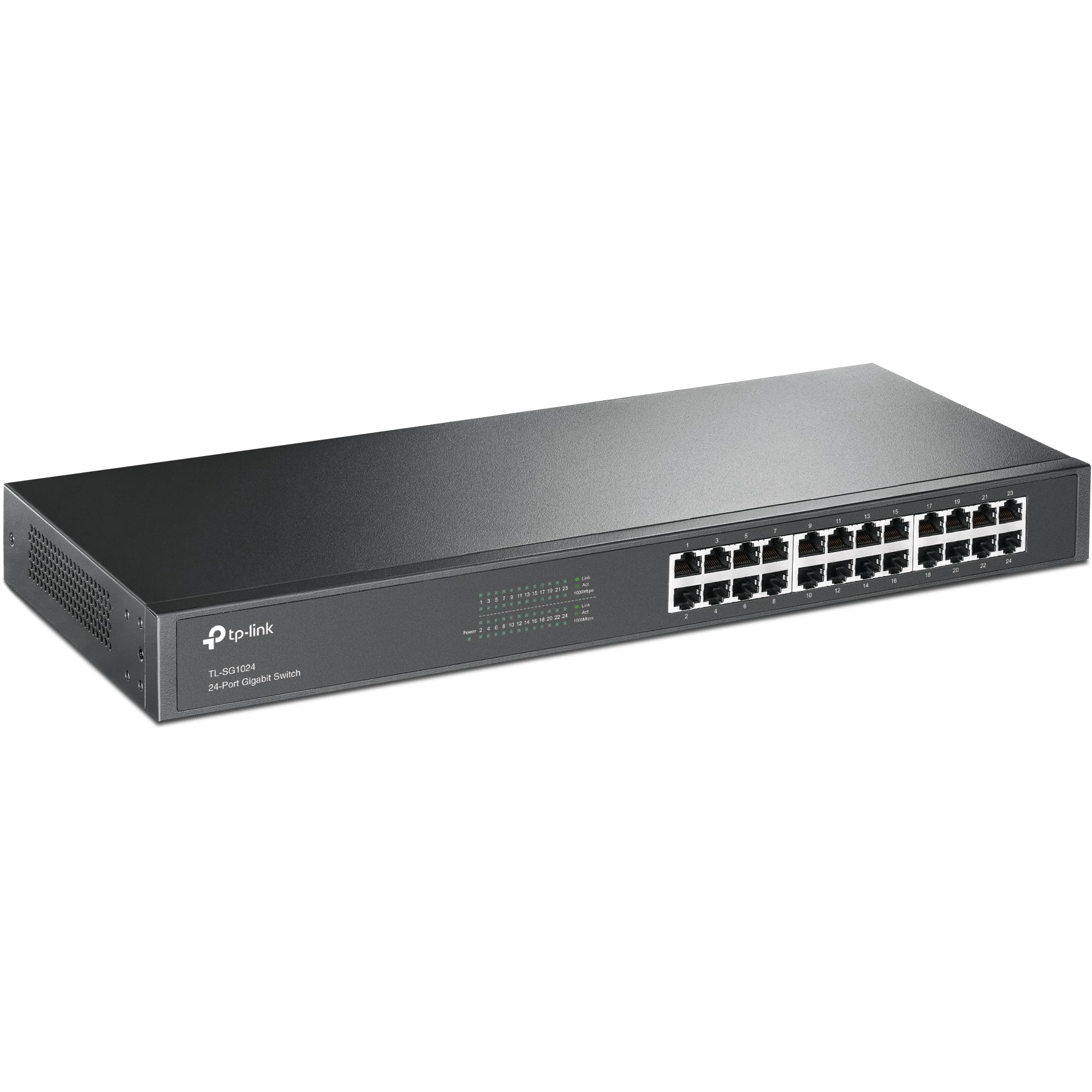
Frequently asked
5 questions01Will the TP-Link TL-SG1008MP 8-Port Gigabit PoE Switch cover my whole house?+
This is a wired switch, not a Wi-Fi device, so coverage in the wireless sense isn't directly applicable. What it does is power and connect PoE devices like IP cameras and Wi-Fi access points over standard Cat5e or Cat6 cable runs of up to 100 metres per port, which is the IEEE 802.3at standard limit. For a typical house with structured cabling, that covers every realistic cable run. Owners running cameras and access points at 40 to 80 metre distances report stable power and data delivery without issues.
02Do I really need Wi-Fi 6E or Wi-Fi 7 for the TP-Link TL-SG1008MP?+
The TL-SG1008MP is a wired PoE switch with no Wi-Fi capability at all, so Wi-Fi standards aren't directly relevant to this product. What is relevant is whether the switch can power and connect the Wi-Fi access points you choose. It supports 802.3at PoE+, which covers the vast majority of Wi-Fi 6 and Wi-Fi 6E access points. Some very high-end Wi-Fi 7 access points require 802.3bt power above 30W, which this switch doesn't support. Check your chosen access point's PoE requirement before purchasing.
03Is the TP-Link TL-SG1008MP better than a single router or extender for my network?+
It's a different product category entirely. The TL-SG1008MP is a PoE switch that powers and connects wired devices. It works alongside a router, not instead of one. Where it adds real value is in enabling wired backhaul for mesh access points or powering IP cameras without separate power adapters. If you pair it with PoE-capable Wi-Fi access points and run physical cables to them, you'll get significantly better Wi-Fi performance than a wireless mesh or extender setup, because the backhaul traffic travels over wire rather than stealing wireless bandwidth.
04Is the TP-Link TL-SG1008MP easy to set up and reliable?+
Setup is as simple as networking hardware gets: plug in the power cable, connect your devices, and it works. There's no app, no web interface, and no configuration required. Owner reviews consistently report immediate compatibility with a wide range of PoE devices including IP cameras from Hikvision, Dahua, and Reolink, plus access points from TP-Link, Ubiquiti, and Netgear. Long-term reliability reports are positive, with multiple owners noting months of continuous operation without any intervention or reboots required.
05What warranty and returns apply to the TP-Link TL-SG1008MP?+
TP-Link typically offers a two-year warranty on their business networking products, but you should verify the specific warranty terms on the TP-Link UK website or the product listing at time of purchase. Regardless of manufacturer warranty, purchases through Amazon UK are covered by Amazon's standard 30-day return policy and the A-to-Z Guarantee, which provides a baseline level of buyer protection.













