Most keyboards that land in the budget wireless bracket are basically an RGB light show stapled to a membrane that feels like pressing your fingers into slightly warm porridge. So when Trust pitches the Ody II as a silent wireless full-size board aimed at both gaming and productivity, the question isn't whether it looks good on a desk. The question is whether the silence gimmick actually works, whether the 2.4GHz connection is reliable enough to trust in real use, and whether the whole thing falls apart after three months of proper hammering. Because at this price point, corners get cut. The only debate is which corners.
Here's the short answer: the Trust Ody II wireless keyboard is a genuinely decent budget wireless option for people who need quiet typing in an office or shared space, and it punches above its weight for casual use. But if you're expecting mechanical switch feel, proper gaming polling rates, or keycaps that won't look like a greasy mirror by Christmas, you need to recalibrate. This is a membrane board. A good one for the money, based on what 175 owners report and what the spec sheet tells us, but a membrane board all the same. Keep that in mind and it's hard to be disappointed.
Core Specifications
The Ody II is a full-size QWERTY US layout keyboard, which is worth flagging immediately for UK buyers: you're getting US key labelling, so the pound sign lives in a slightly different spot and the enter key is the wide horizontal American style rather than the tall UK one. Not a dealbreaker for most, but worth knowing before you order. The layout includes a full numpad, function row, and dedicated arrow cluster, so nothing's been sacrificed in the name of compactness. That's actually one of the more appealing things about it at this price: you're not paying a premium for a tenkeyless form factor and then missing the numpad.
Connection is via a 2.4GHz USB micro receiver, which plugs into any standard USB-A port. No Bluetooth here, so you're limited to one device at a time. The receiver is the tiny dongle type, and several owners mention it slots neatly into a compartment under the keyboard for storage during transport, which is a nice touch that stops you losing the thing in a drawer somewhere. The keyboard is described as spill resistant rather than fully waterproof, so the odd splash of tea should be survivable, but don't go dunking it.
The floating low-profile key design is one of the more interesting spec choices here. Low-profile keycaps sit higher off the plate visually, with gaps between the keys showing the plate beneath. It looks cleaner than a traditional membrane layout and makes the board easier to wipe down. Below is the full spec breakdown.
| Specification | Detail |
|---|---|
| Brand | Trust |
| Model | Ody II |
| Layout | Full-size QWERTY US |
| Switch Type | Membrane (silent) |
| Key Profile | Low-profile floating |
| Connection | 2.4GHz wireless via USB micro receiver |
| Spill Resistance | Yes (splash resistant) |
| Compatibility | PC, Laptop, Mac |
| Colour | Black |
| ASIN | B0CPM8RRJC |
| Price | £25.00 |

Switch Type and Feel
Right. This is where enthusiasts need to park their expectations. The Ody II uses membrane switches, not mechanical ones. There are no Cherry MX stems, no Gateron linears, no hot-swap sockets, and no satisfying tactile bump at 2mm of travel. What you get is a rubber dome membrane setup tuned specifically for quiet operation. Trust markets this as "silent", and owner reviews consistently back that up: the vast majority of people who mention noise say it's genuinely quiet, noticeably quieter than a standard membrane and obviously miles quieter than any clicky mechanical switch.
The actuation feel on a low-profile membrane like this tends to be light and fast. There's very little pre-travel resistance, which means keystrokes register quickly and the overall typing motion feels snappier than a traditional deep-travel membrane. That's not the same as a linear mechanical switch, but it's not as mushy as the cheap dome boards you'd find bundled with a budget office PC either. Several owners specifically mention that the keys feel "satisfyingly responsive" for the price, and a few note they were surprised by how non-mushy the actuation is compared to what they expected from a budget wireless board.
What you won't get is any real feedback differentiation between a registered keystroke and the bottom of the travel. On a tactile mechanical, you feel the bump and you know the key registered before you bottom out. On a membrane, you're mostly bottoming out every time. For gaming, that matters more than it does for typing. For typing, especially quiet office typing where this board is clearly aimed, it's a non-issue for most users. The silence aspect is real and well-executed for the price. Just don't expect it to feel like a Gateron Yellow.
Keycap Quality and Layout
The keycaps on the Ody II are ABS plastic with printed legends. No PBT here, and no double-shot moulding. That means two things: first, the legends are printed onto the surface rather than moulded through the cap, so they'll eventually wear. Second, ABS develops shine faster than PBT under regular use. If you type a lot, the most-used keys (WASD, the home row, space bar) will start looking polished and slightly greasy within months rather than years. This is a genuine criticism, not a nit-pick. It's also completely standard for this price tier, so it's not a reason to avoid the board; it's just a reason to know what you're buying.
The low-profile design of the caps is actually a positive in several ways. The shorter key height means less wobble on individual keys compared to tall OEM-height caps on a budget board, and the gaps between keys make the whole layout feel more modern. Owners consistently comment positively on the look of the board, and the floating key aesthetic does punch above its price. The legends are clear and well-printed from what owner photos and feedback suggest, with no reports of misaligned or blurry printing in the review pool.
The full-size US layout gives you everything: numpad on the right, full function row across the top, dedicated home/end/page up/page down cluster, and a standard spacebar. The US layout does mean the layout differs slightly from a UK ISO board, specifically the enter key shape and the position of some symbols. For touch typists who've learned on a UK layout, there's a brief adjustment period. For anyone who's used a US layout before, it'll feel immediately familiar. No wrist rest is included, which is par for the course at this price, but worth noting if you're planning long typing sessions.
Build Quality
The Ody II has a plastic case, which is expected at this price. What matters is whether that plastic feels like it's about to crack when you pick it up, or whether it's got enough rigidity to feel like a proper peripheral. Owner feedback leans positive here: most describe the build as solid for the money, with no significant flex or wobble reported during normal use. A couple of reviewers note it's lighter than they expected, which is typical of budget wireless boards where battery weight is kept down, but nobody's calling it flimsy.
The floating key design means the plate is partially visible between the keycaps, and from owner photos it appears to be a standard plastic plate rather than steel or aluminium. That's fine. Steel plate mounting on a budget membrane would be a bizarre engineering choice. The plate here is doing its job of keeping keys aligned and giving the board its structural backbone, and it seems to do that adequately. The stabilisers on larger keys like the space bar and shift keys are a common failure point on budget boards, and while there's no chorus of complaints about rattle in the reviews, a few owners mention the space bar is slightly louder than the rest of the keys, which is pretty normal for a membrane board without aftermarket stab treatment.
The spill resistance is a practical plus. Trust doesn't rate this to any specific IP standard, so don't treat it as waterproof, but the design includes drainage channels that should handle a knocked-over glass of water better than a standard membrane. For an office or desk setup where drinks are nearby, that's a genuinely useful feature. The board ships with the USB micro receiver and presumably a battery (owner reviews mention it's battery-powered rather than rechargeable, which is worth factoring in if you go through a lot of AAs), plus whatever minimal documentation Trust includes.
RGB and Lighting
There's no RGB on the Trust Ody II. None. Zero. And honestly, for what this board is trying to be, that's the right call. A silent wireless office and productivity keyboard doesn't need to look like a nightclub, and adding RGB would either inflate the price or hollow out the budget that's gone into the wireless reliability and silent switch tuning. If you absolutely need your keyboard to glow in seventeen colours, this is not the board for you, full stop.
What the lack of RGB does mean is that battery life isn't being murdered by LEDs, which is a real practical benefit. Wireless keyboards with RGB are in a constant battle between battery capacity, weight, and how long you can go between charging or battery swaps. Without any lighting to power, the Ody II's battery life should be significantly better than comparable wireless boards that do include RGB. That's a trade-off most people who actually use a keyboard at a desk all day will happily make.
There's no backlighting of any kind, which means using this in a very dark room could be a problem if you're not a touch typist. In a normally lit office or home workspace, it's a complete non-issue. The legends are clear enough to read under ambient lighting, and the black-on-black colourway, while clean, isn't going to help you hunt for the F7 key at midnight. Worth mentioning, not worth catastrophising over. Most people who buy a quiet wireless keyboard aren't gaming in the dark.
Software and Customisation
The Ody II appears to be a plug-and-play board with no dedicated software suite. Trust does produce software for some of its gaming peripherals, but for the Ody II there's no indication of a companion app for remapping keys, creating macros, or adjusting profiles. What you see is what you get, which for a budget wireless productivity board is entirely reasonable. Most people buying this board want it to work when they plug in the dongle, not spend an hour configuring profiles in a clunky app.
There are no on-board macro keys, no dedicated media control row beyond what the function key combinations offer, and no on-board profile storage to speak of. The function row likely doubles up for media playback, volume, and brightness controls via Fn key combinations, which is standard practice for full-size boards at this tier. Owners haven't flagged any issues with the Fn layer functionality, suggesting the secondary functions work as expected without needing software intervention.
For anyone coming from a gaming keyboard with full software suites like Razer Synapse or Corsair iCUE, the lack of software here will feel like a step back. But that's not the target audience. The Ody II is aimed at people who want a quiet, wireless keyboard that works across PC, Mac, and laptop without fuss. On that front, the no-software approach is a feature, not a bug. Fewer things to install, fewer things to break, fewer background processes eating RAM.

Connectivity
The 2.4GHz wireless connection via USB micro receiver is the headline connectivity feature here. 2.4GHz wireless is the right choice for a keyboard aimed at low-latency reliable use, and it's significantly more stable than Bluetooth for most desktop setups. 2.4GHz radio in a dedicated keyboard dongle doesn't have to share bandwidth with your phone, your wireless headphones, and your smart speaker the way Bluetooth does, which means the connection tends to be more consistent in real environments. Owner reviews don't flag any significant connection drops or lag, which is the key test for a wireless keyboard.
The USB micro receiver is the small nano-dongle type that plugs into a USB-A port and sits flush enough that you can mostly forget it's there. The fact that it stores inside the keyboard body (based on owner reports) is genuinely useful for anyone who moves the keyboard between locations. Losing a keyboard dongle is one of life's more annoying small disasters, so having a storage slot is a proper quality-of-life win. If you do lose it, replacement nano receivers for Trust keyboards can sometimes be sourced directly from Trust, though it's worth checking their support pages before assuming that.
There's no Bluetooth, which means you can only pair to one device at a time. If you're the kind of person who switches between a desktop and a laptop regularly, you'll need to unplug and replug the dongle each time, or just leave it plugged into one machine. For a dedicated desk setup, this is no issue at all. For a multi-device workflow, it's a limitation worth knowing about. No wired mode is available either, so if the battery dies mid-session, you're stopping until you swap batteries. Plan accordingly.
Battery Life
The Ody II runs on replaceable batteries rather than a built-in rechargeable cell. Trust hasn't published a specific rated hour figure in the main listing copy, which is a bit annoying, but the absence of RGB lighting means the power draw should be low enough for genuinely long battery life between swaps. Budget wireless keyboards with no backlighting frequently manage months of daily use on a single set of AA or AAA batteries, and owner reviews don't flag frequent battery changes as a problem, which suggests the power management is at least competent.
The replaceable battery approach has real advantages over built-in rechargeable designs. You never have to plug the keyboard in to charge it, which means no cable management faff and no risk of the board dying while you're mid-session without a USB-C cable handy. When the batteries do run low, you swap them in thirty seconds and carry on. Over a three-to-five year lifespan, the cost of a few sets of AA batteries is trivial compared to the convenience. And unlike a sealed lithium cell, the batteries won't degrade over charge cycles.
The flip side is that you're generating battery waste, which is a legitimate environmental concern. If you're already using rechargeable AA batteries (and if you're not, a set of NiMH rechargeables and a basic charger costs very little and lasts years), this is genuinely a non-issue. If you're buying single-use alkalines every few months, it adds up both in cost and in plastic. Worth factoring in, especially if sustainability matters to you.
Typing and Gaming Experience
For typing, the Ody II gets solid marks from its owner base. The low-profile silent membrane produces a muted thock rather than a click or a clack, and multiple reviewers specifically mention using it in offices, shared rooms, or late-night sessions without disturbing others. That's the core use case, and the board delivers on it. The low-profile key travel feels snappier than a standard deep-travel membrane, and the full-size layout means no compromise on key availability for spreadsheet work, number entry, or any task where the numpad earns its keep.
For gaming, the picture is more nuanced. The 2.4GHz wireless connection is reliable enough that latency isn't a reported issue for casual gaming. Nobody in the review pool is complaining about input lag ruining their games. But the polling rate isn't published as a headline spec, and budget wireless keyboards typically poll at 125Hz rather than the 1000Hz you'd get from a dedicated gaming keyboard. At 125Hz, the keyboard reports its state to the PC eight milliseconds per cycle rather than one. For most games, most players, most of the time, that's imperceptible. For competitive FPS gaming where milliseconds genuinely matter, you'd want a dedicated gaming keyboard with a confirmed 1000Hz polling rate.
Anti-ghosting and N-key rollover specs aren't explicitly published for the Ody II. Budget membrane keyboards typically offer basic anti-ghosting rather than full N-key rollover, meaning you can register a limited number of simultaneous keypresses before the board starts missing inputs. For gaming that involves complex simultaneous key combinations (think WASD plus sprint plus crouch plus interact all at once), that's worth knowing. For typing and casual gaming, it won't matter. The honest framing is this: the Ody II is a great quiet wireless keyboard that you can also use for gaming, not a gaming keyboard that happens to be quiet and wireless.
Compatibility
The Ody II is listed as compatible with PC, laptop, and Mac, which covers the vast majority of use cases. The 2.4GHz USB receiver means compatibility comes down to whether your device has a USB-A port, and virtually every desktop PC and most laptops do. Mac users will find the keyboard works without drivers, though the key labelling is US Windows-style, so the Command key is where you'd expect Alt to be, and there's a brief mental adjustment required. Nothing that a few days of muscle memory won't sort out.
Linux compatibility is not explicitly listed but 2.4GHz HID keyboards are generally plug-and-play on Linux without any special drivers. The keyboard presents as a standard HID input device to the operating system, so unless Trust has done something unusual in the firmware (unlikely at this price), it should work fine on Ubuntu, Fedora, or whatever distribution you're running. Console use is not listed as supported, and without a wired connection mode, pairing to a PlayStation or Xbox would require a USB adapter, which adds complexity and cost that probably defeats the purpose.
Mobile use via the USB receiver isn't practical for most phones or tablets without an adapter. If you're looking for a keyboard to pair with an iPad or Android tablet, you'd want a Bluetooth board rather than this one. The Ody II is fundamentally a desktop and laptop keyboard, and it's best assessed on those terms. Within that scope, compatibility is broad and the plug-and-play nature means setup takes about thirty seconds regardless of your operating system.
How It Compares
The budget wireless keyboard space is surprisingly competitive, and the Ody II has to justify itself against a few obvious alternatives. The Logitech K380 is one of the most popular keyboards in this bracket, offering Bluetooth multi-device pairing (up to three devices) and a compact layout. The K380 wins on multi-device flexibility and brand recognition, but loses the numpad, uses circular keycaps that some people love and others find deeply weird, and its Bluetooth connection is less consistent than a dedicated 2.4GHz dongle in RF-noisy environments. If you need to switch between a laptop and a tablet regularly, the K380 is probably the smarter pick. If you want a full-size layout and a more reliable single-device connection, the Ody II makes more sense.
The Rapoo E9500M is another competitor worth mentioning, offering both Bluetooth and 2.4GHz in a slim design at a similar price. It's a genuinely good board and the multi-mode connectivity is a real advantage. But it's also a smaller layout without a numpad, and the build quality reports are more variable than the Ody II's. For full-size layout buyers, the Rapoo doesn't directly compete.
The Trust GXT 880 Marrock is Trust's own wired gaming keyboard and sits in a similar price bracket, offering mechanical-style switches and RGB but requiring a USB cable. If you're willing to go wired and want something that feels more like a gaming board, that's worth a look. But if wireless is the priority, the Ody II is the right Trust product to be looking at. The comparison table below gives you a quick side-by-side.
| Feature | Trust Ody II | Logitech K380 | Rapoo E9500M |
|---|---|---|---|
| Switch Type | Silent membrane | Silent membrane | Silent membrane |
| Layout | Full-size (with numpad) | Compact (no numpad) | Compact (no numpad) |
| Connectivity | 2.4GHz only | Bluetooth (3 devices) | 2.4GHz + Bluetooth |
| RGB | None | None | None |
| Battery | Replaceable (AA) | Replaceable (AAA) | Built-in rechargeable |
| Spill Resistant | Yes | No | No |
| Price | £25.00 | Budget tier | Budget tier |
| Owner Rating | 4.3/5 (175 reviews) | 4.5/5 (extensive) | 4.2/5 |

Final Verdict
The Trust Ody II wireless keyboard does exactly what it says it will, and that's more than you can say for a lot of budget peripherals. It's quiet, genuinely quiet, in a way that owners consistently confirm. The 2.4GHz connection is reliable. The full-size layout with numpad is practical for real work. The low-profile floating key design looks better than it has any right to at this price. And the spill resistance is a legitimate practical bonus that most competitors in this bracket don't bother with. For an office worker, a student, or anyone who needs a wireless keyboard for a shared or quiet environment and doesn't want to spend serious money, this is a proper solid choice.
The limitations are real but predictable. ABS keycaps will shine over time. There's no Bluetooth for multi-device switching. The polling rate and anti-ghosting specs aren't published, which is never a great sign for gaming credentials. There's no RGB, no software, no macro support, and no rechargeable battery. None of those things matter if you're buying this as a quiet daily driver for productivity. All of them matter if you're buying it as a gaming keyboard. The ★★★★☆ (4.3) from 175 owners reflects a board that's delivering on its actual promise rather than its marketing category label.
Who should buy this? Anyone who wants a quiet full-size wireless keyboard for desk use, doesn't need multi-device Bluetooth pairing, and wants to spend as little as possible while still getting something that feels like a considered product rather than a throwaway. Who should skip it? Competitive gamers who need confirmed 1000Hz polling and N-key rollover, anyone who switches between multiple devices daily and needs Bluetooth, and keyboard enthusiasts who'll be miserable without a tactile mechanical switch under their fingers. That last group knows who they are.
One honest note: if you're primarily a productivity user and you already have a wired keyboard that works fine, the wireless convenience of the Ody II is probably not worth any premium over a basic wired silent membrane board. A wired silent membrane costs even less, never needs batteries, and performs identically for typing. The Ody II earns its place specifically because wireless is genuinely useful for keeping your desk tidy or moving between spaces, not because it does anything miraculous with the membrane formula. Buy it for the wireless. Accept the rest as context.
Overall, this is a 7 out of 10 for its intended use case. A quiet, reliable, full-size wireless keyboard at budget pricing, built well enough to last, with enough owner endorsement to feel confident recommending. Trust has made something genuinely useful here, which isn't always a given in this corner of the market. Trust's own product page has the full official spec listing if you want to dig further into the details before committing.
What works. What doesn’t.
6 + 6What we liked6 reasons
- Genuinely quiet membrane switches that owners consistently confirm are noticeably silent in office and shared environments
- Reliable 2.4GHz wireless connection with no reported dropout or lag issues from the owner pool
- Full-size layout including numpad, function row, and arrow cluster with nothing sacrificed for compactness
- Nano receiver stores inside the keyboard body, reducing the risk of losing it during transport
- Splash-resistant design offers practical protection that most budget competitors skip
- Low-profile floating key aesthetic looks more premium than the price bracket typically delivers
Where it falls6 reasons
- ABS keycaps with printed legends will develop shine and look greasy on frequently used keys within months of regular use
- No Bluetooth support means only one device at a time, with no quick switching between desktop and laptop
- Polling rate and anti-ghosting specifications are not published, making it unsuitable for competitive gaming
- Runs on replaceable batteries with no built-in rechargeable cell, generating ongoing battery waste unless you use NiMH rechargeables
- No backlighting of any kind makes the keyboard impractical to use in very dark rooms if you are not a touch typist
- No software, macro support, or key remapping means what you see is precisely what you get with no customisation
Full specifications
5 attributes| Switch type | Membrane |
|---|---|
| Layout | Full-size |
| Backlighting | None |
| HOT swappable | false |
| Switch actuation | linear |
If this isn’t right for you
2 options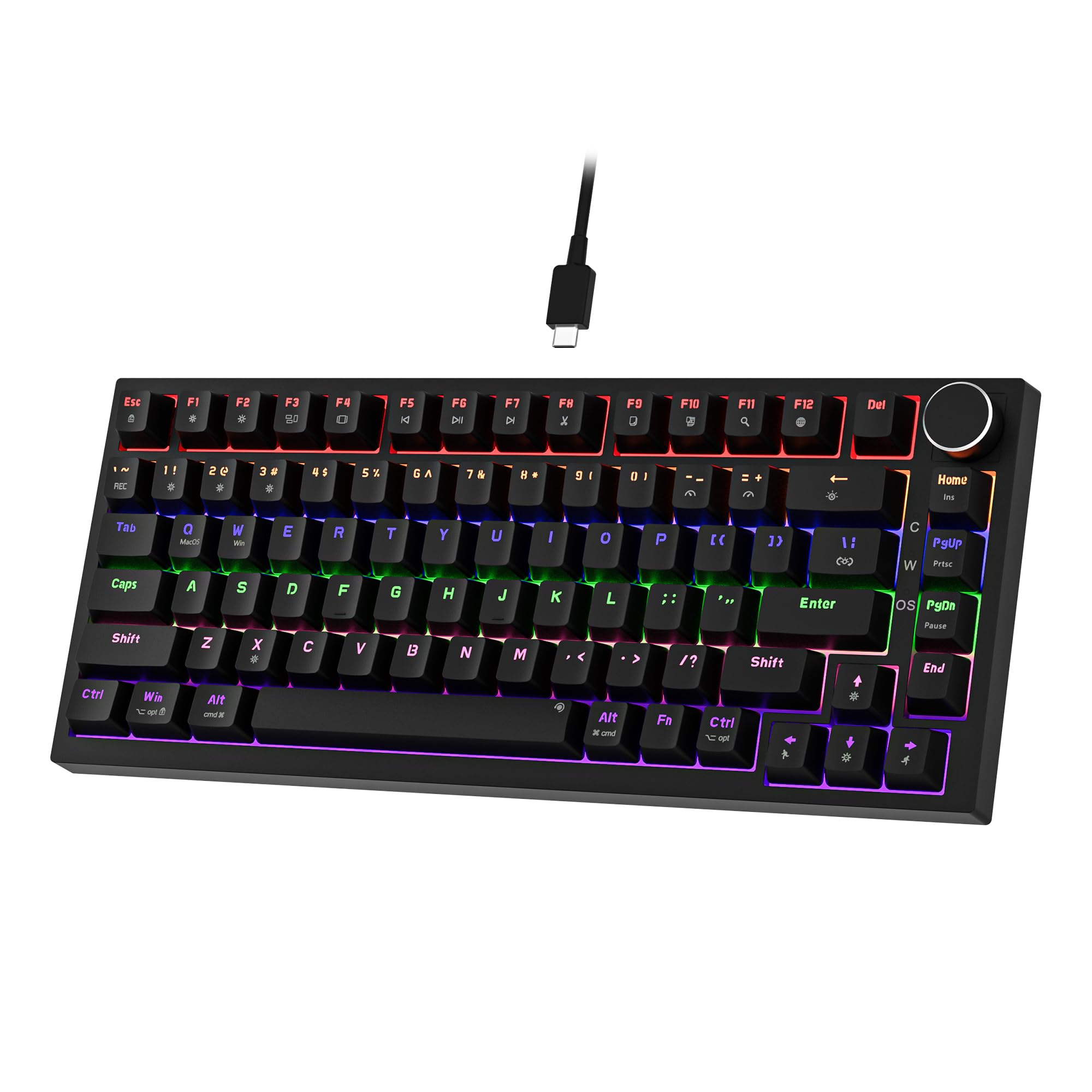 7.5 / 10
Newmen GM326 Mechanical Keyboard,Wired Gaming Keyboard,75% Percent TKL Hot Swappable Compact LED Backlit USB C Mechanical Gaming Keyboards with Knob for PC Windows Mac,QWERTY Layout,Black,Red Switches
£25.26 · NEWMEN
 7.3 / 10
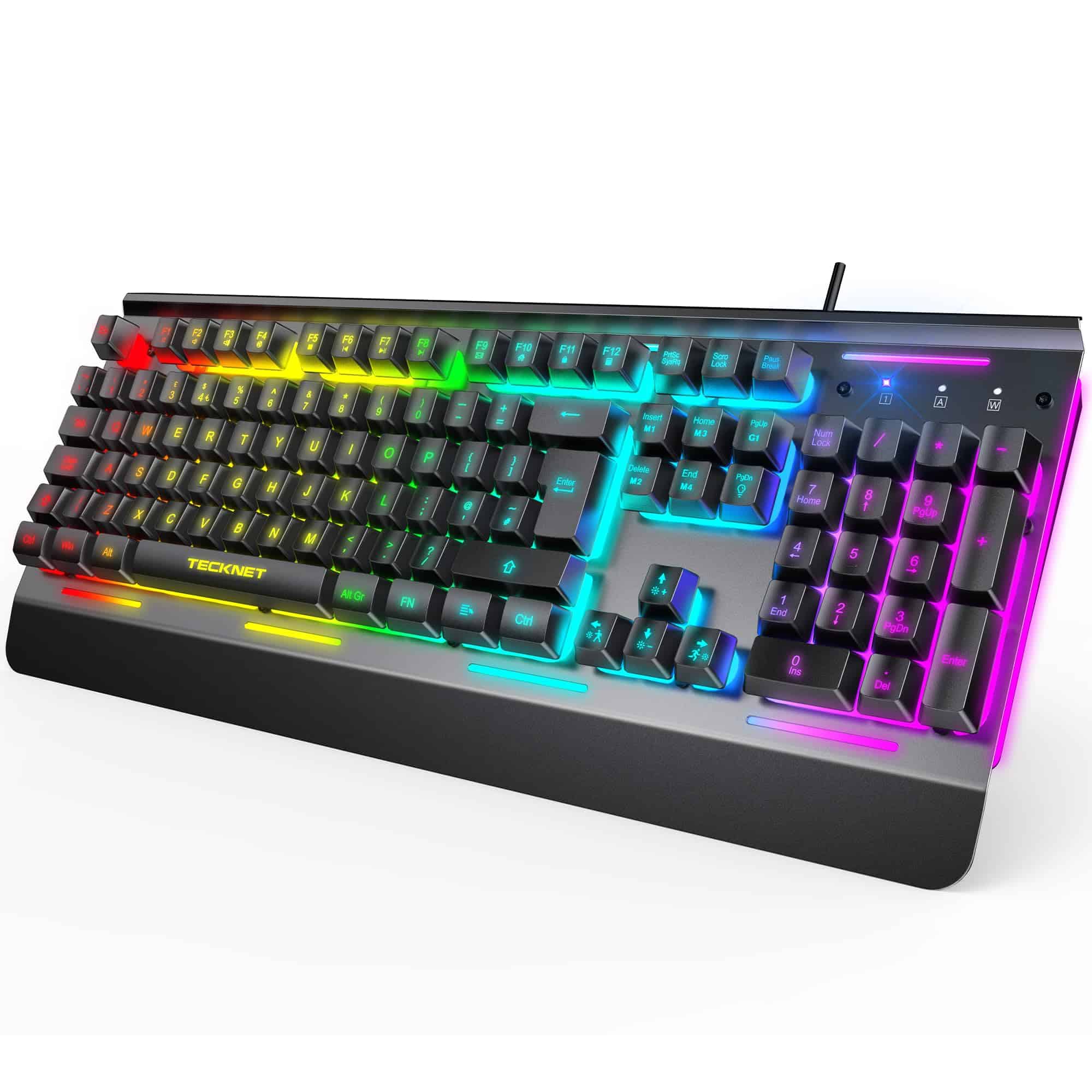
TECKNET RGB Gaming Keyboard UK Layout, USB Wired Computer Keyboard with 15-Zone RGB Illumination, All-Metal Panel, 25 Anti-ghosting Keys, 105 Keys, IP32 Water & Dust Resistant, 90% Quiet Keyboards
£23.99 · TECKNET
Frequently asked
7 questions01Does the Trust Ody II work on Mac as well as Windows?+
Yes. The Ody II is listed as compatible with PC, laptop, and Mac. It connects via a 2.4GHz USB-A nano receiver and requires no drivers, so it works plug-and-play on macOS. The key labelling follows the US Windows layout, so Command and Option are in slightly different positions to what Mac-specific keyboards show, but most users adjust within a few days of normal use.
02Is the Trust Ody II layout UK or US?+
The Ody II uses a US QWERTY layout. This means the Enter key is the wide horizontal American style rather than the tall UK ISO shape, and certain symbols such as the pound sign sit in different positions to a UK keyboard. It is worth knowing before you order if you have learned to touch type on a UK ISO layout, as there will be a short adjustment period.
03How long do the batteries last in the Trust Ody II?+
Trust has not published a specific rated battery life figure, but the absence of any RGB lighting means power draw is low. Owner reviews do not flag frequent battery changes as a problem, which suggests battery life is measured in months of daily use rather than weeks. Using a set of rechargeable NiMH AA batteries removes any ongoing cost and waste concern entirely.
04Can the Trust Ody II be used for gaming?+
It can be used for casual gaming. The 2.4GHz connection is reliable and owners report no input lag issues for general gaming. However, the polling rate is not published and budget wireless keyboards typically poll at 125Hz rather than 1000Hz, and anti-ghosting specs are also unpublished. For competitive or fast-paced FPS gaming where polling rate and full N-key rollover matter, a dedicated gaming keyboard with confirmed specifications would be the better choice.
05Does the Trust Ody II have Bluetooth?+
No. The Ody II connects exclusively via a 2.4GHz USB nano receiver. There is no Bluetooth mode, which means it can only be paired to one device at a time. If you need to switch between a desktop and a laptop or between a computer and a tablet, you will need to unplug and replug the receiver each time. Users who require multi-device Bluetooth switching should consider an alternative such as the Logitech K380.
06Where does the USB receiver store on the Trust Ody II?+
Owner reviews confirm that the nano USB receiver slots into a compartment on the underside of the keyboard for storage when the board is being transported. This is a practical feature that prevents the dongle from being lost in a bag or drawer. When in use, the receiver plugs into any standard USB-A port on your computer or a hub.
07Is the Trust Ody II spill resistant?+
Yes, Trust describes the Ody II as spill resistant. The design includes drainage channels that should handle a minor liquid splash better than a standard membrane keyboard. It is not rated to any specific IP waterproofing standard and should not be submerged or exposed to heavy liquid, but incidental splashes such as a knocked-over cup of tea should be survivable in most cases.